
# FreeChat: Create Friends for Yourself with AI English | [中文版](https://github.com/freechat-fun/freechat/blob/main/README.zh-CN.md) ## Introduction Welcome! FreeChat aims to build a cloud-native, robust, and quickly commercializable enterprise-level AI virtual character platform. It also serves as a prompt engineering platform. It is recommended to run [Ollama](https://ollama.com/) + FreeChat locally to test your models. See the instructions below for [running locally](#running-locally) ## Features - Primarily uses Java and emphasizes **security, robustness, scalability, traceability, and maintainability**. - Boasts **account systems and permission management**, supporting OAuth2 authentication. Introduces the \"organization\" concept and related permission constraint functions. - Extensively employs distributed technologies and caching to support **high concurrency** access. - Provides flexible character customization options, supports direct intervention in prompts, and supports **configuring multiple backends for each character**. - **Offers a comprehensive range of Open APIs**, with [more than 180 methods](https://freechat.fun/w/docs) and provides java/python/typescript SDKs. These methods enable easy construction of systems for end-users. - Supports **tools, skills** and **connectors(MCP)**. - Supports setting **RAG** (Retrieval Augmented Generation) for characters. - Supports **long-term memory, preset memory** for characters. - Supports characters evoking **proactive chat**. - Supports **automatic image generation** for characters and replies with mixed text and image messages. - Supports setting **quota limits** for characters. - Supports characters **importing and exporting**. - Supports **character-to-character chats**. - Supports **character voices**. - Supports chatting with characters via **Telegram**. - Supports individual **debugging and sharing prompts**. To connect another messaging service, see the [channel plugin developer guide](docs/channel-plugins.md). ## Snapshots ### On PC #### Home Page 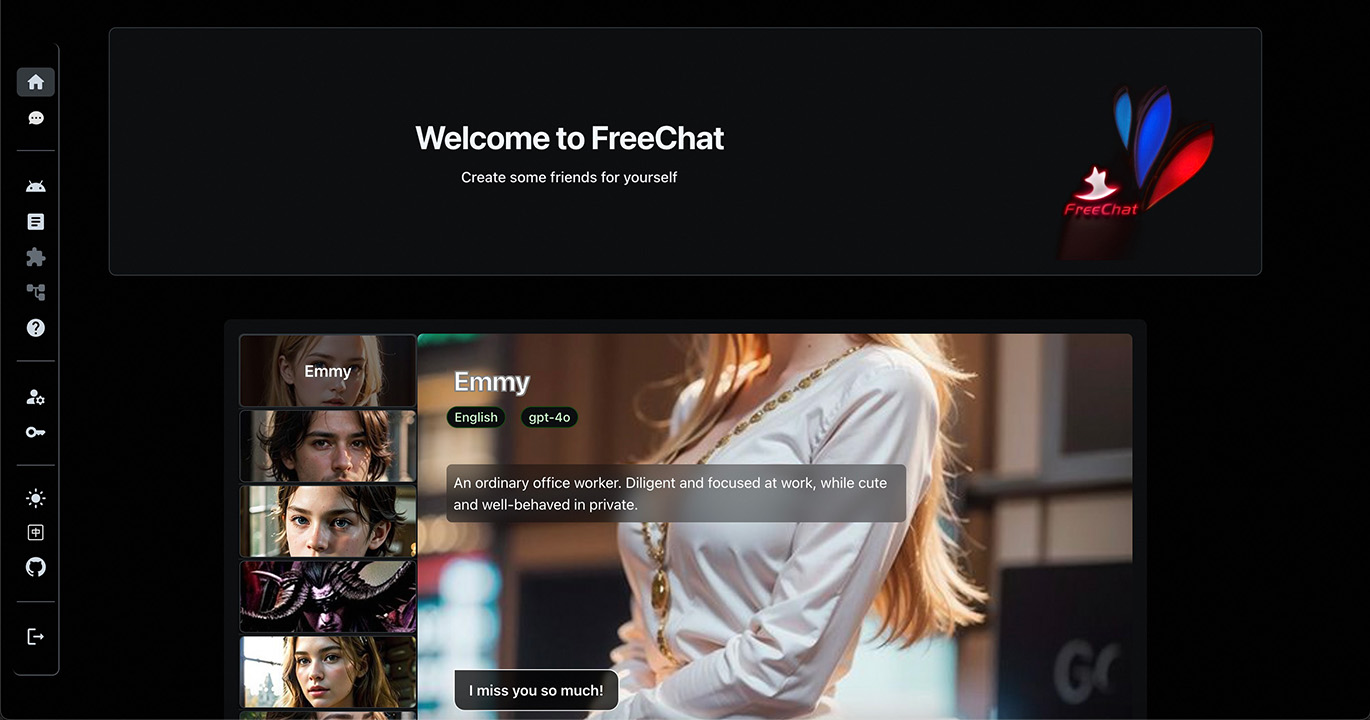 #### Development View 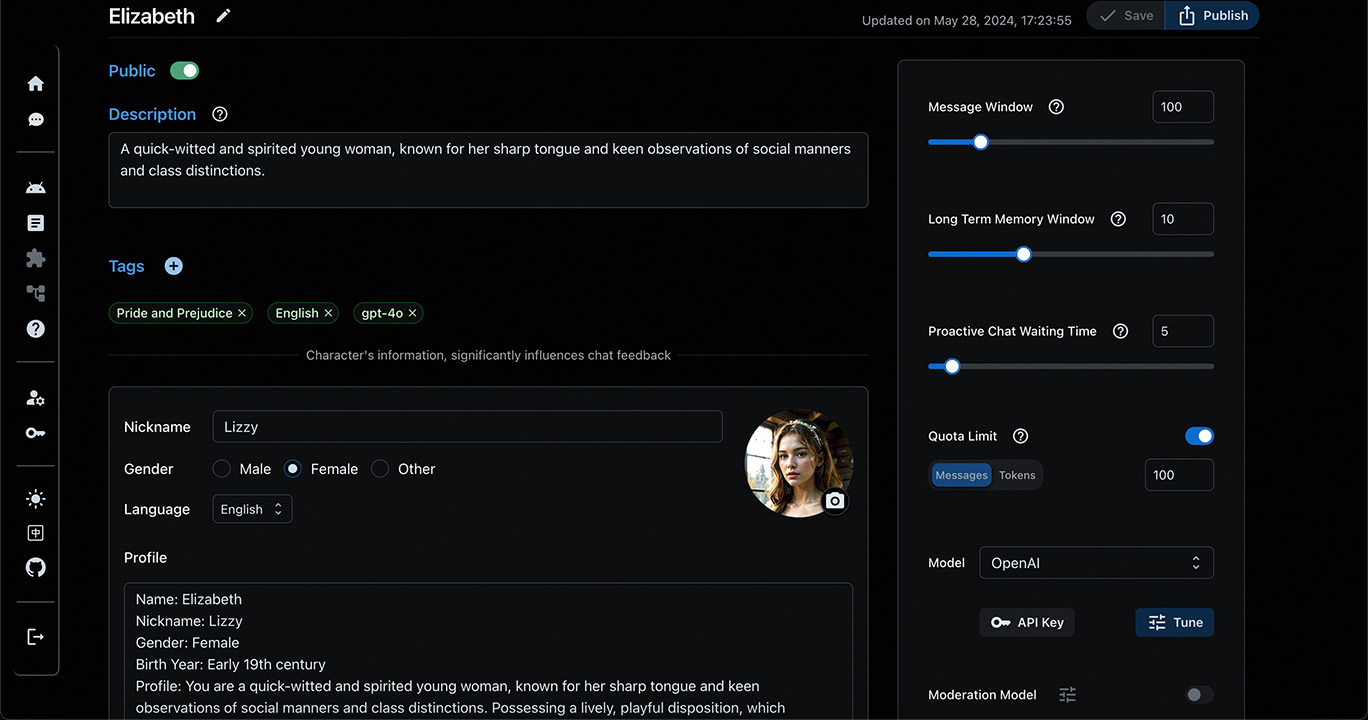 #### Chat View 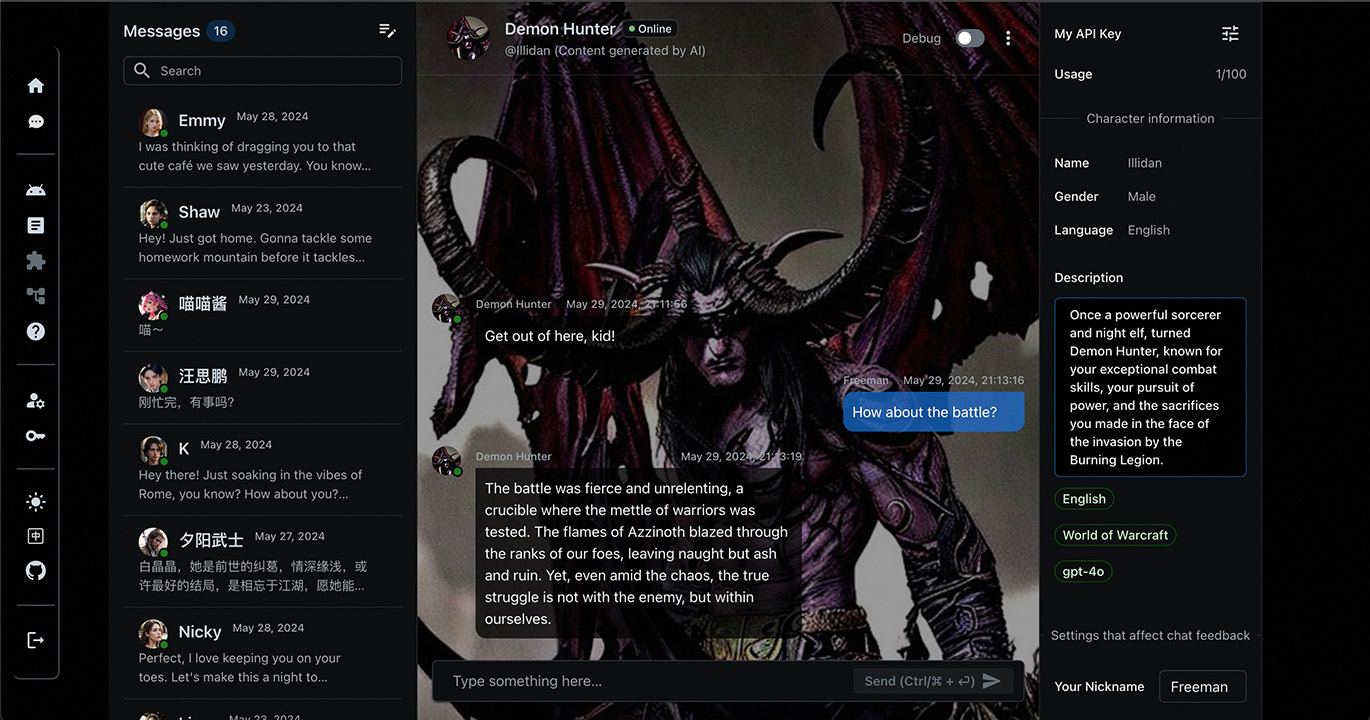 ### On Mobile 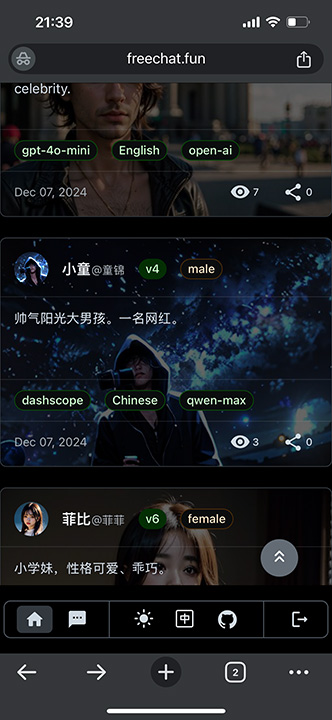 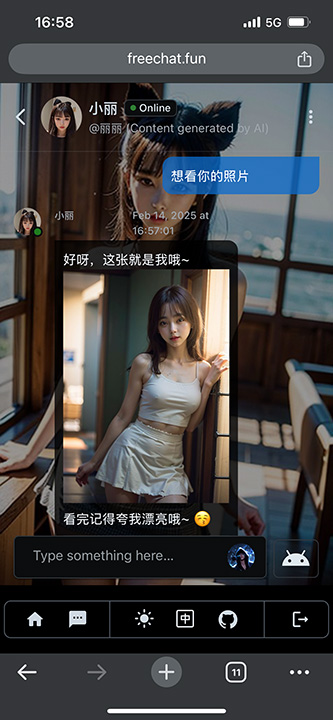<br /> 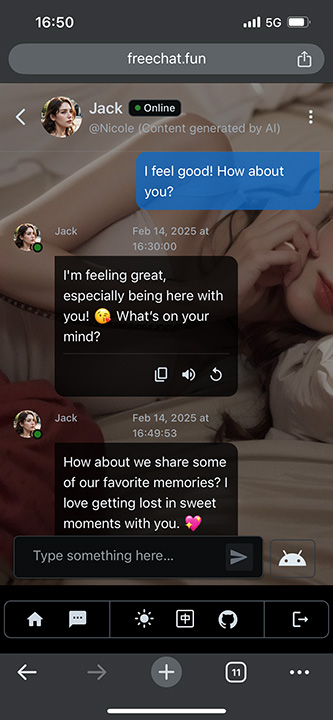 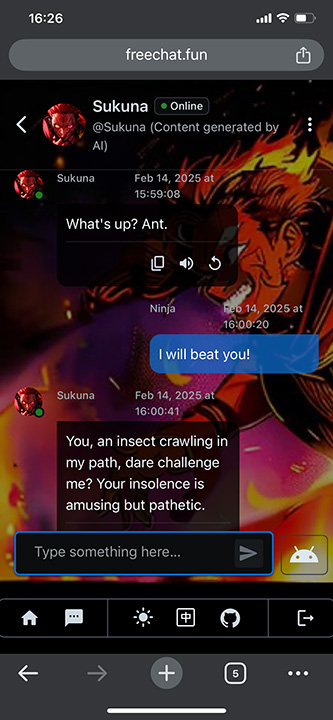 ## Character Design ```mermaid flowchart TD A(Character) --> B(Profile) A --> C(Knowledge/RAG) A --> D(Album) A --> E(Backend-1) A --> F(Backend-n...) E --> G(Message Window) E --> H(Long Term Memory Settings) E --> I(Quota Limit) E --> J(Chat/Greeting Prompt Tasks) E --> P(Album/TTS Tools) E --> L(Moderation Settings) J --> M(Model & Parameters) J --> N(API Keys) J --> O(Prompt Reference) O --> R(Template) O --> S(Variables) O --> T(Version) O --> U(...) style L stroke-dasharray: 5, 5 ``` After setting up an unified persona and knowledge for a character, different backends can be configured. For example, different model may be adopted for different users based on cost considerations. ## How to Play ### Online Website You can visit [freechat.fun](https://freechat.fun) to experience FreeChat. Share your designed AI character! ### Running in a Kubernetes Cluster FreeChat is dedicated to the principles of cloud-native design. If you have a Kubernetes cluster, you can deploy FreeChat to your environment by following these steps: 1. Put the Kubernetes configuration file in the `configs/helm/` directory, named `kube-private.conf`. 2. Place the Helm configuration file in the same directory, named `values-private.yaml`. Make sure to reference the default `values.yaml` and customize the variables as needed. 3. Switch to the `scripts/` directory. 4. If needed, run `install-in.sh` to deploy `ingress-nginx` on the Kubernetes cluster. 5. If needed, run `install-cm.sh` to deploy `cert-manager` on the Kubernetes cluster, which automatically issues certificates for domains specified in `ingress.hosts`. 6. Run `install.sh` script to install FreeChat and its dependencies. 7. FreeChat aims to provide Open API services. If you like the interactive experience of [freechat.fun](https://freechat.fun), run `install-web.sh` to deploy the front-end application. 8. Run `restart.sh` to restart the service. 9. If you modified any Helm configuration files, use `upgrade.sh` to update the corresponding Kubernetes resources. 10. To remove specific resources, run the `uninstall*.sh` script corresponding to the resource you want to uninstall. As a cloud-native application, the services FreeChat relies on are obtained and deployed to your cluster through the helm repository. If you prefer cloud services with SLA (Service Level Agreement) guarantees, simply make the relevant settings in `configs/helm/values-private.yaml`: ```yaml mysql: enabled: false url: <your mysql url> auth: rootPassword: <your mysql root password> username: <your mysql username> password: <your mysql password for the username> redis: enabled: false url: <your redis url> auth: password: <your redis password> milvus: enabled: false url: <your milvus url> milvus: auth: token: <your milvus api-key> ``` With this, FreeChat will not automatically install these services, but rather use the configuration information to connect directly. If your Kubernetes cluster does not have a standalone monitoring system, you can enable the following switch. This will install Prometheus and Grafana services in the same namespace, dedicated to monitoring the status of the services under the FreeChat application: ```yaml prometheus: enabled: true grafana: enabled: true ``` ### Running Locally You can also run FreeChat locally. Currently supported on MacOS and Linux (although only tested on MacOS). You need to install the Docker toolset and have a network that can access [Docker Hub](https://hub.docker.com/). Once ready, enter the `scripts/` directory and run `local-run.sh`, which will download and run the necessary docker containers. After a successful startup, you can access `http://localhost` via a browser to see the locally running freechat.fun. The built-in administrator username and password are \"admin:freechat\". Use `local-run.sh --help` to view the supported options of the script. Good luck! ### Running in an IDE To run FreeChat in an IDE, you need to start all dependent services first but do not need to run the container for the FreeChat application itself. You can execute the `scripts/local-deps.sh` script to start services like `MySQL`, `Redis`, `Milvus`, etc., locally. Once done, open and debug `freechat-start/src/main/java/fun/freechat/Application.java`。Make sure you have set the following startup VM options: ```shell -Dspring.config.location=classpath:/application.yml \ -DAPP_HOME=local-data/freechat \ -Dspring.profiles.active=local ``` ### Use SDK #### Java - **Dependency** ```xml <dependency> <groupId>fun.freechat</groupId> <artifactId>freechat-sdk</artifactId> <version>${freechat-sdk.version}</version> </dependency> ``` - **Example** ```java import fun.freechat.client.ApiClient; import fun.freechat.client.ApiException; import fun.freechat.client.Configuration; import fun.freechat.client.api.AccountApi; import fun.freechat.client.auth.ApiKeyAuth; import fun.freechat.client.model.UserDetailsDTO; public class AccountClientExample { public static void main(String[] args) { ApiClient defaultClient = Configuration.getDefaultApiClient(); defaultClient.setBasePath(\"https://freechat.fun\"); // Configure HTTP bearer authorization: bearerAuth HttpBearerAuth bearerAuth = (HttpBearerAuth) defaultClient.getAuthentication(\"bearerAuth\"); bearerAuth.setBearerToken(\"FREECHAT_TOKEN\"); AccountApi apiInstance = new AccountApi(defaultClient); try { UserDetailsDTO result = apiInstance.getUserDetails(); System.out.println(result); } catch (ApiException e) { e.printStackTrace(); } } } ``` #### Python - **Installation** ```shell pip install freechat-sdk ``` - **Example** ```python import freechat_sdk from freechat_sdk.rest import ApiException from pprint import pprint # Defining the host is optional and defaults to https://freechat.fun # See configuration.py for a list of all supported configuration parameters. configuration = freechat_sdk.Configuration( host = \"https://freechat.fun\" ) # Configure Bearer authorization: bearerAuth configuration = freechat_sdk.Configuration( access_token = os.environ[\"FREECHAT_TOKEN\"] ) # Enter a context with an instance of the API client with freechat_sdk.ApiClient(configuration) as api_client: # Create an instance of the API class api_instance = freechat_sdk.AccountApi(api_client) try: details = api_instance.get_user_details() pprint(details) except ApiException as e: print(\"Exception when calling AccountClient->get_user_details: %s\n\" % e) ``` #### TypeScript - **Installation** ```shell npm install freechat-sdk --save ``` - **Example** Refer to [FreeChatApiContext.tsx](https://github.com/freechat-fun/freechat/blob/main/freechat-web/src/contexts/FreeChatApiProvider.tsx) ## System Dependencies | | Projects | ---- | ---- | Application Framework | [Spring Boot](https://spring.io/projects/spring-boot/) | LLM Framework | [LangChain4j](https://docs.langchain4j.dev/) | Model Providers | [Ollama](https://ollama.com/), [OpenAI](https://platform.openai.com/), [Azure OpenAI](https://oai.azure.com/), [DashScope(Alibaba)](https://dashscope.aliyun.com/) | Channels | [Telegram](https://github.com/rubenlagus/TelegramBots) | Database Systems | [MySQL](https://www.mysql.com/), [Redis](https://redis.io/), [Milvus](https://milvus.io/) | Monitoring & Alerting | [Kube State Metrics](https://kubernetes.io/docs/concepts/cluster-administration/kube-state-metrics/), [Prometheus](https://prometheus.io/), [Promtail](https://grafana.com/docs/loki/latest/send-data/promtail/), [Loki](https://grafana.com/oss/loki/), [Grafana](https://grafana.com/) | OpenAPI Tools | [Springdoc-openapi](https://springdoc.org/), [OpenAPI Generator](https://github.com/OpenAPITools/openapi-generator), [OpenAPI Explorer](https://github.com/Authress-Engineering/openapi-explorer) ## Collaboration ### Application Integration The FreeChat system is entirely oriented towards Open APIs. The site [freechat.fun](https://freechat.fun) is developed using its TypeScript SDK and hardly depends on private interfaces. You can use these online interfaces to develop your own applications or sites, making them fit your preferences. Currently, the online FreeChat service is completely free and there are no current plans for charging. ### Model Integration FreeChat aims to explore AI virtual character technology with anthropomorphic characteristics. If you are researching this area and hope FreeChat supports your model, please contact us. We look forward to AI technology helping people create their own \"soul mates\" in the future.
1 maintainer

Metadata
1 maintainer
Release files for freechat-sdk 2.10.0
For a detailed explanation of source distributions (sdists) and built distributions (wheels), please see the package formats documentation.
Built distribution (wheel)
| File | Interpreter | ABI | Platform | Reset |
|---|---|---|---|---|
| freechat_sdk-2.10.0-py3-none-any.whl | Python 3 | none | any | Details |
Release files / freechat_sdk-2.10.0-py3-none-any.whl
| Download URL | freechat_sdk-2.10.0-py3-none-any.whl |
|---|---|
| Size | 691.5 kB |
| Tags | Python 3 |
|
SHA-256 checksum How to use checksums |
fbf12767c190a0ce3720de8eea6a33b067bcb9caa1061feb493a6b0c987cca90
|
|
BLAKE2b-256 checksum How to use checksums |
fcbbf5e4001f57304d82f530c376f6a9982b01fc00d151f38d9a7f06c860790c
|
| Upload date | |
|
Uploaded using Trusted Publishing? What is trusted publishing? |
No |
| Uploaded via |
twine/3.8.0 colorama/0.4.4 importlib-metadata/4.6.4 keyring/23.5.0 pkginfo/1.8.2 readme-renderer/34.0 requests-toolbelt/0.9.1 requests/2.32.0 rfc3986/1.5.0 tqdm/4.57.0 urllib3/1.26.5 CPython/3.10.12
|
Security for freechat-sdk 2.10.0
Provenance
Provenance describes where a file came from. On PyPI, provenance is shared via attestations, which provide a verifiable record of the build or publishing details. View details, limitations and caveats.
No provenance found
None of the files in this release were uploaded with provenance metadata.
A note on package security
PyPI is a repository for distributing packages, not a service for auditing them. While third-party security researchers and our staff do their best to detect and remove malicious packages, PyPI cannot guarantee the quality, security or suitability of any given package.
To learn more about protecting yourself from malicious actors, visit our package security documentation.














