
Fritzing Stripboard Generator
Generates Fritzing components matching your particular stripboard.

Inspired by Robert P Heller's project having a similar aim: https://github.com/RobertPHeller/fritzing-Stripboards
Installation
pip install fritzing-stripboard
You can also install the in-development version with:
pip install https://github.com/coddingtonbear/fritzing-stripboard/archive/master.zip
Use
fritzing-stripboard /path/to/board.yaml /path/to/output/part.fzpz
Defining Your Board
While digging through my project supplies, I happened across a large collection of stripboards that look like this:
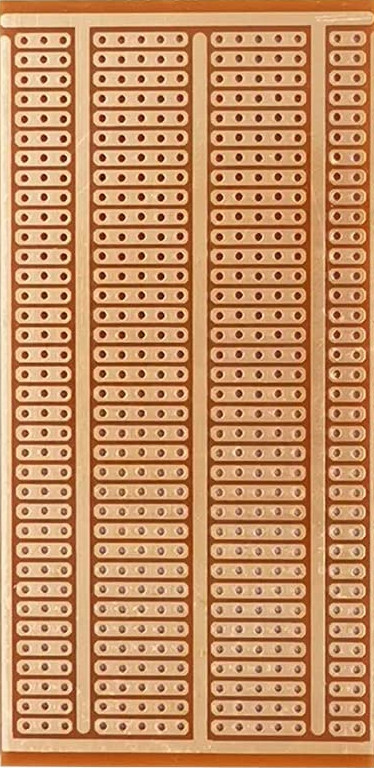
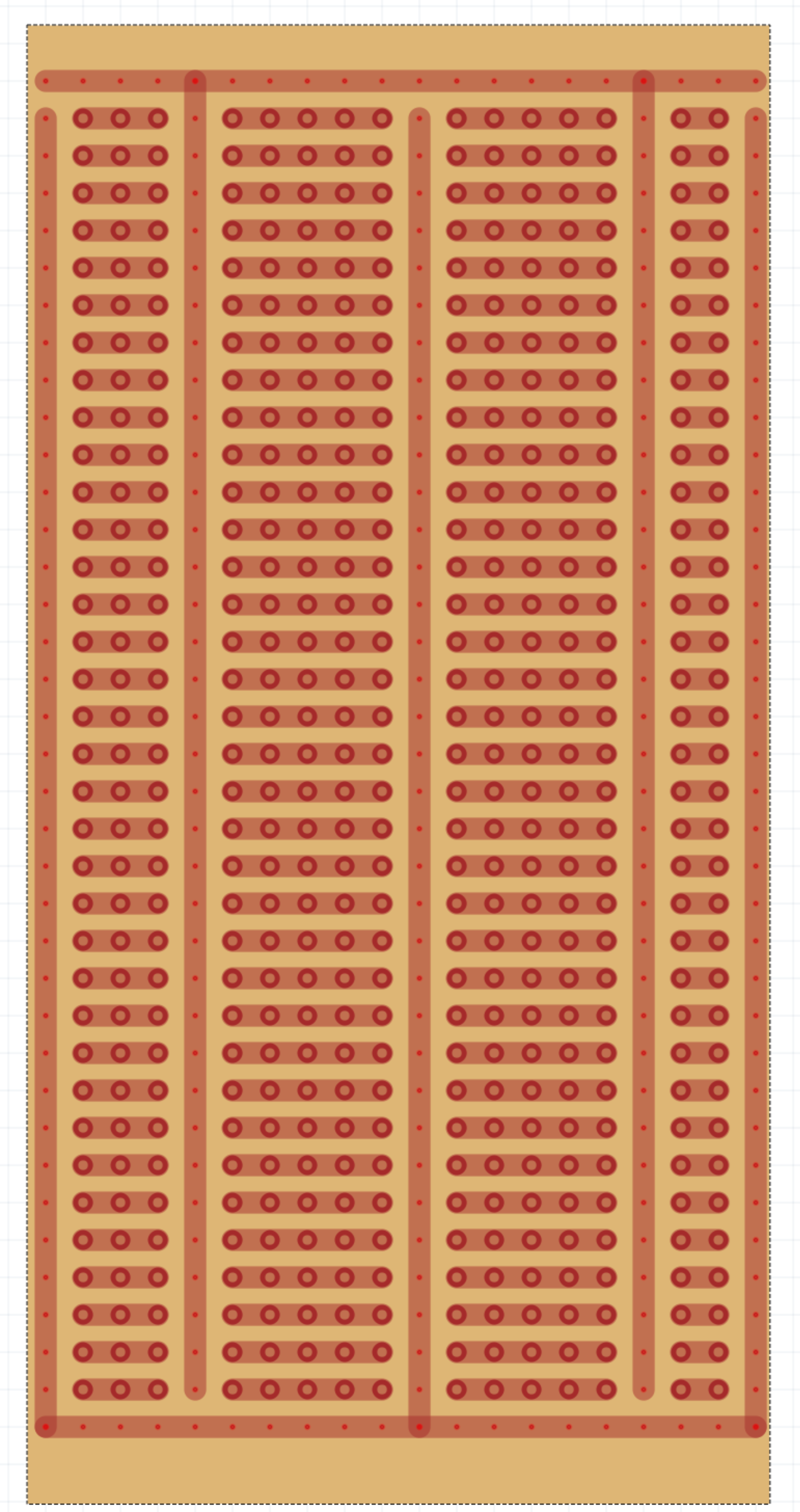
Although there are stripboards available online for Fritzing, none quite looked like this. Luckily, though, generating a Fritzing part for this board can be done easily with just a little bit of yaml:
meta:
  title: 3-5-5-2 Board with Solid Bus
  label: 3-5-5-2
width: 50.5
height: 100.5
board:
  - grid:
      components:
        - shared_bus:
          - bus: A1:T1
          - bus: E1:E36
          - bus: Q1:Q36
        - shared_bus:
          - bus: A37:T37
          - bus: T2:T37
          - bus: A2:A37
          - bus: K2:K37
        - drilled_rows: B2:D36
        - drilled_rows: F2:J36
        - drilled_rows: L2:P36
        - drilled_rows: R2:S36
The above will generate a board that looks like:
The Grid
Definitions for boards use excel-like grid square ranges for defining where new bus (trace) or drilled hole elements should appear:

Components
bus or drilled
These create a line or a line of drilled holes. For example,
bus is used for creating this:
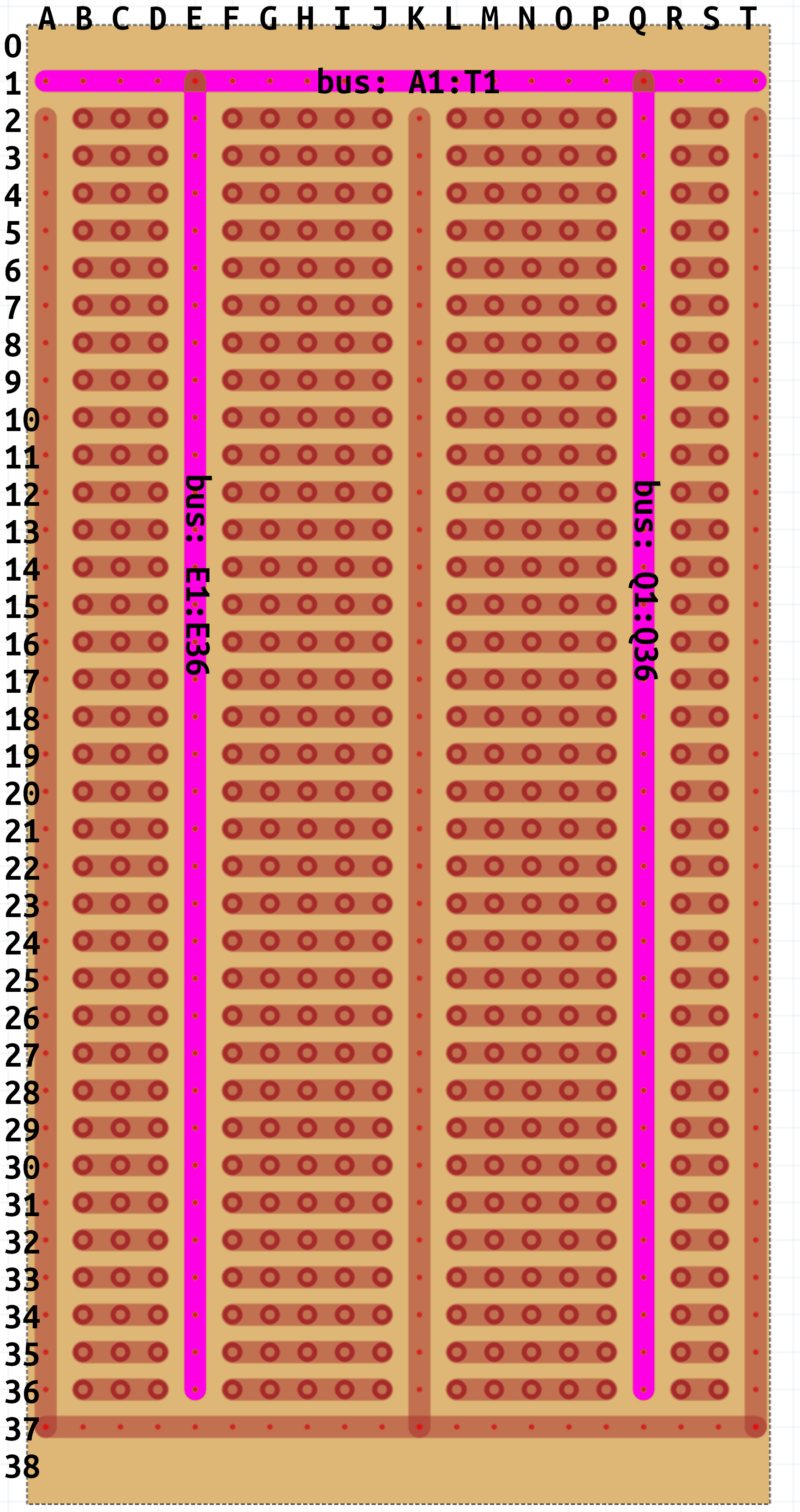
Each bus or drilled range will be assigned its own "bus"
(a.k.a. "net") unless wrapped by shared_bus as you've seen in the
example above.
drilled_rows or drilled_columns
These create an array of rows or columns. For example,
drilled_rows is used for creating this:
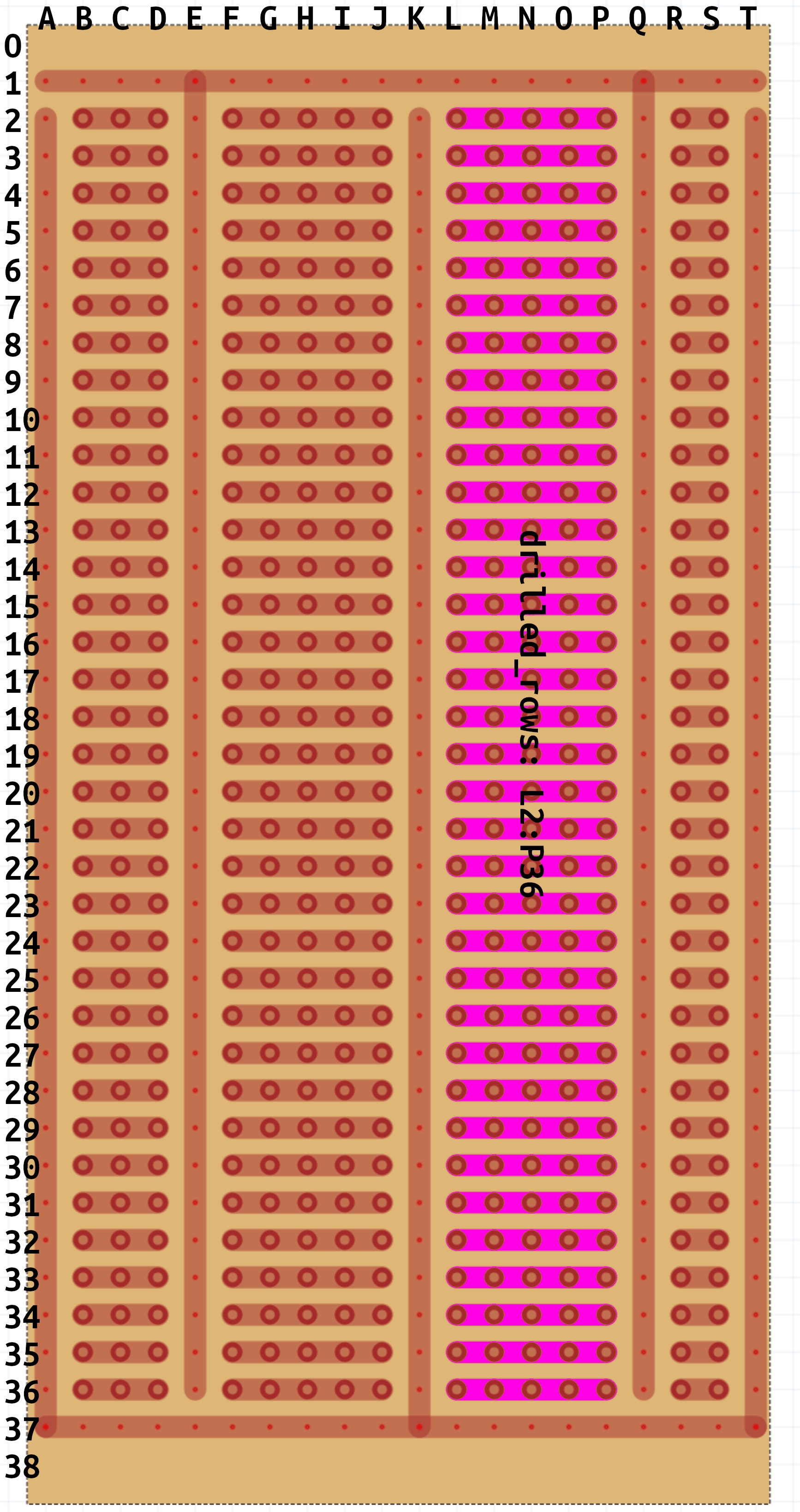
Each row or column of the range will be assigned its own "bus"
(a.k.a. "net") unless wrapped by shared_bus.
shared_bus
bus and drilled ranges by default each get their own bus. If your
stripboard has a more complex layout (like in the example), you can
use this 'component' for causing all components below it to share
the same bus.
Metadata
See BoardMetadata for a full list of properties.
1 maintainer

Metadata
1 maintainer
Release files for fritzing-stripboard 1.0.0
For a detailed explanation of source distributions (sdists) and built distributions (wheels), please see the package formats documentation.
Source distribution (sdist)
| File | Size | Uploaded | |
|---|---|---|---|
| fritzing-stripboard-1.0.0.tar.gz | 66.0 kB | Details |
Built distribution (wheel)
| File | Interpreter | ABI | Platform | Reset |
|---|---|---|---|---|
| fritzing_stripboard-1.0.0-py2.py3-none-any.whl | Python 2, Python 3 | none | any | Details |
Total release size: 75.4 kB
Release files / fritzing-stripboard-1.0.0.tar.gz
| Download URL | fritzing-stripboard-1.0.0.tar.gz |
|---|---|
| Size | 66.0 kB |
| Tags | Source |
|
SHA-256 checksum How to use checksums |
43ec5e2710ea2a3c50d2a969d783be80cb470e478a07b9dc1096944c2f167b6f
|
|
BLAKE2b-256 checksum How to use checksums |
95c3ae34e0b39922fd7edb9f7d819b05e0cb1bb32ec315bf4f7afc8bcda0345a
|
| Upload date | |
|
Uploaded using Trusted Publishing? What is trusted publishing? |
No |
| Uploaded via |
twine/4.0.2 CPython/3.10.7
|
Release files / fritzing_stripboard-1.0.0-py2.py3-none-any.whl
| Download URL | fritzing_stripboard-1.0.0-py2.py3-none-any.whl |
|---|---|
| Size | 9.4 kB |
| Tags | Python 2 Python 3 |
|
SHA-256 checksum How to use checksums |
03fbd6030312128cec209b25939f8fe594fcd4434294d77dbfa20bf5d93a6091
|
|
BLAKE2b-256 checksum How to use checksums |
956c6f4a88eee873da02ae4be9173ea6beb7dba210141039e760da7dc05e57b2
|
| Upload date | |
|
Uploaded using Trusted Publishing? What is trusted publishing? |
No |
| Uploaded via |
twine/4.0.2 CPython/3.10.7
|













