
fsspec-encrypted is a package that provides an encrypted filesystem for use with Python. It’s built on fsspec making it compatible with Cloud Services like S3, GCS, Azure Blob Service / Data Lake etc. As well as bringing encryption to Pandas Data Frames.
It allows users to transparently encrypt and decrypt files while maintaining compatibility with any underlying fsspec-compatible filesystem (e.g., local, S3, GCS, etc.).
Note
This supersedes fs-encrypted as it appears pyfilesystem2 is no longer maintained. So we are switching to fsspec which has a broad level of adoption.
fsspec-encrypted is an AES-256 CBC encrypted driver for fsspec The entire file is buffered to memory before written to disk with the pandas to_* methods, this is to reduce time spent on decrypting and re-encrypting by chunk.
Our roadmap will be to switch to AES-CTR to allow for streaming encryption, which will reduce the need for a larger memory footprint.
Keys
We use a keys, ensure you store the keys securely!!!! A lost key means lost data!
Keys are natively bytes, and should be base64 encoded / decoded, use the methods EncryptedFS.key_to_str and EncryptedFS.str_to_key, for storing, transmitting, and especially copying + pasting. These helper methods are named as I couldn’t remember if I should encode or decode - so write once and forget.
e.g.
from fsspec_encrypted.fs_enc_cli import generate_key
from fsspec_encrypted.fs_enc import EncryptedFS

# Your encryption key
encryption_key = generate_key(passphrase="my_secret_passphrase", salt=b"12345432")
print("Encryption key:", EncryptedFS.key_to_str(encryption_key))
Features
Encryption on top of any filesystem: Works with any fsspec-supported filesystem (e.g., local, S3, GCS, FTP, Azure).
Automatic encryption and decryption: Data is automatically encrypted during writes and decrypted during reads.
CLI: Provides for easy scripting and key generation
Simple and flexible: Minimal setup required with flexible file system options.
Application
Applications that may require sensitive data storage should use an encrypted file system. By providing a layer of abstraction on top of the encryption our hope is to make it safer to store this data.
PII / PHI * Print Billing systems * Insurance services / Identity cards * Data Transfer * Secure distributed configuration
Installation
You can install fsspec-encrypted via pip from PyPI:
pip install fsspec-encryptedUsage
Here’s a simple example of using fsspec-encrypted to create an encrypted filesystem layer on top of a local filesystem (default) and perform basic read and write operations.
Local Filesystem Example
import fsspec
from fsspec_encrypted.fs_enc_cli import generate_key

# Generate an encryption key
encryption_key = generate_key(passphrase="my_secret_passphrase", salt=b"12345432")

# Create an EncryptedFS instance (local filesystem is the default)
enc_fs = fsspec.filesystem('enc', encryption_key=encryption_key)

# Write some encrypted data to a file
enc_fs.writetext('./encfs/example.txt', 'This is some encrypted text.')

# Read the encrypted data back from the file
print(enc_fs.readtext('./encfs/example.txt'))
Pandas compatibility
Pandas uses fsspec under the hood, which lets you using the read / to methods to encrypt data Additional note, we are using the generate_key here with a passphrase and salt to allow for reusable key
import pandas as pd
from fsspec_encrypted.fs_enc_cli import generate_key

# Your encryption key
encryption_key = generate_key(passphrase="my_secret_passphrase", salt=b"12345432")

# Create a sample DataFrame
data = {
    'name': ['Alice', 'Bob', 'Charlie'],
    'age': [25, 30, 35]
}
df = pd.DataFrame(data)

# This encrypts the file to disk
df.to_csv('enc://./encfs/encrypted-file.csv', index=False, storage_options={"encryption_key": encryption_key})

print("Data written to encrypted file with key:", encryption_key.decode())

# Read and decrypt the file
df2 = pd.read_csv('enc://./encfs/encrypted-file.csv', storage_options={"encryption_key": encryption_key})

print(df2)
S3 Filesystem Example
This is an example of using encryption on top of other file systems, where we wrap S3 and encrypt or decrypt as required.
import fsspec
from cryptography.fernet import Fernet

# Generate an encryption key
encryption_key = Fernet.generate_key()

# Use the encrypted filesystem on top of an S3 filesystem
enc_fs = fsspec.filesystem('enc', encryption_key=encryption_key)

# Write some encrypted data to S3
enc_fs.writetext('s3://your-bucket/example.txt', 'This is some encrypted text.')

# Read the encrypted data back from S3
print(enc_fs.readtext('s3://your-bucket/example.txt'))

# This can also be done by wrapping the filesystem
bucket="some-bucket"
df = pd.read_csv(f'enc://s3://{bucket}/encrypted-file.csv', storage_options={"encryption_key": encryption_key})
Other Filesystems
fsspec-encrypted automatically determines the filesystem type based on the file path.
For example, if the path starts with s3://, it will use S3; otherwise, it defaults to the local filesystem. It supports any fsspec-compatible filesystem (e.g., GCS, FTP).
For wrapping the filesystem we can use enc://<other-file-system>://
CLI
fsspec-encrypted also includes a command-line interface (CLI) for encrypting and decrypting files.
This allows a simple ability to encrypt and decrypt files without code
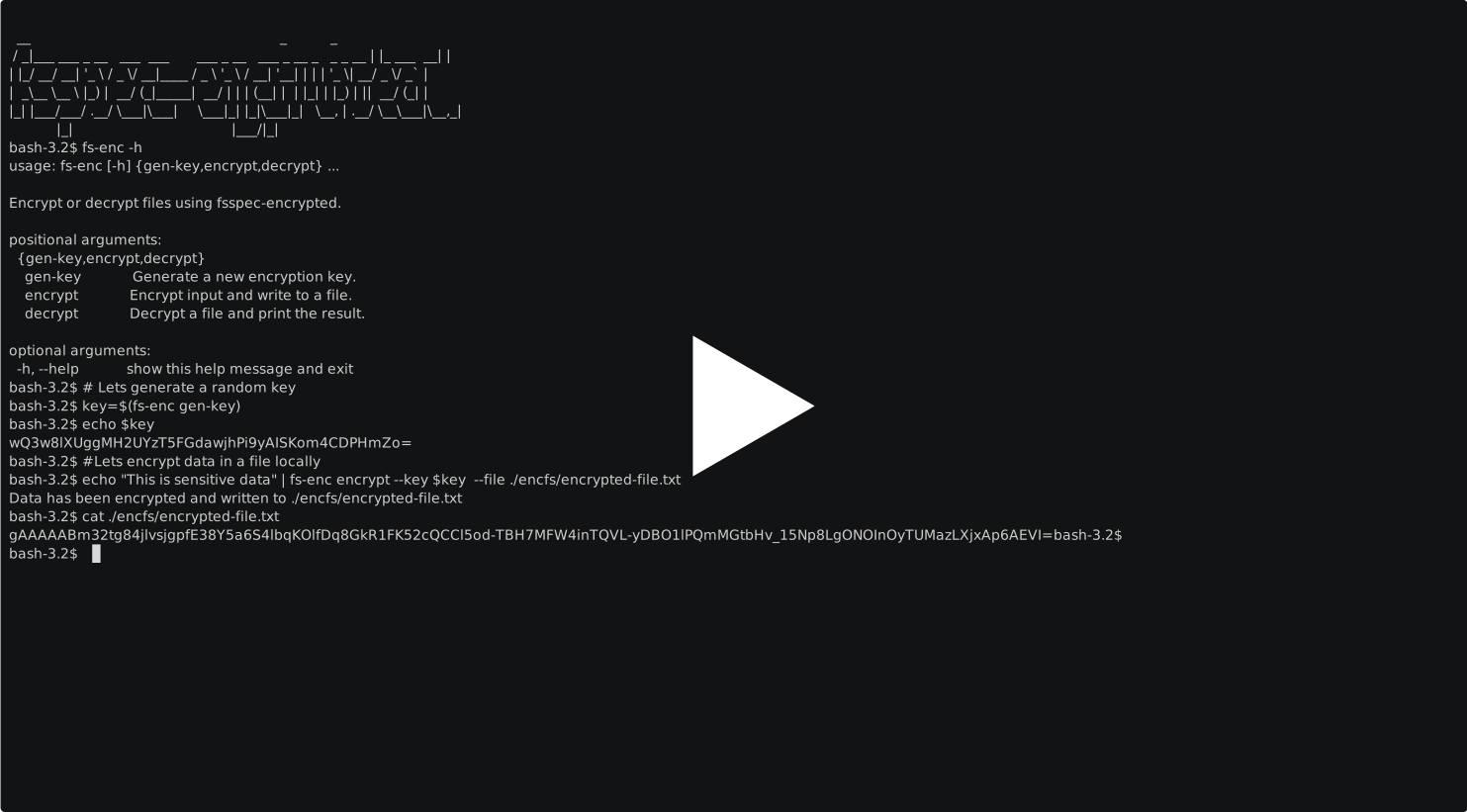
Generate an Encryption Key
Store your keys appropriately - a secrets manager is an ideal solution!
# Generate a random key
# CRITICAL STORE THE KEY SOMEWHERE SECURE
key=$(fs-enc gen-key)
If you want to generate a key based on a passphrase and salt
fs-enc gen-key --passphrase 'hello world' --salt 12345432What is a Salt?
A salt is a random 16 byte value used during the key derivation process to ensure that even if two people use the same passphrase, the derived encryption keys will be different. The salt is not a secret, but it should be unique and random for each encryption.
When encrypting data, the salt is usually stored alongside the encrypted data so that it can be used again during decryption to derive the same encryption key from the passphrase.
Encrypt data from stdin and write it to a file
# Encrypt and store locally
echo "This is sensitive data" | fs-enc encrypt --key $key --file ./encfs/encrypted-file.txt
# Decrypt
fs-enc decrypt --key $key --file ./encfs/encrypted-file.txt
Writing encrypted data to a cloud store, The following example requires the appropriate driver s3fs in this case installed and AWS env variables configured
export AWS_PROFILE=xxxxxx
pip install -U s3fs
echo "This is sensitive data" | fs-enc encrypt --key $key  --file s3://<some-bucket>/encrypted-file.txt
fs-enc decrypt --key $key --file s3://<some-bucket>/encrypted-file.txt
Development
If you’d like to contribute or modify the code, you can set up the project for development using Poetry.
Setting Up for Development
Clone the repository:
git clone https://github.com/thevgergroup/fsspec-encrypted.git
cd fsspec-encrypted
Install the dependencies using Poetry:
poetry installAfter installation, any changes you make to the code will be automatically reflected when running the project.
Running Tests
The project uses pytest for testing. To run the test suite, simply use:
poetry run pytest1 maintainer

Release files for fsspec-encrypted 0.8
For a detailed explanation of source distributions (sdists) and built distributions (wheels), please see the package formats documentation.
Source distribution (sdist)
| File | Size | Uploaded | |
|---|---|---|---|
| fsspec_encrypted-0.8.tar.gz | 12.0 kB | Details |
Built distribution (wheel)
| File | Interpreter | ABI | Platform | Reset |
|---|---|---|---|---|
| fsspec_encrypted-0.8-py3-none-any.whl | Python 3 | none | any | Details |
Total release size: 22.5 kB
Release files / fsspec_encrypted-0.8.tar.gz
| Download URL | fsspec_encrypted-0.8.tar.gz |
|---|---|
| Size | 12.0 kB |
| Tags | Source |
|
SHA-256 checksum How to use checksums |
a2ef21977c26ac16759a71d75832c4fd27a834417de6edd73df6458109174b90
|
|
BLAKE2b-256 checksum How to use checksums |
d3e846f068e3421e8d5849e08f0dfbf6cc464af839a93ab7035592e1e9bcb9f7
|
| Upload date | |
|
Uploaded using Trusted Publishing? What is trusted publishing? |
Yes |
| Uploaded via |
twine/5.1.1 CPython/3.12.6
|
Release files / fsspec_encrypted-0.8-py3-none-any.whl
| Download URL | fsspec_encrypted-0.8-py3-none-any.whl |
|---|---|
| Size | 10.5 kB |
| Tags | Python 3 |
|
SHA-256 checksum How to use checksums |
a804ad77c0eb25df47847a6cd859108a351c5e6b8ea28d1c8cd49ad0c03c8cb3
|
|
BLAKE2b-256 checksum How to use checksums |
71df7303a15383a1a400b16d1d65c2e37700d50b5cf2970914a7dbd00ee6c7a0
|
| Upload date | |
|
Uploaded using Trusted Publishing? What is trusted publishing? |
Yes |
| Uploaded via |
twine/5.1.1 CPython/3.12.6
|














