
This release is a pre-release and may not be stable for production use.
Fullbleed PDF Engine



Build PDFs with reusable Python, JavaScript and C# components, or HTML/CSS. MIT licensed.
Build invoices, reports, statements, and variable-data print jobs with a deterministic Rust engine. Use the native Rust API, the Python package, or the optional JavaScript and .NET integrations. The Python wheel includes the engine, fonts, and CLI with no required third-party Python packages or system PDF stack. The JavaScript package includes the WebAssembly engine and fonts for Node.js and browser workers; the .NET package includes native libraries for in-process rendering.
Try PDF components · Documentation · Examples · PyPI · crates.io · npm · Release notes · MIT license
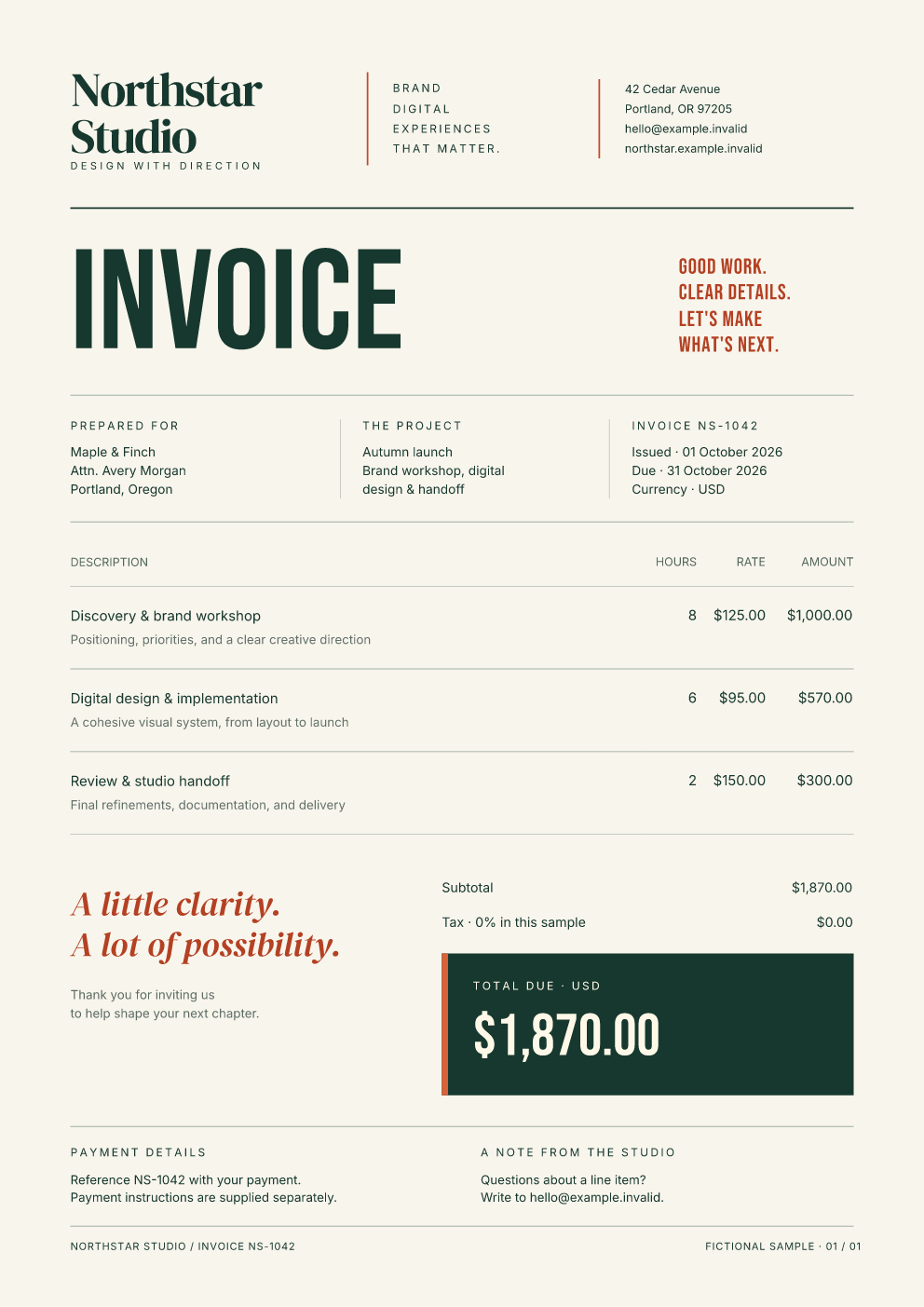

Actual Fullbleed output. Open either preview for its PDF, or explore the designed examples with HTML/CSS, data, and font setup.
Compare both designs in HTML/CSS and Python components, with matching page output and a runnable source download (opt-in component alpha).
Compose documents in Python
Build reusable function components with props, nested children, lists and conditional content. Author with named elements and Python style mappings:
from pathlib import Path
import fullbleed
from fullbleed.ui import Document, Heading, Paragraph, Stack, Strong, component

@component
def Line(label, amount):
    return Paragraph(Strong(label), ": ", amount)

@Document(title="Invoice", styles={"@page": {"size": "A4", "margin": "18mm"}})
def Invoice(customer):
    return Stack(
        Heading("Invoice for ", customer, level=1),
        Line("Design", "$120.00"),
        Line("Review", "$40.00"),
        gap="12pt",
    )

Path("invoice.pdf").write_bytes(Invoice("Maple & Finch").render_pdf(fullbleed.PdfEngine()))
This complete workflow is available in 2.5.25. Text is escaped and components compile to the same HTML/CSS print engine. Follow the component authoring guide or run the designed component invoice with explicit fonts, reusable rows, paid/unpaid states and PNG previews.
The opt-in Python component alpha
adds components that carry their styles, named customization parts, column-based
tables, and static Bootstrap 5.0.0 components. Export HTML with styles included or
removed, or render the same document as a PDF. The guide explains class_name
and includes a runnable kit. This API is experimental; follow its explicit
prerelease installation instructions.
For JavaScript, compose documents with functions or JSX/TSX. The React starter connects typed document components to editable data, live PDF previews and downloads. It includes the complete component and style source for customization.
Try the Python component alpha
The 2.6.0a10 prerelease keeps text decorations continuous across word
spaces and corrects their propagation through nested inline content. It also
includes reusable headers and footers with PageBand and finalized page values
with PageNumbers. Use ordinary components in reserved page margins, including
their styles and class_name selectors. Components carry their appearance; the
static Bootstrap 5.0.0 kit exports HTML with or without styles. This API lives under
fullbleed.ui.experimental; names and behavior may change. Install the alpha
explicitly in a virtual environment:
python -m pip install --pre "fullbleed==2.6.0a10"
Save this as order.py and run python order.py:
from importlib.resources import files
from pathlib import Path
from fullbleed.ui.experimental import Document, Renderer, Theme, pt, style
from fullbleed.ui.experimental import bootstrap as bs

card = bs.Card(
    bs.Paragraph("Your order has passed its final inspection."),
    title="Ready to ship",
    header="ORDER / 1048",
    footer=bs.Badge("Approved", variant="success"),
).with_parts(title=style(color="#205b47"))

document = Document(card, title="Order summary", lang="en-US",
                    theme=Theme(text=style(font_family="Inter", font_size=pt(11))))
Path("order.html").write_text(document.to_html(include_styles=True), encoding="utf-8", newline="\n")
Path("order.unstyled.html").write_text(document.to_html(include_styles=False), encoding="utf-8", newline="\n")
renderer = Renderer(font_files=[str(files("fullbleed_assets").joinpath("fonts/Inter-Variable.ttf"))])
Path("order.pdf").write_bytes(document.render_pdf(renderer))
class_name adds literal classes; Bootstrap components bring their default
stylesheet. .with_style(...) customizes a root, and .with_parts(...) customizes
advertised internal elements. All Bootstrap components are static, including
HTML export; no Bootstrap JavaScript is included.
Continue with the Bootstrap and styling guide,
the reusable component guide, or the
report and catalog. The
alpha runbook records the release gates and
limits. For an unpublished checkout, build a wheel using
python build_backend/fullbleed_build_backend.py wheel --out dist and install
the returned path. Ordinary pip install fullbleed selects the stable channel.
Attach page bands and page numbers through
Page(header=PageBand(...), footer=PageBand(...)). The
Common Ground field-notes example
uses shared brand components, styled page numbers and a table across three pages.
The API supports per-record numbering, first-page suppression and blank-page
policy. Fit diagnostics identify content that cannot be proved to stay within
its reserved margin. HTML exports use one header and footer with explicit page
placeholders. These constructors require a9; the earlier a8 wheel omits them.
Choose your language
| Language | Install | Start building |
|---|---|---|
| Python | python -m pip install fullbleed |
Python quickstart |
| Rust | cargo add fullbleed |
Native Rust quickstart |
| Node.js / TypeScript | npm install fullbleed |
Node quickstart · Next.js PDF download |
| Browser JavaScript | npm install --save-exact fullbleed@0.7.1 |
PDF components and JSX · React starter · HTML/CSS starter |
| C# / .NET | dotnet add package FullBleed.DotNet --version 0.2.0 |
C# components and styles · NuGet quickstart |
The current JavaScript package is 0.7.1 and wraps engine 2.5.29, including
styled and unstyled component HTML export.
The downloadable component invoice and React starter retain their tested 0.6.0
pin; the HTML/CSS Node.js quickstart and JavaScript, Vue and Next.js starters use
0.5.1. Those starter pins wrap engine 2.5.24. All generate ordinary PDFs and previews. Import
fullbleed in Node or fullbleed/browser in a web app. Node applications can use
a bounded render queue
and optional process isolation.
FullBleed.DotNet 0.2.0 uses engine 2.5.22. Its managed library targets .NET 8 and works with .NET 8, 9, and 10 applications, with C# document components, native rendering, compiled bindings, and previews. Its separate CLI adapter requires the Python CLI.
The Python package provides the complete CLI, including compiled variable-data jobs and print profiles; the Rust guide covers the native API.
Your first PDF
Start in the HTML/CSS playground to edit a designed invoice or report and download a real PDF. It runs locally in your browser with no account or document upload. You can also use the Python notebook in Colab, or start with a local script:
Python
Python 3.10–3.14 on Windows, macOS, or Linux:
python -m pip install fullbleed
Save this as hello.py, then run python hello.py:
from pathlib import Path
import fullbleed

html = "<h1>Invoice INV-1042</h1><p>Consulting: USD 1,200.00</p>"
css = "@page { size: A4; margin: 20mm; } h1 { color: #175c52; }"
pdf = fullbleed.PdfEngine().render_pdf(html, css)
Path("invoice.pdf").write_bytes(pdf)
Open invoice.pdf. The quickstart adds fonts, previews, and a complete project. The runnable source is in examples/quickstart/hello.py.
Node.js
Use Node.js 22 or newer. Run npm install fullbleed, save this as invoice.mjs, then run node invoice.mjs:
import { writeFile } from 'node:fs/promises';
import { renderPdf } from 'fullbleed';

const result = await renderPdf({
  html: '<h1>Invoice INV-1042</h1><p>Consulting: USD 1,200.00</p>',
  css: '@page { size: A4; margin: 20mm } h1 { color: #175c52 }',
  previewDpi: 96,
});
await writeFile('invoice.pdf', result.pdf);
await writeFile('invoice.png', result.previews[0]);
Open invoice.pdf or its PNG preview. The Node.js quickstart includes a downloadable designed invoice project. The separate Node package supports ESM, CommonJS, and TypeScript. For an application route, use the Next.js starter.
Browser JavaScript
Try the editable browser app to generate an invoice or report, change its HTML/CSS, and download the PDF. Rendering runs locally in a Web Worker; the starter does not upload document inputs to a rendering service.
To build on it, download the complete project.
Extract the ZIP, open a terminal in fullbleed-browser-starter, and use Node.js
22.12 or newer for the development tools:
npm ci
npm run dev
Open the localhost URL printed by Vite. The browser guide
explains adding fullbleed/browser to an existing app, serving its runtime
assets over HTTPS or localhost, cancellation, custom fonts, and static deployment.
This renders supplied static HTML/CSS; it does not capture a live browser page.
Rust
Start with the native Rust quickstart. The fullbleed crate exposes FullBleed::builder() and render_to_buffer(...), with no Python requirement. The guide includes runnable invoice and report examples with explicit fonts and PNG previews, plus the latest hosted Rust API reference.
C# and .NET
Install FullBleed.DotNet in a .NET 8, 9, or 10 project and follow the C# quickstart. Compose documents with ordinary methods, LINQ children and immutable style objects. The component guide explains WithClass, attached stylesheets and inline overrides and includes a complete invoice download with explicit fonts. Existing HTML/CSS templates remain supported. Native rendering runs inside the .NET process on Windows x64, Linux x64, Intel macOS, and Apple Silicon macOS, without a Python or browser runtime.
Choose your starting point
See generated PDFs and their source →
Why use Fullbleed?
- Simple deployment: prebuilt wheels for 15 platform targets, with no browser or system-font installation needed for the bundled workflow.
- Repeatable documents: explicit assets and metadata, deterministic rendering, and SHA-256 reproducibility checks.
- Document-focused layout: pagination, headers and footers, tables, template overlays, and per-page data.
- Volume workflows: compile a template once, then bind fixed or reflowing records. Measured workloads and limits.
- Inspectable output: PDF inspection, PNG previews, structured diagnostics, and profile verification tooling.
Native previews of unembedded Standard 14 fonts use compact bundled outline
substitutes, so basic Helvetica, Times, Courier, Symbol, and Dingbats text renders
without system fonts. Registered and embedded font programs take precedence.
The font-resolution trace identifies the bundled_substitute outcome; runtime
discovery reports bundled_standard_font_previews. See the
font sources, licenses, and coverage limits.
Fullbleed uses static HTML/CSS as a document layout language. Check the CSS coverage and remaining gaps for your templates. Use a browser when JavaScript or live website behavior is part of the required result.
Profile selection alone does not establish standards conformance. The release evidence records the checks performed and their limits.
Get help and contribute
Ask usage questions and share documents in Discussions. For a reproducible bug or feature proposal, open an issue. The contributor guide covers local setup, tests, and where to make changes.
If Fullbleed is useful to you, support its maintenance through sponsorship, documentation, or a useful example. Sponsorship is optional; Fullbleed remains MIT licensed and free to use.
Agent discovery and integrations
An agent does not need release-specific Fullbleed knowledge. The installed binary generates one canonical contract containing its actual version, selection boundary, capabilities, parser-derived CLI surface, result schemas, PDF profiles, examples, limitations, Agent Skill metadata, MCP tools, and acceptance tasks:
fullbleed agent-manifest --json
# Equivalent canonical form:
fullbleed agent-contract --format json
The committed fullbleed-agent-contract.json, cli_schema.md, and llms.txt are generated from the built wheel. CI rejects version, command, schema, profile, or capability drift. Runtime introspection remains authoritative.
The first-party, versionless skills/fullbleed/SKILL.md teaches tool selection and the render/preview/diagnose/verify loop without duplicating the manual. It is bundled in the wheel and can be exported into any absent or empty agent-skill directory:
fullbleed agent skill-path --json
fullbleed agent export-skill .agents/skills/fullbleed --json
You can also install the Skill directly from a pinned GitHub release with gh skill. The guide shows how to check its source and version; the Python package supplies the rendering engine.
For tool-calling agents, install the separately versioned adapter so the core package remains dependency-free:
python -m pip install fullbleed-mcp
fullbleed-mcp --root .
The stdio server confines document paths to the selected workspace and delegates every engine operation to the installed Fullbleed runtime. It exposes semantic discovery, project creation, render/preview, inspect, verify, assets, and fixed/reflow compiled VDP tools. The dependency-free core also provides fullbleed mcp --root ..
Use Fullbleed when the requested artifact is a deterministic print document built from structured content. Use a browser when the requested artifact is a screenshot or interactive state of an arbitrary live website. Use a general PDF editor when existing page content itself must be rewritten.
Cold-agent testing is available through fullbleed agent-acceptance; compact copyable workflows live in examples/agent_workflows, and the approach-neutral benchmark scaffold lives in agentdocbench.
This README is the canonical usage guide for:
fullbleedCLI (human workflows + machine/agent automation)fullbleedPython bindings (PdfEngine,AssetBundle, batch APIs)
Additional focused references are in docs/:
docs/install-non-technical.md(step-by-step setup for non-technical users)docs/css-coverage.md(validated CSS coverage, parity status, and active gaps)docs/README.mddocs/engine.mddocs/performance-architecture.mddocs/performance-pass-2026-08-04.mddocs/python-api.mddocs/ui-accessibility.mddocs/cli.mddocs/pdf-templates.md
What You Get
- No headless browser requirement for PDF generation.
- Deterministic render pipeline with optional SHA256 output hashing.
- Reproducibility workflow via
--repro-recordand--repro-check. - PDF
1.7as the production-stable default target. - Rust-native PDF template composition for VDP/transactional overlays.
- Native Rust image emission for overlay and finalized compose outputs (
--emit-image) without external PDF raster runtime dependencies. - Feature-driven page-to-template binding with per-page deterministic compose plans.
- Structured JSON result schemas for CI and AI agents.
- Offline-first asset model with explicit remote opt-in.
- Remote project template registry workflows (
new list,new search,new remote). - Python-first extension surface for hackability and custom workflows.
- Python render calls release the GIL while Rust rendering executes.
- Ordered standard-library worker pools for batch rendering and selected internal workloads.
- A deliberately small, license-audited Rust dependency graph and no required third-party Python runtime or build packages.
Concurrency Model
- Python binding render methods release the GIL during Rust execution through the Stable ABI bridge.
- Parallel batch APIs use Fullbleed's ordered standard-library worker pool (
render_pdf_batch_parallel(...)and parallel-to-file variants). - The same bounded worker implementation serves selected internal hotspots such as table layout and JIT paint paths.
- Do not assume every single-document render path will fully saturate all cores end-to-end.
Performance in 2.2
Fullbleed 2.2 retains exact TrueType glyph subsetting and adds compiled fixed-geometry variable-data binding. Across the five independent benchmark fixtures, PDFs are 95.5-97.3% smaller and ordinary warm rendering is 2.90x faster by geometric mean than released 2.0.0.
The new compile-once API freezes an immutable Q32.32 display document and can link it repeatedly
without rerunning HTML parsing, selector matching, layout, pagination, or command planning. For
identical untagged copies in one ordered PDF, CompiledDocument.render_pdf_batch(...) shares each
source page's content stream across the copied page dictionaries. The measured 20-copy lane is
200.7x faster per page by geometric mean than the released 2.0.0 warm renderer; a 1,000-page stress
run sustained 304,479-666,622 pages/s.
The 2.2 compiler includes a genuine fixed-geometry variable-data lane. A compiled invoice with six bound fields rendered 100,000 distinct records in a five-run median of 283.807 ms to memory (352,352 pages/s) and 295.999 ms directly to a flushed 88.1 MB PDF (337,839 pages/s). Including the one-time 4.168 ms compile gives 333,147 direct-file pages/s. The harness verified all 100,000 unique invoice IDs in page order, exact page count, resolved markers, deterministic bytes, and equal buffer/file SHA-256. Reproduce it with:
python tools/benchmark_fullbleed_vdp.py --records 100000 --repeats 5
Fixed-geometry slots may remain inside immutable page-space transforms and clips. The compiler captures that active coordinate-state program once and replays it in each compact record overlay; it does not rerun layout or clone the complete page display list.
Base-14/WinAnsi slot paint keeps the measured byte-patch linker. Registered embedded fonts use a command-level overlay program so each bound value is shaped and included in the font subset while the compiled layout, pagination, and static page stream remain shared. The throughput figures above describe the Base-14 fast lane; they are not claims for registered-font shaping.
The fixed-copy result remains scoped to identical content; the variable-data result is scoped to
paint-only text whose geometry does not reflow. Neither is a claim that arbitrary new HTML or
size-changing records render 200x faster. See
docs/performance-pass-2026-08-04.md for measurements and
docs/performance-architecture.md for the packed vector IR,
typed-binding, virtual-linker, and shader roadmap.
Fullbleed 2.2.5 hardens the third compiler lane introduced in 2.2.4 for
size-changing records: CompiledDocument.render_pdf_reflow_bindings(...). It parses and recovers
the template DOM once and compiles encountered structural flow variants into guarded fixed-point
display programs. Matching records bind directly into those programs; workers execute pre-shaped
text/TJ paint slots, cached static PDF page segments, page-local Deflate, and one ordered linker.
Explicit trusted structural slots use data-fb-bind-html="slot". A value that no compiled variant
can safely place runs ordinary fixed-point layout once to add another variant.
On the independent 1,000-distinct-record case study, the 29-sample hot direct-file median was
216.160 ms: 4,626 records/s and 8,096 pages/s. The 168.995 ms best sample reached 5,917
records/s and 10,355 pages/s. It produced
the exact 1,750-page 500/300/150/50 reflow distribution and verified all 24,900 markers. The
throughput-tuned 6,870,320-byte PDF was deterministic across all samples. With the compact
compression setting, compiled output was also byte-for-byte identical to ordinary rendering:
5,298,961 bytes and SHA-256 bb3c441313a08fb00d3bd15f23a567981f3bbbd550908e3a9fe7a07ca5d7f138.
This is a hot compiled-variant result, not a claim for previously unseen structure. The first
variant-discovery render measured 0.509 s (3,437 pages/s), and the fully cold job including setup,
bindings, compilation, discovery, and write measured 0.588 s (2,975 pages/s). The independently
observed hot-median speedup over the ordinary path was 43.8x.
Install
New to Python or setting up on a fresh machine? Start with docs/install-non-technical.md.
python -m pip install fullbleed
From a local wheel:
python -m pip install C:\path\to\fullbleed-2.6.0a10-cp310-abi3-win_amd64.whl
From a source checkout with Rust installed, no Python build package is needed:
python -m pip install --no-build-isolation --no-deps --editable .
To create deterministic release artifacts directly:
python build_backend/fullbleed_build_backend.py wheel --out dist
python build_backend/fullbleed_build_backend.py sdist --out dist
Platform artifact policy:
- Linux wheels cover
manylinux2014on x86-64, x86, ARM64, ARMv7, s390x, and ppc64le, plusmusllinux_1_2on x86-64, x86, ARM64, and ARMv7. - Windows wheels cover x86-64, x86, and ARM64; macOS wheels cover Intel and Apple silicon.
- The CPython stable ABI allows each platform wheel to support Python 3.10 through 3.14.
- CI installs and exercises every built wheel on its target architecture, using native runners or QEMU as appropriate. The x86-64 manylinux wheel is additionally tested on every supported Python version before publication.
Separate Windows and Linux jobs check Python 3.15.0rc3 with the standard GIL, including the Python suite and byte-for-byte PDF/preview comparisons against Python 3.10. See the preview coverage and its limits.
Verify command surface:
fullbleed --help
fullbleed capabilities --json
fullbleed doctor --json
60-Second Quick Start (Project Happy Path)
Initialize project scaffold:
fullbleed init .
fullbleed init now vendors Bootstrap (5.0.0) into vendor/css/bootstrap.min.css,
vendors Bootstrap Icons (1.11.3) into vendor/icons/bootstrap-icons.svg,
vendors inter into vendor/fonts/Inter-Variable.ttf, writes license notices
(vendor/css/LICENSE.bootstrap.txt, vendor/icons/LICENSE.bootstrap-icons.txt, vendor/fonts/LICENSE.inter.txt),
and seeds assets.lock.json with pinned hashes.
The scaffolded report.py also runs a component mount smoke validation before
main render and writes output/component_mount_validation.json (fails fast on
missing glyphs, actual pagination overflow, or CSS miss signals). On current engines,
render-time pagination is authoritative for overflow; conservative JIT placement bounds
remain the compatibility fallback for older engines.
Scaffolded components now include components/primitives.py with reusable
layout/content helpers (Stack, Row, Text, table/list helpers, key/value rows, etc.).
Each scaffolded project also includes SCAFFOLDING.md, which should be your
first read before restructuring components.
It also includes AGENTS.md, which preserves the installed-runtime-first
document workflow across future coding-agent sessions without making other
document tools categorically forbidden.
Install additional project assets (defaults to ./vendor/... in project context):
fullbleed assets install inter --json
Bootstrap baseline note:
- We target Bootstrap (
5.0.0) as the default styling baseline for project workflows. - Re-run
fullbleed assets install bootstrap --jsononly if you want to explicitly refresh/bootstrap-manage outsideinit.
Render using the scaffolded component pipeline:
python report.py
Expected artifacts from scaffolded report.py:
output/report.pdfoutput/report_page1.png(or equivalent page preview from engine image APIs)output/component_mount_validation.jsonoutput/css_layers.json
Canonical static PDF reference:
python examples/canonical_reference/report.py
examples/canonical_reference/ is the exhaustive scaffold-shaped reference for
component composition, layered CSS, bundled fonts/SVG, inline SVG, raster data
URIs, linked and standalone HTML artifacts, PDF output, PNG previews, and
validation reports.
Project Bootstrap Templates (fullbleed new)
Use local starters:
fullbleed new local invoice ./my-invoice
fullbleed new local statement ./my-statement
fullbleed new local accessible ./my-accessible-doc
fullbleed new local reference ./my-reference-doc
Discover remote starters from the registry:
fullbleed new list --json
fullbleed new search components --json
fullbleed new remote component-showcase ./my-documents --version 0.1.3 --json
The showcase contains the Northstar invoice and Common Ground report in both
HTML/CSS and Python components, plus the authored accessible community guide.
The paired designs share data, fonts, CSS and artwork. The
installer copies source files; it does not install dependencies or execute the
project. Each kit pins its tested component prerelease in requirements.txt.
Follow the current preview guide
to install it in a separate environment, compare the four pages, and edit with
a live PDF preview. For a smaller starting point, choose the
python-components starter
at template version 0.1.2; that smaller kit retains its tested a6 runtime pin.
fullbleed new local accessible is the verbose accessibility-first starter and
demonstrates the fullbleed.accessibility runtime surface (engine verifier,
PMR, PDF/UA-targeted seed checks, and non-visual trace artifacts).
fullbleed new local reference vendors the canonical static PDF reference shape
as a scaffolded project with component layers, assets, PDF/PNG outputs, page data,
and validation reports.
Optional registry override (for private/canary registries):
fullbleed new list --registry https://example.com/manifest.json --json
or:
set FULLBLEED_TEMPLATE_REGISTRY=https://example.com/manifest.json
fullbleed new search statement --json
Scaffold-First Workflow (Recommended)
fullbleed init is designed for component-first authoring rather than a single large HTML template.
Typical scaffold layout:
.
|-- SCAFFOLDING.md
|-- COMPLIANCE.md
|-- report.py
|-- components/
|   |-- fb_ui.py
|   |-- primitives.py
|   |-- header.py
|   |-- body.py
|   |-- footer.py
|   `-- styles/
|       |-- primitives.css
|       |-- header.css
|       |-- body.css
|       `-- footer.css
|-- styles/
|   |-- tokens.css
|   `-- report.css
|-- vendor/
|   |-- css/
|   |-- fonts/
|   `-- icons/
`-- output/
Best-practice authoring model:
- Read
SCAFFOLDING.mdfirst for project conventions. - Keep composition and data loading in
report.py. - Keep reusable component building blocks in
components/primitives.py. - Keep section markup in
components/header.py,components/body.py,components/footer.py. - Keep component-local styles in
components/styles/*.css. - Keep page tokens/composition styles in
styles/tokens.cssandstyles/report.css.
Recommended CSS layer order:
styles/tokens.csscomponents/styles/primitives.csscomponents/styles/header.csscomponents/styles/body.csscomponents/styles/footer.cssstyles/report.css
Recommended iteration loop:
- Edit data loading + component props in
report.py. - Edit component markup in
components/*.py. - Edit styles in
components/styles/*.cssandstyles/*.css. - Run
python report.py. - Review
output/report_page1.png,output/component_mount_validation.json, andoutput/css_layers.json.
Optional scaffold diagnostics:
FULLBLEED_DEBUG=1to emit JIT traces.FULLBLEED_PERF=1to emit perf traces.FULLBLEED_EMIT_PAGE_DATA=1to persist page data JSON.FULLBLEED_IMAGE_DPI=144(or higher) for preview resolution.FULLBLEED_VALIDATE_STRICT=1for stricter validation gates in CI.
One-off Quick Render (No Project Scaffold)
Render inline HTML/CSS with reproducibility artifacts:
fullbleed --json render \
  --html-str "<html><body><h1>Hello</h1></body></html>" \
  --css-str "body{font-family:sans-serif}" \
  --emit-manifest build/render.manifest.json \
  --emit-jit build/render.jit.jsonl \
  --emit-perf build/render.perf.jsonl \
  --deterministic-hash build/render.sha256 \
  --repro-record build/render.repro.json \
  --out output/hello.pdf
--deterministic-hash writes the output PDF SHA-256 by default; when --emit-image is enabled, it writes an artifact-set digest (fullbleed.artifact_digest.v1) over PDF SHA-256 plus ordered page-image SHA-256 hashes. JSON outputs expose outputs.deterministic_hash_mode (pdf_only or artifact_set_v1), with outputs.artifact_sha256 and outputs.image_sha256 when images are emitted.
Re-run and enforce reproducibility against a stored record:
fullbleed --json render \
  --html templates/report.html \
  --css templates/report.css \
  --repro-check build/render.repro.json \
  --out output/report.rerun.pdf
Generate PNG page artifacts from an existing validation render:
fullbleed --json verify \
  --html templates/report.html \
  --css templates/report.css \
  --emit-pdf output/report.verify.pdf \
  --emit-image output/report_verify_pages \
  --image-dpi 200
Compile-only plan (no render):
fullbleed --json plan \
  --html templates/report.html \
  --css templates/report.css
Template compose planning (no finalize write):
fullbleed --json plan \
  --html templates/overlay.html \
  --css templates/overlay.css \
  --template-binding config/template_binding.json \
  --templates config/template_catalog.json \
  --emit-compose-plan output/compose_plan.json
PDF Template Composition (VDP / Transactional)
When overlaying variable data onto a source PDF, use the built-in Rust template compose path.
Minimal CLI auto-compose flow:
fullbleed --json render \
  --html templates/overlay.html \
  --css templates/overlay.css \
  --asset templates/source.pdf --asset-kind pdf --asset-name source-template \
  --template-binding config/template_binding.json \
  --templates config/template_catalog.json \
  --out output/composed.pdf
Compose image semantics:
- In template auto-compose mode,
--emit-imagePNGs are rasterized from finalized composed pages and reportoutputs.image_mode=composed_pdf. - In non-compose
render/verifyruns,--emit-imagereportsoutputs.image_mode=overlay_document.
Minimal template_binding example:
{
  "default_template_id": "source-template",
  "feature_prefix": "fb.feature.",
  "by_feature": {
    "front": "source-template",
    "back_blank": "source-template"
  }
}
Python API compose flow:
import fullbleed

engine = fullbleed.PdfEngine(template_binding=binding_spec)
overlay_bytes, _page_data, _bindings = engine.render_pdf_with_page_data_and_template_bindings(html, css)
open("output/overlay.pdf", "wb").write(overlay_bytes)
plan_result = engine.plan_template_compose(
    html,
    css,
    [("source-template", "templates/source.pdf")],
    0.0,
    0.0,
)
plan = [
    (
        row["template_id"],
        row["template_page"],
        row["overlay_page"],
        row["dx"],
        row["dy"],
    )
    for row in plan_result["plan"]
]
fullbleed.finalize_compose_pdf(
    [("source-template", "templates/source.pdf")],
    plan,
    "output/overlay.pdf",
    "output/composed.pdf",
    annotation_mode="link_only",  # optional: link_only | none | carry_widgets
)
See docs/pdf-templates.md and examples/template-flagging-smoke/ for full production examples.
CLI Command Map
| Command | Purpose | JSON Schema |
|---|---|---|
render |
Render HTML/CSS to PDF with optional PNG page artifacts | fullbleed.render_result.v1 |
verify |
Validation render path with optional PDF and PNG emits | fullbleed.verify_result.v1 |
plan |
Compile/normalize inputs into manifest + warnings | fullbleed.plan_result.v1 |
run |
Render using Python module/file engine factory | fullbleed.run_result.v1 |
inspect pdf |
Inspect PDF metadata and composition compatibility | fullbleed.inspect_pdf.v1 |
inspect pdf-batch |
Inspect multiple PDFs with per-file status | fullbleed.inspect_pdf_batch.v1 |
inspect templates |
Inspect template catalog metadata/compatibility | fullbleed.inspect_templates.v1 |
compliance |
License/compliance report for legal/procurement | fullbleed.compliance.v1 |
debug-perf |
Summarize perf JSONL logs | fullbleed.debug_perf.v1 |
debug-jit |
Filter/inspect JIT JSONL logs | fullbleed.debug_jit.v1 |
doctor |
Runtime capability and health checks | fullbleed.doctor.v1 |
capabilities |
Machine-readable command/engine capabilities | fullbleed.capabilities.v1 |
assets list |
Installed and optional remote packages | fullbleed.assets_list.v1 |
assets info |
Package details + hashes/sizes | fullbleed.assets_info.v1 |
assets install |
Install builtin/remote package | fullbleed.assets_install.v1 |
assets verify |
Validate package and optional lock constraints | fullbleed.assets_verify.v1 |
assets lock |
Write/update assets.lock.json |
fullbleed.assets_lock.v1 |
cache dir |
Cache location | fullbleed.cache_dir.v1 |
cache prune |
Remove old cached packages | fullbleed.cache_prune.v1 |
init |
Initialize project scaffold | fullbleed.init.v1 |
new |
Create starter template files or query/install remote templates | fullbleed.new_template.v1, fullbleed.new_list.v1, fullbleed.new_search.v1, fullbleed.new_remote.v1 |
Schema discovery for any command/subcommand:
fullbleed --schema render
fullbleed --schema assets verify
fullbleed --schema inspect pdf
fullbleed --schema inspect templates
CLI Flags That Matter Most
Global machine flags:
--json: structured result payload to stdout--json-only: implies--jsonand--no-prompts--schema: emit schema definition and exit--no-prompts: disable interactive prompts--config: load defaults from a config file--log-level error|warn|info|debug: control CLI log verbosity--no-color: disable ANSI color output--version: print CLI version and exit
Render/verify/plan key flags:
- Inputs:
--html,--html-str,--css,--css-str--htmlaccepts.svgfiles for direct SVG-document rendering;--html-straccepts inline SVG markup. - Page setup:
--page-size,--page-width,--page-height,--margin,--page-margins - Engine toggles:
--reuse-xobjects,--svg-form-xobjects,--svg-raster-fallback,--shape-text,--unicode-support,--unicode-metrics - PDF/compliance:
--pdf-version,--pdf-profile,--color-space,--document-lang,--document-titleStable default is--pdf-version 1.7for shipping workflows. Profile targets:none,pdfa1a,pdfa1b,pdfa2a,pdfa2b,pdfa2u,pdfa3a,pdfa3b,pdfa3u,pdfa4,pdfa4e,pdfa4f,pdfx4,pdfua1,pdfua2,pdfvt1,wtpdf1r,wtpdf1a,tagged. Aliases:a,ua,vt,wt1r,wt1a,pdf/a,pdf/ua,pdf/vt. Output intent metadata (--output-intent-identifier|--output-intent-info|--output-intent-components) requires--output-intent-icc.pdfx4andpdfvt1force PDF 1.6 and require a title and explicit write date (--timestamp current, a fixed UTC date, or--timestamp-source SOURCE_DATE_EPOCH). PDF/VT composition documents record hierarchies,--pdf-vt-job, private DPM, conservative reuse hints, and the independent release-validation boundary. Runpython tools/validate_pdf_profiles.py --download-verapdf --install-pdf-oxide --strict-externalto regenerate profile specimens, capture inspect/JIT evidence, replay deterministic hashes, validate PDF/A and PDF/UA with veraPDF, and validate PDF/X-4 withpdf_oxide. WTPDF profiles are validated with veraPDFwt1r/wt1aand include PDF Declaration evidence.pdfa4femits and checks an associatedEmbeddedFilesname tree.pdfvt1also emits and checks a parsed DPart graph (DPartRoot,DPartRootNode,NodeNameList [/Job /Record /Document], leaf page range, and page/DPartreferences), including a supplemental multipage specimen for/Startand/End, reported as granular booleans pluspdfvt_dpart_graph_valid; use a dedicated PDF/VT preflight tool for third-party PDF/VT certification, or wire one into the same harness with--pdfvt-cmd "tool --input {pdf}" --pdfvt-version-cmd "tool --version" --require-dedicated-pdfvt. - Watermarking:
--watermark-text,--watermark-html,--watermark-image,--watermark-layer,--watermark-semantics,--watermark-opacity,--watermark-rotation - Artifacts:
--emit-jit,--emit-perf,--emit-glyph-report,--emit-page-data,--emit-compose-plan,--emit-image,--image-dpi,--deterministic-hash - Assets:
--asset,--asset-kind,--asset-name,--asset-trusted,--allow-remote-assets - Profiles:
--profile dev|preflight|prod - Fail policy:
--fail-on overflow|missing-glyphs|font-subst|budget - Fallback policy:
--allow-fallbacks(keeps fallback diagnostics, but does not failmissing-glyphs/font-substgates) - Reproducibility:
--repro-record <path>,--repro-check <path> - Budget thresholds:
--budget-max-pages,--budget-max-bytes,--budget-max-ms - Release gates:
doctor --strict,compliance --strict --max-audit-age-days <n>
SVG Workflows
Fullbleed supports SVG in three practical CLI paths:
- Direct SVG document render via
--html <file.svg> - Inline SVG markup via
--html-str "<svg ...>...</svg>" - Referenced SVG assets via
--asset <file.svg>(kind auto-infers tosvg)
Standalone SVG file to PDF:
fullbleed --json render \
  --html artwork/badge.svg \
  --out output/badge.pdf
Inline SVG markup to PDF:
fullbleed --json render \
  --html-str "<svg xmlns='http://www.w3.org/2000/svg' width='200' height='80'><rect width='200' height='80' fill='#0d6efd'/><text x='16' y='48' fill='white'>Hello SVG</text></svg>" \
  --out output/inline-svg.pdf
HTML template with explicit SVG asset registration:
fullbleed --json render \
  --html templates/report.html \
  --css templates/report.css \
  --asset assets/logo.svg \
  --asset-kind svg \
  --out output/report.pdf
SVG render behavior flags:
--svg-form-xobjects/--no-svg-form-xobjects--svg-raster-fallback/--no-svg-raster-fallback
Distributed Python wheels enable the svg_raster engine feature, so
--svg-raster-fallback can rasterize unsupported SVG constructs such as SVG
text, filters, masks, and foreignObject into deterministic image content.
Custom source builds must include --features python,svg_raster to advertise
and use that fallback path.
Machine discovery:
fullbleed capabilities --json
Inspect the svg object in fullbleed.capabilities.v1 for SVG support metadata. The engine
object also reports compiled-document/reflow availability and supported per-call compression modes.
It reports the compiled svg_raster build feature plus a feature matrix for
native-vector SVG, raster-fallback-required SVG, and unsupported/known-loss SVG
features.
Image Support Matrix
Launch-safe image claims:
- Supported direct raster inputs: PNG and JPEG.
- SVG is handled by the SVG pipeline described above, with native-vector output
where supported and raster fallback for fallback-only features when
svg_rasteris enabled. - Supported references include filesystem paths, registered bundle assets,
file/data URIs,
<img>, CSSbackground-image: url(...), list-style images, and watermark images. - Unsupported or not launch-claimed as direct inputs: WebP, GIF, TIFF, AVIF,
BMP, animated images,
<picture>,srcset,sizes, density descriptors, and browser-style responsive image selection. - For deterministic builds, prefer vendored local assets or registered
AssetBundleinputs; remote assets must be explicitly allowed.
Per-Page Templates (page_1, page_2, page_n)
Fullbleed uses ordered page templates internally. In docs, this is easiest to think of as:
page_1: first page templatepage_2: second page templatepage_n: repeating template for later pages
Configuration mapping:
- CLI
--page-marginskeys:1,2, ... and optional"n"(or"each"alias). - Python
PdfEngine(page_margins=...): same key model. - Missing numeric pages fall back to the base
margin. - The last configured template repeats for remaining pages.
Minimal CLI example:
{
  "1": {"top": "12mm", "right": "12mm", "bottom": "12mm", "left": "12mm"},
  "2": {"top": "24mm", "right": "12mm", "bottom": "12mm", "left": "12mm"},
  "n": {"top": "30mm", "right": "12mm", "bottom": "12mm", "left": "12mm"}
}
fullbleed --json render \
  --html templates/report.html \
  --css templates/report.css \
  --page-margins page_margins.json \
  --header-each "Statement continued - Page {page} of {pages}" \
  --out output/report.pdf
Minimal Python example:
import fullbleed

engine = fullbleed.PdfEngine(
    page_width="8.5in",
    page_height="11in",
    margin="12mm",
    page_margins={
        1: {"top": "12mm", "right": "12mm", "bottom": "12mm", "left": "12mm"},  # page_1
        2: {"top": "24mm", "right": "12mm", "bottom": "12mm", "left": "12mm"},  # page_2
        "n": {"top": "30mm", "right": "12mm", "bottom": "12mm", "left": "12mm"} # page_n
    },
    header_first="Account Statement",
    header_each="Statement continued - Page {page} of {pages}",
    footer_last="Final page",
)
Note:
- CLI currently exposes
--header-each/--footer-each(and--header-html-each/--footer-html-each). - For
first/lastheader/footer variants (header_first,header_last,footer_first,footer_last), use the Python API.
Asset Workflow (CLI)
List installed + available packages:
fullbleed assets list --available --json
Install builtin assets:
fullbleed assets install bootstrap
fullbleed assets install bootstrap-icons
# `@bootstrap` / `@bootstrap-icons` are also supported aliases
PowerShell note:
- Quote
@aliases (for example"@bootstrap") to avoid shell parsing surprises.
Install remote asset package:
fullbleed assets install inter
Install broad Unicode fallback package (larger font payload):
fullbleed assets install noto-sans
Install to a custom vendor directory:
fullbleed assets install bootstrap --vendor ./vendor
Install to global cache:
fullbleed assets install inter --global
Install common barcode fonts (license-safe defaults):
fullbleed assets install libre-barcode-128
fullbleed assets install libre-barcode-39
fullbleed assets install libre-barcode-ean13-text
Verify against lock file with strict failure:
fullbleed assets verify inter --lock --strict --json
Preview cache cleanup without deleting files:
fullbleed cache prune --max-age-days 30 --dry-run --json
Notes:
- Builtin packages accept both plain and
@references (bootstrap==@bootstrap,bootstrap-icons==@bootstrap-icons,noto-sans==@noto-sans). noto-sansis available as a builtin fallback package, but it is intentionally larger thaninter; use it when your document requires broader glyph coverage.- Project installs default to
./vendor/when project markers are present (assets.lock.json,report.py, orfullbleed.tomlin CWD). - If no project markers are found,
assets installdefaults to global cache unless--vendoris explicitly set. - Do not hardcode cache paths like
%LOCALAPPDATA%/fullbleed/cache/...; useassets install --jsonand consumeinstalled_to. - Installed assets include license files in typed vendor directories (for example
vendor/fonts/,vendor/css/). assets lock --addis currently aimed at builtin package additions.- Barcode packages in the remote registry are currently OFL-1.1 families from Google Fonts (
Libre Barcode). - USPS IMB fonts are not currently auto-installable via
assets install; use local vetted font files and track licensing separately.
Bootstrap Vendoring
Bootstrap builtin package details:
- Package:
bootstrap(alias:@bootstrap) - Bundled version:
5.0.0 - Asset kind: CSS (
bootstrap.min.css) - Default install location:
vendor/css/bootstrap.min.css(project mode) - License:
MIT - License source:
https://raw.githubusercontent.com/twbs/bootstrap/v5.0.0/LICENSE
Bootstrap Icons builtin package details:
- Package:
bootstrap-icons(alias:@bootstrap-icons) - Bundled version:
1.11.3 - Asset kind: SVG sprite (
bootstrap-icons.svg) - Default install location:
vendor/icons/bootstrap-icons.svg(project mode) - License:
MIT - License source:
https://raw.githubusercontent.com/twbs/icons/v1.11.3/LICENSE
Bootstrap notes:
- Bootstrap is vendored and installable through the asset pipeline.
- Bootstrap CSS is consumed as an explicit local asset (
--asset @bootstraporAssetBundle); external HTML<link rel="stylesheet">is not an execution path. - Bootstrap preflight examples remain useful smoke examples, but they are not the canonical source of CSS parity claims.
Validated CSS Coverage
For the full, maintained coverage statement, see docs/css-coverage.md.
The retained full-corpus comparison of the merged component source (4379bb4)
reports 1,619 PASS, 25 FAIL and 18 REFERENCE-DISPUTED across 1,662 cases.
The independent run
keeps its failed conclusion. All 5,489 saved outputs and all scores matched the
reviewed baseline. The alpha 9 runbook
requires qualification of the new version and verification of its public package.
This comparison does not establish complete CSS parity or conformance for arbitrary
documents. Earlier dated results below are historical, not the current gate.
Summary as of May 19, 2026:
- Tracked CSS modules:
22 - Module state:
22/22 in_progress - Full CSS fixture lane:
86/86fixtures passing with603assertion/paint checks - Parity status check: green (
tools/generate_css_parity_status.py --check --json) - Canonical validation artifact:
_css_working/css_parity_status.json - Canonical validation artifact:
_css_working/tmp/fixture_full_latest.json - Canonical validation artifact:
_css_working/css_broad_coverage_sprint_s14.md
The complete pinned independent Wheel265 gate closed on August 9, 2026 with 1,642 PASS,
0 FAIL, and 20 REFERENCE-DISPUTED across 1,662 fixtures. That is strict 100% parity for
every adjudicable fixture in this named corpus; disputed references remain visible and are not
relabeled as implementation passes. Broader web-platform coverage remains bounded by the module
and known-gap contract in docs/css-coverage.md.
Flow/reflow hardening validated on August 5, 2026 adds fixed-height block,
one-column grid, and column-flex continuation slicing; avoids content
duplication; retains empty styled captions inside avoided figures; preserves
display: contents grid paint phase; and keeps positioned containing blocks
atomic. The independent review's targeted 18-case regression cluster passes
18/18 (13 pixel-exact, maximum above-floor difference 0.97030199%). This
targeted diagnostic does not replace the full external-corpus report.
Current validated behavior includes first-class parser -> evaluator -> calculator -> layout/paint coverage across broad static-document CSS domains (values math, layout primitives, pagination/fragmentation baselines, transforms phase-1, gradient/effects subsets including color-first and interleaved-color filter: drop-shadow(...) with computed lengths, modern rgb() shadow colors with mm lengths, duplicate drop-shadow(...) color rejection, empty optional filter-function defaults, explicit/currentColor backdrop-filter: drop-shadow(...) raster paint, strict box-shadow length/color grammar with modern rgb() plus mm paint coverage, softened blurred inset edge paint, and directional inset offset edge paint, overflow-gated text-overflow: ellipsis, physical min/max box constraints, horizontal-tb RTL direction inline inset/margin/padding/border mapping, vertical writing-mode direction: rtl inline inset remapping, vertical-rl logical sizing/insets/margin/padding/border/min-max constraints, vertical-lr logical sizing/min-max/insets/margin/padding/border remapping, basic vertical text columns with vertical-rl leftward and vertical-lr rightward line progression, and deterministic diagnostics).
Known gap categories are explicitly tracked for the final parity push:
- remaining filter/backdrop-filter function breadth beyond current subset, including SVG
url()filters, advanceddrop-shadow()forms beyond the current flexible-color-order foreground and baseline backdrop coverage, and PDF-native foreground filters - advanced
clip-pathgrammar beyond the current basic-shape subset, including SVG clip sources, SVG-specific geometry boxes, and deeper edge grammar - plus-lighter PDF-native parity and deeper nested compositing/isolation breadth
- deeper blurred inset shadow edge fidelity
- remaining multi-layer background image edge semantics beyond the current sized gradient-layer repeat-x/space/round and PNG
url(...)explicit-size/auto-auto-intrinsic/negative-size-invalid/contain/cover/auto-dimension-size/single-value-size/alpha-stack/default-repeat-repeat/repeat-y/repeat/repeat-no-repeat/no-repeat-repeat/space-space/round-round/round-space/space-round/round-repeat/round-no-repeat/no-repeat-round/no-repeat-space/space-no-repeat/repeat-space/repeat-round/space-repeat/logical-repeat-aliases/multi-layer-repeat-axis/background-list-repetition/percentage-position/edge-offset-position/logical-position-aliases/shorthand-position-size-repeat/content-box-origin-clip/multi-layer-origin-clip/background-blend-normal/background-blend-multiply/screen-mode/overlay-mode/exclusion-mode/hard-light-mode/darken-mode/lighten-mode/color-dodge-mode/color-burn-mode/soft-light-mode/hue-mode/saturation-mode/color-mode/luminosity-mode/plus-lighter-mode/list-repetition/truncation/raster-blend/raster-layer-mapping/mixed-raster-gradient-mapping/mixed-gradient-raster-mapping subset, including broader mixed raster stack combinations - table layout edge semantics hardening beyond the current fixed-layout width-hint, auto-width, caption-side placement, and invalid caption-side inheritance lanes
- full vertical text/layout flow beyond the current vertical static-layout and basic wrapped text-column baseline
run Command (Python Factory Interop)
run lets the CLI use a Python-created engine instance.
report.py:
import fullbleed

def create_engine():
    return fullbleed.PdfEngine(page_width="8.5in", page_height="11in", margin="0.5in")
CLI invocation:
fullbleed --json run report:create_engine \
  --html-str "<h1>From run</h1>" \
  --css templates/report.css \
  --out output/report.pdf
Entrypoint formats:
module_name:factory_or_enginepath/to/file.py:factory_or_engine
Rust chart compilation
For Rust-based visual/source frontends, the engine also provides document-context chart compilation: normal CSS font selection and size, project-font legend measurement/wrapping, semantic tables, and observable layout failures. Generated SVG is derived output, not authoring source.
Python API Quick Start
import fullbleed

engine = fullbleed.PdfEngine(
    page_width="8.5in",
    page_height="11in",
    margin="0.5in",
    pdf_version="1.7",
    pdf_profile="none",
    color_space="rgb",
)

html = "<html><body><h1>Invoice</h1><p>Hello.</p></body></html>"
css = "body { font-family: sans-serif; }"

bytes_written = engine.render_pdf_to_file(html, css, "output/invoice.pdf")
print(bytes_written)
Register local assets with AssetBundle:
import fullbleed

bundle = fullbleed.AssetBundle()
bundle.add_file("vendor/css/bootstrap.min.css", "css", name="bootstrap")
bundle.add_file("vendor/fonts/Inter-Variable.ttf", "font", name="inter")

engine = fullbleed.PdfEngine(page_width="8.5in", page_height="11in")
engine.register_bundle(bundle)
engine.render_pdf_to_file("<h1>Styled</h1>", "", "output/styled.pdf")
Python API Signatures (Runtime-Verified)
These signatures are verified from the installed package via inspect.signature(...).
PdfEngine constructor:
PdfEngine(
    page_width=None,
    page_height=None,
    margin=None,
    page_margins=None,
    font_dirs=None,
    font_files=None,
    reuse_xobjects=True,
    svg_form_xobjects=False,
    svg_raster_fallback=False,
    unicode_support=True,
    shape_text=True,
    unicode_metrics=True,
    pdf_version=None,
    pdf_profile=None,
    output_intent_icc=None,
    output_intent_identifier=None,
    output_intent_info=None,
    output_intent_components=None,
    color_space=None,
    document_lang=None,
    document_title=None,
    header_first=None,
    header_each=None,
    header_last=None,
    header_x=None,
    header_y_from_top=None,
    header_font_name=None,
    header_font_size=None,
    header_color=None,
    header_html_first=None,
    header_html_each=None,
    header_html_last=None,
    header_html_x=None,
    header_html_y_from_top=None,
    header_html_width=None,
    header_html_height=None,
    footer_first=None,
    footer_each=None,
    footer_last=None,
    footer_x=None,
    footer_y_from_bottom=None,
    footer_font_name=None,
    footer_font_size=None,
    footer_color=None,
    watermark=None,
    watermark_text=None,
    watermark_html=None,
    watermark_image=None,
    watermark_layer="overlay",
    watermark_semantics="artifact",
    watermark_opacity=0.15,
    watermark_rotation=0.0,
    watermark_font_name=None,
    watermark_font_size=None,
    watermark_color=None,
    paginated_context=None,
    jit_mode=None,
    debug=False,
    debug_out=None,
    perf=False,
    perf_out=None,
)
For regular/italic family selection and exact face mappings, see Registering fonts.
Module exports:
PdfEngineCompiledDocumentCompiledFlowCompressionAssetBundleAssetAssetKindWatermarkSpec(kind, value, layer='overlay', semantics=None, opacity=0.15, rotation_deg=0.0, font_name=None, font_size=None, color=None)concat_css(parts)vendored_asset(source, kind, name=None, trusted=False, remote=False)inspect_pdf(path)inspect_template_catalog(templates)finalize_stamp_pdf(template, overlay, out, page_map=None, dx=0.0, dy=0.0)finalize_compose_pdf(templates, plan, overlay, out, annotation_mode='link_only')fetch_asset(url)
PdfEngine methods:
| Method | Return shape |
|---|---|
register_bundle(bundle) |
None |
compile_pdf(html, css) |
CompiledDocument |
render_pdf(html, css, deterministic_hash=None) |
bytes |
render_pdf_to_file(html, css, path, deterministic_hash=None) |
int (bytes written) |
render_image_pages(html, css, dpi=150) |
list[bytes] |
render_image_pages_to_dir(html, css, out_dir, dpi=150, stem=None) |
list[str] |
render_finalized_pdf_image_pages(pdf_path, dpi=150) |
list[bytes] |
render_finalized_pdf_image_pages_to_dir(pdf_path, out_dir, dpi=150, stem=None) |
list[str] |
render_pdf_with_glyph_report(html, css) |
(bytes, list) |
render_pdf_with_page_data(html, css) |
(bytes, page_data_or_none) |
render_pdf_with_page_data_and_glyph_report(html, css) |
(bytes, page_data_or_none, glyph_report_list) |
render_pdf_with_page_data_and_template_bindings(html, css) |
(bytes, page_data_or_none, template_bindings_or_none) |
render_pdf_with_page_data_and_template_bindings_and_glyph_report(html, css) |
(bytes, page_data_or_none, template_bindings_or_none, glyph_report_list) |
plan_template_compose(html, css, templates, dx=0.0, dy=0.0) |
dict |
render_pdf_batch(html_list, css, deterministic_hash=None) |
bytes |
render_pdf_batch_parallel(html_list, css, deterministic_hash=None) |
bytes |
render_pdf_batch_to_file(html_list, css, path, deterministic_hash=None) |
int |
render_pdf_batch_to_file_parallel(html_list, css, path, deterministic_hash=None) |
int |
render_pdf_batch_to_file_parallel_with_page_data(html_list, css, path, deterministic_hash=None) |
(bytes_written, page_data_list) |
render_pdf_batch_with_css(jobs, deterministic_hash=None) |
bytes |
render_pdf_batch_with_css_to_file(jobs, path, deterministic_hash=None) |
int |
CompiledDocument methods:
| Method | Return shape |
|---|---|
stats() |
dict |
render_pdf(deterministic_hash=None) |
bytes |
render_pdf_to_file(path, deterministic_hash=None) |
int |
render_pdf_batch(copies, deterministic_hash=None) |
bytes |
render_pdf_bindings(bindings, deterministic_hash=None) |
bytes |
render_pdf_bindings_to_file(bindings, path, deterministic_hash=None) |
int |
render_pdf_reflow_bindings(bindings, deterministic_hash=None, *, compression="throughput") |
bytes |
render_pdf_reflow_bindings_to_file(bindings, path, deterministic_hash=None, *, compression="throughput") |
int |
The compiled lane runs parsing/layout once. render_pdf_batch virtualizes identical untagged page
content. The fixed binding methods accept columnar dict[str, list[str]] data and emit distinct
fixed-geometry text overlays per record while sharing static paint. They require exact slot keys,
equal non-zero column lengths, page-local text, and an untagged profile. Base-14 text uses the
direct byte-patch lane; registered fonts are shaped into a command-level overlay. Bound values do
not trigger layout or reflow.
The reflow binding methods use the same exact-column contract but execute the compiled parsed-DOM
program. {{slot}} values are literal text and may reshape, wrap, resize blocks, and change page
counts. Empty elements can opt into trusted generated markup with
data-fb-bind-html="slot"; those values replace the element's children. One DOM is reused per
native worker and record output is linked in input order through a bounded queue. Structural slot
values are parsed as trusted markup: sanitize untrusted input or use scalar {{slot}} bindings,
which remain literal text. Choose CompiledFlowCompression.Throughput (default) or
CompiledFlowCompression.Compact per render; modes can be mixed safely in one process. See
docs/python-api.md for the trust boundary and current limitations.
When deterministic_hash is set, engine writes PDF SHA-256 to the provided file path.
AssetBundle methods:
add_file(path, kind, name=None, trusted=False, remote=False)add(asset)assets_info()css()
Python Examples (Smoke-Checked)
Canonical scaffold reference:
python examples/canonical_reference/report.py
Text watermark + diagnostics:
import fullbleed

engine = fullbleed.PdfEngine(
    page_width="8.5in",
    page_height="11in",
    margin="0.5in",
    pdf_version="1.7",
    watermark_text="INTERNAL",
    watermark_layer="overlay",
    watermark_semantics="artifact",
    watermark_opacity=0.12,
    watermark_rotation=-32.0,
    debug=True,
    debug_out="build/invoice.jit.jsonl",
    perf=True,
    perf_out="build/invoice.perf.jsonl",
)

html = "<h1>Invoice</h1><p>Status: Ready</p>"
css = "h1{margin:0 0 8px 0} p{margin:0}"

written = engine.render_pdf_to_file(html, css, "output/invoice_watermarked.pdf")
print("bytes:", written)
Batch render + glyph/page-data checks:
import fullbleed

engine = fullbleed.PdfEngine(page_width="8.5in", page_height="11in", margin="0.5in")

jobs = [
    ("<h1>Batch A</h1><p>Alpha</p>", "h1{color:#0d6efd}"),
    ("<h1>Batch B</h1><p>Beta</p>", "h1{color:#198754}"),
]

written = engine.render_pdf_batch_with_css_to_file(jobs, "output/batch.pdf")
print("batch bytes:", written)

pdf_bytes, glyph_report = engine.render_pdf_with_glyph_report("<p>Hello</p>", "")
print("glyph entries:", len(glyph_report))

pdf_bytes, page_data = engine.render_pdf_with_page_data("<p>Hello</p>", "")
print("page data available:", page_data is not None)
Transactional Header/Footer + Totals
Minimal, self-contained Python example (no external template files) showing:
- Continued headers on page 2+.
- Per-page subtotal footer expansion via
{sum:items.amount}. - Final-page grand total footer expansion via
{total:items.amount}. - Structured
page_datatotals for automation and reconciliation checks.
from pathlib import Path
import fullbleed

rows = []
for i in range(1, 121):  # enough rows to force multiple pages
    amount = 10.00 + ((i * 7) % 23) + 0.25
    rows.append(
        f'<tr data-fb="items.amount={amount:.2f}">'
        f"<td>2026-01-{(i % 28) + 1:02d}</td>"
        f"<td>Txn {i:03d}</td>"
        f'<td class="num">${amount:.2f}</td>'
        "</tr>"
    )

html = f"""<!doctype html>
<html>
<body>
  <h1>Monthly Statement</h1>
  <table>
    <thead>
      <tr><th>Date</th><th>Description</th><th class="num">Amount</th></tr>
    </thead>
    <tbody>
      {''.join(rows)}
    </tbody>
  </table>
</body>
</html>
"""

css = """
body { font-family: sans-serif; font-size: 10pt; color: #111; }
h1 { margin: 0 0 8pt 0; }
table { width: 100%; border-collapse: collapse; }
th, td { padding: 4pt; border-bottom: 1pt solid #e1e1e1; }
thead th { background: #f3f6fa; text-transform: uppercase; font-size: 9pt; }
.num { text-align: right; }
"""

engine = fullbleed.PdfEngine(
    page_width="8.5in",
    page_height="11in",
    margin="12mm",
    page_margins={
        1: {"top": "12mm", "right": "12mm", "bottom": "12mm", "left": "12mm"},
        2: {"top": "28mm", "right": "12mm", "bottom": "12mm", "left": "12mm"},
        "n": {"top": "28mm", "right": "12mm", "bottom": "12mm", "left": "12mm"},
    },
    header_html_each=(
        '<div style="display:flex;justify-content:space-between;border-bottom:1pt solid #d9d9d9;">'
        '<div style="font-weight:bold;">Acme Ledger</div>'
        '<div style="font-size:9pt;color:#444;">Statement Continued - Page {page} of {pages}</div>'
        "</div>"
    ),
    header_html_x="12mm",
    header_html_y_from_top="6mm",
    header_html_width="186mm",
    header_html_height="10mm",
    paginated_context={"items.amount": "sum"},
    footer_each="Subtotal (Page {page}): ${sum:items.amount}",
    footer_last="Grand Total: ${total:items.amount}",
    footer_x="12mm",
    footer_y_from_bottom="8mm",
)

pdf_bytes, page_data = engine.render_pdf_with_page_data(html, css)
Path("output_transactional_minimal.pdf").write_bytes(pdf_bytes)

assert page_data["page_count"] >= 2
assert page_data["totals"]["items.amount"]["value"] == sum(
    p["items.amount"]["value"] for p in page_data["pages"]
)
print("Wrote output_transactional_minimal.pdf")
print("Page count:", page_data["page_count"])
print("Grand total:", page_data["totals"]["items.amount"]["formatted"])
API note:
- For transactional running totals (
paginated_context) and HTML header/footer placement (header_html_*,footer_html_*), use the PythonPdfEngineAPI path. - The CLI currently exposes direct text header/footer flags (
--header-each,--footer-each) for simpler cases.
CLI watermark parity example:
fullbleed --json render \
  --html-str "<h1>Watermark probe</h1><p>hello</p>" \
  --css-str "body{font-family:sans-serif}" \
  --watermark-text "INTERNAL" \
  --watermark-layer overlay \
  --watermark-opacity 0.12 \
  --watermark-rotation -32 \
  --out output/watermark_probe.pdf
Reference-Image Parity Workflow (Practical)
When targeting a design reference image (for example reference image exports), this loop has worked well:
- Start from
fullbleed initso CSS/font/icon baselines are vendored and pinned. - For scaffolded projects, run
python report.pyand setFULLBLEED_IMAGE_DPIas needed for sharper previews. - For direct CLI template rendering, register assets through the CLI (
--asset ...) orAssetBundle. - Iterate with image artifacts enabled:
fullbleed --json render \
  --profile preflight \
  --html templates/invoice.html \
  --css templates/invoice.css \
  --asset vendor/css/bootstrap.min.css --asset-kind css --asset-name bootstrap \
  --asset vendor/icons/bootstrap-icons.svg --asset-kind svg --asset-name bootstrap-icons \
  --asset vendor/fonts/Inter-Variable.ttf --asset-kind font --asset-name inter \
  --emit-image output/pages_png \
  --emit-jit output/render.jit.jsonl \
  --emit-perf output/render.perf.jsonl \
  --out output/render.pdf
- Use
--repro-record/--repro-checkonce your layout stabilizes.
Practical tips:
- Compare against full-page exports when available.
- Keep a fixed preview DPI (for example
144or200) across iterations. - Commit PNG baselines for repeatable visual checks.
Public Golden Regression Suite
Launch-grade render regression coverage is available under goldens/ with three fixtures:
invoicestatementmenu
Golden contract assets:
- Expected hashes:
goldens/expected/golden_suite.expected.json - Expected PNG baselines:
goldens/expected/png/<case>/<case>_page1.png
Run against committed expectations:
python goldens/run_golden_suite.py verify
Refresh baselines intentionally:
python goldens/run_golden_suite.py generate
Human + AI Operating Mode
Recommended automation defaults:
fullbleed --json-only render ...
Why this is agent-safe:
- For command-execution JSON payloads,
schemais always present. - Parser usage errors (
exit=2) are emitted by argparse as usage text, not JSON payloads. okindicates success/failure without parsing text.- Optional artifacts are explicitly named in
outputs. - Schema introspection is available at runtime (
--schema).
Example parse loop:
import json, subprocess

proc = subprocess.run(
    [
        "fullbleed", "--json-only", "render",
        "--html", "templates/report.html",
        "--css", "templates/report.css",
        "--out", "output/report.pdf",
    ],
    capture_output=True,
    text=True,
    check=False,
)

payload = json.loads(proc.stdout)
assert payload["schema"] == "fullbleed.render_result.v1"
assert payload["ok"] is True
print(payload["outputs"]["pdf"])
MACHINE_CONTRACT.v1
{
  "schema": "fullbleed.readme_contract.v1",
  "package": "fullbleed",
  "cli_entrypoint": "fullbleed",
  "dev_cli_entrypoint": "python -m fullbleed_cli.cli",
  "python_module": "fullbleed",
  "json_discriminator": "schema",
  "core_commands": [
    "render",
    "verify",
    "plan",
    "debug-perf",
    "debug-jit",
    "run",
    "finalize",
    "inspect",
    "compliance",
    "doctor",
    "capabilities",
    "assets",
    "cache",
    "init",
    "new"
  ],
  "result_schemas": [
    "fullbleed.render_result.v1",
    "fullbleed.verify_result.v1",
    "fullbleed.plan_result.v1",
    "fullbleed.run_result.v1",
    "fullbleed.inspect_pdf.v1",
    "fullbleed.inspect_pdf_batch.v1",
    "fullbleed.inspect_templates.v1",
    "fullbleed.compose_plan.v1",
    "fullbleed.compliance.v1",
    "fullbleed.capabilities.v1",
    "fullbleed.doctor.v1",
    "fullbleed.assets_list.v1",
    "fullbleed.assets_info.v1",
    "fullbleed.assets_install.v1",
    "fullbleed.assets_verify.v1",
    "fullbleed.assets_lock.v1",
    "fullbleed.cache_dir.v1",
    "fullbleed.cache_prune.v1",
    "fullbleed.init.v1",
    "fullbleed.new_template.v1",
    "fullbleed.new_list.v1",
    "fullbleed.new_search.v1",
    "fullbleed.new_remote.v1",
    "fullbleed.debug_perf.v1",
    "fullbleed.debug_jit.v1",
    "fullbleed.repro_record.v1",
    "fullbleed.error.v1"
  ],
  "artifact_flags": [
    "--emit-manifest",
    "--emit-jit",
    "--emit-perf",
    "--emit-glyph-report",
    "--emit-page-data",
    "--emit-compose-plan",
    "--emit-image",
    "--image-dpi",
    "--deterministic-hash",
    "--repro-record",
    "--repro-check"
  ],
  "fail_on": ["overflow", "missing-glyphs", "font-subst", "budget"],
  "budget_flags": ["--budget-max-pages", "--budget-max-bytes", "--budget-max-ms"],
  "profiles": ["dev", "preflight", "prod"],
  "pdf_version_default": "1.7",
  "known_exit_codes": {
    "0": "success",
    "1": "command-level validation/operational failure",
    "2": "argparse usage error",
    "3": "CLI runtime/input error wrapper"
  }
}
Important Behavior Notes
render --jsoncannot be combined with--out -(stdout PDF bytes).verifydefaults to stdout PDF unless--emit-pdfis provided; for machine mode, use--emit-pdf <path>.--emit-image <dir>writes per-page PNGs as<stem>_pageN.png(stem comes from--out/--emit-pdf, orrenderwhen streaming PDF to stdout).- In template auto-compose runs,
--emit-imageartifacts are rasterized from finalized composed pages and reportoutputs.image_mode=composed_pdf; otherwiseimage_mode=overlay_document. outputs.deterministic_hash_modeispdf_onlyby default andartifact_set_v1when image artifacts are emitted.- If both
--emit-page-dataand--emit-glyph-reportare set, current engines use a combined API and render once; older engines without that API fall back to a double render. - Production target is PDF
1.7. runaccepts--html-strwithout requiring--html.initnow scaffoldsCOMPLIANCE.mdfor project-level release review.compliance --jsonemits machine-readable legal/procurement diagnostics.--watermark-layer underlayis accepted as a legacy alias and normalized tobackground.--emit-manifestincludes awatermarkobject withtext|html|image|layer|semantics|opacity|rotation|enabled.--fail-on overflowis enforced from placement data and may auto-enable internal JIT planning.--fail-on font-substis enforced using missing glyph and fallback diagnostics.--allow-fallbacksallows fallback diagnostics to remain informational formissing-glyphs/font-substgates while still reporting them in JSON output.--fail-on budgetrequires at least one budget threshold flag.--repro-checkfails on input/hash drift and lock hash mismatches when lock data is available.- PDF/A and PDF/X/VT profiles require output intent metadata;
pdfa4,pdfa4e, andpdfa4femit PDF 2.0 automatically. PDF/A, PDF/X/VT, PDF/UA, and WTPDF text output enforces embedded-font constraints, and CLI errors include an actionable hint to add an embeddable font asset. --pdf-profile pdfua1enables tagged output and PDF/UA-1 identification metadata. Treat verifier/seed traces as machine evidence before making external conformance claims.argparseusage errors exit with code2and emit usage text (not JSON), even when--jsonis present.
Related Docs
- Agent workflow guide:
llm.txt - CLI JSON contract quick reference:
cli_schema.md - CLI epoch/spec:
CLI_EPOCH.md - PDF template/XObject composition guide:
docs/pdf-templates.md - Licensing guide:
LICENSING.md - Third-party notices:
THIRD_PARTY_LICENSES.md - Living docs example project:
examples/living_docs_atlas/README.md - Roofing invoice parity example:
examples/roofing_invoice/README.md - Iconography smoke example:
examples/iconography_test/README.md - Public golden regression suite:
goldens/README.md
License
Fullbleed is licensed under the MIT License (MIT). Commercial use,
modification, distribution, and use in proprietary software are permitted
subject to the notice-preservation requirement in LICENSE.
Cargo and PyPI metadata both declare MIT.
- Copyright notice:
COPYRIGHT - Third-party notices:
THIRD_PARTY_LICENSES.md - Practical licensing guide:
LICENSING.md
For license information, please visit fullbleed.dev or email info@fullbleed.dev.
License integrity gate (CI-friendly, no build required):
python tools/check_license_integrity.py --json
1 maintainer

Metadata
1 maintainer
Release files for fullbleed 2.6.0a10
For a detailed explanation of source distributions (sdists) and built distributions (wheels), please see the package formats documentation.
Source distribution (sdist)
| File | Size | Uploaded | Provenance | |
|---|---|---|---|---|
| fullbleed-2.6.0a10.tar.gz | 4.9 MB | With provenance | Details |
Built distributions (wheels)
Total release size: 130.6 MB
Release files / fullbleed-2.6.0a10.tar.gz
| Download URL | fullbleed-2.6.0a10.tar.gz |
|---|---|
| Size | 4.9 MB |
| Tags | Source |
|
SHA-256 checksum How to use checksums |
6b2650527063c79a129f4683c929554f604cf72db4447cc72ebecbea2e16d30d
|
|
BLAKE2b-256 checksum How to use checksums |
035d344bd51ddf8a756f9dbca805ba7502948b4fffe85efbd0b849b2bbf25185
|
| Upload date | |
|
Uploaded using Trusted Publishing? What is trusted publishing? |
Yes |
| Uploaded via |
twine/6.1.0 CPython/3.13.13
|
Provenance
Provenance describes where a file came from. On PyPI, provenance is shared via attestations, which provide a verifiable record of the build or publishing details. View details, limitations and caveats.


PyPI Publish Attestation
PyPI verified that this artifact, at this checksum, originated from the publisher listed below.
Signed by GitHub Actions, verified by PyPI on Oct 20, 2026.
Transparency logRelease files / fullbleed-2.6.0a10-cp310-abi3-win_arm64.whl
| Download URL | fullbleed-2.6.0a10-cp310-abi3-win_arm64.whl |
|---|---|
| Size | 7.5 MB |
| Tags | CPython 3.10 Windows ARM64 abi3 |
|
SHA-256 checksum How to use checksums |
318cce04f5ffd203ca76e2717d90684ed521f3c22c057f497d8f63c19eeec2ac
|
|
BLAKE2b-256 checksum How to use checksums |
b97c93e53068c2db77cfdb9ea0f33bff66d9be3068c5d231ee815326a1f1dc94
|
| Upload date | |
|
Uploaded using Trusted Publishing? What is trusted publishing? |
Yes |
| Uploaded via |
twine/6.1.0 CPython/3.13.13
|
Provenance
Provenance describes where a file came from. On PyPI, provenance is shared via attestations, which provide a verifiable record of the build or publishing details. View details, limitations and caveats.
PyPI Publish Attestation
PyPI verified that this artifact, at this checksum, originated from the publisher listed below.
Signed by GitHub Actions, verified by PyPI on Oct 20, 2026.
Transparency logRelease files / fullbleed-2.6.0a10-cp310-abi3-win_amd64.whl
| Download URL | fullbleed-2.6.0a10-cp310-abi3-win_amd64.whl |
|---|---|
| Size | 8.0 MB |
| Tags | CPython 3.10 Windows x86-64 abi3 |
|
SHA-256 checksum How to use checksums |
93f0cdde824b424964e0c22b2a2550165222c31902ad58ac6865acf5c1b2846e
|
|
BLAKE2b-256 checksum How to use checksums |
18f83cec55c7256f51155ba0dbd2a31c3dfa68e612c9da887fb4bbe42e67aee5
|
| Upload date | |
|
Uploaded using Trusted Publishing? What is trusted publishing? |
Yes |
| Uploaded via |
twine/6.1.0 CPython/3.13.13
|
Provenance
Provenance describes where a file came from. On PyPI, provenance is shared via attestations, which provide a verifiable record of the build or publishing details. View details, limitations and caveats.
PyPI Publish Attestation
PyPI verified that this artifact, at this checksum, originated from the publisher listed below.
Signed by GitHub Actions, verified by PyPI on Oct 20, 2026.
Transparency logRelease files / fullbleed-2.6.0a10-cp310-abi3-win32.whl
| Download URL | fullbleed-2.6.0a10-cp310-abi3-win32.whl |
|---|---|
| Size | 9.2 MB |
| Tags | CPython 3.10 Windows x86-32 abi3 |
|
SHA-256 checksum How to use checksums |
3c7b6aafd377e51ebc2a418fc2d2f1425ddbe1df7d9edea1fb40d8a46d370df2
|
|
BLAKE2b-256 checksum How to use checksums |
d279dfe581e7b2375e5ade28daaacc02e57a885329a1a9f1f7de654083394bde
|
| Upload date | |
|
Uploaded using Trusted Publishing? What is trusted publishing? |
Yes |
| Uploaded via |
twine/6.1.0 CPython/3.13.13
|
Provenance
Provenance describes where a file came from. On PyPI, provenance is shared via attestations, which provide a verifiable record of the build or publishing details. View details, limitations and caveats.
PyPI Publish Attestation
PyPI verified that this artifact, at this checksum, originated from the publisher listed below.
Signed by GitHub Actions, verified by PyPI on Oct 20, 2026.
Transparency logRelease files / fullbleed-2.6.0a10-cp310-abi3-musllinux_1_2_x86_64.whl
| Download URL | fullbleed-2.6.0a10-cp310-abi3-musllinux_1_2_x86_64.whl |
|---|---|
| Size | 7.9 MB |
| Tags | CPython 3.10 Linux musl 1.2+ x86-64 abi3 |
|
SHA-256 checksum How to use checksums |
6bf1f96327aa5d9f6ea2b25fe5db15a1b493b54ab8905d183efbe342f0f3e3eb
|
|
BLAKE2b-256 checksum How to use checksums |
4e12e136b4c8b75f6aefed49e76b5c48fe2b6ca5fbf982f92cdbbc2a5c0f99ec
|
| Upload date | |
|
Uploaded using Trusted Publishing? What is trusted publishing? |
Yes |
| Uploaded via |
twine/6.1.0 CPython/3.13.13
|
Provenance
Provenance describes where a file came from. On PyPI, provenance is shared via attestations, which provide a verifiable record of the build or publishing details. View details, limitations and caveats.
PyPI Publish Attestation
PyPI verified that this artifact, at this checksum, originated from the publisher listed below.
Signed by GitHub Actions, verified by PyPI on Oct 20, 2026.
Transparency logRelease files / fullbleed-2.6.0a10-cp310-abi3-musllinux_1_2_i686.whl
| Download URL | fullbleed-2.6.0a10-cp310-abi3-musllinux_1_2_i686.whl |
|---|---|
| Size | 10.0 MB |
| Tags | CPython 3.10 Linux musl 1.2+ x86-32 abi3 |
|
SHA-256 checksum How to use checksums |
a1a76a77cce64742d0cd0db0223e38b5d5e18ba4ea6834ed7ee428f05726b387
|
|
BLAKE2b-256 checksum How to use checksums |
31aa920c2d8a1054e5af508e55d97141d69bb854c9d1e7c254aff72b8d9a2aff
|
| Upload date | |
|
Uploaded using Trusted Publishing? What is trusted publishing? |
Yes |
| Uploaded via |
twine/6.1.0 CPython/3.13.13
|
Provenance
Provenance describes where a file came from. On PyPI, provenance is shared via attestations, which provide a verifiable record of the build or publishing details. View details, limitations and caveats.
PyPI Publish Attestation
PyPI verified that this artifact, at this checksum, originated from the publisher listed below.
Signed by GitHub Actions, verified by PyPI on Oct 20, 2026.
Transparency logRelease files / fullbleed-2.6.0a10-cp310-abi3-musllinux_1_2_armv7l.whl
| Download URL | fullbleed-2.6.0a10-cp310-abi3-musllinux_1_2_armv7l.whl |
|---|---|
| Size | 9.3 MB |
| Tags | CPython 3.10 Linux musl 1.2+ ARMv7l abi3 |
|
SHA-256 checksum How to use checksums |
e3a510e64cc620e2989af0a88dc4aaf60eaba501e072224b075c180b92263cba
|
|
BLAKE2b-256 checksum How to use checksums |
895b646eee6482b7d6f8bbf515ea974e071d266b908d2c4ef1a71647891711e1
|
| Upload date | |
|
Uploaded using Trusted Publishing? What is trusted publishing? |
Yes |
| Uploaded via |
twine/6.1.0 CPython/3.13.13
|
Provenance
Provenance describes where a file came from. On PyPI, provenance is shared via attestations, which provide a verifiable record of the build or publishing details. View details, limitations and caveats.
PyPI Publish Attestation
PyPI verified that this artifact, at this checksum, originated from the publisher listed below.
Signed by GitHub Actions, verified by PyPI on Oct 20, 2026.
Transparency logRelease files / fullbleed-2.6.0a10-cp310-abi3-musllinux_1_2_aarch64.whl
| Download URL | fullbleed-2.6.0a10-cp310-abi3-musllinux_1_2_aarch64.whl |
|---|---|
| Size | 7.4 MB |
| Tags | CPython 3.10 Linux musl 1.2+ ARM64 abi3 |
|
SHA-256 checksum How to use checksums |
accd4082c0e45fa042e88bae8701c502fff24f51ffd5529f41314bbdb4742fa7
|
|
BLAKE2b-256 checksum How to use checksums |
6c027f12b8361202e1d586426fa62b7cfa00c2a9baa53c4fdb5a50520382a84a
|
| Upload date | |
|
Uploaded using Trusted Publishing? What is trusted publishing? |
Yes |
| Uploaded via |
twine/6.1.0 CPython/3.13.13
|
Provenance
Provenance describes where a file came from. On PyPI, provenance is shared via attestations, which provide a verifiable record of the build or publishing details. View details, limitations and caveats.
PyPI Publish Attestation
PyPI verified that this artifact, at this checksum, originated from the publisher listed below.
Signed by GitHub Actions, verified by PyPI on Oct 20, 2026.
Transparency logRelease files / fullbleed-2.6.0a10-cp310-abi3-manylinux_2_17_x86_64.manylinux2014_x86_64.whl
| Download URL | fullbleed-2.6.0a10-cp310-abi3-manylinux_2_17_x86_64.manylinux2014_x86_64.whl |
|---|---|
| Size | 7.9 MB |
| Tags | CPython 3.10 Linux glibc 2.17+ x86-64 abi3 |
|
SHA-256 checksum How to use checksums |
d498a5efcf5e0f49d10bbfd86a0d31a02701d499c7033b315bf2e7a2bd823bb8
|
|
BLAKE2b-256 checksum How to use checksums |
63d5f5ea9857705b5c410d414c08e2a65bd2d4bb518fa3e4e4f1ab6963a5a38e
|
| Upload date | |
|
Uploaded using Trusted Publishing? What is trusted publishing? |
Yes |
| Uploaded via |
twine/6.1.0 CPython/3.13.13
|
Provenance
Provenance describes where a file came from. On PyPI, provenance is shared via attestations, which provide a verifiable record of the build or publishing details. View details, limitations and caveats.
PyPI Publish Attestation
PyPI verified that this artifact, at this checksum, originated from the publisher listed below.
Signed by GitHub Actions, verified by PyPI on Oct 20, 2026.
Transparency logRelease files / fullbleed-2.6.0a10-cp310-abi3-manylinux_2_17_s390x.manylinux2014_s390x.whl
| Download URL | fullbleed-2.6.0a10-cp310-abi3-manylinux_2_17_s390x.manylinux2014_s390x.whl |
|---|---|
| Size | 8.3 MB |
| Tags | CPython 3.10 Linux glibc 2.17+ IBM System/390x abi3 |
|
SHA-256 checksum How to use checksums |
86ae0ff6cc72ad4679b76a23a70ac0b222e2eecde789de58f271f4101a7ad2ab
|
|
BLAKE2b-256 checksum How to use checksums |
53e00522ddd21062ab35bddd2d6b120b28e89399c4465d20bb2af463f7a1e80b
|
| Upload date | |
|
Uploaded using Trusted Publishing? What is trusted publishing? |
Yes |
| Uploaded via |
twine/6.1.0 CPython/3.13.13
|
Provenance
Provenance describes where a file came from. On PyPI, provenance is shared via attestations, which provide a verifiable record of the build or publishing details. View details, limitations and caveats.
PyPI Publish Attestation
PyPI verified that this artifact, at this checksum, originated from the publisher listed below.
Signed by GitHub Actions, verified by PyPI on Oct 20, 2026.
Transparency logRelease files / fullbleed-2.6.0a10-cp310-abi3-manylinux_2_17_ppc64le.manylinux2014_ppc64le.whl
| Download URL | fullbleed-2.6.0a10-cp310-abi3-manylinux_2_17_ppc64le.manylinux2014_ppc64le.whl |
|---|---|
| Size | 8.2 MB |
| Tags | CPython 3.10 Linux glibc 2.17+ PowerPC 64-le abi3 |
|
SHA-256 checksum How to use checksums |
478af73817538799e441cc2f0506bdb27fc247a2ac15db73ba8a89f78f1d927f
|
|
BLAKE2b-256 checksum How to use checksums |
56fdd1b134b8b2659ebd103149c22579caa90191349a099c85e3fd87acedda94
|
| Upload date | |
|
Uploaded using Trusted Publishing? What is trusted publishing? |
Yes |
| Uploaded via |
twine/6.1.0 CPython/3.13.13
|
Provenance
Provenance describes where a file came from. On PyPI, provenance is shared via attestations, which provide a verifiable record of the build or publishing details. View details, limitations and caveats.
PyPI Publish Attestation
PyPI verified that this artifact, at this checksum, originated from the publisher listed below.
Signed by GitHub Actions, verified by PyPI on Oct 20, 2026.
Transparency logRelease files / fullbleed-2.6.0a10-cp310-abi3-manylinux_2_17_i686.manylinux2014_i686.whl
| Download URL | fullbleed-2.6.0a10-cp310-abi3-manylinux_2_17_i686.manylinux2014_i686.whl |
|---|---|
| Size | 10.0 MB |
| Tags | CPython 3.10 Linux glibc 2.17+ x86-32 abi3 |
|
SHA-256 checksum How to use checksums |
2c8c2381151b9639d147c5122851c69b4fc988ba89f262cd84aaa24d57cd8c36
|
|
BLAKE2b-256 checksum How to use checksums |
d46622eef812acfef818106be421a8a7f1a626960fd349b00f27a068c741332d
|
| Upload date | |
|
Uploaded using Trusted Publishing? What is trusted publishing? |
Yes |
| Uploaded via |
twine/6.1.0 CPython/3.13.13
|
Provenance
Provenance describes where a file came from. On PyPI, provenance is shared via attestations, which provide a verifiable record of the build or publishing details. View details, limitations and caveats.
PyPI Publish Attestation
PyPI verified that this artifact, at this checksum, originated from the publisher listed below.
Signed by GitHub Actions, verified by PyPI on Oct 20, 2026.
Transparency logRelease files / fullbleed-2.6.0a10-cp310-abi3-manylinux_2_17_armv7l.manylinux2014_armv7l.whl
| Download URL | fullbleed-2.6.0a10-cp310-abi3-manylinux_2_17_armv7l.manylinux2014_armv7l.whl |
|---|---|
| Size | 9.3 MB |
| Tags | CPython 3.10 Linux glibc 2.17+ ARMv7l abi3 |
|
SHA-256 checksum How to use checksums |
fc942c16552eb0a87f366bbeece3c95cb148d32d39a19351cd4d998d91a79514
|
|
BLAKE2b-256 checksum How to use checksums |
a851dfb9cb7727887de51f1f83eceabacca705d9199e3b36ef4fce5e7bb8dc88
|
| Upload date | |
|
Uploaded using Trusted Publishing? What is trusted publishing? |
Yes |
| Uploaded via |
twine/6.1.0 CPython/3.13.13
|
Provenance
Provenance describes where a file came from. On PyPI, provenance is shared via attestations, which provide a verifiable record of the build or publishing details. View details, limitations and caveats.
PyPI Publish Attestation
PyPI verified that this artifact, at this checksum, originated from the publisher listed below.
Signed by GitHub Actions, verified by PyPI on Oct 20, 2026.
Transparency logRelease files / fullbleed-2.6.0a10-cp310-abi3-manylinux_2_17_aarch64.manylinux2014_aarch64.whl
| Download URL | fullbleed-2.6.0a10-cp310-abi3-manylinux_2_17_aarch64.manylinux2014_aarch64.whl |
|---|---|
| Size | 7.4 MB |
| Tags | CPython 3.10 Linux glibc 2.17+ ARM64 abi3 |
|
SHA-256 checksum How to use checksums |
6fd4ec8840c96a8a24eefeb8cfd197ceb0d41d077328790c0c2a5c5421e02a85
|
|
BLAKE2b-256 checksum How to use checksums |
fe8315a204837197dffb74410138ed62ad10639024b072e6e61470c5df98ae5b
|
| Upload date | |
|
Uploaded using Trusted Publishing? What is trusted publishing? |
Yes |
| Uploaded via |
twine/6.1.0 CPython/3.13.13
|
Provenance
Provenance describes where a file came from. On PyPI, provenance is shared via attestations, which provide a verifiable record of the build or publishing details. View details, limitations and caveats.
PyPI Publish Attestation
PyPI verified that this artifact, at this checksum, originated from the publisher listed below.
Signed by GitHub Actions, verified by PyPI on Oct 20, 2026.
Transparency logRelease files / fullbleed-2.6.0a10-cp310-abi3-macosx_11_0_arm64.whl
| Download URL | fullbleed-2.6.0a10-cp310-abi3-macosx_11_0_arm64.whl |
|---|---|
| Size | 7.3 MB |
| Tags | CPython 3.10 abi3 macOS 11.0+ ARM64 |
|
SHA-256 checksum How to use checksums |
66d01f9d7fdfb51f98bfb1ba5047c2a269ede9fab2acd56939fdb5c5c4bbab26
|
|
BLAKE2b-256 checksum How to use checksums |
60dc2301b4ee97397683b0530ca9d77b61fae6013477618578a9cb0c96ad8b40
|
| Upload date | |
|
Uploaded using Trusted Publishing? What is trusted publishing? |
Yes |
| Uploaded via |
twine/6.1.0 CPython/3.13.13
|
Provenance
Provenance describes where a file came from. On PyPI, provenance is shared via attestations, which provide a verifiable record of the build or publishing details. View details, limitations and caveats.
PyPI Publish Attestation
PyPI verified that this artifact, at this checksum, originated from the publisher listed below.
Signed by GitHub Actions, verified by PyPI on Oct 20, 2026.
Transparency logRelease files / fullbleed-2.6.0a10-cp310-abi3-macosx_10_12_x86_64.whl
| Download URL | fullbleed-2.6.0a10-cp310-abi3-macosx_10_12_x86_64.whl |
|---|---|
| Size | 7.7 MB |
| Tags | CPython 3.10 abi3 macOS 10.12+ x86-64 |
|
SHA-256 checksum How to use checksums |
5c895bdf3047af7cd6f1ca4f89ae35fb9056188b23377c9c343e12d9573a3bf4
|
|
BLAKE2b-256 checksum How to use checksums |
1f53e8dd53b93eb9a9a88a99dcfce576d9a593f9907acf40b7b33bc81caa91ed
|
| Upload date | |
|
Uploaded using Trusted Publishing? What is trusted publishing? |
Yes |
| Uploaded via |
twine/6.1.0 CPython/3.13.13
|
Provenance
Provenance describes where a file came from. On PyPI, provenance is shared via attestations, which provide a verifiable record of the build or publishing details. View details, limitations and caveats.
PyPI Publish Attestation
PyPI verified that this artifact, at this checksum, originated from the publisher listed below.
Signed by GitHub Actions, verified by PyPI on Oct 20, 2026.
Transparency logSecurity for fullbleed 2.6.0a10
Provenance
Provenance describes where a file came from. On PyPI, provenance is shared via attestations, which provide a verifiable record of the build or publishing details. View details, limitations and caveats.
Full provenance
All 16 files in this release have been uploaded with provenance metadata.
Attestation for fullbleed-2.6.0a10.tar.gz
PyPI Publish Attestation
PyPI verified that this artifact, at this checksum, originated from the publisher listed below.
Signed by GitHub Actions, verified by PyPI on Oct 20, 2026.
Transparency logA note on package security
PyPI is a repository for distributing packages, not a service for auditing them. While third-party security researchers and our staff do their best to detect and remove malicious packages, PyPI cannot guarantee the quality, security or suitability of any given package.














