
Customizable wordlist generator with advanced pattern.

This project has been archived.
The maintainers of this project have marked this project as archived. No new releases are expected.
Project description

Pattern-based wordlist generation tool
Installation • Usage • Contributing

Installation
[!NOTE]
It is recommended to install usingpipxorpipfor the PyPI version.
| Method | Notes |
|---|---|
pipx install fuse-generator |
pip may be used in place of pipx |
git clone https://github.com/pwnfo/fuse.git && cd fuse && pip install . |
Clone and install directly from GitHub |
General usage
To generate a wordlist from a simple expression:
fuse "/l{2,4}"
To combine files with generators:
fuse "^:^" names.txt pass.txt
Outputs can be manipulated, filtered, and saved.
Powerful pattern-based wordlist generation tool.

General Options:
  -h, --help            show this help message and exit
  -v, --version         show version information and exit
  -q, --quiet           suppress non-essential output
  -n, --non-interactive
                        skip the confirmation prompt before execution

Generation Options:
  -d, --delimiter <string>
                        string inserted between generated entries
  -b, --write-buffer <size>
                        output buffer size
  -w, --workers <1-64>  number of worker processes (default: 1)
  -F, --filter <regex>  filter generated words with a regular expression
  -k, --flush-threshold <size>
                        flush output after reaching this byte threshold (default: 512KB)

Input Options:
  -f, --file <path>     load expressions from file
  -S, --start <word>    start writing output from <word>
  -E, --end <word>      stop writing output at <word>

Output Options:
  -o, --output <path>   write output to a file
  -z, --compress <format>
                        compress output (supported: gzip, bzip2, lzma)
  -l, --compresslevel <level>
                        compression level for the selected format
Expression basics
- Literal characters produce themselves.
- Built-in classes and bracketed classes
[...]produce one item per position. - Concatenation combines positions: each position picks one value from its token and concatenates.
Example:
$ fuse "/l{2,3}"
# output: aa, ab, ac, ..., ZY, ZZ
Character classes
| Symbol | Meaning |
|---|---|
/l |
letters (a–z, A–Z) |
/a |
lowercase letters (a–z) |
/A |
uppercase letters (A–Z) |
/d |
digits (0–9) |
/D |
non-zero digits (1–9) |
/h |
lowercase hexadecimal (0–9, a–f) |
/H |
uppercase hexadecimal (0–9, A–F) |
/s |
space |
/o |
octal digits (0–7) |
/p |
special characters |
/b |
newline (\n) |
Example: /l/l generates all two-letter combinations (upper and lower case).
Custom classes and unions
[abc]selects one character froma,b, orc.- Use
|to separate full-word alternatives (each treated as a multi-character token):[admin|root|123]insertsadminORrootOR123at that point.
Quantifiers
{N}— repeat exactly N times{min,max}— repeat between min and max times (inclusive)?— optional (0 or 1 time)
Examples:
$ fuse "[XYZ]{3}"         # XXX, XXY, ..., ZZZ
$ fuse "[XYZ]{2,5}"       # XY, XZ, ..., XYZXY
$ fuse "Ryan?/d"          # Rya0, Rya1, ..., Ryan9
$ fuse "[XYZ]?Ryan"       # Ryan, XRyan, YRyan, ZRyan
Numeric ranges
#[1-10]→ generates 1,2,3,4,5,6,7,8,9,10#[1-10:2]→ generates 1,3,5,7,9#[2-10:2]→ generates 2,4,6,8,10
These numeric ranges can be used in any position of an expression.
Files and placeholders
Use ^ in an expression as a placeholder for the next file argument. Each ^ consumes one file and iterates over its lines:
$ fuse "^/d" names.txt
# output: Bob0, Bob1, ..., Ana0, Ana1, ...

$ fuse "^-^" names.txt years.txt
# output: Bob-1990, Ana-1991, Ryan-1992, ...
Prefix a filename with // to treat it as an inline expression instead of a file path.
Value bindings
Use <@name=expr> to evaluate an expression once per output line and store it, then reuse it with <@name>.
Unlike concatenation, this introduces a dependency, so no cartesian product is created between the definition and its references.
$ fuse '<@d=/d>-<@d>'
# output: 0-0, 1-1, ..., 9-9

$ fuse '<@x=^>:<@x>' words.txt
# output: foo:foo, bar:bar, ...

$ fuse '<@n=/d{2}>_<@n>'
# output: 00_00, 01_01, ..., 99_99
Compression
Fuse supports on-the-fly compression when writing output files.
# gzip (fast, balanced)
fuse "/l{5}" -z gzip -o wordlist.txt.gz

# lzma (best compression)
fuse "/l{5}" -z lzma -o wordlist.txt.xz

# bzip2 (middle ground)
fuse "/l{5}" -z bzip2 -o wordlist.txt.bz2
Escaping special characters
Use \ to escape special characters.
$ fuse "\/d/d"
# output: /d/0, /d/1, ..., /d/9
Contributing
We welcome contributions to Fuse! Whether it's adding new features, improving documentation, or fixing bugs, your help is appreciated.
Feel free to open an issue or submit a pull request on our GitHub repository at pwnfo/fuse.
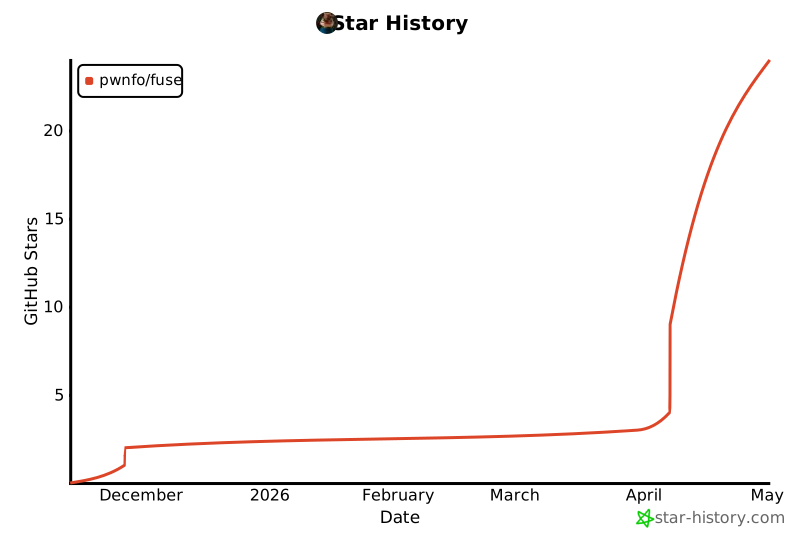
Star History
License
MIT © Ryan R. <pwnfo@proton.me>
Release history Release notifications | RSS feed


Download files
Download the file for your platform. If you're not sure which to choose, learn more about installing packages.
Source Distribution
Built Distribution
Filter files by name, interpreter, ABI, and platform.
If you're not sure about the file name format, learn more about wheel file names.
Copy a direct link to the current filters
File details
Details for the file fuse_generator-5.2.2.tar.gz.
File metadata
- Download URL: fuse_generator-5.2.2.tar.gz
- Upload date:
- Size: 24.6 kB
- Tags: Source
- Uploaded using Trusted Publishing? No
- Uploaded via: poetry/2.1.2 CPython/3.13.5 Linux/6.12.74+deb13+1-amd64
File hashes
| Algorithm | Hash digest | |
|---|---|---|
| SHA256 |
ec06f5805832f06e44f2738b0ef9d68f75a5246301695d227e60bfb43bc71818
|
|
| MD5 |
bd69f3fb9cedd291a2e4a94d4ed16ba5
|
|
| BLAKE2b-256 |
07dfa88570d4ff1f4916d35ede96d9f270af05301098ba9c08856abfe8069793
|
File details
Details for the file fuse_generator-5.2.2-py3-none-any.whl.
File metadata
- Download URL: fuse_generator-5.2.2-py3-none-any.whl
- Upload date:
- Size: 28.1 kB
- Tags: Python 3
- Uploaded using Trusted Publishing? No
- Uploaded via: poetry/2.1.2 CPython/3.13.5 Linux/6.12.74+deb13+1-amd64
File hashes
| Algorithm | Hash digest | |
|---|---|---|
| SHA256 |
fe3d4579dfe3c6affe4c39cb89cc823538ce64bb4195ae1f017d99131c9cf7d6
|
|
| MD5 |
256eeb91c11a5da8bd71dd939fe48880
|
|
| BLAKE2b-256 |
2acac81c0f15abc15f9991209812c9400e65558a96f3eb73782c6e503ac59ebc
|






