
Python binding helper tools for G4 and CPPYY

Project description
G4ppyy : Automated Python Bindings for GEANT4 based on CPPYY.
This package is a wrapper module around the powerful CPPYY backend enabling automated python bindings for GEANT4. The module is setup to use geant4-config to determine the location of libraries and header files, and automatically load them as requested by the end user through a lazy loading interface. Several additional Jupyter tools are provided to support C++ compilation magic in cells on the fy using CPPYY, and 3D visualisation using K3D or matplotlib.
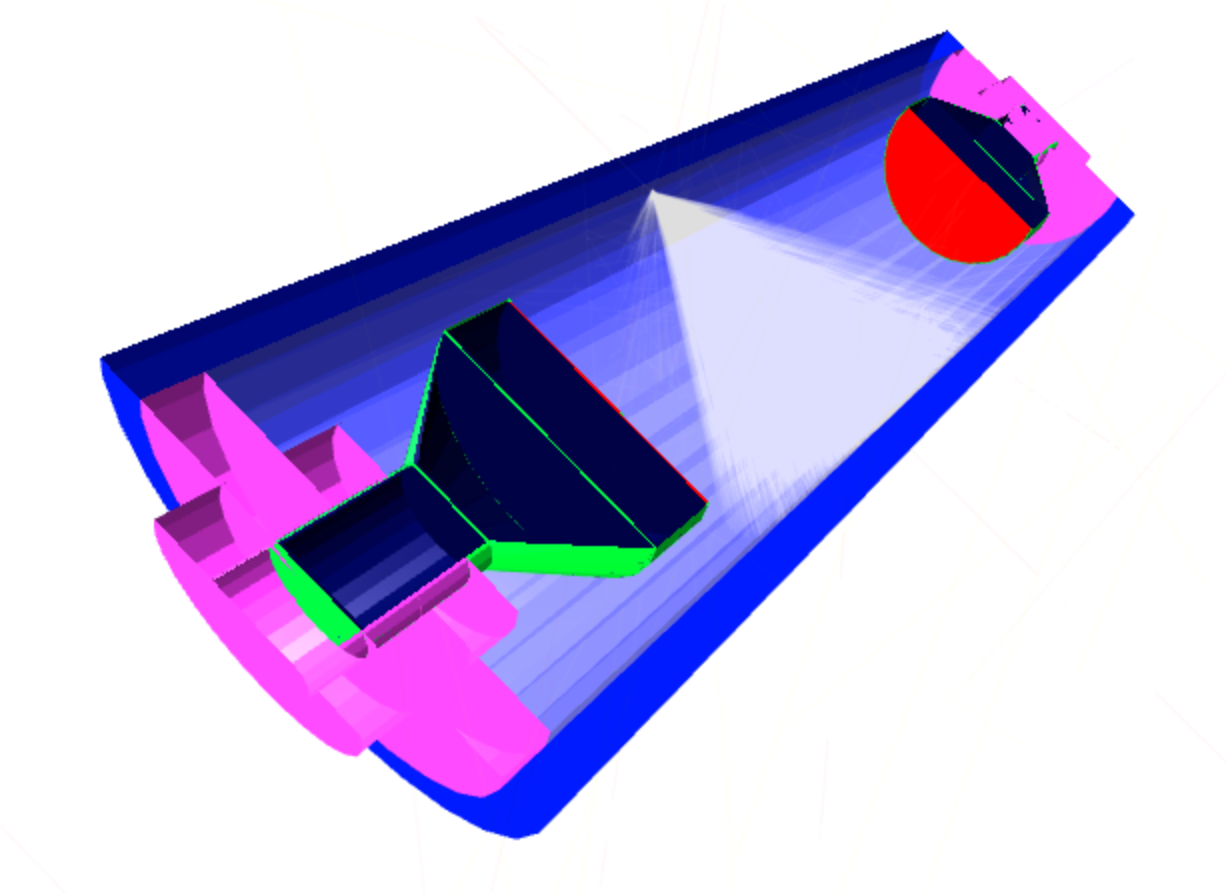
Importing GEANT4 through G4PPYY
G4ppyy acts as a wrapper around GEANT4, so this should simply be imported at the start of a python script or notebook. Note that this can take a few seconds to fully load.
import g4ppyy as g4

**************************************************************

[G4PPYY] : Geant4 Python wrapper for CPPYY
[G4PPYY] : Authors: P. Stowell (p.stowell@sheffield.ac.uk)
[G4PPYY] :          R. Foster
[G4PPYY] : Loading G4 Modules.
[G4PPYY] : G4PREFIX : /app/geant4-v11.2.2/install
[G4PPYY] : G4VERSION : 11.2.2
[G4PPYY] : Module loading complete.
[G4PPYY] : Jupyter Instance : g4_k3d g4_compile
[G4PPYY] : Imported all definitions.

**************************************************************
 Geant4 version Name: geant4-11-02-patch-02 [MT]   (21-June-2024)
                       Copyright : Geant4 Collaboration
                      References : NIM A 506 (2003), 250-303
                                 : IEEE-TNS 53 (2006), 270-278
                                 : NIM A 835 (2016), 186-225
                             WWW : http://geant4.org/
**************************************************************
By default only a handful of classes are fully initialized at the start. These can be seen by tab completing the g4 module namespace as below.
>>> g4.[TAB]
g4.G4Box(                          g4.G4ThreeVector(                  g4.builder
g4.G4Color(                        g4.G4Tubs(                         g4.cppyy
g4.G4Element(                      g4.G4VMarker(                      g4.destructor
g4.G4LogicalVolume(                g4.G4VPhysicalVolume(              g4.gNistManager
g4.G4Material(                     g4.G4VSensitiveDetector(           g4.include(
g4.G4MaterialPropertiesTable(      g4.G4VSolid(                       g4.load(
g4.G4NistManager(                  g4.G4VUserDetectorConstruction(    g4.magic
g4.G4OpticalPhysics(               g4.G4VUserPrimaryGeneratorAction(  g4.mc(
g4.G4PVPlacement(                  g4.G4VisAttributes(                g4.new(
g4.G4RotationMatrix(               g4.G4VisExecutive(                 g4.register
g4.G4RunManager(                   g4.QGSP_BERT(                      g4.run
g4.G4Sphere(                       g4.QGSP_BERT_HP(                   g4.set_cppyy_owns(
g4.G4String(                       g4.SI                              g4.vis
However if the user requests an additional class they know is inside GEANT4 these should be automatically updated so that the next tab completion shows the new class. For example
>> dir(g4.G4Tet)
['BoundingLimits', 'CalculateExtent', ...

>>> g4.
g4.G4Box(                          g4.G4ThreeVector(                  g4.cppyy
...
g4.G4Tet(                          g4.builder
Objects can therefore be used under the assumption that they are available python side. E.g.
from g4ppyy.SI import m
box = g4.G4Box("new_box", 1*m, 1*m, 1*m)
Installation
Provided Geant4 is setup correctly then the code should automatically use geant4-config to load the files.
You can install precompiled versions of Geant4 from here : https://geant4.web.cern.ch/download/11.1.1.html
git clone https://github.com/patrickstowell/G4ppyy.git
wget https://cern.ch/geant4-data/releases/lib4.11.1.p01/Darwin-clang14.0.0-Ventura.tar.gz
tar -zxvf Darwin-clang14.0.0-Ventura.tar.gz
cd Geant4-11.1.1-Darwin/bin/
source geant4.sh
[Download Geant4 Data Folders]

cd ../../G4ppyy
STDCXX=17 python3 -m pip install cppyy
python3 setup.py install
python3
>>> import g4ppyy as g4
Overloading Classes
Classes can be overriden on the python side and passed into the G4 run manager to develop interfaces on the fly without a full recompilation.
For example a sensitive detector can be built as below
class neutron_tracker(g4.G4VSensitiveDetector):
    def ProcessHits(self, aStep, ROhist):

        pdg = (aStep.GetTrack().GetParticleDefinition().GetPDGEncoding())
        if not (pdg == 2112): return 0

        eid = int(gRunManager.GetCurrentEvent().GetEventID())

        self.neutron_event["eid"].append( eid )

        pos = aStep.GetPreStepPoint().GetPosition()
        dirs = aStep.GetTrack().GetMomentumDirection()
        ek = aStep.GetPreStepPoint().GetTotalEnergy()
        ...
and then assigned to a volume via
hdpe_det = neutron_tracker("hdpe_det")
hdpe_outer.GetLogicalVolume().SetSensitiveDetector(hdpe_det)
In a similar way, a custom world can be defined based on G4VUserDetectorConstruction
class custom_world(g4.cppyy.gbl.G4VUserDetectorConstruction):
    def BuildMaterials(self):
        # Material definitions
        self.water_mat = g4.gNistManager.FindOrBuildMaterial("G4_AIR")

    def BuildWorld(self):
      ....
and then registered with the run manager as below.
detector = g4.new(custom_world())
gRunManager.SetUserInitialization(detector)
Adding Files
To add missing files, or your own custom header files through the cppyy interface, you can use
g4.include("myfile.hh")
g4.my_function_from_myfile()
In addition the original cppyy backend namespace is exposed through
g4.cppyy.gbl
Python Ownership
The widespread use of pointers in Geant4 can cause issues in the python cppyy interface when python tries to delete pointer that the C++ side has already deleted. The way around this is to tell python that it doesn't own specific classes. Some helper functions are provided inside G4ppyy to make this easier.
# Tell python it doesn't own LogicalVolumes based on the class
g4.set_cppyy_owns(g4.G4LogicalVolume)
# Tell python it doesn't own G4Box during instantiation (closer to C++ code)
from g4 import new
new( G4Box("test",1*m,1*m,1*m))
File Preloading
Sometimes you will want to automatically load in shared object files outside of GEANT4 from other builds whenever G4PPYY is imported. This allows a modular workflow with external libraries. Several environmental variables are used to determine this.
An example of a workflow is below with the four variables G4ppyy looks for.
G4PPYY_INCLUDE_DIRS="cry_include1:cry_include2:cry_include3"
G4PPYY_INCLUDE_FILES="CRY.hh"
G4PPYY_LIBRARY_DIRS="CryDir1:CryDir2"
G4PPYY_LIBRARY_FILES="libCRY.so"
On import G4ppyy will loop through all headers and libraries found based on these variables and register them with CPPYY for you.
Optimization
The python code is roughly 10x slower than the C++ compiled equivalent which is to be expected. For CPU intensive parts of the code that are run in the main event loop, you may want to consider reverting back to C++ loops when you have a workflow you are happy with. To support this several Jupyter magic commands have been added to automatically compile full C++ functions using CPPYY and cache them as text files locally.
A simple case is below of overriding a box, but this can be used for more complex classes, such as SteppingActions.
%%g4_compile
class CustomBox : G4Box {
  public:
    CustomBox() : G4Box("name",1,1,1) {};

    std::string check(){
        return "GOOD";
    };
};
Run Helper
The g4ppyy.run namespace contains functions to help setup the run managers and control a global run instance.
Builder Helpeers
the g4ppyy.builder namespace contains pythonized functions to help build geometries for new users.
Visualisation
K3D Graphics System
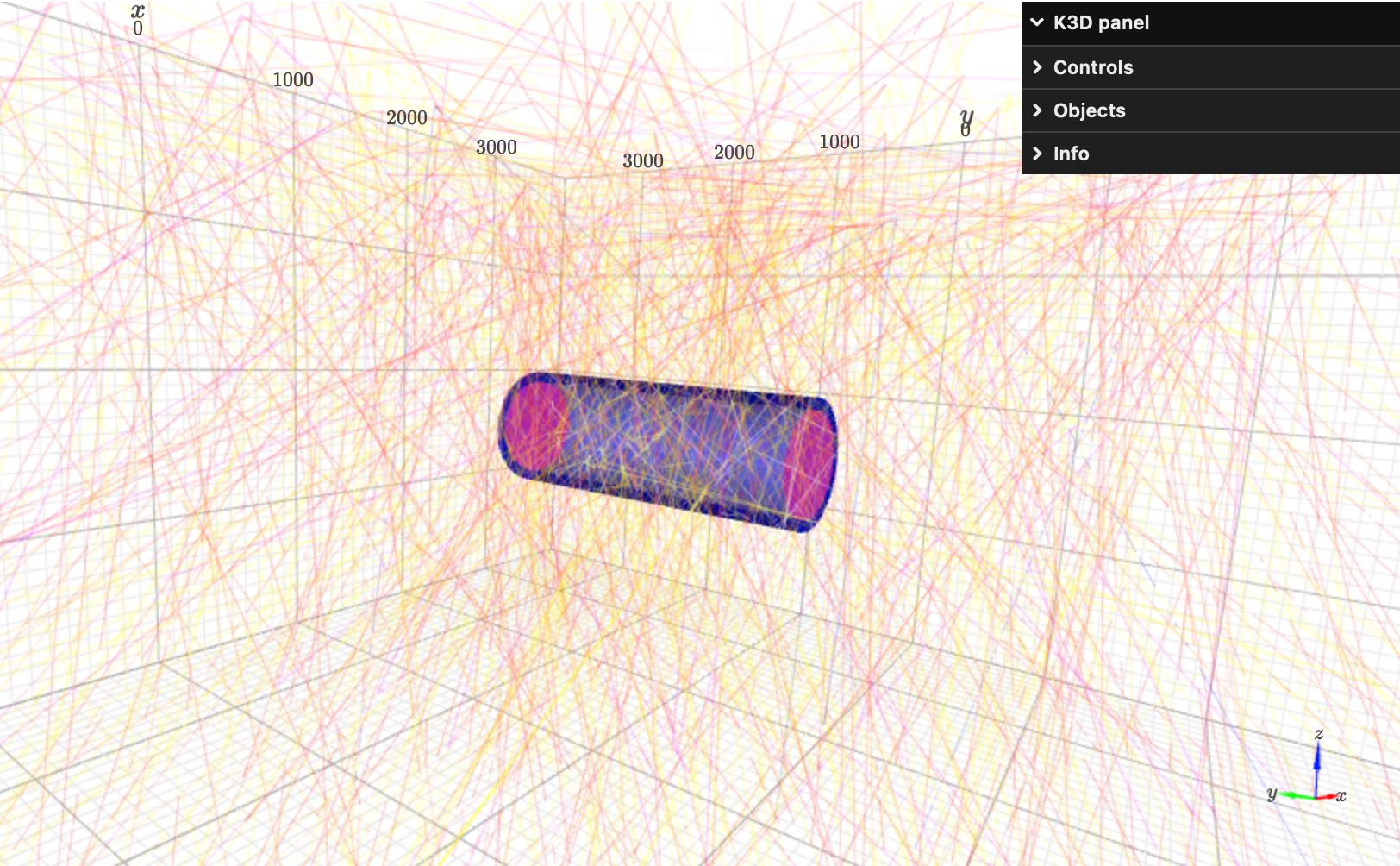
By default G4ppyy will attempt to use the built in K3D graphics system to draw the plots if running in Jupyter. For more information on how to enable k3d in jupyter see : https://github.com/K3D-tools/K3D-jupyter
The visualisation tools are built on the G4 Graphics System, so all standard control macro parameters should work. Raise an issue if they don't!
Release history Release notifications | RSS feed

Download files
Download the file for your platform. If you're not sure which to choose, learn more about installing packages.
Source Distributions
Built Distribution
Filter files by name, interpreter, ABI, and platform.
If you're not sure about the file name format, learn more about wheel file names.
Copy a direct link to the current filters
File details
Details for the file g4ppyy-0.1.0-py3-none-any.whl.
File metadata
- Download URL: g4ppyy-0.1.0-py3-none-any.whl
- Upload date:
- Size: 48.7 kB
- Tags: Python 3
- Uploaded using Trusted Publishing? No
- Uploaded via: twine/6.0.1 CPython/3.12.7
File hashes
| Algorithm | Hash digest | |
|---|---|---|
| SHA256 |
384a4b7eedbf9214d3fbe4584c5bba970629d08151b64df837ceb38e88a87517
|
|
| MD5 |
5bed6bffe7d818a3485bcd441aad7d67
|
|
| BLAKE2b-256 |
dae661ecc7af6bdde97553c42de58014740c6f3df853e7d18d85808cb3f806c7
|






