
Convert images into ones suitable for digital photo frames.

Project description
gaaqoo


Convert images into ones suitable for digital photo frames.
- Reduce file size to save SD card spaces: Scale down images to fit just to the screen size of your digital photo frame.
- Ajdust orientation: Rotate images based on EXIF
Orientation. - Overlay shooting datetime: Overlay EXIF
DataTimeOriginal. - Convert smart: Detect new or updated images in src directory recursively, and convert those into dst directory.
'gaaqoo' was named after 'gaku' which means 'frame' in Japanese.
Install
$ pip install gaaqoo
Usage
$ gaaqoo --help
usage: gaaqoo [-h] [-V] [-f FILE.yml]

Convert images into ones suitable for digital photo frames.

optional arguments:
  -h, --help            show this help message and exit
  -V, --version         show program's version number and exit
  -f FILE.yml, --config FILE.yml
                        config YAML file (default:
                        ~/.config/gaaqoo/default.yml)
$
Config (YAML)
~/.config/gaaqoo/default.yml (have to create by yourself for now.)
# -*- coding: utf-8 -*-

SRC_DIR: ~/Pictures/gaaqoo-src
DST_DIR: ~/Pictures/gaaqoo-dst
SUFFIX: ['.jpg', '.JPG', '.jpeg', '.JPEG']
# exclude if filepath contains there
EXCLUDE: ['_EXCLUDE_', '_NG_']
DST_IMG_SIZE: [800, 480]
FONT: /usr/share/fonts/truetype/dejavu/DejaVuSans.ttf
FONT_SIZE: 30
Example
Nagoya Castle :-)
| image | width x height | orientation | |
|---|---|---|---|
| src | 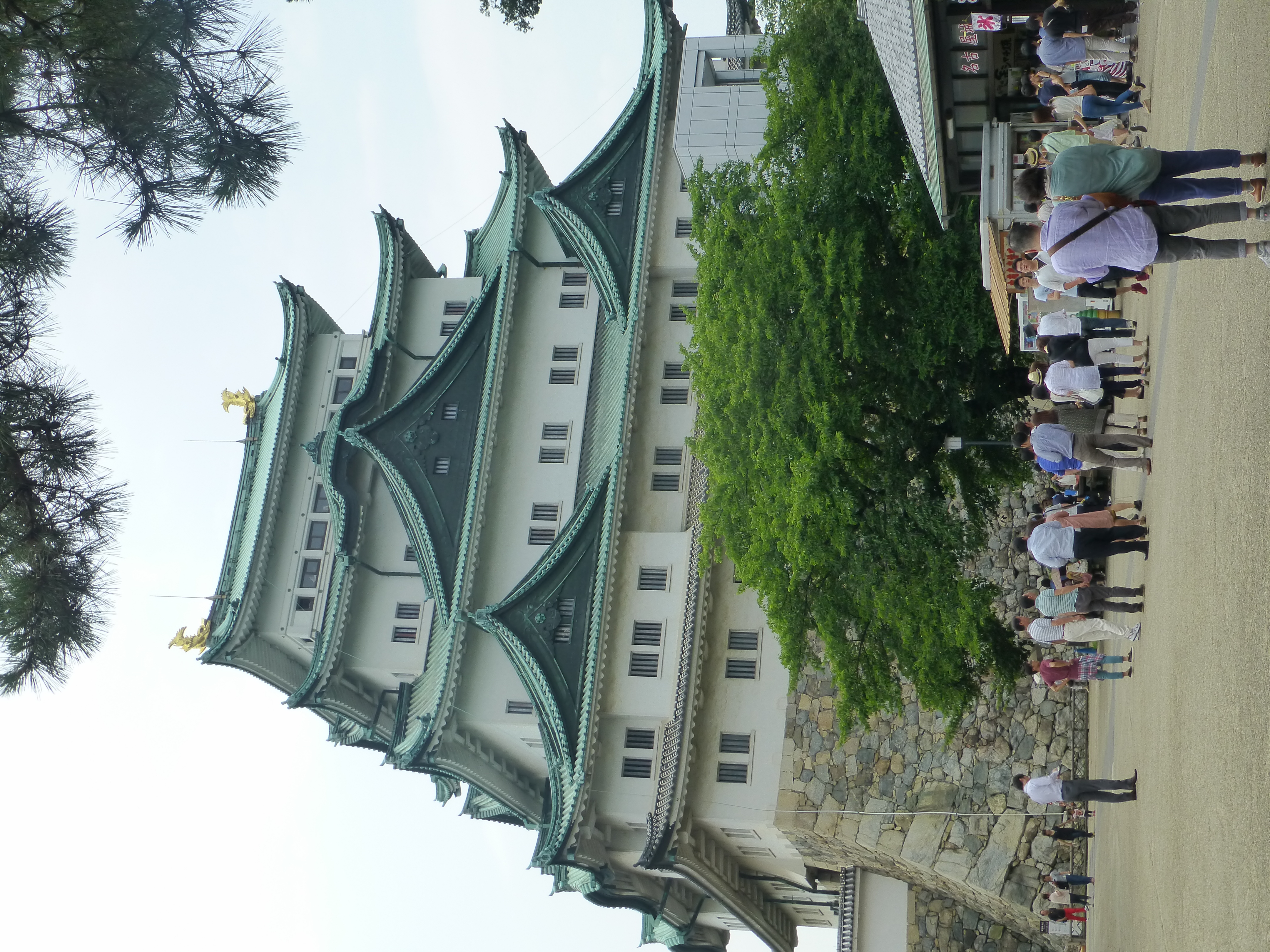 |
4320x3240 | [EXIF] Orientation=6 (Rotate 90 CW) |
| dst | 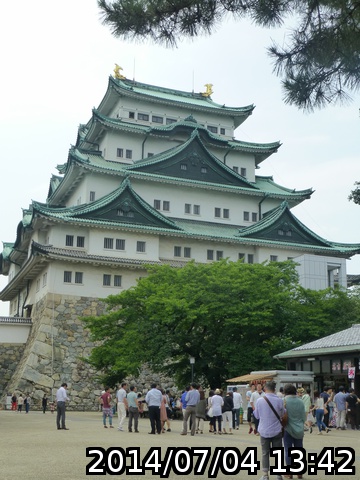 |
360x480 (fits for 800x480) | Horizontal (normal) |
License
MIT License
Dependencies
- Pillow (>= 10.0.0)
- PyYAML (>= 6.0)
For developers
EXIF orientation example images
Image rotation based on EXIF orientation when tools show it
Without rotation, so suitable for debugging:
display(ImageMagick)
With rotation:
display -auto-orientnautilus(file manager)eog
EXIF tools
- ExifTool
exiftool example.jpg
- jhead:
jhead example.jpgjhead -autorot example.jpg
- Exiv2:
exiv2 -pv example.jpg
$ jhead -autorot example.jpg
$ jhead -mkexif example.jpg  # keep DateTimeOriginal. drop GPS, Orientation, and others.
$ exiftool example.jpg


Download files
Download the file for your platform. If you're not sure which to choose, learn more about installing packages.
Source Distribution
Built Distribution
Filter files by name, interpreter, ABI, and platform.
If you're not sure about the file name format, learn more about wheel file names.
Copy a direct link to the current filters
File details
Details for the file gaaqoo-1.0.0.tar.gz.
File metadata
- Download URL: gaaqoo-1.0.0.tar.gz
- Upload date:
- Size: 8.3 kB
- Tags: Source
- Uploaded using Trusted Publishing? No
- Uploaded via: twine/6.1.0 CPython/3.13.7
File hashes
| Algorithm | Hash digest | |
|---|---|---|
| SHA256 |
ea146512c8f56b935ce5c5ee3771fe1e910ee26a005cdf37d2698ea0b333251d
|
|
| MD5 |
80c4a4e4e2449a939919cb314d74b973
|
|
| BLAKE2b-256 |
bbbc17ae89e2d0e396ff2bd681ac1210ecb493a4fe5e4ae7a37dd2a3905d9498
|
File details
Details for the file gaaqoo-1.0.0-py3-none-any.whl.
File metadata
- Download URL: gaaqoo-1.0.0-py3-none-any.whl
- Upload date:
- Size: 8.1 kB
- Tags: Python 3
- Uploaded using Trusted Publishing? No
- Uploaded via: twine/6.1.0 CPython/3.13.7
File hashes
| Algorithm | Hash digest | |
|---|---|---|
| SHA256 |
cdf26d3f3a7ac9d028e8da26129d6d3dd6bcc7e5a5a57e15a921c6099916cf2e
|
|
| MD5 |
8b5319a9cf186aaa8554e10259c66afb
|
|
| BLAKE2b-256 |
fe1bfe3d463eb330d58c61e9de8f205c09d13525b3f18a56530020fa667933cd
|






