
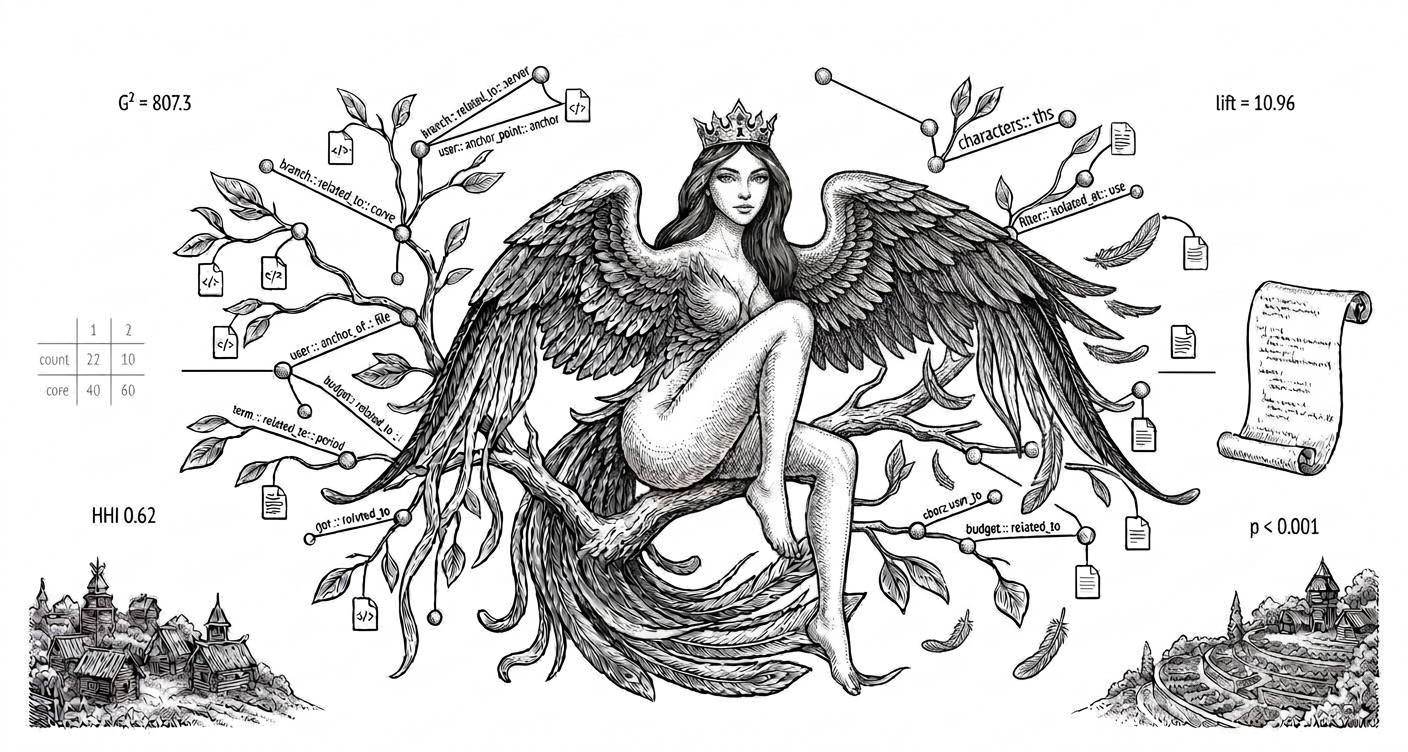
gamayun
Ontology generator and manager for software projects — builds a statistical ontology of a code base from its task tracker and git history, or from a folder of documents and code, without an LLM or a GPU.
What it does
gamayun turns a project's history into an ontology: a set of facts (triples) linking the words of tasks, code identifiers, files, folders and modules. A fact is kept only if it passes a significance test, and its numbers stay attached to it, so every fact can be checked.
The ontology is then used to:
- search — rank the modules, files and symbols a task description is likely to touch;
- compass — suggest where to start reading the code for a task, with a confidence level;
- companions — list the files that usually change together with a given set of files;
- health — show how the code base evolves (evolution, maintenance, disruption, stagnation);
- map — draw the modules and the coupling between them in the browser;
- show — list everything the ontology knows about a term, identifier, module or file.
gamayun manages several ontologies on one machine: each project is built, refreshed, evaluated and opened by name from the command line or the web UI. It runs on an ordinary laptop and works fully offline once the data is collected.
Statement of need
When a task arrives ("Login fails after the session expires"), a developer has to find the code it concerns. In a large or unfamiliar code base this is slow, and much of the knowledge it needs sits in the project's history: which parts of the code tasks about login or sessions have changed before, and which files are always edited together.
gamayun makes that history searchable. It is meant for:
- developers who maintain or join a large project and need to know where a task leads, which files a change will drag along, and which parts of the code keep getting coupled;
- researchers in software engineering who study task-to-code traceability, change impact, co-change (logical coupling) and software evolution, and need results that are explainable and reproducible.
Search tools based on embeddings or LLMs need a model, often a GPU, and give answers that cannot be traced back to their reasons. gamayun uses only counting and significance tests. It needs no model and no GPU, sends no code anywhere, gives the same answer for the same history every time, and shows the evidence for every result.
Install
pip install gamayun-ontology
The package is called gamayun-ontology. The command and the Python module are both gamayun.
It needs Python 3.10+ and brings numpy, scipy, Flask, waitress and
mokosh, the tool that collects the task history.
Quick start
A: from your project's history (git + tracker)
cd my-project                          # a git clone

mokosh init                            # repository, branch, tracker (Jira, GitHub, GitLab, YouTrack)
mokosh ingest                          # commits + their tasks -> units.db

gamayun index --db units.db --repo . --project myproj
gamayun eval  --project myproj         # optional: tunes the ranking on your history

gamayun search "Login fails after the session expires" --project myproj
gamayun ui                             # http://127.0.0.1:8095/
Building takes seconds to a few minutes, depending on the size of the history. To refresh it later,
run mokosh ingest and gamayun index again.
B: from a folder of documents and/or code
gamayun index  --files ./docs --project docs
gamayun search "budget closing period" --project docs
gamayun show   ident:final_period --project docs     # where it is defined and used
Commands
| Command | What it does |
|---|---|
gamayun index --db DB [--repo REPO] --project P |
Build the ontology from a task database (--repo adds module dependencies) |
gamayun index --files FOLDER --project P |
Build it from a folder of documents and/or code |
gamayun search "text" --project P |
Rank the modules, files and symbols for a task |
gamayun compass "text" --project P |
Where to start, with a confidence level |
gamayun companions FILE… --project P |
Files that usually change together with these (--from answer.txt reads them from a text) |
gamayun show ENTITY --project P |
Everything known about term:x, ident:x, module:x, dir:x, file:x, sym:x |
gamayun health --project P |
The evolution square, --by month|quarter|year, --units, --unit PATH, --file PATH |
gamayun eval --project P |
Tune the ranking on your history and report its quality |
gamayun list |
Every project on this machine |
gamayun ui [--port 8095] [--host 0.0.0.0] |
The web UI |
search, compass and companions take --json for scripts and agents, and --k N to set how
many results to return.
Example
The output below comes from a small demo shop project (tasks such as Cart total wrong after discount or Invoice number duplicated, with the files they changed).
$ gamayun search "Login fails after the session expires" --project shop --k 3
terms: expires fails login session

modules:
   1. auth                                        1.57  expires +0.82, fails +0.82, session +0.81, login +0.80
   2. web                                        -0.79  session +0.25, login +0.23
   3. common                                     -1.72

files:
   1. auth/src/LoginController.java
        login/names +2.12, login/file +0.79, session/file +0.78, expires/file +0.73
   2. auth/src/SessionManager.java
        session/names +1.93, expires/file +0.85, fails/file +0.85, session/file +0.83
   3. auth/src/TokenRefresher.java
        expires/file +0.85, fails/file +0.85, session/file +0.82, login/file +0.81
Next to each result are the words that put it there and how much each one weighed. To see a fact behind a word:
$ gamayun show term:login --project shop --limit 1
term:login :: characterizes :: module:auth  [src: n=123;df=132;g2=480.3;lift=4.97]
The numbers in brackets are the evidence: the word and the module appeared together in 123 of the 132 tasks with that word, about 5 times more often than chance would give. Only facts that pass a significance test are kept.
The files that usually change together with a given one:
$ gamayun companions checkout/src/Cart.java --project shop --k 2
chosen (1): checkout/src/Cart.java

changed together with them, not chosen:
   1. checkout/src/DiscountRule.java
        with 1 of 1 chosen (Cart.java); G2 84.7
   2. checkout/src/PriceCalculator.java
        with 1 of 1 chosen (Cart.java); G2 81.1
Web UI
gamayun ui opens every project on the machine in the browser. You pick a project at the top.
- Search: the compass and the ranked results; open a result to see the facts behind it.
- Companions: paste a list of files, or an answer that names them.
- Health: the evolution square for the whole code base, one unit or one file, over time, and the units ranked by stagnation.
- Map: the modules and their coupling, one layer at a time; click a module to open its sub-folders, or a link to see what it is made of.
- Entity: everything about one term, identifier, module or file.
- Projects: build and evaluate projects without the command line.
A link like /?project=myproj&q=... opens a search directly. The UI has 9 colour themes and 6
languages (English, Ukrainian, German, French, Spanish, Portuguese).
Health: the evolution square
Every past task is a set of files that changed together. A pair of them is new if they never changed together before, and local if both are in the same unit of the code. That gives four zones:
| across units | inside a unit | |
|---|---|---|
| new pair | DISRUPTION: new coupling, the architecture erodes | EVOLUTION: new work where it belongs |
| known pair | STAGNATION: the same cross-unit edits again and again | MAINTENANCE: routine work |
gamayun health --project myproj --by year              # the whole code base, year by year
gamayun health --project myproj --units --since 2024   # units ranked by stagnation
gamayun health --project myproj --unit checkout --by quarter
The units with the most stagnation keep dragging the same outside files along, so they are
good refactoring candidates. Each gamayun index keeps a dated snapshot, so you can compare
builds month by month.
Where projects live
A project is stored next to what it describes, in <folder>/.gamayun/<project>/ (or in
--root FOLDER). ~/.gamayun/projects.json only remembers where each one is, so gamayun ui,
search and the other commands find a project by name from any folder.
For one code base, keep the history project and the files project separate (for example shop
and shop-code). They answer different questions: what changes together, and what is defined
and used where.
How it works
gamayun counts and tests; it does not generate anything. For every pair, such as a word and a module, a file and another file, or an identifier and a file, it checks whether they occur together more often than chance would give (Dunning's G² test, p < 0.001). Only the pairs that pass become facts (triples). A search adds up the evidence of the task's words with naive Bayes and returns the best-supported targets, together with the facts that support them.
| Fact | Meaning |
|---|---|
term characterizes module/file |
tasks with this word usually change this |
term not_in module |
tasks with this word never change this |
term anchor_of module |
the word belongs almost entirely to one module |
file co_changes_with file |
the two files change together |
module depends_on module |
the code of one imports the other |
ident defined_in / used_in file |
where an identifier is defined and used (folder projects) |
term is_a term, term same_as term |
from the text of documents: "X such as Y", "Total Cost of Ownership (TCO)" |
Because every fact is a statistic you can check, the results are explainable and reproducible: the same history always gives the same answer.
Python API
The command line is a thin layer over the package; the same can be done from Python.
from gamayun import pipeline, store
from gamayun.onto import Onto

# build (the same as `gamayun index`)
pipeline.build_project("units.db", "myproj", repo=".")        # from a task database
pipeline.build_folder_project("./docs", "docs")               # from a folder

# load a project and search
O = Onto(store.project_dir("myproj"))                         # or a path to triples.txt
res = O.query("Login fails after the session expires").search(pipeline.load_params("myproj"), k=10)

for m in res["modules"]:
    print(m["target"], m["score"])
    for e in m["evidence"]:
        print("   ", e["term"], e["value"], e["triple"])

O.companions(["checkout/src/Cart.java"], k=5)      # files that change together with these
O.entity("term:login")                            # every triple of an entity
search returns a dictionary with terms (the words of the task it used), modules and files
(and symbols for a folder project). Each result has a target, a score and its evidence:
the term, its weight and the triple behind it.
Ontology format
A project is a folder with the ontology as plain text, triples.txt, one fact per line:
subject :: predicate :: object [src: name=value;...]
Entities are typed by a prefix: term:, ident:, module:, dir:, file:, sym:.
The src part holds the statistics the fact was accepted on (n co-occurrences, df document
frequency, g2, lift, expected, …). The file can be read, searched with grep or loaded by
other tools without gamayun. Next to it are params.json (ranking parameters), stats.json,
source.json (what the project was built from) and the results of eval.
Tests
git clone https://github.com/szholobetsky/gamayun
cd gamayun
pip install -e ".[dev]"
pytest
The tests build small ontologies from generated databases and folders, so they need no external data and run in under a minute.
Support
The project is on GitHub: github.com/szholobetsky/gamayun. Questions, bug reports and suggestions go to its issues.
Part of the SIMARGL toolkit
gamayun is one of ten tools that together form an intellectual development support system:
| Tool | Role |
|---|---|
| simargl | Task-to-code retrieval — given a task description, finds which files and modules are likely affected, using semantic similarity over git history |
| svitovyd | Project map — scans any codebase and produces a structural map of definitions and cross-file dependencies; queried from the CLI, a web UI with a layered map, or an MCP server |
| 1bcoder | AI coding assistant for small local models — surgical context management, agents, parallel inference, proc scripts |
| yasna | Session memory — indexes conversations from all AI agents so you can find what was discussed, when, and where |
| radogast | Context drift monitor — measures how far an AI agent's conversation has drifted from the original task |
| vyrii | Local AI web UI — chat, translate, web research, RAG and file management in the browser (Flask; Gradio optional); powered by Ollama or any OpenAI-compatible backend |
| syryn | Bluetooth identity beacon for headless devices — the device's IP is its Bluetooth name; hostname, mDNS and network interfaces on request |
| alkonost | Browser cockpit for 1bcoder's flows — the deepagent_* spec pipeline (plan tree → specs → task board) and the glossary (build, browse, search), tuned for small local models |
| gamayun | Statistical ontology without an LLM — builds triples of terms, identifiers, files and modules from task history or a folder of documents and code; every triple carries its significance test |
| mokosh | Dataset gathering — commits of a git repository and the tasks of its tracker (Jira, GitHub, GitLab, YouTrack) in one SQLite database that the other tools read |
- simargl finds the code related to a task by vector search over the task history (embeddings).
- svitovyd answers: how is the code structured and what depends on what?
- 1bcoder answers: how do I work with local models efficiently?
- yasna answers: where did I already discuss this?
- radogast answers: is the AI agent still on track toward the goal?
- vyrii answers: how do I access all of this through a browser?
- syryn answers: what is the address of this headless device?
- alkonost answers: how do I turn one task description into a reviewed, working plan — and see the project's glossary — without a big model or a big context window?
- gamayun finds the code related to a task through an ontology of significant links between words, files and modules (no LLM).
- mokosh prepares the initial dataset from version control and the issue tracker.
Together they cover the full development loop: understand the codebase, find relevant history, work with AI locally, remember what was decided, and verify the context stays on target.
The name comes from Slavic mythology. Gamayun (Гамаюн) is the prophetic bird with a woman's face, the messenger of the gods who knows everything about the world and tells it to those who can listen. A fitting name for a tool that foretells which code a task will touch — and always says why.
License
MIT. See LICENSE.
About
(c) 2026 Stanislav Zholobetskyi, Oleh Andriichuk
Institute for Information Recording, National Academy of Sciences of Ukraine, Kyiv
PhD research: «Intelligent Technology for Software Development and Maintenance Support»
1 maintainer

Metadata
1 maintainer
Release files for gamayun-ontology 0.1.1
For a detailed explanation of source distributions (sdists) and built distributions (wheels), please see the package formats documentation.
Source distribution (sdist)
| File | Size | Uploaded | Provenance | Actions |
|---|---|---|---|---|
| gamayun_ontology-0.1.1.tar.gz | 136.8 kB | Without provenance | Details for gamayun_ontology-0.1.1.tar.gz |
Built distribution (wheel)
| File | Interpreter | ABI | Platform | Actions Reset |
|---|---|---|---|---|
| gamayun_ontology-0.1.1-py3-none-any.whl | Python 3 | none | any | Details for gamayun_ontology-0.1.1-py3-none-any.whl |
Total release size: 286.6 kB
Release files / gamayun_ontology-0.1.1.tar.gz
| Download URL | gamayun_ontology-0.1.1.tar.gz |
|---|---|
| Size | 136.8 kB |
| Tags | Source |
|
SHA-256 checksum How to use checksums |
4c705120d558fdc481485687f9c8624e72e4cb504285b64d579ee0c6fe98f330
|
|
BLAKE2b-256 checksum How to use checksums |
4249af29d400de9aed1b61db80520a5d91daf9043e8c8cf51a630b73f0e01876
|
| Upload date | |
|
Uploaded using Trusted Publishing? What is trusted publishing? |
No |
| Uploaded via |
twine/7.0.0 CPython/3.12.9
|
Release files / gamayun_ontology-0.1.1-py3-none-any.whl
| Download URL | gamayun_ontology-0.1.1-py3-none-any.whl |
|---|---|
| Size | 149.8 kB |
| Tags | Python 3 |
|
SHA-256 checksum How to use checksums |
e70bff75776225018bde12433080ae02cd816f36e835bd4a6982a02769035786
|
|
BLAKE2b-256 checksum How to use checksums |
e603e9b9c573411a2dcb722bc34f99418bbb2a1cf4bd1217624d70b853d69dca
|
| Upload date | |
|
Uploaded using Trusted Publishing? What is trusted publishing? |
No |
| Uploaded via |
twine/7.0.0 CPython/3.12.9
|
Security for gamayun-ontology 0.1.1
Provenance
Provenance describes where a file came from. On PyPI, provenance is shared via attestations, which provide a verifiable record of the build or publishing details. View details, limitations and caveats.
No provenance found
None of the files in this release were uploaded with provenance metadata.
A note on package security
PyPI is a repository for distributing packages, not a service for auditing them. While third-party security researchers and our staff do their best to detect and remove malicious packages, PyPI cannot guarantee the quality, security or suitability of any given package.
To learn more about protecting yourself from malicious actors, visit our package security documentation.














