
gbp-ps - A gbpcli plugin to display your Gentoo Build Publisher processes
Say you are a Gentoo Build Publisher user. Inevitably the time comes when you notice some activity on your build machine. For example the fans start spinning up. It goes on for a while and you start to wonder what's going on.
So you open a tab in your browser, point it at your Jenkins instance. You see there's a build happening. But what's being built? You click on the job. Then go to the console output. Ok now you can see what packages are being built. If only there were a better way.
Now there is.
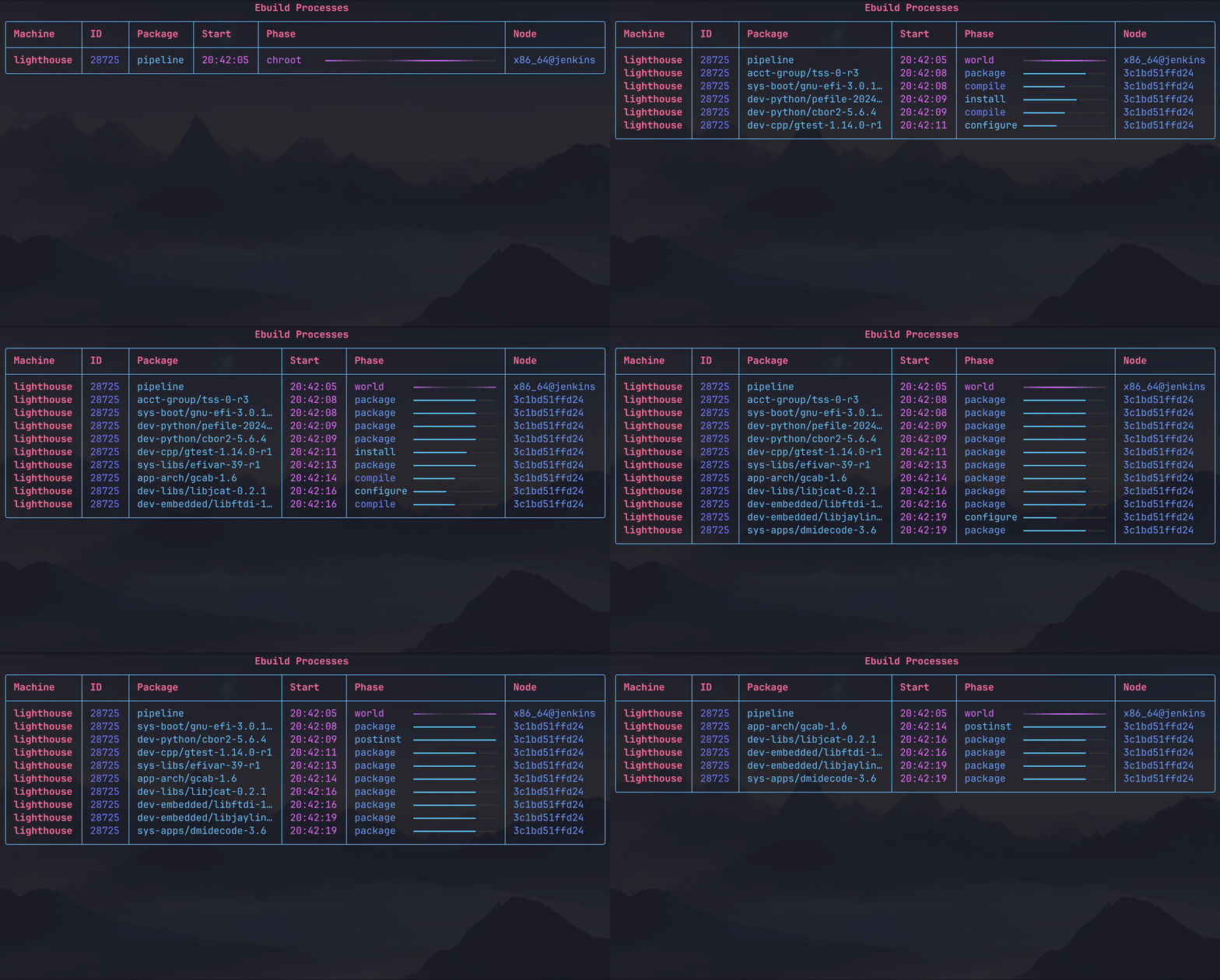
gbp-ps has a ps-like subcommand for the Gentoo Build Publisher
CLI. When installed, all you need to do is
run gbp ps to see all the packages being built, for which machines they're
being built for, and what phase of the build process the package is in.
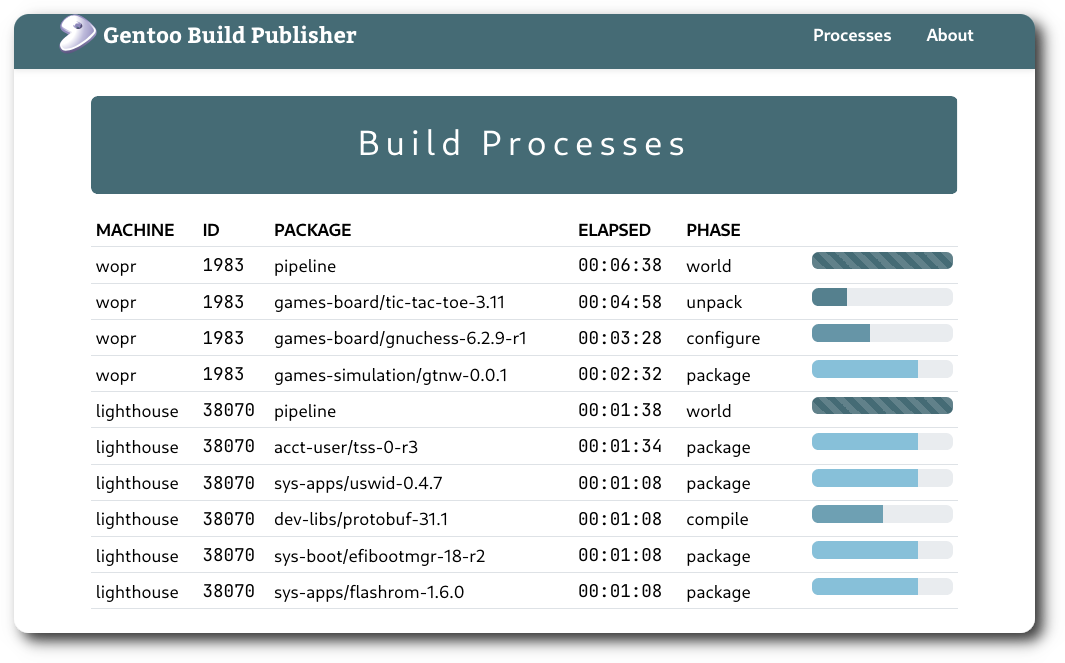
It also exposes a page in the web UI that displays much the same information.
How does it work?
The gbp-ps package includes a plugin for Gentoo Build Publisher that includes
a table for keeping package build "processes" and a GraphQL interface for
updating the process table. Each machine's build then updates the table via
GraphQL during each phase of the build. This is done via the
/etc/portage/bashrc file. For example each machines' build processes you'd
want to query:
gbp-machines $ gbp ps-dump-bashrc >> base/configs/etc-portage/bashrc
# Check the above file to ensure, e.g., the URL is correct
git add base/configs/etc-portage/bashrc
git commit -m "base: add gbp-ps to bashrc"
git push
The contents of the bashrc send a GraphQL call to GPB. This is done for each
phase (except "depend") of the build process.
gbp-ps includes a Django package that adds the GraphQL interface to Gentoo Build Publisher and maintains the process table.
So now that we have a process table and a way for the build containers to
update it, we need a method to query the table. Again the GraphQL interface
provides the interface to query the table. For the client side, gbp-ps adds a
subcommand to gbpcli ("ps") that makes the query and displays it. And voila!
Installation
This assumes you already have a working Gentoo Build Publisher installation. If not refer to the GBP Install guide first.
Install the gbp-ps package onto the GBP instance.
cd /home/gbp
sudo -u gbp -H ./bin/pip install gbp-ps[server]
Restart your web app.
systemctl restart gentoo-build-publisher-wsgi.service
Now the server side should be good to go.
For you individual builds each machine's
<machine>/configs/etc-portage/bashrc contain the script above. If your
machine doesn't have the file already then create it. Be sure to change the
wget URL to use the actual name/address of your GBP instance (or localhost
if your client and server are on the same machine.
Start a machine build that will actually build some packages. Then,
gbp ps
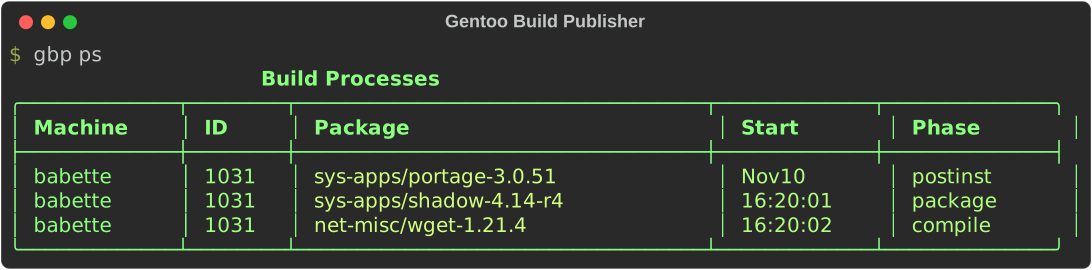
This should display the process table. When no processes are building the output will be empty.
There is also a "continuous" mode where gbp-ps will display the ebuild processes continuously on the screen:
gbp ps -c
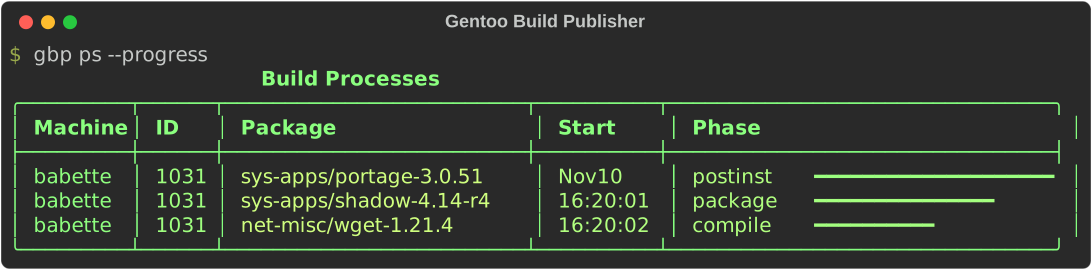
To show the processes accompanied by a process bar, pass the --progress
flag.
Run without Gentoo Build Publisher
gbp-ps is also capable of working "locally" without the need of a Gentoo Build Publisher instance. This allows you to use gbp-ps on a local machine. To do so, from the machine you want to run gbp-ps:
gbp ps-dump-bashrc --local >> /etc/portage/bashrc
Now whenever you run an emerge command, you should be able, in another
terminal, run gbp ps to display the build processes from that command. Note
that the local functionality is currently experimental.
"pipeline" process
If you've seen screenshots of gbp-ps that shows a "pipeline" process, that is being emitted from the Jenkins or GBP and not from the build container. The method for doing this will be documented at a later time.
1 maintainer

Metadata
1 maintainer
Release files for gbp-ps 1.11.0
For a detailed explanation of source distributions (sdists) and built distributions (wheels), please see the package formats documentation.
Source distribution (sdist)
| File | Size | Uploaded | Provenance | Actions |
|---|---|---|---|---|
| gbp_ps-1.11.0.tar.gz | 46.0 kB | Without provenance | Details for gbp_ps-1.11.0.tar.gz |
Built distribution (wheel)
| File | Interpreter | ABI | Platform | Actions Reset |
|---|---|---|---|---|
| gbp_ps-1.11.0-py3-none-any.whl | Python 3 | none | any | Details for gbp_ps-1.11.0-py3-none-any.whl |
Total release size: 91.5 kB
Release files / gbp_ps-1.11.0.tar.gz
| Download URL | gbp_ps-1.11.0.tar.gz |
|---|---|
| Size | 46.0 kB |
| Tags | Source |
|
SHA-256 checksum How to use checksums |
3c7fde0e1006cf25da535a0519d753c880e591f6ce39ea4e3e10b35292b75428
|
|
BLAKE2b-256 checksum How to use checksums |
a6181da72340a895a54d4bc4231ede1e6057fb55b2012d1f0c70cd59e6759e95
|
| Upload date | |
|
Uploaded using Trusted Publishing? What is trusted publishing? |
No |
| Uploaded via |
twine/7.0.0 CPython/3.14.7
|
Release files / gbp_ps-1.11.0-py3-none-any.whl
| Download URL | gbp_ps-1.11.0-py3-none-any.whl |
|---|---|
| Size | 45.5 kB |
| Tags | Python 3 |
|
SHA-256 checksum How to use checksums |
e2ff28e1f169c2f2f55d67a8d6a86605b4f1f65036e4131aa654993a35e99a37
|
|
BLAKE2b-256 checksum How to use checksums |
f6ec1efe94cf0aef62d9e084363ff5cf849ee2f49f39a6e09f2c05d681f48fd1
|
| Upload date | |
|
Uploaded using Trusted Publishing? What is trusted publishing? |
No |
| Uploaded via |
twine/7.0.0 CPython/3.14.7
|
Security for gbp-ps 1.11.0
Provenance
Provenance describes where a file came from. On PyPI, provenance is shared via attestations, which provide a verifiable record of the build or publishing details. View details, limitations and caveats.
No provenance found
None of the files in this release were uploaded with provenance metadata.
A note on package security
PyPI is a repository for distributing packages, not a service for auditing them. While third-party security researchers and our staff do their best to detect and remove malicious packages, PyPI cannot guarantee the quality, security or suitability of any given package.
To learn more about protecting yourself from malicious actors, visit our package security documentation.














