






GCOP (Git Copilot) - Your AI-powered Git assistant that transforms messy commits into meaningful stories. It automates commit message generation, enhances your Git workflow, and makes version control a breeze with 20+ smart commands.
🚀 Key Features
-
🤖 Intelligent Commit Crafting
- Let AI analyze your changes and generate contextually perfect commit messages
- Learn from your project's commit history to match your team's style
-
🎨 Highly Customizable Experience
- Design your own commit templates to match project requirements
- Fine-tune commit message style with custom prompts
- Configure project-specific settings for consistent team standards
-
📚 Smart Learning Capabilities
- Automatically learn from your repository's commit history
- Adapt to your team's commit conventions over time
- Improve message quality through continuous learning
-
⚡ Seamless Developer Experience
- Supercharged with 20+ intuitive Git shortcuts and commands
- Smart aliases that make complex Git operations a breeze
- Integrate with your favorite AI models (OpenAI, Anthropic, etc.)
- Zero-config integration with your existing Git workflow
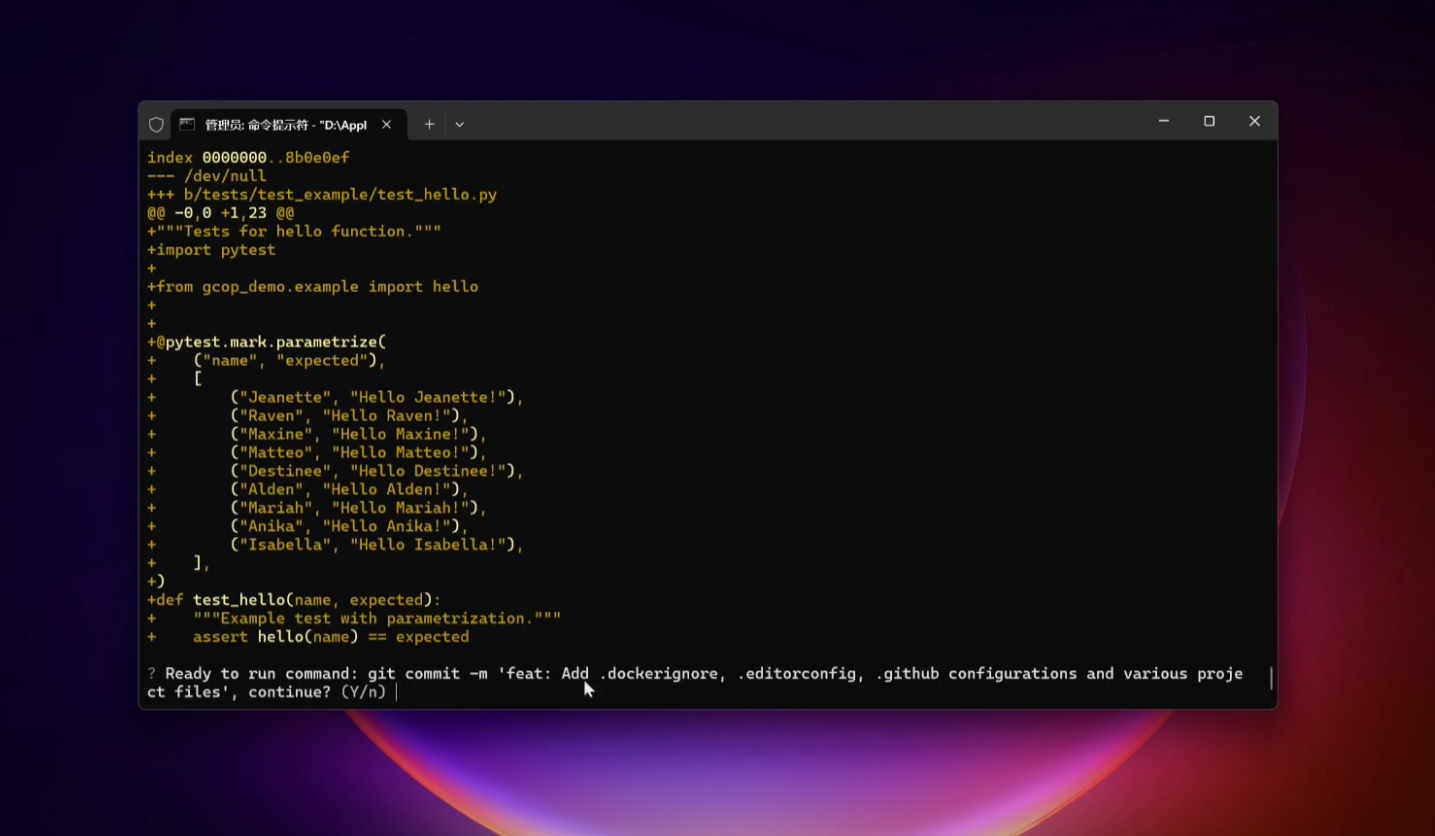
Video Demo
This video shows how to use gcop to generate a commit message. See the documentation
🛠️ Getting Started
We recommend you to read the Quick Start Guide in detail.
What You'll Need
- Python 3.8 or newer
- Git installed on your system
- An API key for your preferred LLM (e.g., OpenAI, Anthropic)
Installation
-
Install GCOP with pip:
pip install gcop -
Initialize GCOP:
gcop init
This command sets up GCOP and adds its aliases to your Git configuration.
-
Configure your AI model:
git gconfigThis opens the configuration file. Edit it to include your AI provider details:
model:
  model_name: provider/name, eg openai/gpt-4o
  api_key: your_api_key
Then gcop will generate a config.yaml, then gcop will open the config.yaml
file in the default editor, and you can config your language model. See how to
config your model here:
config.yamlstore path:
- Windows:
%USERPROFILE%\.zeeland\gcop\config.yaml- Linux:
~/.zeeland/gcop/config.yaml- MacOS:
~/.zeeland/gcop/config.yaml
-
Verify the installation:
git ghelpYou should see output similar to:
gcop is your local git command copilot
Version: 1.0.0
GitHub: https://github.com/Undertone0809/gcop

Usage: git [OPTIONS] COMMAND

Commands:
  git p          Push changes to remote repository
  git pf         Force push changes to remote repository
  git undo       Undo last commit, keep changes
  git ghelp      Show this help message
  git gconfig    Open config file in default editor
  git gcommit    Generate AI commit message and commit changes
  git ac         Add all changes and commit with AI message
  git c          Shorthand for 'git gcommit'
💡 Basic Usage
Generating AI Commit Messages
After making changes to your project:
-
Stage your changes:
git add . -
Generate and apply an AI commit message:
git cExample output:
? Select a commit message to commit (Use arrow keys) » feat: Implement user authentication system docs: Update installation instructions in README fix: Resolve database connection timeout issue style: Improve code formatting in src/main.py retry -
Choose the most appropriate message using arrow keys and press Enter.
Other Useful Commands
-
git ac: Add all changes and commit with an AI-generated messagegit acOutput:
Changes added. Generating commit message... ? Select a commit message to commit (Use arrow keys) » feat: Add new user profile page fix: Correct CSS styling issues on mobile devices docs: Update API documentation for v2.0 refactor: Optimize database queries for better performance retry -
git undo: Undo the last commit while keeping changes stagedgit undoOutput:
HEAD is now at a1b2c3d Previous commit message Changes from the last commit are now staged. -
git p: Push to the current branchgit pOutput:
Enumerating objects: 5, done. Counting objects: 100% (5/5), done. Delta compression using up to 8 threads Compressing objects: 100% (3/3), done. Writing objects: 100% (3/3), 328 bytes | 328.00 KiB/s, done. Total 3 (delta 2), reused 0 (delta 0), pack-reused 0 To https://github.com/username/repo.git a1b2c3d..e4f5g6h main -> main -
git pf: Force push to the current branch (use with caution) -
git gconfig: Open the GCOP configuration file for adjustments
🔧 Configuration
To modify your AI model settings:
-
Open the config file:
git gconfig -
Edit the
config.yamlfile:model: model_name: provider/name, eg openai/gpt-4o api_key: your_api_key
-
Save and close the file.
📚 Learn More
Makefile usage
Makefile
contains a lot of
functions for faster development.
Install all dependencies and pre-commit hooks
make install
Codestyle and type checks
Automatic formatting uses ruff.
make polish-codestyle

# or use synonym
make formatting
Codestyle checks only, without rewriting files:
make check-codestyle
Note:
check-codestyleusesruffanddarglintlibrary
Code security
If this command is not selected during installation, it cannnot be used.
make check-safety
This command launches Poetry integrity checks as well as identifies security issues
with Safety and Bandit.
make check-safety
Tests with coverage badges
Run pytest
make test
All linters
Of course there is a command to run all linters in one:
make lint
the same as:
make check-codestyle && make test && make check-safety
Docker
make docker-build
which is equivalent to:
make docker-build VERSION=latest
Remove docker image with
make docker-remove
More information about docker.
Cleanup
Delete pycache files
make pycache-remove
Remove package build
make build-remove
Delete .DS_STORE files
make dsstore-remove
Remove .mypycache
make mypycache-remove
Or to remove all above run:
make cleanup
📦 Techs
- Promptulate: Large language model automation and Autonomous Language Agents development framework
- P3G: Python Packages Project Generator
🛡 License
This project is licensed under the terms of the MIT license.
See LICENSE for more details.
🤝 Support
For more information, please contact: zeeland4work@gmail.com
See anything changelog, describe the telegram channel
Credits 
This project was generated with P3G
1 maintainer

Metadata
1 maintainer
Release files for gcop 1.7.3
For a detailed explanation of source distributions (sdists) and built distributions (wheels), please see the package formats documentation.
Source distribution (sdist)
| File | Size | Uploaded | |
|---|---|---|---|
| gcop-1.7.3.tar.gz | 18.8 kB | Details |
Built distribution (wheel)
| File | Interpreter | ABI | Platform | Reset |
|---|---|---|---|---|
| gcop-1.7.3-py3-none-any.whl | Python 3 | none | any | Details |
Total release size: 36.5 kB
Release files / gcop-1.7.3.tar.gz
| Download URL | gcop-1.7.3.tar.gz |
|---|---|
| Size | 18.8 kB |
| Tags | Source |
|
SHA-256 checksum How to use checksums |
1b1ff9a25008372785fa09d0f6d55f12b5a322b0c1411ee148177073383d43eb
|
|
BLAKE2b-256 checksum How to use checksums |
6fe3fb30d388c15d7d075592c3c5dec4e0037afaf88d12a893ef48bdc1524183
|
| Upload date | |
|
Uploaded using Trusted Publishing? What is trusted publishing? |
No |
| Uploaded via |
poetry/1.7.1 CPython/3.9.20 Linux/6.5.0-1025-azure
|
Release files / gcop-1.7.3-py3-none-any.whl
| Download URL | gcop-1.7.3-py3-none-any.whl |
|---|---|
| Size | 17.6 kB |
| Tags | Python 3 |
|
SHA-256 checksum How to use checksums |
fc2d1285c184f93ae344d0816da29066e15d0bc91e52c149099586f103ac38f6
|
|
BLAKE2b-256 checksum How to use checksums |
1941731f839ff0b03e51339d4d35fd26ba688d8bc4e413008db031712d620871
|
| Upload date | |
|
Uploaded using Trusted Publishing? What is trusted publishing? |
No |
| Uploaded via |
poetry/1.7.1 CPython/3.9.20 Linux/6.5.0-1025-azure
|














