
A secure OpenVPN authentication portal with Google OAuth2

Project description
🔐 OpenVPN Client Portal



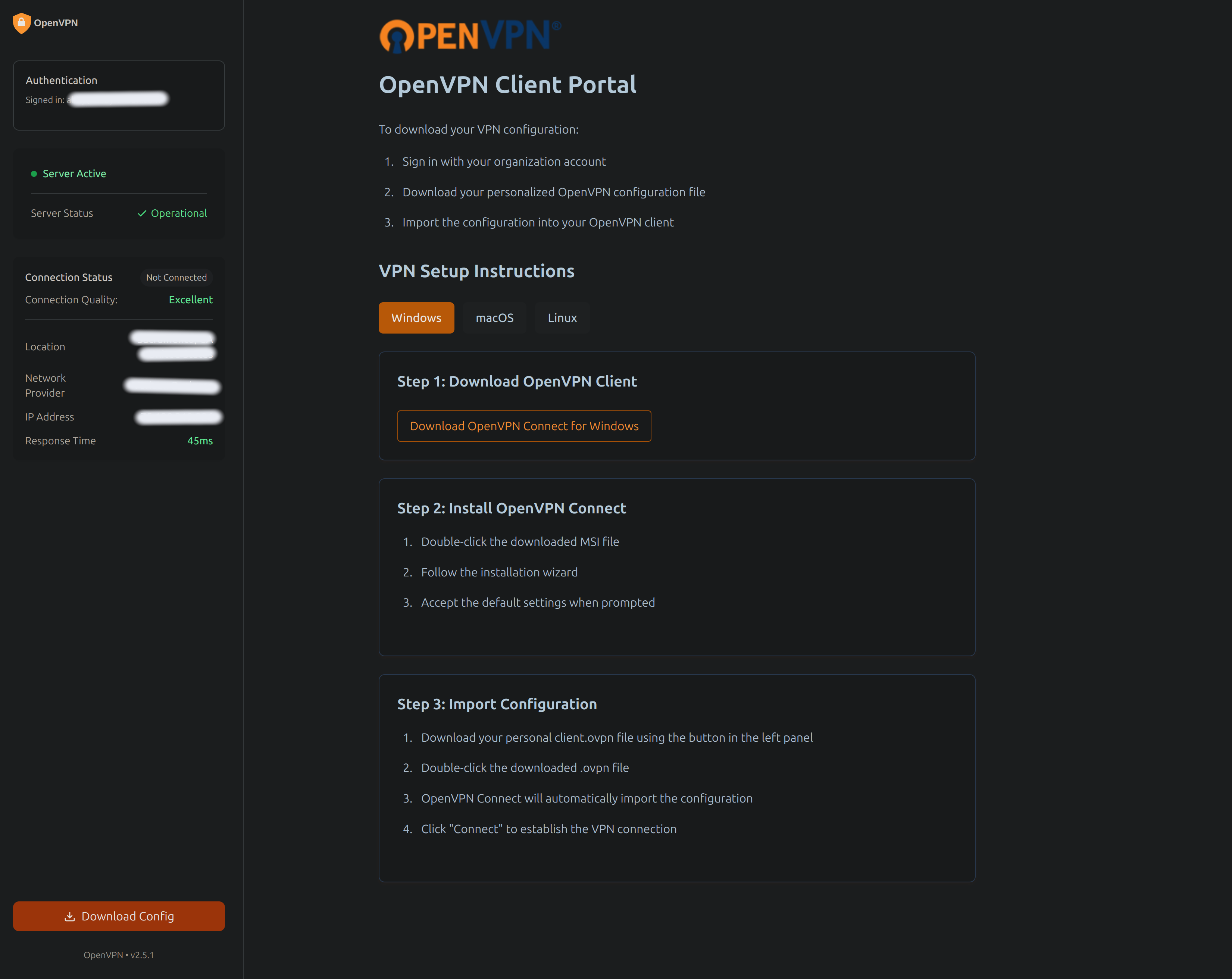
A secure, user-friendly authentication portal for OpenVPN configuration distribution. This application provides Google OAuth2 authentication and domain-restricted access to OpenVPN configuration files.
🌟 Features
- 🔒 Secure Google OAuth2 authentication
- 👥 Domain-restricted access control
- 📦 Automated OpenVPN config generation
- 🎨 Clean, responsive web interface
- 🚀 Easy deployment and configuration
📦 Installation
Via pip
pip install gcp-ovpn-portal
Development Setup
- Clone the repository:
git clone https://github.com/ranson21/gcp-ovpn-portal
cd gcp-ovpn-portal
- Install with Poetry:
poetry install
🔧 Configuration
Google OAuth2 Setup
- Go to the Google Cloud Console
- Create a new project or select an existing one
- Enable the Google OAuth2 API:
- Go to "APIs & Services" > "Library"
- Search for "Google OAuth2"
- Click "Enable"
- Configure the OAuth consent screen:
- Go to "APIs & Services" > "OAuth consent screen"
- Choose "Internal" if using Google Workspace, or "External" if not
- Fill in the application name and other required fields
- Add the necessary scopes (email, profile)
- Create OAuth 2.0 credentials:
- Go to "APIs & Services" > "Credentials"
- Click "Create Credentials" > "OAuth client ID"
- Choose "Web application"
- Add authorized redirect URIs:
- For local development:
http://localhost:8081 - For production:
https://your-domain.com
- For local development:
- Save your Client ID and Client Secret
Environment Variables
The following environment variables are required:
CLIENT_ID: Google OAuth2 client ID (obtained from steps above)ALLOWED_DOMAIN: Authorized email domain (e.g., "company.com")EXTERNAL_IP: VPN server's external IP addressOPENVPN_DIR: Directory containing OpenVPN configuration files (default: /etc/openvpn)
Create a .env file:
cp .env.example .env
# Edit .env with your configuration
Example .env file:
CLIENT_ID=your-google-client-id.apps.googleusercontent.com
ALLOWED_DOMAIN=yourcompany.com
EXTERNAL_IP=203.0.113.1
OPENVPN_DIR=/etc/openvpn
🚀 Usage
Running as an installed package
# Run the VPN portal
ovpn-portal
Running in development mode
# Using Poetry
poetry run ovpn-portal

# Or using make
make run
📁 Project Structure
openvpn-auth-portal/
├── ovpn_portal/
│   ├── app/
│   │   ├── main/
|   │   │   ├── __init__.py
|   │   │   └── routes.py
│   │   ├── __init__.py
│   │   ├── config.py
│   │   ├── middleware.py
│   │   └── vpn.py
│   └── run.py
├── static/
│   ├── css/
│   ├── images/
│   ├── js/
│   └── favicon.ico
├── templates/
│   └── index.html
├── tests/
├── pyproject.toml
├── .env.example
├── .gitignore
└── README.md
🛠️ Development
The project includes a Makefile to help with common development tasks:
First Time Setup
make dev-setup # Install Poetry, initialize git, and install dependencies
Common Commands
make install      # Install project dependencies
make run         # Run development server
make test        # Run test suite
make coverage    # Run tests with coverage report
make format      # Format code with black and isort
make lint        # Run linting checks
make clean       # Clean temporary files and builds
Test Coverage
To run tests with coverage reporting:
make coverage
This will:
- Run all tests with coverage tracking
- Generate a terminal report showing missing lines
- Create an HTML coverage report in
coverage_html/
View the HTML coverage report:
make coverage-open  # On macOS
# Or open coverage_html/index.html in your browser
Package Management
make build       # Build package distribution
make develop     # Install package locally in editable mode
Publishing
make publish-test  # Publish to Test PyPI
make publish      # Publish to PyPI
You can also use Poetry directly for development tasks:
poetry install    # Install dependencies
poetry run pytest # Run tests
poetry run black . # Format code
poetry run flake8 # Lint code
🔒 Security Considerations
- All authentication is performed through Google OAuth2
- Configuration files are generated temporarily and immediately deleted after download
- Domain restriction ensures only authorized users can access the portal
- HTTPS is required in production
📄 License
This project is licensed under the MIT License - see the LICENSE file for details.
🤝 Contributing
Contributions are welcome! Please feel free to submit a Pull Request.
👤 Author
Abigail Ranson
- Website: abbyranson.com
- GitHub: @ranson21
Release history Release notifications | RSS feed


Download files
Download the file for your platform. If you're not sure which to choose, learn more about installing packages.
Source Distribution
Built Distribution
Filter files by name, interpreter, ABI, and platform.
If you're not sure about the file name format, learn more about wheel file names.
Copy a direct link to the current filters
File details
Details for the file gcp_ovpn_portal-0.4.0.tar.gz.
File metadata
- Download URL: gcp_ovpn_portal-0.4.0.tar.gz
- Upload date:
- Size: 142.6 kB
- Tags: Source
- Uploaded using Trusted Publishing? No
- Uploaded via: poetry/2.0.1 CPython/3.12.8 Linux/5.10.0-32-cloud-amd64
File hashes
| Algorithm | Hash digest | |
|---|---|---|
| SHA256 |
41e743939a992aff5b09269115a4fec10ddd19ab2fc7cc6e738f60ef3dd9e11d
|
|
| MD5 |
809ec79bf7da65e8b853547557089cf3
|
|
| BLAKE2b-256 |
182d32ecaba1dbdcd7e70ef8603ba2c57d6708e916c45545e706c45fcd76724c
|
File details
Details for the file gcp_ovpn_portal-0.4.0-py3-none-any.whl.
File metadata
- Download URL: gcp_ovpn_portal-0.4.0-py3-none-any.whl
- Upload date:
- Size: 92.6 kB
- Tags: Python 3
- Uploaded using Trusted Publishing? No
- Uploaded via: poetry/2.0.1 CPython/3.12.8 Linux/5.10.0-32-cloud-amd64
File hashes
| Algorithm | Hash digest | |
|---|---|---|
| SHA256 |
98021e7a4450b94627d00988742124e38eb2578248bfaa81f45d4c99f4d9d9d3
|
|
| MD5 |
de3900e08c7071fbc1e273ee30392e5d
|
|
| BLAKE2b-256 |
0143991e5f47b7822592ac01c66f1e405570610d00784a0e04ba8fb18af44d44
|






