
gds_viewer
A command-line GDSII layout viewer built on gdspy, with IHP SG13G2 layer colors and fill patterns applied automatically. No KLayout installation is required to view a layout with correct-looking colors.
pip install gds_viewer

gds_viewer layout.gds
gds_viewer layout.gds --cellname MY_CELL
gds_viewer layout.gds --screenshot layout.png --width 1200
Without installing, python gds_viewer.py ... works the same way.
From Python:
import gdspy, gds_viewer

cell = gdspy.GdsLibrary(infile="layout.gds").top_level()[0]
gds_viewer.render_screenshot(cell, "layout.png", width_px=1200, labels=[(10.0, 0.0, "P1")])
labels draws a marker and a text at layout coordinates, for example to show port locations. Their size follows the image size (text about 3 % of the image width), so they stay readable when the PNG is shown small. pattern_scale and fill_alpha do the same as --pattern-scale and --fill-alpha.
For other technologies than IHP SG13G2, pass layer_colors={layer: "#rrggbb", ...} (also "#rrggbbaa" with transparency): the SG13G2 styles are then not used, and each layer is a solid fill in its color, drawn in the order of the dict (first = bottom). outline_layers draws layers as outlines only. The gds2palace MCP server uses this with the material colors from a gds2palace stackup.
Options
gds_file(positional) - input GDSII file--cellname- cell to display (default: first top-level cell in the file)--screenshot FILE.png- render the layout to a PNG and exit, instead of opening the interactive GUI--width PIXELS- width of the--screenshotPNG (default 2400)--pattern-scale N- draw each fill pattern pixel as an NxN block and outlines N times wider, so the patterns stay visible when the PNG is shown smaller than its size (default 1: exact KLayout look)--fill-alpha 0..1- add a solid fill with this opacity under the fill patterns, so metal areas stay visible when the PNG is shown small (default: exact KLayout look)--version- print the version
Interactive viewer
With no --screenshot, gdspy's built-in Tkinter GUI opens (pan/zoom, ruler, per-layer color/pattern/visibility toggles, ref-level depth control). Colors and fill patterns are hardcoded from sg13g2.lyp, so the layout looks close to its KLayout appearance without reading that file at runtime.
Purpose (datatype) layers noqrc, filler, nofill, and block are hidden by default, across every layer - toggle any of them back on from the layer list if needed.
gdspy's viewer only supports 10 built-in fill patterns, so sg13g2.lyp's ~54 distinct dither patterns are mapped to the closest of those 10 by pixel density and hatch/grid orientation - a reasonable approximation, not pixel-exact.
--screenshot export
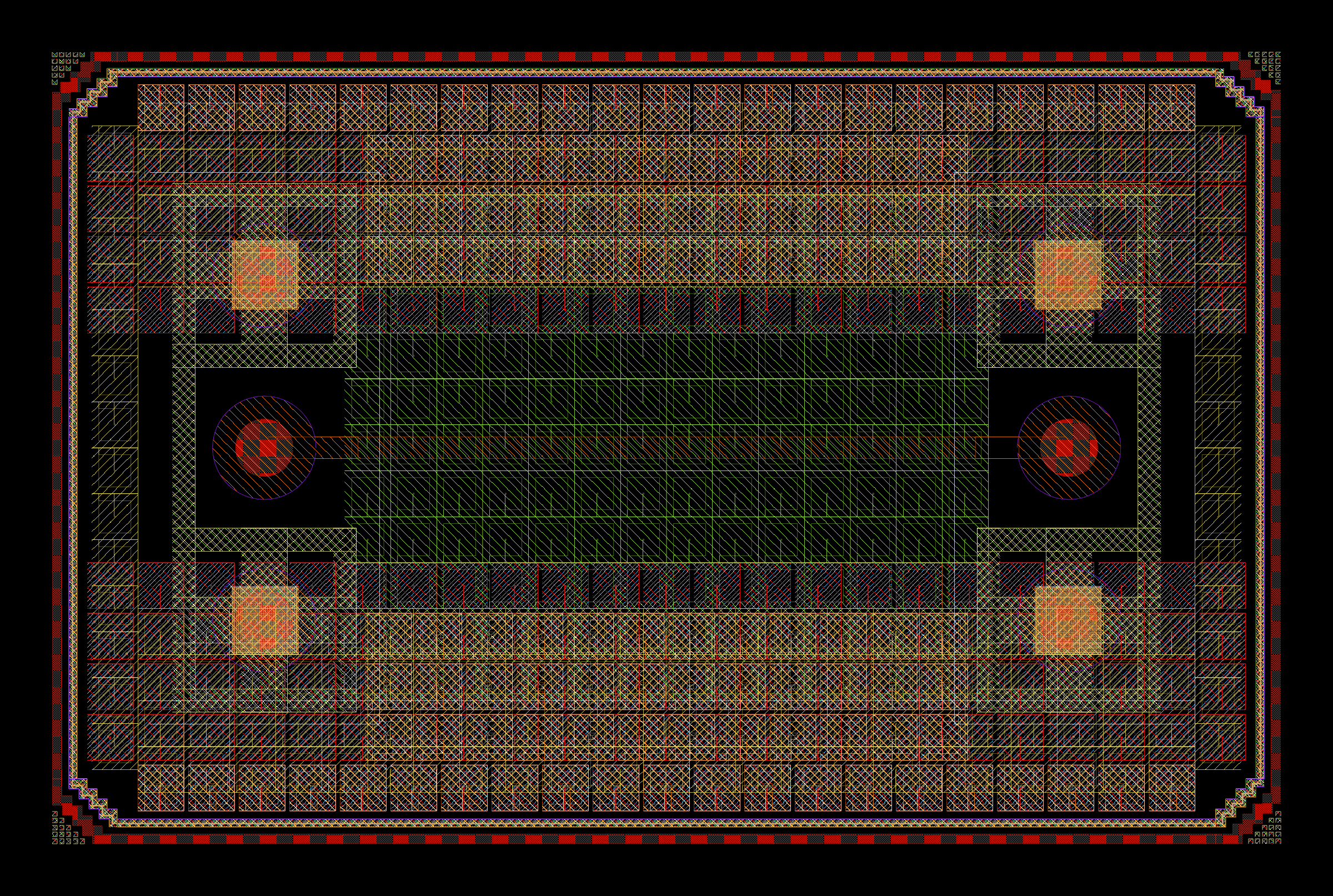
Renders headlessly via matplotlib (no GUI/display needed, works over SSH or in CI) and saves a PNG. Unlike the interactive viewer, fill patterns here are pixel-accurate reproductions of sg13g2.lyp's actual dither patterns, not an approximation - reverse-engineered by rendering the real IHP SG13G2 technology through KLayout itself and sampling the resulting pixels.
Requirements
gdspymatplotlibandnumpy(only needed for--screenshot;pip install gds_viewerinstalls all three)
How the layer styling was derived
sg13g2.lyp (bundled here for reference) is not read at runtime - gds_viewer.py has no dependency on it or on KLayout once written. Its <fill-color> values were copied straight into the LAYER_STYLES table.
Its <dither-pattern> values (e.g. "C23", "I1") don't have documented bitmap definitions anywhere accessible from code - KLayout resolves them internally with no public API to query. They were recovered empirically: a synthetic GDS with one swatch per distinct pattern name was rendered through a real, installed KLayout in batch mode (klayout_app.exe -z -nc -rx -r script.rb, using RBA::LayoutView to load the layout + sg13g2.lyp and save a PNG), then each swatch's minimal repeating tile was recovered from the rendered pixels (2D period detection, then majority-vote over all repeats to denoise anti-aliasing). The resulting bitmaps are hardcoded in PATTERN_TILES.
If sg13g2.lyp ever changes, LAYER_STYLES and PATTERN_TILES need to be regenerated using that same approach.
License
This project is licensed under the Apache License, Version 2.0 - see LICENSE for the full text.
1 maintainer

Metadata
1 maintainer
Release files for gds-viewer 0.2.0
For a detailed explanation of source distributions (sdists) and built distributions (wheels), please see the package formats documentation.
Source distribution (sdist)
| File | Size | Uploaded | Provenance | |
|---|---|---|---|---|
| gds_viewer-0.2.0.tar.gz | 18.3 kB | Without provenance | Details |
Built distribution (wheel)
| File | Interpreter | ABI | Platform | Reset |
|---|---|---|---|---|
| gds_viewer-0.2.0-py3-none-any.whl | Python 3 | none | any | Details |
Total release size: 37.0 kB
Release files / gds_viewer-0.2.0.tar.gz
| Download URL | gds_viewer-0.2.0.tar.gz |
|---|---|
| Size | 18.3 kB |
| Tags | Source |
|
SHA-256 checksum How to use checksums |
a7a7e1afce5220c9108ba97c655cc30f8ce48a1c4d54cb0b31bfbf61051eff3b
|
|
BLAKE2b-256 checksum How to use checksums |
1cfa082c0fff2e66e172be8ee960eef50ae74c95b49a442171bcda37672c8a81
|
| Upload date | |
|
Uploaded using Trusted Publishing? What is trusted publishing? |
No |
| Uploaded via |
twine/7.0.0 CPython/3.13.14
|
Release files / gds_viewer-0.2.0-py3-none-any.whl
| Download URL | gds_viewer-0.2.0-py3-none-any.whl |
|---|---|
| Size | 18.7 kB |
| Tags | Python 3 |
|
SHA-256 checksum How to use checksums |
908b23782eefcf06e2d27c7dbce32cb44fb4287141d352347411c9c94b5ba3ec
|
|
BLAKE2b-256 checksum How to use checksums |
f315d80e4523d54269bfc4514de2176edba9297d6f4f143d6c15cae936e1b483
|
| Upload date | |
|
Uploaded using Trusted Publishing? What is trusted publishing? |
No |
| Uploaded via |
twine/7.0.0 CPython/3.13.14
|
Security for gds-viewer 0.2.0
Provenance
Provenance describes where a file came from. On PyPI, provenance is shared via attestations, which provide a verifiable record of the build or publishing details. View details, limitations and caveats.
No provenance found
None of the files in this release were uploaded with provenance metadata.
A note on package security
PyPI is a repository for distributing packages, not a service for auditing them. While third-party security researchers and our staff do their best to detect and remove malicious packages, PyPI cannot guarantee the quality, security or suitability of any given package.














