
Gemmini




Python package for visualizing and manipulating diverse geometric shapes.
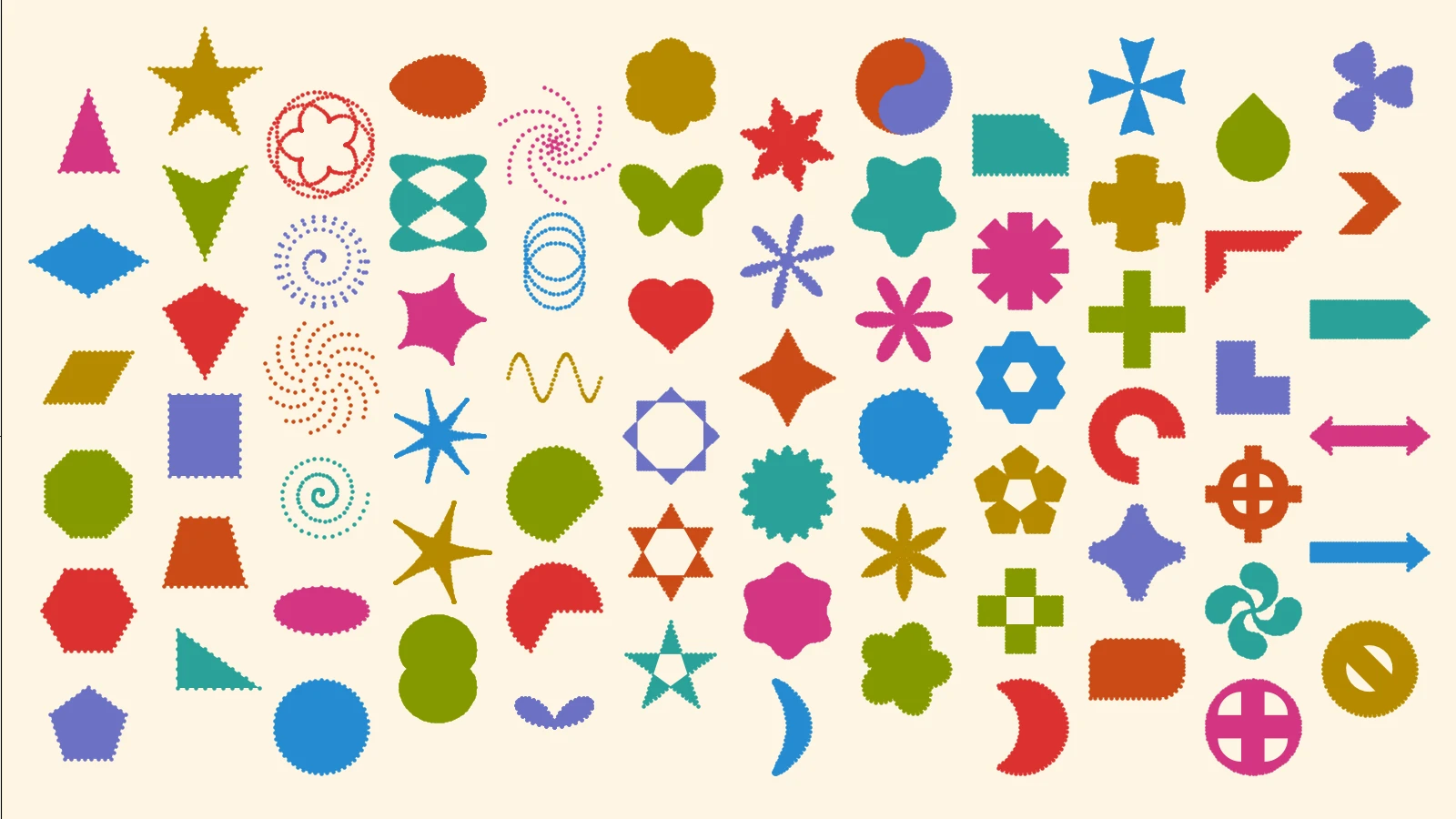
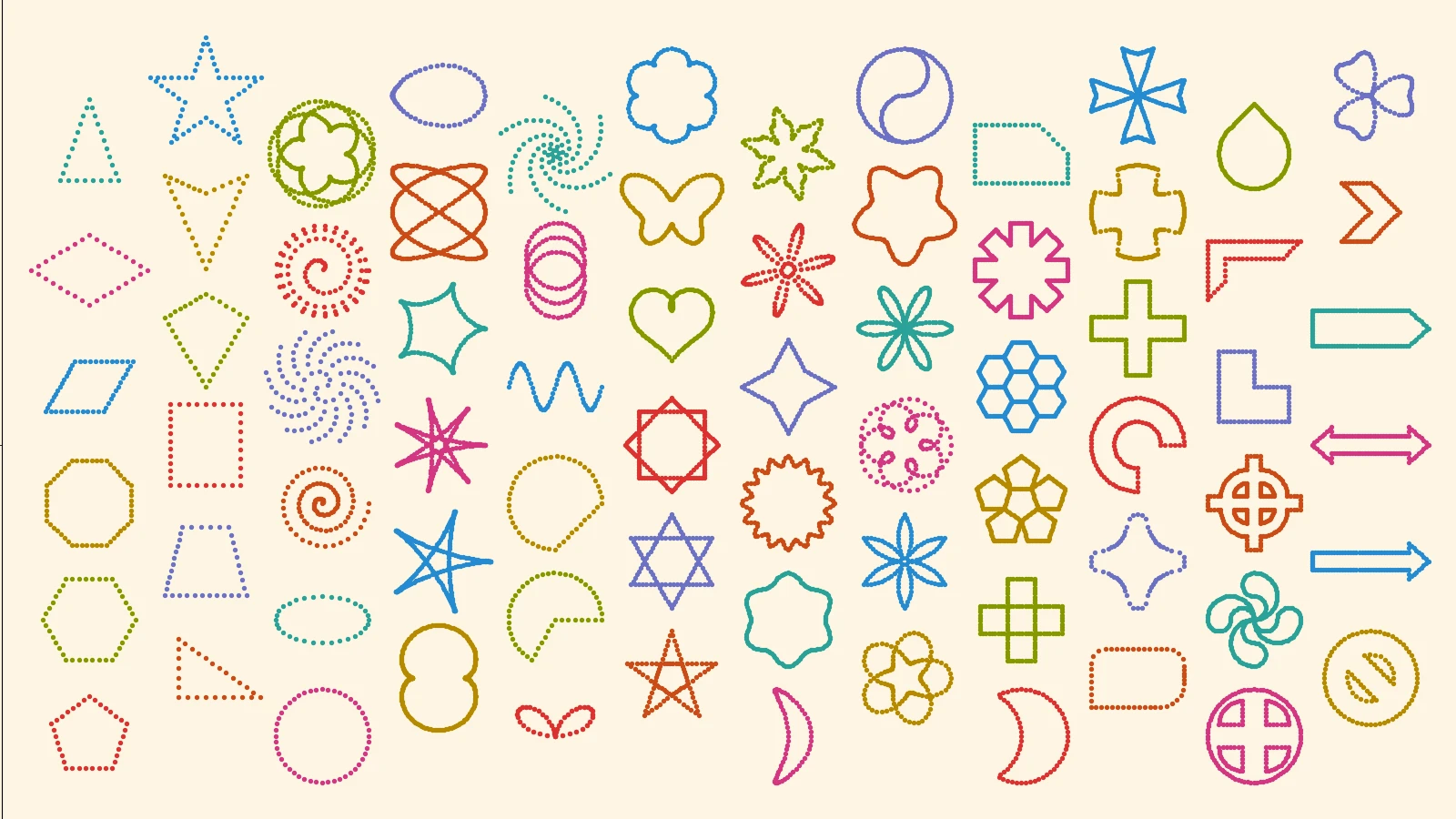
Gemmini provides 70+ geometry classes including common polygons, curves, and symbols. Built with numpy and matplotlib packages, it supports easy manipulation and illustration of geometry, while plenty of useful functions for mathematical analysis and 2D/3D transformation are also available.
Geometries supported by Gemmini
Pointset
- Point
- Pointcloud
- Grid
Line
- Line
- Segment
Polygon
- RegularPolygon
- IsoscelesTriangle
- RightTriangle
- Parallelogram
- Rhombus
- Trapezoid
- RightTrapezoid
- Rectangle
- Kite
- ConcaveKite
- ConcaveStar
Curve
- Circle
- Arc
- Ellipse
- Spiral
- HyperbolicSpiral
- ParabolicSpiral
- LituusSpiral
- LogarithmicSpiral
- BoundedSpiral
- Cycloid
- Epicycloid
- Hypocycloid
- CurvedPolygon
- Lissajous
- Folium
- Bifolium
Other shapes
- CircularSector
- CircularSegment
- Wave
- Helix
- Parabola
- SymmetricSpiral
- Star
- Heart
- ButterFly
- CottonCandy
- Boomerang
- Stellate
- Shuriken
- Flower_A
- Flower_B
- Flower_C
- Flower_D
- Flower_E
- Flower_F
- Clover
- FattyStar
- Moon
- Yinyang
- Polygontile
- Gear
- SnippedRect
- RoundedRect
- Plaque
- Ring
- BlockArc
- Cross_A
- Cross_B
- Cross_C
- SunCross
- CelticCross
- BasqueCross
- Lshape
- HalfFrame
- Arrow
- DoubleArrow
- ArrowPentagon
- ArrowChevron
- Teardrop
- Nosign
Transformation
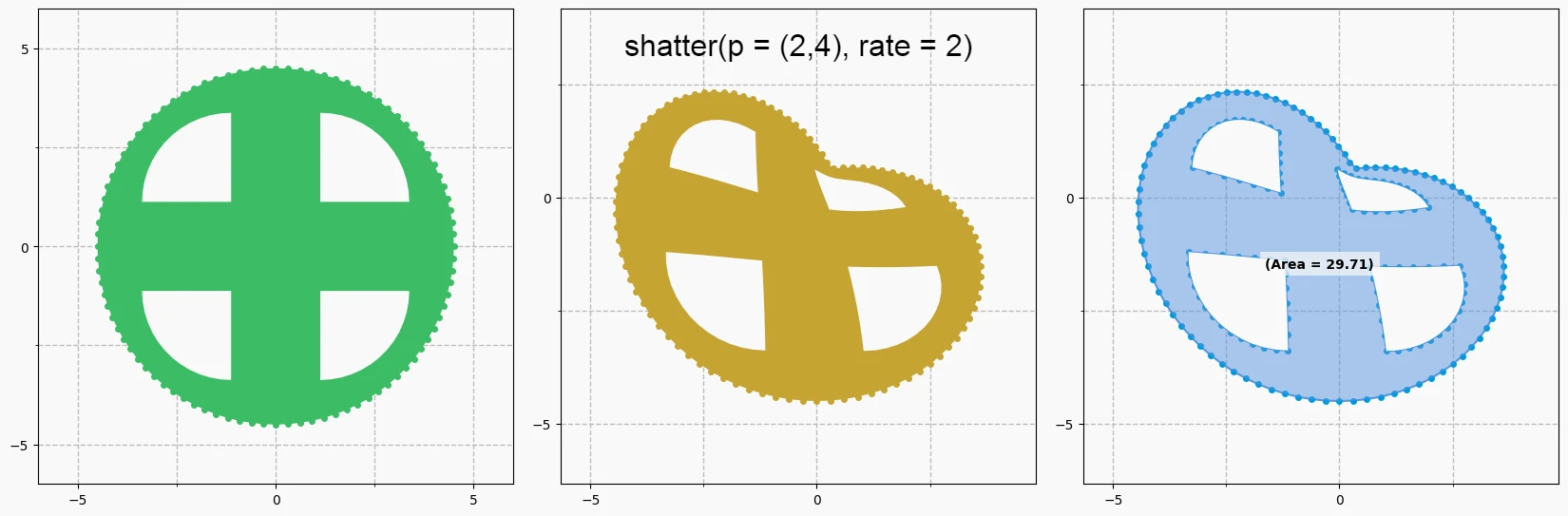
import gemmini as gm

f = gm.SunCross(s=9)
gm.plot((f), fill=True)

f.shatter((2, 4), rate=2)
gm.plot((f), fill=True)
gm.plot((f), show_area=True)
List of transformations
- Resizing -
scale,scaleX,scaleY - Position Shift -
translate,translateX,translateY - Rotation -
rotate,rotateX,rotateY,rotateZ,rotate3D - Symmetric Shift -
flip,flipX,flipY,flipXY,flipDiagonal - Distortion -
skew,skewX,skewY,distort,focus,shatter - Others -
dot
Figure Visualization
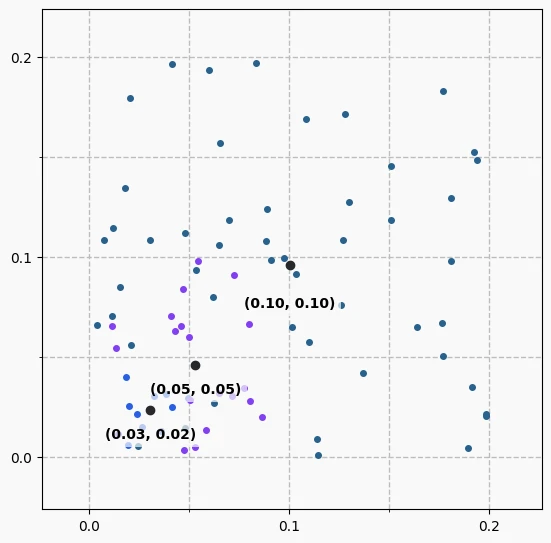
Create a Canvas, on which your nice geometries will be drawn. Make a choice of color theme (default: light), canvas size, grid opacity, etc. You can plot either a single geometric object or multiple shapes altogether.
import gemmini as gm
import numpy as np

canva = gm.Canvas()

cluster_small = gm.Pointcloud2D(s=0.05, num_dot=10)
cluster_medium = gm.Pointcloud2D(s=0.1, num_dot=20)
cluster_large = gm.Pointcloud2D(s=0.2, num_dot=50)

canva.add((cluster_small, cluster_medium, cluster_large), show_center=True)
canva.plot()
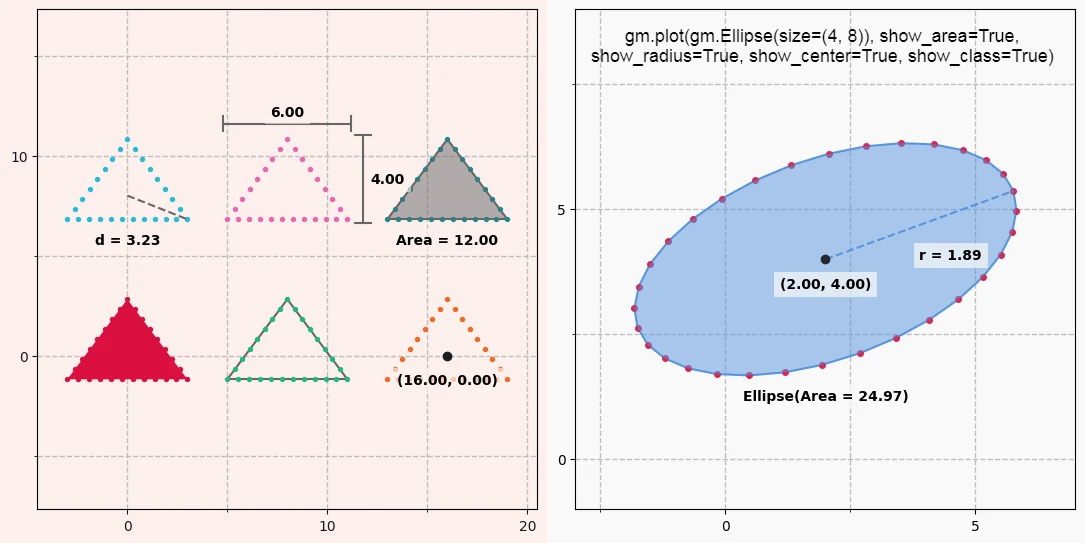
Display Options
- fill - fill in the interior of the geometry
- show_edges - draw path enclosing the given geometry
- show_radius - display a radius vector and its length
- show_size - display a height/width of the geometry
- show_center - display (x, y) coordinates of the centroid
- show_area - display the area of the geometry
- show_class - display the class name ot the geometry
import gemmini as gm

canva = gm.Canvas(theme='horizon')

original = gm.IsoscelesTriangle(h=4, w=6)
figs = []

for i in range(6):
    f = original.copy()
    f.translate(8*(i%3), 8*(i//3))
    figs.append(f)

canva.add(figs[0], fill=True)
canva.add(figs[1], show_edges=True)
canva.add(figs[2], show_center=True)
canva.add(figs[3], show_radius=True)
canva.add(figs[4], show_size=True)
canva.add(figs[5], show_area=True)

canva.plot()
Requirements
- Python >= 3.7
- numpy >= 1.21
- scipy >= 1.7
- matplotlib >= 3.3
Work with Shapely
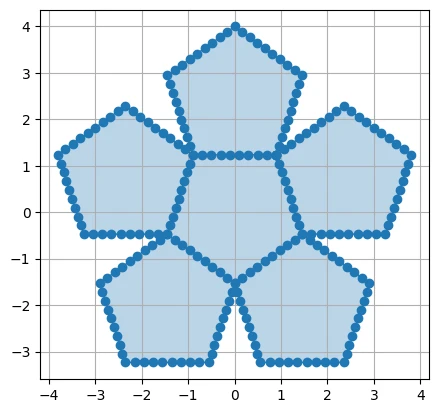
We added the simple way to convert geometry to a shapely object.
import gemmini as gm

from shapely import geometry
import matplotlib.pyplot as plt

f = gm.Polygontile(s=4, v=5)
poly = geometry.Polygon(*f.coordSet())
print(poly.wkt)
POLYGON ((0.8980559531591708 1.2360679774997896, 0.9597258534760096 1.4258684144441638, ... ))
from shapely.plotting import plot_polygon

plot_polygon(poly)
Tutorials
The below page links contain several useful tutorials running on Ipython:
- Plot a Point/Pointcloud - See here
- Draw a Infinite/finite Line - See here
- Draw various Geometries - Polygons, Polar Curves, Other Symbols & Shapes
- Apply Transformation to Geometry - See here
- Plot Geometry on Python Interactive Window - See here
- Use case with Shapely package - See here
- List of geometrical illustrations - All you want is here!
Contribution
If you'd like a new shape, transformation, or other mathematical operations to be included, feel free to leave a issue on this repo. We are welcome to any kinds of request and feedbacks!
1 maintainer

Metadata
1 maintainer
Release files for gemmini 1.0.2
For a detailed explanation of source distributions (sdists) and built distributions (wheels), please see the package formats documentation.
Source distribution (sdist)
| File | Size | Uploaded | |
|---|---|---|---|
| gemmini-1.0.2.tar.gz | 51.2 kB | Details |
Release files / gemmini-1.0.2.tar.gz
| Download URL | gemmini-1.0.2.tar.gz |
|---|---|
| Size | 51.2 kB |
| Tags | Source |
|
SHA-256 checksum How to use checksums |
564326b173b262acd77ca43e0b797a42cb6ec0fba1f8fe39b739ebbe0404db72
|
|
BLAKE2b-256 checksum How to use checksums |
6aa9bf8d39bf1b899ace6ec76347a709e3dbac580406876a4a120f8d26d3dbf4
|
| Upload date | |
|
Uploaded using Trusted Publishing? What is trusted publishing? |
No |
| Uploaded via |
twine/5.0.0 CPython/3.9.18
|














