





Introduction
Genai-bench is a powerful benchmark tool designed for comprehensive token-level performance evaluation of large language model (LLM) serving systems.
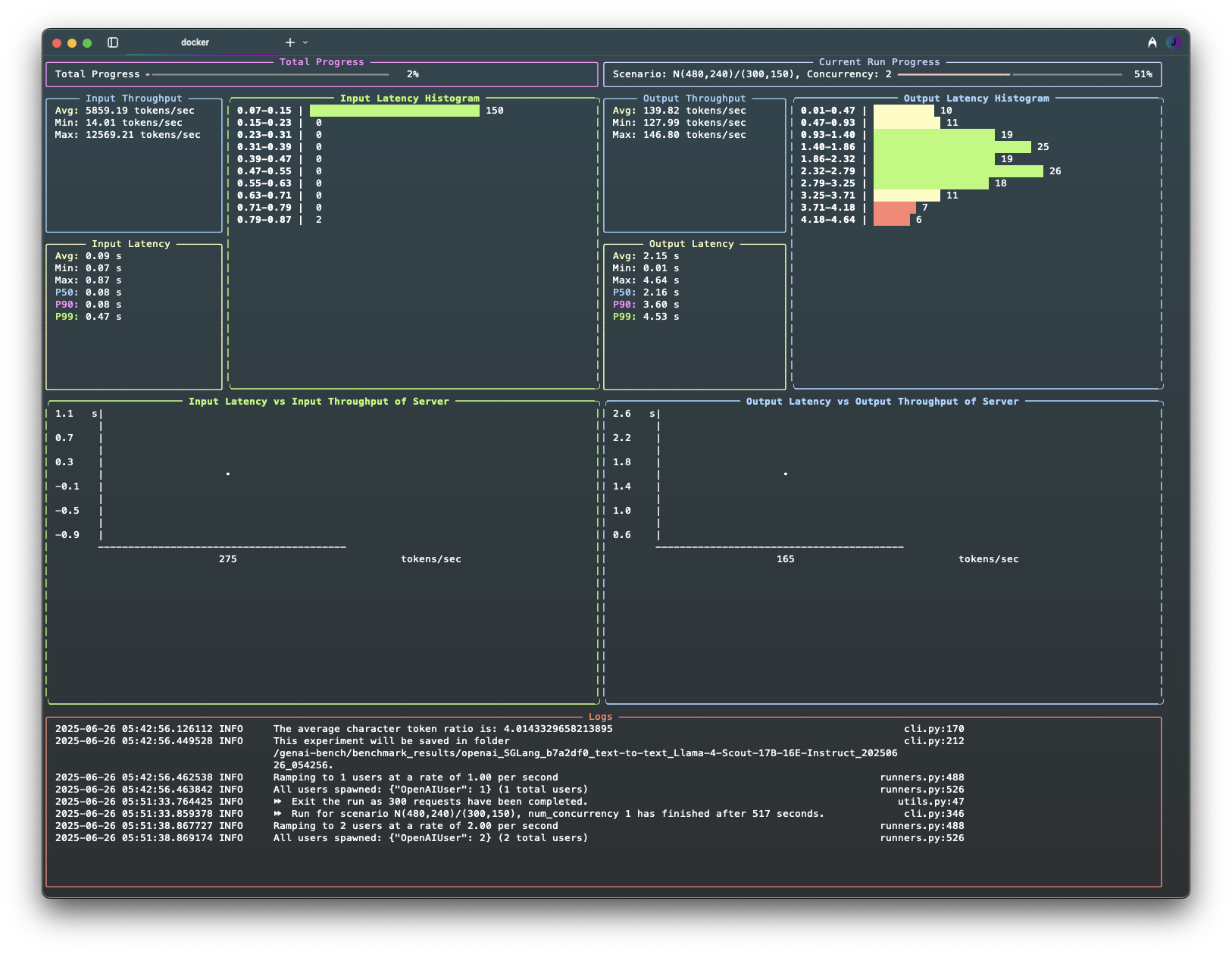
It provides detailed insights into model serving performance, offering both a user-friendly CLI and a live UI for real-time progress monitoring.
Features
- 🛠️ CLI Tool: Validates user inputs and initiates benchmarks seamlessly.
- 📊 Live UI Dashboard: Displays current progress, logs, and real-time metrics.
- 📝 Rich Logs: Automatically flushed to both terminal and file upon experiment completion.
- 📈 Experiment Analyzer: Generates comprehensive Excel reports with pricing and raw metrics data, plus flexible plot configurations (default 2x4 grid) that visualize key performance metrics including throughput, latency (TTFT, E2E, TPOT), error rates, and RPS across different traffic scenarios and concurrency levels. Supports custom plot layouts and multi-line comparisons.
Installation
Quick Start: Install with pip install genai-bench.
Alternatively, check Installation Guide for other options.
How to use
Quick Start
-
Run a benchmark against your model:
# Text generation (chat completions)
genai-bench benchmark --api-backend "your-backend" \
  --api-base "http://localhost:8080" \
  --api-key "your-api-key" \
  --api-model-name "your-model" \
  --task text-to-text \
  --max-time-per-run 5 \
  --max-requests-per-run 100

# Image generation (OpenAI-compatible /v1/images/generations)
genai-bench benchmark --api-backend openai \
  --api-base "http://localhost:8080" \
  --api-key "your-api-key" \
  --api-model-name "your-model" \
  --model-tokenizer "gpt2" \
  --task text-to-image \
  --traffic-scenario "I(1024,1024)" \
  --max-time-per-run 60 \
  --max-requests-per-run 10 \
  --dataset-path /path/to/image_prompts.txt
-
Generate Excel reports from your results:
genai-bench excel --experiment-folder ./experiments/your_experiment \
  --excel-name results --metric-percentile mean
-
Create visualizations:
genai-bench plot --experiments-folder ./experiments \
  --group-key traffic_scenario --preset 2x4_default
Next Steps
If you're new to GenAI Bench, check out the Getting Started page.
For detailed instructions, advanced configuration options, and comprehensive examples, check out the User Guide.
Development
If you are interested in contributing to GenAI-Bench, you can use the Development Guide.
1 maintainer

Download files
Download the file for your platform. If you're not sure which to choose, learn more about installing packages.
Source Distribution
Built Distribution
Filter files by name, interpreter, ABI, and platform.
If you're not sure about the file name format, learn more about wheel file names.
Copy a direct link to the current filters
File details
Details for the file genai_bench-0.0.5.tar.gz.
File metadata
- Download URL: genai_bench-0.0.5.tar.gz
- Upload date:
- Size: 126.5 kB
- Tags: Source
- Uploaded using Trusted Publishing? No
- Uploaded via:
twine/6.1.0 CPython/3.13.12
File hashes
| Algorithm | Hash digest | |
|---|---|---|
| SHA256 |
4a656204a947dfffee42a1bbeebb1fa19a79462c9a32beb182e9eaf879171930
|
|
| MD5 |
f90ab36097c052d1ab66fda9977add68
|
|
| BLAKE2b-256 |
ec8d3072e6b695ecc1d6054f3dee2f3a201d3855281af28ea42fb7062346628f
|
File details
Details for the file genai_bench-0.0.5-py3-none-any.whl.
File metadata
- Download URL: genai_bench-0.0.5-py3-none-any.whl
- Upload date:
- Size: 181.5 kB
- Tags: Python 3
- Uploaded using Trusted Publishing? No
- Uploaded via:
twine/6.1.0 CPython/3.13.12
File hashes
| Algorithm | Hash digest | |
|---|---|---|
| SHA256 |
15310a9a00ca816dc6008896a8d9cb4726884bf22a1dfbfeba3e5de586f34b3b
|
|
| MD5 |
f965f1c78664981195fc5dc4f93cc875
|
|
| BLAKE2b-256 |
e22c2a3baf9e7705517a0a9424a4010171d1471ad47417afcac769bbe457045b
|







