
Geneagrapher 

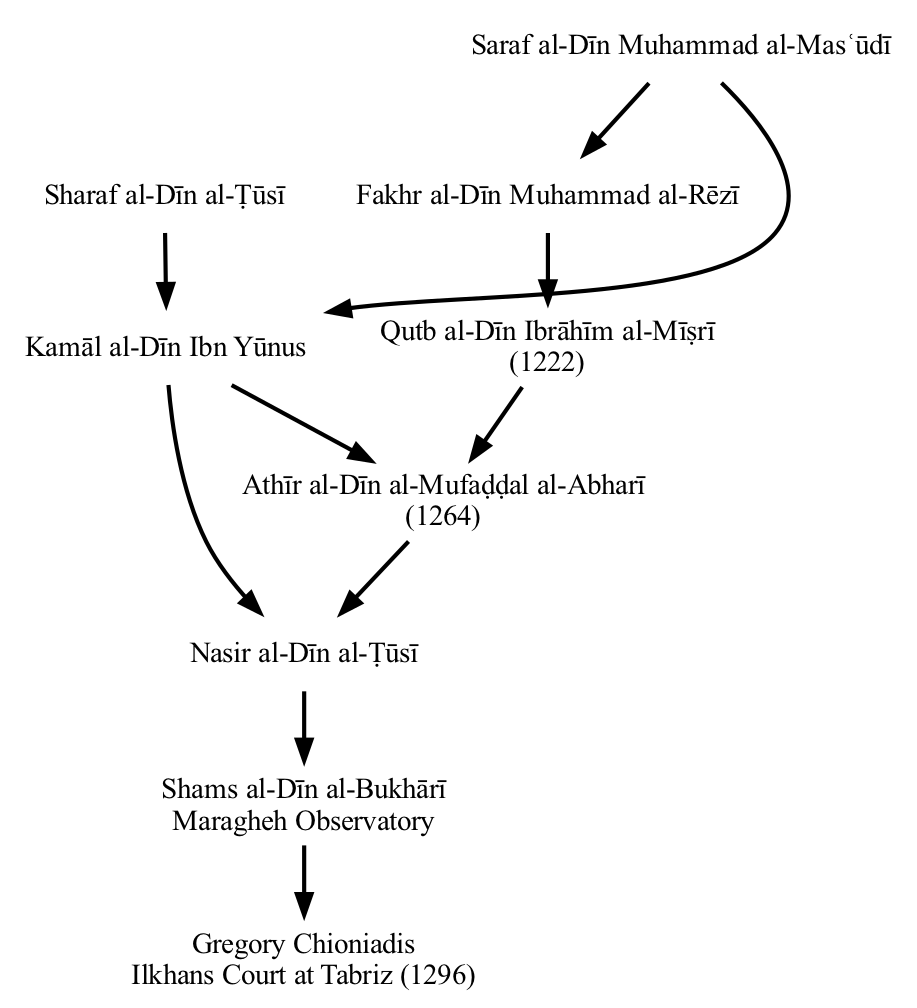
Geneagrapher is a tool for building mathematician advisor-advisee genealogies using information from the Mathematics Genealogy Project. The output is either a DOT file, which can be used by Graphviz to visualize the graph, or a JSON structure that you can consume with other software tools. Here's an example of a genealogy built by Geneagrapher and visualized using Graphviz:
To use this package, you will need to have a Python interpreter on your system and install this package. Additionally, if you want to generate the graph visualization you will need another tool (e.g., Graphviz).
If you want to build a math genealogy more easily, you may want to look at the Geneagrapher notebook. That Observable notebook creates geneagraphs in your browser.
If you want to consume records from the Math Genealogy Project in your own software, you may be interested in geneagrapher-core.
Basic Concepts
The input to the Geneagrapher is a set of starting nodes and traversal directions. Multiple starting nodes may be provided (to produce the combined graph for an academic department's students and professors, for instance).
Starting Nodes
Each individual stored in the Mathematics Genealogy Project's website has a unique integer as an identifier, and this identifier is what is passed to the Geneagrapher to specify a starting node. The identifier is contained in the URL for records in the Mathematics Genealogy Project website. For example, Carl Gauß is ID 18231 and Leonhard Euler is ID 38586.
Before running the Geneagrapher, go to the Mathematics Genealogy Project and gather the identifiers of the starting nodes for the graph you want to build.
Traversal Directions
For each starting node, you instruct Geneagrapher to traverse in the advisor direction, the descendant (i.e., student) direction, or both. For example, if you want to build the graph of a mathematician and all of their students, you would specify the descendant traversal direction for that starting node.
Syntax
When running Geneagrapher, you provide starting nodes on the command
line. The syntax for doing this is NODE_ID:TRAVERSAL_DIRECTION,
where TRAVERSAL_DIRECTION is a | d, and a and d indicate
advisor and descendant traversal, respectively. Here are some
examples:
- Carl Gauß and his advisor graph:
18231:a. - Carl Gauß and his descendant graph:
18231:d. - Carl Gauß and his advisor and descendant graphs:
18231:ad.
Installation
To install Geneagrapher, you must have Python >= 3.8.1. Geneagrapher is installed by pip. If your system does not have pip, see the instructions here.
Once pip is available on your system, install Geneagrapher with:
pip install geneagrapher
Usage
You can get help by doing
ggrapher --help
Processing the DOT File
To process the generated DOT file,
Graphviz is needed. Graphviz installs
several programs for processing DOT files. For the Geneagrapher, use
the dot program. Let's look at an example.
If the Geneagrapher has generated a file named "graph.dot", a PNG file containing the graph can be created with the following command.
dot -Tpng graph.dot > graph.png
That's really all there is to it. Almost.
By default, dot renders an image with 96dpi. This may not look great
on high-resolution displays, so you might want to increase the
resolution. You can do this with the -Gdpi flag. For instance, to
produce a PNG with 150dpi, you can do
dot -Tpng -Gdpi=150 graph.dot > graph.png
Graphviz can also generate other formats, such as PDF and SVG.
Examples
Note: the Mathematics Genealogy Project data changes over time, so if the examples below are re-run, the results may look different. The commands, however, will be the same.
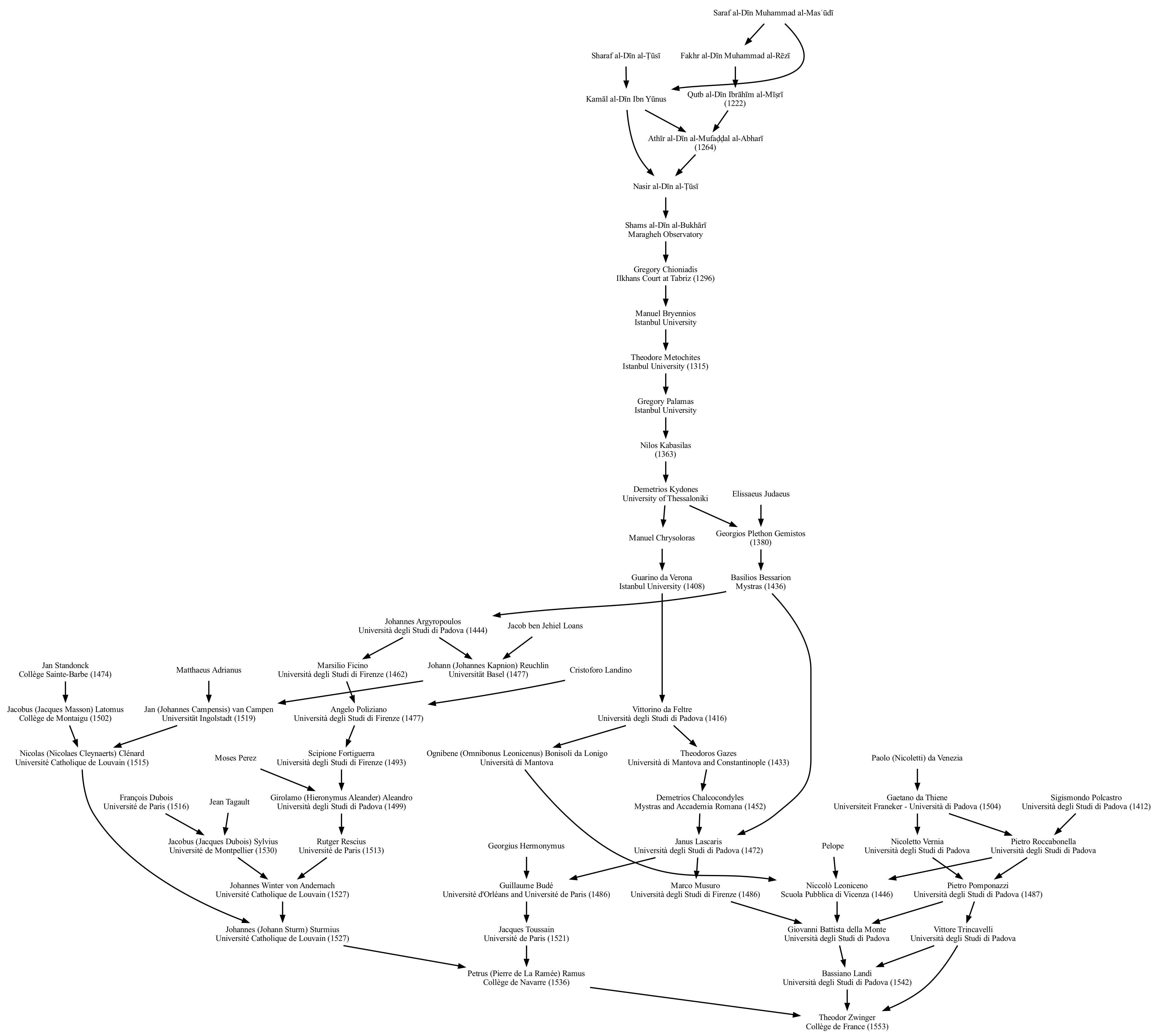
Single Node Ancestry: Theodor Zwinger
To produce the ancestry DOT file for Theodor Zwinger and save it in the file zwinger.dot, run the command
ggrapher -o zwinger.dot 125148:a
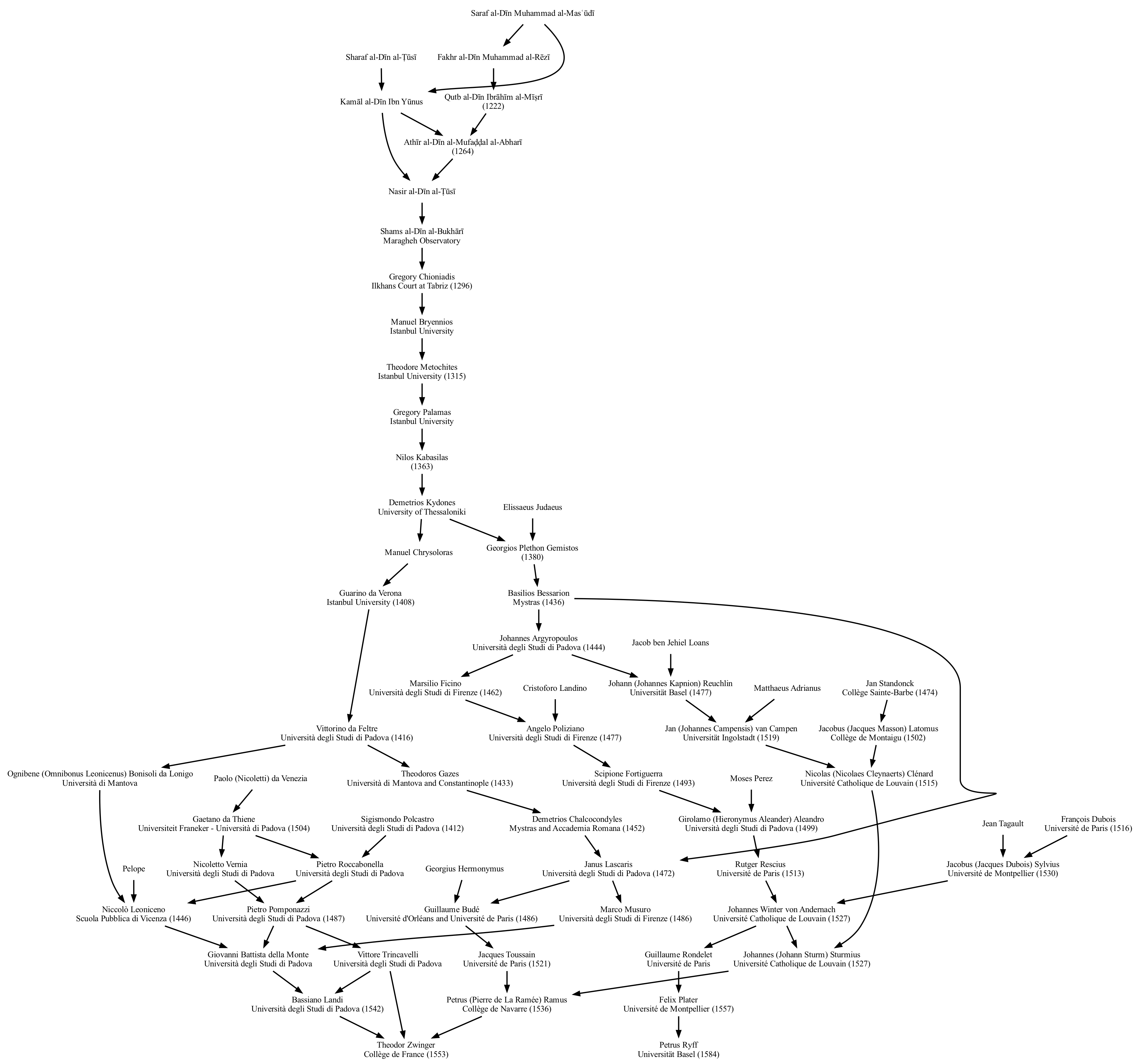
Multiple Node Ancestry: Petrus Ryff and Theodor Zwinger
To produce the combined ancestry DOT file for Petrus Ryff and Theodor Zwinger and save it in the file ryff_zwinger.dot, run the command
ggrapher -o ryff_zwinger.dot 125148:a 130248:a
Single Node Descendant Graph: Haskell Curry
To produce the descendant DOT file for Haskell Curry and save it in the file curry.dot, run the command
ggrapher -o curry.dot 7398:d

Note that descendant graphs often have a lot of "fan out".
Technical Details
Previous versions of Geneagrapher made requests directly to the Mathematics Genealogy Project and built the graph in the application. The current version of Geneagrapher, however, makes requests to an intermediate service that is built using geneagrapher-core. This backend service assembles requested graphs and maintains a cache of records.
While the shared cache substantially reduces the number of requests from individuals running Geneagrapher (or the Geneagrapher notebook) and speeds up the graph-building process, it also creates an opportunity for inconsistency between information in the Mathematics Genealogy Project and the cache. This can happen when records are updated in the Mathematics Genealogy Project. Such inconsistencies will automatically be resolved when cached values expire.
1 maintainer

Release files for geneagrapher 2.0.0
For a detailed explanation of source distributions (sdists) and built distributions (wheels), please see the package formats documentation.
Source distribution (sdist)
| File | Size | Uploaded | |
|---|---|---|---|
| geneagrapher-2.0.0.tar.gz | 7.9 kB | Details |
Built distribution (wheel)
| File | Interpreter | ABI | Platform | Reset |
|---|---|---|---|---|
| geneagrapher-2.0.0-py3-none-any.whl | Python 3 | none | any | Details |
Total release size: 17.4 kB
Release files / geneagrapher-2.0.0.tar.gz
| Download URL | geneagrapher-2.0.0.tar.gz |
|---|---|
| Size | 7.9 kB |
| Tags | Source |
|
SHA-256 checksum How to use checksums |
2baa87f16c036a4e34a81da06d913a67e18ddeeb10af577b14f06193266aa692
|
|
BLAKE2b-256 checksum How to use checksums |
3ca09294ff7accd0b28655c35f63ad1e575f481eaf321f79cbbcc557270fe011
|
| Upload date | |
|
Uploaded using Trusted Publishing? What is trusted publishing? |
No |
| Uploaded via |
poetry/1.4.0 CPython/3.8.15 Darwin/21.6.0
|
Release files / geneagrapher-2.0.0-py3-none-any.whl
| Download URL | geneagrapher-2.0.0-py3-none-any.whl |
|---|---|
| Size | 9.5 kB |
| Tags | Python 3 |
|
SHA-256 checksum How to use checksums |
91839f3c8c1c162cdff3b67100f56ecfb151a4aebbcb48f9b025a949e3e3ba9d
|
|
BLAKE2b-256 checksum How to use checksums |
34d497afcfea7f1d2d0c9d8f7a5e1d2f16b9f5043c522eda7f5bb3756d945a64
|
| Upload date | |
|
Uploaded using Trusted Publishing? What is trusted publishing? |
No |
| Uploaded via |
poetry/1.4.0 CPython/3.8.15 Darwin/21.6.0
|














