
A universal and generative physics engine
Project description
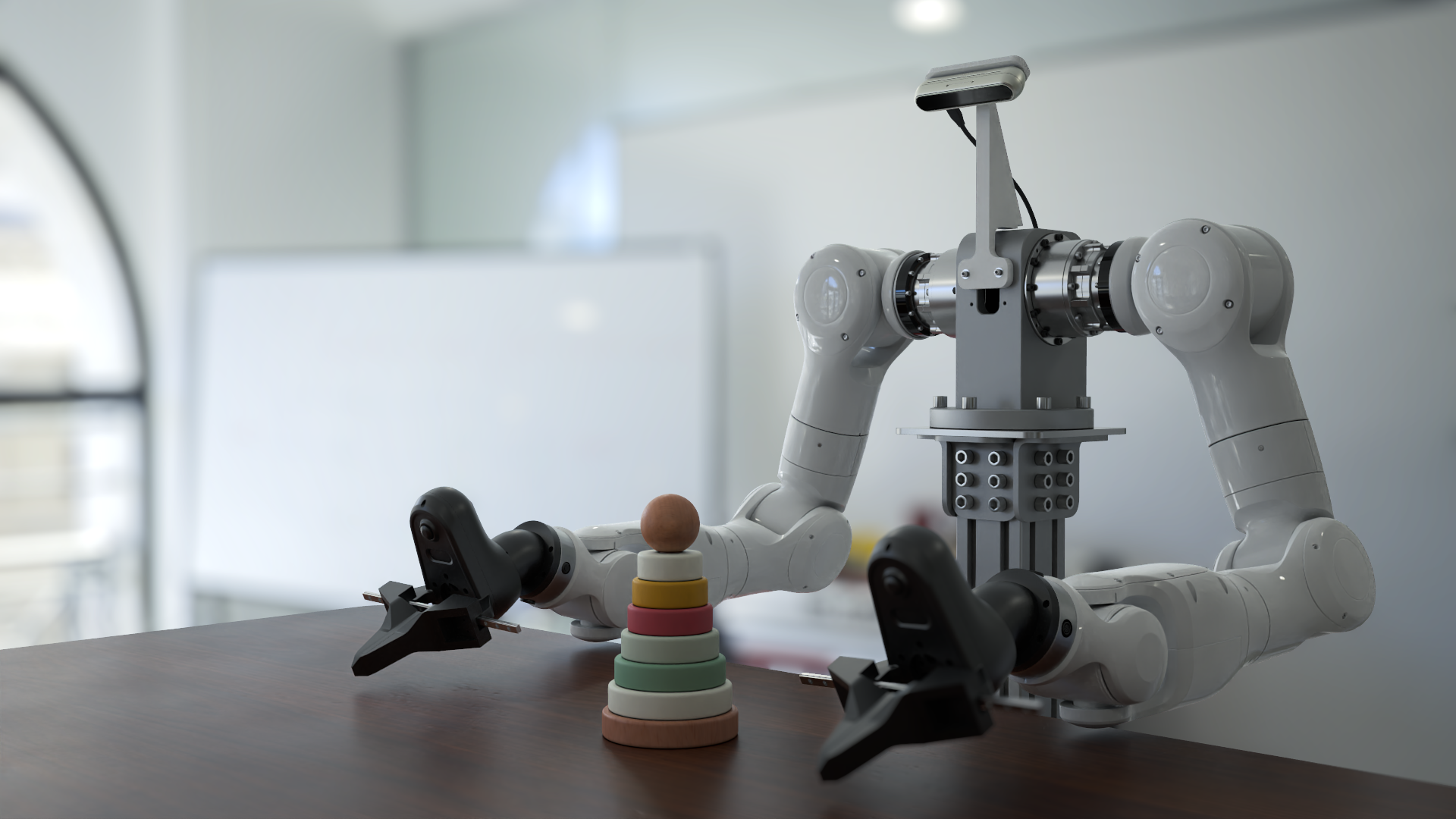
Genesis World






Genesis World is a simulation platform for physical AI developments. It combines a unified multi-physics engine, a photo-realistic renderer (Nyx), and a cross-platform compiler (Quadrants) behind a Pythonic simulation interface. Genesis World is designed to scale from a single laptop kernel to datacenter-grade GPUs, while remaining easy to read, extend, and embed in research code.
It was previously named Genesis and started as an academic project since Dec 2024, and its development is now officially supported by Genesis AI.
For more technical details, refer to our blog post.
Table of Contents
- What is Genesis World?
- Catalogue
- Quick Installation
- Docker
- Contribution
- Support
- License and Acknowledgments
- Citation
What is Genesis World?
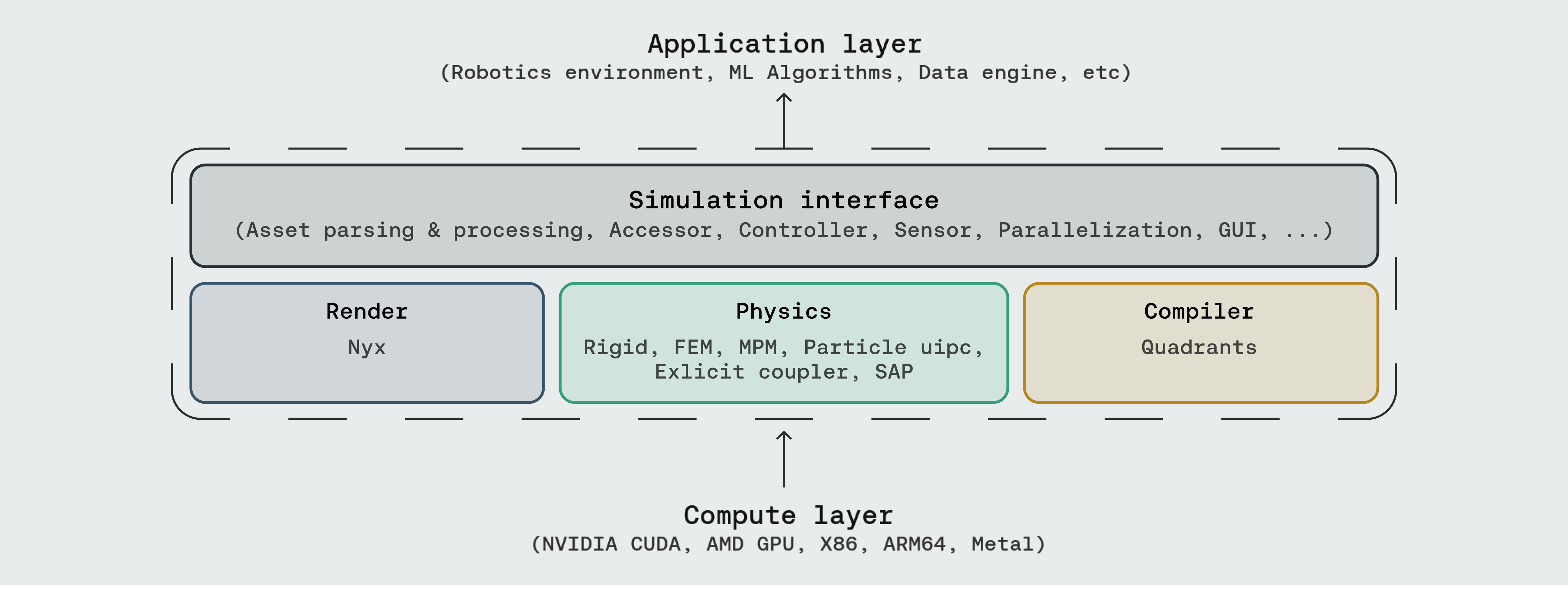
Genesis World occupies the four layers inside the dashed box. Above sits whatever you build (robotics environments, ML pipelines, data generation, agentic simulation); below sits whatever compute backend you have.

- Simulation Interface — the user-facing API: asset parsing (URDF, MJCF, OBJ, GLB, USD, …), entity accessors, controllers, sensors, parallel and heterogeneous environments, and a built-in GUI.



- Physics — a unified multi-physics engine integrating Rigid, FEM, MPM, Particle (PBD / SPH), uipc, an explicit coupler, and SAP, all sharing one scene and one state.

- Render — three rendering paths plug in as camera sensors: Nyx (our in-house renderer designed for robotics), Luisa (DSL ray tracer), and Pyrender (rasterizer).
- Compiler — Quadrants lowers Python kernel code to CUDA, AMD ROCm, Apple Metal, Vulkan, x86, and ARM64. It carries Genesis's autodiff, GPU graphs, and fastcache machinery.
Documentation
Catalogue























Three sections, mirroring the Genesis layers that ship runnable demos: Physics (solvers and multi-solver coupling), Rendering (in-repo camera setups plus the Nyx walkthroughs hosted in genesis-nyx), and Simulation Interface (sensors, GUI, controllers, parallel/heterogeneous envs, and tutorials). Most scripts run end-to-end after pip install -e ".[dev]"; demos that depend on optional backends (e.g. the IPC and Nyx examples) need the extras listed in Optional extras.
Physics

Rendering



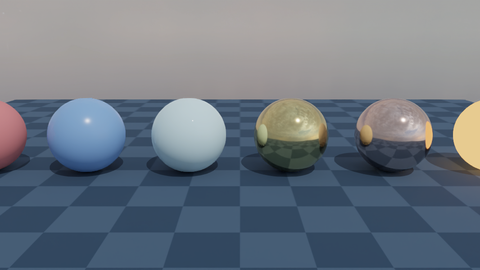
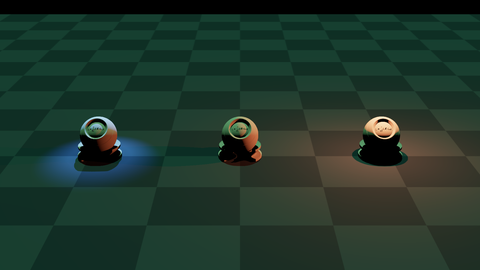
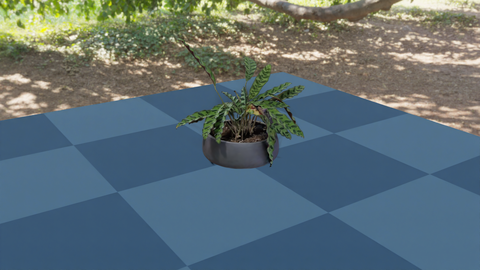
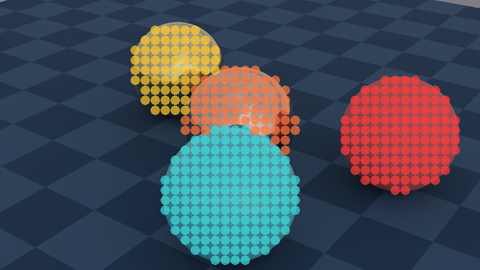
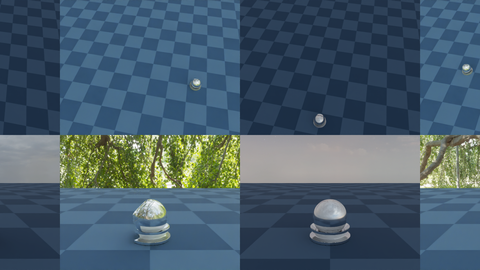
Genesis exposes three rendering paths as camera sensors: built-in (Nyx / Luisa / Pyrender) and detailed Nyx walkthroughs hosted in genesis-nyx.
| Follow entity | Animated camera | Nyx: hello |
 |
 |
 |
| Nyx: attached camera | Nyx: PBR materials | Nyx: light types |
 |
 |
 |
| Nyx: 3D Gaussian splat | Nyx: object picking | Nyx: multi-cam multi-env |
 |
 |
 |




Simulation Interface
Quick Installation
Using pip
Install PyTorch first following the official instructions.
Then, install Genesis via PyPI:
pip install genesis-world # Requires Python>=3.10,<3.14;
For the latest version to date, make sure that pip is up-to-date via pip install --upgrade pip, then run command:
pip install git+https://github.com/Genesis-Embodied-AI/genesis-world.git
Note that the package must still be updated manually to sync with main branch.
Users seeking to contribute are encouraged to install Genesis in editable mode. First, make sure that genesis-world has been uninstalled, then clone the repository and install locally:
git clone https://github.com/Genesis-Embodied-AI/genesis-world.git
cd genesis-world
pip install -e ".[dev]"
It is recommended to systematically execute pip install -e ".[dev]" after moving HEAD to make sure that all dependencies and entrypoints are up-to-date.
Optional extras
| IPC solver (uipc backend) | pip install pyuipc (Linux / Windows x86, NVIDIA GPU) |
| Nyx renderer | pip install gs-nyx — see genesis-nyx |
Quadrants is bundled with Genesis automatically; no extra install. The standalone wheel (pip install quadrants) is documented at Quadrants for users who want the compiler outside Genesis.
Using uv
uv is a fast Python package and project manager.
Install uv:
# On macOS and Linux
curl -LsSf https://astral.sh/uv/install.sh | sh

# On Windows
powershell -ExecutionPolicy ByPass -c "irm https://astral.sh/uv/install.ps1 | iex"
Quick start with uv:
git clone https://github.com/Genesis-Embodied-AI/genesis-world.git
cd genesis-world
uv sync
Then install PyTorch for your platform:
# NVIDIA GPU (CUDA 12.6 as an example)
uv pip install torch --index-url https://download.pytorch.org/whl/cu126

# CPU only (Linux/Windows)
uv pip install torch --index-url https://download.pytorch.org/whl/cpu

# Apple Silicon (Metal/MPS)
uv pip install torch
Run an example:
uv run examples/rigid/single_franka.py
Docker
If you want to use Genesis from Docker, you can first build the Docker image as:
docker build -t genesis -f docker/Dockerfile docker
Then you can run the examples inside the docker image (mounted to /workspace/examples):
xhost +local:root # Allow the container to access the display

docker run --gpus all --rm -it \
-e DISPLAY=$DISPLAY \
-e LOCAL_USER_ID="$(id -u)" \
-v /dev/dri:/dev/dri \
-v /tmp/.X11-unix/:/tmp/.X11-unix \
-v $(pwd):/workspace \
--name genesis genesis:latest
AMD users
AMD users can use Genesis using the docker/Dockerfile.amdgpu file, which is built by running:
docker build -t genesis-amd -f docker/Dockerfile.amdgpu docker
and can then be used by running:
docker run -it --network=host \
 --device=/dev/kfd \
 --device=/dev/dri \
 --group-add=video \
 --ipc=host \
 --cap-add=SYS_PTRACE \
 --security-opt seccomp=unconfined \
 --shm-size 8G \
 -v $PWD:/workspace \
 -e DISPLAY=$DISPLAY \
 genesis-amd
The examples will be accessible from /workspace/examples. Note: AMD users should use the ROCm (HIP) backend. This means you will need to call gs.init(backend=gs.amdgpu) to initialise Genesis.
Contributing to Genesis
The Genesis project is an open and collaborative effort. We welcome all forms of contributions from the community, including:
- Pull requests for new features or bug fixes.
- Bug reports through GitHub Issues.
- Suggestions to improve Genesis's usability.
Refer to our contribution guide for more details.
Support
- Report bugs or request features via GitHub Issues.
- Join discussions or ask questions on GitHub Discussions.
- Real-time chat: Discord.
License and Acknowledgments
The Genesis source code is licensed under Apache 2.0.
Genesis's development has been made possible thanks to these open-source projects:
- Taichi: the original compiler that Quadrants forked from in June 2025. Kudos to the Taichi team for their technical support over the years.
- libuipc: IPC solver backend.
- FluidLab: Reference MPM solver implementation.
- SPH_Taichi: Reference SPH solver implementation.
- Ten Minute Physics and PBF3D: Reference PBD solver implementations.
- MuJoCo: Reference for rigid body dynamics.
- libccd: Reference for collision detection.
- PyRender: Rasterization-based renderer.
- LuisaCompute and LuisaRender: Ray-tracing DSL.
- Madrona and Madrona-mjx: Batch renderer backend
Citation
If you use Genesis in your research, please consider citing:
@article{
   genesis2026genesisworld,
   author = {Genesis AI Team},
   title = {The Role of Simulation in Scalable Robotics, Genesis World 1.0, and the Path Forward},
   journal = {Genesis AI Blog},
   month = {May},
   year = {2026},
   url = {https://www.genesis.ai/blog/the-role-of-simulation-in-scalable-robotics-genesis-world-10-and-the-path-forward},
}
@misc{
  Genesis,
  author = {Genesis Authors},
  title = {Genesis: A Generative and Universal Physics Engine for Robotics and Beyond},
  month = {December},
  year = {2024},
  url = {https://github.com/Genesis-Embodied-AI/genesis-world}
}
Project details
Release history Release notifications | RSS feed


Download files
Download the file for your platform. If you're not sure which to choose, learn more about installing packages.
Source Distributions
Built Distribution
Filter files by name, interpreter, ABI, and platform.
If you're not sure about the file name format, learn more about wheel file names.
Copy a direct link to the current filters
File details
Details for the file genesis_world-1.1.0-py3-none-any.whl.
File metadata
- Download URL: genesis_world-1.1.0-py3-none-any.whl
- Upload date:
- Size: 83.0 MB
- Tags: Python 3
- Uploaded using Trusted Publishing? Yes
- Uploaded via: twine/6.1.0 CPython/3.12.8
File hashes
| Algorithm | Hash digest | |
|---|---|---|
| SHA256 |
68fc69b0b82c5c2e9636fa8212aaf468fcccba331c1bbd1c298f0d222bd099ff
|
|
| MD5 |
b8992cd2833e88c1ef3635ab84488e1c
|
|
| BLAKE2b-256 |
6dfb2c4b2c1c045e5c699ca28d33667e33d2002d53b95983cede2035387b2b89
|
Provenance
The following attestation bundles were made for genesis_world-1.1.0-py3-none-any.whl:
Publisher:
generic.yml on Genesis-Embodied-AI/genesis-world
-
Statement:
-
Statement type:
https://in-toto.io/Statement/v1 -
Predicate type:
https://docs.pypi.org/attestations/publish/v1 -
Subject name:
genesis_world-1.1.0-py3-none-any.whl -
Subject digest:
68fc69b0b82c5c2e9636fa8212aaf468fcccba331c1bbd1c298f0d222bd099ff - Sigstore transparency entry: 1717226747
- Sigstore integration time:
-
Permalink:
Genesis-Embodied-AI/genesis-world@9035f28562962894937891d13e44afb09f9b57ff -
Branch / Tag:
refs/tags/v1.1.0 - Owner: https://github.com/Genesis-Embodied-AI
-
Access:
public
-
Token Issuer:
https://token.actions.githubusercontent.com -
Runner Environment:
github-hosted -
Publication workflow:
generic.yml@9035f28562962894937891d13e44afb09f9b57ff -
Trigger Event:
release
-
Statement type:






