
gennaker-tools


A series of JupyterLab and Jupyter Server extensions to power the gennaker project.
Features
TOML ←→ JSON Settings Sync
r
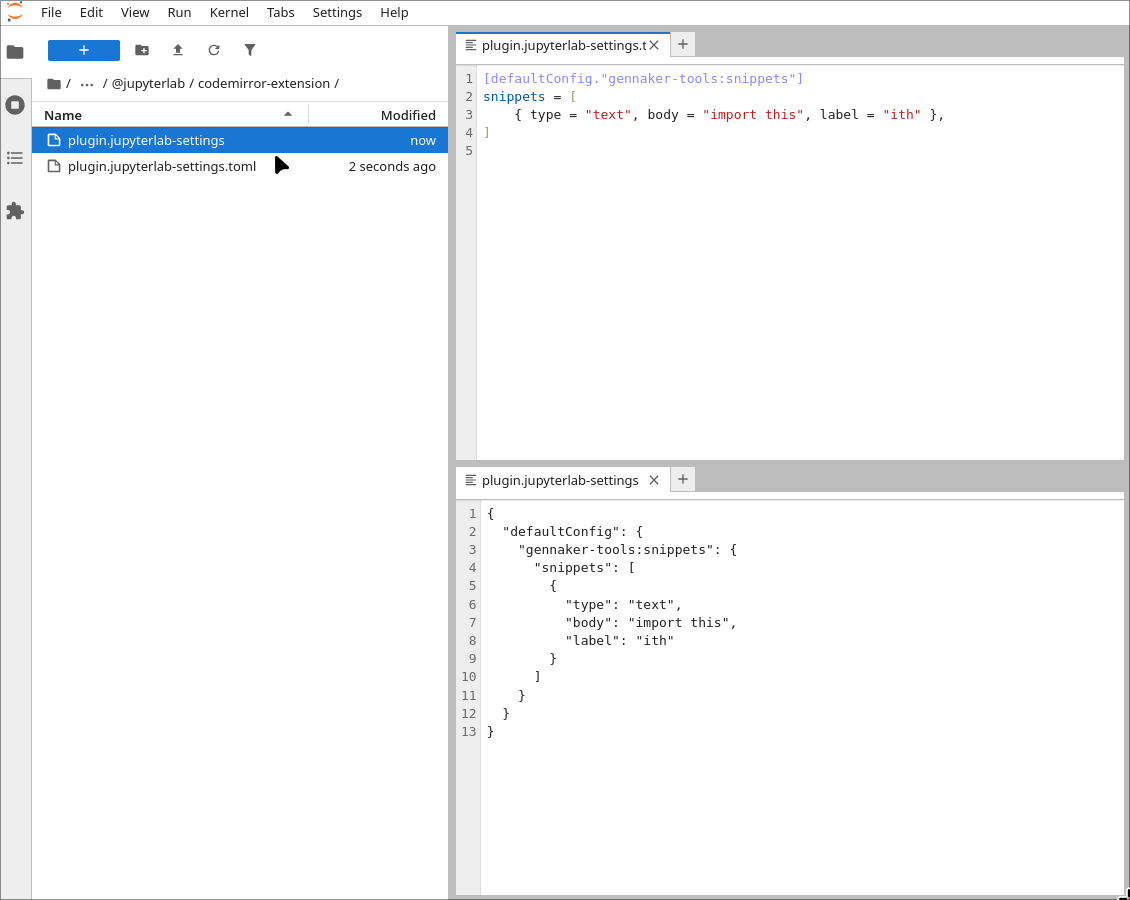
Synchronise between JSON and TOML representations of settings under the JupyterLab settings path.
Code Snippets
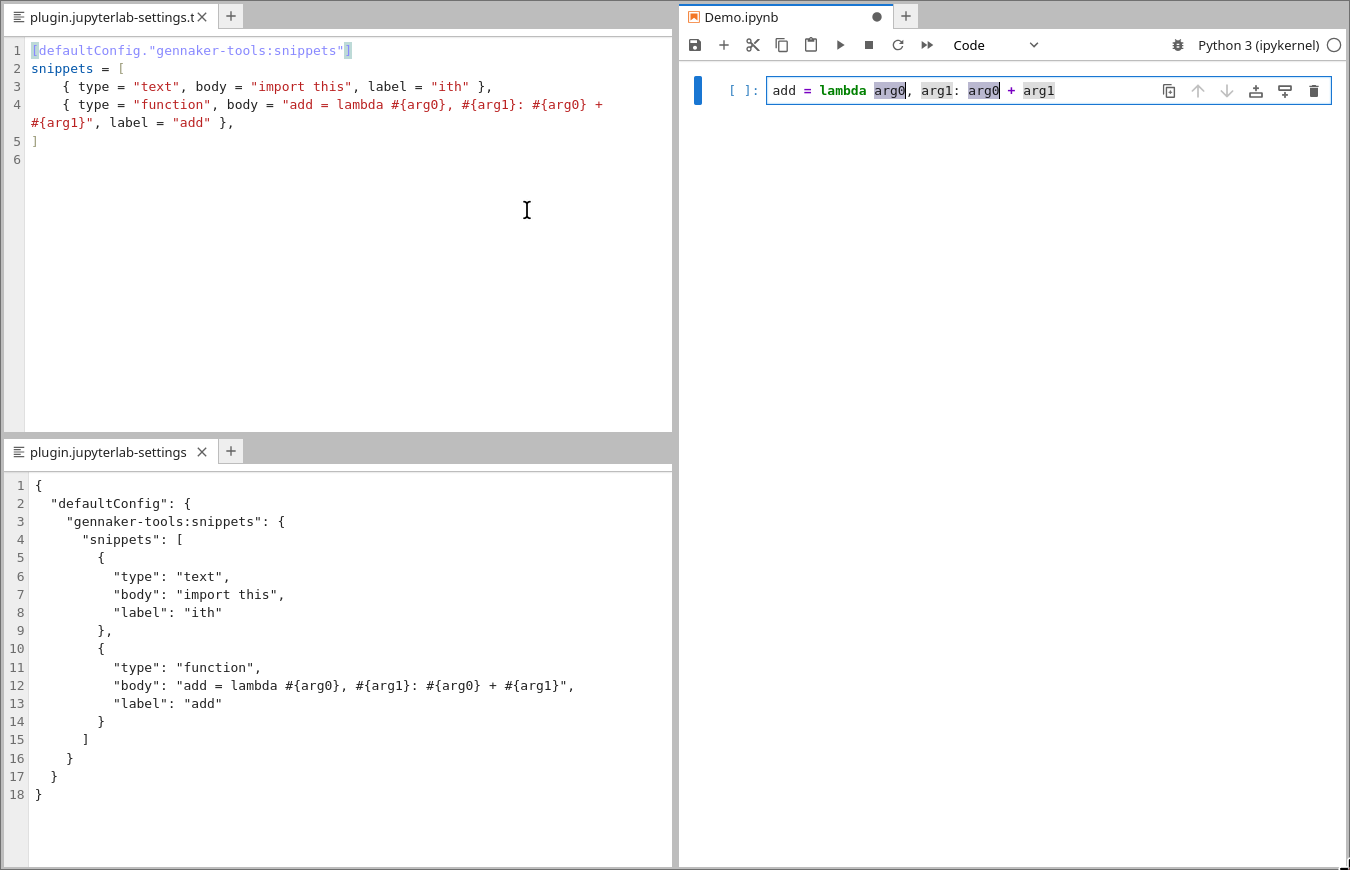
Use CodeMirror snippets to autocomplete text and modular units of content. See https://codemirror.net/docs/ref/#autocomplete.autocompletion for more information.
Reset Command
gennaker-tools:reset-jupyterlab
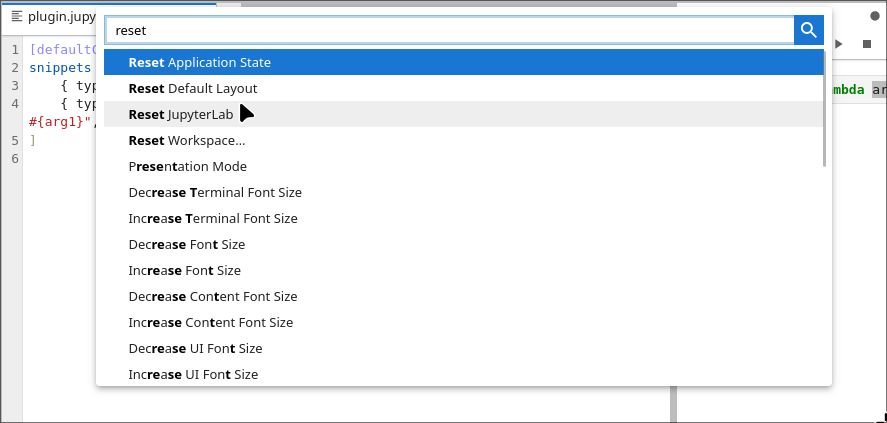
Reset the current session by reloading the page.
Stateless Execution Command
gennaker-tools:restart-run-stateless
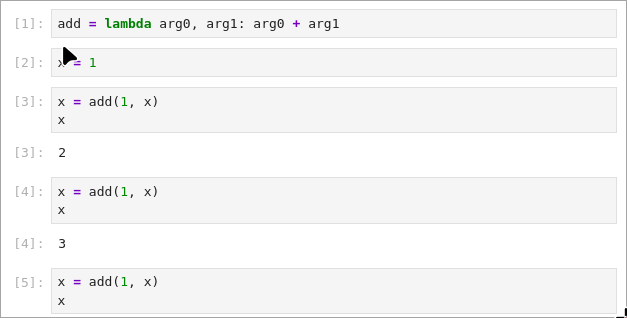
Perform some compute
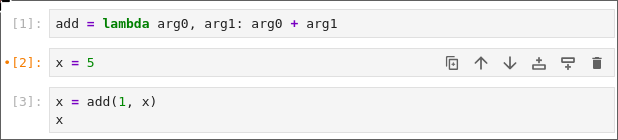
Modify the earlier state
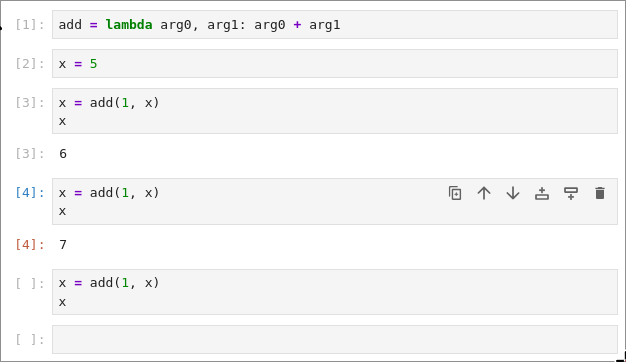
Re-run up to a particular cell, and clear outputs
Requirements
- JupyterLab >= 4.0.0
Install
To install the extension, execute:
pip install gennaker-tools
Uninstall
To remove the extension, execute:
pip uninstall gennaker-tools
Contributing
Development install
Note: You will need NodeJS to build the extension package.
The pnpm command is JupyterLab's pinned version of
yarn that is installed with JupyterLab. You may use
yarn or npm in lieu of pnpm below.
# Clone the repo to your local environment
# Change directory to the gennaker_tools directory
# Install package in development mode
pip install -e "."
# Link your development version of the extension with JupyterLab
jupyter-builder develop . --overwrite
# Rebuild extension Typescript source after making changes
pnpm run build
You can watch the source directory and run JupyterLab at the same time in different terminals to watch for changes in the extension's source and automatically rebuild the extension.
# Watch the source directory in one terminal, automatically rebuilding when needed
pnpm run watch
# Run JupyterLab in another terminal
jupyter lab
With the watch command running, every saved change will immediately be built locally and available in your running JupyterLab. Refresh JupyterLab to load the change in your browser (you may need to wait several seconds for the extension to be rebuilt).
By default, the pnpm run build command generates the source maps for this extension to make it easier to debug using the browser dev tools. To also generate source maps for the JupyterLab core extensions, you can run the following command:
jupyter lab build --minimize=False
Development uninstall
pip uninstall gennaker-tools
In development mode, you will also need to remove the symlink created by jupyter-builder develop
command. To find its location, you can run jupyter-builder list to figure out where the labextensions
folder is located. Then you can remove the symlink named gennaker-tools within that folder.
Packaging the extension
See RELEASE
2 maintainers


Metadata
2 maintainers
Release files for gennaker-tools 0.11.4
For a detailed explanation of source distributions (sdists) and built distributions (wheels), please see the package formats documentation.
Source distribution (sdist)
| File | Size | Uploaded | Provenance | Actions |
|---|---|---|---|---|
| gennaker_tools-0.11.4.tar.gz | 195.5 kB | Without provenance | Details for gennaker_tools-0.11.4.tar.gz |
Built distribution (wheel)
| File | Interpreter | ABI | Platform | Actions Reset |
|---|---|---|---|---|
| gennaker_tools-0.11.4-py3-none-any.whl | Python 3 | none | any | Details for gennaker_tools-0.11.4-py3-none-any.whl |
Total release size: 303.1 kB
Release files / gennaker_tools-0.11.4.tar.gz
| Download URL | gennaker_tools-0.11.4.tar.gz |
|---|---|
| Size | 195.5 kB |
| Tags | Source |
|
SHA-256 checksum How to use checksums |
f17d0b46700cc84a36266b78c220f85a471da2d2640c2546d796476209ce620a
|
|
BLAKE2b-256 checksum How to use checksums |
cc99cedc4eaef0b8ca6774b2314fe8530f68a28ec20b42a536fd74e0a84e4c94
|
| Upload date | |
|
Uploaded using Trusted Publishing? What is trusted publishing? |
Yes |
| Uploaded via |
twine/7.0.0 CPython/3.12.15
|
Release files / gennaker_tools-0.11.4-py3-none-any.whl
| Download URL | gennaker_tools-0.11.4-py3-none-any.whl |
|---|---|
| Size | 107.5 kB |
| Tags | Python 3 |
|
SHA-256 checksum How to use checksums |
883177be031ec227566159d588ad0f17eee4d8a7340e2fcbe8c79acd029f8f77
|
|
BLAKE2b-256 checksum How to use checksums |
f04865eca64d13055f7b4ddb44e12b23a400abe73339380559fdf09134ee04f8
|
| Upload date | |
|
Uploaded using Trusted Publishing? What is trusted publishing? |
Yes |
| Uploaded via |
twine/7.0.0 CPython/3.12.15
|
Security for gennaker-tools 0.11.4
Provenance
Provenance describes where a file came from. On PyPI, provenance is shared via attestations, which provide a verifiable record of the build or publishing details. View details, limitations and caveats.
No provenance found
None of the files in this release were uploaded with provenance metadata.
A note on package security
PyPI is a repository for distributing packages, not a service for auditing them. While third-party security researchers and our staff do their best to detect and remove malicious packages, PyPI cannot guarantee the quality, security or suitability of any given package.
To learn more about protecting yourself from malicious actors, visit our package security documentation.














