
🌐 GenSphere
GenSphere is an open platform to share reusable components of LLM applications and an open-source framework to combine them into complex workflows. Think of a mix of HuggingFace and Docker for LLMs.

Why GenSphere?
GenSphere is built to address four primary needs for AI developers:
1. Low-level control
We break any LLM application down to graphs where each node is either a function call, an LLM API call or another graph itself. By doing so, you can inspect (and edit) any application down to its core components. We want to break the cumbersome pile of unnecessary abstractions that some modern frameworks bring, and which have turned LLM application building quite opaque.
2. Portability
Projects are defined by a set of YAML files and associated python functions and schemas. This make it easy to share your application with other developers, and makes it easy for them to use what you built in more complex workflows.
3. Community collaboration
Once you've broken your application down to its core components as described above, you can push it to an open platform (no registration required). A public ID is generated, and your project is now publicly accessible to anyone. You can pull any project by referencing its ID.
You can also check popularity of published projects, as measured by number of pulls they get.
4. Composability
Because you can reference graphs as nodes on parents graphs, GenSphere makes it extremely easy to compose complex applications from simpler reusable components. You can pull projects from the platform and build with them instead of having to work from scratch.
Table of Contents
- Features
- How does it work?
- Notes about this version
- Installation
- Quickstart Guide
- Examples
- How to build agentic systems with GenSphere
- Contributing
- License
Features
- Define workflows with simple YAML files: Create complex execution graphs using simple YAML files.
- Gain low-level control: GenSphere projects break workflows down to individual function calls and/or AI API calls. By doing so, you know exactly what's going on whenever running your application.
- Nest LLM applications easily: You can reference other YAML files as nodes in your workflow, and compose complex systems easily, while maintaining control.
- Push and pull projects to the open community hub: Collaborate with others by publishing and pulling projects from the platform (no registration required).
- Track popularity of your projects: Check the popularity of your projects as measured by the number of times they were used by others.
- Visualize workflows: explore your projects easily with interactive graphical visualization. You can quickly see which functions are attached to which nodes and have complete control over your workflows.
How does it work?
-
1. Define your workflow with yaml files: Your project is defined by a yaml file which represents a graph, where each node is a task to be executed, and which can receive inputs from other nodes. Every node is either a python function call (see below) or an AI API call.
-
2. Compose complex workflows by nesting graphs: A node can also be another graph itself, and the SDK will take care to resolve dependencies, check consistency and compose a final execution graph.
-
3. Define your functions and schemas: Create a .py file with all functions you are planning to use in your project, be it as individual nodes in the execution graph or as tools for function calling by LLMs. You can also create a separate .py file with pydantic models if you want to use openAI structured output feature in any given node.. If you are new to pydantic and openAI structured outputs, check this short tutorial.
-
4. Leverage integration with LangChain and Composio: when doing function calling, you can leverage tools available in both Composio and Langchain. Check the implementation notebook for further details.
-
5. Visualize your project: GenSphere creates an interactive graphical representation of your project. The SDK renders a graph, and you can inspect every node to see which functions or schemas are associated with it, as well as its parameters and outputs.
-
6. Execute the workflow: the GenSphere SDK resolves dependencies and executes your workflow.
-
7. Push to the platform: once ready, your project can be pushed to our open platform. You submit you yaml file and any associated functions or schemas .py files. An ID is generated, and your project becomes publicly accessible.
-
8. Pull from the platform: you can pull yaml files, functions and schemas from the platform by providing its ID (generated by the creator of the project in the step above). Its then easy to use these components to build more complex LLM applications.
-
9. Watch your projects grow: you can check popularity of your projects by measuring the number of pulls it received.
Notes about this version
-
In this alpha version, only openAI is supported for AI API calls. We are planning to integrate with other major providers.
-
Graphs in yaml files need to be DAGs. We are planning to allow for cycles, which will unlock full agentic system building using only GenSphere.
-
Feedback is welcome! Please reach out by email or join our discord server.
Installation
pip install gensphere
Quickstart guide
Import necessary modules
from gensphere.genflow import GenFlow
from gensphere.hub import Hub
Pull a project from the platform
hub.pull(push_id='2c03079c-0e33-489e-bbbe-777da744d56f',
         yaml_filename='simple_examples.yaml',
         functions_filename='simple_examples_functions.py',
         save_to_disk=True)
This saves simple_examples.yaml and simple_examples_functions.py to your current working diretory. Now you can execute the flow with.
flow=GenFlow('simple_examples.yaml','simple_examples_functions.py')
flow.parse_yaml()
flow.run()
You can access nodes outputs with
flow.outputs
Go over our 5-min tutorial notebook
This notebook contains everything you need to know about GenSphere, including yaml syntax, visualizastion, yaml parsing, nesting workflows, etc.
Examples
[coming soon]
How to build agentic systems with GenSphere
[coming soon]
Contributing
We welcome contributions! Please reach out by email and join our Discord server.
License
This project is licensed under the MIT License - see the LICENSE file for details.
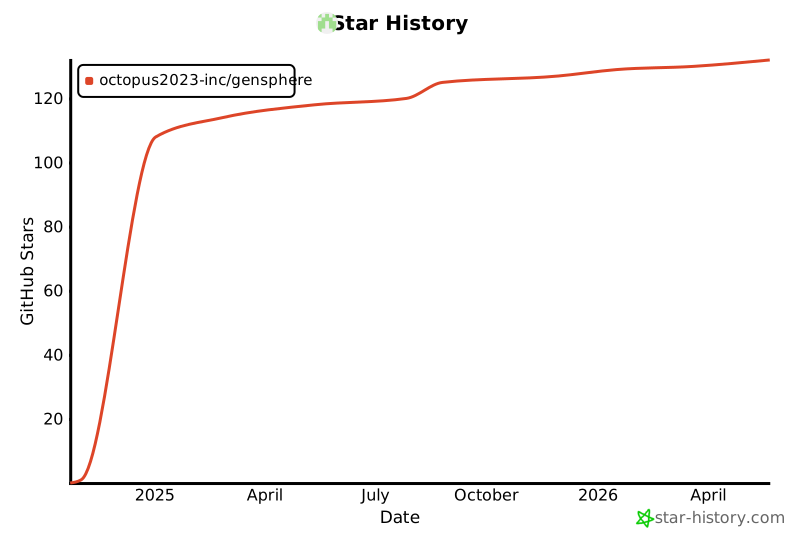
Star History
1 maintainer

Metadata
1 maintainer
Release files for gensphere 0.1.9
For a detailed explanation of source distributions (sdists) and built distributions (wheels), please see the package formats documentation.
Source distribution (sdist)
| File | Size | Uploaded | |
|---|---|---|---|
| gensphere-0.1.9.tar.gz | 24.5 kB | Details |
Built distribution (wheel)
| File | Interpreter | ABI | Platform | Reset |
|---|---|---|---|---|
| gensphere-0.1.9-py3-none-any.whl | Python 3 | none | any | Details |
Total release size: 51.6 kB
Release files / gensphere-0.1.9.tar.gz
| Download URL | gensphere-0.1.9.tar.gz |
|---|---|
| Size | 24.5 kB |
| Tags | Source |
|
SHA-256 checksum How to use checksums |
4f008f7d2f3b24a2d1140e899fb55fdc98d77c4e61c6278682488d0a93d79fe3
|
|
BLAKE2b-256 checksum How to use checksums |
2691b13a1aeb66bc65b2ac9c77b727ac44e06c94740805da127fef3b303a7d41
|
| Upload date | |
|
Uploaded using Trusted Publishing? What is trusted publishing? |
No |
| Uploaded via |
poetry/1.8.4 CPython/3.13.0 Windows/11
|
Release files / gensphere-0.1.9-py3-none-any.whl
| Download URL | gensphere-0.1.9-py3-none-any.whl |
|---|---|
| Size | 27.1 kB |
| Tags | Python 3 |
|
SHA-256 checksum How to use checksums |
183340bc3b768582cf20310750315c01d231d5695a5daad6129b2d1fe09c6138
|
|
BLAKE2b-256 checksum How to use checksums |
fc976577f2757833726f469135bd818a46dee7d0b7be5fbbe4ecf6dc54f9ff19
|
| Upload date | |
|
Uploaded using Trusted Publishing? What is trusted publishing? |
No |
| Uploaded via |
poetry/1.8.4 CPython/3.13.0 Windows/11
|













