
geocitysorter
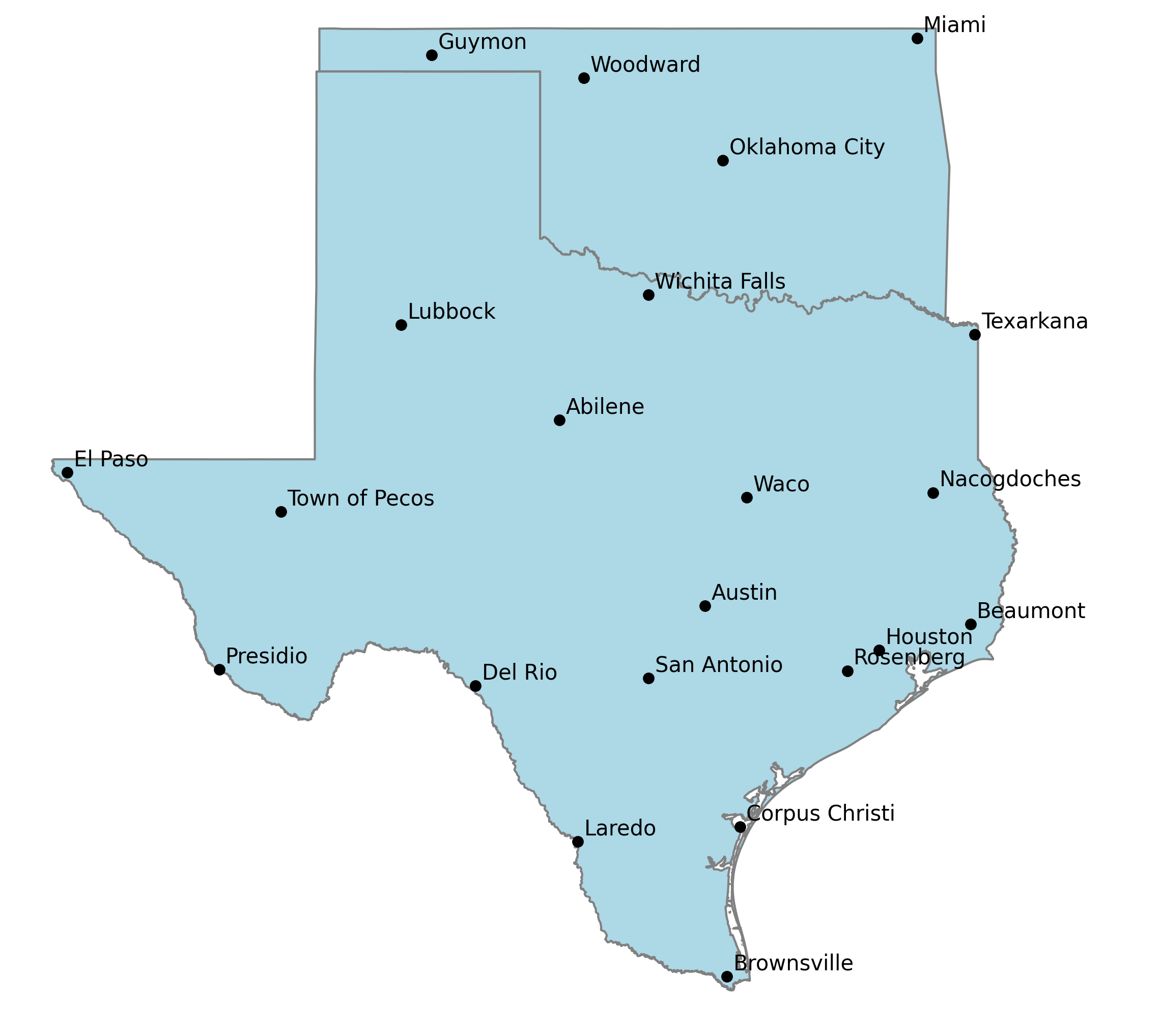
Selecting the right set of cities to include on a map can be challenging. The ideal map should have enough cities labeled to provide sufficient context to the reader to get across the overall purpose of the map, but not so many to create visual clutter and lose all meaning.
Picking just the most populated cities to include can create a mess too. Metropolitan areas are usually made up of many cities, often large themselves. Desert or mountainous areas also tend to have smaller populations creating large gaps
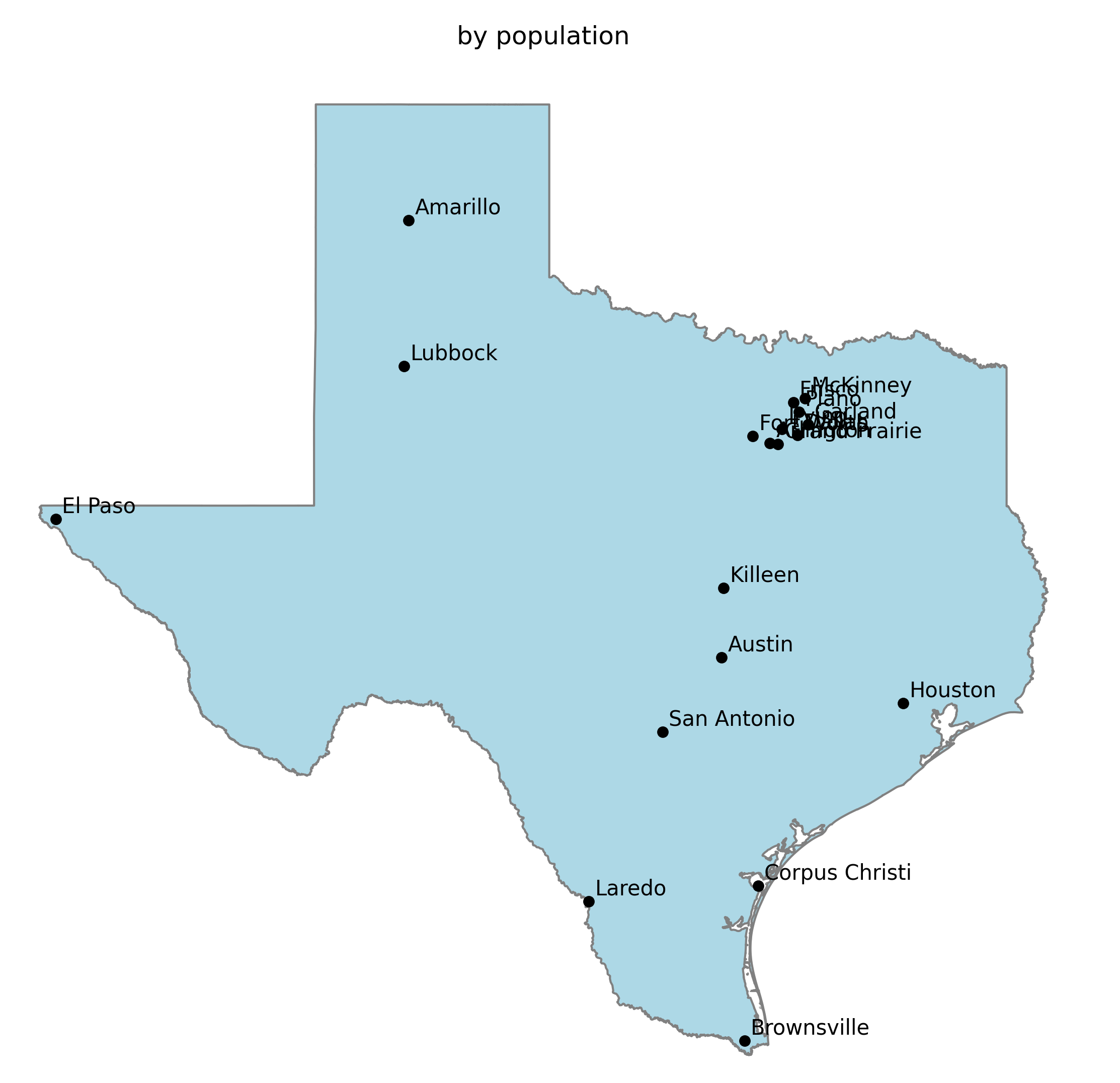
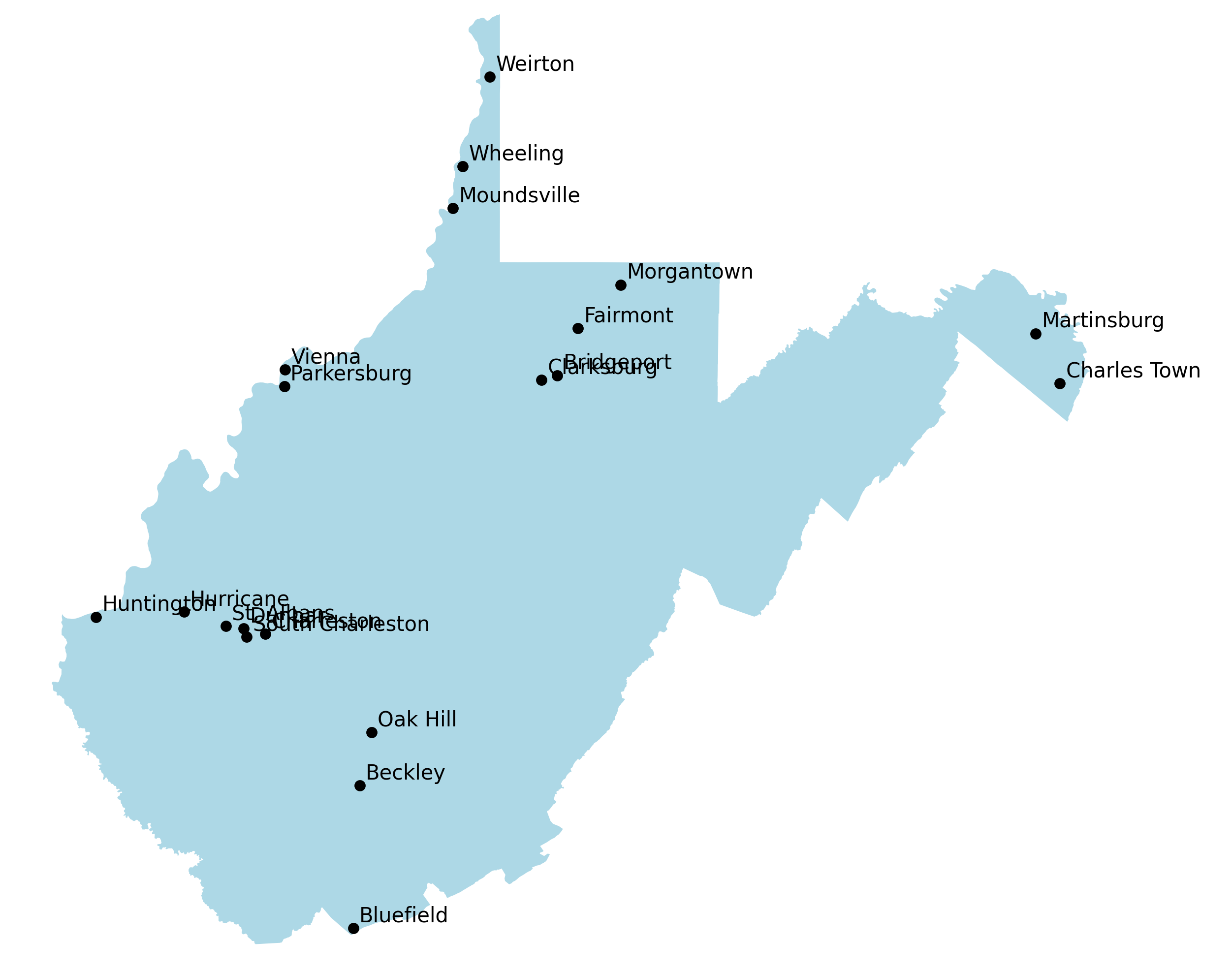
The most meaningful maps are labeled with a set of recognizable cities while avoiding large gaps between them.
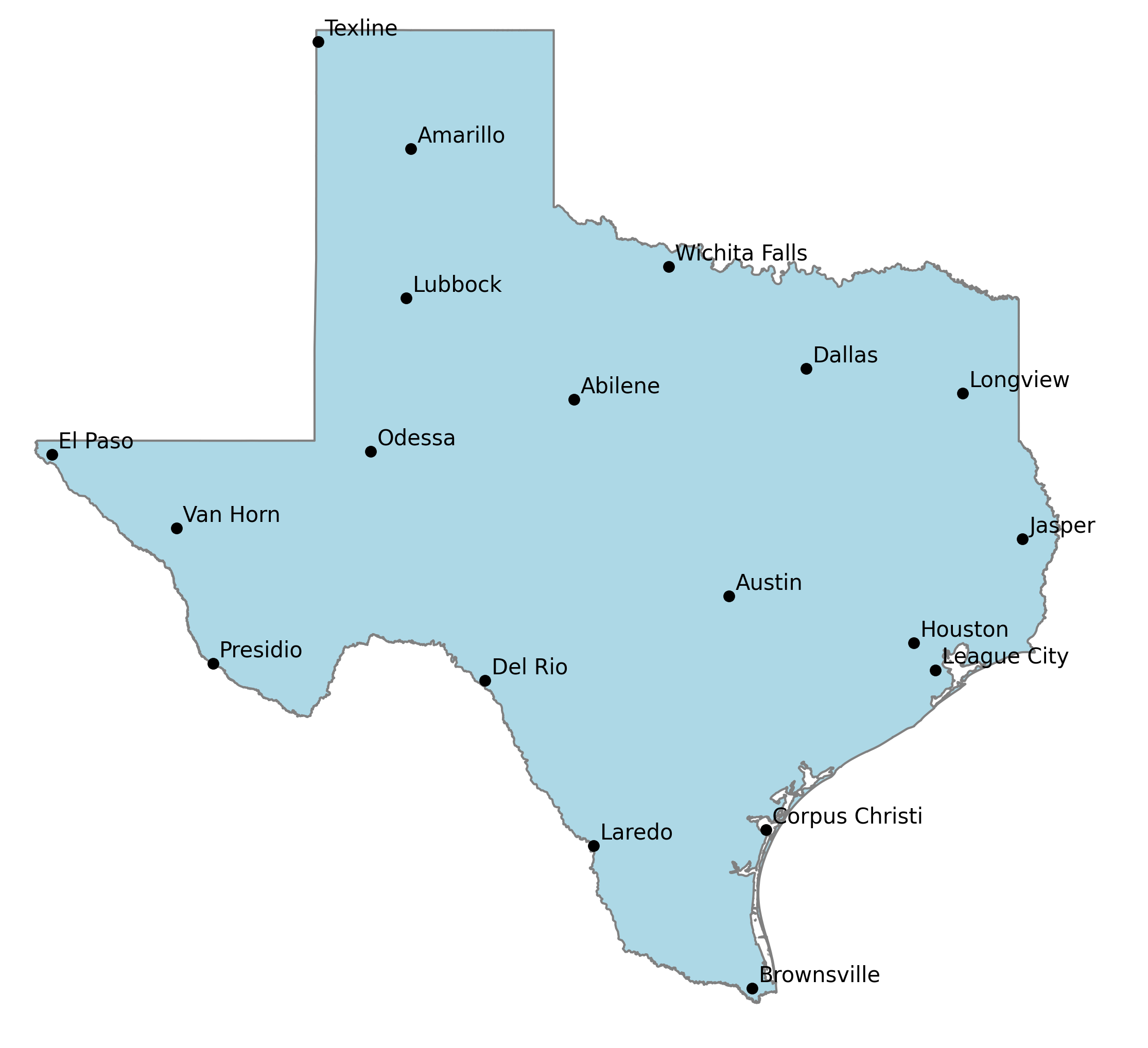
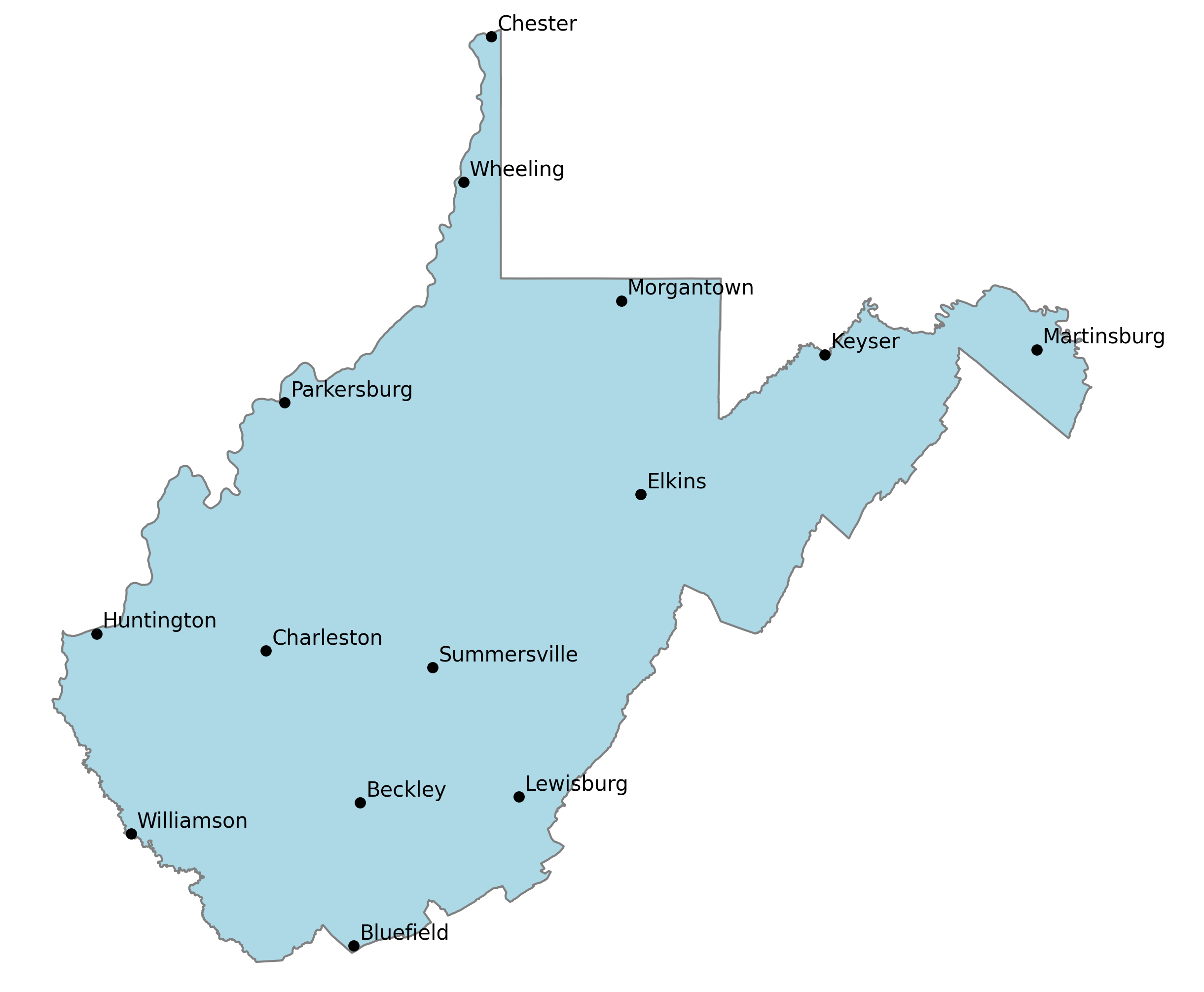
This package tries to create that balance by ordering a dataframe with (at minimum) columns with the city, state, longitude, latitude and a column for the weighted value of that city (population by default)
Options allow you to force the most populous city, capital, or an arbitrary list of cities to be at the top of the resulting dataframe.
It orders whatever points you give it, including across multiple states
How it works
The algorithm sorts a passed (GeoPandas or Pandas) dataframe sorted by column which indicates the row's weight (e.g. population). Any cities that must be at the top (largest city, capital cities, or an arbitrary list) are moved to the resulting dataframe.
The most relevant (largest population) city in the gaps between cities are iteratively added to the bottom of the resulting dataframe until all cities have been ordered.
This is done by finding the smallest distance between cities that yet to be included in the resulting dataframe to those that have. Cities are grouped by those distances by creating logical rings around cities. The most relevant (e.g. largest population) city in the outer most (or inner, see options below) set of rings is moved to the bottom of the resulting dataframe. This process repeats until all cities have been reordered.
The result dataframe is ordered by a balance of population and geographic relevance. Gaps between cities are increasing filled in by decreasingly relevant cities. This provides a flexible data source that makes it easy to declutter a map by simply by including fewer cities from the list.
Labeling a map with cities at the top of the list should produce more "I get it" reactions while cities at the bottom produce "I've never heard of that city" or "why did thy pick that city?"
Syntax
def order_geo_dataframe(df_orig, rings=5, order='furthest',
                        valuecolumn='population',
                        starting_lat=None, starting_lng=None,
                        verbose=False, first='both', citylist=[]):
Options
df : Pandas (or GeoPandas) dataframe containing at minimum: city, state, latitude, longitude columns and a weighted value column
starting_lat, starting_lng : coordinates to start from, most useful in finding the largest city near a set of coordinates. Defaults to 0,0
rings : number of rings to logically draw around each city when generalizing distance between a given city and the others that have already been ordered as more "relevant". (default: 5) fewer rings favor larger cities. Default: 3
order :how the next point is selected, default: furthest:
- furthest: the most populous city in the furthest ring, useful for intelligently ordering points on a map by population
- nearest: the most populous city in the nearest ring, useful for finding the most relevant point "near" a given point such as the largest city nearby
citylist : list of city names to force to order first
first : include the largest city, capital city, or both first : _capito :param first: capital: order state capitals first largest: order the largest city first (default)
1 maintainer

Release files for geocitysorter 0.9.12
For a detailed explanation of source distributions (sdists) and built distributions (wheels), please see the package formats documentation.
Built distribution (wheel)
| File | Interpreter | ABI | Platform | Reset |
|---|---|---|---|---|
| geocitysorter-0.9.12-py3-none-any.whl | Python 3 | none | any | Details |
Release files / geocitysorter-0.9.12-py3-none-any.whl
| Download URL | geocitysorter-0.9.12-py3-none-any.whl |
|---|---|
| Size | 1.3 MB |
| Tags | Python 3 |
|
SHA-256 checksum How to use checksums |
69cd5b9b1c5ec2b0ecb93e866853d1858416f64863044b1a474c096f012a7550
|
|
BLAKE2b-256 checksum How to use checksums |
dff546f9eb0913cb105cf72cb738ba75855f3018fa2f18d8c79e1b8c916868f8
|
| Upload date | |
|
Uploaded using Trusted Publishing? What is trusted publishing? |
No |
| Uploaded via |
twine/4.0.2 CPython/3.9.13
|













