
Include RDKit for molecular manipulation.
Verified details
These details have been verified by PyPIProject links
GitHub Statistics
Maintainers

Project description
GEOM – Geometry File Management

GEOM is a tool for creating, modifying, and analyzing XYZ geometry files. It provides geometry transformations, nanoparticle generation, and graphene structure creation for computational research, with both a command-line interface and a native desktop GUI.
Features
- GEOM Structure Studio: native desktop GUI for interactive nanoparticle and graphene generation, 3D visualization, and structure manipulation.
- RDKit tools: molecular visualization, file conversion, force field optimization, and conformers generation.
- AI Assistant for nanoparticle and graphene creation
- Geometry Transformations: Translation, rotation, merging, and specular (mirror) transformations.
- Nanoparticle Generation: Sphere, rod, core-shell, tip, pyramid, cone, icosahedron, and more.
- Graphene Structures: Ribbons, disks, rings, and triangles.
- Advanced Options: Alloying, dimer formation, and bowtie configurations.
- Minimum Distance Calculation between XYZ geometries.
- Geometrical Center Computation.
Installation
GEOM can be installed in two ways:
- pip (PyPI): best for quick installs, CI, and lightweight usage.
- conda (recommended for full scientific setups): full ecosystem with all extras and the desktop app.
On PyPI, the package name is
geom-x(the import/module name is stillgeom).
Option A — pip (PyPI)
Create/activate an environment first, then:
pip install geom-x
Quick sanity check:
python -c "import geom; print('geom imported OK')"
geom -h
Option B — conda
./install.sh
This script will:
- Check if Miniconda or Anaconda is installed. If not, it will prompt you to install Miniconda.
- Set up a conda environment named
geom_envwith all dependencies. - Configure shell aliases for running GEOM.
- Build the GEOM Structure Studio desktop app (macOS and Linux/WSL).
Quick Start
Load the GEOM environment:
geom_load
See all available options:
geom -h
Example commands:
- RDKit conformers generation
geom -rdkit -i tyrosine.mol -confs
- RDKit file conversion
geom -rdkit -i tyrosine.mol -o tyrosine.pdb
- Rotate geometry 90 degrees around the Y-axis:
geom -r1 90 geom.xyz origin_CM_yes +y
- Generate a nanoparticle sphere:
geom -create -sphere Ag 30
- Generate a graphene ribbon:
geom -create -graphene rib 50 20
GEOM Structure Studio
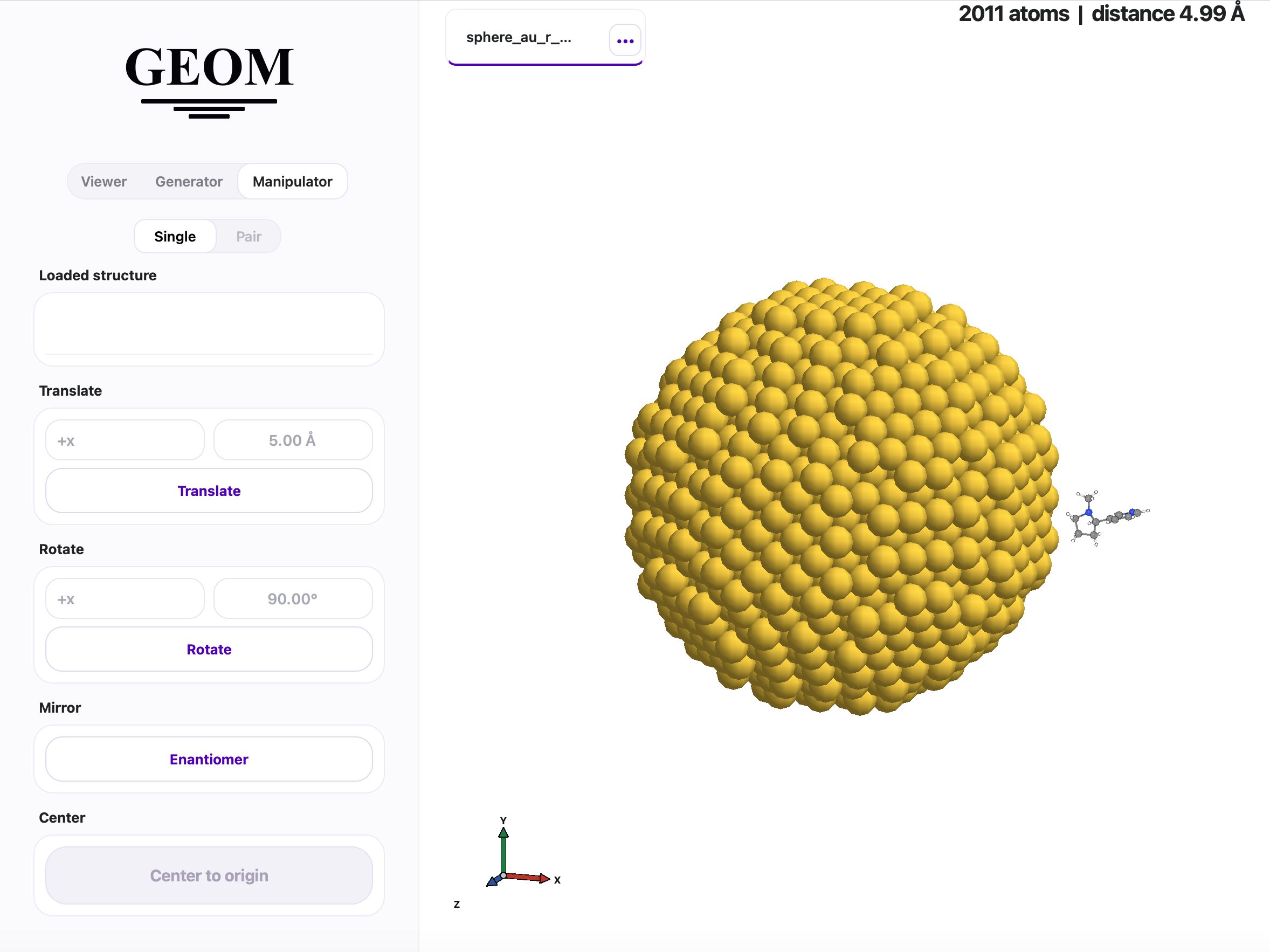
GEOM includes a native desktop GUI — GEOM Structure Studio — for interactive nanoparticle and graphene creation, 3D visualization, and structure manipulation.
Launch
- Terminal — load the environment with
geom_load, then rungeomapp. - macOS — open
~/Applications/GEOM.appdirectly from Finder or Spotlight. - Linux / WSL — open GEOM from your desktop application launcher (the installer registers a
.desktopentry).
What you can do
- Generator — create nanoparticles (sphere, rod, tip, pyramid, cone, icosahedron, and more) and graphene structures (disk, ribbon, ring, triangle) with interactive parameter controls. Supports alloy, dimer, bowtie, and core-shell configurations.
- Viewer — load XYZ, PDB, or SMILES structures via file picker or drag-and-drop. Interactive 3D view with VdW/CPK rendering, atom selection expressions (
x > 0 and name C), and adjustable sphere size, bond width, and resolution. - Manipulator — translate, rotate, mirror (enantiomer), and center structures. Pair mode sets a controlled distance between two loaded structures along any axis.
Starting the AI Assistant
GEOM includes an AI-powered assistant that understands natural language, translates it into valid GEOM CLI commands, and executes them automatically.
This assistant is built using Microsoft's AutoGen framework, which enables a multi-agent system to interface with OpenAI's language models and run commands dynamically.
1. Export your OpenAI API key
export OPENAI_API_KEY=your-api-key-here
Obtain an API key at https://platform.openai.com/account/api-keys
2. Start the assistant
ai_geom
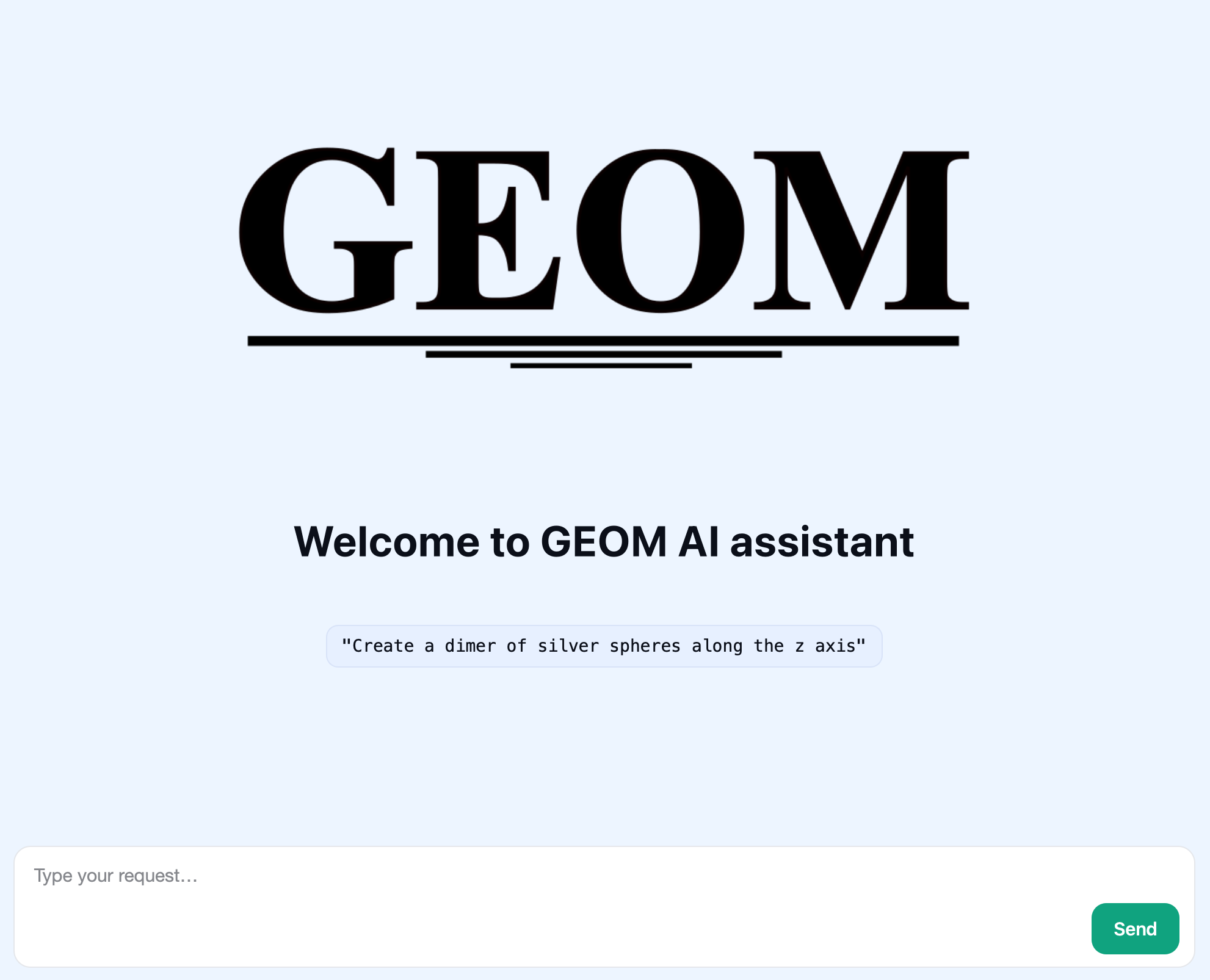
The assistant will automatically create and execute the corresponding GEOM command for you.
Running Tests
Tests run automatically during installation. To run them manually:
./geom/tests/run_all_tests.sh
License
GEOM is licensed under the GNU General Public License v3.0.
Funding
This project has been supported by the FARE 2020 program — "Framework per l'attrazione e il rafforzamento delle eccellenze per la ricerca in Italia."
Publications
GEOM has been used in the following research paper(s):
- Giovannini, T.; Grobas Illobre, P.; Lafiosca, P.; Nicoli, L.; Bonatti, L.; Corni, S.; Cappelli, C. plasmonX: an Open-Source Code for Nanoplasmonics. Comput. Phys. Commun. 2026, 110035. https://doi.org/10.1016/j.cpc.2026.110035
Contact
For issues or contributions:
- Email: pgrobasillobre@gmail.com
- Github issues: https://github.com/pgrobasillobre/geom/issues
Project details
Verified details
These details have been verified by PyPIProject links
GitHub Statistics
Maintainers
Release history Release notifications | RSS feed


Download files
Download the file for your platform. If you're not sure which to choose, learn more about installing packages.
Source Distribution
Built Distribution
Filter files by name, interpreter, ABI, and platform.
If you're not sure about the file name format, learn more about wheel file names.
Copy a direct link to the current filters
File details
Details for the file geom_x-2.1.0.tar.gz.
File metadata
- Download URL: geom_x-2.1.0.tar.gz
- Upload date:
- Size: 115.3 kB
- Tags: Source
- Uploaded using Trusted Publishing? Yes
- Uploaded via: twine/6.1.0 CPython/3.13.12
File hashes
| Algorithm | Hash digest | |
|---|---|---|
| SHA256 |
3095ddb61fe3b299982b3787bdfa3420f88906df5035613ba6ba37b31c71802f
|
|
| MD5 |
bd4ae8e43e6bb15676208dfb1d7b40f9
|
|
| BLAKE2b-256 |
f151fad5cf2b0bc4023e12ea51fe826af1d4797d7014ec610fd18ca34510f9e1
|
Provenance
The following attestation bundles were made for geom_x-2.1.0.tar.gz:
Publisher:
publish-pypi.yml on pgrobasillobre/geom
-
Statement:
-
Statement type:
https://in-toto.io/Statement/v1 -
Predicate type:
https://docs.pypi.org/attestations/publish/v1 -
Subject name:
geom_x-2.1.0.tar.gz -
Subject digest:
3095ddb61fe3b299982b3787bdfa3420f88906df5035613ba6ba37b31c71802f - Sigstore transparency entry: 1601239980
- Sigstore integration time:
-
Permalink:
pgrobasillobre/geom@f66f60b07c6ea043ea6a40710e41801d523b3026 -
Branch / Tag:
refs/tags/v2.1.0 - Owner: https://github.com/pgrobasillobre
-
Access:
public
-
Token Issuer:
https://token.actions.githubusercontent.com -
Runner Environment:
github-hosted -
Publication workflow:
publish-pypi.yml@f66f60b07c6ea043ea6a40710e41801d523b3026 -
Trigger Event:
push
-
Statement type:
File details
Details for the file geom_x-2.1.0-py3-none-any.whl.
File metadata
- Download URL: geom_x-2.1.0-py3-none-any.whl
- Upload date:
- Size: 117.5 kB
- Tags: Python 3
- Uploaded using Trusted Publishing? Yes
- Uploaded via: twine/6.1.0 CPython/3.13.12
File hashes
| Algorithm | Hash digest | |
|---|---|---|
| SHA256 |
bf65d23de0408ef1e7bbd92e319b4a0fc7ebbee6e32cd150a1bb15cb46b82afc
|
|
| MD5 |
954e31d1e798d195d7dce20ebe37b46d
|
|
| BLAKE2b-256 |
744552a240c714ee9efaeea739214b70f64da7c1112023b81ab5eed771f88977
|
Provenance
The following attestation bundles were made for geom_x-2.1.0-py3-none-any.whl:
Publisher:
publish-pypi.yml on pgrobasillobre/geom
-
Statement:
-
Statement type:
https://in-toto.io/Statement/v1 -
Predicate type:
https://docs.pypi.org/attestations/publish/v1 -
Subject name:
geom_x-2.1.0-py3-none-any.whl -
Subject digest:
bf65d23de0408ef1e7bbd92e319b4a0fc7ebbee6e32cd150a1bb15cb46b82afc - Sigstore transparency entry: 1601240081
- Sigstore integration time:
-
Permalink:
pgrobasillobre/geom@f66f60b07c6ea043ea6a40710e41801d523b3026 -
Branch / Tag:
refs/tags/v2.1.0 - Owner: https://github.com/pgrobasillobre
-
Access:
public
-
Token Issuer:
https://token.actions.githubusercontent.com -
Runner Environment:
github-hosted -
Publication workflow:
publish-pypi.yml@f66f60b07c6ea043ea6a40710e41801d523b3026 -
Trigger Event:
push
-
Statement type:






