
GeoPatterns
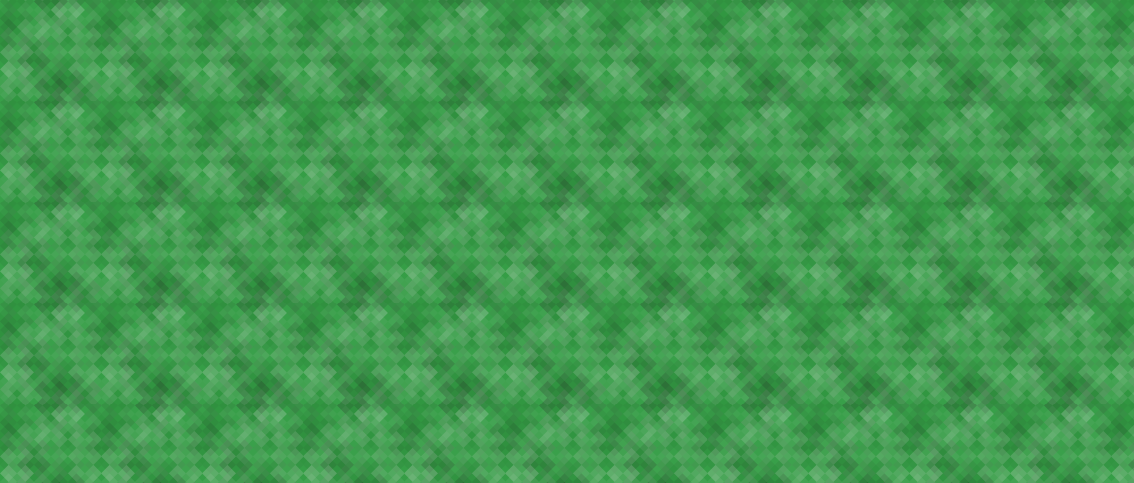
Generate beautiful SVG patterns from a string. This is a Python-port of Jason Long's Ruby library.
Installation
GeoPatterns requires Python 3.11 or newer and is installable via pip:
$ pip install geopatterns
Usage
Create a new pattern by initializing GeoPattern() with a string. The string
is hashed, and the hash decides the pattern, the background color and the size
of the shapes.
>>> from geopatterns import GeoPattern
>>> pattern = GeoPattern('A string for your consideration.')
To use a specific pattern, or a subset of the available patterns:
>>> GeoPattern('A string for your consideration.', patterns='sine_waves')
>>> GeoPattern('A string for your consideration.', patterns=['sine_waves', 'xes'])
To pick a base color (its hue and saturation still shift with the string), or to use an exact color:
>>> GeoPattern('A string for your consideration.', base_color='#fc0')
>>> GeoPattern('A string for your consideration.', color='#fc0')
Available patterns are:
chevronsconcentric_circlesdiamondshexagonsmosaic_squaresnested_squaresoctagonsoverlapping_circlesoverlapping_ringsplaidplus_signssine_wavessquarestessellationtrianglesxes
generator= still works but is deprecated, use patterns=. The old bricks,
rings and sinewaves generators are gone. Upstream replaced them with
octagons, concentric_circles and sine_waves, and passing the old names to
generator= draws those instead, with a warning.
Get the SVG string:
>>> print(pattern.svg_string)
<svg xmlns="http://www.w3.org/2000/svg" ...
Get the Base64-encoded string (as bytes):
>>> print(pattern.base64_string)
b'PHN2ZyB4bWxucz0iaHR0cDov...
In the case of the Base64-encoded string, you can use it in CSS as follows:
body {
  background-image: url('data:image/svg+xml;base64,PHN2ZyB4bWxucz...zdmc+');
}
You can use cairosvg to save the SVG string as a PNG image. First, install cairosvg:
pip install cairosvg
And then run:
>>> import cairosvg
>>> from geopatterns import GeoPattern
>>> pattern = GeoPattern('A string for your consideration.', patterns='xes')
>>> cairosvg.svg2png(bytestring=pattern.svg_string, write_to="output.png")
If you just want to visualize the pattern, you can use cairosvg with PIL:
>>> from io import BytesIO
>>> import matplotlib.pyplot as plt
>>> from PIL import Image
>>> import cairosvg
>>> from geopatterns import GeoPattern
>>> pattern = GeoPattern('A string for your consideration.', patterns='xes')
>>> png = cairosvg.svg2png(bytestring=pattern.svg_string)
>>> image = Image.open(BytesIO(png))
>>> plt.imshow(image)
>>> plt.show()
Compatibility
For the same string and options, the SVG matches what geo_pattern 1.5.0 produces. The tests check this against upstream's fixtures and against hashes generated from its Ruby code.
Development
$ uv run pytest
tests/fixtures/hashes.json comes from upstream. To regenerate it, check out
geo_pattern, install its color gem, and run:
$ ruby -I<upstream>/lib tests/ruby/generate_hashes.rb <upstream> > tests/fixtures/hashes.json
1 maintainer

Metadata
1 maintainer
Release files for geopatterns 0.1.0
For a detailed explanation of source distributions (sdists) and built distributions (wheels), please see the package formats documentation.
Source distribution (sdist)
| File | Size | Uploaded | |
|---|---|---|---|
| geopatterns-0.1.0.tar.gz | 50.3 kB | Details |
Built distribution (wheel)
| File | Interpreter | ABI | Platform | Reset |
|---|---|---|---|---|
| geopatterns-0.1.0-py3-none-any.whl | Python 3 | none | any | Details |
Total release size: 60.3 kB
Release files / geopatterns-0.1.0.tar.gz
| Download URL | geopatterns-0.1.0.tar.gz |
|---|---|
| Size | 50.3 kB |
| Tags | Source |
|
SHA-256 checksum How to use checksums |
b348a0880b426b02d97a2adbe9250740eede55ce90e9311c83cd163ec987c180
|
|
BLAKE2b-256 checksum How to use checksums |
8fe6132992be94f7c2c6ed662d6b1a2cfedbba7809ba184bdbcbbd2aec92d607
|
| Upload date | |
|
Uploaded using Trusted Publishing? What is trusted publishing? |
Yes |
| Uploaded via |
twine/7.0.0 CPython/3.13.14
|
Provenance
Provenance describes where a file came from. On PyPI, provenance is shared via attestations, which provide a verifiable record of the build or publishing details. View details, limitations and caveats.


PyPI Publish Attestation
PyPI verified that this artifact, at this checksum, originated from the publisher listed below.
Signed by GitHub Actions, verified by PyPI on Oct 6, 2026.
Transparency logRelease files / geopatterns-0.1.0-py3-none-any.whl
| Download URL | geopatterns-0.1.0-py3-none-any.whl |
|---|---|
| Size | 10.1 kB |
| Tags | Python 3 |
|
SHA-256 checksum How to use checksums |
563dbeed30e316c5db31b788035f430b32d60bccfa208b950a814297d7428eba
|
|
BLAKE2b-256 checksum How to use checksums |
fe626398b0d971cf31b34d53273678b5fd5661edba8203da4f22288eb9c0b3b2
|
| Upload date | |
|
Uploaded using Trusted Publishing? What is trusted publishing? |
Yes |
| Uploaded via |
twine/7.0.0 CPython/3.13.14
|
Provenance
Provenance describes where a file came from. On PyPI, provenance is shared via attestations, which provide a verifiable record of the build or publishing details. View details, limitations and caveats.
PyPI Publish Attestation
PyPI verified that this artifact, at this checksum, originated from the publisher listed below.
Signed by GitHub Actions, verified by PyPI on Oct 6, 2026.
Transparency log













