
getcomic-cli
A command line tool to download comics from readcomiconline.to

Features
- Download comics from readcomiconline.to by providing the url of a single issue of a comic
- Download the entire series of a particular comic by providing the url of a comic series
- Download a given range of issues provided as input from the user
Getting Started
Supported OS
Ubuntu
Prerequisites
  1. Python3
  2. pip3
Installation
- Install a headless browser
A headless browser is required for this tool to automate web page interaction. The browser used here is Chrome.- Install the latest version of chrome browser in your machine. Follow this link for the same.
- To upgrade google-chrome in Ubuntu 16.04 LTS, run the following command.
sudo apt-get --only-upgrade install google-chrome-stable - Now you need a Chrome Driver. Download the latest release of ChromeDriver from this site
- Navigate to the folder where you downloaded Chrome Driver and extract it's contents. Install the Chrome Driver by running the following commands.
sudo chmod +x chromedriver sudo mv -f chromedriver /usr/local/share/chromedriver sudo ln -s /usr/local/share/chromedriver /usr/local/bin/chromedriver sudo ln -s /usr/local/share/chromedriver /usr/bin/chromedriver - Install the package
-
Using pip
sudo pip3 install getcomic -
From source
- Clone this repo and navigate to this folder in your machine.
- Install using the following commands now.
python3 setup.py build
python3 setup.py install
-
Usage
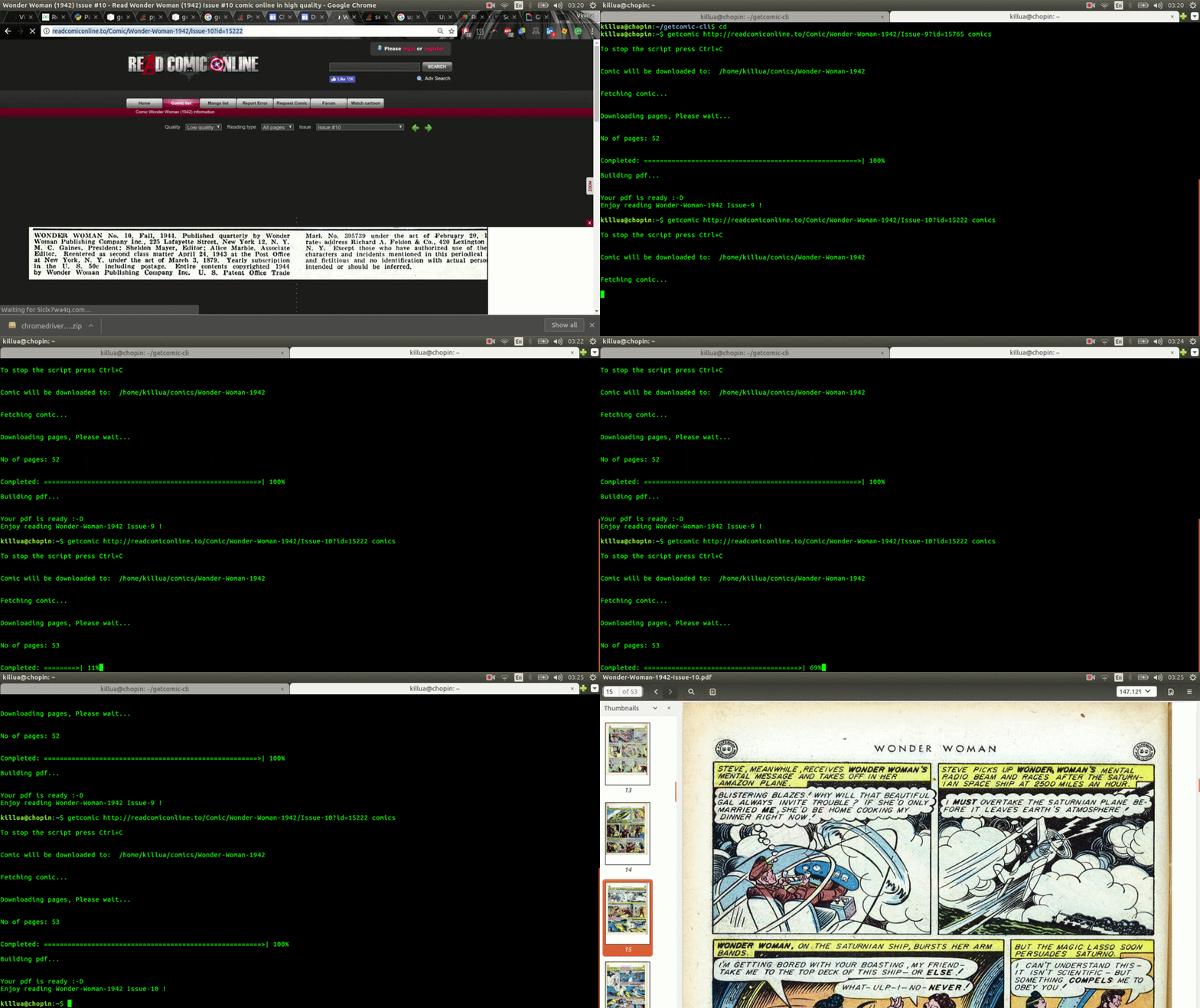
- After installation is done, run the command
getcomicand provide a readcomiconline url and the name of the directory where you want to download your files as arguments, as shown below.

The directory name you specified will be created in the home folder if not already present.
Authors
- Vinitra Muralikrishnan - VinitraMk See also the list of contributors who participated in this project.
License
This project is licensed under the MIT License - see the LICENSE file for details
1 maintainer

Metadata
1 maintainer
Release files for getcomic 2.0.13
For a detailed explanation of source distributions (sdists) and built distributions (wheels), please see the package formats documentation.
Source distribution (sdist)
| File | Size | Uploaded | Provenance | Actions |
|---|---|---|---|---|
| getcomic-2.0.13.tar.gz | 5.7 kB | Without provenance | Details for getcomic-2.0.13.tar.gz |
Built distributions (wheels)
| File | Interpreter | ABI | Platform | Actions Reset |
|---|---|---|---|---|
| getcomic-2.0.13-py3.5.egg | Legacy Egg format | - | - | Details for getcomic-2.0.13-py3.5.egg |
| getcomic-2.0.13-py3-none-any.whl | Python 3 | none | any | Details for getcomic-2.0.13-py3-none-any.whl |
Total release size: 23.3 kB
Release files / getcomic-2.0.13.tar.gz
| Download URL | getcomic-2.0.13.tar.gz |
|---|---|
| Size | 5.7 kB |
| Tags | Source |
|
SHA-256 checksum How to use checksums |
5e93f352815cd50138cd0e942d7e90ca667c686e259ef0a4148cb3f4028179ef
|
|
BLAKE2b-256 checksum How to use checksums |
9ed96839c3a3b406ca309ba17f91cc6f112c9c6b1105bbc5fa1c03e51b45f2e3
|
| Upload date | |
|
Uploaded using Trusted Publishing? What is trusted publishing? |
No |
Release files / getcomic-2.0.13-py3.5.egg
| Download URL | getcomic-2.0.13-py3.5.egg |
|---|---|
| Size | 11.5 kB |
| Tags | Egg |
|
SHA-256 checksum How to use checksums |
b70abfae6d978c2bd7c7a3ef1a17e4a585d1f146be54b97a8930c0cdb15997a2
|
|
BLAKE2b-256 checksum How to use checksums |
63ce026f05948ac7cb884a84c743a9634855bdd7be9a5d2894c0c88612141b79
|
| Upload date | |
|
Uploaded using Trusted Publishing? What is trusted publishing? |
No |
Release files / getcomic-2.0.13-py3-none-any.whl
| Download URL | getcomic-2.0.13-py3-none-any.whl |
|---|---|
| Size | 6.1 kB |
| Tags | Python 3 |
|
SHA-256 checksum How to use checksums |
0882a12800fad0c3829e87553c75cf124fb66b77f9aebea119e15fb364c8af45
|
|
BLAKE2b-256 checksum How to use checksums |
226d6c2a36a59df214c752fe3dd1cbecbc6cdab6ccc6cca071467115eab5b5cf
|
| Upload date | |
|
Uploaded using Trusted Publishing? What is trusted publishing? |
No |
Security for getcomic 2.0.13
Provenance
Provenance describes where a file came from. On PyPI, provenance is shared via attestations, which provide a verifiable record of the build or publishing details. View details, limitations and caveats.
No provenance found
None of the files in this release were uploaded with provenance metadata.
A note on package security
PyPI is a repository for distributing packages, not a service for auditing them. While third-party security researchers and our staff do their best to detect and remove malicious packages, PyPI cannot guarantee the quality, security or suitability of any given package.
To learn more about protecting yourself from malicious actors, visit our package security documentation.














