
gfw : Simple CLI for Global Fishing Watch Data







The Global Fishing Watch map is the first open-access online platform for visualization and analysis of vessel-based human activity at sea, including fishing activity, encounters between vessels, night light vessel detection and vessel presence. This tool is designed to help interact programmatically with the Global Fishing Watch data and is not based on any official API so expect features to break once in a while.
Disclaimer: This is an unofficial tool. Is not licensed or endorsed by Global Fishing Watch. It is created and maintained by Samapriya Roy.
Citation
Samapriya Roy. (2022). samapriya/gfw: Simple CLI for Global Fishing Watch Data (0.0.4).
Zenodo. https://doi.org/10.5281/zenodo.5937071
Readme Docs available online
Table of contents
Getting started
The tool is a simple standalone tool and the requirements for the setup are included in the requirements.txt file. Depending on the OS and the python version you should be able to simply run
pip install -r requirements.txt
To install gfw: Simple CLI for Global Fishing Watch Data
pip install gfw
or you can also try
git clone https://github.com/samapriya/gfw.git
cd gfw
python setup.py install
Main screen
gfw -h
usage: gfw [-h] {auth,data-list,file-list,download} ...

Simple CLI for Global Fishing Watch Data

positional arguments:
  {auth,data-list,file-list,download}
    auth                Authenticates and saves your username and password
    data-list           Generate data list with Dataset ID & timestamp
    file-list           File list for dataset
    download            Download datasets

optional arguments:
  -h, --help            show this help message and exit
auth
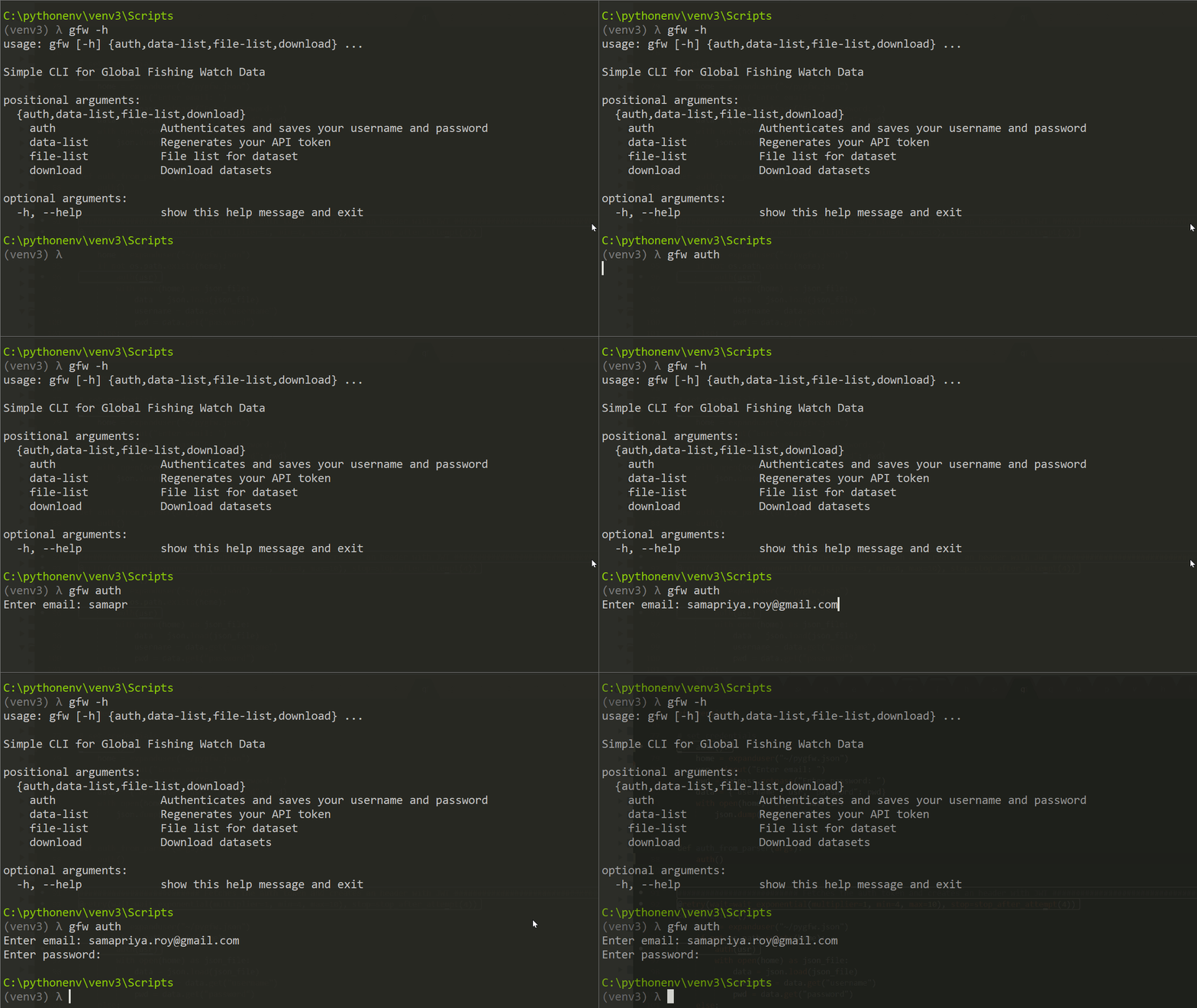
The auth or authentication tool allows the user to use their name and password used for logging into Global Fishing Watch. This is stored locally and a bearer token is generated every time the tool is being used from the saved credentials.
data-list
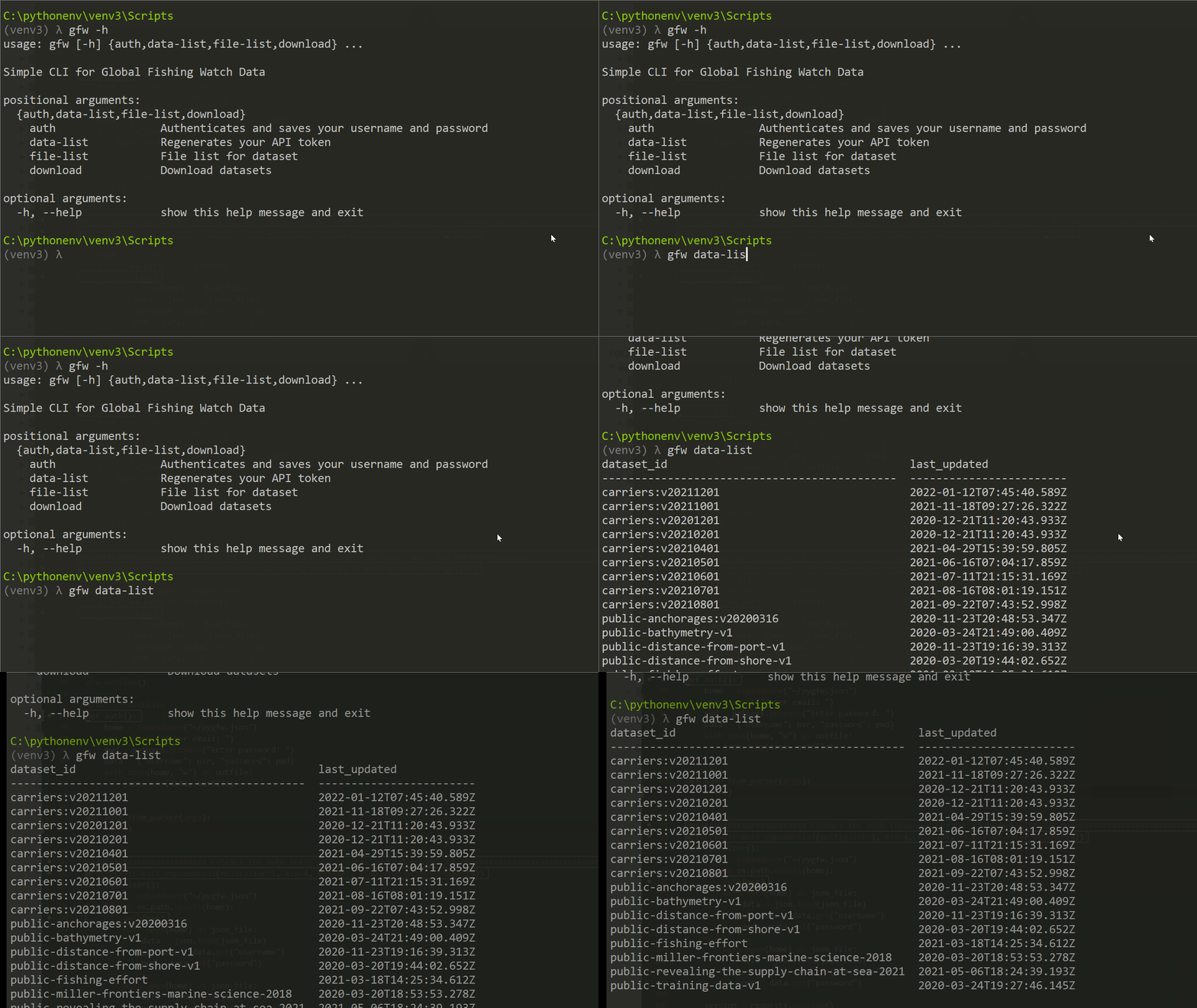
The data list tool fetches the datasets from the datasets and code page of global fishing watch. It then prints a table with both dataset id and the last updated date and time. Incase the server returns a status code of 500, a last updated datasets.json file is used to generate a dataset list.
file-list
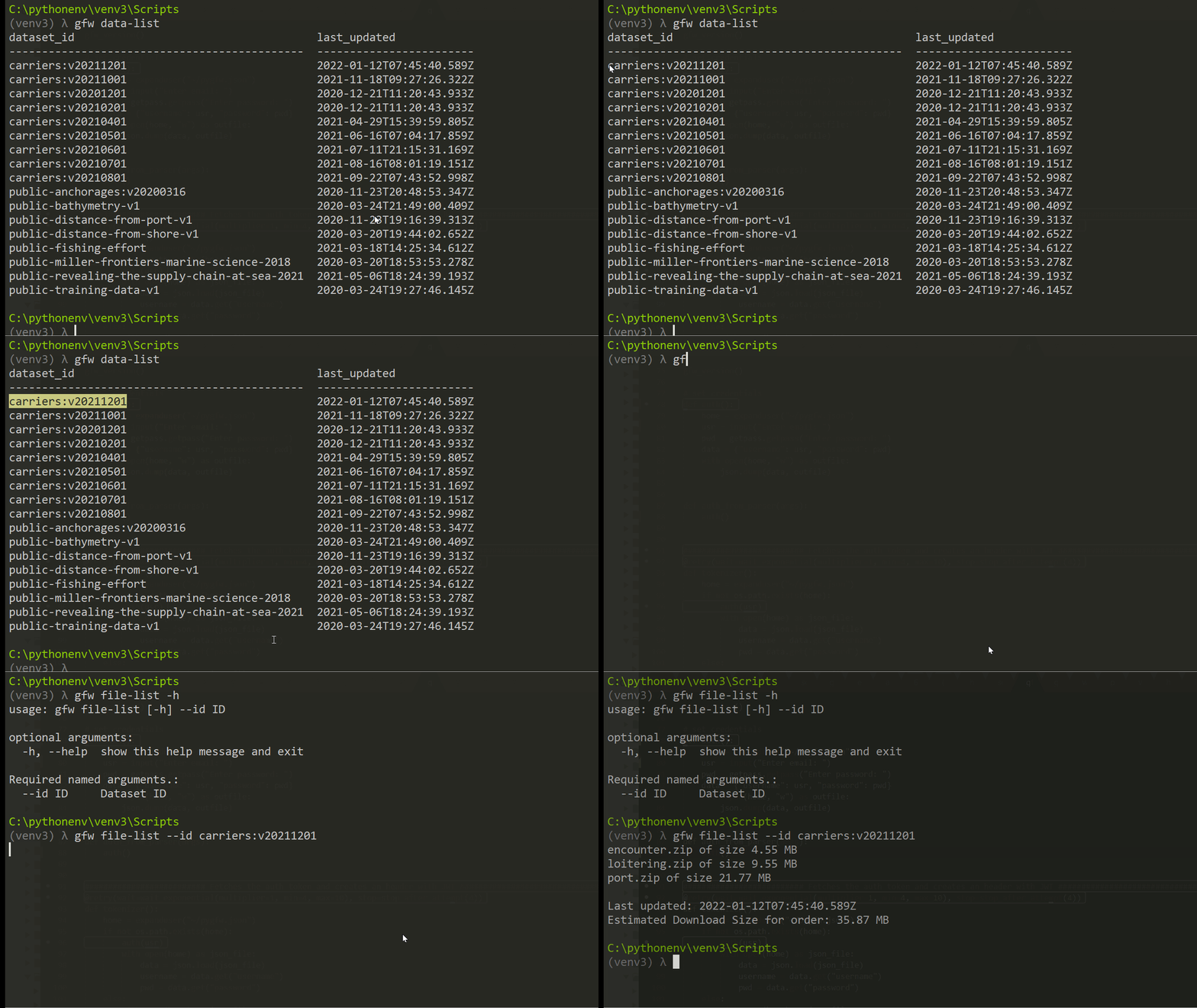
The file list tool fetches files inside a dataset and uses the dataset id to search for and print details about each file in the dataset. The tool also prints file size per file as well as total download size estimate.
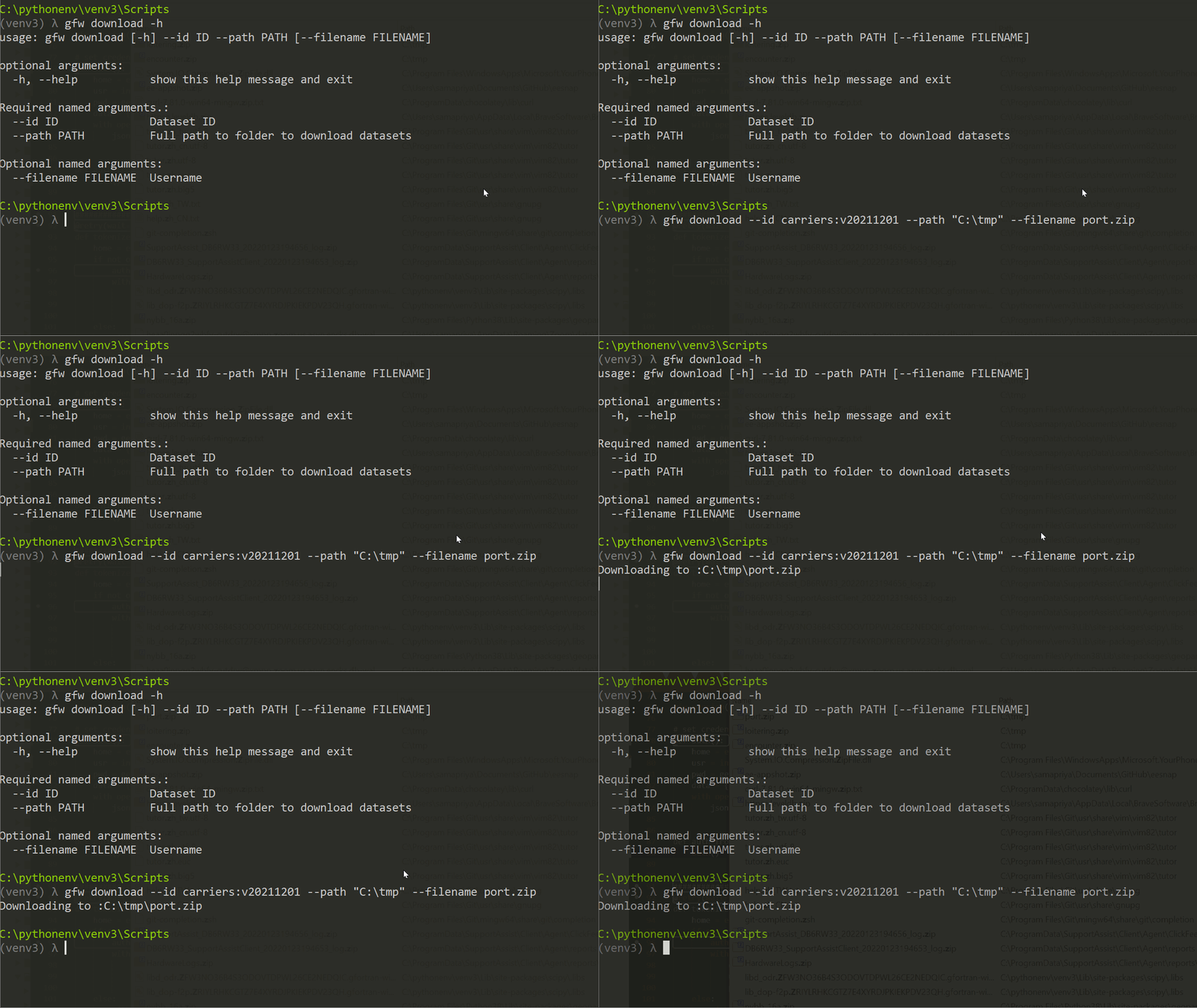
download
The download tool can only be utilized for area of interest that have been saved to my areas. As such this tool utilizes either the AOI name or ID. This submits the request and then waits for zipping to complete to then download a single zip files with all sources.
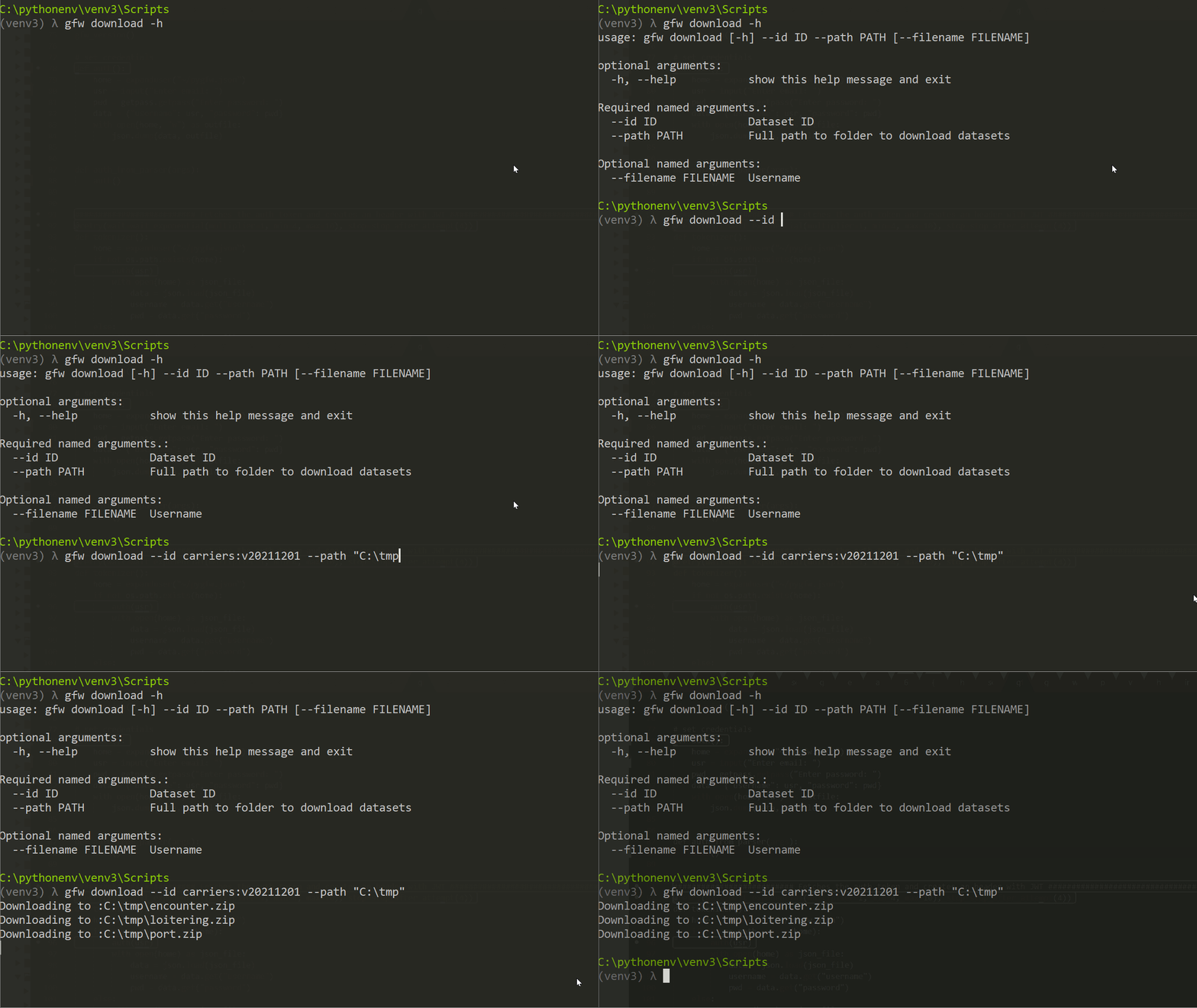
You can also download a specific file from the file-list tool
Changelog
v0.0.4
- added readme pages
- updated tool description and readme
v0.0.3
- added nested check for JSON objects from data list
- auto updation of datasets.json file as new datasets become available
- updated Readme
v0.0.2
- added tabulate to print dataset id and last updated table
- added offline JSON parser for 500 Internal Server Error from GFW
- general improvements and cleanup
1 maintainer

Metadata
1 maintainer
Release files for gfw 0.0.4
For a detailed explanation of source distributions (sdists) and built distributions (wheels), please see the package formats documentation.
Source distribution (sdist)
| File | Size | Uploaded | |
|---|---|---|---|
| gfw-0.0.4.tar.gz | 7.7 kB | Details |
Built distribution (wheel)
| File | Interpreter | ABI | Platform | Reset |
|---|---|---|---|---|
| gfw-0.0.4-py3-none-any.whl | Python 3 | none | any | Details |
Total release size: 19.9 kB
Release files / gfw-0.0.4.tar.gz
| Download URL | gfw-0.0.4.tar.gz |
|---|---|
| Size | 7.7 kB |
| Tags | Source |
|
SHA-256 checksum How to use checksums |
5d5f24e2924172a36547dd53d61e4b2cffad3b92780156edf295000424bcfdad
|
|
BLAKE2b-256 checksum How to use checksums |
fd6aaf433b7ce6e1fc8cd59c8805876e863f87df6d3568a946f876248c00b881
|
| Upload date | |
|
Uploaded using Trusted Publishing? What is trusted publishing? |
No |
| Uploaded via |
twine/3.3.0 pkginfo/1.5.0.1 requests/2.26.0 setuptools/47.1.0 requests-toolbelt/0.8.0 tqdm/4.33.0 CPython/3.7.9
|
Release files / gfw-0.0.4-py3-none-any.whl
| Download URL | gfw-0.0.4-py3-none-any.whl |
|---|---|
| Size | 12.2 kB |
| Tags | Python 3 |
|
SHA-256 checksum How to use checksums |
44ca5d181c5b4a4e932254e0c8587cad776216c2585ca1dc07b97a270eb07c58
|
|
BLAKE2b-256 checksum How to use checksums |
80d522402b44977ec861bcb5a05a0c89a379f9e80cafe83965eeaca6d2ee8b0b
|
| Upload date | |
|
Uploaded using Trusted Publishing? What is trusted publishing? |
No |
| Uploaded via |
twine/3.3.0 pkginfo/1.5.0.1 requests/2.26.0 setuptools/47.1.0 requests-toolbelt/0.8.0 tqdm/4.33.0 CPython/3.7.9
|














