
Helper for GeoGuessr training using OpenAI

Project description
GGAI


Helper for GeoGuessr training using OpenAI
Table of Contents
Prerequisites
- macOS
- Python 3.10 and above
Install
- with brew
brew tap rioriost/ggai
brew install ggai
Usage
ggai --help
usage: ggai [-h] [-k KEY] [-m MODEL] [-f FILENAME] [-d DIRECTORY]

ggai

options:
  -h, --help            show this help message and exit
  -k KEY, --key KEY     OpenAI API key
  -m MODEL, --model MODEL
                        OpenAI Model to use, default: gpt-4o
  -f FILENAME, --filename FILENAME
                        Filename for screencapture
  -d DIRECTORY, --directory DIRECTORY
                        Directory to save screencapture
Setup
Create a quickaction with Automator.
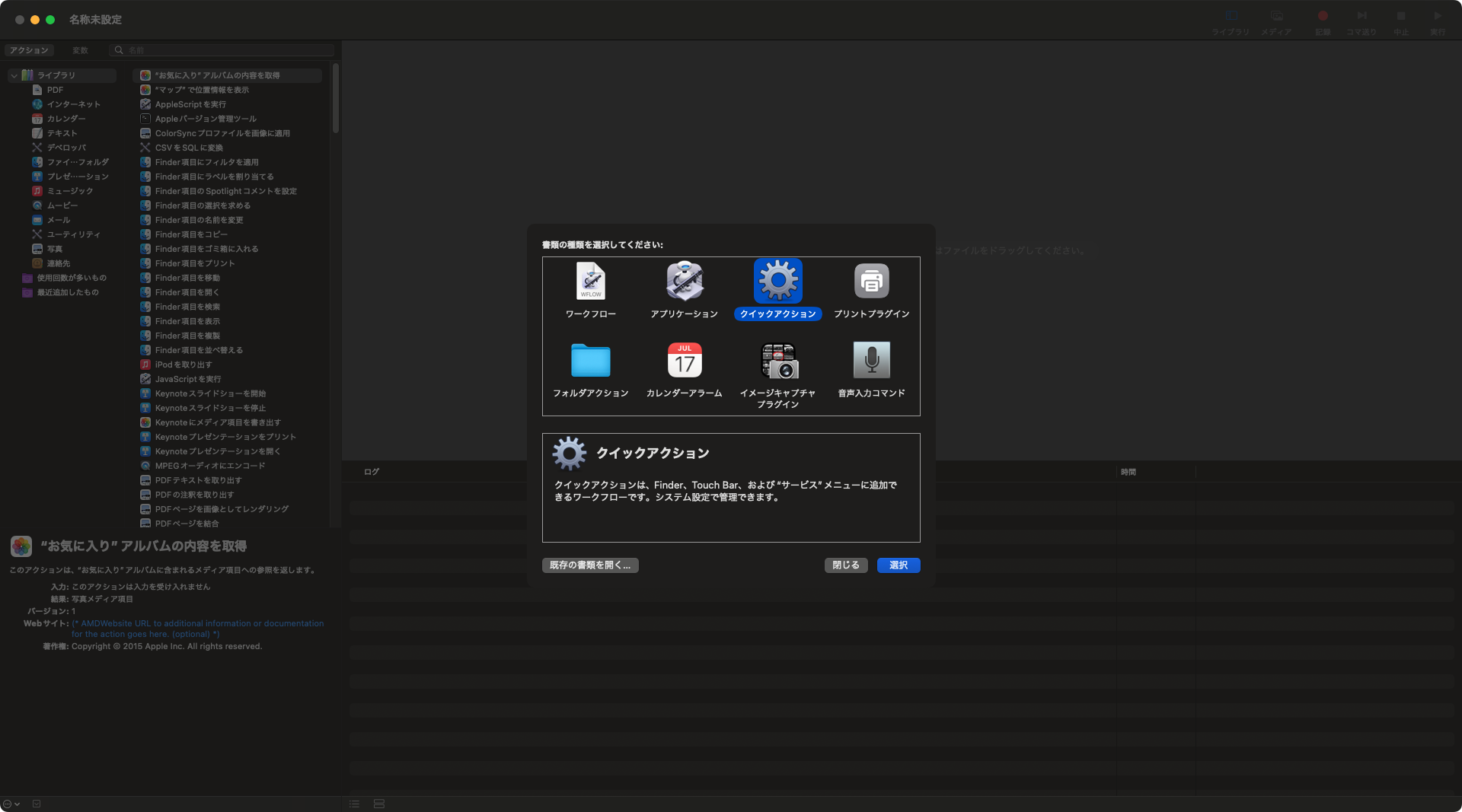
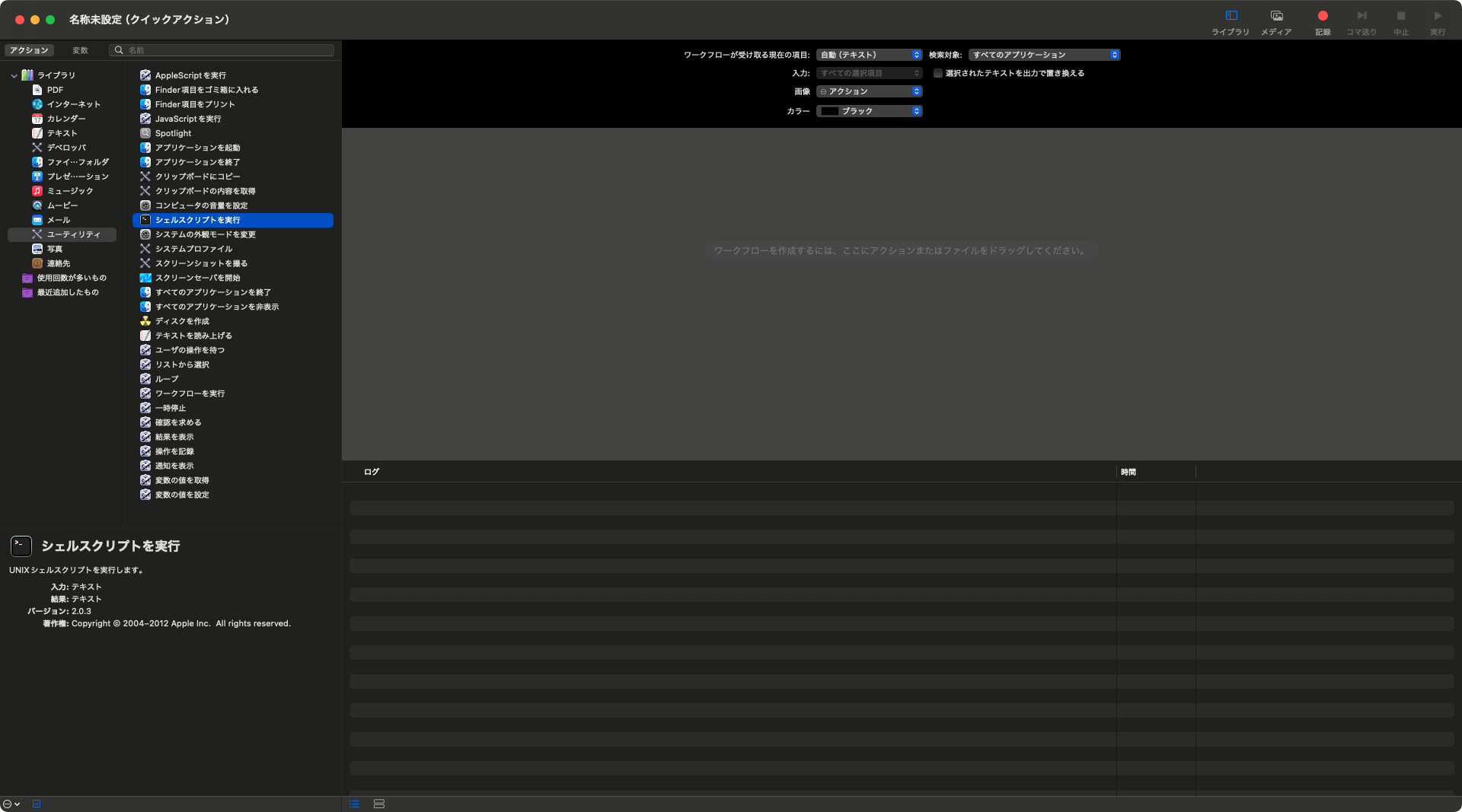
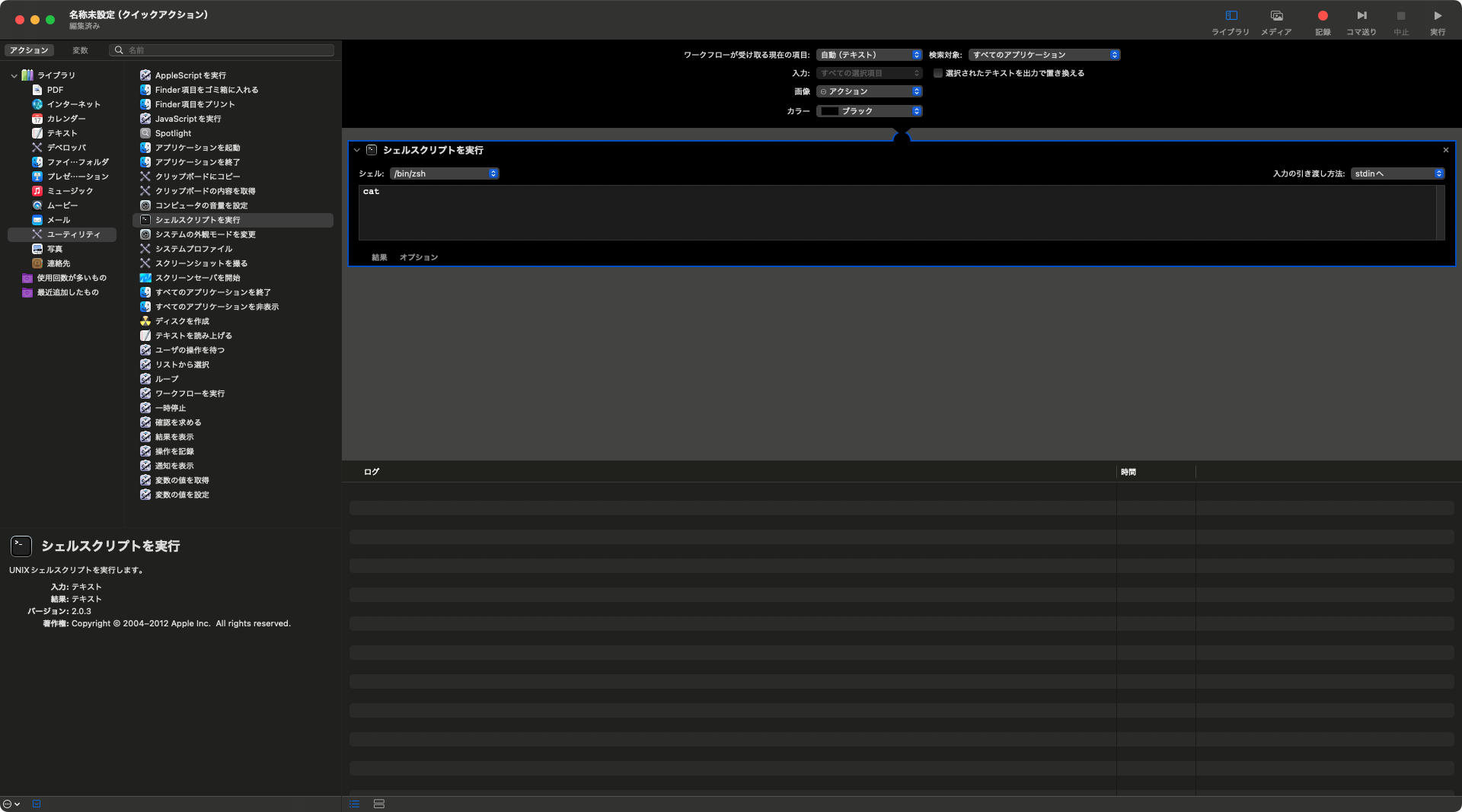
And, put a script with API key for OpenAI.
result=$(/opt/homebrew/bin/ggai -k "sk-proj-......")

osascript <<EOD
display dialog "$(echo "$result" | sed 's/"/\\"/g')" buttons {"OK"} default button 1
EOD
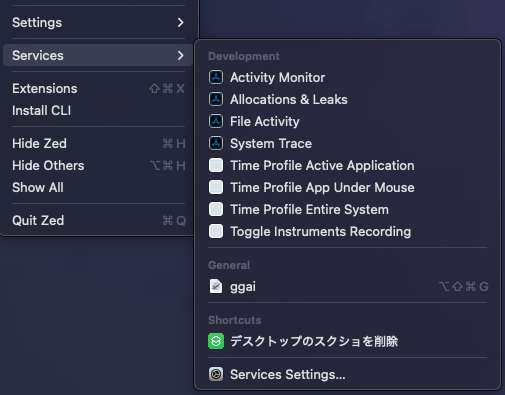
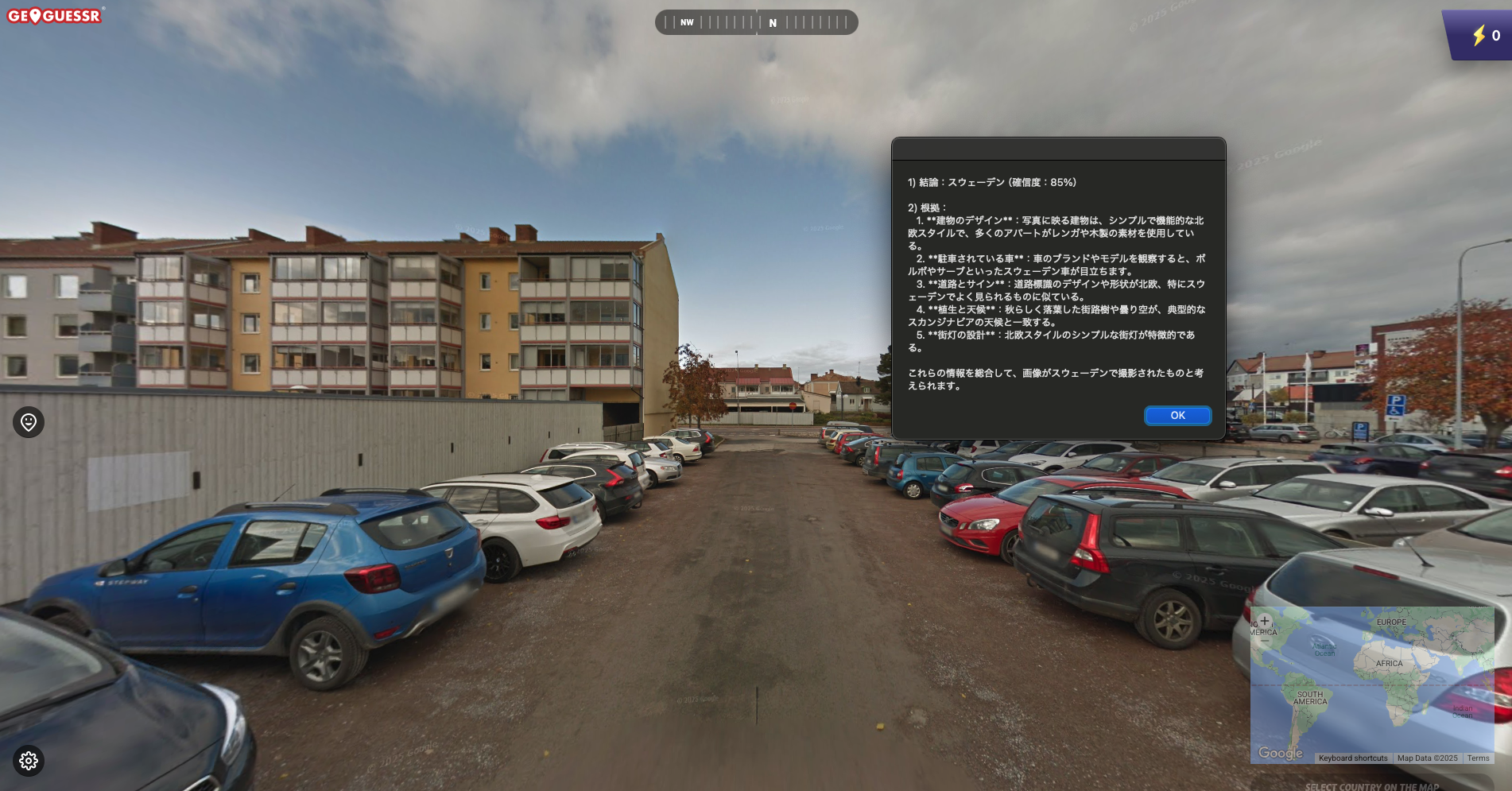
After saving the quickaction as 'ggai', you can call it from 'Services...' menu.
Release Notes
0.4.13 Release
- Dependency Update
0.4.12 Release
- Dependency Update
0.4.11 Release
- Dependency Update
0.4.10 Release
- Dependency Update
0.4.9 Release
- Dependency Update
0.4.8 Release
- Changed the default model to GPT-5, it takes much longer to guess than gpt-4o
0.4.7 Release
- Dependency Update
0.4.6 Release
- Dependency Update
0.4.5 Release
- Dependency Update
0.4.4 Release
- Dependency Update
0.4.3 Release
- Dependency Update
0.4.2 Release
- Dependency Update
0.4.1 Release
- Improved robustness
0.4.0 Release
- Refactored
0.3.2 Release
- Show guessing duration
0.3.1 Release
- Improved prompt
0.3.0 Release
- Added directory argument
0.2.2 Release
- Improved prompt
0.2.1 Release
- Added text embedding
0.2.0 Release
- Added a feature to write a file of guess
0.1.6 Release
- Improved prompt
0.1.5 Release
- Improved prompt
0.1.4 Release
- Improved prompt
0.1.3 Release
- Fixed package size
0.1.2 Release
- Added detailed README
0.1.1 Release
- Initial release
License
MIT License
Release history Release notifications | RSS feed


Download files
Download the file for your platform. If you're not sure which to choose, learn more about installing packages.
Source Distribution
ggai-0.4.13.tar.gz
(3.5 MB
view details)
Built Distribution
Filter files by name, interpreter, ABI, and platform.
If you're not sure about the file name format, learn more about wheel file names.
Copy a direct link to the current filters
ggai-0.4.13-py3-none-any.whl
(7.9 kB
view details)
File details
Details for the file ggai-0.4.13.tar.gz.
File metadata
- Download URL: ggai-0.4.13.tar.gz
- Upload date:
- Size: 3.5 MB
- Tags: Source
- Uploaded using Trusted Publishing? No
- Uploaded via: uv/0.6.6
File hashes
| Algorithm | Hash digest | |
|---|---|---|
| SHA256 |
e490d55f012eb3af989ce101cea0be5432837666979439482434e462c2e90a57
|
|
| MD5 |
a251464348105abc7890c932fcf9325e
|
|
| BLAKE2b-256 |
03fac951347070488f1405ed556dfed142c38b7e88c65d14df4436795c30ac98
|
File details
Details for the file ggai-0.4.13-py3-none-any.whl.
File metadata
- Download URL: ggai-0.4.13-py3-none-any.whl
- Upload date:
- Size: 7.9 kB
- Tags: Python 3
- Uploaded using Trusted Publishing? No
- Uploaded via: uv/0.6.6
File hashes
| Algorithm | Hash digest | |
|---|---|---|
| SHA256 |
3ce29955e10b283c39ca2baefd6a189720a374b96919927d04c2dc7820727314
|
|
| MD5 |
6dcc5ec2db61b06d5fdd11361670a535
|
|
| BLAKE2b-256 |
c5ed47f38b3eec57b1f965da162745df1b06669391e3d9807314ab1afbd809a2
|






