
Visualize your GitHub language stats, blazingly fast.

Project description







ghlang
Visualize your GitHub language stats, blazingly fast.
Table of Contents
About The Project
Ever wondered what languages you actually use? ghlang makes pretty charts to show you:


my actual language stats across all repos
- GitHub mode: Pulls stats from all your repos via the API (counts bytes)
- Local mode: Analyzes files on your machine using tokount (counts lines)
Why ghlang?
Unlike tools like github-readme-stats (which generate SVG cards for your README), ghlang is a CLI tool that:
- Runs locally on your machine (Python-based)
- Analyzes local files, not just GitHub repos
- Generates downloadable charts (PNG/SVG) you can use anywhere
- Exports raw JSON data for further analysis
- Works offline for local analysis
- Gives you full control over the data
If you want embedded GitHub stats for your README, use github-readme-stats. If you want to analyze your actual codebase and generate charts you can save, share, or customize, use ghlang.
(that said, ghlang does support SVG output with --format svg, so you can totally embed your charts in READMEs too - would be cool to see people do that!)
Built With
Getting Started
Getting this running is pretty straightforward.
Prerequisites
- Python 3.11+
- For GitHub mode: a GitHub token
- For local mode:
tokount
Installation
# with pipx (recommended)
pipx install ghlang

# or with pip
pip install ghlang

# or with yay (AUR)
yay -S python-ghlang

# or with paru (AUR)
paru -S python-ghlang

# or install from source
pip install git+https://github.com/velox-sh/ghlang.git
For local mode, you'll also need tokount:
# with cargo
cargo install tokount

# or with yay (AUR)
yay -S tokount

# or with paru (AUR)
paru -S tokount
Setting Up GitHub Mode
-
Get a token from GitHub Settings
- Pick
repofor private repos, or justpublic_repofor public only
- Pick
-
Run it once to create the config file:
ghlang githubConfig lives at
~/.config/ghlang/config.toml(or%LOCALAPPDATA%\ghlang\config.tomlon Windows) -
Add your token to the config:
[github]
token = "ghp_your_token_here"
-
Run it again and you're good:
ghlang github
Usage
All the Flags
Both github and local commands share the same options:
| Flag | Short | What it does |
|---|---|---|
--config |
use a different config file | |
--output-dir |
where to save the charts (directory) | |
--output |
-o |
custom output filename (creates _pie and _bar variants) |
--title |
-t |
custom chart title |
--top-n |
how many languages in the bar chart (default: 5) | |
--save-json |
save raw stats as JSON files | |
--theme |
chart color theme (default: light) | |
--format |
-f |
output format, overrides --output extension (png or svg) |
--json-only |
output JSON only, skip chart generation | |
--stdout |
output stats to stdout (implies --json-only --quiet) |
|
--quiet |
-q |
suppress log output (only show errors) |
--verbose |
-v |
show more details |
The local command also takes an optional [PATH] argument (defaults to .) and has one extra flag:
| Flag | Short | What it does |
|---|---|---|
--follow-links |
-L |
follow symlinks when analyzing (unix only) |
The config command has its own options:
| Flag | What it does |
|---|---|
--show |
print config as formatted table |
--path |
print config file path |
--raw |
print raw TOML contents |
Shell Completion
ghlang has built-in shell completion. To enable it:
# install completion for your shell
ghlang --install-completion

# or just view the completion script
ghlang --show-completion
After installing, restart your shell or source your config file.
What You Get
Charts end up in your output directory (.png by default, or .svg with --format svg):
| File | What it is |
|---|---|
language_pie.png |
pie chart with all languages |
language_bar.png |
bar chart with top N languages |
language_stats.json |
raw stats (with --save-json) |
tokount_stats.json |
detailed tokount output (local mode, with --save-json) |
repositories.json |
list of repos analyzed (GitHub mode, with --save-json) |
github_colors.json |
language colors from GitHub (with --save-json) |
Config Options
Everything lives in config.toml:
[github]
| Option | Default | What it does |
|---|---|---|
token |
- | your GitHub token |
affiliation |
"owner,collaborator,organization_member" |
which repos to include |
visibility |
"all" |
all, public, or private |
ignored_repos |
[] |
repos to skip (e.g. "org/*", "https://github.com/user/repo") |
[tokount]
| Option | Default | What it does |
|---|---|---|
ignored_dirs |
["node_modules", "vendor", ...] |
directories to skip |
[output]
| Option | Default | What it does |
|---|---|---|
directory |
"~/Documents/ghlang-stats" |
where to save charts |
[preferences]
| Option | Default | What it does |
|---|---|---|
verbose |
false |
more logging |
theme |
"light" |
chart color theme |
Themes
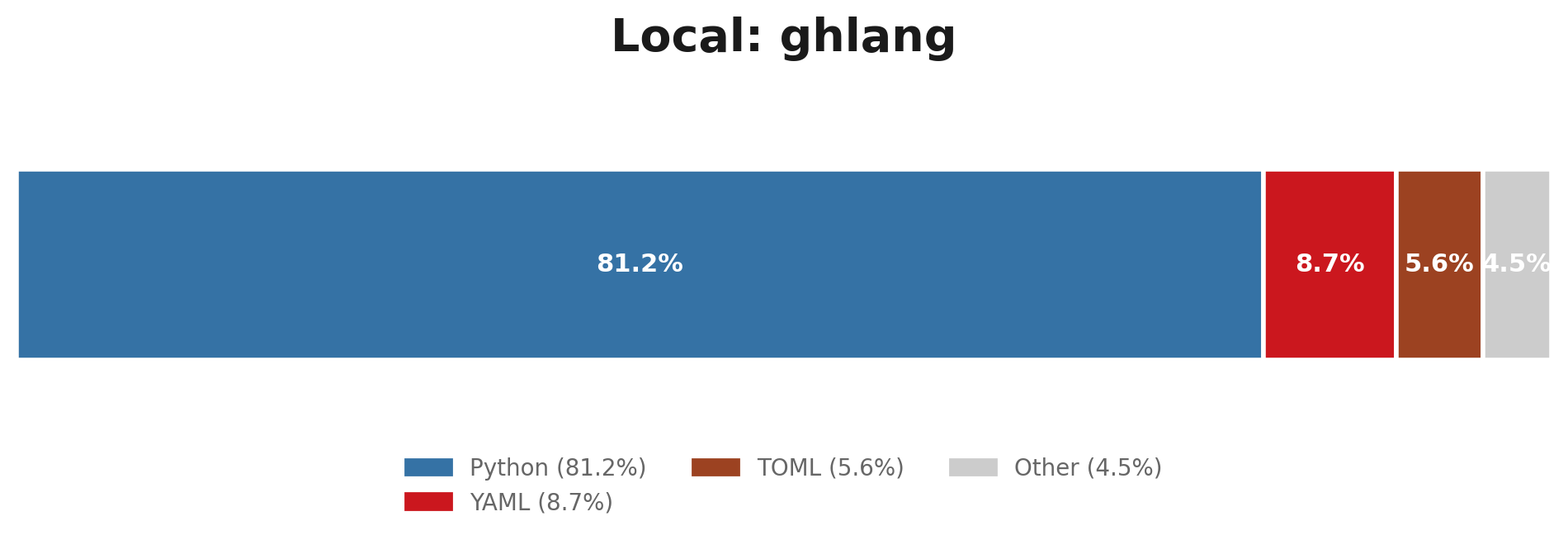
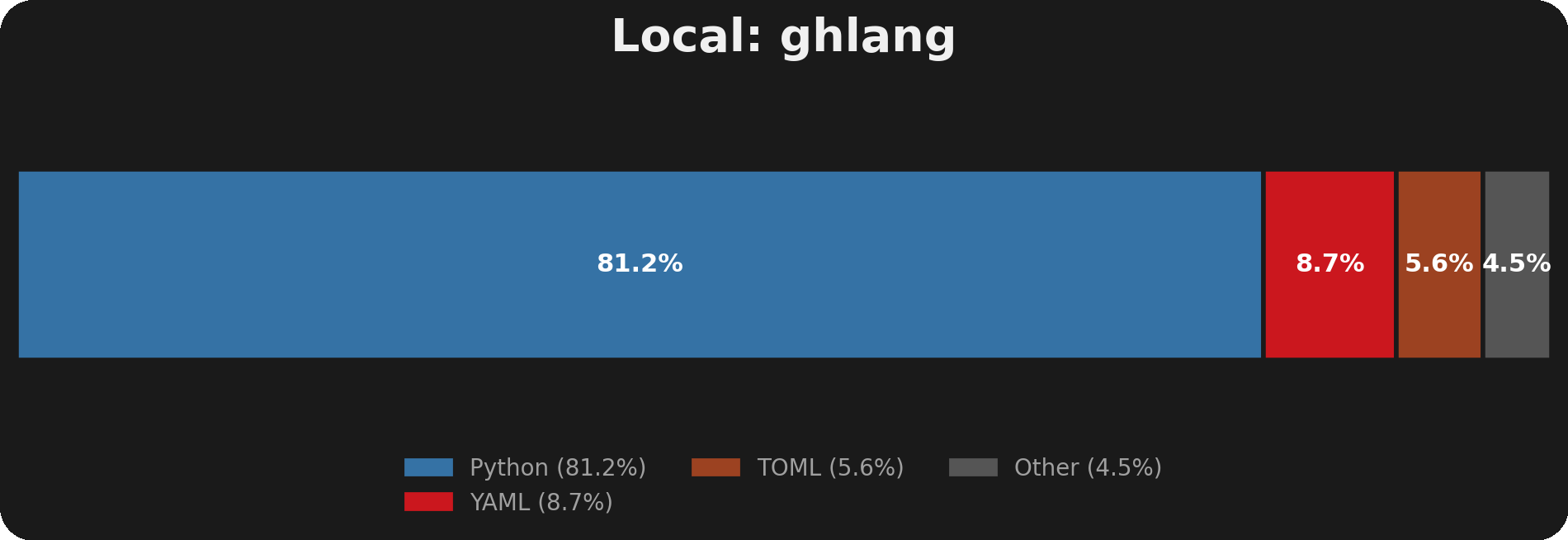
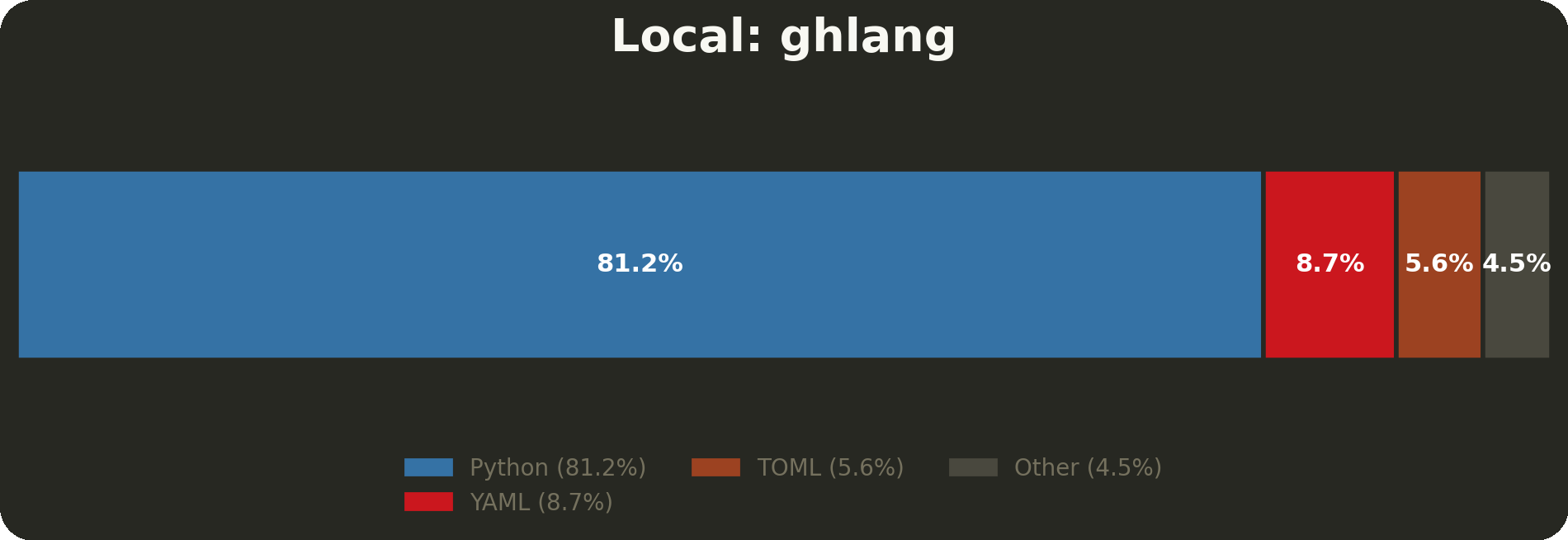
ghlang comes with built-in themes and supports community themes:
| Theme | Preview | Source |
|---|---|---|
light |
 |
built-in |
dark |
 |
built-in |
monokai |
 |
community |
Using themes:
# use a theme
ghlang github --theme dark
Set default in config.toml:
[preferences]
theme = "dark"
License
MIT. Do whatever you want with it. See LICENSE for more information.
Made with ❤️
Release history Release notifications | RSS feed


Download files
Download the file for your platform. If you're not sure which to choose, learn more about installing packages.
Source Distribution
Built Distribution
Filter files by name, interpreter, ABI, and platform.
If you're not sure about the file name format, learn more about wheel file names.
Copy a direct link to the current filters
File details
Details for the file ghlang-2.5.0.tar.gz.
File metadata
- Download URL: ghlang-2.5.0.tar.gz
- Upload date:
- Size: 120.3 kB
- Tags: Source
- Uploaded using Trusted Publishing? No
- Uploaded via: twine/6.1.0 CPython/3.13.7
File hashes
| Algorithm | Hash digest | |
|---|---|---|
| SHA256 |
fa84069f109c505b3a94a70efb81cd4ac5ad4ff33e4b8fbb69e277cee03e040f
|
|
| MD5 |
4dc804a7be2b20fd3c408efbef86f66f
|
|
| BLAKE2b-256 |
6b5cb4efba2fef17854510c0fa9f577c32b9e4fb89bf159ac8dd738c9c584de1
|
File details
Details for the file ghlang-2.5.0-py3-none-any.whl.
File metadata
- Download URL: ghlang-2.5.0-py3-none-any.whl
- Upload date:
- Size: 129.3 kB
- Tags: Python 3
- Uploaded using Trusted Publishing? No
- Uploaded via: twine/6.1.0 CPython/3.13.7
File hashes
| Algorithm | Hash digest | |
|---|---|---|
| SHA256 |
e9f2845c92e5e231fbeba2b9fa8ef0748f324088cd06c61c1394d12c2a645b47
|
|
| MD5 |
fb1d6069c898481e164cc738fdfe7018
|
|
| BLAKE2b-256 |
b52c3d97ab7fe9dee7f52cad48d402b9024075e4a487a0553b99bb24c86700c7
|






