
ghs
Cross-platform CLI tool to generate your Github profile's stats and summary.







Preview
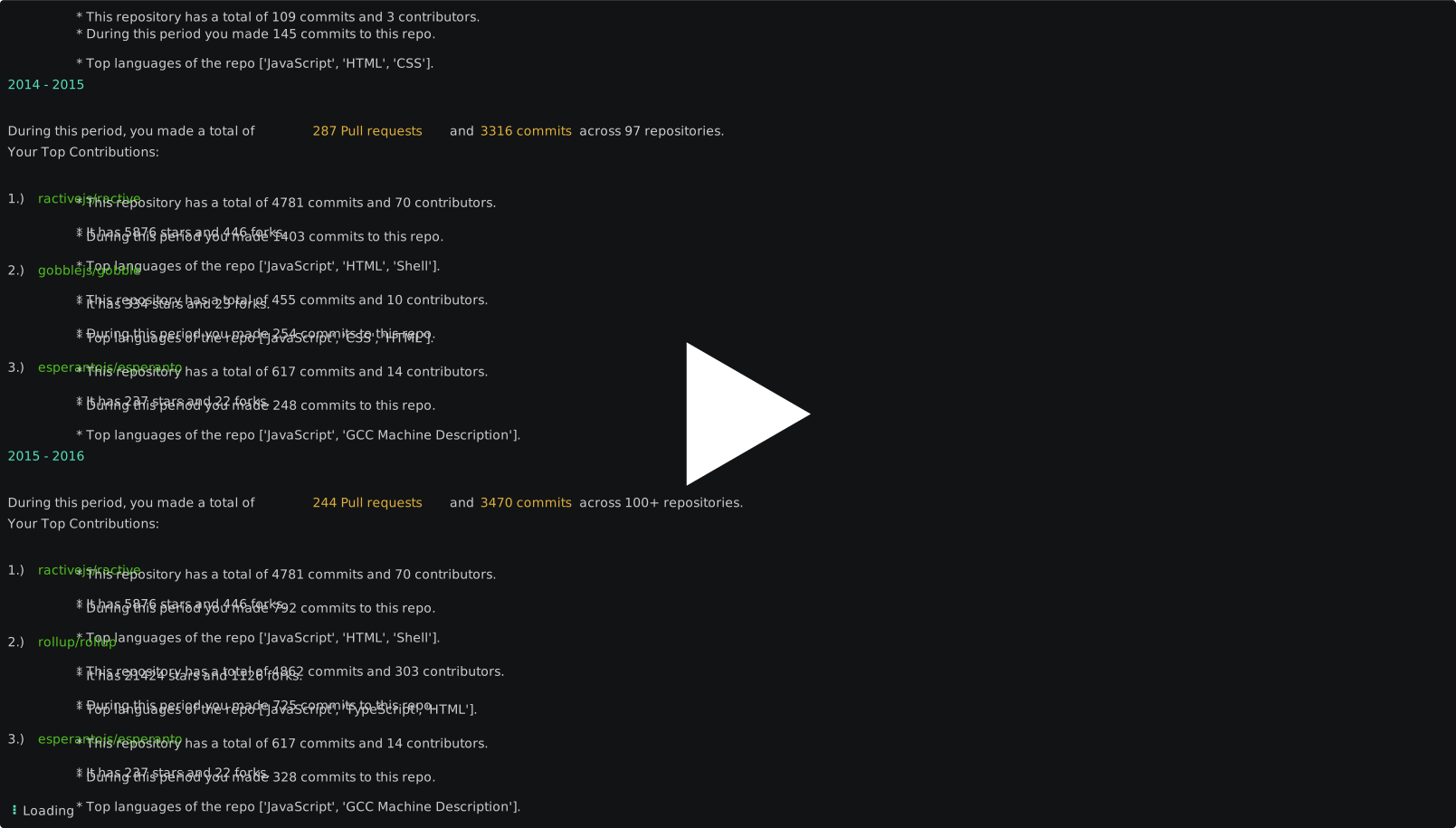
Hop on to examples for other usecases.
Jump to:
- Installation
- Github PAT
- Usage
- Examples
- Installation Hiccups on Windows
- How to contribute?
- Steps for pushing a new update
- Changelog
- Privacy Notice
- License
Installation
Using pip
The stable version of this package is maintained on pypi, install using pip:
pip install ghs
Using source code
This can be useful when you want to do a code contribution to this project. You can test and verify your local changes before submitting a Pull Request.
- Clone the repository
git clone https://github.com/interviewstreet/ghs.git
- Navigate to the project root and create a virtual environment
python -m venv venv
- Activate the virtual environment
- For macOS and linux, run
source venv/bin/activate - For windows, run
.\venv\Scripts\activate
- For macOS and linux, run
- Install the cli by running the following command while you are in the project root
pip install .
Note: You need to reinstall by running the pip command if you want the cli to pick up your code changes.
Docker
docker build -t ghs:latest .
docker run -it ghs ghs --help
Github PAT
Generate a Github personal access token (https://github.com/settings/tokens) and use the ghs -t command to save it in the config file. This will be used to make the API requests to Github. A happy side-effect of this is that your private contributions are also considered while generating the stats and the summary of your username.
Please make sure that you give the following scopes to the token:
reporead:userread:packages
PS: Your Github PAT is not compromised by ghs. Please read the Privacy Notice to know more.
Usage
ghs [options]
| Option | Description |
|---|---|
-v --version |
Print the cli version |
-t --token-update |
Prompts the user for github PAT and saves it in the config file |
-u <username> |
Print the general stats for the provided username |
-s --summary |
Print the summary of the user. The username should be provided using the -u flag. |
-c --copy-to-clipboard |
Copy the output to clipboard. Can be used with -u or -s. |
-h --help |
Show the help message of the cli |
Examples
ghs -u <username>
Prints the general Github stats for the given username.

copy to clipboard
Provide the -c flag to copy the output to your clipboard.

Other options for summary
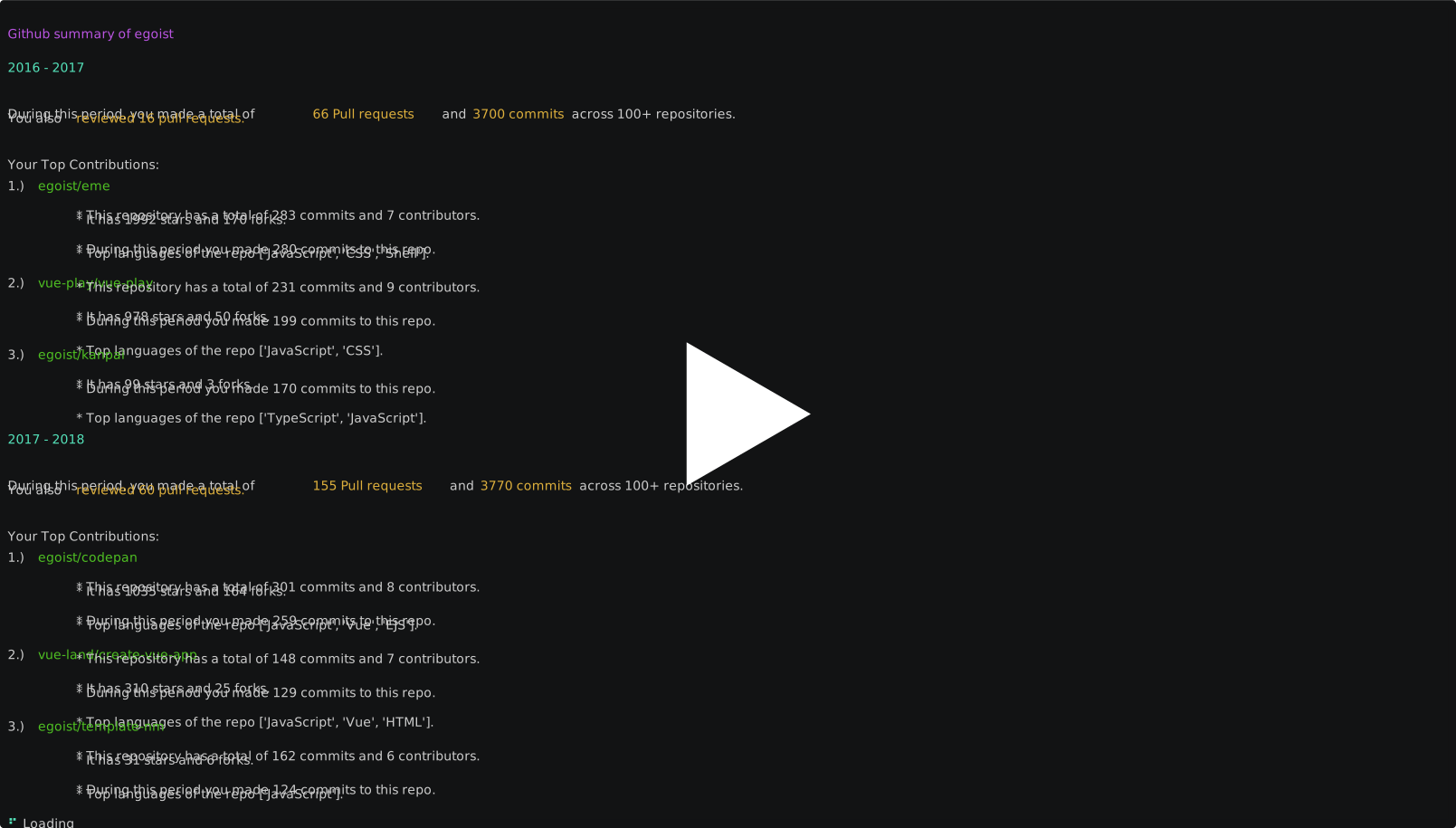
In addition to getting the Github summary from the beginning, you can also get the summary of the last 12 months or you can provide your own custom duration.
Installation hiccups on windows
Could not install package due to Environment Error
It can be solved by scoping the installation. Add the flag --user to the pip command (pip install --user ghs).
Alternatively, you can install the tool inside a virtual environment
ghs command not found even after installing
Most likely the place where the command is installed is not in the system PATH. On windows, there are a few places where the packages might be installed. After confirming the location, add that directory to the PATH.
How to contribute?
Please see Contributing guidelines for more information.
Steps for pushing a new update
-
Bump the version in
ghs/__init__.py(we follow semantic versioning). -
Create an annotated tag for this commit with the version name
git tag -a v1.2.3 -m "v1.2.3". You can use this to publish a new release on the project's github page and the same can be used for maintaining the changelog.
pip install build twine
- Build the package
python -m build
This will create a source archive and a wheel inside the dist folder. You can inspect them to make sure that they contain the correct files.
- Run twine sanity on the build files
twine check dist/*
- First push the package on TestPyPi so that you can test the updates without affecting the real PyPI index
twine upload -r testpypi dist/*
Get the credentials for hackerrank dev PyPI account from karthik.
Twine will list the package url on TestPyPI. You can test and confirm your changes by installing the package.
- Finally, run the following command to upload the package to PyPI
twine upload dist/*
Get the credentials for hackerrank PyPI account from karthik.
- Treat yourself with a scoop of tender coconut.
Changelog
You can checkout Releases for the changelog.
Privacy Notice
ghs does not collect any data.
- It has no home server. The Github PAT is stored locally in your machine.
- It doesn't embed any kind of analytic hooks in its code.
The only time ghs connects to a remote server is when you want to generate the stats and summary of your github profile. The cli uses the Github GraphQL and Github Rest APIs to do so. The data collected via the APIs is not sent anywhere. It's displayed in your terminal or copied to your clipboard (only if you explicitly tell the tool to do so by providing the -c or --copy-to-clipboard flag).
License
MIT © HackerRank
1 maintainer

Metadata
1 maintainer
Release files for ghs 0.1.4
For a detailed explanation of source distributions (sdists) and built distributions (wheels), please see the package formats documentation.
Source distribution (sdist)
| File | Size | Uploaded | |
|---|---|---|---|
| ghs-0.1.4.tar.gz | 15.5 kB | Details |
Built distribution (wheel)
| File | Interpreter | ABI | Platform | Reset |
|---|---|---|---|---|
| ghs-0.1.4-py3-none-any.whl | Python 3 | none | any | Details |
Total release size: 29.7 kB
Release files / ghs-0.1.4.tar.gz
| Download URL | ghs-0.1.4.tar.gz |
|---|---|
| Size | 15.5 kB |
| Tags | Source |
|
SHA-256 checksum How to use checksums |
b8e55d19ee2bd6fa4c60ad1e1ccfca9a50ee7a820c66da33ea0f19a3057100f0
|
|
BLAKE2b-256 checksum How to use checksums |
c800bed93882f0ab37a53b2158c37c0a75da7c6832c31a2866d6e445bfe7ea59
|
| Upload date | |
|
Uploaded using Trusted Publishing? What is trusted publishing? |
No |
| Uploaded via |
twine/4.0.1 CPython/3.9.0
|
Release files / ghs-0.1.4-py3-none-any.whl
| Download URL | ghs-0.1.4-py3-none-any.whl |
|---|---|
| Size | 14.3 kB |
| Tags | Python 3 |
|
SHA-256 checksum How to use checksums |
29bd5df3cd8b04f1c16871ae8362bd5d7e0161b2a8e42e25cdd1cab3dd2175f3
|
|
BLAKE2b-256 checksum How to use checksums |
457e77e4d8d74e1eb8b8c4ae11bb9bc09ada2170134fcb8ab24b7966d1d1585a
|
| Upload date | |
|
Uploaded using Trusted Publishing? What is trusted publishing? |
No |
| Uploaded via |
twine/4.0.1 CPython/3.9.0
|














