
A package for spatial data download & processing

Project description

GigaSpatial






Table of contents
- About Giga
- About GigaSpatial
- Installation
- Quick start
- Key features
- Core concepts
- Supported datasets
- Why use GigaSpatial?
- Why open source?
- How to contribute
- Code of conduct
- Stay connected
About Giga
Giga is a UNICEF-ITU initiative to connect every school to the Internet and every young person to information, opportunity and choice. Giga maps schools' Internet access in real time, creates models for innovative financing, and supports governments contracting for connectivity.
About GigaSpatial
GigaSpatial is a Python toolkit for scalable geospatial data download, processing, and enrichment, designed for use across diverse domains such as infrastructure mapping, accessibility analysis, and environmental studies.
Originally developed within UNICEF's Giga initiative, GigaSpatial now provides a general‑purpose geospatial toolkit that can be applied to many contexts, including but not limited to school connectivity analysis.
Who is this for?
- Data engineers building reproducible geospatial pipelines
- Data scientists analyzing school connectivity and infrastructure
- Researchers working with large, multi‑source spatial datasets
- GIS analysts requiring planetary-scale Earth observation data
Installation
GigaSpatial requires Python 3.10 or above.
pip install giga-spatial
The package depends on:
geopandaspandasshapelyrasteriopydantic
Optional dependencies for cloud and API integrations:
azure-storage-blob— Azure Data Lake Storage (ADLS) backendsnowflake-connector-python— Snowflake stage backendearthengine-api+geemap— Google Earth Engine features
For detailed setup instructions, storage backend configuration, and API key management, see the Configuration Guide.
We recommend using a virtual environment or conda environment for installation.
Quick Start
The core pattern in GigaSpatial is: Handler → PoiViewGenerator (or ZonalViewGenerator) → enriched dataset.
from gigaspatial import GigaSchoolLocationFetcher, PoiViewGenerator

# 1. Fetch school locations via the Giga API
schools = GigaSchoolLocationFetcher("BEN").fetch_locations(process_geospatial=True)

# 2. Wrap schools in a POI view — this is the analytic "canvas"
view = PoiViewGenerator(schools)

# 3. Enrich with nearest building footprints (auto-managed by the handler)
view_with_buildings = view.find_nearest_buildings(country="BEN", search_radius=1000)

# 4. Enrich with settlement classification from the Global Human Settlement Layer
view_with_smod = view.map_smod(stat="median")

# 5. Enrich with population catchment (WorldPop, summed within 1km radius)
view_with_pop = view.map_wp_pop(country="BEN", map_radius_meters=1000)

print(view_with_pop.head())
For grid-based (zonal) analysis:
from gigaspatial import H3ViewGenerator, WPPopulationHandler

# 1. Tessellate the country into H3 hexagons at ~1km resolution
generator = H3ViewGenerator(source="BEN", resolution=7)

# 2. Aggregate WorldPop population estimates to each hexagon
view = generator.map_wp_pop(country="BEN")

print(view.head())
For more detailed examples, see the User Guide.
Key Features
-
Handlers: Unified interface for downloading, caching, and reading from 15+ geospatial data sources including GHSL, Google Open Buildings, Microsoft Global Buildings, WorldPop, OpenCellID, OSM, HDX, and Ookla Speedtest.
-
POI View Generator: Enrich any set of points of interest (schools, cell towers, health sites) with contextual layers — building footprints, population, settlement class, speedtest data — in a few lines of code.
-
Zonal View Generators: Aggregate multi-source indicators onto H3, S2, or Mercator tile grids for scalable national or sub-national analysis.
-
Grid System: Create and manage H3 hexagonal grids, Google S2 cells, or slippy map Mercator tiles over any geometry or country boundary.
-
TIF Processor: Memory-efficient raster processing engine for merging, reprojecting, clipping, and sampling GeoTIFFs at scale.
-
Flexible Storage Backends: Run the same pipelines against local files, Azure Data Lake Storage (ADLS), or Snowflake internal stages without changing core logic.
-
Configuration Management: All paths and credentials managed via a single Pydantic-based config object. Set environment variables or a
.envfile — the library handles the rest.
Core Concepts
| Concept | Description |
|---|---|
| Handlers | Orchestrate the full dataset lifecycle (discover → download → cache → read) for a specific data source (e.g. GHSLDataHandler, WPPopulationHandler). |
| PoiViewGenerator | Enriches a set of point locations (POIs) with contextual spatial variables via buffer-based proximity and zonal statistics. |
| ZonalViewGenerators | Maps data onto spatial zones (H3, S2, Mercator tiles, admin boundaries) via H3ViewGenerator, S2ViewGenerator, MercatorViewGenerator. |
| Grid System | H3Hexagons, S2Cells, MercatorTiles — utilities to build, filter, and export grid cells for a country, bounding box, or geometry. |
| Storage Backends | LocalDataStore, ADLSDataStore, SnowflakeDataStore — pluggable backends passed to Handlers for cloud-native pipelines. |
| TifProcessor | High-performance raster engine for merging, reprojecting, and sampling GeoTIFFs. Used internally by generators and exposed for custom workflows. |
Supported Datasets
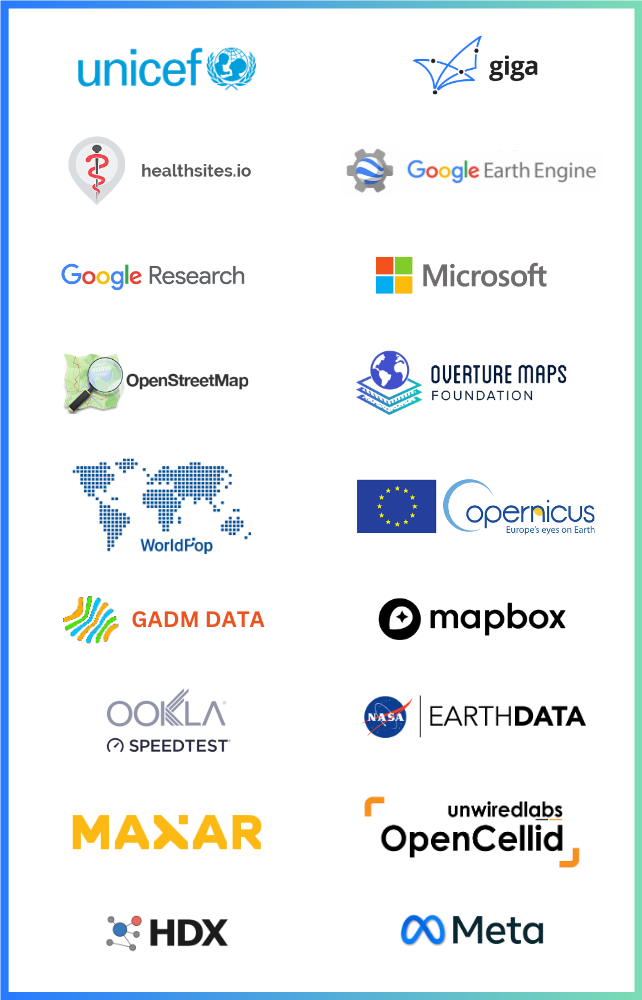
The gigaspatial package supports data from the following providers:
| Category | Sources |
|---|---|
| Buildings | Google Open Buildings, Microsoft Global Buildings |
| Population & Settlements | WorldPop, GHSL (GHS_POP, GHS_SMOD, GHS_BUILT_S) |
| Network & Connectivity | OpenCellID, Ookla Speedtest, MLab |
| Points of Interest | OpenStreetMap (Overpass API), Healthsites.io, Overture Maps |
| Humanitarian | HDX datasets |
| Earth Observation | Full Google Earth Engine catalog (Landsat, Sentinel, MODIS, ERA5, SRTM, and more) |
| Giga | School locations, connectivity measurements, school profiles |
| Admin Boundaries | GeoRepo (UNICEF), GADM |
| Relative Wealth | Meta Relative Wealth Index (RWI) |
Why use GigaSpatial?
-
End-to-end geospatial pipelines: Go from raw open datasets (OSM, GHSL, global buildings, HDX, etc.) to analysis-ready tables with a consistent set of handlers, readers, and view generators.
-
Planetary-scale analysis: Leverage Google Earth Engine's cloud infrastructure to process petabytes of satellite imagery without downloading data or managing compute resources.
-
Scalable analysis: Work seamlessly with both point and grid representations, making it easy to aggregate indicators at national scale or zoom into local POIs.
-
Batteries included for enrichment: Fetch buildings, population layers, and settlement classes and join them onto schools or other locations with a few lines of code.
-
Flexible storage: Run the same workflows against local files, Azure Data Lake Storage (ADLS), or Snowflake stages without changing core logic.
-
Modern, extensible architecture: Base handler orchestration, dataset-specific readers, modular source resolution, and structured logging make it straightforward to add new sources and maintain production pipelines.
-
Open and collaborative: Developed in the open under an AGPL-3.0 license, with contributions and reviews from the wider geospatial and data-for-development community.
Why Open Source?
At Giga, we believe in the power of open-source technologies to accelerate progress and innovation. By keeping our tools and systems open, we:
- Encourage collaboration and contributions from a global community.
- Ensure transparency and trust in our methodologies.
- Empower others to adopt, adapt, and extend our tools to meet their needs.
How to Contribute
We welcome contributions to our repositories! Whether it's fixing a bug, adding a feature, or improving documentation, your input helps us move closer to our goal of universal school connectivity.
Steps to Contribute
- Fork the repository you'd like to contribute to.
- Create a new branch for your changes.
- Submit a pull request with a clear explanation of your contribution.
To go through the contribution guidelines in detail, visit the following link.
Click here for the detailed Contribution guidelines
Code of Conduct
At Giga, we're committed to maintaining an environment that's respectful, inclusive, and harassment-free for everyone involved in our project and community. We welcome contributors and participants from diverse backgrounds and pledge to uphold the standards.
Click here for the detailed Code of Conduct.
Stay Connected
To learn more about Giga and our mission, visit our official website: Giga.Global
Join Us
Join us in creating an open-source future for education! 🌍
Release history Release notifications | RSS feed


Download files
Download the file for your platform. If you're not sure which to choose, learn more about installing packages.
Source Distribution
Built Distribution
Filter files by name, interpreter, ABI, and platform.
If you're not sure about the file name format, learn more about wheel file names.
Copy a direct link to the current filters
File details
Details for the file giga_spatial-0.9.3.tar.gz.
File metadata
- Download URL: giga_spatial-0.9.3.tar.gz
- Upload date:
- Size: 556.8 kB
- Tags: Source
- Uploaded using Trusted Publishing? No
- Uploaded via: twine/6.1.0 CPython/3.10.11
File hashes
| Algorithm | Hash digest | |
|---|---|---|
| SHA256 |
12c29c8cb9ef27a1263d4e9d2a01173e10a671071fd8a31cbb83fe5e6c5e01d0
|
|
| MD5 |
4a2fbbd6d1ab05e942dfea574c0cf6dd
|
|
| BLAKE2b-256 |
174cbaf9158f98e90a499052dee494fbde1e0655786cb4d8a18ee44c85190aec
|
File details
Details for the file giga_spatial-0.9.3-py3-none-any.whl.
File metadata
- Download URL: giga_spatial-0.9.3-py3-none-any.whl
- Upload date:
- Size: 321.6 kB
- Tags: Python 3
- Uploaded using Trusted Publishing? No
- Uploaded via: twine/6.1.0 CPython/3.10.11
File hashes
| Algorithm | Hash digest | |
|---|---|---|
| SHA256 |
422ffe9dfdba71df9b90a2b4426392500af30c8cf10ef92b1c6e23043a33a8ee
|
|
| MD5 |
22b401b1116f0ccbfc4c0fa5688f0367
|
|
| BLAKE2b-256 |
c6a3b5c38e82c72ae37a1210d6162d873e3c7a234f6c12de528f188fb09ae8e1
|






