
gvt — Git Visual Timeline
A keyboard-driven TUI for exploring the commit history of any file in a git repo. Think lazygit meets a video timeline scrubber, focused on per-file history.
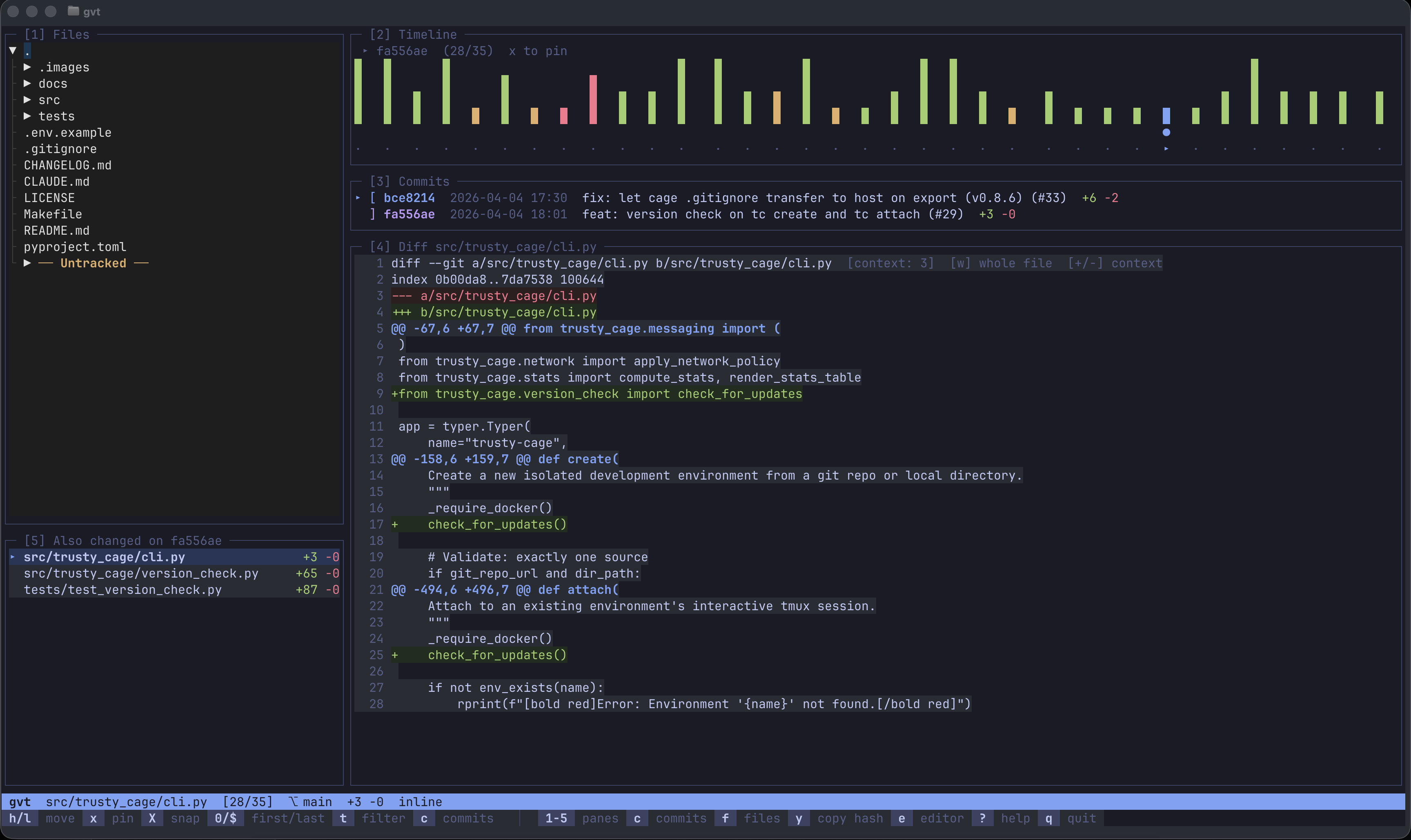
gvt is a read-only history explorer, not a git UI. It doesn't stage, commit, push, or manage branches — lazygit is great for that. gvt does one thing: lets you scrub through a file's commit timeline, see what changed and when, and understand how code evolved over time. It's the tool you reach for when you're staring at a file and asking "how did this get here?"
Install
pipx install git-visual-timeline
pipx installs gvt in an isolated environment and puts it on your PATH — the recommended way to install Python CLI tools. Install pipx itself with brew install pipx (macOS) or apt install pipx (Debian/Ubuntu).
Usage
# Open in any git repo
gvt

# Jump directly to a file
gvt path/to/file.py
Layout
gvt uses a 5-pane layout, each accessible by number key:
| Pane | Name | What it shows |
|---|---|---|
| 1 | Files | File tree with lazy-loading directories |
| 2 | Timeline | Heatmap of commits (green=adds, red=deletes, amber=mixed) |
| 3 | Commits | Message, hash, date, and stats for visible commits |
| 4 | Diff | Syntax-highlighted diff with blame, search, and context controls |
| 5 | Changed Files | All files touched by the current commit |
Features
Timeline Navigation
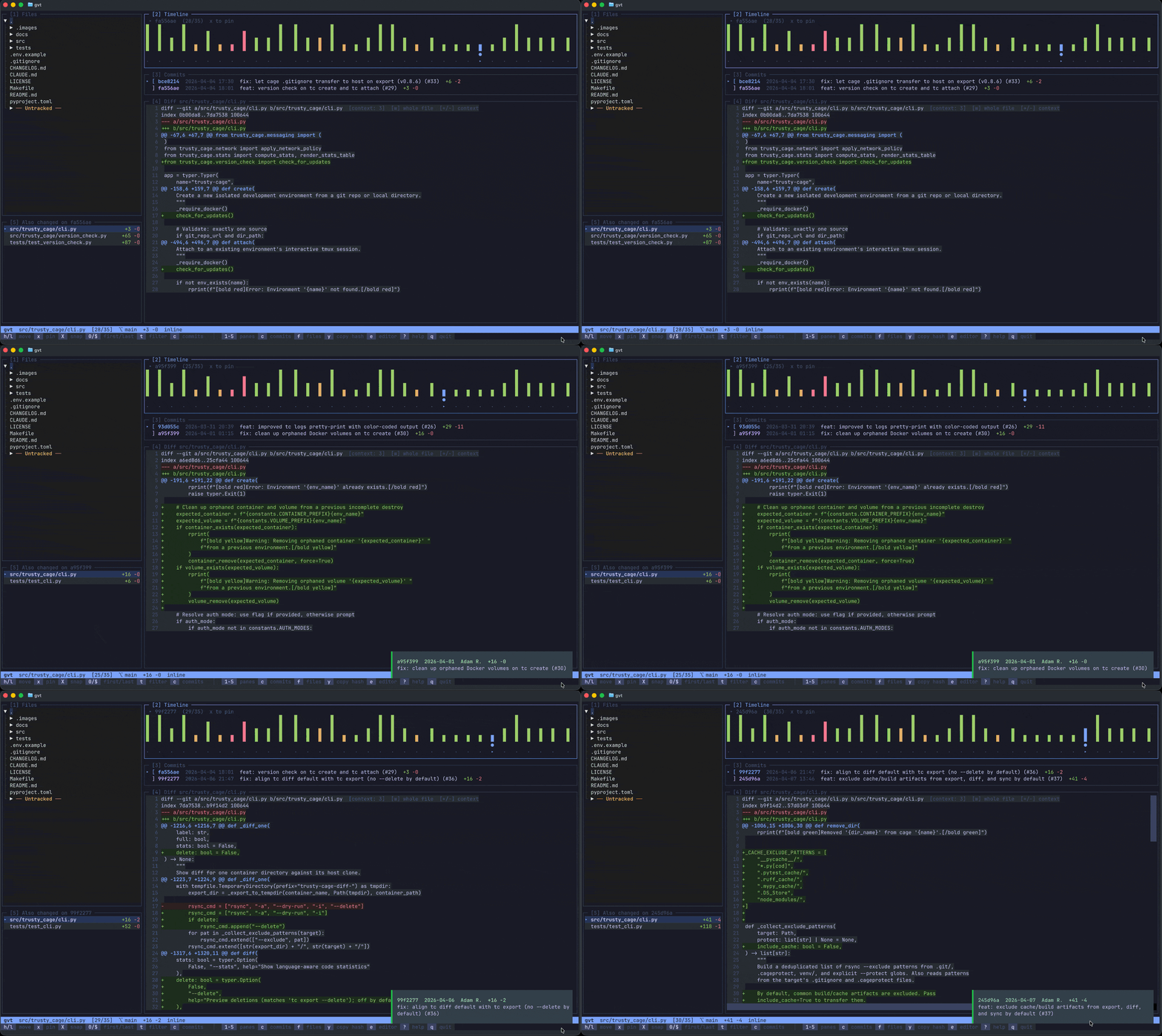
Scrub through a file's commit history one tick at a time. Each tick is colored by change type — green for additions, red for deletions, amber for mixed.
Pin Mode
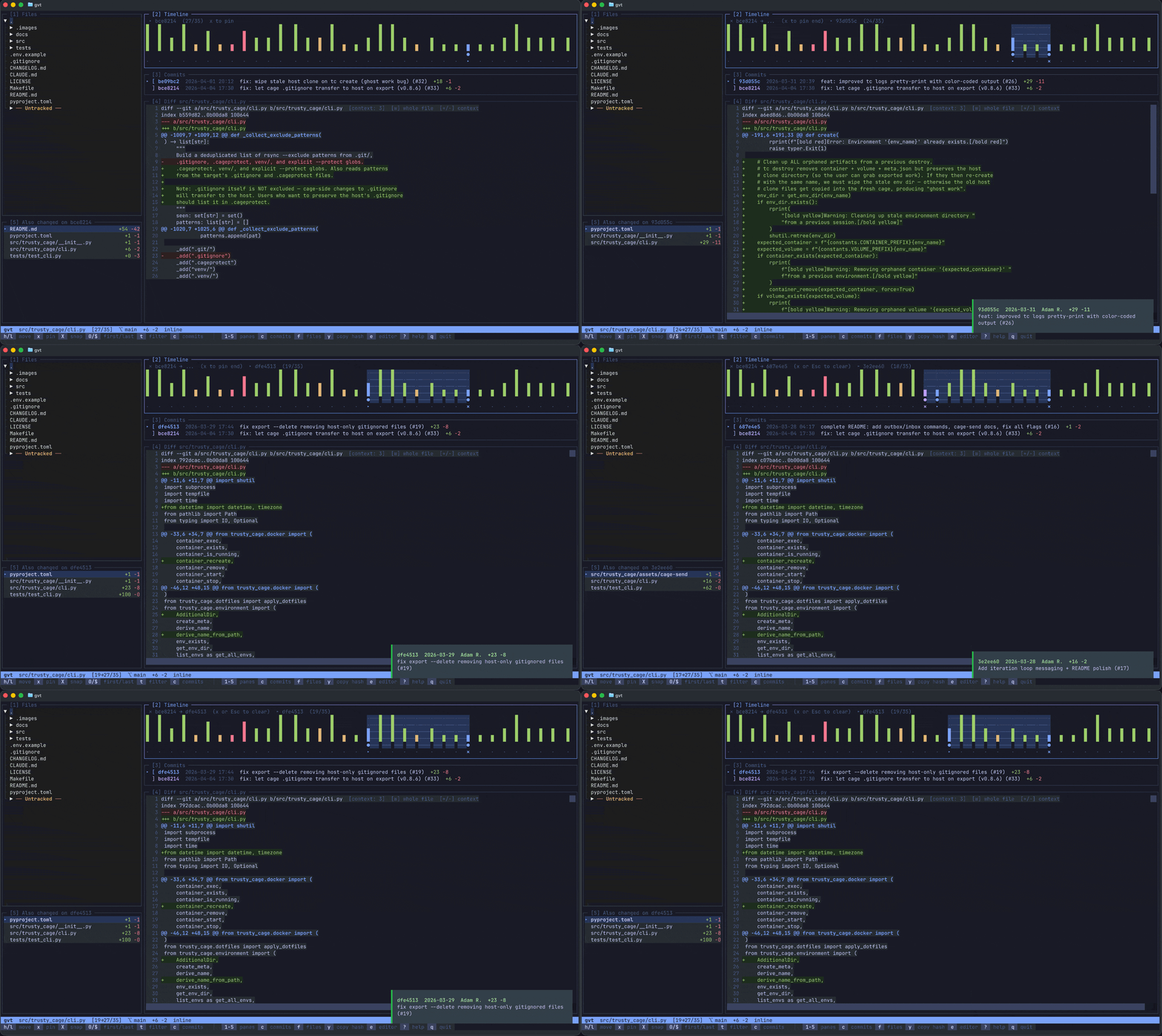
Press x to pin a commit, then move to another and press x again to diff any two commits. Press x a third time to clear. Use X to snap the nearest pin to your cursor.
Inline Blame
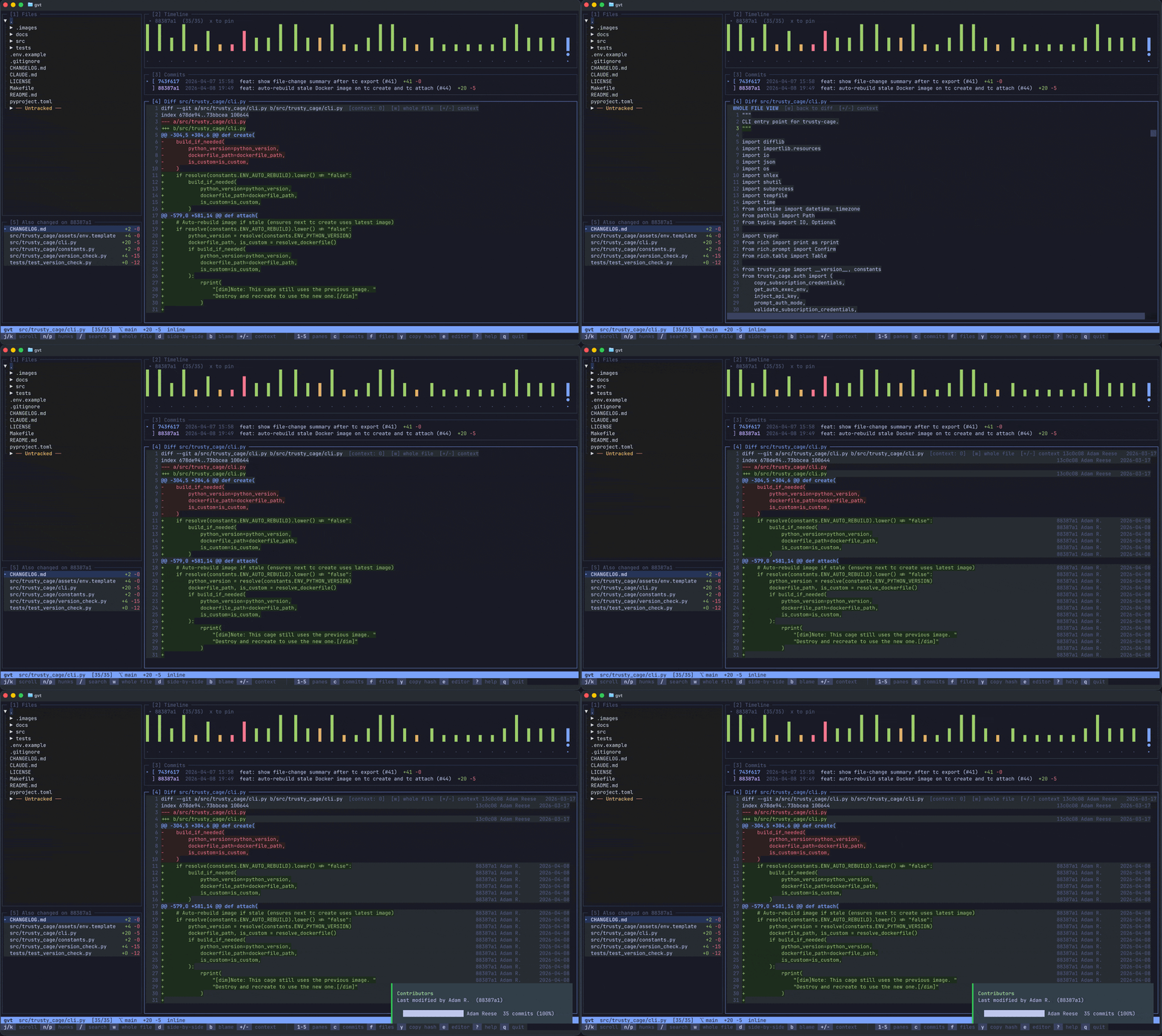
Toggle blame annotations with b to see who last modified each line, right-aligned alongside the diff.
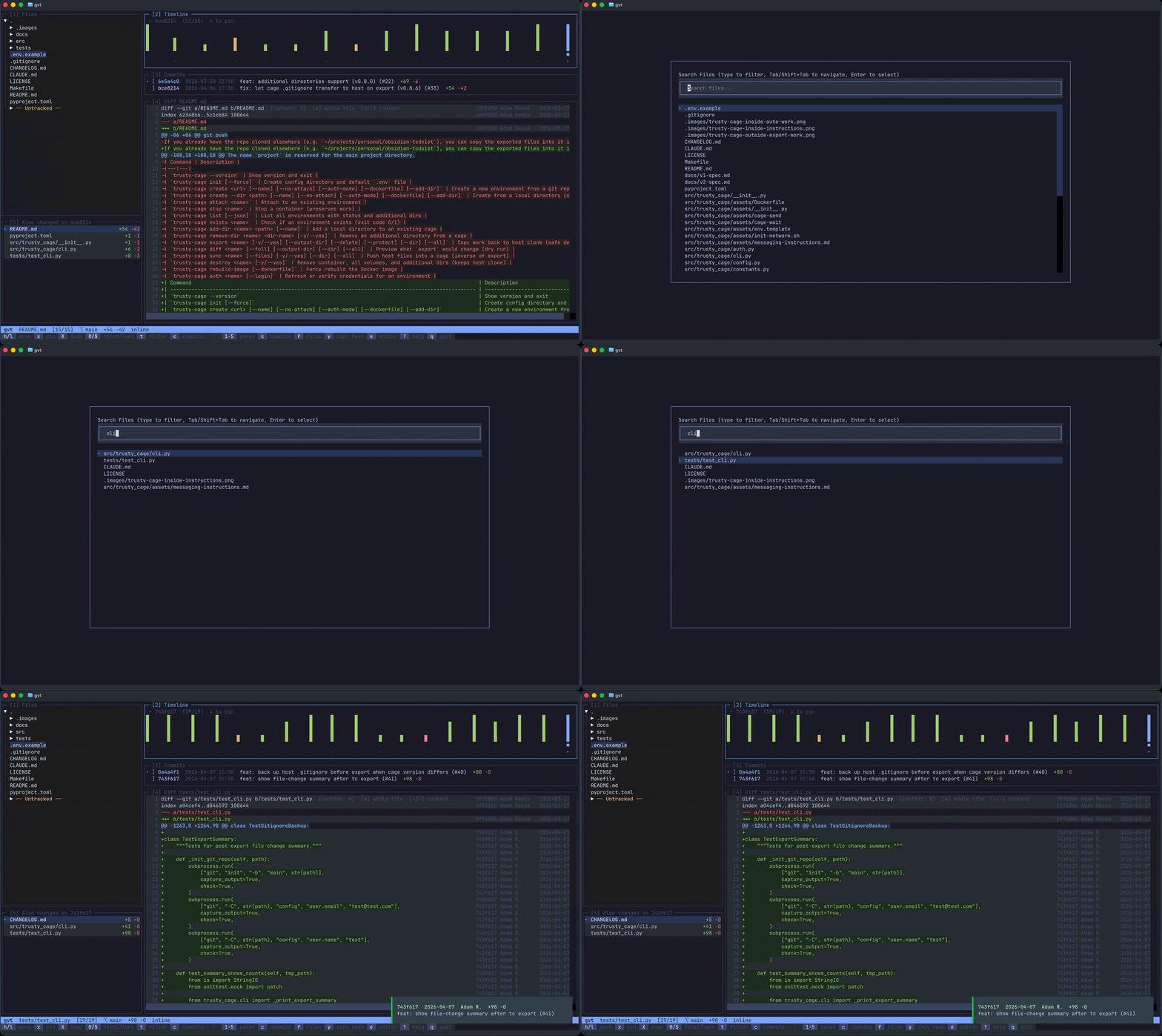
File Search
Press f for an fzf-style fuzzy file picker that filters as you type.
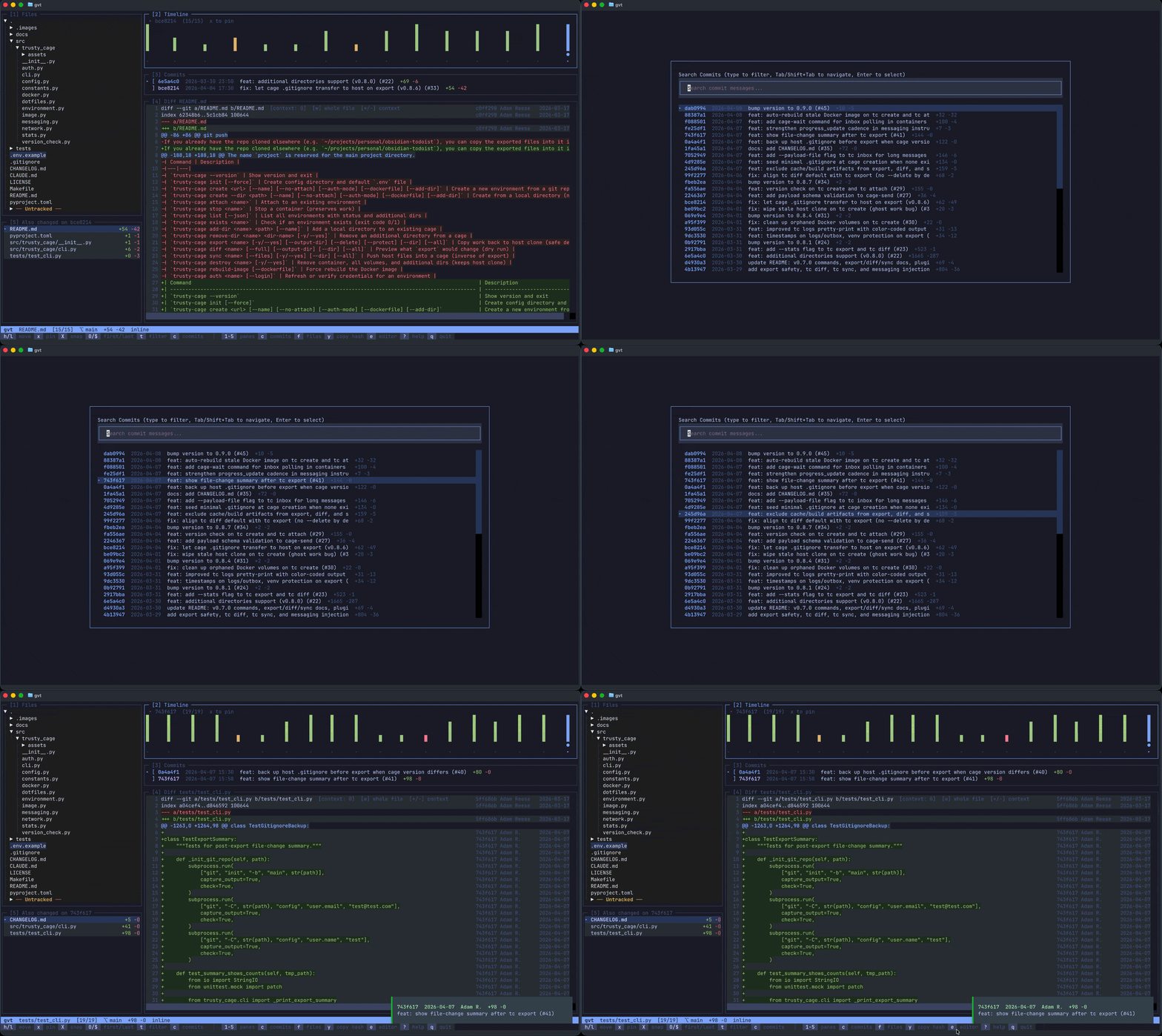
Commit Search
Press c to fuzzy search all repo commits by message, branch, or author.
All Features
- Syntax-highlighted diffs with inline, whole-file (
w), and side-by-side (d) views - Diff search (
/) — regex search within the diff withn/pto navigate matches - Commit search (
c) — fuzzy search all repo commits by message, branch, or author - Time filter (
t) — filter timeline by date range (1w, 1m, 3m, 6m, 1y, custom date) - Contributor breakdown (
B) — who changed the file and how much - WIP indicator — hollow tick showing uncommitted changes
- Copy to clipboard (
y/Y) — short or full commit hash - Open in editor (
e) — open current file in$VISUAL/$EDITOR/vim - Remember last file — reopens to the last file you were viewing per repo
- tmux integration — seamless pane switching at edges
- Preloaded diffs — adjacent commits pre-cached for instant navigation
- Context-sensitive status bar showing relevant shortcuts per pane
Keybindings
Global
| Key | Action |
|---|---|
1-5 |
Jump to pane |
Ctrl+h/j/k/l |
Navigate panes directionally |
c |
Search commits (all repo) |
f / Ctrl+P |
Search files |
t |
Time filter |
w |
Toggle whole-file view |
d |
Toggle side-by-side diff |
b |
Toggle inline blame |
B |
Contributor breakdown |
/ |
Search in diff |
n/p |
Next/prev diff hunk |
y / Y |
Copy short/full commit hash |
e |
Open file in editor |
? |
Help |
q |
Quit (with confirmation) |
qq |
Quit immediately |
Timeline (Pane 2)
| Key | Action |
|---|---|
h/l |
Move cursor |
0/$ |
Jump to first/last commit |
x |
Pin commit (1st=start, 2nd=end, 3rd=clear) |
X |
Snap nearest pin to cursor |
Diff (Pane 4)
| Key | Action |
|---|---|
j/k |
Scroll vertically |
h/l |
Scroll horizontally |
g/G |
Top/bottom |
+/- |
More/less context lines |
Search Modals
| Key | Action |
|---|---|
Tab / Shift+Tab |
Navigate results |
Ctrl+n / Ctrl+p |
Navigate results (alternative) |
Enter |
Select |
Esc |
Close |
Requirements
- Python 3.10+
- A git repository
License
MIT
1 maintainer

Release files for git-visual-timeline 0.2.3
For a detailed explanation of source distributions (sdists) and built distributions (wheels), please see the package formats documentation.
Source distribution (sdist)
| File | Size | Uploaded | |
|---|---|---|---|
| git_visual_timeline-0.2.3.tar.gz | 46.8 kB | Details |
Built distribution (wheel)
| File | Interpreter | ABI | Platform | Reset |
|---|---|---|---|---|
| git_visual_timeline-0.2.3-py3-none-any.whl | Python 3 | none | any | Details |
Total release size: 89.2 kB
Release files / git_visual_timeline-0.2.3.tar.gz
| Download URL | git_visual_timeline-0.2.3.tar.gz |
|---|---|
| Size | 46.8 kB |
| Tags | Source |
|
SHA-256 checksum How to use checksums |
6a727e1b1057c4a5e2f1cc425d1299f5e92fed7e57962fde476fdf24796eba7a
|
|
BLAKE2b-256 checksum How to use checksums |
a80200b4923cbe7595f36fcd528b5b9405e7f44fea4cb12dfe5e7375f84f71ac
|
| Upload date | |
|
Uploaded using Trusted Publishing? What is trusted publishing? |
No |
| Uploaded via |
twine/6.2.0 CPython/3.14.3
|
Release files / git_visual_timeline-0.2.3-py3-none-any.whl
| Download URL | git_visual_timeline-0.2.3-py3-none-any.whl |
|---|---|
| Size | 42.4 kB |
| Tags | Python 3 |
|
SHA-256 checksum How to use checksums |
2731ec11bf1a26a51c3efb81c723d58b195d51cedc878989605f9da0549dddc4
|
|
BLAKE2b-256 checksum How to use checksums |
7d41c6d9f262d6c5dae2a9044302bbf42907b15b30ae620f4a803d4e00347a50
|
| Upload date | |
|
Uploaded using Trusted Publishing? What is trusted publishing? |
No |
| Uploaded via |
twine/6.2.0 CPython/3.14.3
|














