
Gitbrew: Your LLM-Powered GitHub Companion 🚀✨
Welcome to Gitbrew, the innovative tool that harnesses the power of language models to streamline your GitHub experience. Gitbrew is designed to assist developers in managing repositories, handling issues, reviewing pull requests, and generating beautiful READMEs with ease.
Table of Contents
Introduction👋
Gitbrew is a command-line application that simplifies your GitHub workflow. It uses advanced language models to interpret natural language commands, generate git commands, handle GitHub issues, and create comprehensive READMEs for your projects. Gitbrew is your go-to utility for a more efficient and intelligent way to interact with GitHub.
Features🌟
- Command Handling: Process user input to generate and execute git commands safely with user confirmation.
- Issue Management: Manage GitHub issues by listing, creating, finding duplicates, and identifying similar issues.
- Pull Request Review: Automate the review of GitHub pull requests with insightful comments and suggestions.
- Readme Generation: Generate visually appealing READMEs with structured content and visual elements.
- Interactive Shell Interface: Use Gitbrew's interactive CLI to perform a variety of GitHub-related tasks.
Examples🌟
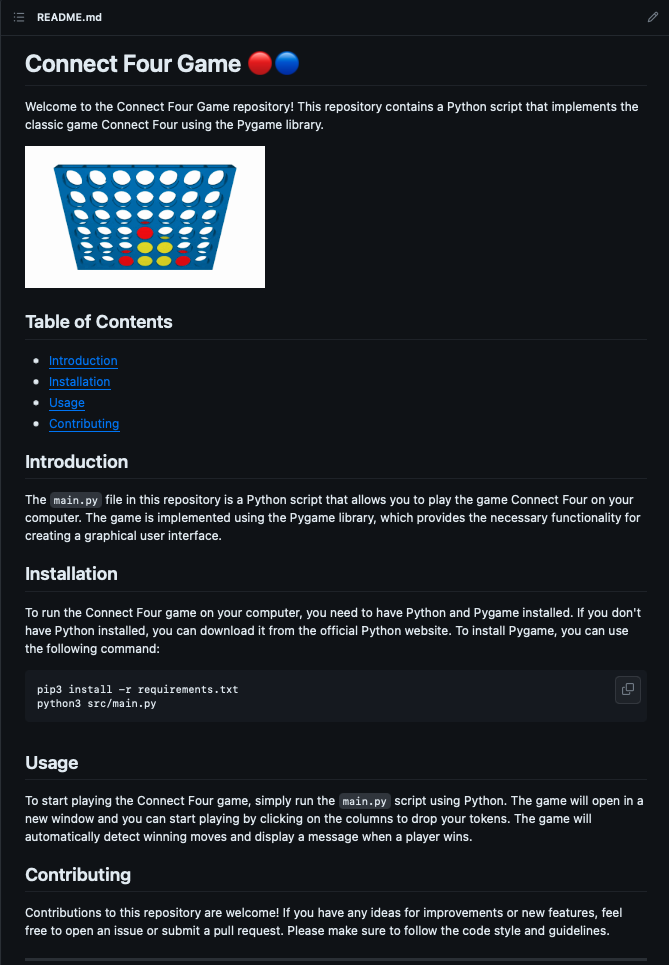
Readme generation
? What would you like to do?  Generate a Readme
? Enter the repository url:   https://github.com/<username>/<repositoryname>
100%|██████████████████████████████████████████████████████████████| 2/2 [00:47<00:00, 23.85s/it]
? What would you like to save the file as?   Readme.md
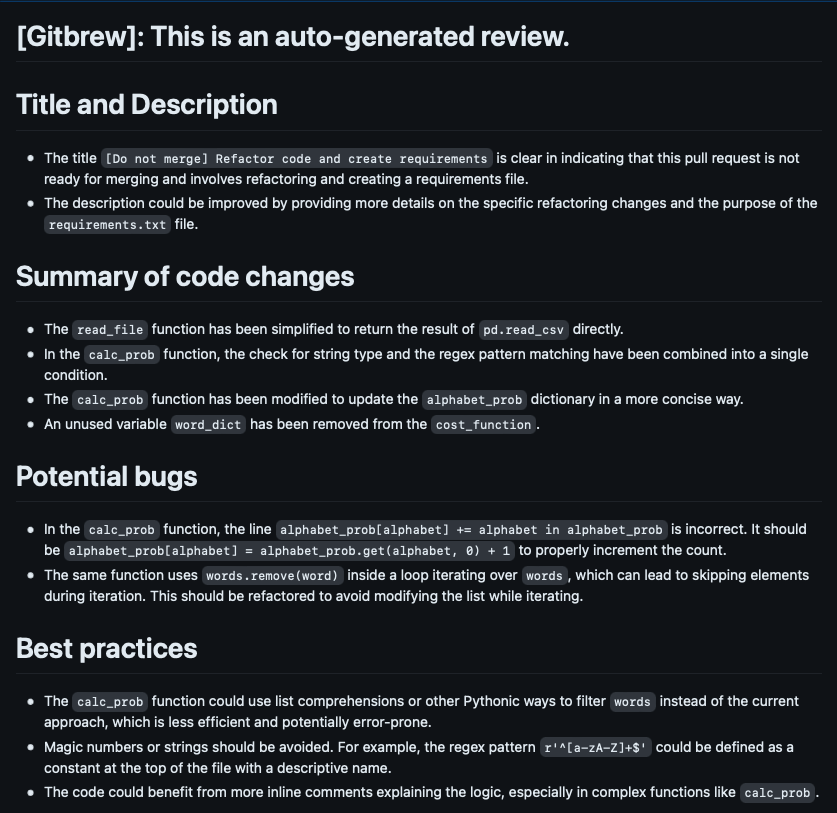
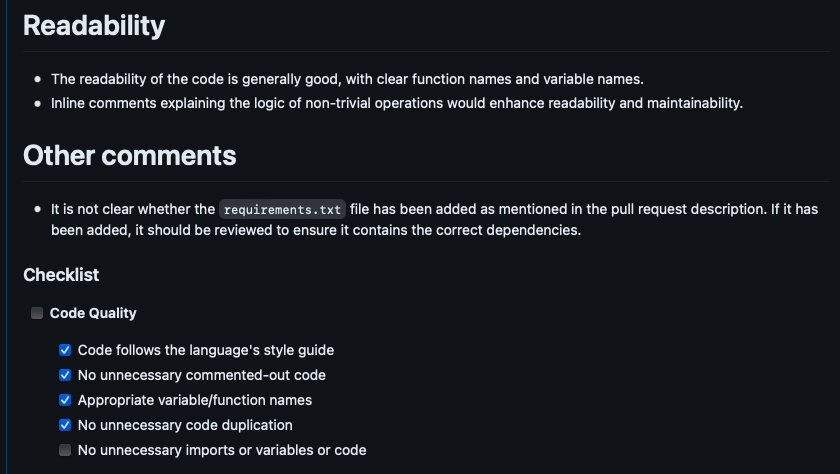
Pull Request Review
? What would you like to do?  Review a pull request
Enter the pull request URL: https://github.com/<username>/<repositoryname>/pull/<number>

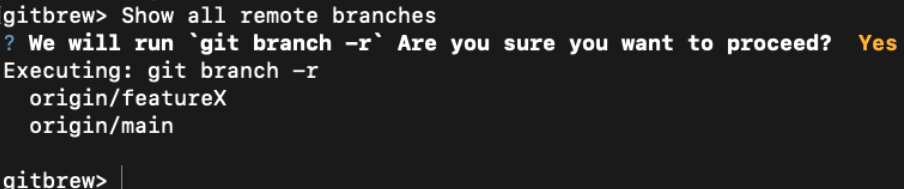
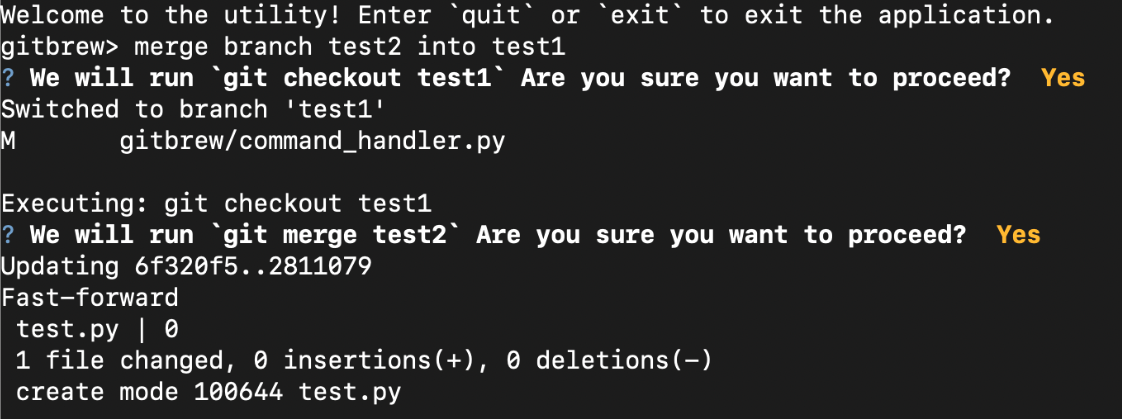
Natural language interface for git

Installation🛠️
pip install gitbrew
Usage💻
- Run
gitbrewin your Terminal:gitbrew
This will launch the Gitbrew interactive shell. - Provide the API keys for GitHub, openai, pinecone etc
- Start using Gitbrew!
Contributing🤝🌐
Contributions and feature requests are welcome!
Issues and Feature Requests
Please use the issue tracker to report any bugs or file feature requests.
Development
- Fork and clone the repository.
- Make your changes and commit them with a descriptive commit message.
- Install pre-commit hooks by running
pre-commit install. - Push your changes to your fork and submit a pull request.
Thank you for checking out Gitbrew! 🚀✨
This readme was generated by gitbrew! 🤖
1 maintainer

Metadata
1 maintainer
Release files for gitbrew 0.2.5
For a detailed explanation of source distributions (sdists) and built distributions (wheels), please see the package formats documentation.
Source distribution (sdist)
| File | Size | Uploaded | |
|---|---|---|---|
| gitbrew-0.2.5.tar.gz | 21.7 kB | Details |
Built distribution (wheel)
| File | Interpreter | ABI | Platform | Reset |
|---|---|---|---|---|
| gitbrew-0.2.5-py3-none-any.whl | Python 3 | none | any | Details |
Total release size: 49.1 kB
Release files / gitbrew-0.2.5.tar.gz
| Download URL | gitbrew-0.2.5.tar.gz |
|---|---|
| Size | 21.7 kB |
| Tags | Source |
|
SHA-256 checksum How to use checksums |
37ad559863307cb06bf3cc77823b98ffc7012c93adda0fa759414dd3ec017c48
|
|
BLAKE2b-256 checksum How to use checksums |
3f975bd67196e84c36d1b066d690b2e07e8851380fae724b818c8462a5005f96
|
| Upload date | |
|
Uploaded using Trusted Publishing? What is trusted publishing? |
No |
| Uploaded via |
twine/4.0.2 CPython/3.9.6
|
Release files / gitbrew-0.2.5-py3-none-any.whl
| Download URL | gitbrew-0.2.5-py3-none-any.whl |
|---|---|
| Size | 27.4 kB |
| Tags | Python 3 |
|
SHA-256 checksum How to use checksums |
0e8eb4734ae07aa71a8351f30e40576792f80acdca50087664909dfede7cd92f
|
|
BLAKE2b-256 checksum How to use checksums |
ce8025e8af27fbece10c5083e7a8eecd6f6240aa8a8f26ce700581a52c4b391f
|
| Upload date | |
|
Uploaded using Trusted Publishing? What is trusted publishing? |
No |
| Uploaded via |
twine/4.0.2 CPython/3.9.6
|














