

GitCleanse Enhanced GitHub Follower Manager


This is the most powerful command-line tool designed to help you manage and grow your GitHub network effectively. It provides advanced analysis, cleanup, and discovery features, as well as automated engagement capabilities.
Features
- Relationship Analysis: Analyze your followers, following, and mutual relationships.
- Unfollow Non-Followers: Unfollow users who are not following you back.
- Follow Back Followers: Follow back users who are following you but you're not following back.
- Discover New Connections: Discover and follow the followers of your followers.
- User Activity Analysis: Analyze user profiles and activity, including repository details, stars, and last push.
- User Filtering: Filter users based on criteria like follower count or repository count.
- User Scoring: Score users based on their activity and contributions.
- Network Language Analysis: Analyze the most used languages in your network's repositories.
- Customizable Dashboard: Display a dashboard of key network metrics, top users, and language stats.
- Automated User Engagement: Automatically star new repositories, like new commits, comment on issues and pull requests, and follow back users that follow you.
- GitHub API: Uses the official GitHub API to interact with your profile.
- Rich Console: Utilizes the
richlibrary for beautiful and interactive console output.
Demos
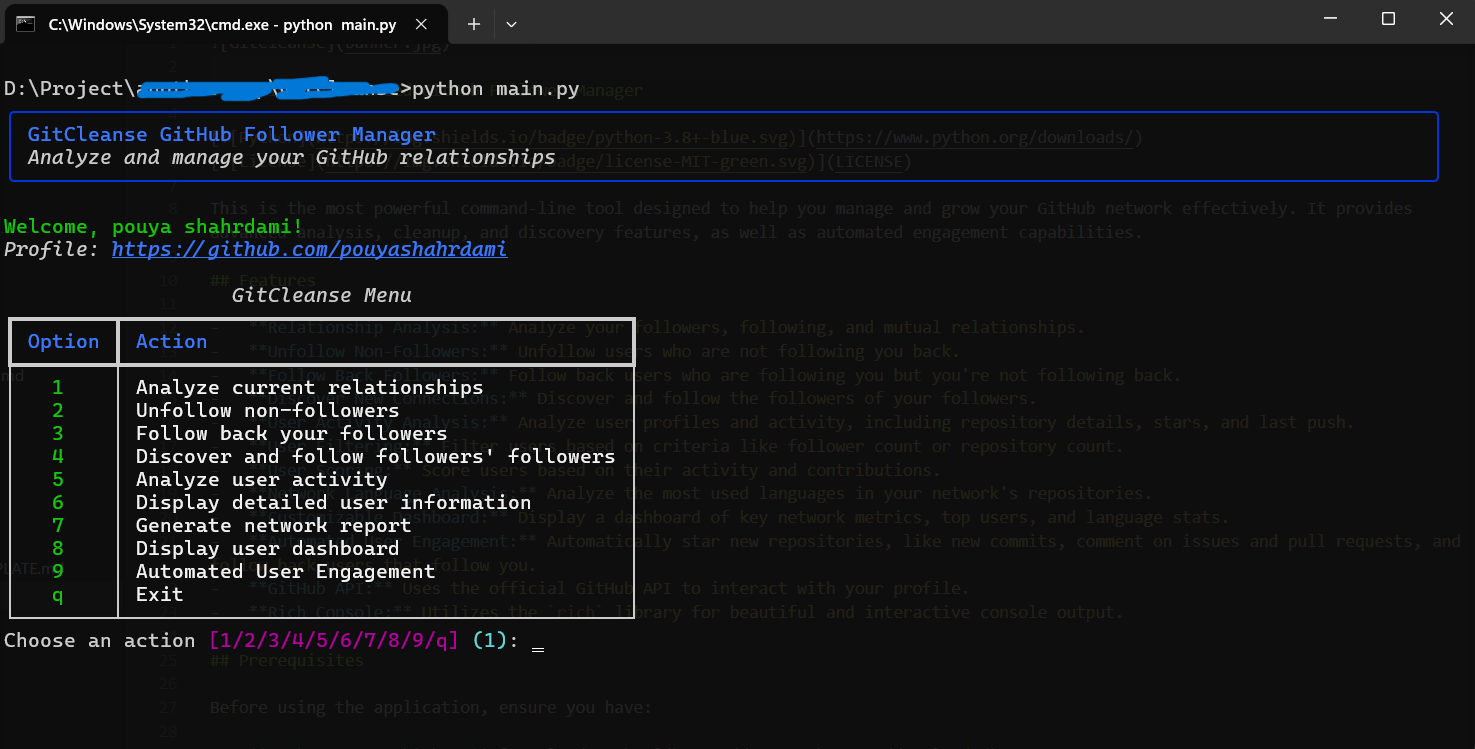
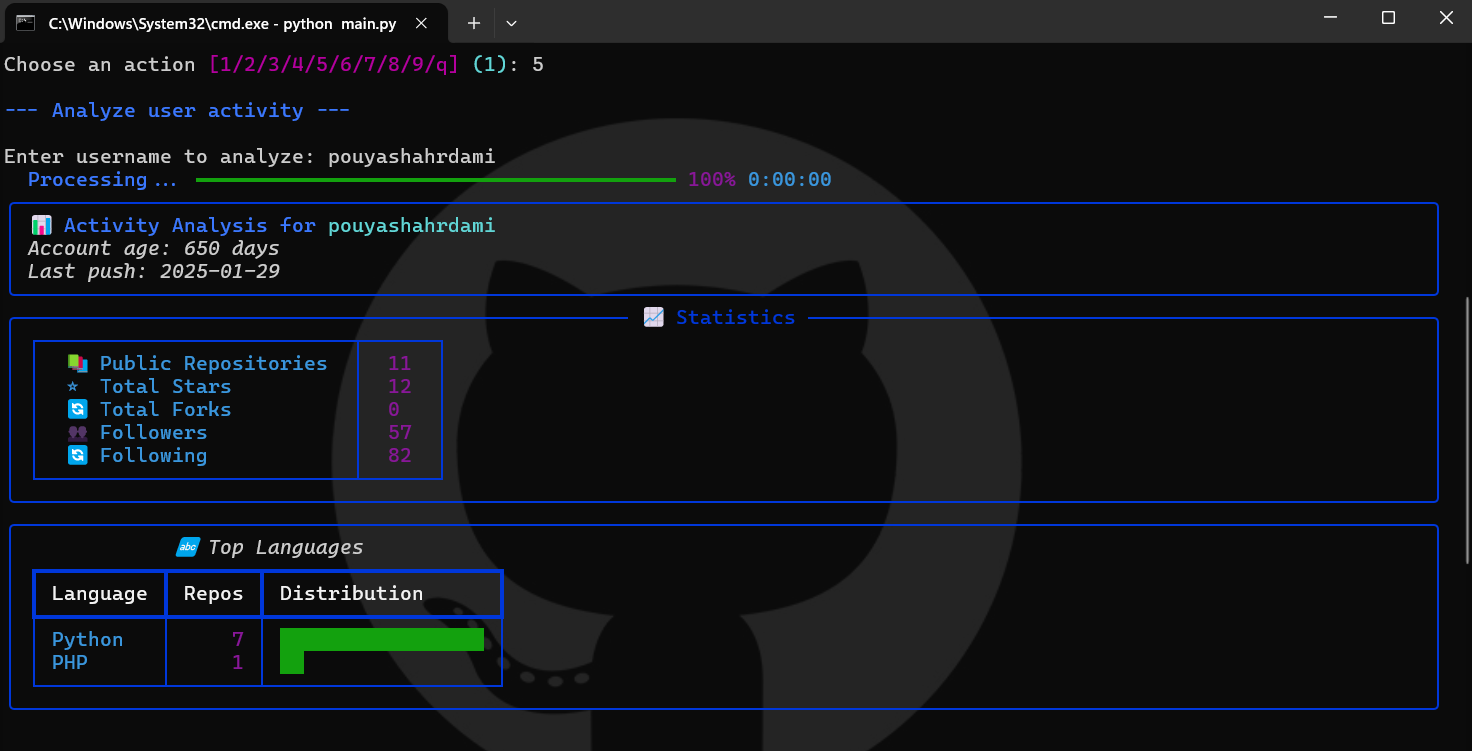
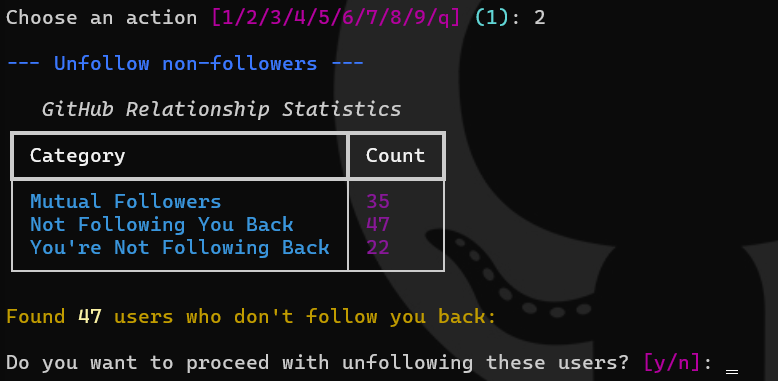
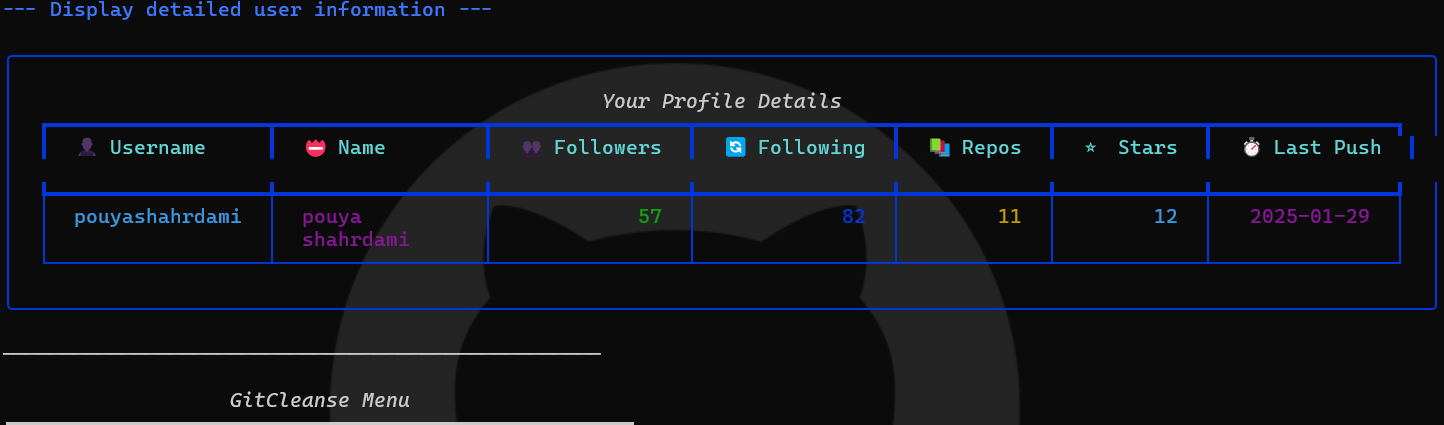
and more... just give a try and you will love it :)
Prerequisites
Before using the application, ensure you have:
- Python 3.8 or higher: Download Python
- GitHub Personal Access Token:
- You can generate a token by going to your GitHub settings.
- The token needs the
repoorpublic_reposcope (depending on whether you need to access private repos).
Installation
- Clone the repository:
git clone https://github.com/pouyashahrdami/GitCleanse.git
cd your-repository
- Install dependencies:
pip install -r requirements.txt
(Ensure you create arequirements.txtfile which includes all the libraries, in your caserichandrequests)
Usage
-
Set your GitHub token:
- Environment Variable: Recommended method. Set the
GITHUB_TOKENenvironment variable to your personal access token. - Linux/macOS:
export GITHUB_TOKEN=your_token - Windows (cmd.exe):
set GITHUB_TOKEN=your_token - Windows (PowerShell):
$env:GITHUB_TOKEN = "your_token" - Direct Input: If the environment variable is not set, the application will prompt you to enter your token at the start.
- Environment Variable: Recommended method. Set the
-
Run the application:
python main.py -
Follow the on-screen menu: The application will present a menu with the available actions. Enter the corresponding number to perform a specific task.
Menu Options
- 1: Analyze current relationships (mutual followers, non-followers, etc.).
- 2: Unfollow non-followers (users who don't follow you back).
- 3: Follow back your followers (users who follow you but you don't follow back).
- 4: Discover and follow followers' followers (with a user-defined limit).
- 5: Analyze user activity (show details about user contributions).
- 6: Display detailed user information (about the current user).
- 7: Generate network report (not yet implemented).
- 8: Display user dashboard (key metrics and insights).
- 9: Automated User Engagement (configure and perform automated actions).
- q: Exit the application.
Automated User Engagement Details
The Automated User Engagement feature allows you to configure the following actions:
- Star New Repositories: Automatically star new repositories created by users in your network.
- Like New Commits: Automatically like (add +1 reaction to) new commits made by users in your network.
- Comment on Issues/PRs: Automatically comment on newly opened issues or pull requests in your network using a customizable message.
- Follow Back Users: Automatically follow back users in your network that you're not following.
- Rate Limiting: All actions respect GitHub's rate limits with sleeps between API requests.
Configuration
- The application reads the GitHub token from the
GITHUB_TOKENenvironment variable. - You can configure various aspects of the application via the on-screen prompts including:
- Filter users by minimum or maximum number of followers or repositories.
- Set the maximum number of users to follow in the
Discover and Follow Followers' Followersoption. - Enable or disable automated engagements.
- Set the comment message when commenting on issues or pull requests.
- You can provide a default value to the
askfunction inui/prompts.pyif you would like to make it easier to use the application.
Contributing
Contributions are welcome! Please feel free to fork the repository, make changes, and submit a pull request.
License
This project is licensed under the MIT License - see the LICENSE file for details.
Disclaimer
This application interacts with the GitHub API, and you should use it responsibly and respect GitHub's rate limits. Misuse of this application can lead to API rate limit issues and potential account suspension.
1 maintainer

Metadata
1 maintainer
Release files for gitcleanse 0.1.1
For a detailed explanation of source distributions (sdists) and built distributions (wheels), please see the package formats documentation.
Source distribution (sdist)
| File | Size | Uploaded | |
|---|---|---|---|
| gitcleanse-0.1.1.tar.gz | 4.6 kB | Details |
Built distribution (wheel)
| File | Interpreter | ABI | Platform | Reset |
|---|---|---|---|---|
| gitcleanse-0.1.1-py3-none-any.whl | Python 3 | none | any | Details |
Total release size: 9.3 kB
Release files / gitcleanse-0.1.1.tar.gz
| Download URL | gitcleanse-0.1.1.tar.gz |
|---|---|
| Size | 4.6 kB |
| Tags | Source |
|
SHA-256 checksum How to use checksums |
f79d46be84bd9031a2620b4d21819302d825170645be8cb0957c9374a3592d23
|
|
BLAKE2b-256 checksum How to use checksums |
3b8ebe97fae566b0c6d3d3cd0928dc59a15ced034fe4ffd08c7ebd5ef0599214
|
| Upload date | |
|
Uploaded using Trusted Publishing? What is trusted publishing? |
No |
| Uploaded via |
twine/6.1.0 CPython/3.13.1
|
Release files / gitcleanse-0.1.1-py3-none-any.whl
| Download URL | gitcleanse-0.1.1-py3-none-any.whl |
|---|---|
| Size | 4.6 kB |
| Tags | Python 3 |
|
SHA-256 checksum How to use checksums |
9834fbaf4b070e2951154de012c244fbd6f2e20063fafa1604cbd1a628c3999e
|
|
BLAKE2b-256 checksum How to use checksums |
849bdf46d34e5d1e4f47cc0038bedd4f6b0a987c6ca3d7343432ed1b6075c350
|
| Upload date | |
|
Uploaded using Trusted Publishing? What is trusted publishing? |
No |
| Uploaded via |
twine/6.1.0 CPython/3.13.1
|














