
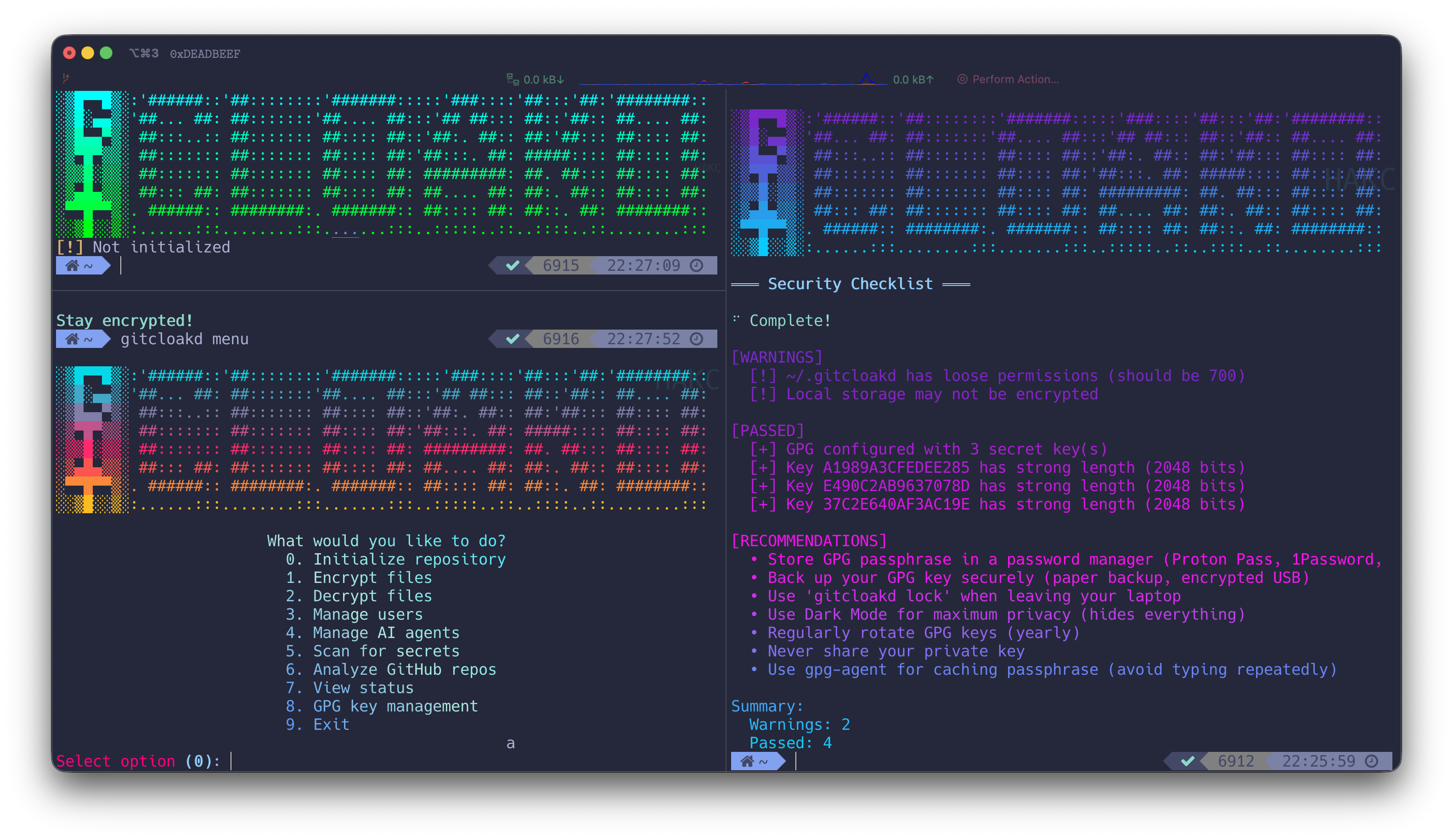

        ┌──────────────────────── [ R E L E A S E   I N F O ] ──────────────────────────┐
        │                                                                               │
        │  NAME................................................gitcloakd                │
        │  TYPE.......................................GPG Encryption for Git Repos      │
        │  VERSION........................................................v1.0.10       │
        │  PLATFORM............................................Python 3.9+ / Cross-OS   │
        │  CATEGORY..............................................Security / Encryption  │
        │  ENCRYPTION MODES........................................................3x   │
        │                                                                               │
        │  Hide ya repos. Hide ya code. They out here hacking everybody.               │
        │                                                                               │
        │  [*] SELECTIVE - Encrypt specific files (.env, keys, secrets)                 │
        │  [*] FULL - Encrypt entire codebase into single blob                          │
        │  [*] DARK - Encrypt EVERYTHING including git history + UUID repo name         │
        │                                                                               │
        └───────────────────────────────────────────────────────────────────────────────┘




[::: TRY IT NOW :::]


| Resource | Description |
|---|---|
 |
Clone and decrypt an encrypted repo |
 |
All modes, commands, Python API |
 |
User management, GPG keys, common issues |
 |
See what unauthorized users see |
graph LR
    subgraph Notebooks
        A[Demo] --> D[Clone Encrypted Repo]
        B[Guide] --> D
        C[Troubleshooting]
    end

    subgraph Encrypted
        D --> E[07bf37a1-...<br/>UUID Name]
        E --> F[encrypted.gpg]
    end

    subgraph Decrypted
        F -->|gitcloakd decrypt| G[Real Project Name]
        G --> H[Full Source Code]
        G --> I[Git History]
    end

    style Notebooks fill:#F9AB00,stroke:#fff,color:#000
    style Encrypted fill:#1a1a2e,stroke:#ff7edb,color:#ff7edb
    style Decrypted fill:#72f1b8,stroke:#72f1b8,color:#1a1a2e
════════════════════════════════════════════════════════════════════════════════
  [*] Notebooks are view-only - click "File > Save a copy in Drive" to run
  [*] The encrypted demo repo shows EXACTLY what unauthorized users see
  [*] With the GPG key, you decrypt and see the real gitcloakd source
════════════════════════════════════════════════════════════════════════════════
[::: WHAT IT DOES :::]


gitcloakd encrypts Git repositories using GPG. Three modes for different threat models:
| Mode | What's Encrypted | Git History | Repo Name | Use Case |
|---|---|---|---|---|
 |
Specific files only | Visible | Visible | Open source with private secrets |
 |
Entire codebase | Visible | Visible | Private codebase, team access only |
 |
EVERYTHING | Hidden | UUID | Maximum privacy, zero metadata |
Authorized vs Unauthorized View
# What authorized users see:
my-secret-project/
  src/api/payments.py
  src/core/algorithm.py
  .env
  README.md

# What everyone else sees (Dark Mode):
07bf37a1-ce68-4bd1-8e71-7767f7b0d07a/
  encrypted.gpg
  README.md ("This repository is encrypted")
════════════════════════════════════════════════════════════════════════════════
  DARK MODE HIDES:

  [*] Real project name (replaced with random UUID)
  [*] All source code and file structure
  [*] Git history, commits, branch names
  [*] Contributors and timestamps
  [*] GitHub insights show NOTHING useful
════════════════════════════════════════════════════════════════════════════════
[::: WHY ENCRYPT YOUR REPOS :::]

| Threat | What Happens | gitcloakd Fix |
|---|---|---|
| GitHub gets breached | Your code is leaked | They get encrypted blobs |
| Employee goes rogue | Copies private repos | Can't decrypt without your key |
| Laptop stolen | Attacker clones your repos | Local storage is GPG encrypted |
| Subpoena/legal request | GitHub hands over data | They hand over encrypted data |
| Nosy coworker/investor | Snoops your private repos | Sees nothing useful |
| You leave a company | They still have repo access | Revoke their key, re-encrypt |
You control the keys. Not GitHub. Not your employer. You.
[::: INSTALLATION :::]


pip install gitcloakd
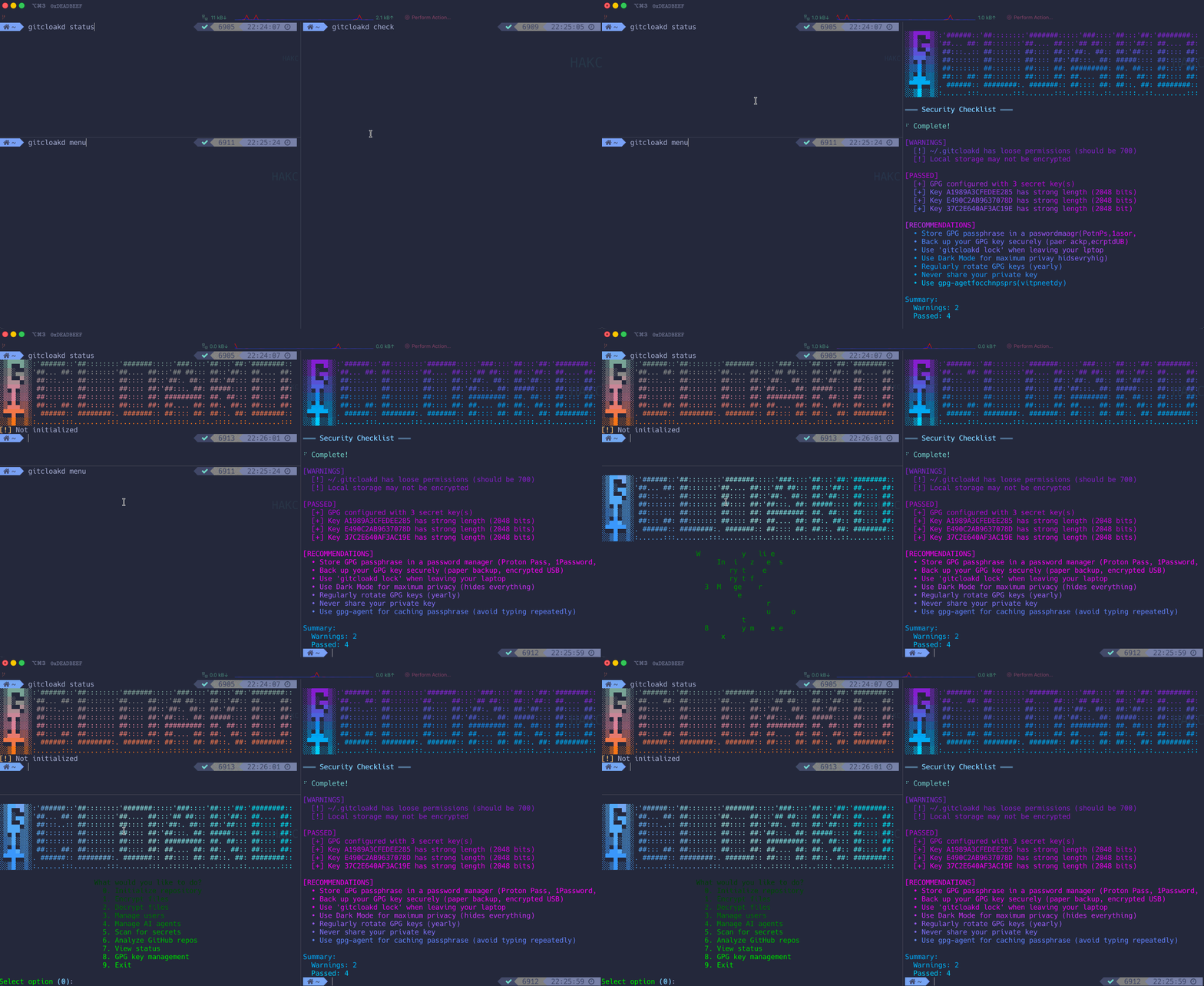
Encrypt an Existing Repo
Already got a repo with secrets you need to hide? Here's what you do:
cd your-existing-repo

# backup first (seriously, do this)
gitcloakd test backup

# preview what will happen (no changes)
gitcloakd test dry-run --mode selective

# if that looks good, init and encrypt
gitcloakd init --wizard
gitcloakd encrypt --all

# commit the encrypted versions
git add -A && git commit -m "encrypt secrets"

# optional: nuke the plaintext secrets from git history
gitcloakd purge-history --confirm
git push --force
For dark mode on an existing repo (hides everything):
gitcloakd test backup
gitcloakd init --dark
# this creates a new UUID-named repo with your encrypted code
Mode 1: Selective Encryption (Default)
Open source projects with some secrets, normal collaboration.
Encrypts only sensitive files (.env, .key, .pem, etc.) while keeping source code readable.
gitcloakd init --wizard
gitcloakd encrypt --all
flowchart LR
    subgraph Before["Your Repo"]
        CODE1("main.py")
        SECRET1(".env<br/>API_KEY=secret")
    end

    subgraph After["After Encryption"]
        CODE2("main.py<br/>unchanged")
        SECRET2(".env.gpg<br/>encrypted")
    end

    CODE1 --> CODE2
    SECRET1 -->|GPG| SECRET2

    style SECRET1 fill:#fe4450,stroke:#fe4450,color:#1a1a2e
    style SECRET2 fill:#72f1b8,stroke:#72f1b8,color:#1a1a2e

    linkStyle 1 stroke:#fe4450
Mode 2: Full Encryption
Private codebases where you want to hide all code but keep git history.
Packs the entire codebase into a single GPG blob. Randos see encrypted.gpg and nothing else.
gitcloakd init --full
gitcloakd encrypt --full
What randos see
myrepo/
  .gitcloakd/          # config
  encrypted.gpg         # your entire codebase
  README.md             # "this repo is encrypted"
What you get
After gitcloakd decrypt --full:
myrepo/
  src/
  tests/
  .env
  README.md
  ... (everything decrypted)
sequenceDiagram
    participant Owner
    participant gitcloakd
    participant Repo
    participant Unauthorized

    Owner->>gitcloakd: encrypt --full
    gitcloakd->>Repo: Pack all files into tarball
    gitcloakd->>Repo: GPG encrypt -> encrypted.gpg
    gitcloakd->>Repo: Remove original files

    Unauthorized->>Repo: git clone
    Note over Unauthorized: Only sees encrypted.gpg
    Unauthorized--xgitcloakd: decrypt --full
    Note over Unauthorized: ACCESS DENIED - no GPG key

    Owner->>Repo: git clone
    Owner->>gitcloakd: decrypt --full
    gitcloakd->>Repo: Decrypt + extract all files
    Note over Owner: Full codebase restored!
Mode 3: Dark Mode (Max Paranoia)
When you need to hide everything - git history, commit messages, branch names, file structure, even the real project name. Repo gets a random UUID. Nobody learns anything.
gitcloakd init --dark
# prompts for real project name (encrypted, never exposed)
# generates random UUID for public repo name

gitcloakd encrypt --dark
What's Hidden in Dark Mode
| Item | Selective | Full | Dark |
|---|---|---|---|
| Real project name | Visible | Visible | Hidden (UUID only) |
| Source code | Visible | Hidden | Hidden |
| File structure | Visible | Hidden | Hidden |
| Git commits | Visible | Visible | Hidden |
| Commit messages | Visible | Visible | Hidden |
| Branch names | Visible | Visible | Hidden |
| Contributors | Visible | Visible | Hidden |
| Repository stats | Visible | Visible | Hidden |
What randos see
550e8400-e29b-41d4-a716-446655440000/   # random UUID, not real name
  .git/                 # single commit
  .gitcloakd/
  encrypted.gpg         # everything inside (including real name)
  README.md             # "this is encrypted"
Git log shows: "gitcloakd: encrypted repository state"
No history. No code. No clues. Not even the project name.
flowchart TB
    subgraph Real["Real Repository"]
        direction TB
        R_NAME("my-secret-project<br/>real name")
        R_CODE("Source Code")
        R_GIT(".git/<br/>100 commits, 5 branches")
        R_AUTHORS("Contributors List")
    end

    subgraph Visible["What randos see"]
        direction TB
        V_UUID("550e8400-...<br/>random UUID")
        V_BLOB("encrypted.gpg")
        V_README("README.md<br/>This is encrypted")
        V_GIT("Single commit")
    end

    Real -->|"GPG Encrypt"| Visible

    style Real fill:#72f1b8,stroke:#72f1b8,color:#1a1a2e
    style Visible fill:#1a1a2e,stroke:#ff7edb,color:#ff7edb

    linkStyle 0 stroke:#72f1b8
Dark Mode Collaboration Limitations
Dark Mode encrypts everything into a single encrypted.gpg blob. This means:
- No merge capability - Two users can't merge changes; whoever pushes last wins
- Coordination required - Users need to communicate who's working
- Pull → Decrypt → Work → Encrypt → Push - Always get latest first, push quickly
Best for:
- Solo projects you want hidden
- Archiving finished projects
- Repos where one person pushes and others just pull/read
For active team collaboration: Use Selective Mode instead - it allows normal git workflows while protecting secrets.
Adding Users with Name Control
Control whether users see the real project name or just the UUID:
# User can see real project name
gitcloakd dark add-user -e user@example.com -k KEY_ID --reveal-name

# User can only see UUID (maximum secrecy)
gitcloakd dark add-user -e user@example.com -k KEY_ID --hide-name

# List users and their access
gitcloakd dark list-users
Local Workstation Protection
Laptop stolen? They could see what repos you manage, your command history, cached secrets. Unless you encrypt all that too.
gitcloakd secure init    # init encrypted local storage

gitcloakd unlock          # before working
gitcloakd lock            # when done

gitcloakd secure status   # check status
What's Protected
| Data | Without secure init | With secure init |
|---|---|---|
| List of repos | Plaintext | GPG Encrypted |
| Command history | Plaintext | GPG Encrypted |
| Cached tokens | Plaintext | GPG Encrypted |
| Session data | Plaintext | GPG Encrypted |
flowchart TB
    subgraph Unlocked["Unlocked - Working"]
        direction LR
        U_CMDS("gitcloakd commands")
        U_DATA("Decrypted data<br/>in memory")
    end

    subgraph Locked["Locked - Protected"]
        direction LR
        L_GPG("~/.gitcloakd/<br/>config.gpg<br/>repos.gpg<br/>history.gpg")
    end

    subgraph Thief["Stolen Laptop"]
        direction LR
        T_ACCESS("No GPG key<br/>No passphrase")
        T_RESULT("Cannot read<br/>ANYTHING")
    end

    Unlocked -->|"gitcloakd lock"| Locked
    Locked -->|"Laptop stolen"| Thief

    style Unlocked fill:#72f1b8,stroke:#72f1b8,color:#1a1a2e
    style Locked fill:#fede5d,stroke:#fede5d,color:#1a1a2e
    style Thief fill:#fe4450,stroke:#fe4450,color:#1a1a2e

    linkStyle 0 stroke:#72f1b8
    linkStyle 1 stroke:#fede5d
Key Management
- Store GPG passphrase in a password manager (Proton Pass, 1Password, Bitwarden)
- Back up your GPG key (encrypted USB, paper backup)
- Use gpg-agent for passphrase caching
- Rotate keys periodically
Security Checklist
Run the built-in security audit:
gitcloakd check
This checks:
- GPG key strength and expiration
- Local storage encryption
- File permissions
- Configuration issues
Complete Workflow Example
Setting Up Maximum Security with Dark Mode
# 1. Create GPG key if needed
gpg --full-generate-key

# 2. Initialize local protection
gitcloakd secure init
gitcloakd unlock

# 3. Initialize repository with dark mode
cd myproject
gitcloakd init --dark
# Enter real project name when prompted (will be encrypted)
# Note the UUID generated - use this for GitHub repo name!

# 4. Work on your code normally
# ... edit files, commit, etc ...

# 5. Before pushing - encrypt everything
gitcloakd encrypt --dark
git add -A
git commit -m "Updated encrypted state"
git push

# 6. Collaborator pulls and decrypts
git clone https://github.com/you/550e8400-e29b-...  # UUID repo name
cd 550e8400-e29b-...
gitcloakd decrypt --dark
# Now they have full repo with history and real name!
Adding Team Members to Dark Mode
# Collaborator generates key and sends public key
gpg --armor --export colleague@example.com > colleague.pub

# You import and add them (with name visibility control)
gpg --import colleague.pub

# Option A: They can see real project name
gitcloakd dark add-user -e colleague@example.com -k THEIR_KEY_ID --reveal-name

# Option B: They only see UUID (maximum secrecy)
gitcloakd dark add-user -e colleague@example.com -k THEIR_KEY_ID --hide-name

# Re-encrypt to include new user
gitcloakd encrypt --dark
git add -A && git commit -m "Added team member" && git push
All Commands
| Command | Description | Flags |
|---|---|---|
init |
Initialize repository | --wizard, --full, --dark |
encrypt |
Encrypt files | --all, --full, --dark |
decrypt |
Decrypt files | --all, --full, --dark |
add-user |
Add collaborator | --email, --key-id, --fetch |
remove-user |
Revoke access | <email> |
clone |
Clone + auto-decrypt | <url> |
scan |
Scan for secrets | --deep |
analyze |
Analyze GitHub repos | |
status |
Show encryption status | --json |
check |
Security checklist | |
lock |
Lock local storage | |
unlock |
Unlock local storage | |
secure init |
Set up local protection | |
secure status |
Local storage status | |
secure wipe |
Destroy local data | --confirm |
dark info |
Show dark mode repo info | |
dark add-user |
Add user to dark mode | --reveal-name, --hide-name |
dark list-users |
List dark mode users | |
clean quick |
Quick cache clean | |
clean standard |
Standard clean | |
clean paranoid |
Aggressive clean | --confirm |
clean footprint |
Show data footprint | |
test create |
Create demo test repo | --path, --mode |
test dry-run |
Preview encryption (no changes) | --mode |
test backup |
Backup repo before encryption | --output |
test verify |
Verify encryption works | |
menu |
Interactive menu |
Python API
Use gitcloakd programmatically in your code, CI/CD pipelines, or git hooks:
Basic Usage
from gitcloakd import encrypt_files, encrypt_matching, decrypt_files

# Encrypt specific files
result = encrypt_files([".env", "config/secrets.yaml"])
print(f"Encrypted: {result['encrypted']}")

# Encrypt all files matching configured patterns
result = encrypt_matching()

# Or with custom patterns
result = encrypt_matching(["*.env", "*.key", "**/*.pem"])

# Decrypt files
result = decrypt_files([".env.gpg", "config/secrets.yaml.gpg"])
Pre-Commit Hook
Create .git/hooks/pre-commit:
#!/usr/bin/env python3
from gitcloakd import encrypt_staged
import subprocess
import sys

result = encrypt_staged()

if result['encrypted']:
    print(f"Auto-encrypted {len(result['encrypted'])} files:")
    for f in result['encrypted']:
        print(f"  {f}")
        # Add encrypted version to staging
        subprocess.run(["git", "add", f + ".gpg"])

if result['errors']:
    print(f"Encryption errors: {result['errors']}")
    sys.exit(1)
Available Functions
| Function | Description |
|---|---|
encrypt_files(files) |
Encrypt specific files |
encrypt_matching(patterns) |
Encrypt files matching glob patterns |
encrypt_staged() |
Encrypt staged files (for pre-commit hooks) |
decrypt_files(files) |
Decrypt .gpg files |
is_initialized() |
Check if gitcloakd is set up |
get_encryption_patterns() |
Get configured patterns |
check_gpg() |
Check if GPG is installed |
CI/CD Integration
from gitcloakd import encrypt_matching, is_initialized

if is_initialized():
    result = encrypt_matching()
    if result['errors']:
        raise Exception(f"Encryption failed: {result['errors']}")
    print(f"Encrypted {len(result['encrypted'])} files")
Architecture
graph TB
    subgraph CLI["CLI Commands"]
        INIT(init)
        ENC(encrypt/decrypt)
        SEC(secure)
        CLEAN(clean)
        DARK(dark)
        CHECK(check)
    end

    subgraph Core["Encryption Engines"]
        SELECTIVE(Selective Engine)
        FULL(Full Encryption)
        DARKMODE(Dark Mode)
        STORAGE(Secure Storage)
        AUDIT(Audit Log)
        CLEANER(Memory Cleaner)
    end

    subgraph Data["Protected Data"]
        REPO[(Repository)]
        LOCAL[(~/.gitcloakd)]
    end

    INIT --> SELECTIVE
    INIT --> FULL
    INIT --> DARKMODE

    ENC --> SELECTIVE
    ENC --> FULL
    ENC --> DARKMODE

    DARK --> DARKMODE
    SEC --> STORAGE
    CLEAN --> CLEANER
    CHECK --> STORAGE
    CHECK --> REPO

    SELECTIVE --> REPO
    FULL --> REPO
    DARKMODE --> REPO
    STORAGE --> LOCAL
    AUDIT --> LOCAL
    CLEANER --> LOCAL

    style CLI fill:#34294f,stroke:#ff7edb,color:#ff7edb
    style Core fill:#2b213a,stroke:#f97e72,color:#f97e72
    style Data fill:#1a1a2e,stroke:#72f1b8,color:#72f1b8
Requirements
| Requirement | Version | Purpose |
|---|---|---|
| Python | 3.9+ | Runtime |
| GPG | 2.x | Encryption |
| Git | 2.x | Version control |
════════════════════════════════════════════════════════════════════════════════
  [*] Works on Linux, macOS, Windows
  [*] No compilation required - pure Python
  [*] GPG must be installed and configured with at least one key
════════════════════════════════════════════════════════════════════════════════
[::: QUICK START :::]

# Selective: encrypt specific files (.env, keys, etc.)
gitcloakd init --wizard
gitcloakd encrypt

# Full: encrypt entire codebase
gitcloakd init --full
gitcloakd encrypt --full

# Dark: encrypt everything including history and repo name
gitcloakd init --dark
gitcloakd encrypt --dark
Test Before You Commit (Don't Nuke Your Repo)
gitcloakd test create --mode dark    # Create demo repo with fake secrets
gitcloakd test dry-run --mode full   # Preview changes (no modifications)
gitcloakd test backup                # Backup before encrypting
[::: ENCRYPTION MODES :::]
Mode 1: Selective (Default)

Encrypts only files matching patterns (.env, *.key, *.pem, etc.). Source code stays readable. Normal git workflow.
gitcloakd init --wizard
gitcloakd encrypt
graph LR
    A[main.py] --> B[main.py<br/>unchanged]
    C[.env<br/>API_KEY=secret] --> D[.env.gpg<br/>encrypted]

    style C fill:#fe4450,stroke:#fe4450,color:#fff
    style D fill:#72f1b8,stroke:#72f1b8,color:#1a1a2e
Mode 2: Full Encryption

Packs entire codebase into single encrypted blob. Git history preserved. Unauthorized users see only encrypted.gpg.
gitcloakd init --full
gitcloakd encrypt --full
What unauthorized users see:
myrepo/
  .gitcloakd/          # config
  encrypted.gpg        # your entire codebase
  README.md            # "this repo is encrypted"
Mode 3: Dark Mode (Maximum Paranoia)

Encrypts code, git history, commit messages, and replaces repo name with random UUID. Zero metadata leakage.
gitcloakd init --dark
gitcloakd encrypt --dark
What's hidden in Dark Mode:
| Item | Selective | Full | Dark |
|---|---|---|---|
| Source code | Visible | Hidden | Hidden |
| File structure | Visible | Hidden | Hidden |
| Git history | Visible | Visible | Hidden |
| Commit messages | Visible | Visible | Hidden |
| Branch names | Visible | Visible | Hidden |
| Contributors | Visible | Visible | Hidden |
| Project name | Visible | Visible | Hidden (UUID) |
graph TB
    subgraph Real[Real Repository]
        R1[my-secret-project]
        R2[Source Code]
        R3[100 commits, 5 branches]
        R4[Contributors List]
    end

    subgraph Visible[What Unauthorized Users See]
        V1[550e8400-...<br/>random UUID]
        V2[encrypted.gpg]
        V3[Single commit]
    end

    Real -->|GPG Encrypt| Visible

    style Real fill:#72f1b8,stroke:#72f1b8,color:#1a1a2e
    style Visible fill:#1a1a2e,stroke:#ff7edb,color:#ff7edb
════════════════════════════════════════════════════════════════════════════════
  DARK MODE LIMITATION:

  Single encrypted blob = no merge capability. Whoever pushes last wins.

  Best for:
  [*] Solo projects you want hidden
  [*] Archiving finished projects
  [*] Repos where one person pushes and others just pull/read

  For active team collaboration, use Selective Mode instead.
════════════════════════════════════════════════════════════════════════════════
[::: LOCAL WORKSTATION PROTECTION :::]

Laptop stolen? They could see what repos you manage, your command history, cached secrets. Unless you encrypt all that too.
gitcloakd secure init    # Set up encrypted local storage
gitcloakd unlock         # Decrypt to work
gitcloakd lock           # Re-encrypt when done
| Data | Without secure init | With secure init |
|---|---|---|
| Repo list | Plaintext | GPG Encrypted |
| Command history | Plaintext | GPG Encrypted |
| Cached tokens | Plaintext | GPG Encrypted |
[::: USER MANAGEMENT :::]

Add Collaborators
# Import their GPG key
gpg --import colleague.pub

# Add to repository
gitcloakd add-user --email colleague@example.com --key-id THEIR_KEY_ID

# Re-encrypt to include new user
gitcloakd encrypt --dark
git add -A && git commit -m "Add collaborator" && git push
Dark Mode Name Control
Control whether users see the real project name or only the UUID:
# User sees real name
gitcloakd dark add-user -e user@example.com -k KEY_ID --reveal-name

# User sees only UUID (maximum secrecy)
gitcloakd dark add-user -e user@example.com -k KEY_ID --hide-name
Remove Access
gitcloakd remove-user colleague@example.com
gitcloakd encrypt --dark
git add -A && git commit -m "Revoke access" && git push
[::: PYTHON API :::]

from gitcloakd import encrypt_files, decrypt_files, encrypt_matching

# Encrypt specific files
encrypt_files([".env", "config/secrets.yaml"])

# Encrypt all files matching patterns
encrypt_matching(["*.env", "*.key", "**/*.pem"])

# Decrypt
decrypt_files([".env.gpg"])
Pre-Commit Hook
#!/usr/bin/env python3
from gitcloakd import encrypt_staged
import subprocess, sys

result = encrypt_staged()
if result['encrypted']:
    for f in result['encrypted']:
        subprocess.run(["git", "add", f + ".gpg"])
if result['errors']:
    sys.exit(1)
[::: COMMANDS REFERENCE :::]

| Command | Description |
|---|---|
init |
Initialize encryption (--wizard, --full, --dark) |
encrypt |
Encrypt files (--all, --full, --dark) |
decrypt |
Decrypt files (--all, --full, --dark) |
status |
Show encryption status |
check |
Run security audit |
add-user |
Add collaborator |
remove-user |
Revoke access |
secure init |
Set up local protection |
lock / unlock |
Lock/unlock local storage |
test create |
Create demo repo |
test dry-run |
Preview changes |
test backup |
Backup before encryption |
clean paranoid |
Secure cleanup |
[::: SECURITY MODEL :::]

What gitcloakd Protects
- Source code (Full/Dark modes)
- Sensitive files (all modes)
- Git history and commits (Dark mode)
- Project name (Dark mode)
- Local workstation data (with
secure init)
What gitcloakd Does NOT Protect
- Repository existence on GitHub (repo visible, contents encrypted)
- Network traffic (use HTTPS/SSH)
- Runtime secrets (use proper secret management)
- OS swap files or SSD wear leveling (use full-disk encryption)
Threat Model
| Threat | Selective | Full | Dark |
|---|---|---|---|
| Accidental secret commit | Yes | N/A | N/A |
| Unauthorized code access | No | Yes | Yes |
| Git history analysis | No | No | Yes |
| Project discovery | No | No | Yes |
| Server breach (GitHub) | Partial | Yes | Yes |
| Laptop theft | With secure init | With secure init | With secure init |
[::: ALTERNATIVES :::]

| Tool | Full Repo | Git History | Repo Name | Local Protection |
|---|---|---|---|---|
| gitcloakd | Yes | Hidden (Dark) | UUID (Dark) | Yes |
| git-crypt | No | Visible | Visible | No |
| git-secret | No | Visible | Visible | No |
| BlackBox | No | Visible | Visible | No |
| SOPS | No | Visible | Visible | No |
════════════════════════════════════════════════════════════════════════════════
  WHY GITCLOAKD:

  git-crypt, git-secret - they still leak:
  [*] Project name
  [*] File structure
  [*] Git history and commit messages
  [*] Contributors and timestamps

  gitcloakd Dark Mode? They see NOTHING. UUID-named repo. Single encrypted blob.
════════════════════════════════════════════════════════════════════════════════
[::: DISCLAIMER :::]
════════════════════════════════════════════════════════════════════════════════

  USE AT YOUR OWN RISK.

  Lose your GPG key or passphrase? Your data is GONE.
  No recovery. No backdoor. No magic fix.

  Back up your keys or cry later.

════════════════════════════════════════════════════════════════════════════════
[::: LICENSE :::]
MIT
[::: CREDITS :::]
Developed by the haKC.ai collective
Part of the SecKC (Kansas City Security) community
stay encrypted
1 maintainer

Metadata
1 maintainer
Release files for gitcloakd 1.0.11
For a detailed explanation of source distributions (sdists) and built distributions (wheels), please see the package formats documentation.
Source distribution (sdist)
| File | Size | Uploaded | |
|---|---|---|---|
| gitcloakd-1.0.11.tar.gz | 100.8 kB | Details |
Built distribution (wheel)
| File | Interpreter | ABI | Platform | Reset |
|---|---|---|---|---|
| gitcloakd-1.0.11-py3-none-any.whl | Python 3 | none | any | Details |
Total release size: 195.2 kB
Release files / gitcloakd-1.0.11.tar.gz
| Download URL | gitcloakd-1.0.11.tar.gz |
|---|---|
| Size | 100.8 kB |
| Tags | Source |
|
SHA-256 checksum How to use checksums |
d75d74e2b2f5973b73f0ef6492599be3bafbf5c19e3fb7168a68294e2ec2282b
|
|
BLAKE2b-256 checksum How to use checksums |
2bb3692f8d9afc6ab50e0401a8f13f9c6c08ec8e4f1dff8dd6d162ae6c5d6abe
|
| Upload date | |
|
Uploaded using Trusted Publishing? What is trusted publishing? |
Yes |
| Uploaded via |
twine/6.1.0 CPython/3.13.7
|
Provenance
Provenance describes where a file came from. On PyPI, provenance is shared via attestations, which provide a verifiable record of the build or publishing details. View details, limitations and caveats.


PyPI Publish Attestation
PyPI verified that this artifact, at this checksum, originated from the publisher listed below.
Signed by GitHub Actions, verified by PyPI on Dec 14, 2025.
Transparency logRelease files / gitcloakd-1.0.11-py3-none-any.whl
| Download URL | gitcloakd-1.0.11-py3-none-any.whl |
|---|---|
| Size | 94.3 kB |
| Tags | Python 3 |
|
SHA-256 checksum How to use checksums |
28663848f1e37a76dad454539f9b1d9870a578a87e37f2bf32d8a187fae04d5e
|
|
BLAKE2b-256 checksum How to use checksums |
ad21ad8b1bd00994bcc0f6c69e2cd4dee4b918d67fabb70177571889bdb98455
|
| Upload date | |
|
Uploaded using Trusted Publishing? What is trusted publishing? |
Yes |
| Uploaded via |
twine/6.1.0 CPython/3.13.7
|
Provenance
Provenance describes where a file came from. On PyPI, provenance is shared via attestations, which provide a verifiable record of the build or publishing details. View details, limitations and caveats.
PyPI Publish Attestation
PyPI verified that this artifact, at this checksum, originated from the publisher listed below.
Signed by GitHub Actions, verified by PyPI on Dec 14, 2025.
Transparency log













