
A comprehensive Git workflow management CLI tool

Project description
GitFlow Studio 🚀
A comprehensive CLI tool for Git and GitHub workflow management with advanced analytics, interactive mode, and powerful Git operations.



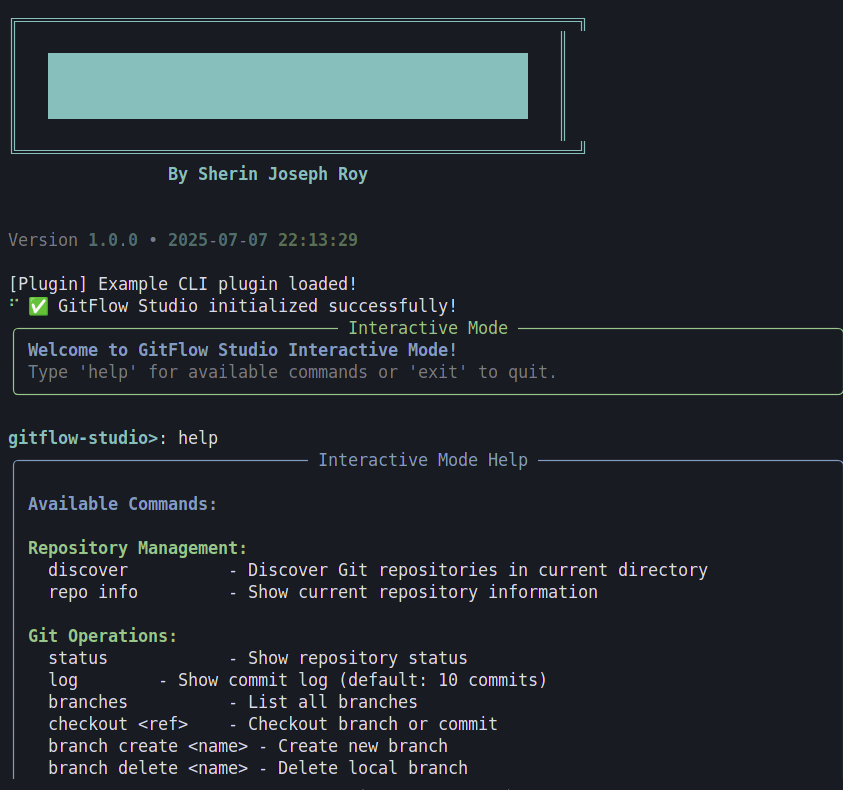
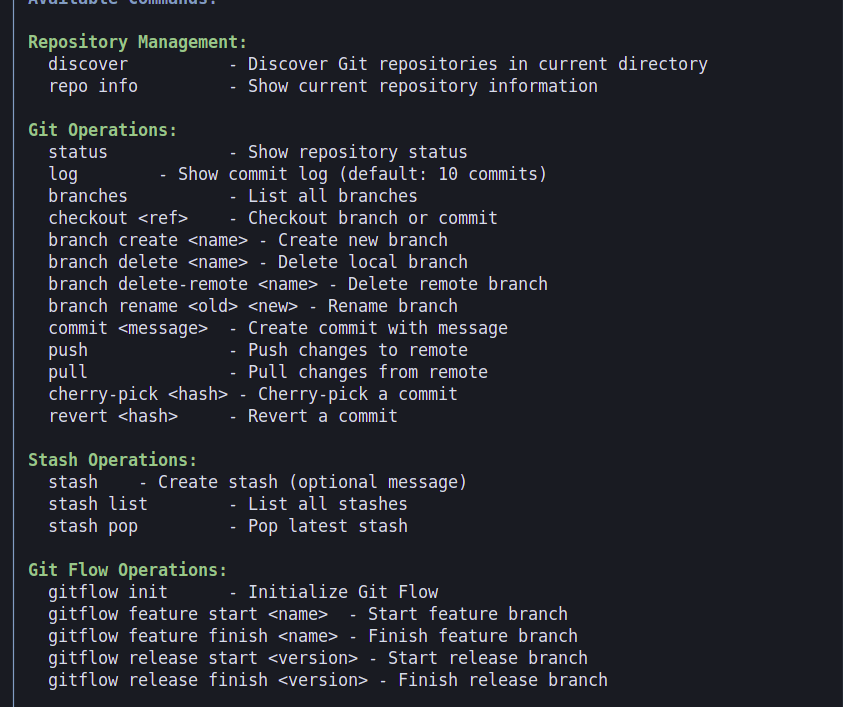
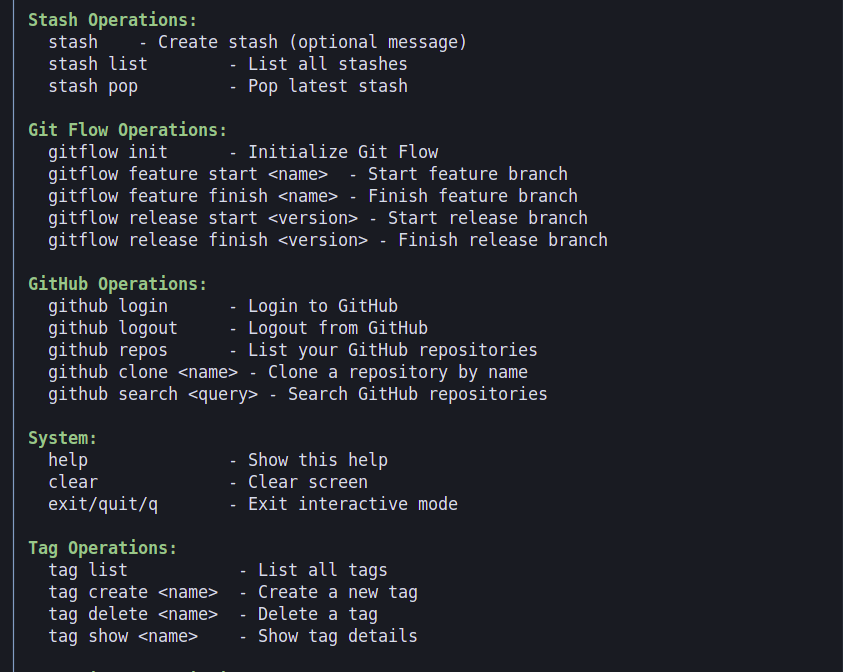
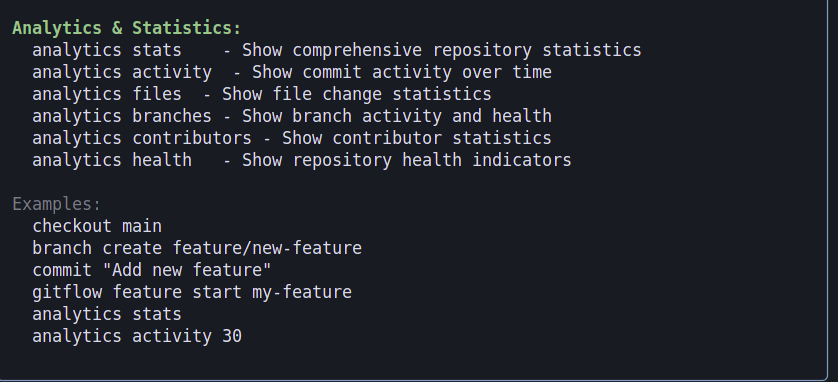
✨ Features
- 🔧 Git Operations: Status, commit, push, pull, branch management
- 🌊 Git Flow: Feature, release, and hotfix branch workflows
- 🔗 GitHub Integration: Repository listing, cloning, search, OAuth authentication
- 📊 Analytics: Repository statistics, commit activity, contributor insights
- 🎯 Interactive Mode: User-friendly command-line interface
- 🔄 Advanced Git: Cherry-pick, revert, interactive rebase, squash
- 🏷️ Tag Management: Create, delete, list, and show tags
- 📦 Stash Operations: Create, list, and pop stashes
- 🔍 Repository Discovery: Find Git repositories automatically
- 🎨 Rich UI: Beautiful tables, panels, and formatted output
🚀 Production-Ready Features
- 🔧 Custom Aliases: Create shortcuts for frequently used commands
- 🎨 Theme Customization: Personalize the interface with different color schemes
- 📊 Export Functionality: Export analytics data in JSON/CSV formats
- 🔍 Advanced Search: Find code across multiple repositories
- 📈 Performance Monitoring: Track tool performance and system resources
🚀 Quick Start
Installation
# Install from PyPI
pip install gitflow-studio

# Or use the installation script
curl -sSL https://raw.githubusercontent.com/Sherin-SEF-AI/GitFlow-Studio/main/install.sh | bash
Basic Usage
# Show help
gitflow-studio --help

# Interactive mode
gitflow-studio --interactive

# Discover repositories
gitflow-studio --discover

# Show repository status
gitflow-studio --repo /path/to/repo status
📋 Commands Overview
Repository Management
discover- Find Git repositories in current directoryrepo info- Show current repository information
Git Operations
status- Show repository statuslog- Show commit logbranches- List all branchescheckout <ref>- Checkout branch or commitcommit <message>- Create commit with messagepush- Push changes to remotepull- Pull changes from remote
Branch Management
branch create <name>- Create new branchbranch delete <name>- Delete local branchbranch delete-remote <name>- Delete remote branchbranch rename <old> <new>- Rename branch
Advanced Git Operations
cherry-pick <hash>- Cherry-pick a commitrevert <hash>- Revert a commitrebase-interactive <base>- Interactive rebasesquash <count>- Squash last N commits
Stash Operations
stash [message]- Create stash (optional message)stash list- List all stashesstash pop- Pop latest stash
Tag Operations
tag list- List all tagstag create <name>- Create a new tagtag delete <name>- Delete a tagtag show <name>- Show tag details
Git Flow Operations
gitflow init- Initialize Git Flowgitflow feature start <name>- Start feature branchgitflow feature finish <name>- Finish feature branchgitflow release start <version>- Start release branchgitflow release finish <version>- Finish release branch
GitHub Operations
github login- Login to GitHubgithub logout- Logout from GitHubgithub repos- List your GitHub repositoriesgithub clone <name>- Clone a repository by namegithub search <query>- Search GitHub repositories
Analytics & Statistics
analytics stats- Show comprehensive repository statisticsanalytics activity [days]- Show commit activity over timeanalytics files- Show file change statisticsanalytics branches- Show branch activity and healthanalytics contributors- Show contributor statisticsanalytics health- Show repository health indicators
🎯 Detailed Usage Examples
Repository Discovery and Setup
# Discover Git repositories in current directory
gitflow-studio --discover

# Set repository and show status
gitflow-studio --repo /path/to/my-project status

# Show repository information
gitflow-studio --repo /path/to/my-project repo info
Basic Git Operations
# Show repository status
gitflow-studio --repo . status

# Show last 10 commits
gitflow-studio --repo . log --max-count 10

# Show commits with graph
gitflow-studio --repo . log --graph --oneline

# Create a new commit
gitflow-studio --repo . commit "Add new feature"

# Push changes
gitflow-studio --repo . push

# Pull latest changes
gitflow-studio --repo . pull
Branch Management
# List all branches
gitflow-studio --repo . branches

# Create a new feature branch
gitflow-studio --repo . branch create feature/new-feature

# Checkout a branch
gitflow-studio --repo . checkout feature/new-feature

# Rename a branch
gitflow-studio --repo . branch rename old-branch new-branch

# Delete a local branch
gitflow-studio --repo . branch delete feature/old-feature

# Delete a remote branch
gitflow-studio --repo . branch delete-remote feature/old-feature
Advanced Git Operations
# Cherry-pick a specific commit
gitflow-studio --repo . cherry-pick abc1234

# Revert a commit
gitflow-studio --repo . revert abc1234

# Interactive rebase onto main
gitflow-studio --repo . rebase-interactive main

# Squash last 3 commits
gitflow-studio --repo . squash 3
Stash Operations
# Create a stash
gitflow-studio --repo . stash "Work in progress"

# List all stashes
gitflow-studio --repo . stash list

# Pop the latest stash
gitflow-studio --repo . stash pop
Tag Management
# List all tags
gitflow-studio --repo . tag list

# Create a new tag
gitflow-studio --repo . tag create v1.0.0

# Show tag details
gitflow-studio --repo . tag show v1.0.0

# Delete a tag
gitflow-studio --repo . tag delete v0.9.0
Git Flow Workflow
# Initialize Git Flow
gitflow-studio --repo . gitflow init

# Start a new feature
gitflow-studio --repo . gitflow feature start my-feature

# Finish a feature (merges to develop)
gitflow-studio --repo . gitflow feature finish my-feature

# Start a release
gitflow-studio --repo . gitflow release start v1.0.0

# Finish a release (merges to main and develop)
gitflow-studio --repo . gitflow release finish v1.0.0
GitHub Integration
# Login to GitHub (OAuth)
gitflow-studio --repo . github login

# List your repositories
gitflow-studio --repo . github repos

# Clone a repository by name
gitflow-studio --repo . github clone my-username/my-repo

# Search repositories
gitflow-studio --repo . github search "python cli tool"

# Logout from GitHub
gitflow-studio --repo . github logout
Analytics and Statistics
# Show comprehensive repository statistics
gitflow-studio --repo . analytics stats

# Show commit activity over last 30 days
gitflow-studio --repo . analytics activity 30

# Show file change statistics
gitflow-studio --repo . analytics files

# Show branch activity and health
gitflow-studio --repo . analytics branches

# Show contributor statistics
gitflow-studio --repo . analytics contributors

# Show repository health indicators
gitflow-studio --repo . analytics health
Interactive Mode
# Start interactive mode
gitflow-studio --interactive

# In interactive mode, you can run commands without --repo flag:
gitflow-studio> status
gitflow-studio> log --max-count 5
gitflow-studio> branch create feature/interactive-test
gitflow-studio> analytics stats
gitflow-studio> exit
🔧 Configuration
GitHub Authentication
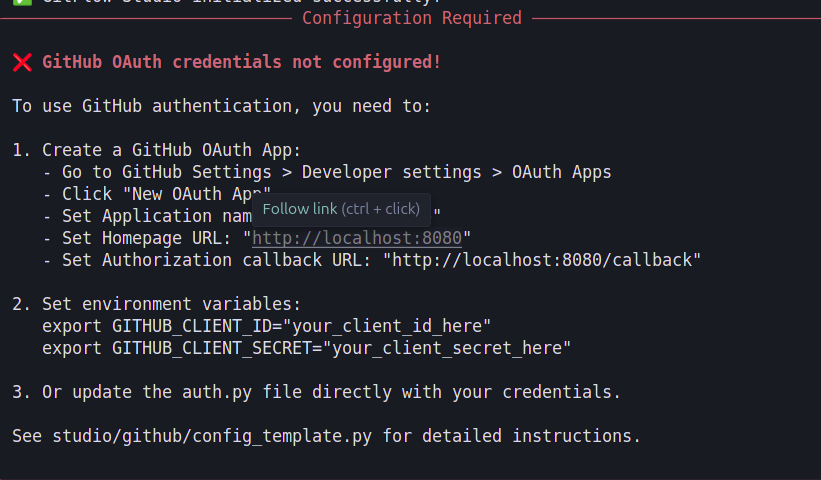
GitFlow Studio uses OAuth for GitHub authentication. When you run github login, it will:
- Open your browser for GitHub OAuth authorization
- Store the access token securely using your system's keyring
- Use the token for all GitHub API operations
Repository Discovery
The --discover command automatically finds Git repositories in the current directory and subdirectories, displaying them in a formatted table.
📊 Analytics Features
Repository Statistics
- Total commits, branches, tags, and files
- Repository size information
- Recent commit activity
- Current branch status
Commit Activity
- Commit frequency over time
- Daily, weekly, and monthly patterns
- Peak activity periods
- Contributor activity trends
File Changes
- Most modified files
- File change frequency
- File size statistics
- File type distribution
Branch Health
- Branch activity levels
- Branch age and status
- Merge patterns
- Branch protection status
Contributor Insights
- Top contributors
- Contribution patterns
- Activity heatmaps
- Collaboration metrics
Repository Health
- Code quality indicators
- Documentation coverage
- Issue and PR statistics
- Overall project health score
🛠️ Development
Installation for Development
# Clone the repository
git clone https://github.com/Sherin-SEF-AI/GitFlow-Studio.git
cd GitFlow-Studio

# Install in development mode
pip install -e .

# Run tests
python -m pytest studio/tests/
Project Structure
studio/
├── __init__.py
├── __main__.py
├── cli.py                 # Main CLI interface
├── core/                  # Core application logic
│   ├── app_context.py
│   ├── plugin_base.py
│   └── plugin_loader.py
├── db/                    # Database operations
│   └── sqlite_manager.py
├── git/                   # Git operations
│   ├── async_git.py
│   └── git_operations.py
├── github/                # GitHub integration
│   ├── auth.py
│   ├── config_template.py
│   └── repos.py
├── plugins/               # Plugin system
│   └── example_plugin.py
├── tests/                 # Test files
│   ├── test_basic.py
│   └── test_comprehensive.py
└── utils/                 # Utility functions
    └── repo_discovery.py
📝 Requirements
- Python: 3.9 or higher
- Git: For Git operations
- Internet Connection: For GitHub features
- Dependencies: Automatically installed via pip
🤝 Contributing
- Fork the repository
- Create a feature branch:
git checkout -b feature/amazing-feature - Commit your changes:
git commit -m 'Add amazing feature' - Push to the branch:
git push origin feature/amazing-feature - Open a Pull Request
📄 License
This project is licensed under the MIT License - see the LICENSE file for details.
🙏 Acknowledgments
- Built with Rich for beautiful CLI output
- Uses GitPython for Git operations
- GitHub integration powered by PyGithub
- CLI framework built with Click
📞 Support
- Issues: GitHub Issues
- Documentation: FEATURE_SUMMARY.md
- Installation: PIP_INSTALLATION.md


Download files
Download the file for your platform. If you're not sure which to choose, learn more about installing packages.
Source Distribution
Built Distribution
Filter files by name, interpreter, ABI, and platform.
If you're not sure about the file name format, learn more about wheel file names.
Copy a direct link to the current filters
File details
Details for the file gitflow_studio-1.0.2.tar.gz.
File metadata
- Download URL: gitflow_studio-1.0.2.tar.gz
- Upload date:
- Size: 56.6 kB
- Tags: Source
- Uploaded using Trusted Publishing? No
- Uploaded via: twine/6.1.0 CPython/3.12.3
File hashes
| Algorithm | Hash digest | |
|---|---|---|
| SHA256 |
ac0c536ac64b49a949a99e31db538b8ec50ec7274c8248eb3c83a716081c0ce1
|
|
| MD5 |
75b6c33d1770ded79a6a352e6267f42a
|
|
| BLAKE2b-256 |
14ae8fa5587dee4d3ce3d3b3b37770516c06f371e926306610cb0e08eef468e1
|
File details
Details for the file gitflow_studio-1.0.2-py3-none-any.whl.
File metadata
- Download URL: gitflow_studio-1.0.2-py3-none-any.whl
- Upload date:
- Size: 64.7 kB
- Tags: Python 3
- Uploaded using Trusted Publishing? No
- Uploaded via: twine/6.1.0 CPython/3.12.3
File hashes
| Algorithm | Hash digest | |
|---|---|---|
| SHA256 |
84c5e6b40bd7802cebe489ca07ef21c281a40d8cd3e1264f312bbc0049fcb4b9
|
|
| MD5 |
35fd1e36ca31e1b6719a35a45c9044b4
|
|
| BLAKE2b-256 |
f5b95c5ddb2c15c7e323e12fe9b3d132bb9c5ca7881d99cfa0645bc07b3bd053
|






