
🎃 GitGotchi



Your terminal is haunted now. These days AI agents write a lot of the commits, and GitGotchi is the little spirit that lives in your repo and watches them land. Feed it commits, keep it company while your agent works, and see what it grows into.

Every form is a real 3D model, raymarched and cel-shaded into pixel art right in your terminal.
🚀 Try it
pip install gitgotchi
gitgotchi demo
demo opens a throwaway repo where you, Claude and Copilot take turns committing, so you can watch a
pumpkin grow into a Poltergeist in about thirty seconds.
🌱 Haunt your own repo
cd your-project
gitgotchi install   # every commit now feeds your companion
gitgotchi adopt     # raise it on the history you already have
gitgotchi haunt     # open the live pane
Keep gitgotchi haunt open in a split next to the terminal where you or your agent are working. Every
commit gets a reaction, agent commits glitch the screen, and evolutions play out live. It watches every
local branch, so it sees commits from other worktrees too. Commits that arrive by git pull aren't yours,
so they don't feed your companion.

👾 Possession
GitGotchi spots commits written by AI agents (Claude, Copilot, Codex, Cursor, Devin, Aider, Gemini,
Windsurf, Cline, Amp) from their Co-Authored-By trailers, "Generated with" footers and bot accounts.
They feed your companion like any other commit, and they also fill its possession meter. Once agents
have written at least half of 6+ commits, your companion becomes a Poltergeist.
When git isn't attached to a terminal (an agent running git commit, for example), the hook prints a
single line instead of the full pet, so it doesn't flood the agent's context.
🖼️ Share it
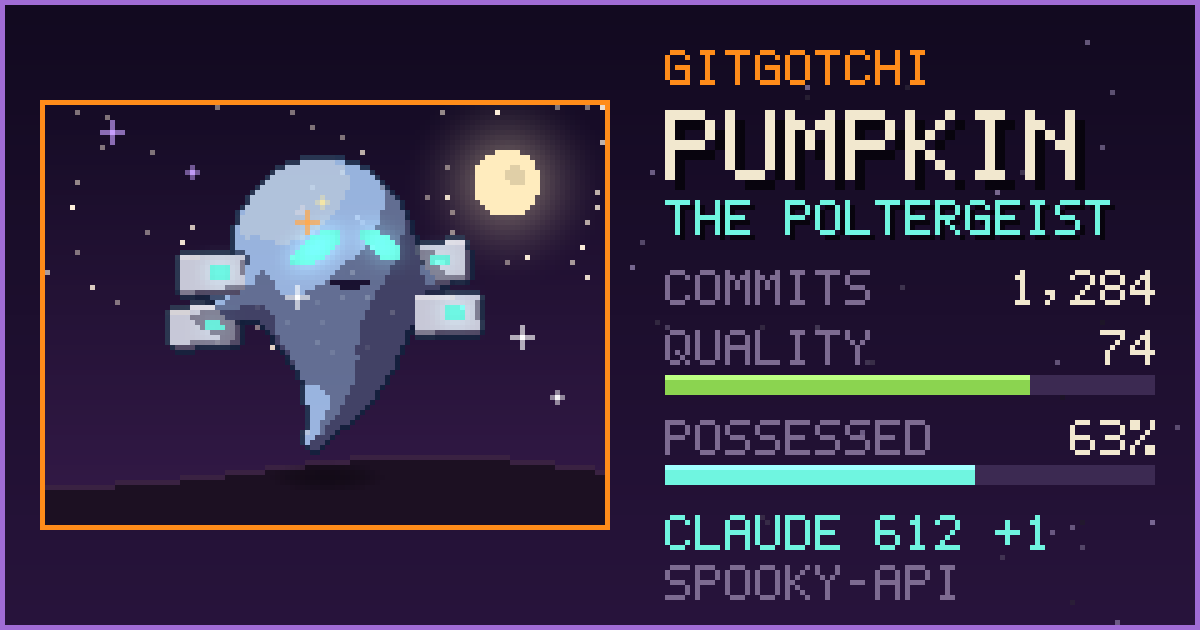
gitgotchi card
Saves a 1200×630 card, sized for LinkedIn and other link previews:
🔮 Séance
gitgotchi seance
Your companion digs through the history for its ghosts: the oldest TODO still in the code, the file
nobody has opened in ages, the biggest deletion, commits made between midnight and 4am, and the first
commit an AI agent wrote. Then it tells you a story about them. Set ANTHROPIC_API_KEY (or put it in a
.env file) to have Claude tell it; otherwise your companion tells it in its own words. With a key set,
the findings (file names, TODO text and recent commit messages) are sent to the Anthropic API to write the
story. GitGotchi reads only ANTHROPIC_API_KEY from .env and ignores everything else in it.
🎮 All commands
| Command | What it does |
|---|---|
gitgotchi demo |
Watch a throwaway repo get haunted |
gitgotchi install |
Add the post-commit hook (other hooks are kept) |
gitgotchi adopt |
Replay existing history (--reset to start over) |
gitgotchi haunt |
Live pane that reacts to every commit |
gitgotchi status |
Your companion and its stats |
gitgotchi seance |
Ghost stories from your repo's history |
gitgotchi card |
Save a shareable PNG |
gitgotchi evolve |
Evolution paths and progress |
gitgotchi pet |
Give it some affection |
gitgotchi name <name> |
Name your companion |
gitgotchi uninstall |
Remove the hook |
🌕 Evolution
| Form | How to get there |
|---|---|
| 🎃 Pumpkin | Where everyone starts |
| 👻 Ghost | 3 commits |
| 😇 Angel | 6+ commits with quality above 70 |
| 😈 Demon | 6+ commits with quality below 30 |
| 👾 Poltergeist | 6+ commits, at least half by AI agents |
| 🧟 Zombie | 4+ reverts |
| 🌙 Wraith | 15+ commits |
Quality drifts toward the score of each commit:
| Factor | Points |
|---|---|
| Descriptive message | +15 |
Conventional commit prefix (feat:, fix: ...) |
+5 |
| Touches tests | +10 |
| Reasonable size | +5 |
Vague message (fix, wip, update code) |
-30 |
| Huge commit (>500 lines) | -15 |
| Revert | -10 |
Go a day without committing and your companion gets hungry; after a week it goes dormant.
🖥️ Terminals
GitGotchi draws with true-color half-block characters, so it works in practically every modern terminal,
including VS Code, iTerm2, Kitty, WezTerm, Ghostty, Windows Terminal and macOS Terminal. gitgotchi card
also shows the image inline in terminals that support it. Set GITGOTCHI_GRAPHICS=blocks to turn that off.
🗂️ Where state lives
Your companion lives in .git/gitgotchi/state.db, inside the repository's git directory. It never
shows up in git status, can't be committed, and every git worktree of the repo shares the same pet, so
commits your agents make in their own worktrees count too.
🛠️ Development
git clone https://github.com/Srikarmk/Gitgotchi.git
cd Gitgotchi
pip install -e ".[dev]"
pytest
python scripts/render_assets.py   # regenerate the images in docs/
See INSTALL.md for more and CHANGELOG.md for release notes.
License
MIT - see LICENSE.
1 maintainer

Metadata
1 maintainer
Release files for gitgotchi 0.3.1
For a detailed explanation of source distributions (sdists) and built distributions (wheels), please see the package formats documentation.
Source distribution (sdist)
| File | Size | Uploaded | Provenance | Actions |
|---|---|---|---|---|
| gitgotchi-0.3.1.tar.gz | 63.0 kB | With provenance | Details for gitgotchi-0.3.1.tar.gz |
Built distribution (wheel)
| File | Interpreter | ABI | Platform | Actions Reset |
|---|---|---|---|---|
| gitgotchi-0.3.1-py3-none-any.whl | Python 3 | none | any | Details for gitgotchi-0.3.1-py3-none-any.whl |
Total release size: 120.4 kB
Release files / gitgotchi-0.3.1.tar.gz
| Download URL | gitgotchi-0.3.1.tar.gz |
|---|---|
| Size | 63.0 kB |
| Tags | Source |
|
SHA-256 checksum How to use checksums |
385a8cfdad8d6de64dc17b6601a828213371e8c3580f5e388cf216c4b4c5c1b6
|
|
BLAKE2b-256 checksum How to use checksums |
ae6f00fd99c29fdb899634e4de9f8e26146935c72d5f8e9df7bf9eb68ebc4376
|
| Upload date | |
|
Uploaded using Trusted Publishing? What is trusted publishing? |
Yes |
| Uploaded via |
twine/7.0.0 CPython/3.13.14
|
Provenance
Provenance describes where a file came from. On PyPI, provenance is shared via attestations, which provide a verifiable record of the build or publishing details. View details, limitations and caveats.


PyPI Publish Attestation
PyPI verified that this artifact, at this checksum, originated from the publisher listed below.
Signed by GitHub Actions, verified by PyPI on Oct 15, 2026.
Transparency logRelease files / gitgotchi-0.3.1-py3-none-any.whl
| Download URL | gitgotchi-0.3.1-py3-none-any.whl |
|---|---|
| Size | 57.4 kB |
| Tags | Python 3 |
|
SHA-256 checksum How to use checksums |
01c50625cce125695fd1884132d74ed738a9a6ffc200173f8c3a507381da5b0d
|
|
BLAKE2b-256 checksum How to use checksums |
3e04526d0a17a184ab9a3ded6da6aae07c0cd5d8aaadc800467a31f3b9a4a400
|
| Upload date | |
|
Uploaded using Trusted Publishing? What is trusted publishing? |
Yes |
| Uploaded via |
twine/7.0.0 CPython/3.13.14
|
Provenance
Provenance describes where a file came from. On PyPI, provenance is shared via attestations, which provide a verifiable record of the build or publishing details. View details, limitations and caveats.
PyPI Publish Attestation
PyPI verified that this artifact, at this checksum, originated from the publisher listed below.
Signed by GitHub Actions, verified by PyPI on Oct 15, 2026.
Transparency logSecurity for gitgotchi 0.3.1
Provenance
Provenance describes where a file came from. On PyPI, provenance is shared via attestations, which provide a verifiable record of the build or publishing details. View details, limitations and caveats.
Full provenance
Both files in this release have been uploaded with provenance metadata.
Attestation for gitgotchi-0.3.1.tar.gz
PyPI Publish Attestation
PyPI verified that this artifact, at this checksum, originated from the publisher listed below.
Signed by GitHub Actions, verified by PyPI on Oct 15, 2026.
Transparency logA note on package security
PyPI is a repository for distributing packages, not a service for auditing them. While third-party security researchers and our staff do their best to detect and remove malicious packages, PyPI cannot guarantee the quality, security or suitability of any given package.
To learn more about protecting yourself from malicious actors, visit our package security documentation.














