
GitHub Activity Graph Populator

GAGP (GitHub Activity Graph Populator) is a tool to populate your GitHub activity graph the way you like — or make it look super busy!
Zero dependencies, 99.53% test coverage and PyPI MFA enabled making it more secure and lightweight 🚀
Available Patterns
- Tree
- Checkmark
- Wave
- Smile
- Flower
- Custom (see details below)
Or make it look super busy using the busy mode.
Demo
You can see a live demo on my own GitHub profile here.
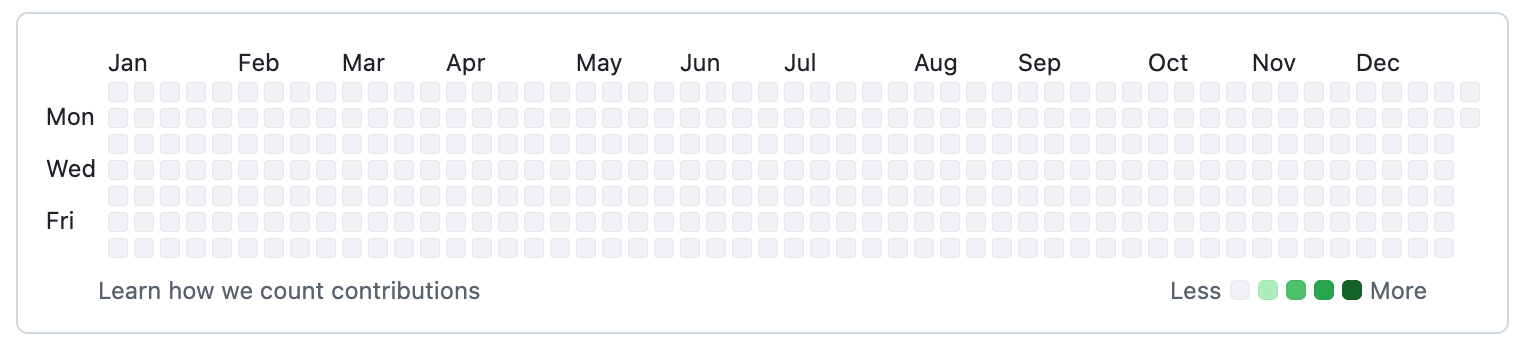
2012: Before it looked like this...
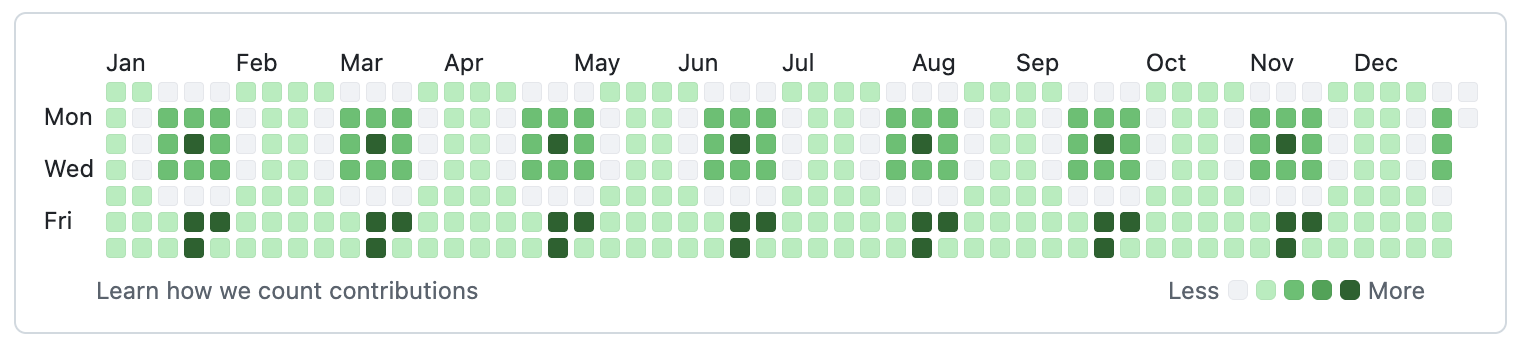
2012: Now, it looked like this! This is the flower pattern.
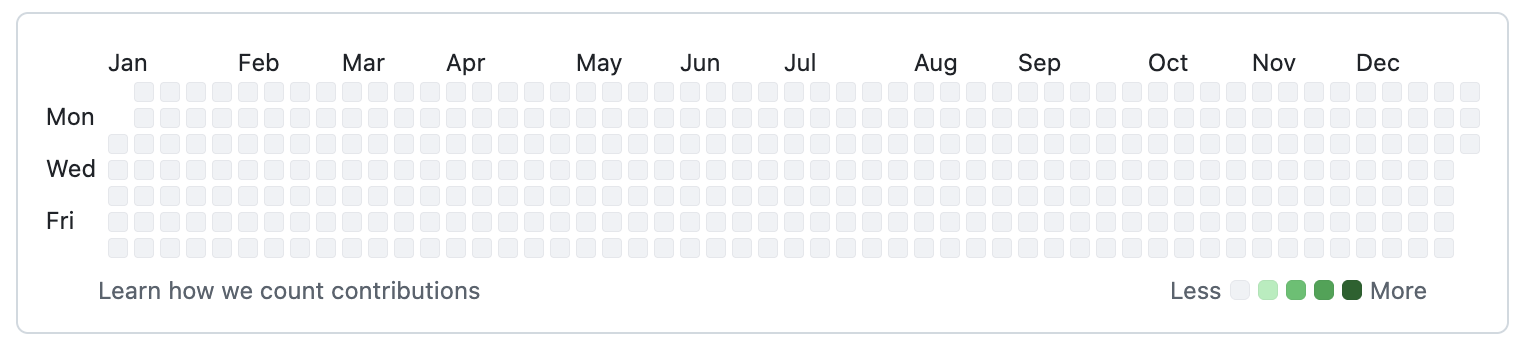
2013: Before it was like this...
2013: Now, it's like this! This is the tree pattern and yeah, my design skills definitely need improvement but it's really hard to draw on a 7 pixel grid 😅
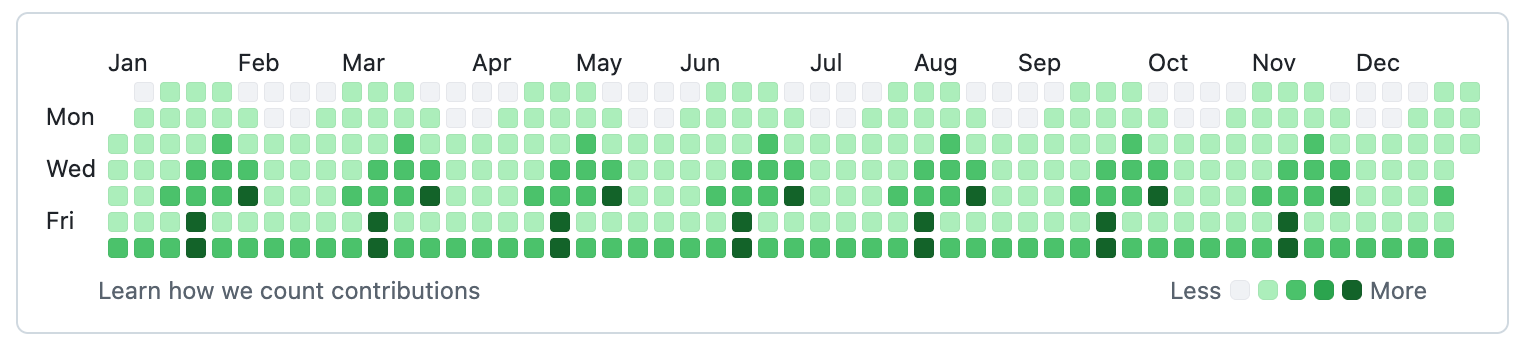
Note: I have a huge number of contributions on my GitHub profile, the images are from the years 2012 and 2013, back then my activity on GitHub was much lower.
Another Note: On the way, I discovered I can write history before I was a user which opened the 2012 tab and I cound see the year.
TL;DR
Originally, I wanted to represent my Bitbucket activity (where I have over 250 private repositories vs ~50 public ones on GitHub plus a few dozens private ones that apparenly isn't shown on the activity graph for the public) onto my GitHub activity graph, but I didn't want to mess with syncying jobs and dealing with API's when it's just git... So I decided to just draw a nice pattern on my GitHub activity graph instead, using a nifty git hack I learned over the years; either way, the volume of my commits across GH, BB, AWS and a few other platforms is so high that it doesn't really matter 😜
But I thought it would be fun to create a tool that allows anyone to visually populate their GitHub activity graph with custom patterns 😇
Installation
pip install github-activity-graph-populator
Usage
First create a public repository on GitHub.
Then, after you install the package, you can use the command line. See the help message for available commands:
$ gagp --help

usage: main.py [-h] [--repo REPO] [--force-push] [--filename FILENAME] [--folder FOLDER] [--from-date FROM_DATE] [--to-date TO_DATE] [--mode {matrix,busy}] [--matrix {tree,checkmark,wave,smile,flower,custom}]
               [--custom-matrix CUSTOM_MATRIX] [--max-intensity MAX_INTENSITY] [--cleanup] [--test]

Populate GitHub activity graph

options:
  -h, --help            show this help message and exit
  --repo REPO           Name of the repository to populate in the format of <github_username>/<repository_name> (default: None)
  --force-push          Force push to the remote repository (default: False)
  --filename FILENAME   Name of the file to create and commit (default: README.md)
  --folder FOLDER       Folder to create temporary files in (default: None)
  --from-date FROM_DATE
                        Start date for populating GitHub activity graph (default: None)
  --to-date TO_DATE     End date for populating GitHub activity graph (default: None)
  --mode {matrix,busy}  Mode for populating GitHub activity graph (default: matrix)
  --matrix {tree,checkmark,wave,smile,flower,custom}
                        Matrix style for populating GitHub activity graph (default: tree)
  --custom-matrix CUSTOM_MATRIX
                        Path to custom tile style for populating GitHub activity graph. There must be 7 rows and at least 1 column in the matrix and it should be a plain text file. The values in the matrix represent the color 0-4 from
                        white to dark green (default: None)
  --max-intensity MAX_INTENSITY
                        Average number of commits per day [only used for 'busy' mode] (default: 10)
  --cleanup             Run cleanup after populating GitHub activity graph (default: False)
  --test                Run in test mode (default: False)
Note: The date format for the --from-date and --to-date options is YYYY-MM-DD.
Another Note: As GitHub was released in 2008, the minimum from-date is 2008-01-01.
Examples
# Colorful tree pattern
gagp --matrix tree --from 2013-01-01 --to 2013-04-01 --repo your-github-username/your-repo-name

# Or make it look super busy
gagp --mode busy --from 2013-01-01 --to 2013-04-01 --repo your-github-username/your-repo-name
You can create your own custom matrix by using the --matrix custom and --custom-matrix options.
gagp --matrix custom --custom-matrix path/to/your/custom_matrix.txt --from 2013-01-01 --to 2013-04-01 --repo your-github-username/your-repo-name
when your custom_matrix.txt looks something like this:
0123411
1111111
1111111
1111111
1112211
1133311
1111111
There must be 7 rows and at least 1 column in the matrix and it should be a plain text file. The values in the matrix represent the color 0-4 from white to dark green.
You can generate your own custom matrix using any tile builder (see the contribution guide for more information).
(Optionally) You can force push the changes if the repository is not clean:
gagp --mode busy --from 2013-01-01 --to 2013-04-01 --repo your-github-username/your-repo-name --force-push
NOTE: Though I don't recommend it as the re-caching of the GitHub activity graph can take some time. I suggest using a new repo or deleting and recreating the existing one as this is kind of a "dummy" repository that we just need to update its history.
Output
When running the cli command, you will see output similar to the following:
$ gagp --from-date 2012-01-01 --to-date 2012-12-30 --matrix flower --repo freaker2k7/2012-flowers

[INFO] 2026-10-15 14:07:18,795: github-activity-graph-populator >> Temporary input folder created at: /tmp/gagp-s4y5ok57
[INFO] 2026-10-15 14:07:18,795: github-activity-graph-populator >> Temporary output folder created at: /tmp/gagp-xg2qgrq7
[INFO] 2026-10-15 14:07:18,795: github-activity-graph-populator >> Temporary export file created at: /tmp/gagp-export-kms17yuf
[INFO] 2026-10-15 14:07:18,795: github-activity-graph-populator >> Temporary import file created at: /tmp/gagp-import-7xgdpp9z
[INFO] 2026-10-15 14:07:18,821: github-activity-graph-populator >> Repository initialized in /tmp/gagp-s4y5ok57
[INFO] 2026-10-15 14:07:36,785: github-activity-graph-populator >> Exported git data to: /tmp/gagp-export-kms17yuf
[INFO] 2026-10-15 14:07:36,788: github-activity-graph-populator >> Finished reading exported git data.
[INFO] 2026-10-15 14:07:39,615: github-activity-graph-populator >> Repository imported in /tmp/gagp-xg2qgrq7 with 903 commits
gagp --from-date 2012-01-01 --to-date 2012-12-30 --matrix flower --repo freaker2k7/2012-flowers  7.00s user 8.68s system 87% cpu 18.012 total
As the temporary folders and files are created in the /tmp directory, they will be automatically cleaned up by the system.
After it finishes, you should see the updated GitHub activity graph reflecting the changes made by the tool in a few moments.
NOTICE: It took less than 20 seconds to complete a year on my MacBook Pro M2 Max.
NOTE: This is the actual output I saw when I "planted" the flowers :)
Contributing
If you want to contribute to the project, please refer to the Contributing Guide for detailed instructions on setting up the development environment, adding new modes or tiles, running tests and maintaining code quality.
Security
Please see the Security Policy for information on reporting vulnerabilities and security-related concerns.
License
This project is licensed under the Apache License 2.0. See the LICENSE file for details.
1 maintainer

Metadata
1 maintainer
Release files for github-activity-graph-populator 1.0.1
For a detailed explanation of source distributions (sdists) and built distributions (wheels), please see the package formats documentation.
Source distribution (sdist)
| File | Size | Uploaded | |
|---|---|---|---|
| github_activity_graph_populator-1.0.1.tar.gz | 18.1 kB | Details |
Built distribution (wheel)
| File | Interpreter | ABI | Platform | Reset |
|---|---|---|---|---|
| github_activity_graph_populator-1.0.1-py3-none-any.whl | Python 3 | none | any | Details |
Total release size: 36.1 kB
Release files / github_activity_graph_populator-1.0.1.tar.gz
| Download URL | github_activity_graph_populator-1.0.1.tar.gz |
|---|---|
| Size | 18.1 kB |
| Tags | Source |
|
SHA-256 checksum How to use checksums |
69ddfcfd86762ca5e1a11264c385709e53462e4ada9e1ef48f09ab66a018035f
|
|
BLAKE2b-256 checksum How to use checksums |
918a42c55a57209ec32d826d9efadbc58327a57fdf6816b7be510ac65d05df0f
|
| Upload date | |
|
Uploaded using Trusted Publishing? What is trusted publishing? |
Yes |
| Uploaded via |
twine/7.0.0 CPython/3.13.14
|
Provenance
Provenance describes where a file came from. On PyPI, provenance is shared via attestations, which provide a verifiable record of the build or publishing details. View details, limitations and caveats.


PyPI Publish Attestation
PyPI verified that this artifact, at this checksum, originated from the publisher listed below.
Signed by GitHub Actions, verified by PyPI on Oct 15, 2026.
Transparency logRelease files / github_activity_graph_populator-1.0.1-py3-none-any.whl
| Download URL | github_activity_graph_populator-1.0.1-py3-none-any.whl |
|---|---|
| Size | 18.0 kB |
| Tags | Python 3 |
|
SHA-256 checksum How to use checksums |
3b711bd454699ead31ecdd7fb856347f9ca9b7aa08f3358ba556036e1033bc20
|
|
BLAKE2b-256 checksum How to use checksums |
d27b6e2e0e59b87d6e84b6deb37aef6cc400d0062c3ede46a4a33e91eb5ba45e
|
| Upload date | |
|
Uploaded using Trusted Publishing? What is trusted publishing? |
Yes |
| Uploaded via |
twine/7.0.0 CPython/3.13.14
|
Provenance
Provenance describes where a file came from. On PyPI, provenance is shared via attestations, which provide a verifiable record of the build or publishing details. View details, limitations and caveats.
PyPI Publish Attestation
PyPI verified that this artifact, at this checksum, originated from the publisher listed below.
Signed by GitHub Actions, verified by PyPI on Oct 15, 2026.
Transparency log













