
GitHub Archive
A powerful tool to concurrently clone, pull, or fork user and org repos and gists to create a GitHub archive.




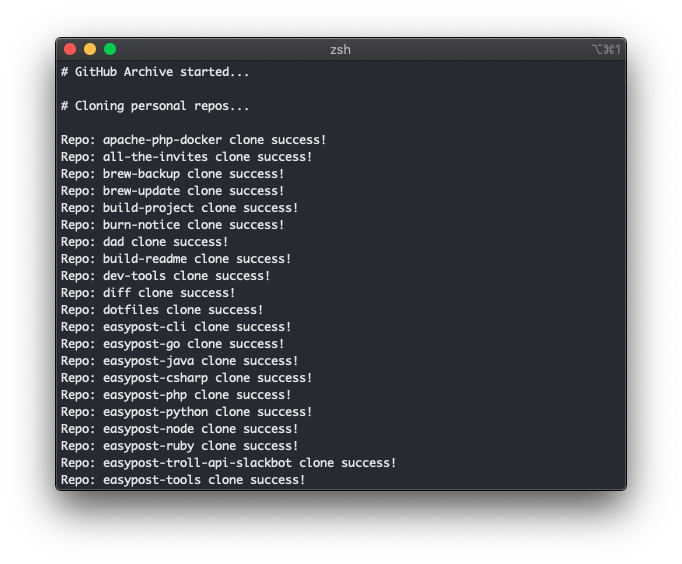
GitHub Archive is a powerful tool to concurrently clone, pull, or fork repositories or gists from GitHub with incredible flexibility. It's the perfect tool for spinning up a new dev environment, keeping a local copy of your GitHub instance, or quickly pulling in projects from your favorite users and organizations.
The power of GitHub Archive comes in its configuration. Maybe you only want to clone or pull your personal public repos or maybe you want to go all out and include private repos from you and all organizations you belong to along with your gists. GitHub Archive can do it all.
Install
# Pip install
pip3 install github-archive

# Install locally
just install
Usage
Usage:
    github-archive --users justintime50 --clone

Options:
    -h, --help            show this help message and exit
    -t TOKEN, --token TOKEN
                            Provide your GitHub token to authenticate with the GitHub API and gain access to private repos and gists.
    -u USERS, --users USERS
                            Pass a comma separated list of users to get repos for.
    -o ORGS, --orgs ORGS  Pass a comma separated list of orgs to get repos for.
    -g GISTS, --gists GISTS
                            Pass a comma separated list of users to get gists for.
    -s STARS, --stars STARS
                            Pass a comma separated list of users to get starred repos for.
    -v, --view            Pass this flag to view git assets (dry run).
    -c, --clone           Pass this flag to clone git assets.
    -p, --pull            Pass this flag to pull git assets.
    -f, --fork            Pass this flag to fork git assets.
    --include INCLUDE     Pass a comma separated list of repos to filter what is included in the Archive.
    --exclude EXCLUDE     Pass a comma separated list of repos to filter what is excluded from the Archive.
    --languages LANGUAGES Pass a comma separated list of languages to filter what is included in the Archive.
    --forks               Pass this flag to include forked git assets (when cloning or pulling).
    --location LOCATION   The location where you want your GitHub Archive to be stored. Default: /Users/USERNAME/github-archive
    --https               Use HTTPS URLs instead of SSH.
    --timeout TIMEOUT     The number of seconds before a git operation times out. Default: 300
    --threads THREADS     The number of concurrent threads to run. Default: 10
    --base_url BASE_URL   The base URL of your GitHub instance (useful for enterprise users with custom hostnames). Default: https://api.github.com
    --log_level {error,critical,warning,info,debug}
                            The log level used for the tool. Default: info
    --version             show program's version number and exit
Authentication
There are three methods of authentication with this tool.
Unauthenticated
You can run a command similar to github-archive --users justintime50 --clone which would only clone public repositories. GitHub has a hard limit of 60 requests per hour - not authenticating may quickly burn through that limit if you have a large GitHub instance to archive.
SSH
To allow the script to run continuosly without requiring passwords for every repo, you can add your SSH passphrase to the SSH agent:
# This assumes you've saved your SSH keys to the default location
ssh-add
You can then run a command similar to github-archive --users justintime50 --clone --token 123 where the token is your GitHub API token. This will authenticate you with the GitHub API via the token and with GitHub via ssh.
Git Credential Manager
Alternatively, you can use a tool like Git Credential Manager to populate your Git credentials under the hood. When not using SSH, we'll clone/pull from the git URLs instead of the SSH URLs. To trigger this behavior, you must pass the --https flag.
You can then run a command similar to github-archive --users justintime50 --clone --token 123 --https where the token is your GitHub API token. This will authenticate you with the GitHub API via the token and with GitHub via your Git credentials via GCM.
Notes
Access: GitHub Archive can only clone or pull git assets that the authenticated user has access to. This means that private repos from another user or org that you don't have access to will not be able to be cloned or pulled. Additionally without using a token and SSH/CGM, you will not be able to interact with private git assets.
Merge Conflicts: Be aware that using GitHub Archive could lead to merge conflicts if you do not commit or stash your changes if using these repos as active development repos instead of simply an archive or one-time clone.
Development
# Get a comprehensive list of development tools
just --list

# Run the tool locally
venv/bin/python github_archive/cli.py --help
1 maintainer

Metadata
1 maintainer
Release files for github-archive 7.0.5
For a detailed explanation of source distributions (sdists) and built distributions (wheels), please see the package formats documentation.
Source distribution (sdist)
| File | Size | Uploaded | |
|---|---|---|---|
| github_archive-7.0.5.tar.gz | 16.1 kB | Details |
Built distribution (wheel)
| File | Interpreter | ABI | Platform | Reset |
|---|---|---|---|---|
| github_archive-7.0.5-py3-none-any.whl | Python 3 | none | any | Details |
Total release size: 35.3 kB
Release files / github_archive-7.0.5.tar.gz
| Download URL | github_archive-7.0.5.tar.gz |
|---|---|
| Size | 16.1 kB |
| Tags | Source |
|
SHA-256 checksum How to use checksums |
b62a6c5f5e94a434b4bae0d65c68e394aa1d02bd46064fe6b492e9ce4d535b47
|
|
BLAKE2b-256 checksum How to use checksums |
77c1d5ff8b2f2d77738b67b29f875e60a32a1771191bf7d9917588976029bce9
|
| Upload date | |
|
Uploaded using Trusted Publishing? What is trusted publishing? |
No |
| Uploaded via |
twine/6.1.0 CPython/3.13.7
|
Release files / github_archive-7.0.5-py3-none-any.whl
| Download URL | github_archive-7.0.5-py3-none-any.whl |
|---|---|
| Size | 19.2 kB |
| Tags | Python 3 |
|
SHA-256 checksum How to use checksums |
61cb997718823180fc896e93551546bf967d0e02517154ee82cf550d908717d8
|
|
BLAKE2b-256 checksum How to use checksums |
d22a7a6e10e0f8b72b66518331cfef83491f128b47ef46d95204707e8ada4768
|
| Upload date | |
|
Uploaded using Trusted Publishing? What is trusted publishing? |
No |
| Uploaded via |
twine/6.1.0 CPython/3.13.7
|














