

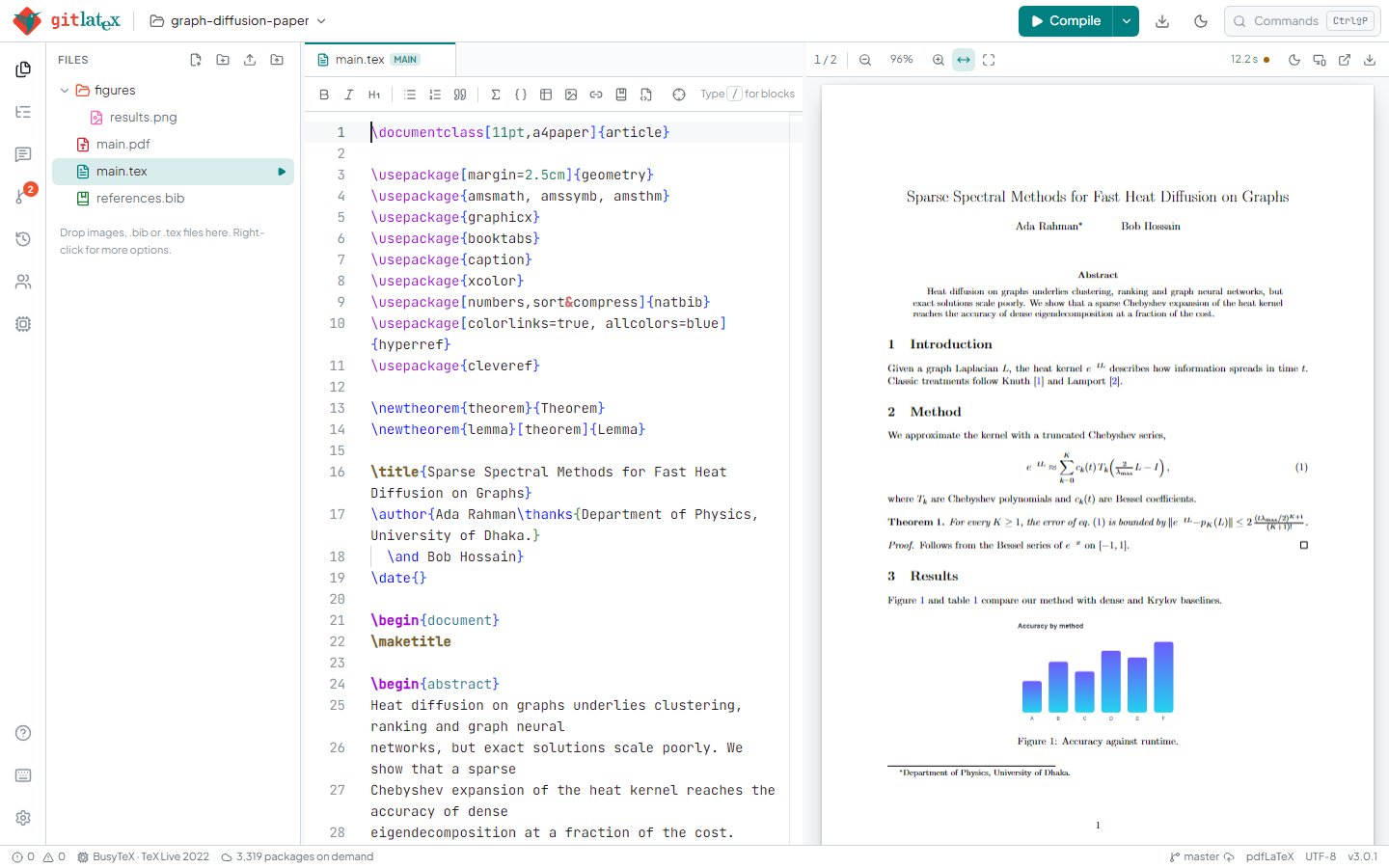
A local, Git-native LaTeX editor that runs in your browser.
Write in a Monaco editor, compile to PDF, and push to GitHub — without Overleaf, without a subscription, and without leaving your own machine.




Why GitLaTeX
Overleaf is excellent until you want your files on your own disk, your own Git
remote, and no upload limits. GitLaTeX gives you the same shape of workflow —
editor, live PDF, one-click compile — but everything runs locally against a real
Git repository. Your .tex files are just files, and your history is just Git.
- Your files stay yours. Plain folders on your disk, versioned with real Git.
- No account, no subscription, no upload cap.
- Compiles locally, so your unpublished work never leaves your machine — with your own TeX installation, or with TeX Live running in the browser when you have none.
- One command to start.
pip install gitlatex && gitlatex.
The in-browser TeX engine (~190 MB) is downloaded once, on first use. Everything else — your files, the editor and Git — stays local.
Getting started
pip install gitlatex
gitlatex
Your browser opens at http://localhost:5000. Start from a template, clone a
repository, import a .zip or open a folder, and start writing. Changes save
automatically as you type.
| Requirement | |
|---|---|
| Python | 3.8 or newer |
| Git | For cloning, pushing and version history |
| LaTeX | Optional — TeX Live, MiKTeX or MacTeX. Without one, documents compile in the browser |
| Option | Description |
|---|---|
--port, -p |
Port to serve on (default: 5000) |
--host |
Bind address (default: 127.0.0.1) |
--no-browser |
Do not open a browser on start |
--repos |
Where projects live (default: ./repos in the current directory) |
--fetch-engine |
Download the in-browser TeX engine now, then exit |
Features
- A real code editor — Monaco (from VS Code) with LaTeX and BibTeX highlighting, autocomplete for labels and citations, an outline, LaTeX-aware spell checking and snippets. More
- A LyX-style editor, if you want one — write with headings, lists, theorems, live formulas and editable tables instead of markup, with LyX's keys, menus and command buffer. The file stays plain LaTeX, and only what you edit is rewritten. More
- Compile anywhere — with your own TeX, with TeX Live in the browser, or with a remote compiler, in full multi-pass builds with a clickable problems list. More
- PDF ↔ source sync — click a line to find it in the PDF, double-click the PDF to jump back, and land on your cursor's page after every build. More
- A PDF viewer for checking your work — clickable links that show the whole figure, not just its caption, a Back button, and highlighted bookmarks you can step through. More
- Citations from Zotero — search your personal and group libraries, from the Zotero app or with a zotero.org API key, and cite in one step; or import by DOI. More
- Git built in — stage, commit, pull, push, branches and merge conflicts in a VS Code-style panel, plus history and side-by-side diffs. Build files are hidden, ignored in new projects, and one click from gone. More
- Review comments — Overleaf-style comment threads, shared with coauthors through Git. More
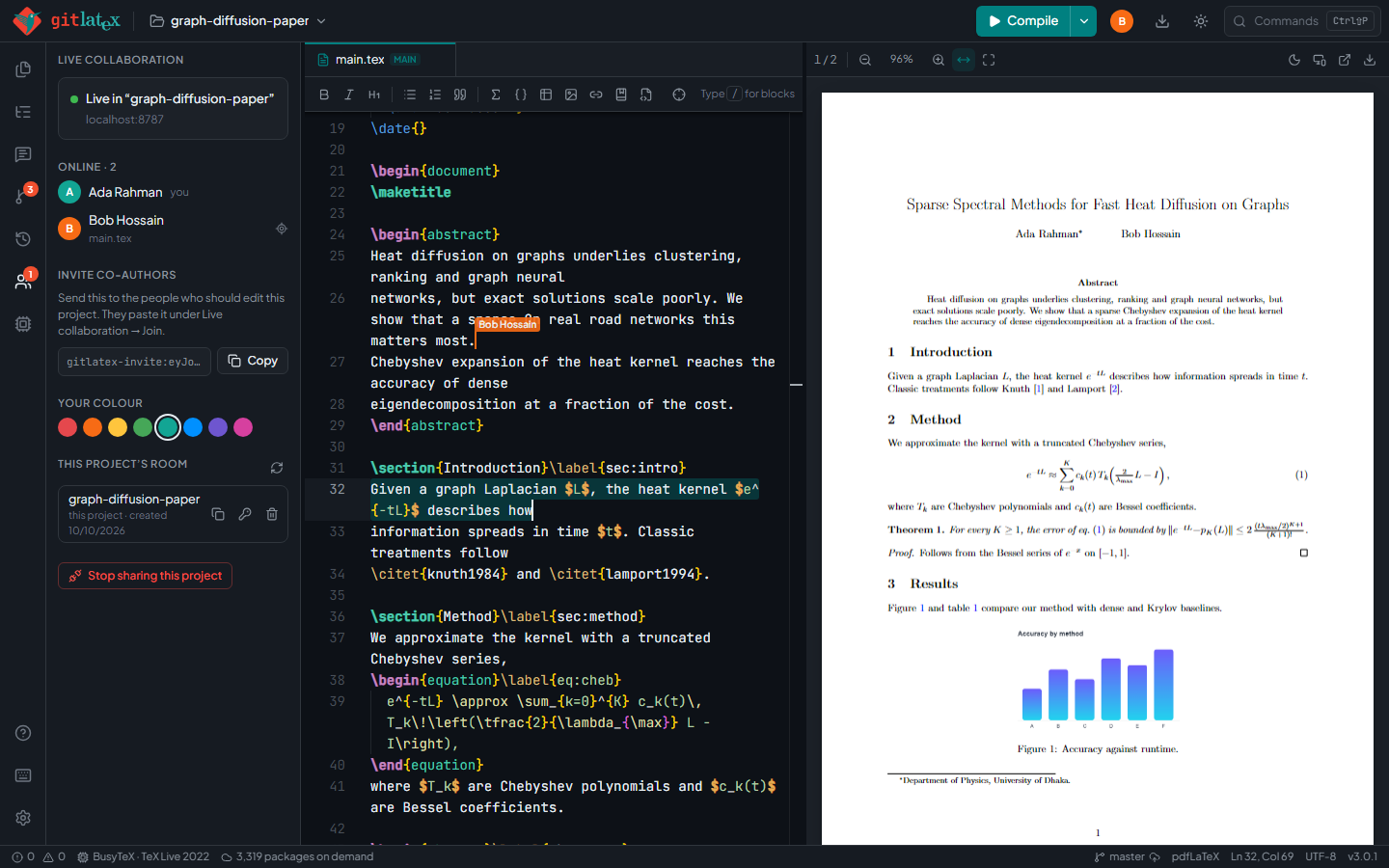
- Live collaboration (optional) — edit together in real time with shared cursors, while everyone keeps their own folder and Git. More
- Vim mode with VimTeX-style keys. More
- Conceal TeX — show formulas rendered in the source editor and edit them in a math box (Cmd/Ctrl+M inline, Cmd/Ctrl+Shift+M display); the switch is next to Source | LyX above a .tex file.
- Sync to Overleaf — a browser extension reads and writes the open
project's files through the editor (
window.__gitlatexSync). How it fits together: docs/flowchart.md.
 |
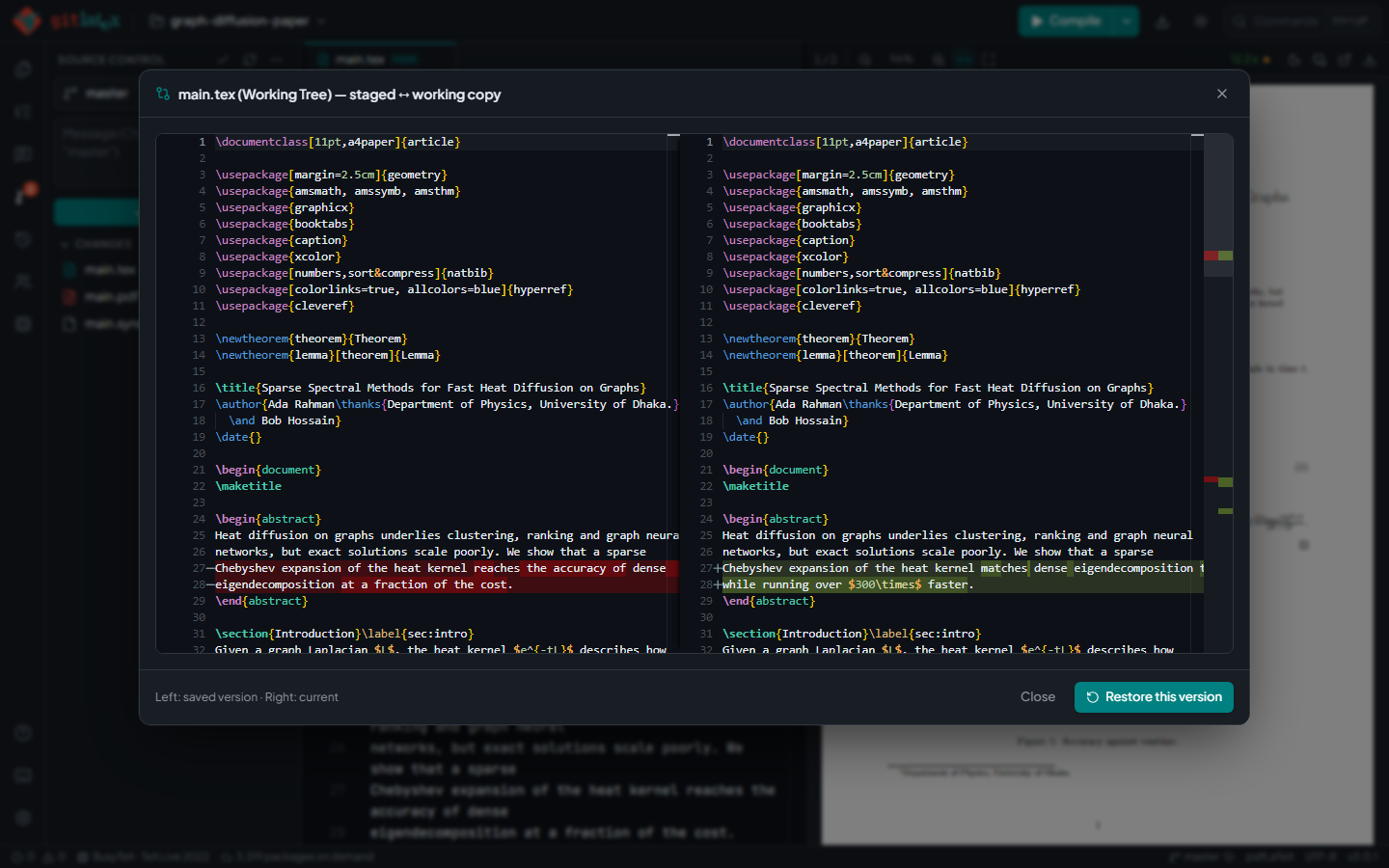 |
| Live collaboration: shared cursors, everyone on their own machine | Git built in: side-by-side diffs before you commit |
 |
|
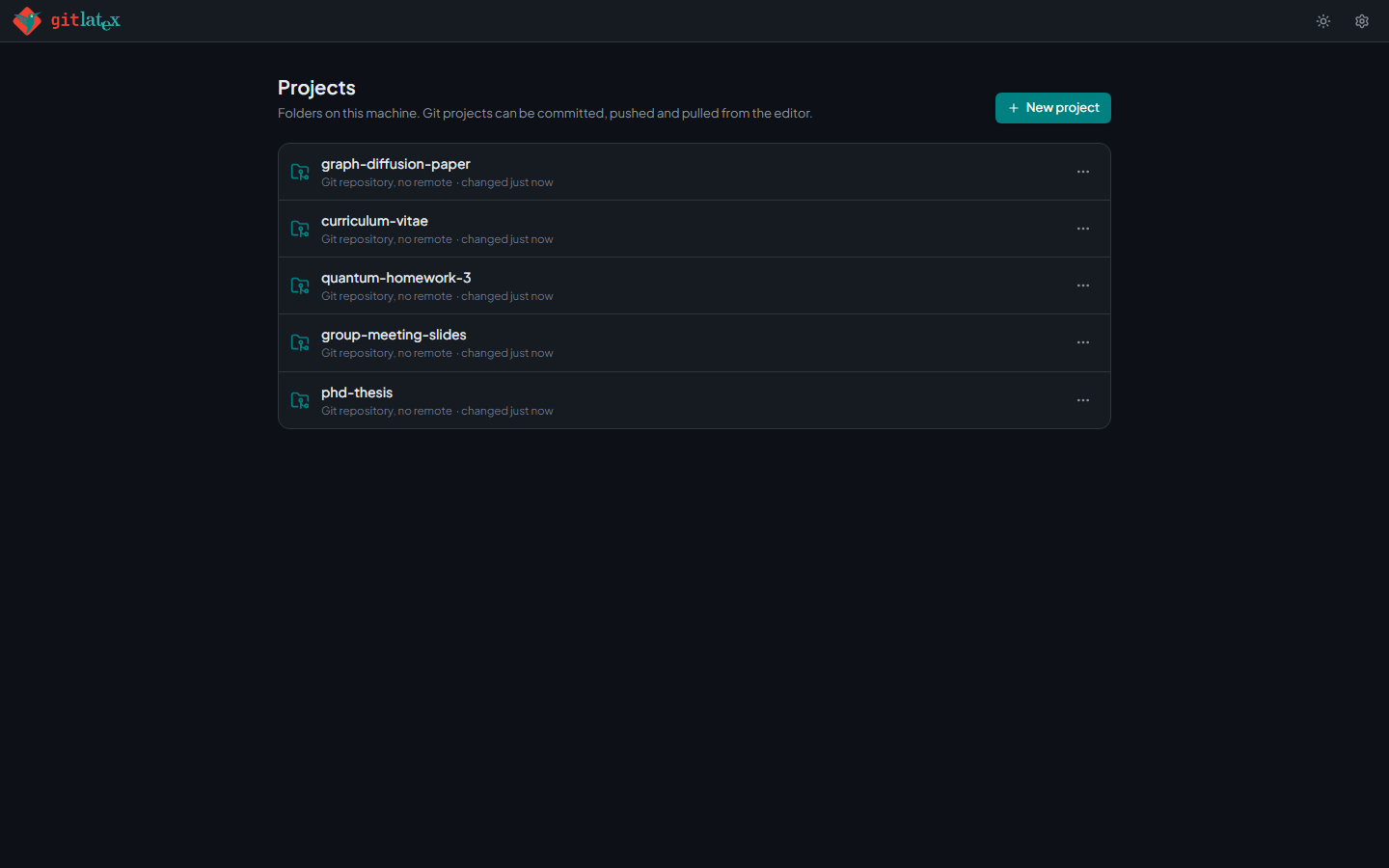
| Your projects: plain folders, each one a Git repo | Light and dark themes |
All the docs are in docs/.
Troubleshooting
| Problem | Fix |
|---|---|
| Compile fails immediately | With Local TeX, make sure pdflatex is on your PATH, or switch Settings → Compiler to Auto or In the browser. |
Citations show as ?? |
Locally, install biber or bibtex. In the browser, use backend=bibtex with biblatex. |
| Port already in use | gitlatex --port 3000 |
More in docs/troubleshooting.md.
Contributing
Contributions are welcome. See CONTRIBUTING.md for running from source, the project layout and releasing.
Credits
Built and maintained by Md Abdus Sami Akanda and Md Atiqur Rahman, with contributions from Md Shamim Towhid.
Parts of the editor UI and the in-browser LaTeX compiler come from Jahir Uddin Komol's TexBrowser IDE.
If GitLaTeX saves you some time, you can keep the coffee flowing.
License
Released under the ISC License.
2 maintainers


Metadata
2 maintainers
Release files for gitlatex 3.1.0
For a detailed explanation of source distributions (sdists) and built distributions (wheels), please see the package formats documentation.
Source distribution (sdist)
| File | Size | Uploaded | Provenance | Actions |
|---|---|---|---|---|
| gitlatex-3.1.0.tar.gz | 8.8 MB | Without provenance | Details for gitlatex-3.1.0.tar.gz |
Built distribution (wheel)
| File | Interpreter | ABI | Platform | Actions Reset |
|---|---|---|---|---|
| gitlatex-3.1.0-py3-none-any.whl | Python 3 | none | any | Details for gitlatex-3.1.0-py3-none-any.whl |
Total release size: 16.6 MB
Release files / gitlatex-3.1.0.tar.gz
| Download URL | gitlatex-3.1.0.tar.gz |
|---|---|
| Size | 8.8 MB |
| Tags | Source |
|
SHA-256 checksum How to use checksums |
22afc7cd275641e01ea2c8765d1028612ecd9f73d91b99777b78382290f3fd26
|
|
BLAKE2b-256 checksum How to use checksums |
d0ffbe3111bed4b978af396b9a986428d7bcd47bab0a55c3b6ff0fcd1f1de68a
|
| Upload date | |
|
Uploaded using Trusted Publishing? What is trusted publishing? |
No |
| Uploaded via |
twine/6.2.0 CPython/3.12.7
|
Release files / gitlatex-3.1.0-py3-none-any.whl
| Download URL | gitlatex-3.1.0-py3-none-any.whl |
|---|---|
| Size | 7.8 MB |
| Tags | Python 3 |
|
SHA-256 checksum How to use checksums |
b5b79121289006191966640a62b749337eda49e7a1689b5d2995e56e990c180d
|
|
BLAKE2b-256 checksum How to use checksums |
00811aae46da61704947d66620efa4325f2def93d2cc074f7c756aec45a5eab7
|
| Upload date | |
|
Uploaded using Trusted Publishing? What is trusted publishing? |
No |
| Uploaded via |
twine/6.2.0 CPython/3.12.7
|
Security for gitlatex 3.1.0
Provenance
Provenance describes where a file came from. On PyPI, provenance is shared via attestations, which provide a verifiable record of the build or publishing details. View details, limitations and caveats.
No provenance found
None of the files in this release were uploaded with provenance metadata.
A note on package security
PyPI is a repository for distributing packages, not a service for auditing them. While third-party security researchers and our staff do their best to detect and remove malicious packages, PyPI cannot guarantee the quality, security or suitability of any given package.
To learn more about protecting yourself from malicious actors, visit our package security documentation.














