
gitree 🌴
An upgrade from "ls" for developers. An open-source tool to analyze folder structures and to provide code context to LLMs. Published on PyPi





[!NOTE] Instead of the full-name "gitree", you may use "gt" to call this tool
📦 Installation
Install using pip (python package manager):
# Install the latest version using pip
pip install gitree

# Alternatively, use pipx
pipx install gitree

# to update gitree
pip install -U gitree
💡 Getting Started
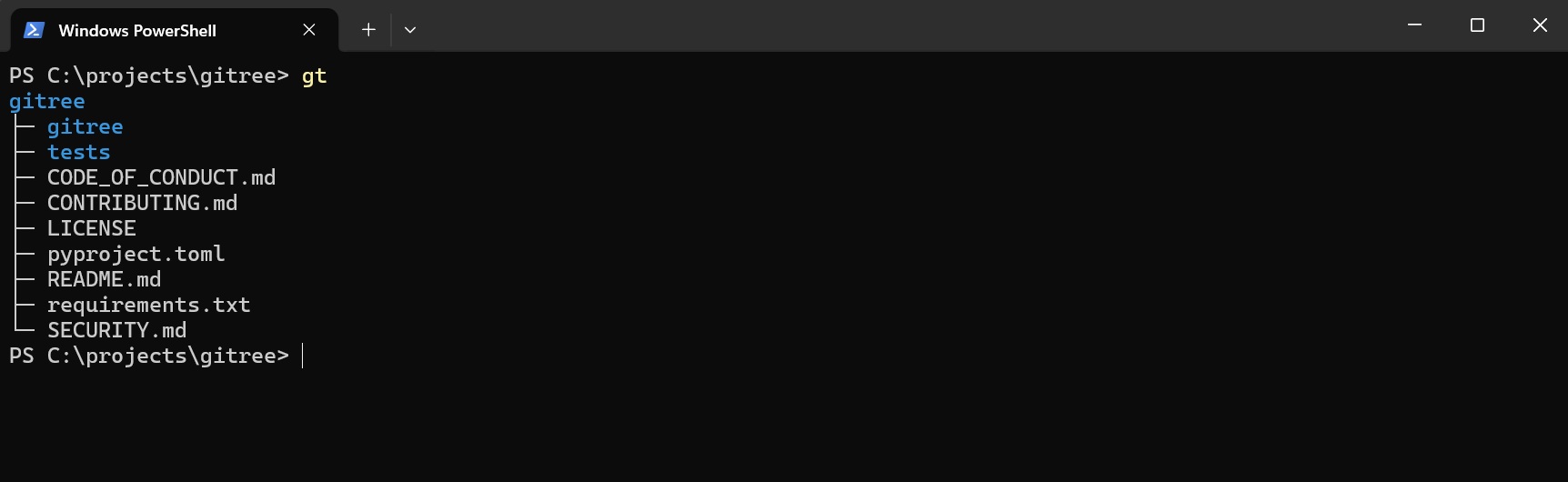
Open a terminal in any project and run:
# This should print the structure of the current working directory
gitree

# OR use this short alias
gt
Now try using --full for printing full directory structure:
gt --full

# OR -f as alias for --full
gt -f

Try using --emoji for better visuals:
gt --full --emoji

# You can also use -f and -e together like this
gt -fe

🧠 This is where it gets useful
For copying all code files in your project, with interactive selection:
gt --code --copy --interactive

# OR alternaitvely, using short aliases
# -i for interactive, -c for copy, -f for full, -t for types
gt --code -ci


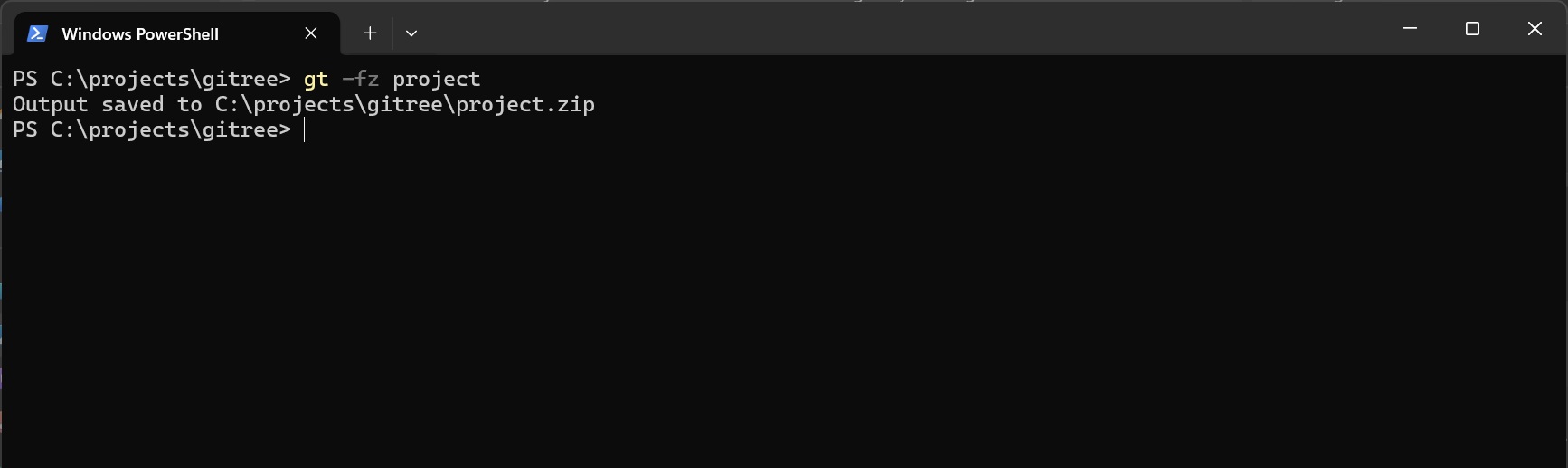
For zipping the whole project (use -g to respect gitignore):
# creates project.zip in the same directory
gt --zip project

# OR alternatively, using alias
gt -z project

# To respect gitignore rules when zipping, add -g flag
gt -gz project

# To zip only the code files use --code
gt -z project --code
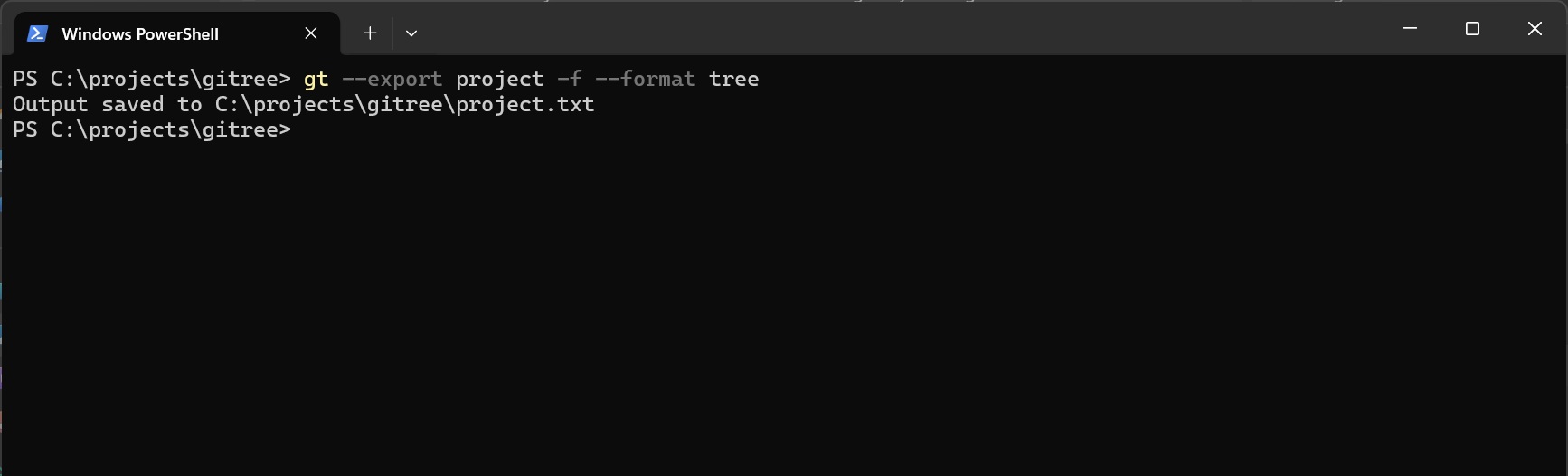
For dumping the whole project into a single file:
# Creates project.txt in the directory from where gt is run
# Default format for export is tree
gt --export project --format tree

# OR using aliases
gt -x project --format tree

# OR use other formats
gt -fx project --format json
gt -fx project --format md

# OR using --fmt alias
gt -fx project --fmt json
🧩 How it works
    ╭────────────────────────────╮
    │           Start            │
    ╰────────────────────────────╯
                  │
                  ▼
    ╭────────────────────────────╮
    │      Argument Parsing      │
    ╰────────────────────────────╯
                  │
                  ▼
    ╭────────────────────────────╮
    │  Files/Folders Selection   │
    ╰────────────────────────────╯
                  │
                  ▼
    ╭────────────────────────────╮
    │   Interactive Selection    │
    │      (only if used)        │
    ╰────────────────────────────╯
            │
            ├─────────────────────────┐
            │                         │
            ▼                         ▼
    ╭─────────────────╮    ╭─────────────────────╮
    │ Zipping Service │    │   Drawing Service   │
    ╰─────────────────╯    ╰─────────────────────╯
            │                  │
            │                  ├────────────────────┐
            │                  │                    │
            │                  ▼                    ▼
            │         ╭─────────────────╮  ╭──────────────────╮
            │         │  Copy Service   │  │  Export Service  │
            │         ╰─────────────────╯  ╰──────────────────╯
            │                  │                    │
            │                  └──────────┬─────────┘
            │                             │
            └─────────────────────────────┘
                           │
                           ▼
               ╭────────────────────────╮
               │    Output & Finish     │
               ╰────────────────────────╯
⚙️ Common Arguments
General Options
| Argument | Description |
|---|---|
-h, --help |
Show the help message with all available options and exit. |
-v, --version |
Display the version number of the tool. |
--verbose |
Enable logger output to the console. Helpful for debugging. |
--config-user |
Create a default config.json file in the current directory and open it in the default editor. |
--no-config |
Ignore both user-level and global-level config.json and use default and CLI values for configuration. |
Semantic Flags (Quick Actions)
| Argument | Description |
|---|---|
-f, --full |
Shortcut for --max-depth 5 - show full directory tree up to 5 levels deep. |
-e, --emoji |
Show emojis in the output for better visual clarity. |
-i, --interactive |
Use interactive mode for manual file selection after automatic filtering. |
-c, --copy |
Copy file contents and project structure to clipboard (great for LLM prompts). |
--code |
Include only code extensions |
Output & Export Options
| Argument | Description |
|---|---|
-z, --zip |
Create a zip archive of the given directory (respects gitignore if -g is used). |
-x, --export |
Save project structure along with its contents to a file with the format specified using --format. |
--format, --fmt |
Format output only. Options: tree, json, md. Default: tree. |
Full CLI Arguments List (Click to expand)
Listing Options
| Argument | Description |
|---|---|
--max-items |
Limit items to be selected per directory. |
--max-entries |
Limit entries (files/dirs) to be selected for the overall output. |
--max-depth |
Maximum depth to traverse when selecting files. |
--gitignore-depth |
Limit depth to look for during .gitignore processing. |
-a, --hidden-items, --all |
Show hidden files and directories. |
--exclude [pattern ...] |
Patterns of files to specifically exclude. |
--exclude-depth |
Limit depth for exclude patterns. |
--include [pattern ...] |
Patterns of files to specifically include. |
--include-file-types |
Include files of certain types. |
--files-first |
Print files before directories. |
--no-color |
Disable colored output. |
--no-contents |
Don't include file contents in export/copy. |
--no-contents-for [path ...] |
Exclude contents for specific files for export/copy. |
--max-file-size |
Maximum file size in MB to include in exports (default: 1.0). |
--override-files |
Override existing files. |
-s, --size |
Show file sizes in the output. |
Listing Override Options
| Argument | Description |
|---|---|
--no-max-entries |
Disable --max-entries limit. |
--no-max-items |
Disable --max-items limit. |
-g, --gitignore |
Enable .gitignore rules (respects .gitignore files). |
--no-files |
Hide files (show only directories). |
Installation (for Contributors)
Clone the repository:
git clone https://github.com/ShahzaibAhmad05/gitree
Move into the project directory:
cd gitree
Setup a Virtual Environment (to avoid package conflicts):
python -m venv .venv
Activate the virtual environment:
.venv/Scripts/Activate      # on windows
.venv/bin/activate          # on linux/macOS
[!WARNING] If you get an execution policy error on windows, run this:
Set-ExecutionPolicy -ExecutionPolicy RemoteSigned -Scope CurrentUser
Install dependencies in the virtual environment:
pip install -r requirements.txt
The tool is now available as a Python CLI in your virtual environment.
For running the tool, type (venv should be activated):
gt
For running unit tests after making changes:
python -m tests
Contributions
[!TIP] This is YOUR tool. Issues and pull requests are always welcome.
Gitree is kept intentionally small and readable, so contributions that preserve simplicity and follow Contributing Guidelines are especially appreciated.
1 maintainer

Metadata
1 maintainer
Release files for gitree 0.6.2
For a detailed explanation of source distributions (sdists) and built distributions (wheels), please see the package formats documentation.
Source distribution (sdist)
| File | Size | Uploaded | |
|---|---|---|---|
| gitree-0.6.2.tar.gz | 42.8 kB | Details |
Built distribution (wheel)
| File | Interpreter | ABI | Platform | Reset |
|---|---|---|---|---|
| gitree-0.6.2-py3-none-any.whl | Python 3 | none | any | Details |
Total release size: 92.8 kB
Release files / gitree-0.6.2.tar.gz
| Download URL | gitree-0.6.2.tar.gz |
|---|---|
| Size | 42.8 kB |
| Tags | Source |
|
SHA-256 checksum How to use checksums |
93cef256aee41a4eae0d95c268255500762e3e48d3ce672c2b449646238b166a
|
|
BLAKE2b-256 checksum How to use checksums |
f72119e2263be2c5b4a1aa06a4662bdc853242bfb60af94bbdd570c8647a7e0d
|
| Upload date | |
|
Uploaded using Trusted Publishing? What is trusted publishing? |
Yes |
| Uploaded via |
twine/6.1.0 CPython/3.13.7
|
Provenance
Provenance describes where a file came from. On PyPI, provenance is shared via attestations, which provide a verifiable record of the build or publishing details. View details, limitations and caveats.


PyPI Publish Attestation
PyPI verified that this artifact, at this checksum, originated from the publisher listed below.
Signed by GitHub Actions, verified by PyPI on Jan 28, 2026.
Transparency logRelease files / gitree-0.6.2-py3-none-any.whl
| Download URL | gitree-0.6.2-py3-none-any.whl |
|---|---|
| Size | 50.0 kB |
| Tags | Python 3 |
|
SHA-256 checksum How to use checksums |
78a7ed6e78dcd281e28a23df26db8c57965b114357699460c16d8bf4c5000590
|
|
BLAKE2b-256 checksum How to use checksums |
5440aa72d3fd396071f483369a9ac5d68cf08f794b07e268bb6c2a1f97288f6b
|
| Upload date | |
|
Uploaded using Trusted Publishing? What is trusted publishing? |
Yes |
| Uploaded via |
twine/6.1.0 CPython/3.13.7
|
Provenance
Provenance describes where a file came from. On PyPI, provenance is shared via attestations, which provide a verifiable record of the build or publishing details. View details, limitations and caveats.
PyPI Publish Attestation
PyPI verified that this artifact, at this checksum, originated from the publisher listed below.
Signed by GitHub Actions, verified by PyPI on Jan 28, 2026.
Transparency log













