
gitree: git-aware project tree printing and zipping for docs and LLMs
Verified details
These details have been verified by PyPIProject links
GitHub Statistics
Maintainers

Project description
gitree 🌴
An upgrade from "ls" for developers. An open-source tool to analyze folder structures and to provide code context to LLMs. Published on PyPi





[!NOTE] Instead of the full-name "gitree", you may use "gt" to call this tool
📦 Installation
Install using pip (python package manager):
# Install the latest version using pip
pip install gitree

# Alternatively, use pipx
pipx install gitree

# to update gitree
pip install -U gitree
💡 Usage
To literally get started, I would recommend doing this:
Open a terminal in any project and run:
# This should print the structure of the current working directory
gitree

# OR use this short alias
gt
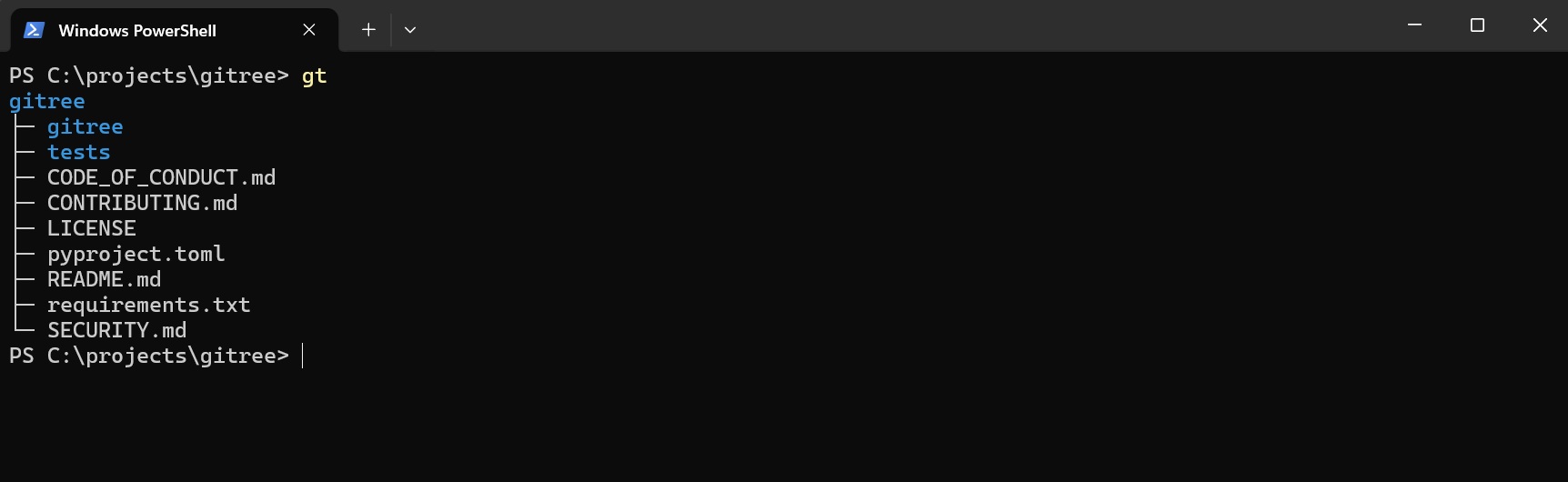
Now try using --full for printing full directory structure:
gt --full

# OR -f as alias for --full
gt -f

Try using --emoji for better visuals:
gt --full --emoji

# You can also use -f and -e together like this
gt -fe

🧠 This is where it gets useful
For copying all code files in your project, with interactive selection:
gt --code --copy --interactive

# OR alternaitvely, using short aliases
# -i for interactive, -c for copy, -f for full, -t for types
gt --code -ci


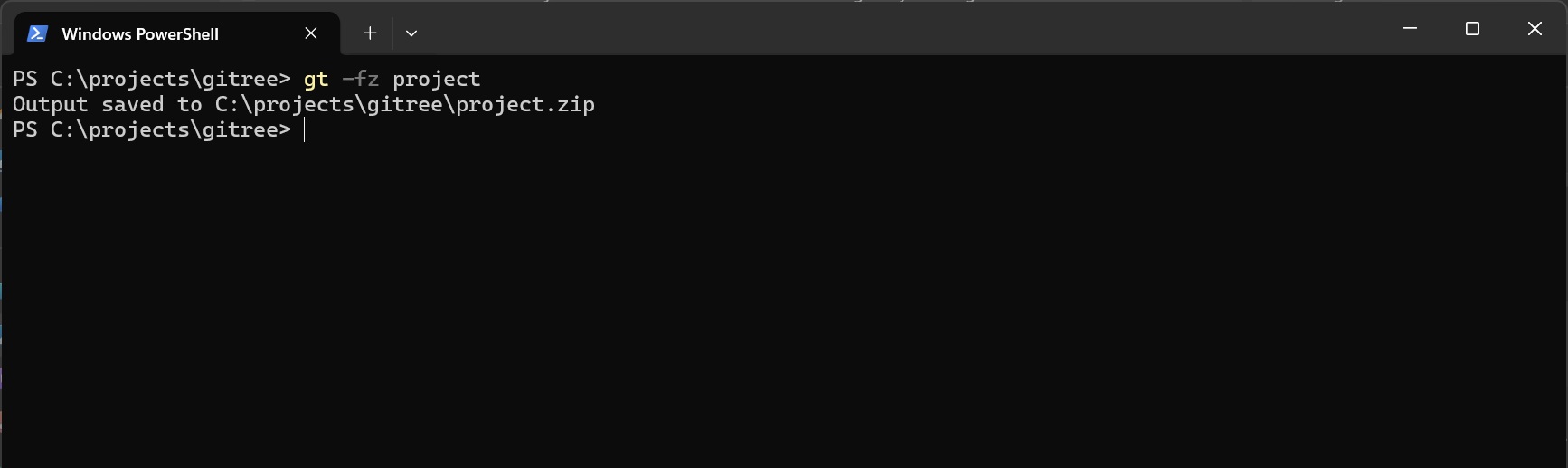
For zipping the whole project (use -g to respect gitignore):
# creates project.zip in the same directory
gt --zip project

# OR alternatively, using alias
gt -z project

# To respect gitignore rules when zipping, add -g flag
gt -gz project

# To zip only the code files use --code
gt -z project --code
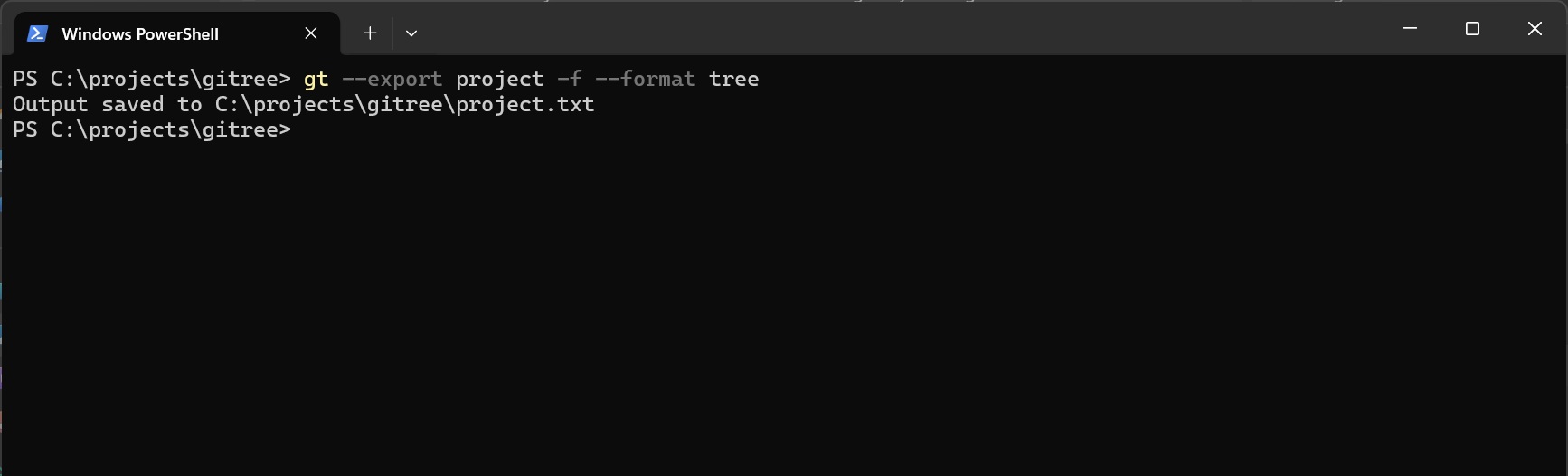
For dumping the whole project into a single file:
# Creates project.txt in the directory from where gt is run
# Default format for export is tree
gt --export project --format tree

# OR using aliases
gt -x project --format tree

# OR use other formats
gt -fx project --format json
gt -fx project --format md

# OR using --fmt alias
gt -fx project --fmt json
🧩 How it works
    ╭────────────────────────────╮
    │           Start            │
    ╰────────────────────────────╯
                  │
                  ▼
    ╭────────────────────────────╮
    │      Argument Parsing      │
    ╰────────────────────────────╯
                  │
                  ▼
    ╭────────────────────────────╮
    │  Files/Folders Selection   │
    ╰────────────────────────────╯
                  │
                  ▼
    ╭────────────────────────────╮
    │   Interactive Selection    │
    │      (only if used)        │
    ╰────────────────────────────╯
            │
            ├─────────────────────────┐
            │                         │
            ▼                         ▼
    ╭─────────────────╮    ╭─────────────────────╮
    │ Zipping Service │    │   Drawing Service   │
    ╰─────────────────╯    ╰─────────────────────╯
            │                  │
            │                  ├────────────────────┐
            │                  │                    │
            │                  ▼                    ▼
            │         ╭─────────────────╮  ╭──────────────────╮
            │         │  Copy Service   │  │  Export Service  │
            │         ╰─────────────────╯  ╰──────────────────╯
            │                  │                    │
            │                  └──────────┬─────────┘
            │                             │
            └─────────────────────────────┘
                           │
                           ▼
               ╭────────────────────────╮
               │    Output & Finish     │
               ╰────────────────────────╯
✨ Overall Features
| Feature | Description |
|---|---|
| Tree Visualization | Generate a structure for any directory for visualizing and understanding the codebase |
| Smart File Selection | Control what's selected by the tool with custom ignore patterns, depth limits, and item caps |
| Interactive Selection | Gain full control of the output by reviewing what's selected by the file selection service |
| Copy Your Codebase | Instantly copy the whole codebase file contents to your clipboard to paste into LLMs |
| Multiple Export Formats | Export your codebase contents to files using tree, json and markdown formats |
| Zipping the Whole Project | Create project archives (optionally respecting .gitignore with -g flag) |
| Large/Binary Files Handling | Automatically detects binary and large files and marks or skips them during export |
⚙️ Common Arguments
General Options
| Argument | Description |
|---|---|
-h, --help |
Show the help message with all available options and exit. |
-v, --version |
Display the version number of the tool. |
--verbose |
Enable logger output to the console. Helpful for debugging. |
--config-user |
Create a default config.json file in the current directory and open it in the default editor. |
--no-config |
Ignore both user-level and global-level config.json and use default and CLI values for configuration. |
Semantic Flags (Quick Actions)
| Argument | Description |
|---|---|
-f, --full |
Shortcut for --max-depth 5 - show full directory tree up to 5 levels deep. |
-e, --emoji |
Show emojis in the output for better visual clarity. |
-i, --interactive |
Use interactive mode for manual file selection after automatic filtering. |
-c, --copy |
Copy file contents and project structure to clipboard (great for LLM prompts). |
--code |
Include only code extensions |
Output & Export Options
| Argument | Description |
|---|---|
-z, --zip |
Create a zip archive of the given directory (respects gitignore if -g is used). |
-x, --export |
Save project structure along with its contents to a file with the format specified using --format. |
--format, --fmt |
Format output only. Options: tree, json, md. Default: tree. |
Full CLI Arguments List (Click to expand)
Listing Options
| Argument | Description |
|---|---|
--max-items |
Limit items to be selected per directory. |
--max-entries |
Limit entries (files/dirs) to be selected for the overall output. |
--max-depth |
Maximum depth to traverse when selecting files. |
--gitignore-depth |
Limit depth to look for during .gitignore processing. |
-a, --hidden-items, --all |
Show hidden files and directories. |
--exclude [pattern ...] |
Patterns of files to specifically exclude. |
--exclude-depth |
Limit depth for exclude patterns. |
--include [pattern ...] |
Patterns of files to specifically include. |
--include-file-types |
Include files of certain types. |
--files-first |
Print files before directories. |
--no-color |
Disable colored output. |
--no-contents |
Don't include file contents in export/copy. |
--no-contents-for [path ...] |
Exclude contents for specific files for export/copy. |
--max-file-size |
Maximum file size in MB to include in exports (default: 1.0). |
--override-files |
Override existing files. |
Listing Override Options
| Argument | Description |
|---|---|
--no-max-entries |
Disable --max-entries limit. |
--no-max-items |
Disable --max-items limit. |
-g, --gitignore |
Enable .gitignore rules (respects .gitignore files). |
--no-files |
Hide files (show only directories). |
Installation (for Contributors)
Clone the repository:
git clone https://github.com/ShahzaibAhmad05/gitree
Move into the project directory:
cd gitree
Setup a Virtual Environment (to avoid package conflicts):
python -m venv .venv
Activate the virtual environment:
.venv/Scripts/Activate      # on windows
.venv/bin/activate          # on linux/macOS
[!WARNING] If you get an execution policy error on windows, run this:
Set-ExecutionPolicy -ExecutionPolicy RemoteSigned -Scope CurrentUser
Install dependencies in the virtual environment:
pip install -r requirements.txt
The tool is now available as a Python CLI in your virtual environment.
For running the tool, type (venv should be activated):
gt
For running unit tests after making changes:
python -m tests
Contributions
[!TIP] This is YOUR tool. Issues and pull requests are always welcome.
Gitree is kept intentionally small and readable, so contributions that preserve simplicity and follow Contributing Guidelines are especially appreciated.
Project details
Verified details
These details have been verified by PyPIProject links
GitHub Statistics
Maintainers
Release history Release notifications | RSS feed


Download files
Download the file for your platform. If you're not sure which to choose, learn more about installing packages.
Source Distribution
Built Distribution
Filter files by name, interpreter, ABI, and platform.
If you're not sure about the file name format, learn more about wheel file names.
Copy a direct link to the current filters
File details
Details for the file gitree-0.6.1.tar.gz.
File metadata
- Download URL: gitree-0.6.1.tar.gz
- Upload date:
- Size: 44.0 kB
- Tags: Source
- Uploaded using Trusted Publishing? Yes
- Uploaded via: twine/6.1.0 CPython/3.13.7
File hashes
| Algorithm | Hash digest | |
|---|---|---|
| SHA256 |
4580bbf080059314baa705c0ac664963f580b49683f984d5ee230c709ee018ef
|
|
| MD5 |
9bfffea31876d6b5e9a9124331a46440
|
|
| BLAKE2b-256 |
456f64009277d3605f339893d997342b3fa9373bdabbb808903bf0b786d5e7fa
|
Provenance
The following attestation bundles were made for gitree-0.6.1.tar.gz:
Publisher:
workflow.yml on ShahzaibAhmad05/gitree
-
Statement:
-
Statement type:
https://in-toto.io/Statement/v1 -
Predicate type:
https://docs.pypi.org/attestations/publish/v1 -
Subject name:
gitree-0.6.1.tar.gz -
Subject digest:
4580bbf080059314baa705c0ac664963f580b49683f984d5ee230c709ee018ef - Sigstore transparency entry: 857183917
- Sigstore integration time:
-
Permalink:
ShahzaibAhmad05/gitree@26189c3728ca00241649ef87a4bab0851064b95c -
Branch / Tag:
refs/tags/v0.6.1 - Owner: https://github.com/ShahzaibAhmad05
-
Access:
public
-
Token Issuer:
https://token.actions.githubusercontent.com -
Runner Environment:
github-hosted -
Publication workflow:
workflow.yml@26189c3728ca00241649ef87a4bab0851064b95c -
Trigger Event:
release
-
Statement type:
File details
Details for the file gitree-0.6.1-py3-none-any.whl.
File metadata
- Download URL: gitree-0.6.1-py3-none-any.whl
- Upload date:
- Size: 50.8 kB
- Tags: Python 3
- Uploaded using Trusted Publishing? Yes
- Uploaded via: twine/6.1.0 CPython/3.13.7
File hashes
| Algorithm | Hash digest | |
|---|---|---|
| SHA256 |
3bcca1b83979c709a0dfca25063a94becc0221cbd16ffb77ba8cf9f38b696d19
|
|
| MD5 |
5a5a6c5c302bf6ffcb56acd8ee6ce7c0
|
|
| BLAKE2b-256 |
41631a1d42b2d499d1c6c6615434f453c1ba2611a3d0cf08d8ea9fd4c53fb094
|
Provenance
The following attestation bundles were made for gitree-0.6.1-py3-none-any.whl:
Publisher:
workflow.yml on ShahzaibAhmad05/gitree
-
Statement:
-
Statement type:
https://in-toto.io/Statement/v1 -
Predicate type:
https://docs.pypi.org/attestations/publish/v1 -
Subject name:
gitree-0.6.1-py3-none-any.whl -
Subject digest:
3bcca1b83979c709a0dfca25063a94becc0221cbd16ffb77ba8cf9f38b696d19 - Sigstore transparency entry: 857183920
- Sigstore integration time:
-
Permalink:
ShahzaibAhmad05/gitree@26189c3728ca00241649ef87a4bab0851064b95c -
Branch / Tag:
refs/tags/v0.6.1 - Owner: https://github.com/ShahzaibAhmad05
-
Access:
public
-
Token Issuer:
https://token.actions.githubusercontent.com -
Runner Environment:
github-hosted -
Publication workflow:
workflow.yml@26189c3728ca00241649ef87a4bab0851064b95c -
Trigger Event:
release
-
Statement type:






