
Your coding agent, live on your desktop.
Every command it runs types itself out on your wallpaper, then leaves the way your theme likes.



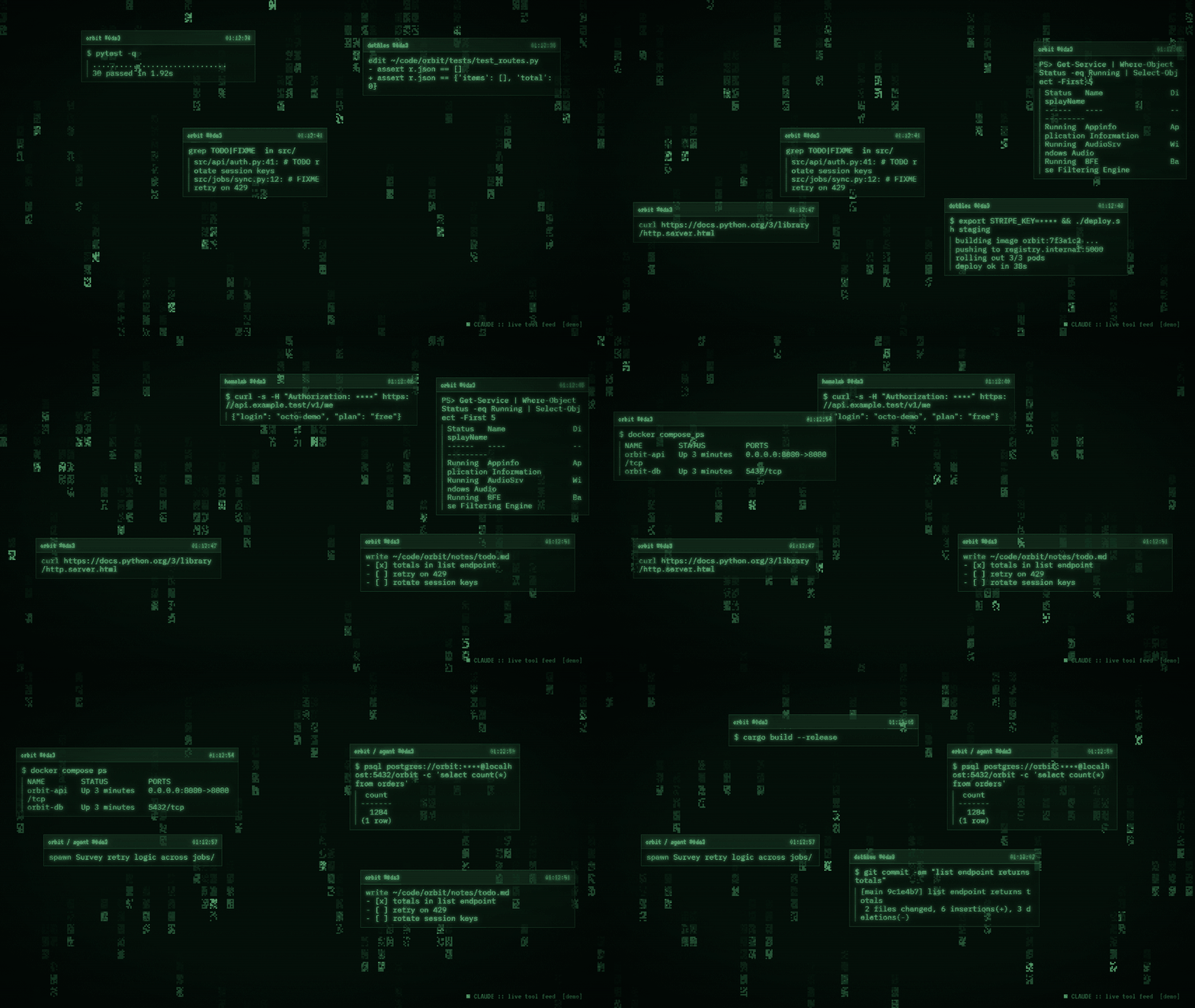
A made-up session. The Stripe key and the bearer token were masked before they ever reached the screen.
| 🔒 Private | 🪶 Light | 🎥 Stream-safe |
|---|---|---|
Secrets are masked before anything is stored. It reads your agent's logs read-only and talks to 127.0.0.1 only. What it reads, and never does → |
About 6.5% of one CPU core and 153 MB, drawn by a small Rust renderer with no browser. Covered screens sleep. The numbers → | Press P and every card is gone at once, enforced by the feed itself. Nothing from a pause is ever replayed. |
What you see
Your agent does a hundred things a minute in a terminal you're not watching. glitchwall puts them on your desktop, behind your icons: every shell command, file read and edit, search, web fetch and sub-agent gets a card the moment it runs, types itself out with its result, lingers, and leaves. A failing command's output shows in the theme's error color.
It reads Claude Code's own session logs, so there's nothing to set up in Claude Code. No agent, or not working right now? Two other modes keep it a wallpaper:
| Mode | What you see | What it reads |
|---|---|---|
live (default) |
your agent's tool calls as they happen | your Claude Code logs, read-only |
ambient |
endless made-up coding sessions: a bug found and fixed, tests failing then passing, a release | nothing |
art |
just the background | nothing |
The corner label always says which mode is on, so a made-up session is never mistaken for a real one.
Themes
Nineteen complete looks. Each one is colors, two fonts, a background, a texture, and its own way of bringing cards in and taking them away. Use one as it is, or take any part from another: the colors of one, the background of a second, the font of a third.
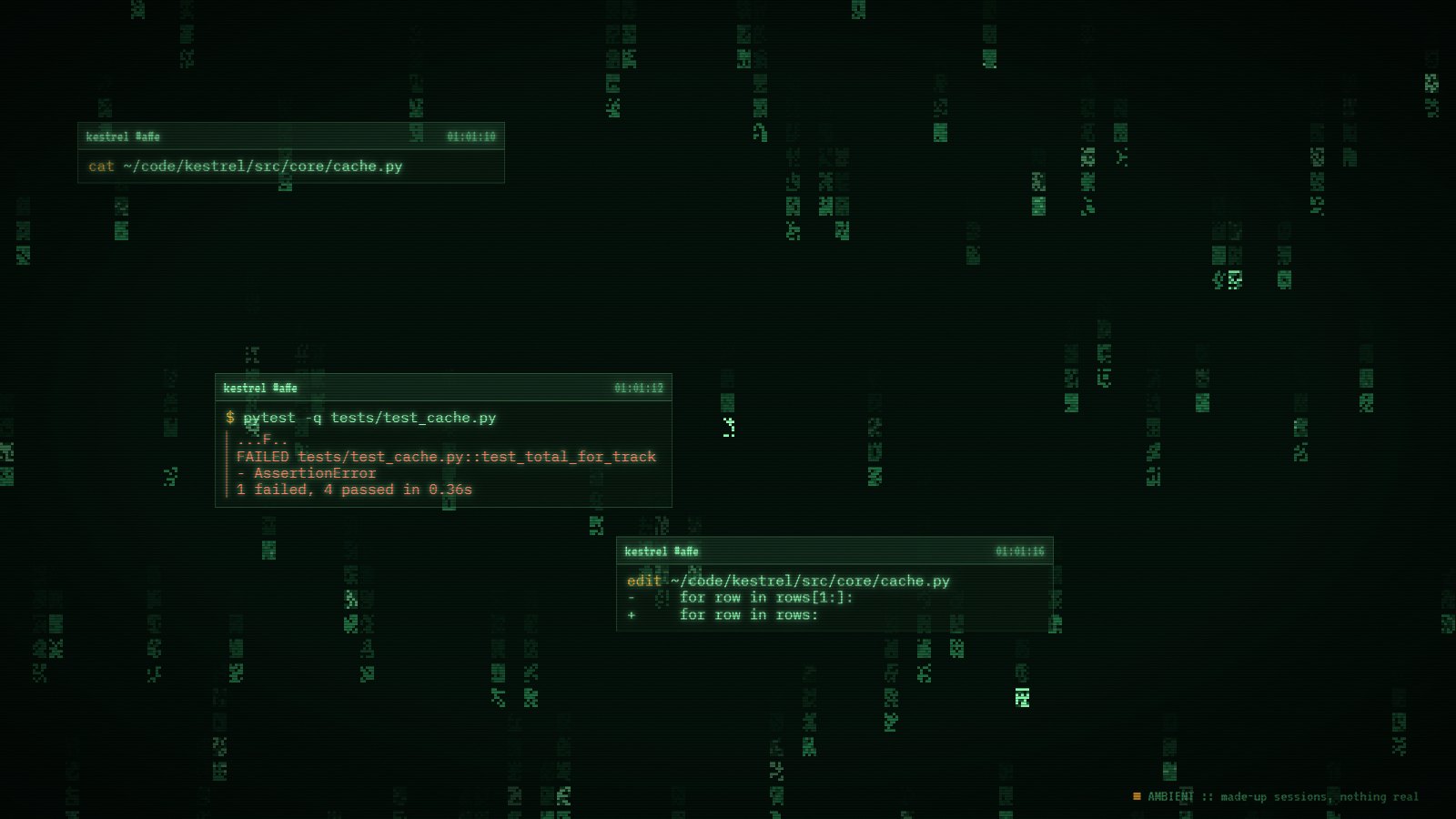 phosphor · green terminal, glyph rain |
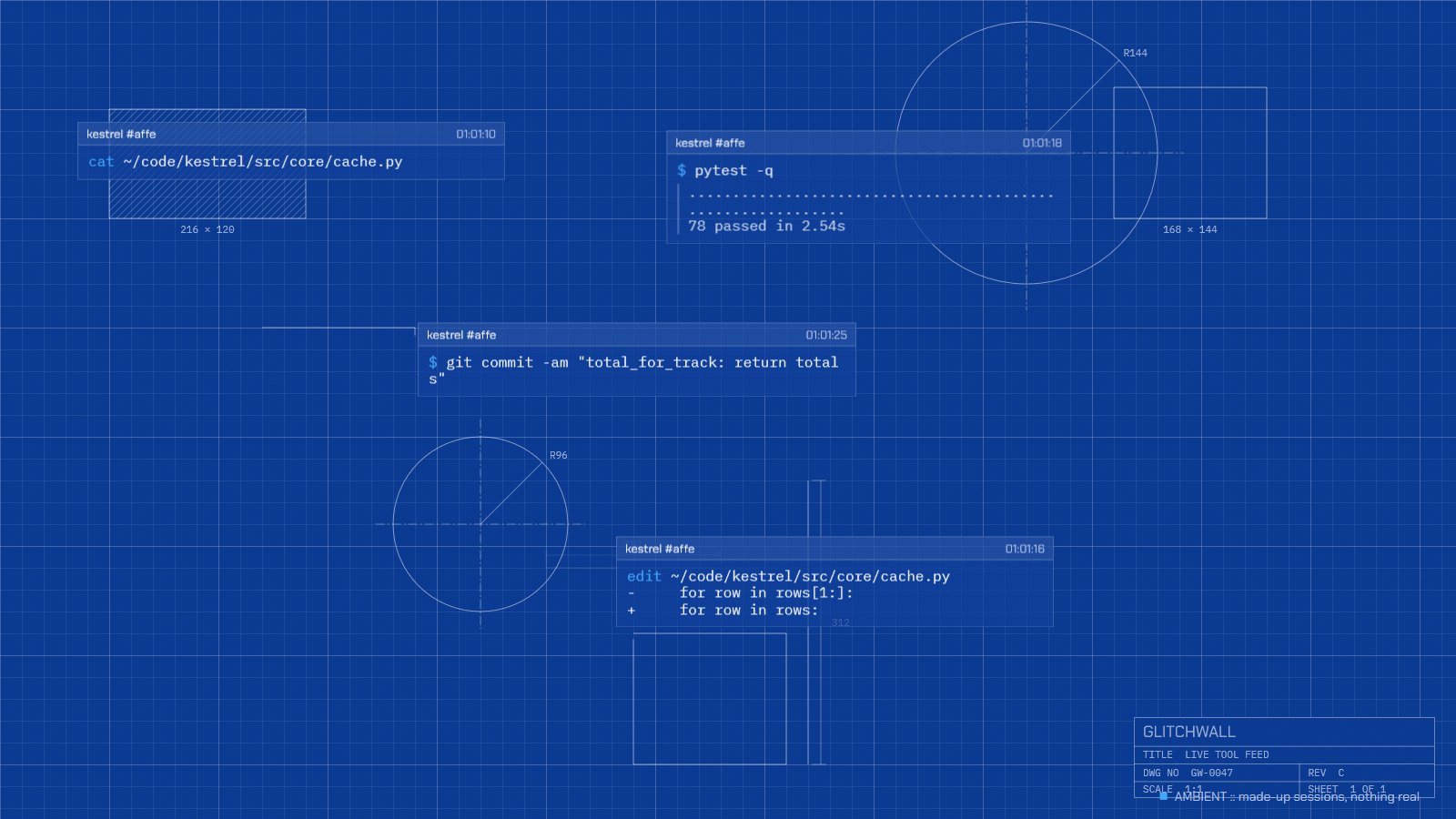 drafting · a blueprint drawing itself |
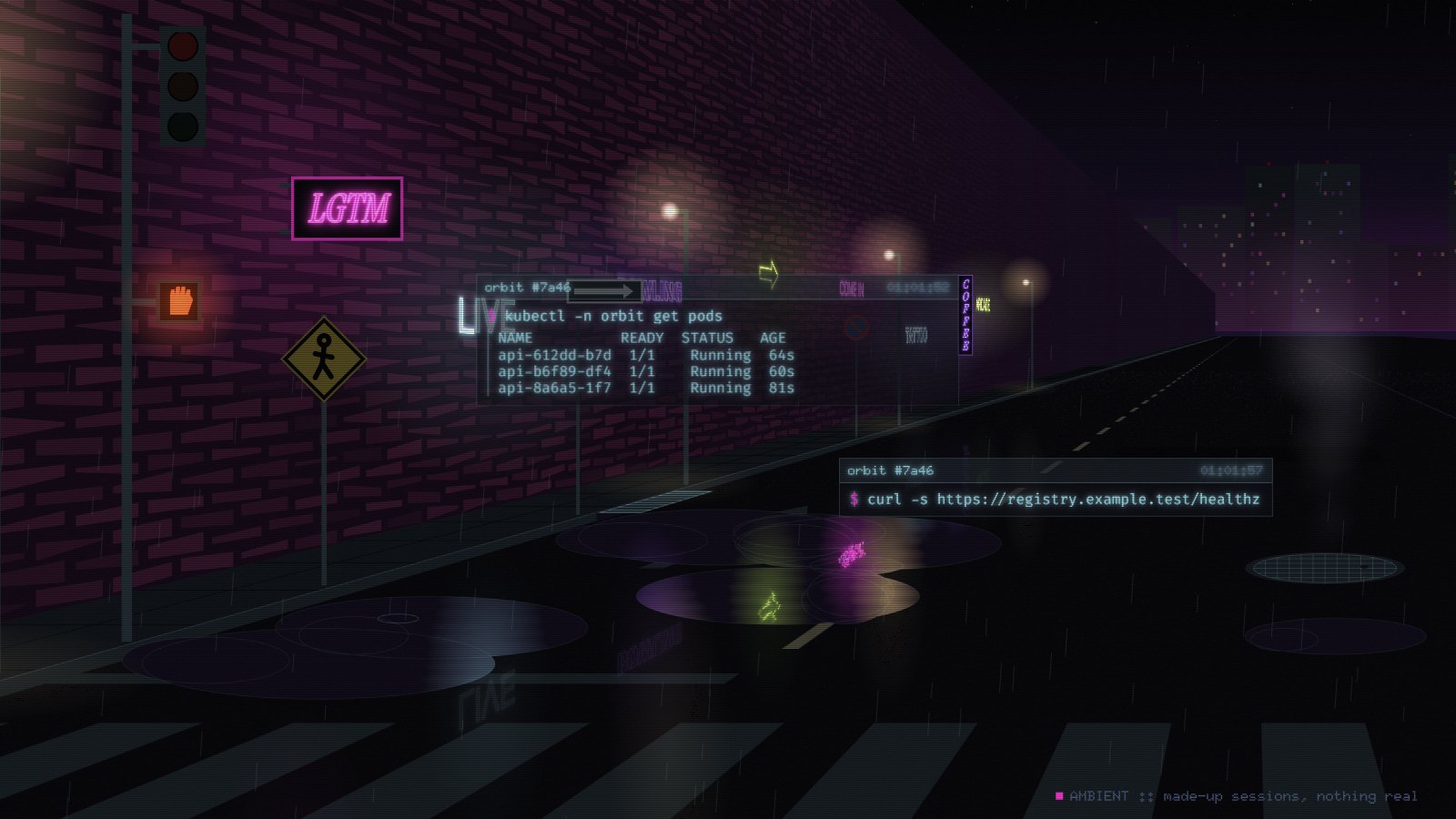 neon · a rainy street at night |
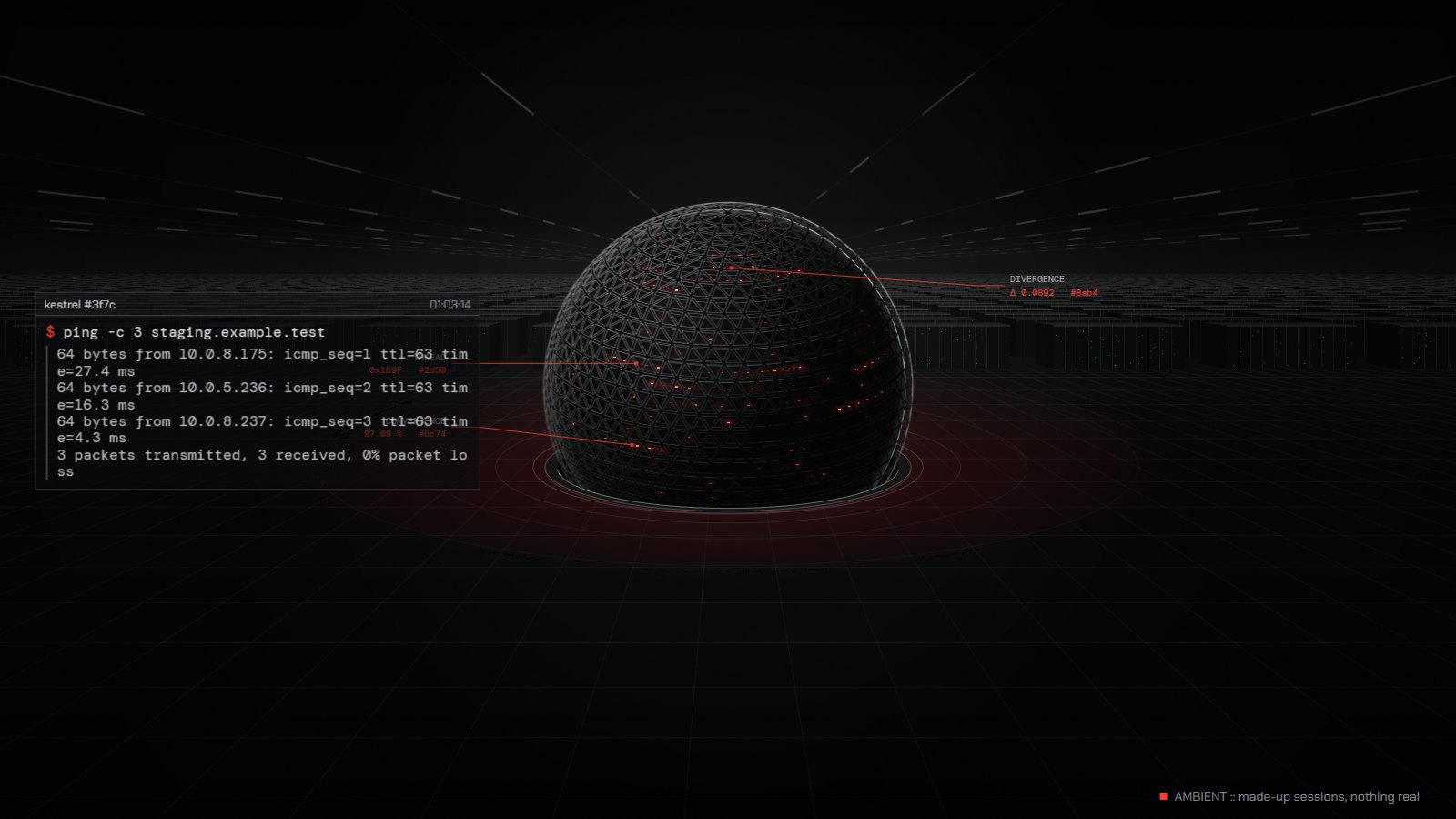 orb · the machine in its hall |
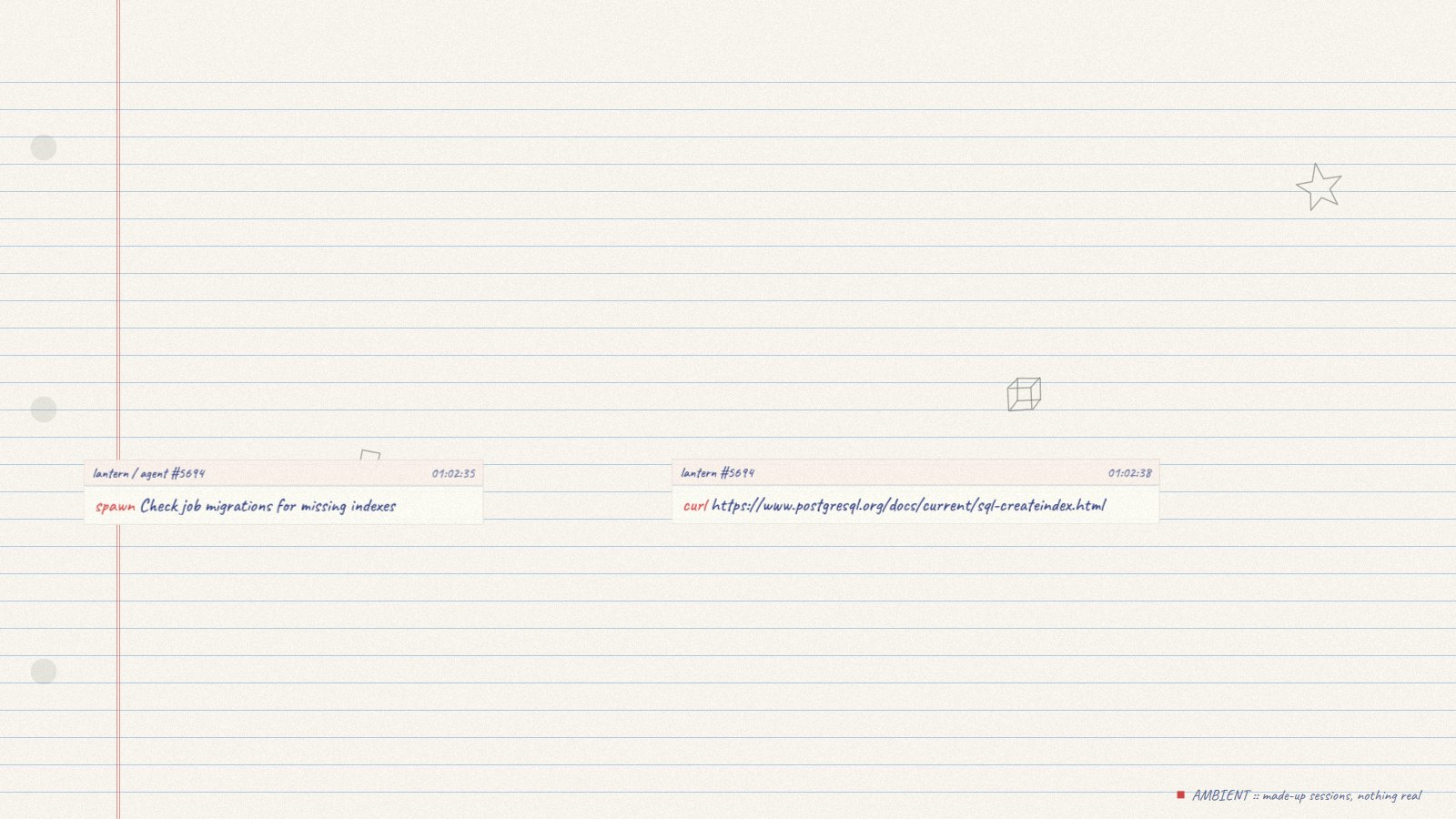 notebook · ballpoint and doodles |
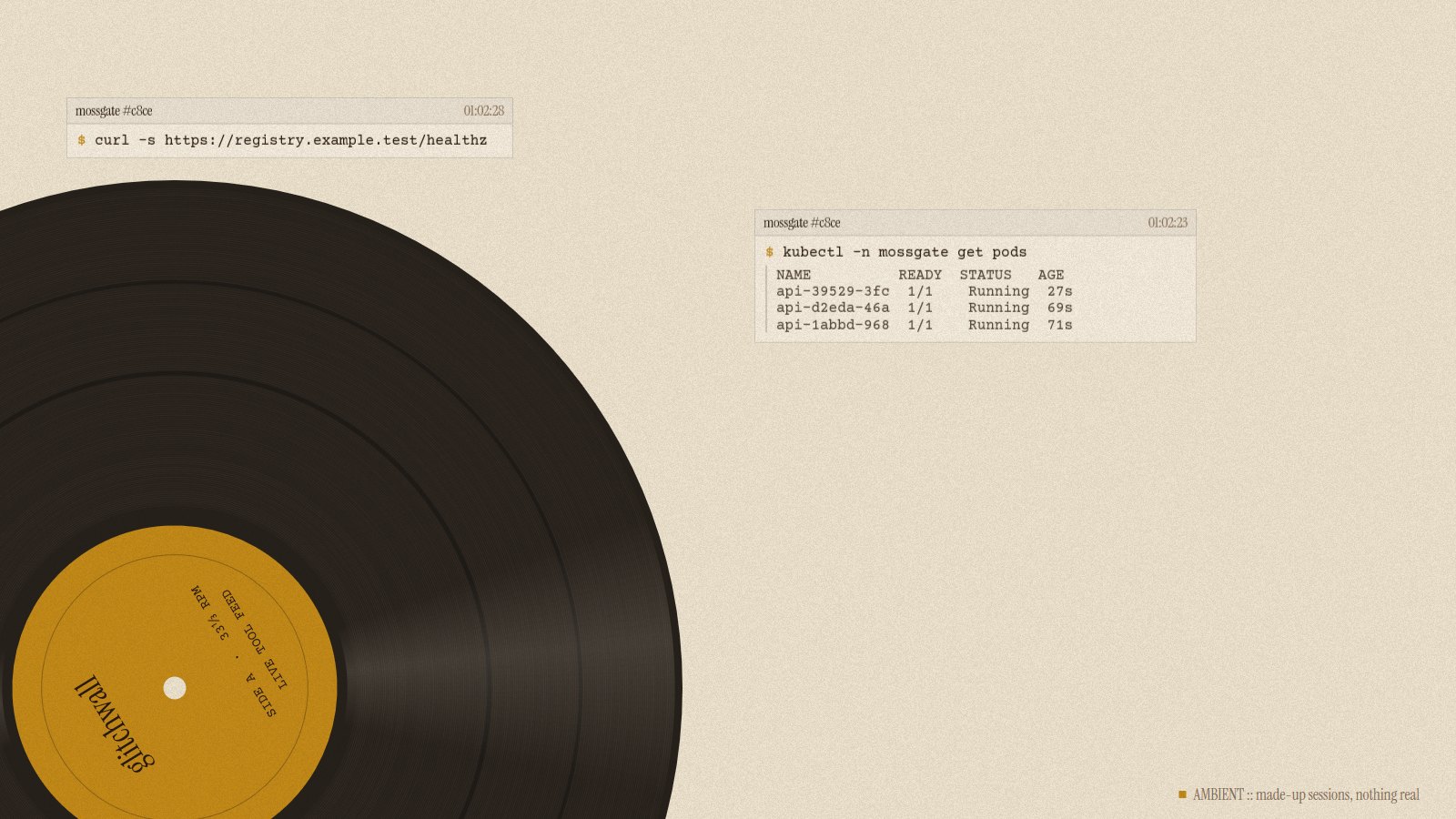 sleeve · a record turning |
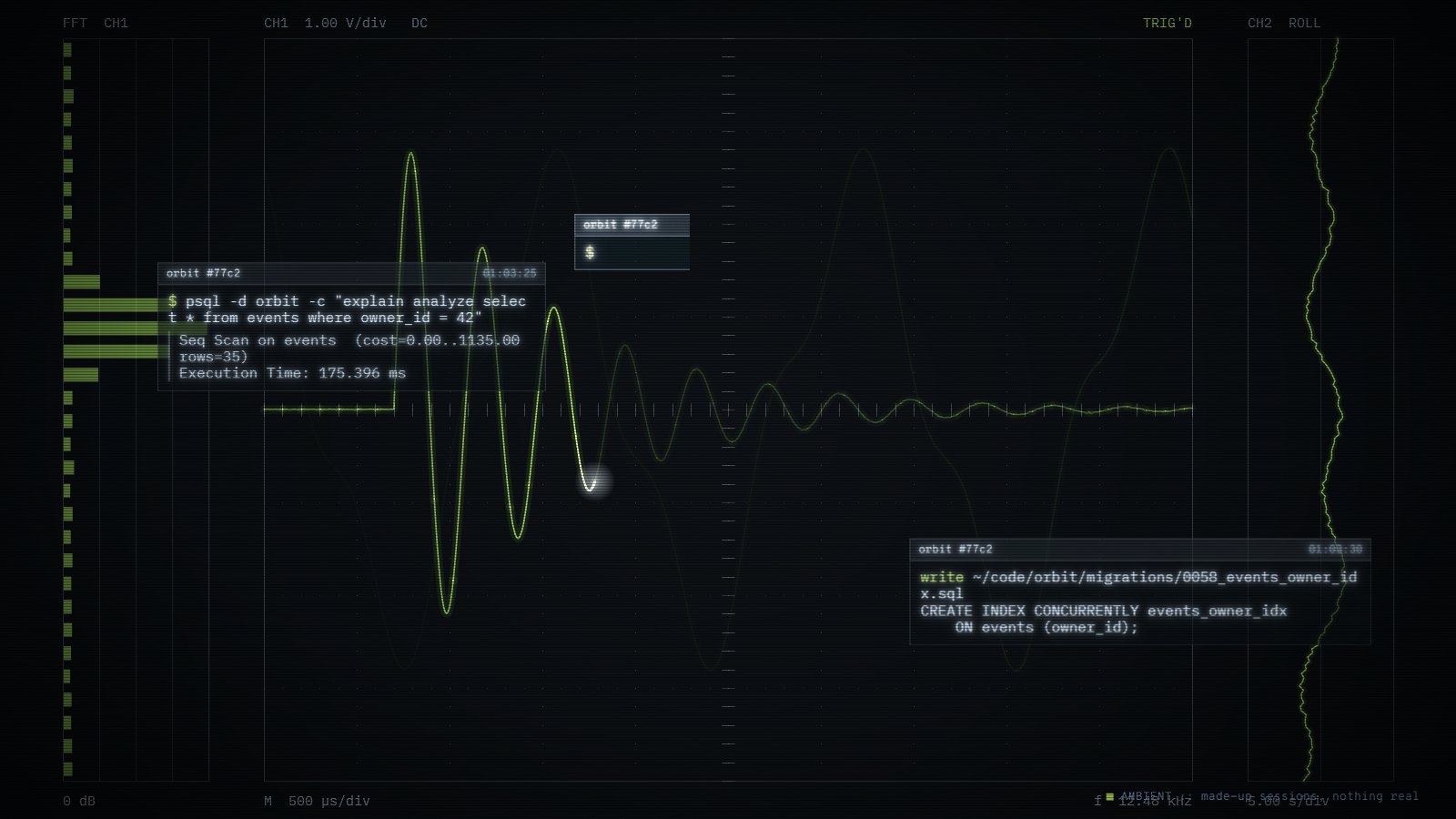 scope · an oscilloscope beam |
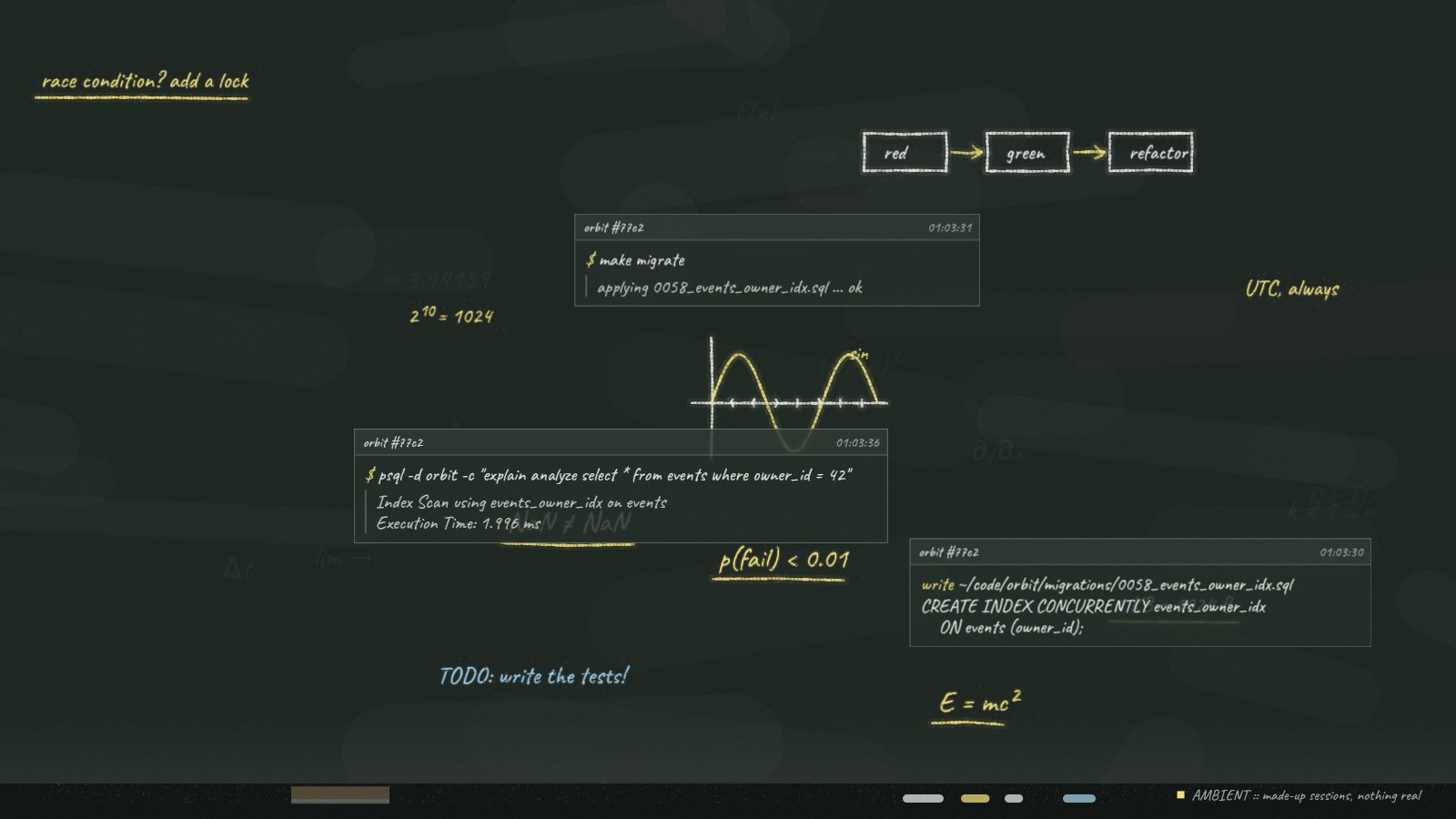 chalkboard · written, then wiped |
…and eleven more: newsprint, nightprint, fieldops, duplicator, bsod, cyanotype, oracle, matrix, amber, synthwave and msdos. 27 backgrounds in all, each with four options of its own. Every theme, background, font and transition →
No videos, no GIFs. Every background is a small program drawing each frame live: the rain picks where its next glyph falls, the record works out how far it has turned. That's why no two minutes look the same, and why any background can be recolored or slowed to a stop.
Install
- Get uv if you don't have it.
- Then:
uv tool install glitchwall
glitchwall install
That fetches glitchwall from PyPI. Each GitHub release carries the same wheel and its SHA-256, if you'd rather download and check it yourself.
| Needs | Download | Installed |
|---|---|---|
| Windows 10 1803 or newer, .NET Framework 4.7.2 and WebView2 (Windows 11 has both) | 2.9 MB | about 78 MB, including the Python uv sets up |
install checks those first. If one is missing it stops, says which, and offers to open Microsoft's download
page; glitchwall itself never downloads or installs anything. Then it starts the feed, adds a start-at-logon
entry, and puts the wallpaper behind your icons on every screen. Your own wallpaper is never changed:
glitchwall stop or glitchwall uninstall uncovers it again.
Just want to look first? uvx glitchwall demo --open plays
made-up calls in your browser, with nothing installed and no logs read.
Settings
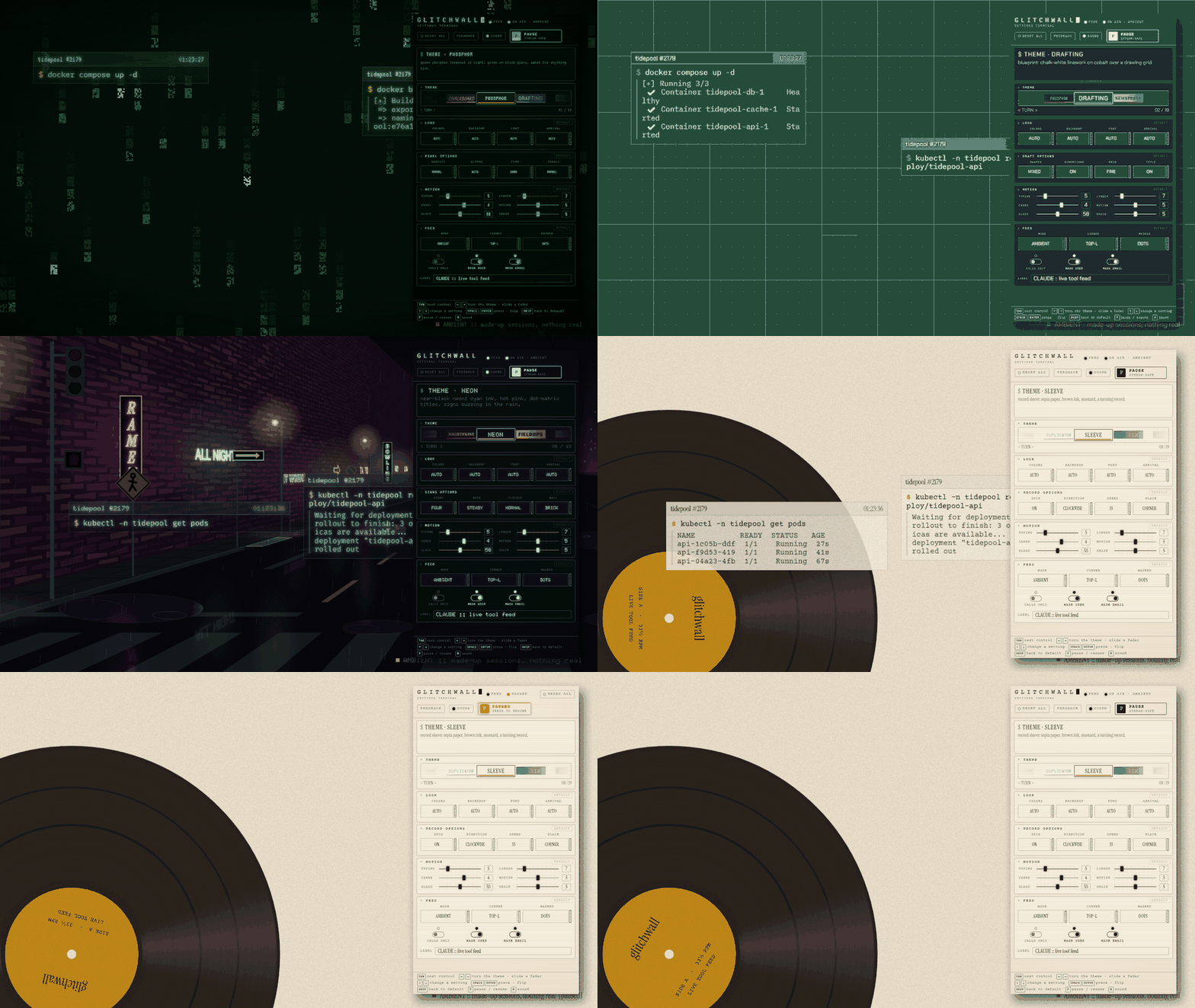
Open glitchwall settings from the tray icon, the Start menu, the desktop's right-click menu, a hot corner,
or glitchwall settings. Everything applies to the wallpaper within a second; nothing restarts.
- A theme drum that previews every theme in its own colors and fonts.
- Knobs that show what they pick: COLORS as a swatch, FONT in its own face (with a sample line in the info bar), BACKDROP as a still of the background, ARRIVAL by playing its animation.
- Four options for whichever background is on, and six sliders: typing speed, linger, cards on screen, motion, glass and grain.
- Hold any control and the window fades almost away, so the wallpaper itself is the preview.
- Dock it to a screen edge and it tucks into a thin strip while idle.
- PAUSE sounds like a radio going off air and back. The window's clicks and squelch can be muted with M; the wallpaper itself is always silent.
- Keyboard all the way: arrows turn and slide, Backspace puts a control back to default.
The window wears the theme you picked and never scrolls. It costs about 108 MB of memory while open and nothing once closed.
Privacy
glitchwall shows your agent's activity on your screen, so it's built to be easy to trust and easy to check:
- It reads one thing: in
livemode, Claude Code's session logs, read-only, only what's new. Inambientandartmode, no logs at all. - It masks before it stores. 50+ key formats, anything with a secret-sounding name, passwords in URLs and command lines, long random-looking tokens, and your home folder, user name and email. The page never even receives the real text.
- It stays on your PC. The feed listens on
127.0.0.1only, needs a per-install random key, and refuses other websites and other local servers. No telemetry, no update checks, nothing remote loaded. - It doesn't watch you. Not your terminal, not your typing, not what's in other windows. It only notes where windows are, to stop drawing when one covers the screen, and where the mouse is, for the hot corner. A feature that showed your own terminal commands was built and then removed on purpose, because a wallpaper shouldn't look like spyware.
Redaction is a safety net, not a guarantee: when you stream or share your screen, press P. Everything it reads, writes and refuses, and why →
Commands
| Command | What it does |
|---|---|
glitchwall install / uninstall |
set everything up / remove all of it (--mode ambient, --commands-only, --no-autostart, --screens primary) |
glitchwall settings |
open the settings window |
glitchwall pause / resume |
stream-safe: serve nothing / back to live |
glitchwall start / stop / status |
the background feed |
glitchwall config --theme X --palette Y --rain Z --font F --transition T |
change the look, live |
glitchwall config --mode live|ambient|art |
real calls, made-up sessions, or background only |
glitchwall config --type-speed 1-20 --linger 2-30 --cards 1-6 --intensity 0-10 --glass 20-95 --grain 0-10 |
the sliders |
glitchwall config --commands-only on |
show calls, never their output |
glitchwall themes |
list themes, backgrounds, fonts and transitions |
glitchwall doctor |
check everything glitchwall needs |
glitchwall reset |
every setting back to the default |
glitchwall demo --open |
made-up calls in your browser, no logs read |
glitchwall export DIR |
the page and its config.js, for OBS or Wallpaper Engine |
FAQ
Will it slow my PC down? About 6.5% of one core (0.4% of a 16-core CPU) and 153 MB: about the CPU of a
simple web wallpaper, with less memory. Screens covered by a window, a fullscreen game or a locked PC draw nothing
(under 1% of one core in all). --intensity 0 stills
the background entirely. Compared with other live wallpapers →
Does it work with other agents? Claude Code today. The log reader is one small file
(claude_logs.py); pull requests for other agents are welcome.
macOS or Linux? Not today. The renderer draws with Direct2D and sits behind the icons through the Windows desktop, and there are no Macs or Linux PCs here to test on.
Can I put it on stream? Yes: glitchwall export DIR writes the page for an OBS browser source or
Wallpaper Engine, and glitchwall pause still clears it at once.
Can I make a theme? Themes live in looks.js. A new background is a
canvas scene in the page plus a Rust port; see CONTRIBUTING.md.
Support
glitchwall is free and always will be: no paid tier, no locked extras, no nagging. If it brightens your desk, a Ko-fi coffee is warmly appreciated and never required. A star, a bug report or showing it to a friend helps just as much.
Credits & license
MIT, see LICENSE and SECURITY.md. Not affiliated with Anthropic: "Claude" and "Claude Code" are Anthropic's trademarks, named only to say which logs glitchwall reads.
Every font is bundled under the SIL Open Font License 1.1: Departure Mono © Helena Zhang (OFL.txt), and VT323, IBM Plex Mono, Chakra Petch, Doto, Saira Stencil One, Instrument Serif, Courier Prime, DM Mono, Fira Code, Overpass Mono, Gelasio, Caveat, Cascadia Mono, Inconsolata and DotGothic16 from Google Fonts (licenses). The first eight themes' palettes and the grain, scanline and halftone textures are adapted from SUB/WAVE by Parminder Klair (MIT), a lovely self-hosted radio station; see THIRD_PARTY_NOTICES.md. The settings window uses pywebview (BSD-3-Clause), pythonnet (MIT) and Microsoft's WebView2.
How it was made, from the first idea to the Rust renderer: docs/HISTORY.md.
1 maintainer

Metadata
1 maintainer
Release files for glitchwall 0.5.1
For a detailed explanation of source distributions (sdists) and built distributions (wheels), please see the package formats documentation.
Built distribution (wheel)
| File | Interpreter | ABI | Platform | Actions Reset |
|---|---|---|---|---|
| glitchwall-0.5.1-py3-none-win_amd64.whl | Python 3 | none | Windows x86-64 | Details for glitchwall-0.5.1-py3-none-win_amd64.whl |
Release files / glitchwall-0.5.1-py3-none-win_amd64.whl
| Download URL | glitchwall-0.5.1-py3-none-win_amd64.whl |
|---|---|
| Size | 2.8 MB |
| Tags | Python 3 Windows x86-64 |
|
SHA-256 checksum How to use checksums |
7bd5b554d2b09f9b9cd11b6fdc53463d67f023616887f32dea5f95eb3246f064
|
|
BLAKE2b-256 checksum How to use checksums |
8e944bb6bbabbbd5ea8b06e54b1ace5abe7ee29a483caf3fd74bde92addd68a1
|
| Upload date | |
|
Uploaded using Trusted Publishing? What is trusted publishing? |
Yes |
| Uploaded via |
twine/7.0.0 CPython/3.13.16
|
Provenance
Provenance describes where a file came from. On PyPI, provenance is shared via attestations, which provide a verifiable record of the build or publishing details. View details, limitations and caveats.


PyPI Publish Attestation
PyPI verified that this artifact, at this checksum, originated from the publisher listed below.
Signed by GitHub Actions, verified by PyPI on Nov 24, 2026.
Transparency logSecurity for glitchwall 0.5.1
Provenance
Provenance describes where a file came from. On PyPI, provenance is shared via attestations, which provide a verifiable record of the build or publishing details. View details, limitations and caveats.
Full provenance
1 file in this release has been uploaded with provenance metadata.
Attestation for glitchwall-0.5.1-py3-none-win_amd64.whl
PyPI Publish Attestation
PyPI verified that this artifact, at this checksum, originated from the publisher listed below.
Signed by GitHub Actions, verified by PyPI on Nov 24, 2026.
Transparency logA note on package security
PyPI is a repository for distributing packages, not a service for auditing them. While third-party security researchers and our staff do their best to detect and remove malicious packages, PyPI cannot guarantee the quality, security or suitability of any given package.
To learn more about protecting yourself from malicious actors, visit our package security documentation.













