
致力于restful风格api开发的轻量web框架glooweb
一、开始
安装
pip install glooweb
简单使用
from glooweb import Gloo, Response


# 实例化一个app对象
app = Gloo()

# 创建一个路由对象,需要传入一个路由前缀参数
api = Gloo.Router("/api")
# 将路由注册进应用
app.register(api)


# 定义视图函数
@api.get("/index")  # 当路径为/api/index, 并且method为get时访问这个视图函数
def index(request):  # 视图函数需要两个参数,上下文ctx, request请求对象
    return Response("<h1>index page</h1>")  # 返回一个Response对象,也可直接返回一个字符串,当然这里不建议您这样做,因为当你使用响应拦截器时可能会出现异常情况。


if __name__ == '__main__':
    app.runserver()  # 默认以127.0.0.1:9999运行
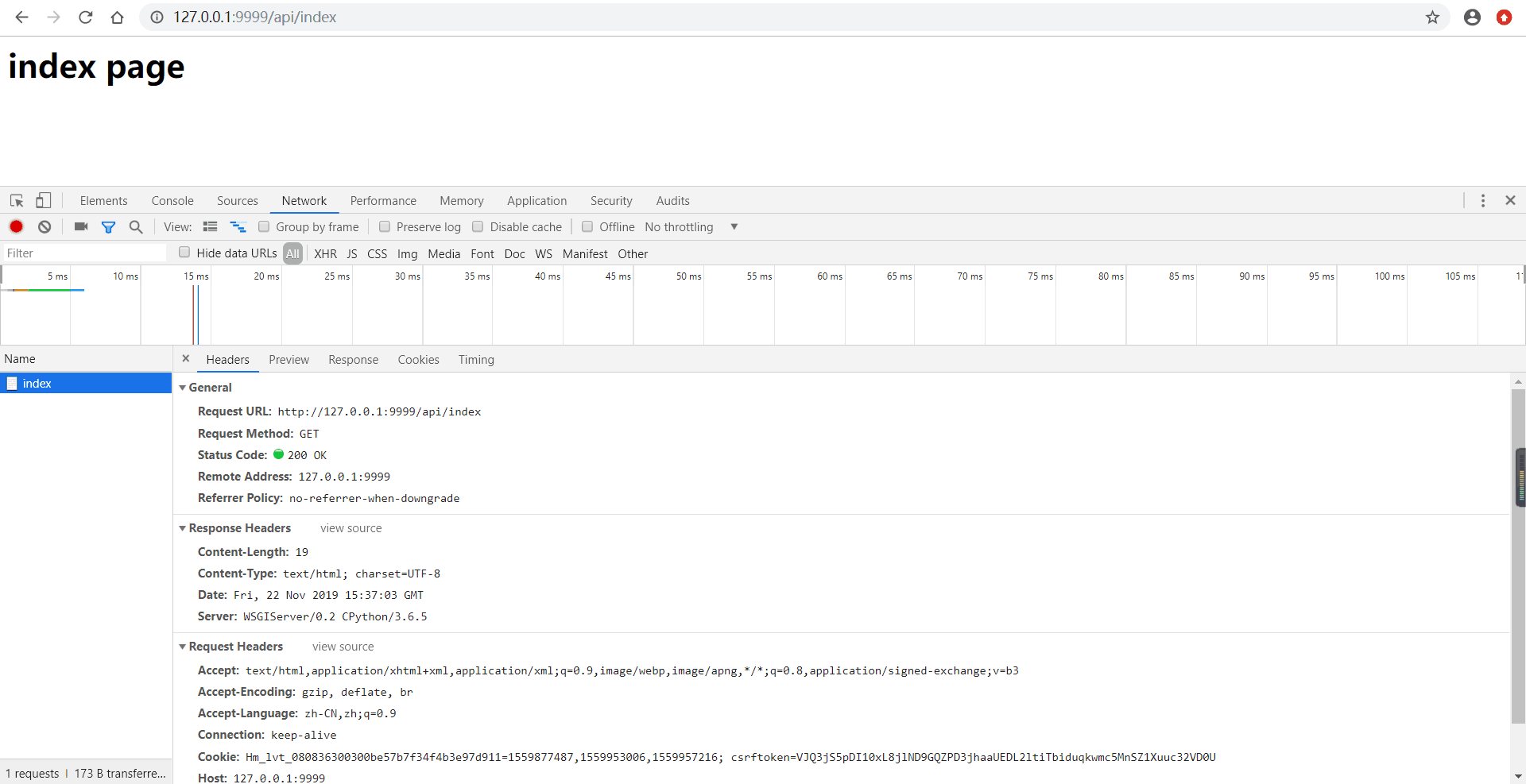
浏览器中访问127.0.0.1:9999/api/index
二、视图
基本视图
app = Gloo()
api = app.Router("/api")
app.register(api)

@api.get("/index")
def index(request):  # glooweb视图需要提供一个参数request
    return Response("<h1>index page</h1>")
返回json
from glooweb import Gloo, jsonify, Response


app = Gloo()
api = app.Router("/api")
app.register(api)


@api.get("/index")
def index(request):
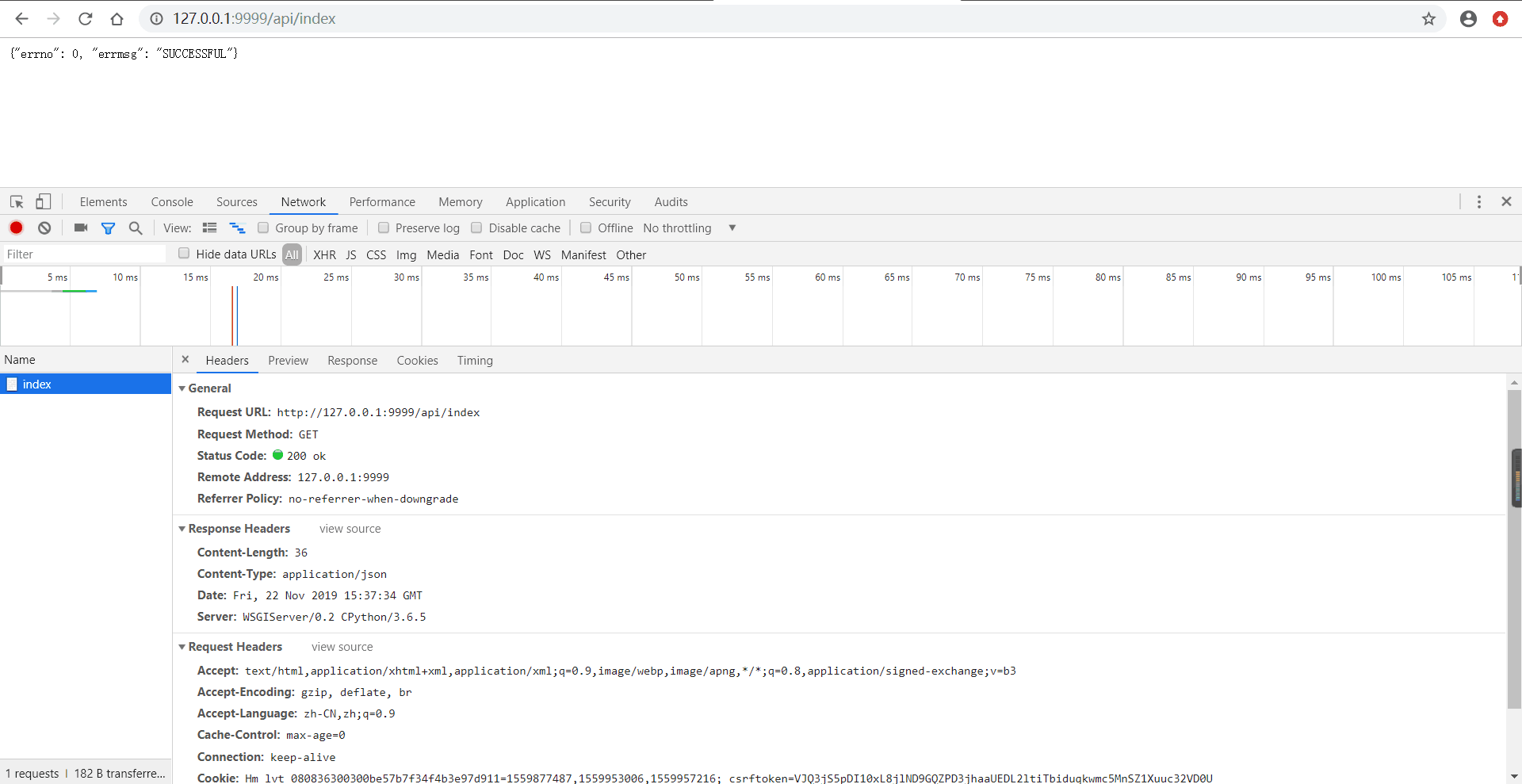
    return jsonify(errno=0, errmsg="SUCCESSFUL")  # 使用jsonify方法返回json格式的数据
浏览器中访问127.0.0.1:9999/api/index
返回其它状态码的视图
from glooweb import Gloo, jsonify, Response


app = Gloo()
api = app.Router("/api")
app.register(api)


@api.get("/index")
def index(request):
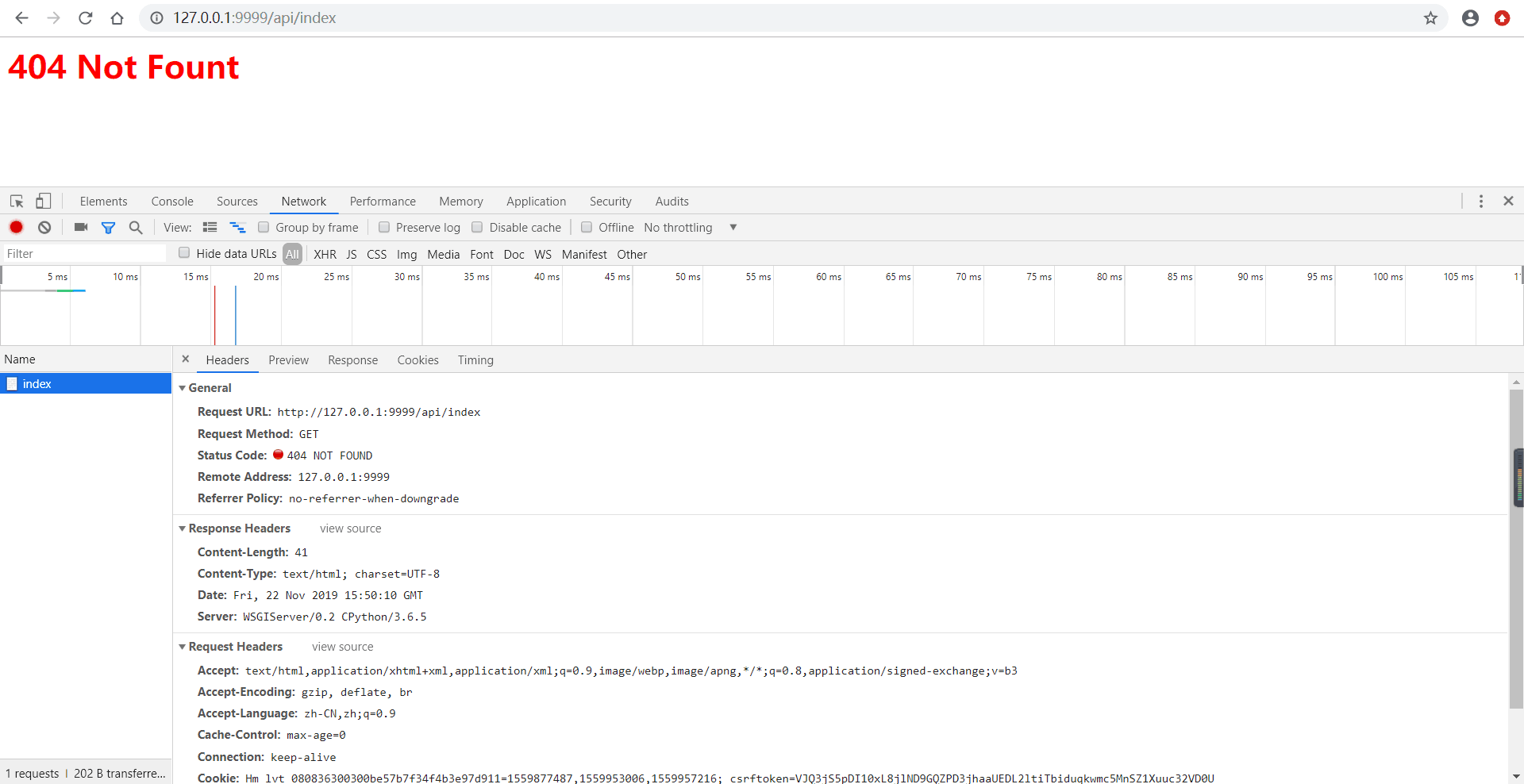
    content = "<h1 style='color: red'>404 Not Fount</h1>"
    return Response(content, "404 NOT FOUND", content_type="text/html")  # 参数status控制响应的状态码信息, content_type控制响应的mime类型
浏览器中访问127.0.0.1:9999/api/index
获取请求参数
from glooweb import Gloo, jsonify, Response


app = Gloo()
api = app.Router("/api")
app.register(api)


@api.get("/index")
def index(request):
    id_ = request.GET.get("id", None)
    name = request.GET.get("name", None)
    email = request.GET.get("email", None)

    data = dict(id=id_, name=name, email=email)

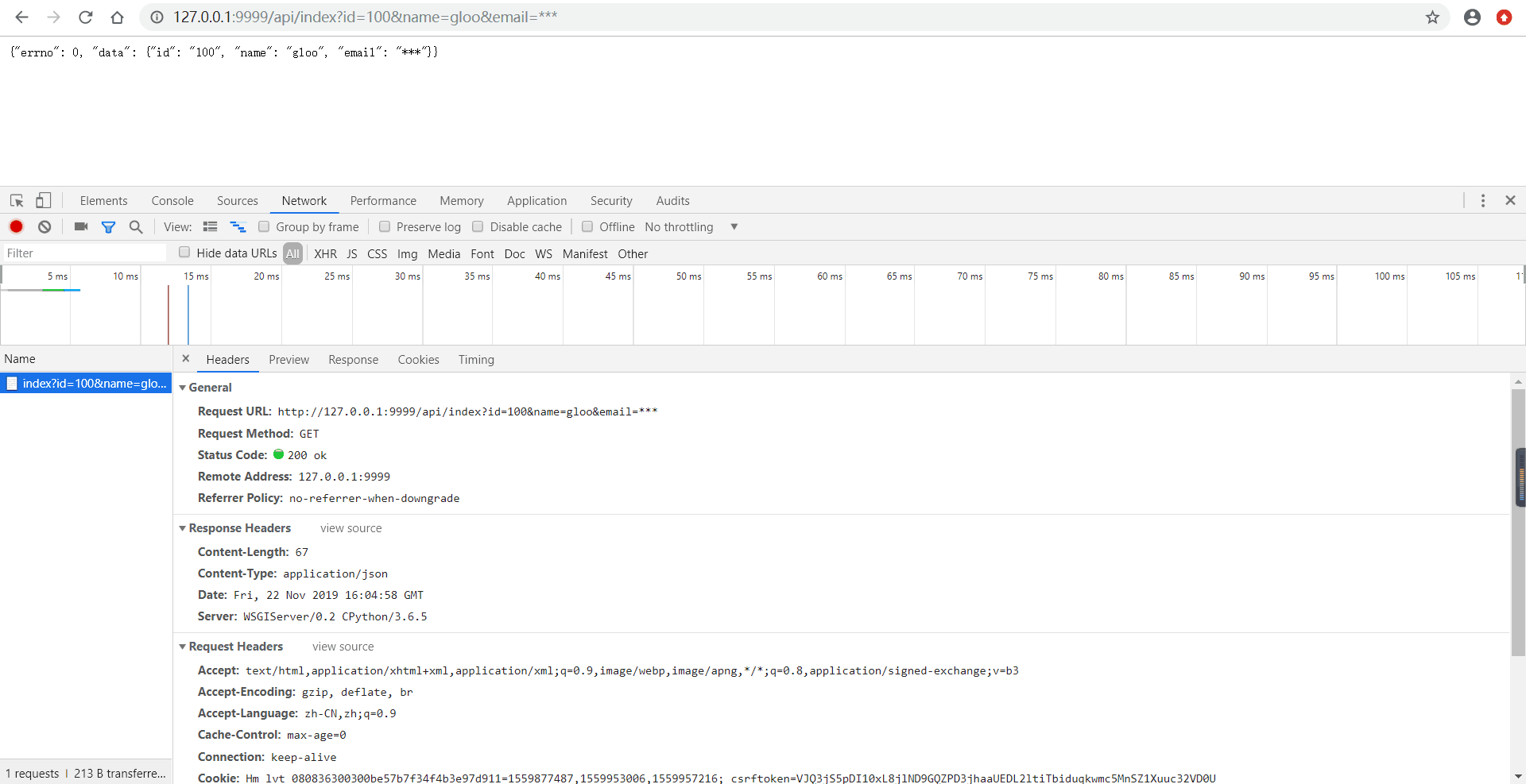
    return jsonify(errno=0, data=data)
浏览器中访问127.0.0.1:9999/api/index?id=100&name=gloo&email=***
为了更好支持restful风格的接口开发,您还可以使用post等其它method请求
from glooweb import Gloo, jsonify, Response


app = Gloo()
api = app.Router("/api")
app.register(api)


@api.post("/index")  # post请求
def index(request):
	id_ = request.POST.get("id", None)
    name = request.POST.get("name", None)
    email = request.POST.get("email", None)

    data = dict(id=id_, name=name, email=email)

    return jsonify(errno=0, data=data)
使用postman测试post请求
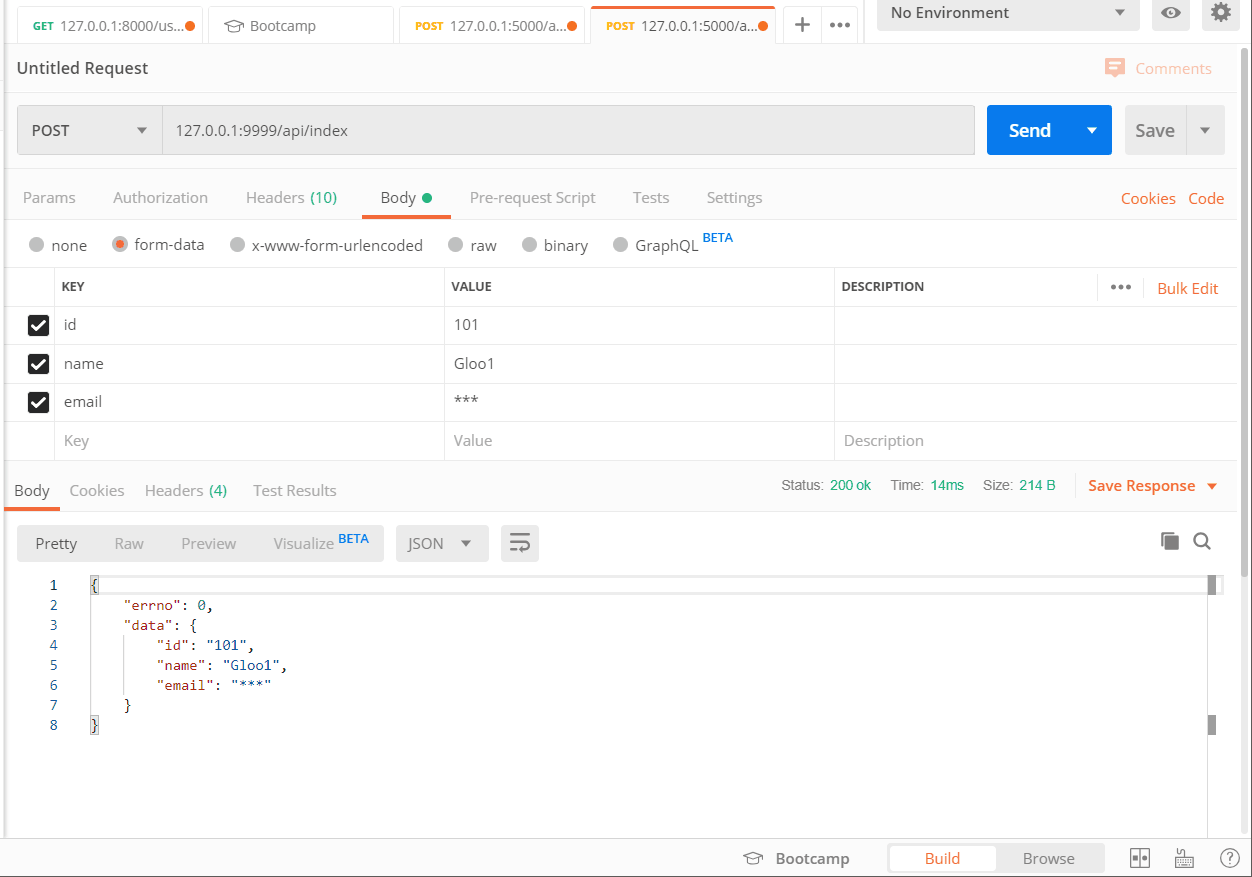
glooweb还支持put, delete, head请求方法,使用方法类似
类视图,glooweb 0.1.7版本新增类视图功能
from glooweb import Gloo, Response, jsonify
from glooweb import View
import simplejson


app = Gloo()
api = Gloo.Router('/api')
app.register(api)


class Index(View):  # 类视图需要继承自View类
    api = api  # 需传入一个api参数,且api为Gloo.Router对象
    route_name = ""  # route_name路由地址, 当route_name未定义或为false时,路由地址为当前类名小写

    def get(self, request):  # 当路由为route_name且method为GET时访问这个视图
        return Response("Index GET")

    def post(self, request):  # 当路由为route_name且method为POST时访问这个视图
        print(self.route_name)
        payload = simplejson.loads(request.body)
        return jsonify(data=payload)

    def put(self, request):  # 当路由为route_name且method为PUT时访问这个视图
        return Response("Index PUT")

    def delete(self, request):  # 当路由为route_name且method为DELETE时访问这个视图
        return Response("Index DELETE")


if __name__ == '__main__':
    app.runserver()
浏览器中访问127.0.01/api/index
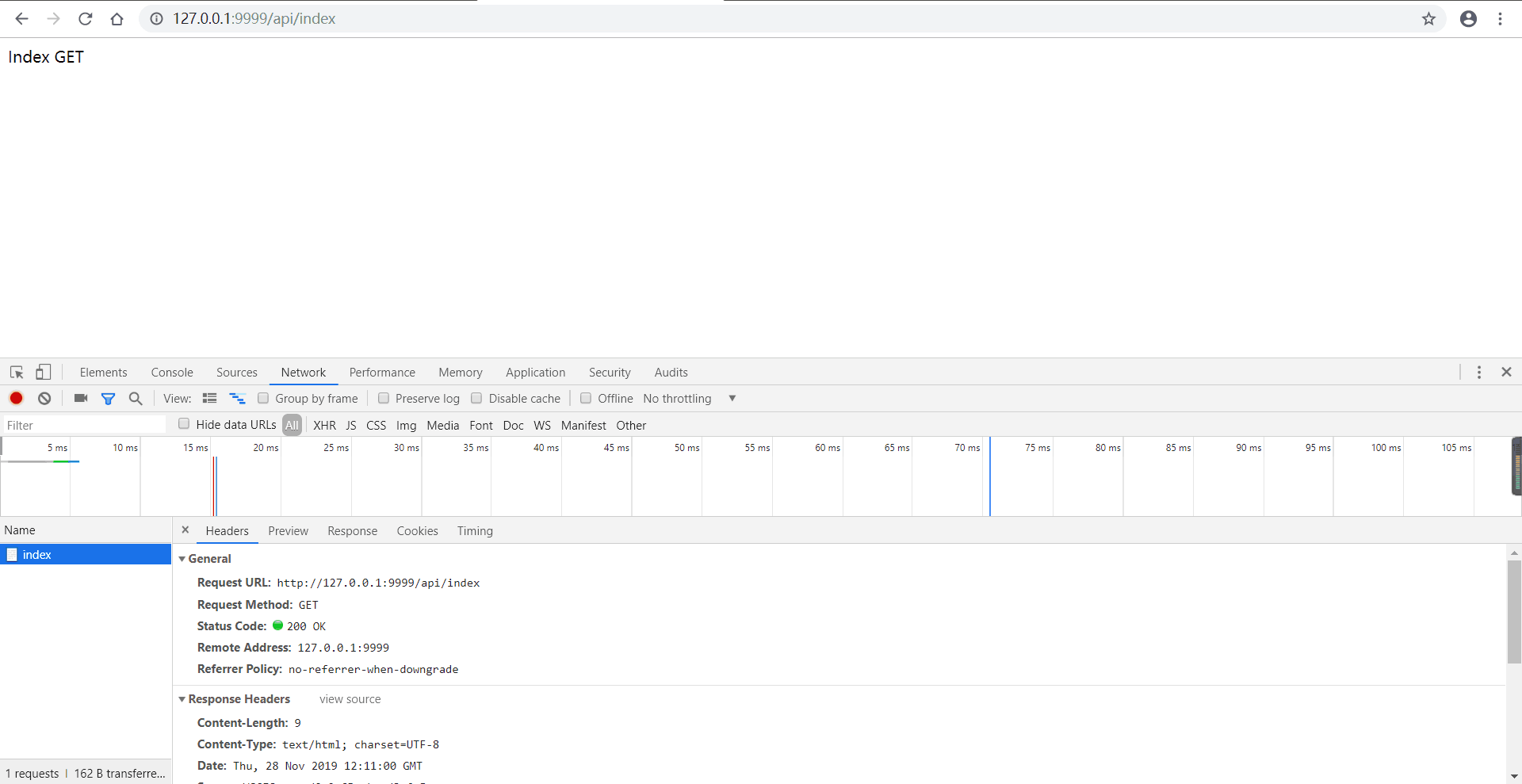
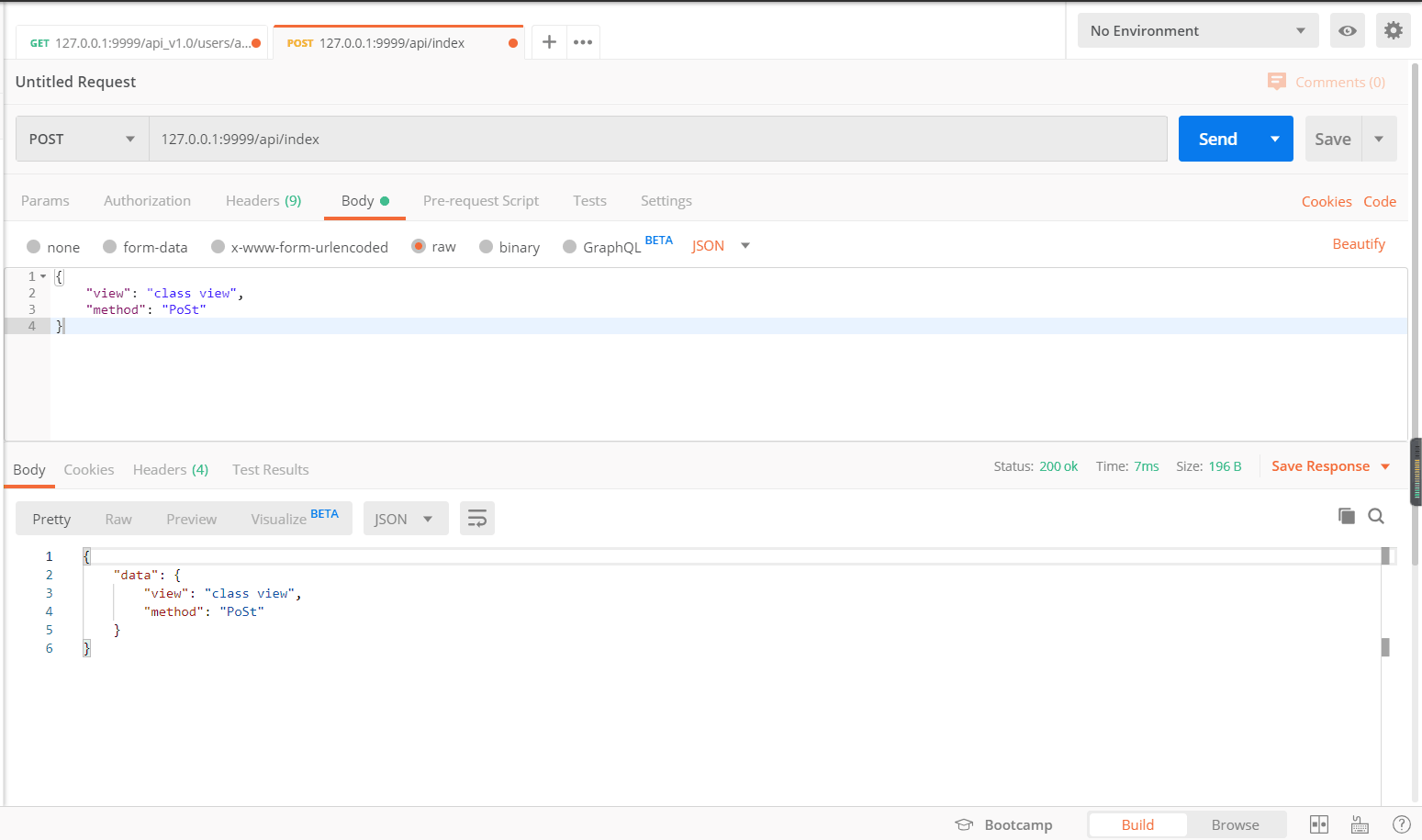
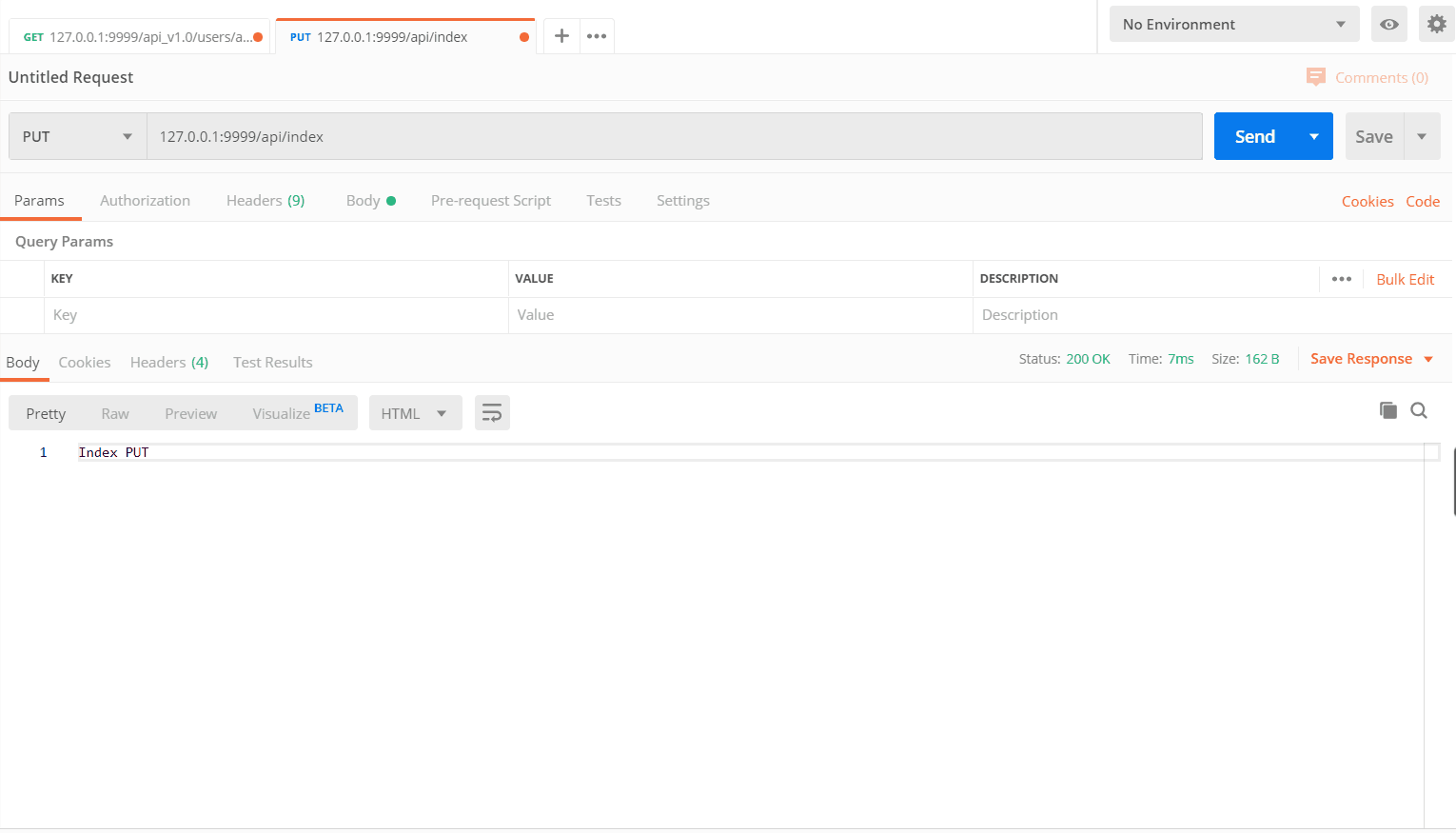

三、路由
提取URL参数
需求
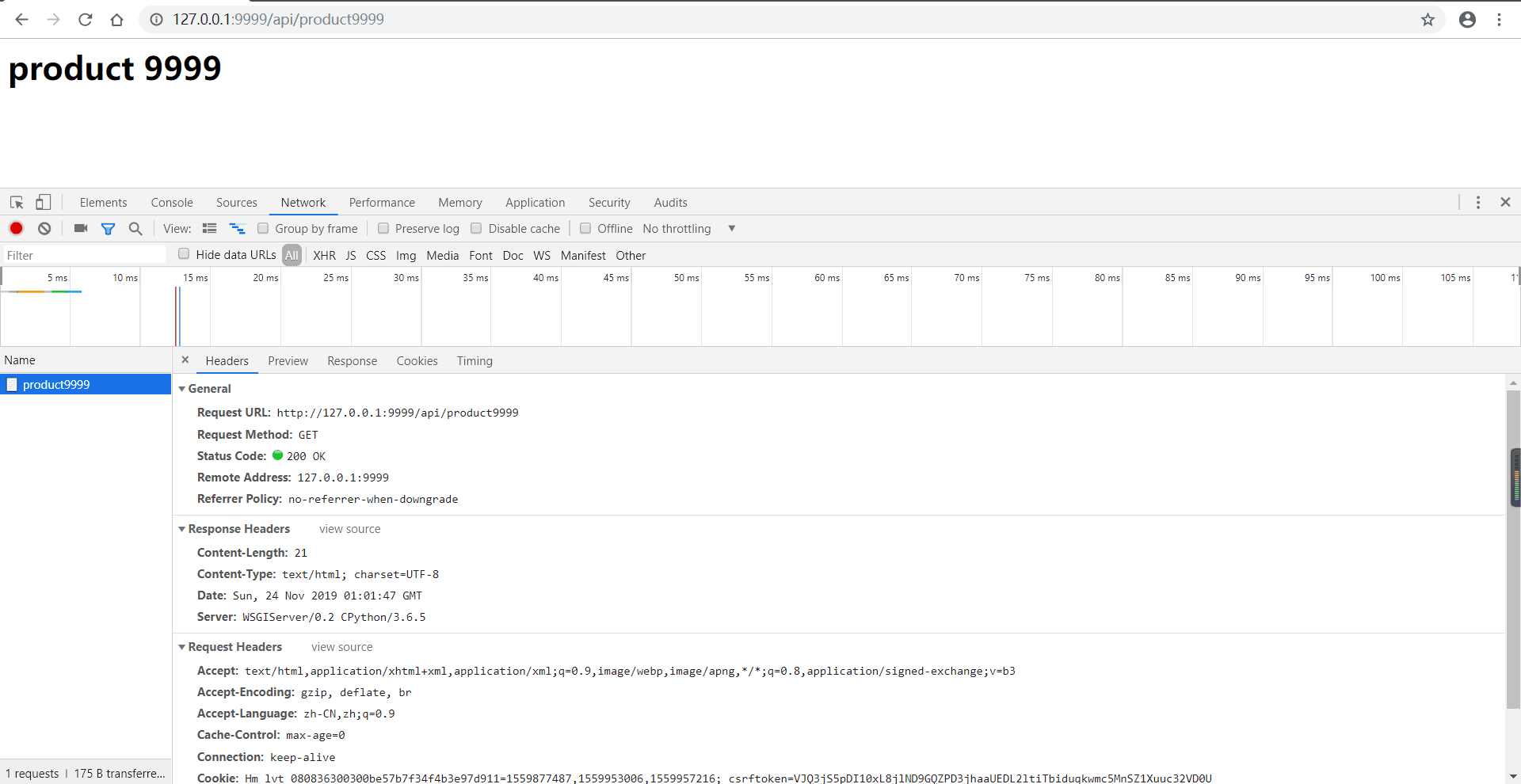
url为/product9999需要将产品ID提取出来
# 定义视图函数
@api.get("/product{id:int}")  # {id:int}匹配整形字符串
def product(request):
    print(request.vars.id)  # 访问url中的id的内容
    return f"<h1>product {request.vars.id}</h1>"
int匹配整形
word匹配一个单词
str匹配一个字符串
float匹配浮点型
any匹配任意字符
浏览器中访问127.0.01/api/product9999
四、拦截器
路由拦截器
# 定义视图函数
@api.get("/product/{id:int}")  # 当路径为/api/index, 并且method为get时访问这个视图函数
def product(request):  # 视图函数需要两个参数,上下文ctx, request请求对象
    print("视图函数")
    return f"<h1>product {request.vars.id}</h1>"


@api.reg_pre_interceptor
def pre_product(request):
    print("视图函数响应之前")
    return request


@api.reg_post_interceptor
def post_product(ctx, request, response):
    print("视图函数响应之后")
    return response
运行结果
视图函数响应之前
视图函数
视图函数响应之后
127.0.0.1 - - [15/Oct/2019 18:04:15] "GET /api/product/123 HTTP/1.1" 200 20
路由拦截器只对当前路由有效
全局拦截器
# 定义视图函数
@api.get("/product/{id:int}")  # 当路径为/api/index, 并且method为get时访问这个视图函数
def product(request):  # 视图函数需要两个参数,上下文ctx, request请求对象
    print("视图函数")
    return f"<h1>product {request.vars.id}</h1>"


@api.reg_pre_interceptor
def pre_product(request):
    print("视图函数响应之前")
    return request


@api.reg_post_interceptor
def post_product(request, response):
    print("视图函数响应之后")
    return response


@Gloo.reg_pre_interceptor
def pre(request):
    print("全局响应前视图")
    return request


@Gloo.reg_post_interceptor
def post(request, response):
    print("全局响应后视图")
    return response
运行结果
拦截器及视图函数执行流程
全局响应前视图
视图函数响应之前
视图函数
视图函数响应之后
全局响应后视图
127.0.0.1 - - [15/Oct/2019 18:55:21] "GET /api/product/123 HTTP/1.1" 200 20
五、上下文
使用上下为程序扩展第三方功能
from glooweb import Gloo, jsonify, Response
import simplejson

app = Gloo()


@app.extend("load")  # 使用app.extend装饰器扩展全局上下文,name参数不传入的话默认使用函数名
def load(bytes_):  # 使用simplejson加载bytes类型
    return simplejson.loads(bytes_)


api = app.Router("/api")
app.register(api)


@api.post("/index")
def index(request):
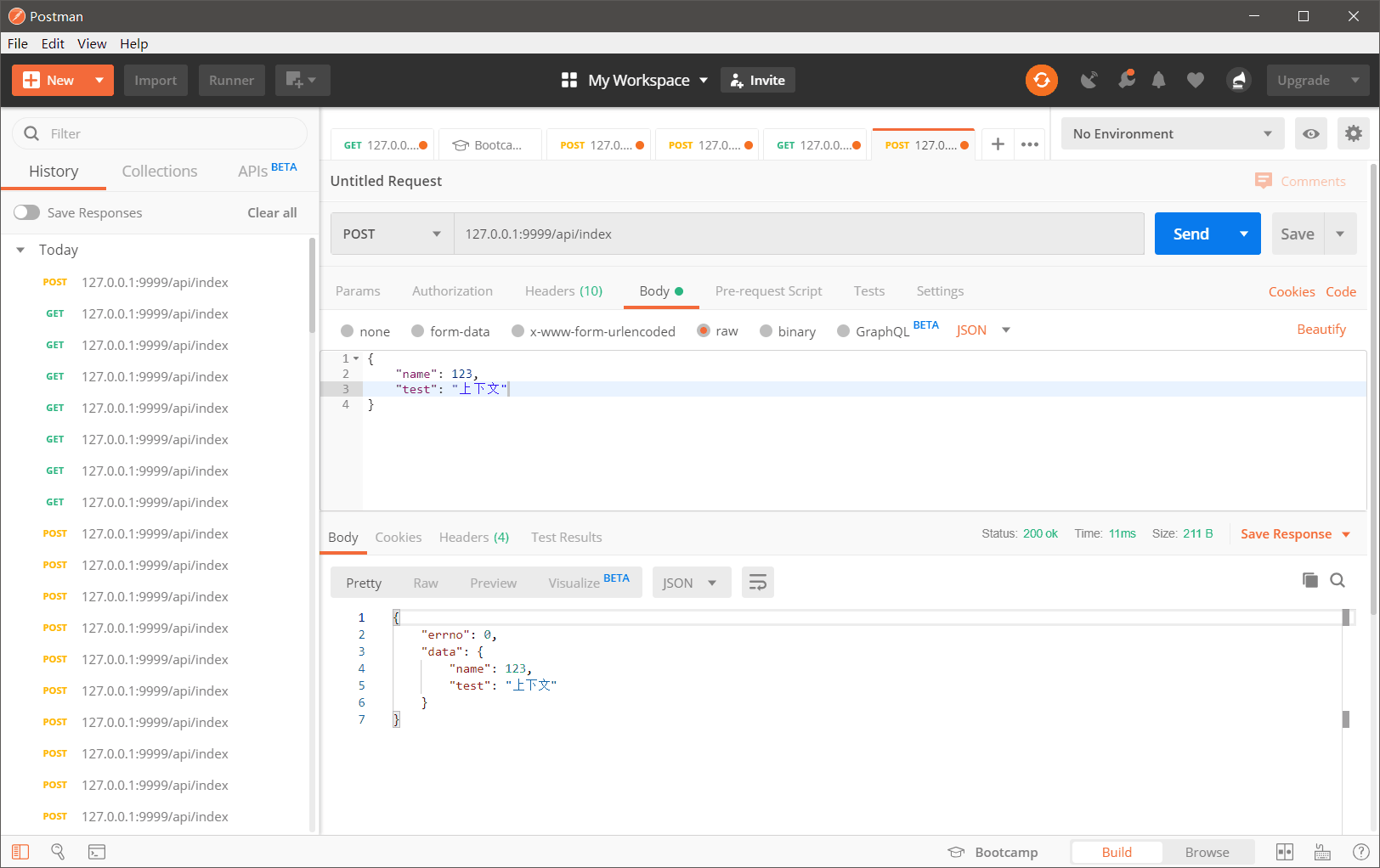
    data = api.ctx.load(request.body)  # api.ctx使用路由上下文,api.ctx找不到时会去全局上下文中找,路由上下文优先级大于全局
    return jsonify(errno=0, data=data)


if __name__ == '__main__':
    app.runserver()
使用postman测试
六、模板
glooweb是一个专注于api接口开发的轻量web框架,已不再提供过时的模板技术。如果您要使用的话可为您的应用扩展jijia2模块。
七、模型
模型建议使用ORM框架,SQLALCHEMY,glooweb对此没有做更多封装。
最后
Gloo在今后的很长一段时间里会使用和维护这个框架,如果您在使用glooweb框架时碰到了问题,或者您有一些好的建议。欢迎至件gloo88@yeah.net
1 maintainer

Download files
Download the file for your platform. If you're not sure which to choose, learn more about installing packages.
Source Distribution
File details
Details for the file glooweb-0.1.7.tar.gz.
File metadata
- Download URL: glooweb-0.1.7.tar.gz
- Upload date:
- Size: 8.4 kB
- Tags: Source
- Uploaded using Trusted Publishing? No
- Uploaded via:
twine/2.0.0 pkginfo/1.5.0.1 requests/2.22.0 setuptools/42.0.0 requests-toolbelt/0.9.1 tqdm/4.36.1 CPython/3.6.5
File hashes
| Algorithm | Hash digest | |
|---|---|---|
| SHA256 |
782dd158080bd62dc40996d52fb86ea5d50b0e994b9abffe8b81794166b6843e
|
|
| MD5 |
c4f0af29ed82aacba952ae11a0bd24f1
|
|
| BLAKE2b-256 |
2088d450259eb03f3eccd8c780554a3bb6607b61ab666472d25787662c0fcdd9
|














