
PyGLVis


PyGLVis is an interactive Jupyter widget for visualizing finite element meshes and functions, built on-top of the GLVis library.
📦 Installation
The GLVis Jupyter widget is installed using pip. To install the latest version from the repository:
git clone https://github.com/GLVis/pyglvis.git
cd pyglvis
pip install .
Or, install directly from PyPi,
pip install glvis
PyGLVis requires the Python wrapper for MFEM, PyMFEM, which can be installed with
pip install mfem
🚀 Usage
Basic usage
from glvis import glvis

# Create a `glvis` object
g = glvis(data, width=640, height=480)

# Run a cell with `g` as the last statement to display the widget
g
The data object can be one of:
Mesh, defined in PyMFEM(Mesh, GridFunction)tuple, defined in PyMFEMstr, in the format of*.savedfiles used by MFEM and GLVis. See examples/basic.ipynb for an example.
Customization with key commands
GLVis has many keyboard commands that can be used to customize the visualization. A few of the most common are listed below. See the GLVis README for a full list.
r- reset the viewc- toggle the colorbarj- toggle perspectivel- toggle the lightg- toggle the background color (white/black)a- cycle through bounding box axes statesm- cycle through mesh statesp- cycle through color palettest- cycle through materials and lights0- begin rotating around z-axis.- pause rotation*//- zoom in/out
These can be set using the keys argument when creating a glvis object.
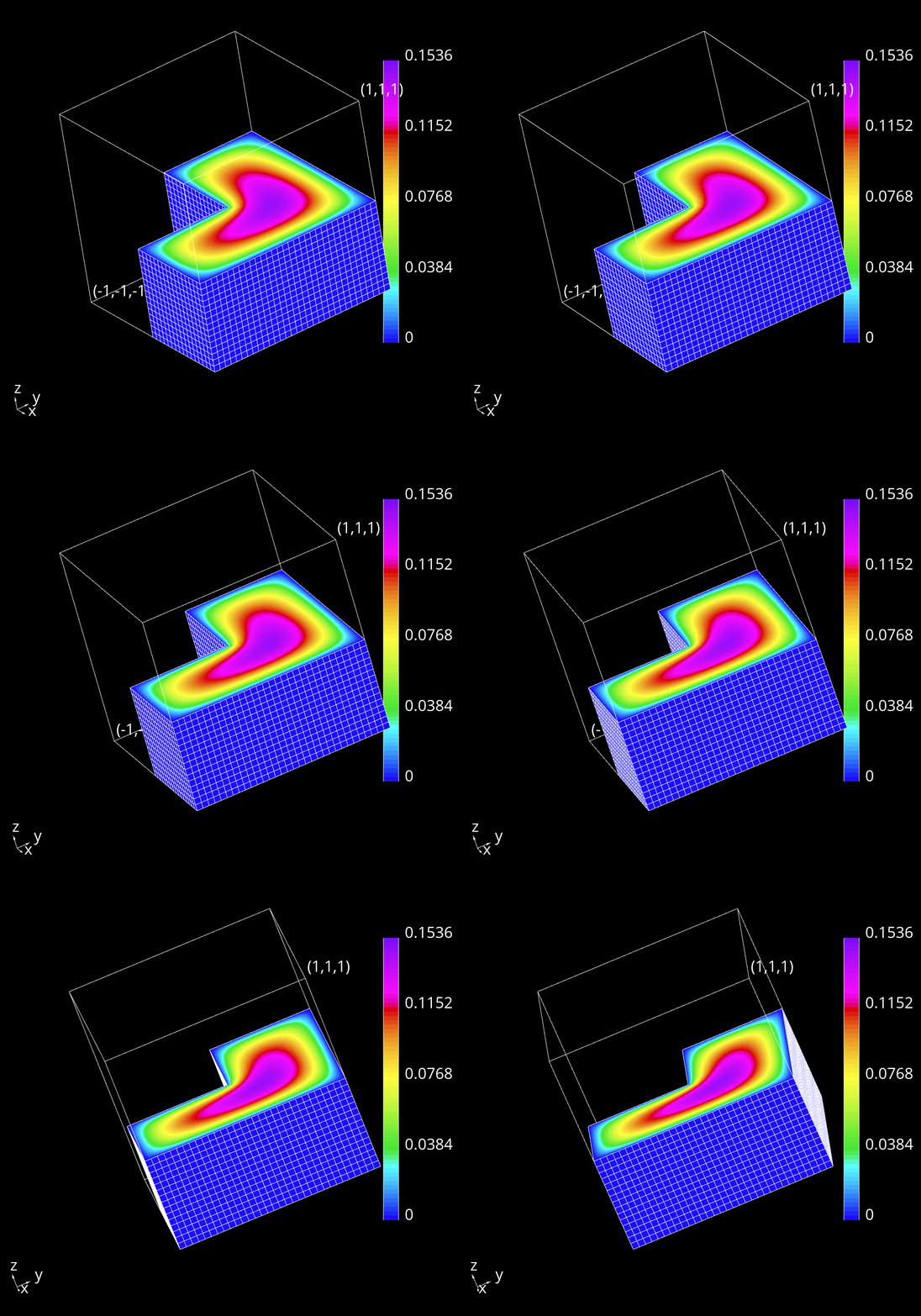
glvis(data, keys='rljgac//0')
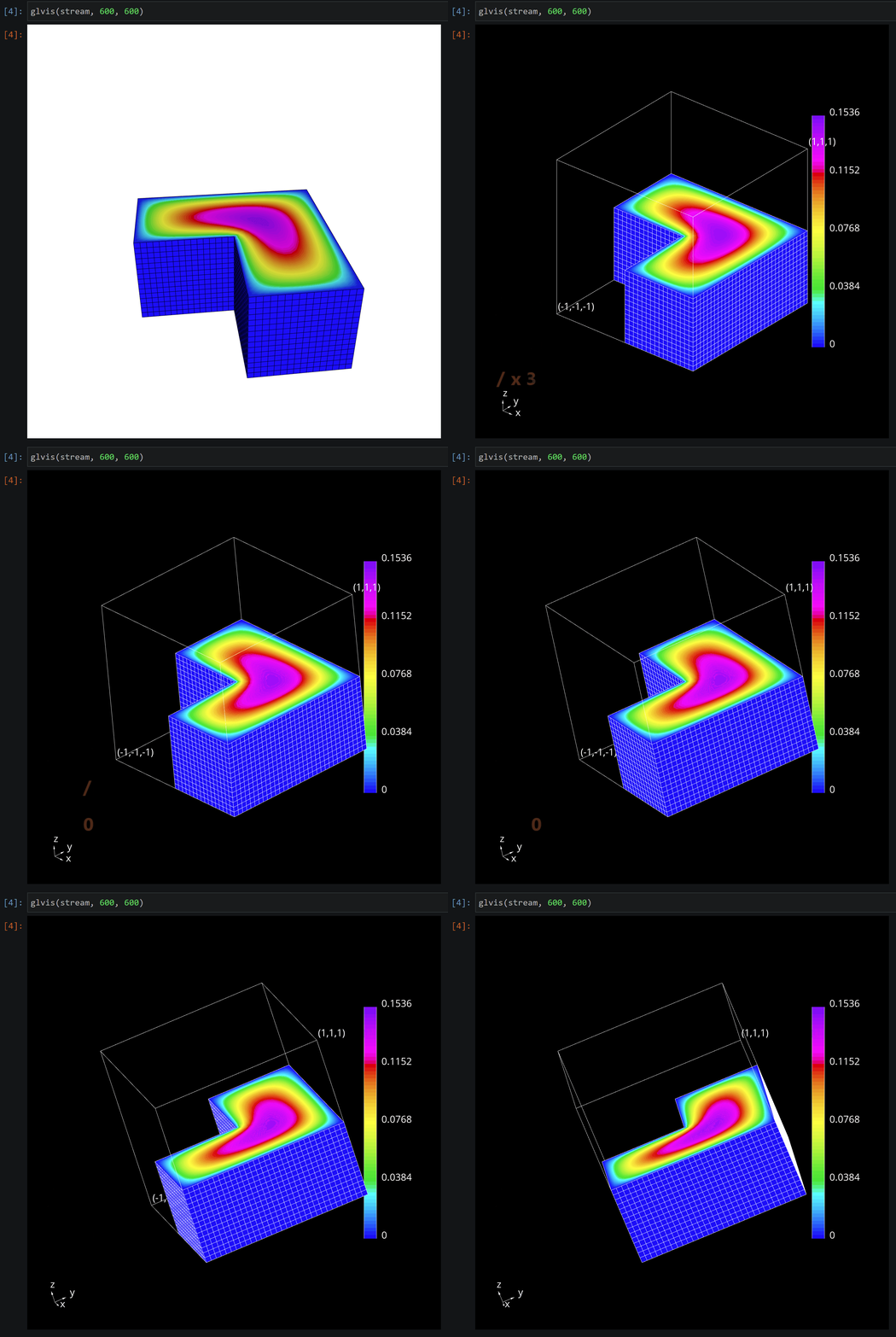
This combination of keys would: r reset the view, l toggle the light, j toggle perspective, g toggle the background color to black (default is white), a show the bounding box, c show the colorbar, // zoom out twice, and 0 begin rotating around the z-axis:
Alternatively, keys can be typed directly into the widget after it has been created:
Other methods
Once you have a glvis object there are a few methods that can used to update the
visualization, besides using keys:
# Show a new Mesh/GridFunction, resets keys
g.plot(data)
# Show an updated visualization with the same data, preserving keys
g.update(data)
# Change the image size
g.set_size(width, height)
# Force the widget to render. If the widget isn't the last statement in a cell it
# will not be shown without this. See ex9.ipynb
g.render()
See the examples directory for additional examples. To test those locally, start a Jupyter lab server with
jupyter lab
🐛 Troubleshooting
This widget was originally developed using the jupyter widget cookiecutter; however, recent changes to the Jupyter ecosystem have broken a lot of functionality, leading to a rewrite using anywidget. If you encounter any problems, please consider supporting development by opening an issue.
🤖 Development
PyGLVis dependencies
graph TD;
    A[mfem] --> B[pymfem];
    A --> C[glvis];
    C --> D[glvis-js];
    Ext1[emscripten] --> D;
    D-.-E["glvis-js\n(npm/esm mirror)"]
    B & E --> G[pyglvis];
    Ext2[jupyter] --> G;
pyglvis is most directly depednent on PyMFEM and glvis-js. PyMFEM is a Python wrapper of the finite element library, MFEM, while glvis-js is a JavaScript/WebAssembly port of glvis.
glvis-js is hosted on github and mirrored on npm. esm.sh allows pyglvis to pull the latest version of glvis-js directly from npm. This can be seen in the first line of glvis/widget.js:
import glvis from "https://esm.sh/glvis";
You can specify a different version of glvis-js by adding @x.y.z to the end of this import statement, where x.y.z matches a version number available on npm, e.g.
import glvis from "https://esm.sh/glvis@0.6.3";
Releasing a new version of glvis on NPM:
To publish a new version of glvis-js, follow the instructions on the repo.
Releasing a new version of glvis on PyPI:
-
Update
__version__inglvis/__about__.py -
git addandgit commitchanges
You will need twine to publish to PyPI, install with pip.
python -m hatch build
twine upload dist/*
git tag -a X.X.X -m 'comment'
git push --tags
🌐 Links
3 maintainers


Metadata
3 maintainers
Release files for glvis 1.1.1
For a detailed explanation of source distributions (sdists) and built distributions (wheels), please see the package formats documentation.
Source distribution (sdist)
| File | Size | Uploaded | |
|---|---|---|---|
| glvis-1.1.1.tar.gz | 16.8 kB | Details |
Built distribution (wheel)
| File | Interpreter | ABI | Platform | Reset |
|---|---|---|---|---|
| glvis-1.1.1-py2.py3-none-any.whl | Python 3, Python 2 | none | any | Details |
Total release size: 27.3 kB
Release files / glvis-1.1.1.tar.gz
| Download URL | glvis-1.1.1.tar.gz |
|---|---|
| Size | 16.8 kB |
| Tags | Source |
|
SHA-256 checksum How to use checksums |
804f6956514c03aed3740072b51c1232d32ee79f5e1913239ec92b01d46f93af
|
|
BLAKE2b-256 checksum How to use checksums |
4b5f9d12f4661606d166ee8011edc546e4b779faeb40318121d0a8eb5578fba3
|
| Upload date | |
|
Uploaded using Trusted Publishing? What is trusted publishing? |
No |
| Uploaded via |
twine/5.1.1 CPython/3.10.12
|
Release files / glvis-1.1.1-py2.py3-none-any.whl
| Download URL | glvis-1.1.1-py2.py3-none-any.whl |
|---|---|
| Size | 10.5 kB |
| Tags | Python 2 Python 3 |
|
SHA-256 checksum How to use checksums |
e0e64b35c20e15306c6c82a9cccb48180bdd24dbc50626c4222d29f8c351fb95
|
|
BLAKE2b-256 checksum How to use checksums |
0b9625e6bdd43e746fa337385796558cf1e0329eb5e1056fdcb57af0380dd5d3
|
| Upload date | |
|
Uploaded using Trusted Publishing? What is trusted publishing? |
No |
| Uploaded via |
twine/5.1.1 CPython/3.10.12
|














