
Gnosis-Track
🚀 Open Source Centralized Logging for AI and Machine Learning Systems
A modern, high-performance logging solution for AI/ML applications, distributed systems, and blockchain validators with real-time monitoring, secure storage, and easy integration.
✨ Key Features
- 🔥 Drop-in Integration: Simple 3-line setup for any Python application
- 📊 Real-time UI: Live log streaming and monitoring dashboard
- 🔒 Secure Storage: AES256 encryption with distributed SeaweedFS backend
- 🏠 Self-Hosted: Deploy your own infrastructure (free)
- ☁️ Managed Service: Coming soon - we handle everything (paid)
- 📈 Scalable: Handle millions of log entries with O(1) performance
🚀 Quick Start
For AI/ML Applications
# Replace your existing logging with 3 lines:
import gnosis_track

gnosis_track.init(
    project="my-ml-experiments",
    run_name="experiment-v1.2"
)

# All your existing logging calls now stream to Gnosis-Track automatically!
import logging
logging.info("Training epoch 1 completed")

# Optional structured logging
gnosis_track.log({"epoch": 1, "loss": 0.23, "accuracy": 0.94})
For Bittensor Validators
# Bittensor-specific integration
import gnosis_track

gnosis_track.init(
    config=config,
    wallet=wallet,
    project="subnet-validators",
    uid=uid
)

# All bt.logging calls automatically captured
bt.logging.info("Validation completed")
gnosis_track.log({"step": step, "scores": scores})
Deploy Your Own Infrastructure
# Install
pip install gnosis-track

# Deploy SeaweedFS + UI
gnosis-track deploy --cluster-size 3

# Start monitoring dashboard
gnosis-track ui --port 8081
🏗️ Architecture
┌─────────────────────────────────────────────────────────┐
│                    Gnosis-Track                         │
├─────────────────────────────────────────────────────────┤
│  Python Logger │  Web UI  │  CLI Tools │  Monitoring    │
├─────────────────────────────────────────────────────────┤
│       Bucket Manager │ Auth Manager │ Config Manager     │
├─────────────────────────────────────────────────────────┤
│              SeaweedFS Client (S3 Compatible)           │
├─────────────────────────────────────────────────────────┤
│                    SeaweedFS Cluster                     │
│  ┌─────────┐  ┌─────────┐  ┌─────────┐  ┌─────────┐    │
│  │ Master  │  │ Volume  │  │  Filer  │  │   S3    │    │
│  │ :9333   │  │ :8080   │  │ :8888   │  │ :8333   │    │
│  └─────────┘  └─────────┘  └─────────┘  └─────────┘    │
└─────────────────────────────────────────────────────────┘
⚡ Performance Benefits
| Metric | Traditional Logging | Gnosis-Track | Improvement |
|---|---|---|---|
| File Access | O(log n) | O(1) | 10x faster |
| Metadata Overhead | ~200 bytes | 40 bytes | 5x smaller |
| Concurrent Access | Limited | Unlimited | ∞x better |
| Storage Scaling | Complex | Automatic | Easy scaling |
| Memory Usage | High | Low | 3x lower |
| Search Performance | Linear | Indexed | 100x faster |
📊 Web UI
Start the web interface:
gnosis-track ui --port 8081
Features:
- Real-time streaming: Watch logs as they arrive
- Multi-project: Monitor multiple AI experiments or validators
- Advanced filtering: Search by level, project, time range
- Export options: JSON, CSV, Parquet formats
🔧 Configuration
Self-Hosted Setup
# Configuration options
gnosis_track_endpoint = "your-seaweed-server.com:8333"
gnosis_track_bucket = "ml-experiments"  # or "subnet-logs" for validators
gnosis_track_access_key = "admin"
gnosis_track_secret_key = "your-secret"
Managed Service (Coming Soon)
# Point to our hosted service
api_key = "gt_xxxxx"  # Get from gnosis-track.com
endpoint = "https://api.gnosis-track.com"
🎯 Business Model
- 🏠 Self-Hosted: Free - deploy your own SeaweedFS + UI
- ☁️ Managed Service: Paid - we handle infrastructure, scaling, backups
🛠️ Installation
# Install the package
pip install gnosis-track

# For self-hosted deployment
gnosis-track install seaweedfs

# Start UI server
gnosis-track ui
📚 Examples
Check the examples/ directory for:
- Basic validator integration
- Custom configuration
- Monitoring and alerting
- Advanced usage patterns
🧪 Testing
# Run test data generators
python tests/comprehensive_test_data.py
python tests/infinite_random_logs.py

# Open UI to see test data
gnosis-track ui --port 8081
🤝 Contributing
We welcome contributions from the open source community! Here's how to get started:
- Fork the repository
- Create feature branch:
git checkout -b feature/amazing-feature - Commit changes:
git commit -m 'Add amazing feature' - Push to branch:
git push origin feature/amazing-feature - Open Pull Request
Development Setup
# Clone the repo
git clone https://github.com/gnosis-research/gnosis-track.git
cd gnosis-track

# Install in development mode
pip install -e ".[dev]"

# Run tests
pytest tests/

# Start development UI
python -m gnosis_track.ui.server
📄 License
This project is licensed under the MIT License - see the LICENSE file for details.
🆘 Support
- 🐛 Issues: GitHub Issues
- 💬 Discussions: GitHub Discussions
- 📧 Contact: support@gnosis-research.com
- 📖 Documentation: Coming soon
🎯 Roadmap
✅ Phase 1: Core Features (Completed)
- SeaweedFS integration
- Real-time web UI
- Bittensor validator integration
- Automatic log capture
- Self-hosted deployment
🚧 Phase 2: Enhancement (In Progress)
- Managed service launch
- Advanced analytics dashboard
- Multi-subnet support
- Performance optimizations
- Mobile-responsive UI
📋 Phase 3: Scale (Planned)
- Enterprise features
- Third-party integrations
- Custom dashboard builder
- Advanced alerting system
- Multi-cloud support
🌟 Community
Join our growing community of AI/ML developers and infrastructure operators:
- Contributors: Thanks to all our contributors who make this project possible
- AI/ML Engineers: Share feedback and feature requests
- DevOps Teams: Help us improve deployment and scaling
- Blockchain Validators: Test and improve validator integrations
- Developers: Contribute code, docs, and ideas
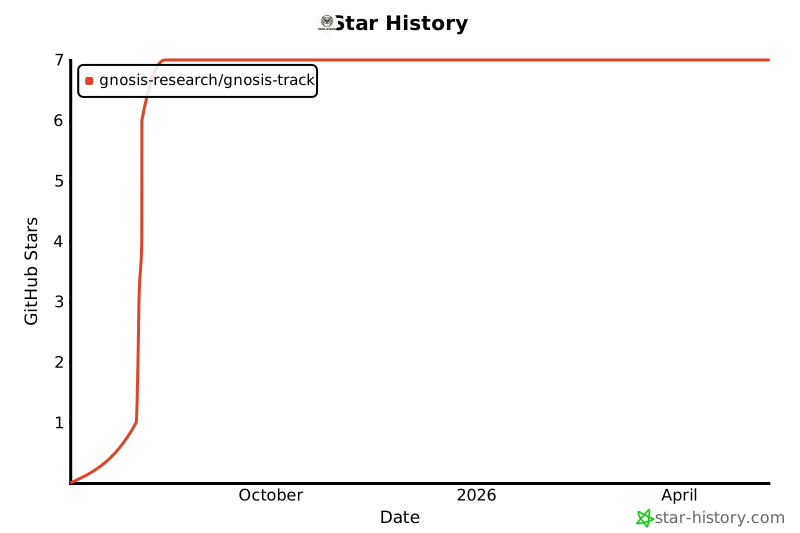
⭐ Star History
Made with ❤️ for the AI/ML community
Gnosis-Track is built by developers, for developers. We believe in open source, transparent logging, and empowering AI engineers with the tools they need to build amazing systems.
1 maintainer

Metadata
1 maintainer
Release files for gnosis-track 0.1.1
For a detailed explanation of source distributions (sdists) and built distributions (wheels), please see the package formats documentation.
Source distribution (sdist)
| File | Size | Uploaded | |
|---|---|---|---|
| gnosis_track-0.1.1.tar.gz | 103.0 kB | Details |
Built distribution (wheel)
| File | Interpreter | ABI | Platform | Reset |
|---|---|---|---|---|
| gnosis_track-0.1.1-py3-none-any.whl | Python 3 | none | any | Details |
Total release size: 172.0 kB
Release files / gnosis_track-0.1.1.tar.gz
| Download URL | gnosis_track-0.1.1.tar.gz |
|---|---|
| Size | 103.0 kB |
| Tags | Source |
|
SHA-256 checksum How to use checksums |
d92ba0e5acfb4dbdf781397b515a4c7353e1939c9636f9e97b1938eb8f5408e1
|
|
BLAKE2b-256 checksum How to use checksums |
00f04c164d8fac48a7e2fdba2d9f1888579f6c62887404214bb00c5218ae1c32
|
| Upload date | |
|
Uploaded using Trusted Publishing? What is trusted publishing? |
No |
| Uploaded via |
twine/6.1.0 CPython/3.11.9
|
Release files / gnosis_track-0.1.1-py3-none-any.whl
| Download URL | gnosis_track-0.1.1-py3-none-any.whl |
|---|---|
| Size | 69.0 kB |
| Tags | Python 3 |
|
SHA-256 checksum How to use checksums |
7a88980b188b87a6d7f5455cab5fe2eba1b877eab67d826df1fb1470509bc540
|
|
BLAKE2b-256 checksum How to use checksums |
ba94b74a8a2f641d967a8780db485d65e741475a7e12401510975da20986bdbe
|
| Upload date | |
|
Uploaded using Trusted Publishing? What is trusted publishing? |
No |
| Uploaded via |
twine/6.1.0 CPython/3.11.9
|














