
gobot
Gobot is a Linux robotics simulation package with a Python-first workflow. Use it from Python to create scenes, step simulation, inspect robot state, and drive reinforcement-learning experiments.



Install
Gobot publishes full-featured Linux x86_64 wheels for NVIDIA GPU systems. The default install includes CPU simulation, MuJoCo Warp, Newton, PyTorch and CUDA user-space dependencies, the LuisaCompute renderer, Gaussian Splatting inference, and the bundled OpenUSD importer/runtime. There are no feature extras to select.
pip install gobot -i https://pypi.org/simple
Check the install:
import gobot

print(gobot.__file__)
print(gobot.__version__)
print(gobot.backend_infos())
Python Usage
Set a project root before using res:// paths:
import gobot

gobot.set_project_path("/path/to/project")
scene = gobot.load_scene("res://world.jscn")

print(scene.root.name)
Editor
Start the editor from the Python environment you want Gobot to use:
gobot_editor
For source checkout development:
cd /path/to/gobot
uv run gobot_editor --path examples/go1
The first uv run initializes the required Git submodules and builds the
cached LuisaCompute, gsplat, and OpenUSD SDKs before installing Gobot editable.
It requires the source-build toolchain, including a CUDA toolkit with nvcc.
Later runs are incremental. Python files import directly from the checkout,
while _core, libgobot, and gobot_editor come from the same build installed
in .venv. The editable gobot_editor launcher runs an incremental CMake/Ninja
rebuild before every start, so changed C++ and CMake files cannot silently leave
the editor on stale native binaries. If the initial editable install was
configured inside uv's temporary build isolation environment, the launcher
repairs that persistent CMake cache with the current virtual environment before
its first incremental rebuild.
When native changes must be used by another Python entry point, rebuild and reinstall only Gobot explicitly:
uv sync --reinstall-package gobot --no-build-isolation-package gobot
The initial uv sync installs the build backend in .venv; disabling build
isolation on later native rebuilds prevents CMake from caching a temporary
build environment's Python executable.
Python-only edits need no rebuild. Do not add PYTHONPATH or launch an editor
from build/python; that can combine source files, native extensions, and
executables from different builds. The package launcher selects the native
artifacts installed in its own environment.
uv run is environment activation, not a separate Gobot runtime. These are
equivalent after uv sync:
uv run gobot_editor --path examples/go1
.venv/bin/gobot_editor --path examples/go1
Alternatively, run source .venv/bin/activate once and then use
gobot_editor or python directly. At runtime,
GOBOT_PYTHON_LIBRARY=/other/libpython.so still overrides automatic
libpython discovery.
For a standalone CMake build used by C++ tests, use a separate build directory
and the Python selected by uv:
cmake -S . -B build/dev -DPython3_EXECUTABLE="$(uv python find)"
cmake --build build/dev -j
ctest --test-dir build/dev --output-on-failure
Python CTest cases run against build/dev/python in an isolated interpreter,
so an older editable _core in .venv cannot shadow the artifact under test.
That standalone build is not the artifact used by the .venv console script;
run the following command when the installed editor must be updated:
uv sync --reinstall-package gobot --no-build-isolation-package gobot
The default Linux x86-64 environment includes ONNX Runtime, PyTorch, rsl_rl, MuJoCo Warp, Newton, training logs, video capture, and ONNX export support. There are no separate CPU, CUDA, or training extras. Selecting a simulation provider remains explicit; requesting a CUDA provider never silently falls back to CPU.
OpenUSD remains an optional CMake feature, but Python source builds enable it by
default. Official Linux x86-64 wheels bundle the runtime, so
pip install gobot does not need OpenUSD, LuisaCompute, or oneTBB checkouts and
does not compile them on the user's computer. Source builds use pinned, shallow
submodules under 3rdparty; the PEP 517 backend initializes and builds them
automatically. The explicit CMake workflow remains available for SDK work:
git submodule update --init --depth=1 3rdparty/openusd 3rdparty/onetbb
cmake --workflow --preset dependencies-openusd
cmake -S . -B build/openusd-dev \
  -DGOB_BUILD_OPENUSD=ON \
  -DGOB_OPENUSD_ROOT="$PWD/build/openusd/install"
cmake --build build/openusd-dev -j
The importer maps USD hierarchy, stage units/up-axis, transforms, visibility,
render-purpose polygon meshes, normals, UVs, and constant UsdPreviewSurface
material inputs into Gobot PackedScene data. OpenUSD-enabled installs bundle
their native runtime under gobot/openusd. See
Newton and OpenUSD integration for the data boundary
and provider example.
Run the Gobot-rendered Newton G1 policy example through uv:
uv run gobot_editor --path examples/newton_g1
Its project hook downloads the pinned official g1_isaac.usd and policy files,
verifies them, and caches the USD as one Gobot Robot3D scene before opening.
Run Go1 rough-terrain training on MuJoCo Warp through uv:
uv run \
  python -m examples.go1.train.go1_velocity_train \
  --backend mujoco-warp \
  --device cuda:0 \
  --num-envs 256 \
  --iterations 10000 \
  --no-step-extras
Select the CPU semantic baseline explicitly when CUDA is not desired:
uv run \
  python -m examples.go1.train.go1_velocity_train \
  --backend mujoco-cpu \
  --device cpu \
  --num-envs 64 \
  --iterations 10000
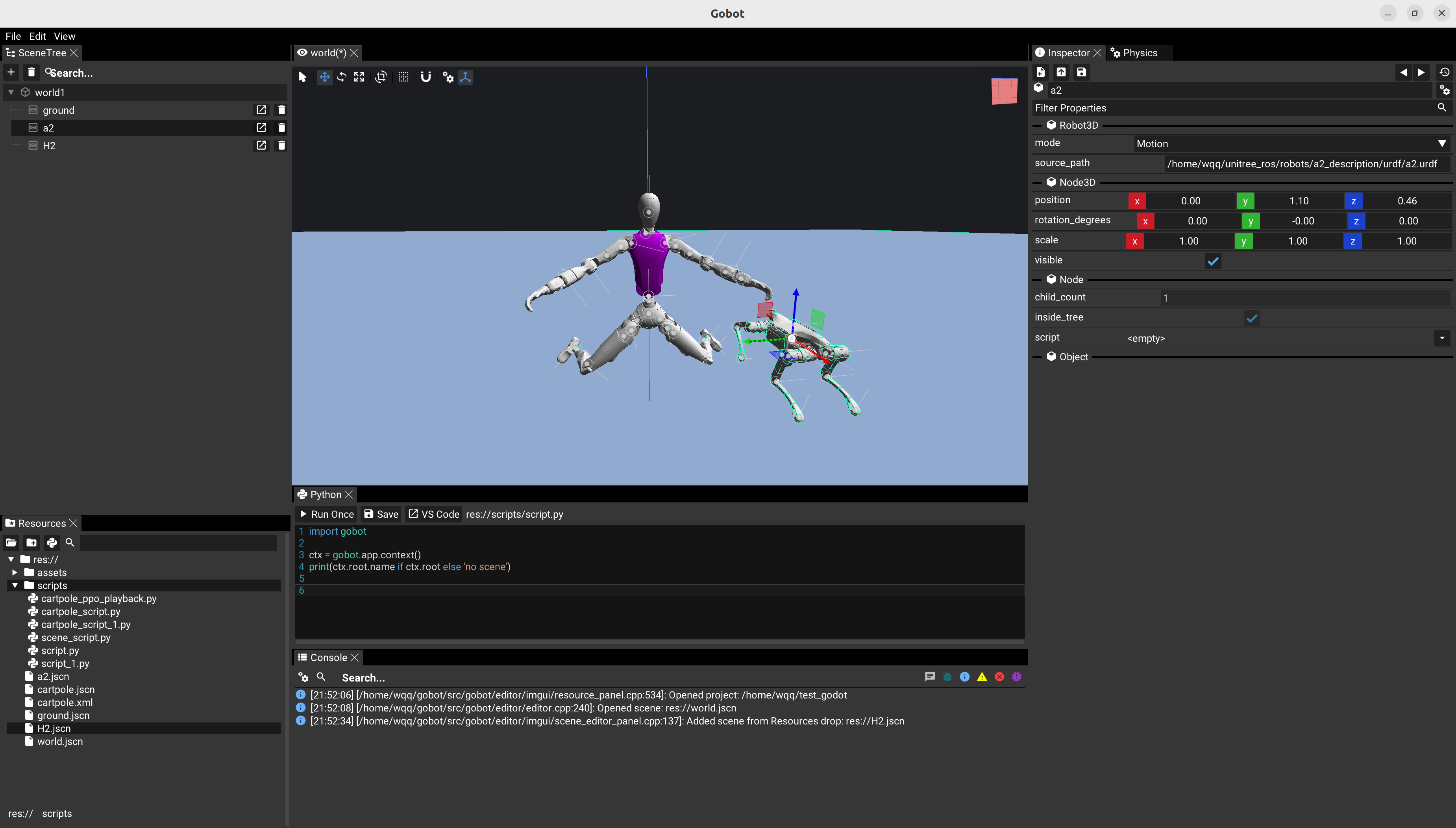
Packaged examples are available from the editor start screen under Examples.
See doc/examples.md for packaging details.
Examples
| Example | Preview |
|---|---|
| CartPole |  |
| Go1 policy playback |  |
Local Wheel Build
From a source checkout:
git clone https://github.com/RobSimulatorGroup/gobot.git
cd gobot
uv run --with build python -m build --wheel
uv pip install --force-reinstall dist/gobot-*.whl
The PEP 517 backend initializes the pinned submodules and incrementally builds all native SDKs. A complete Git checkout is required for source builds; install the published wheel when the dependency sources or native build toolchain are not available.
Notes
- Supported platform: Linux.
- Python package name:
gobot. - Release wheels install MuJoCo CPU, MuJoCo Warp, Newton, LuisaCompute, Gaussian Splatting inference, and OpenUSD support by default. The Python GPU providers remain behind Gobot's backend-neutral simulation boundary.
- A system CUDA Toolkit is needed to build from source, but not to use a wheel.
Wheel users need a compatible NVIDIA driver providing
libcuda.so.1and the system libglvnd EGL/OpenGL dispatch libraries. Driver libraries are not copied into the wheel because they must match the target machine's driver. - Packaged examples:
gobot/examples/in wheels andexamples/in source. - MuJoCo RL roadmap:
doc/mujoco_rl_plan.md. - Luisa CUDA renderer architecture and build guide:
doc/luisa_rendering_plan.md. - Gaussian Splatting environment assets and inference runtime:
doc/gaussian_splatting.md.
1 maintainer

Metadata
1 maintainer
Release files for gobot 0.1.18
For a detailed explanation of source distributions (sdists) and built distributions (wheels), please see the package formats documentation.
Built distributions (wheels)
| File | Actions Reset | |||
|---|---|---|---|---|
| gobot-0.1.18-cp314-cp314-manylinux_2_35_x86_64.whl | CPython 3.14 | CPython 3.14 | Linux glibc 2.35+ x86-64 | Details for gobot-0.1.18-cp314-cp314-manylinux_2_35_x86_64.whl |
| gobot-0.1.18-cp313-cp313-manylinux_2_35_x86_64.whl | CPython 3.13 | CPython 3.13 | Linux glibc 2.35+ x86-64 | Details for gobot-0.1.18-cp313-cp313-manylinux_2_35_x86_64.whl |
| gobot-0.1.18-cp312-cp312-manylinux_2_35_x86_64.whl | CPython 3.12 | CPython 3.12 | Linux glibc 2.35+ x86-64 | Details for gobot-0.1.18-cp312-cp312-manylinux_2_35_x86_64.whl |
| gobot-0.1.18-cp311-cp311-manylinux_2_35_x86_64.whl | CPython 3.11 | CPython 3.11 | Linux glibc 2.35+ x86-64 | Details for gobot-0.1.18-cp311-cp311-manylinux_2_35_x86_64.whl |
| gobot-0.1.18-cp310-cp310-manylinux_2_35_x86_64.whl | CPython 3.10 | CPython 3.10 | Linux glibc 2.35+ x86-64 | Details for gobot-0.1.18-cp310-cp310-manylinux_2_35_x86_64.whl |
Total release size: 420.9 MB
Release files / gobot-0.1.18-cp314-cp314-manylinux_2_35_x86_64.whl
| Download URL | gobot-0.1.18-cp314-cp314-manylinux_2_35_x86_64.whl |
|---|---|
| Size | 84.2 MB |
| Tags | CPython 3.14 Linux glibc 2.35+ x86-64 |
|
SHA-256 checksum How to use checksums |
2974143347eb2369254d90fd3582748f03d3d651bbcb36365443603055a01abd
|
|
BLAKE2b-256 checksum How to use checksums |
85235d07dcf351c853f50951c765086caea7581e6614d10f1c85dd71ea2b5a2b
|
| Upload date | |
|
Uploaded using Trusted Publishing? What is trusted publishing? |
Yes |
| Uploaded via |
twine/7.0.0 CPython/3.13.14
|
Provenance
Provenance describes where a file came from. On PyPI, provenance is shared via attestations, which provide a verifiable record of the build or publishing details. View details, limitations and caveats.


PyPI Publish Attestation
PyPI verified that this artifact, at this checksum, originated from the publisher listed below.
Signed by GitHub Actions, verified by PyPI on Aug 3, 2026.
Transparency logRelease files / gobot-0.1.18-cp313-cp313-manylinux_2_35_x86_64.whl
| Download URL | gobot-0.1.18-cp313-cp313-manylinux_2_35_x86_64.whl |
|---|---|
| Size | 84.2 MB |
| Tags | CPython 3.13 Linux glibc 2.35+ x86-64 |
|
SHA-256 checksum How to use checksums |
2575797ca4d08a84573bcdb13011af065816b80907e91f07f8f3410591fe5e90
|
|
BLAKE2b-256 checksum How to use checksums |
04061765f674a948db17ceb28c8f5600ac701abd1030dd442d8b3b48a8009643
|
| Upload date | |
|
Uploaded using Trusted Publishing? What is trusted publishing? |
Yes |
| Uploaded via |
twine/7.0.0 CPython/3.13.14
|
Provenance
Provenance describes where a file came from. On PyPI, provenance is shared via attestations, which provide a verifiable record of the build or publishing details. View details, limitations and caveats.
PyPI Publish Attestation
PyPI verified that this artifact, at this checksum, originated from the publisher listed below.
Signed by GitHub Actions, verified by PyPI on Aug 3, 2026.
Transparency logRelease files / gobot-0.1.18-cp312-cp312-manylinux_2_35_x86_64.whl
| Download URL | gobot-0.1.18-cp312-cp312-manylinux_2_35_x86_64.whl |
|---|---|
| Size | 84.2 MB |
| Tags | CPython 3.12 Linux glibc 2.35+ x86-64 |
|
SHA-256 checksum How to use checksums |
3df14ced3adb907d547fb75d800347cfbd9ce9a1aa7e22b98b6190faaf9d0096
|
|
BLAKE2b-256 checksum How to use checksums |
c32b02fb4d49c3654e1b3880f85e19b0465fceca0027ac8d5ae63f36e4cfe712
|
| Upload date | |
|
Uploaded using Trusted Publishing? What is trusted publishing? |
Yes |
| Uploaded via |
twine/7.0.0 CPython/3.13.14
|
Provenance
Provenance describes where a file came from. On PyPI, provenance is shared via attestations, which provide a verifiable record of the build or publishing details. View details, limitations and caveats.
PyPI Publish Attestation
PyPI verified that this artifact, at this checksum, originated from the publisher listed below.
Signed by GitHub Actions, verified by PyPI on Aug 3, 2026.
Transparency logRelease files / gobot-0.1.18-cp311-cp311-manylinux_2_35_x86_64.whl
| Download URL | gobot-0.1.18-cp311-cp311-manylinux_2_35_x86_64.whl |
|---|---|
| Size | 84.2 MB |
| Tags | CPython 3.11 Linux glibc 2.35+ x86-64 |
|
SHA-256 checksum How to use checksums |
09e8010933b54e545a1258984fbf504ca1d1047aa25ea00f66071f9b16d0dfa8
|
|
BLAKE2b-256 checksum How to use checksums |
1ad7abeec357881ac04b1edaa9fdf0b0725656cd995ecae6c1aadcfdfe0db8bf
|
| Upload date | |
|
Uploaded using Trusted Publishing? What is trusted publishing? |
Yes |
| Uploaded via |
twine/7.0.0 CPython/3.13.14
|
Provenance
Provenance describes where a file came from. On PyPI, provenance is shared via attestations, which provide a verifiable record of the build or publishing details. View details, limitations and caveats.
PyPI Publish Attestation
PyPI verified that this artifact, at this checksum, originated from the publisher listed below.
Signed by GitHub Actions, verified by PyPI on Aug 3, 2026.
Transparency logRelease files / gobot-0.1.18-cp310-cp310-manylinux_2_35_x86_64.whl
| Download URL | gobot-0.1.18-cp310-cp310-manylinux_2_35_x86_64.whl |
|---|---|
| Size | 84.2 MB |
| Tags | CPython 3.10 Linux glibc 2.35+ x86-64 |
|
SHA-256 checksum How to use checksums |
9c0fb7e0d795f72ec027208ccc157a45723a9bda133cb2108be60d2cef627529
|
|
BLAKE2b-256 checksum How to use checksums |
6527750d757d864574eb1e3896a54cdb9ff1f8084bef97f5bd034e3b940f6410
|
| Upload date | |
|
Uploaded using Trusted Publishing? What is trusted publishing? |
Yes |
| Uploaded via |
twine/7.0.0 CPython/3.13.14
|
Provenance
Provenance describes where a file came from. On PyPI, provenance is shared via attestations, which provide a verifiable record of the build or publishing details. View details, limitations and caveats.
PyPI Publish Attestation
PyPI verified that this artifact, at this checksum, originated from the publisher listed below.
Signed by GitHub Actions, verified by PyPI on Aug 3, 2026.
Transparency logSecurity for gobot 0.1.18
Provenance
Provenance describes where a file came from. On PyPI, provenance is shared via attestations, which provide a verifiable record of the build or publishing details. View details, limitations and caveats.
Full provenance
All 5 files in this release have been uploaded with provenance metadata.
Attestation for gobot-0.1.18-cp314-cp314-manylinux_2_35_x86_64.whl
PyPI Publish Attestation
PyPI verified that this artifact, at this checksum, originated from the publisher listed below.
Signed by GitHub Actions, verified by PyPI on Aug 3, 2026.
Transparency logA note on package security
PyPI is a repository for distributing packages, not a service for auditing them. While third-party security researchers and our staff do their best to detect and remove malicious packages, PyPI cannot guarantee the quality, security or suitability of any given package.
To learn more about protecting yourself from malicious actors, visit our package security documentation.














