

GOLEM-3DMCP
"Shaped from clay, brought to life by words"
The most powerful MCP server for Rhinoceros 3D — 89 tools giving AI full read/write access to Rhino 8.


GOLEM-3DMCP implements the Model Context Protocol to give AI agents direct, programmatic control of Rhino 8 — create geometry, run booleans, drive Grasshopper, capture viewports, and execute arbitrary Python scripts, all through natural language.
Works with Claude Code, Cursor, Windsurf, and any MCP-compatible host.
Demo — A City Built Entirely by AI
An entire city generated in Rhino 8 through GOLEM-3DMCP — roads, skyscrapers, houses, trees, people, vehicles, a stadium, bridge, ferris wheel, harbor, wind turbines, and a floating GOLEM hologram. All created by Claude Code using natural language commands.
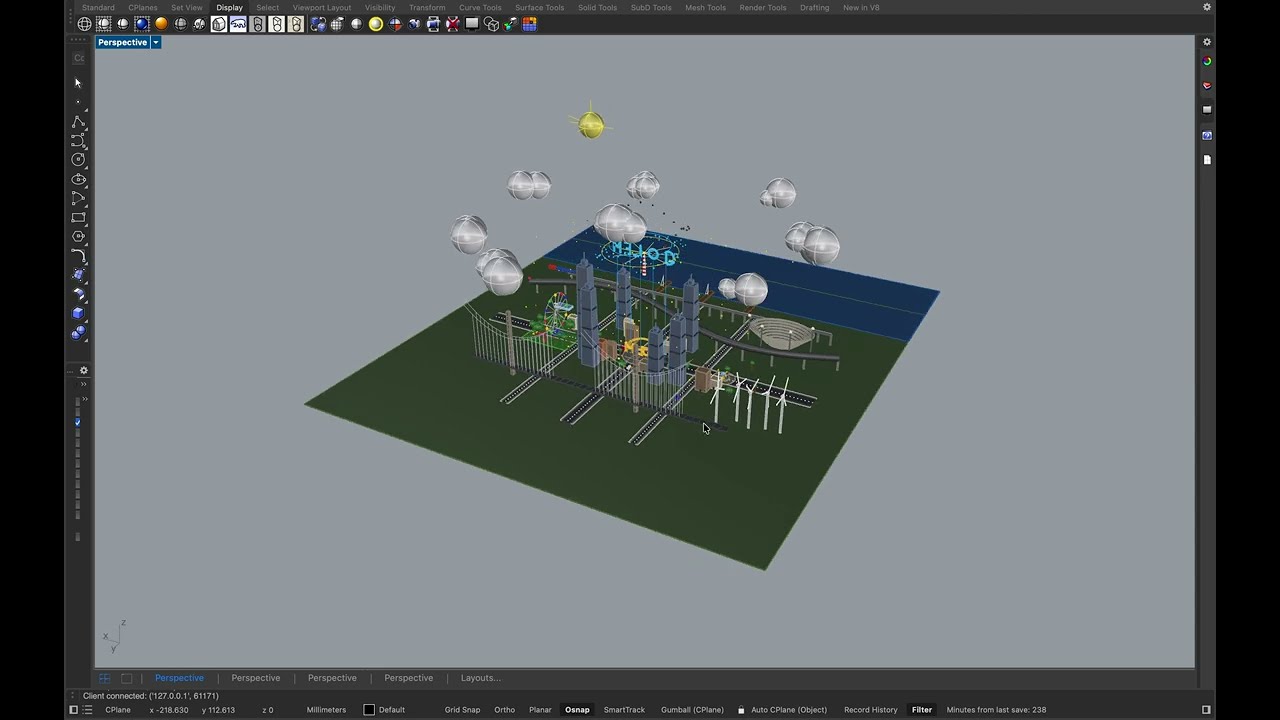
Watch the full demo on YouTube
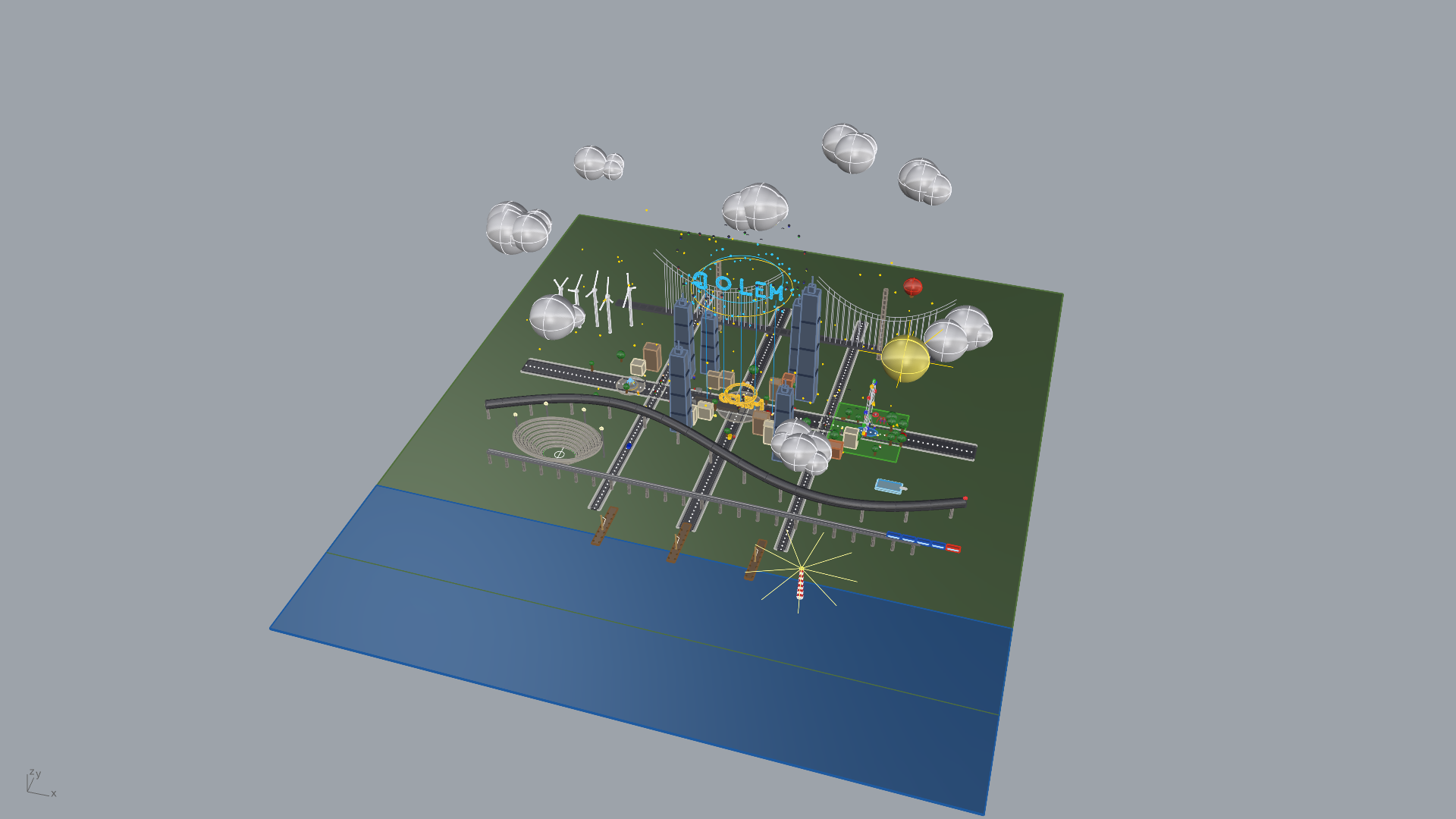
Full city overview — ground, roads, buildings, park, harbor, sky
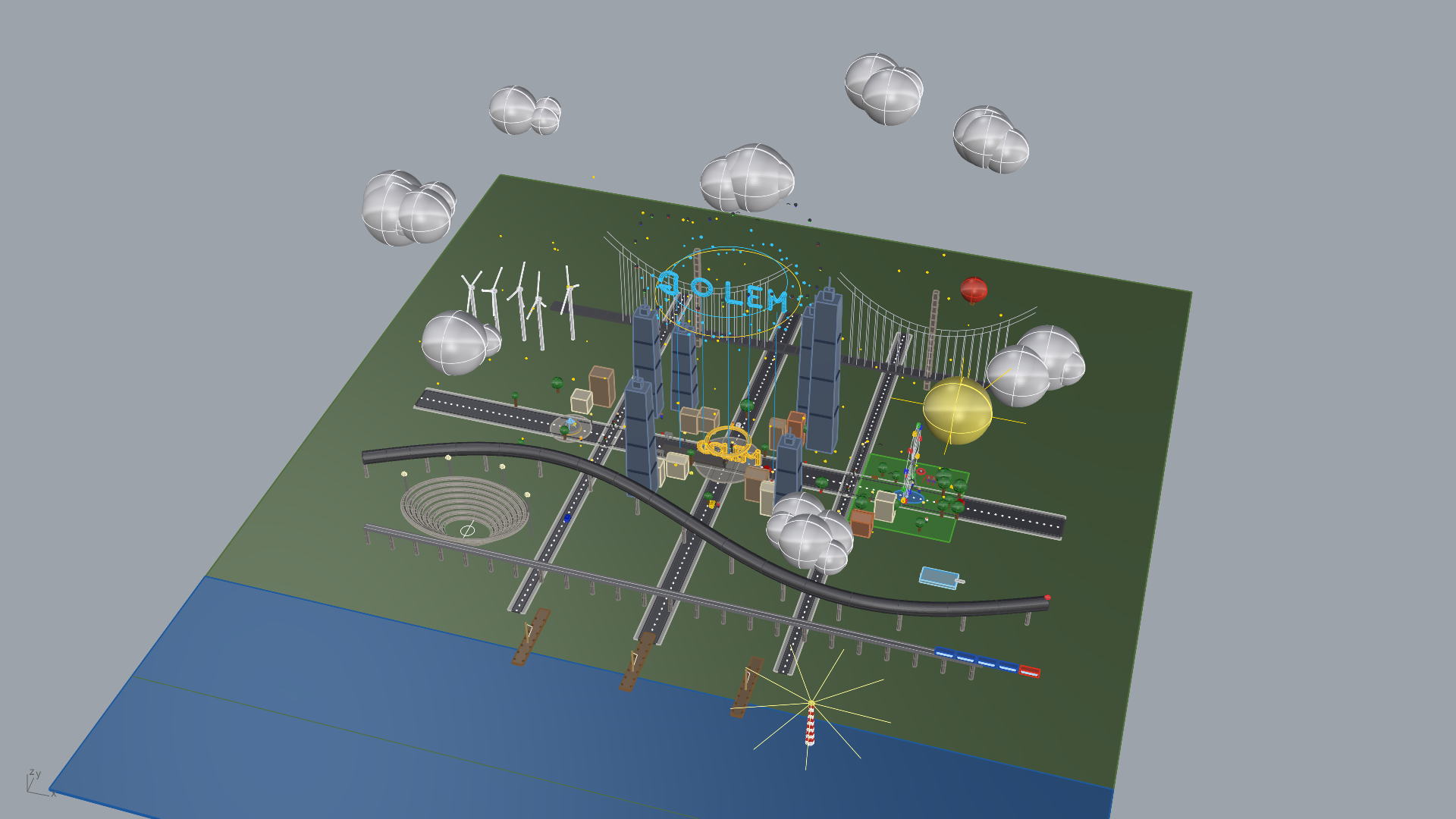
Skyline view — skyscrapers, bridge, wind turbines, floating GOLEM hologram
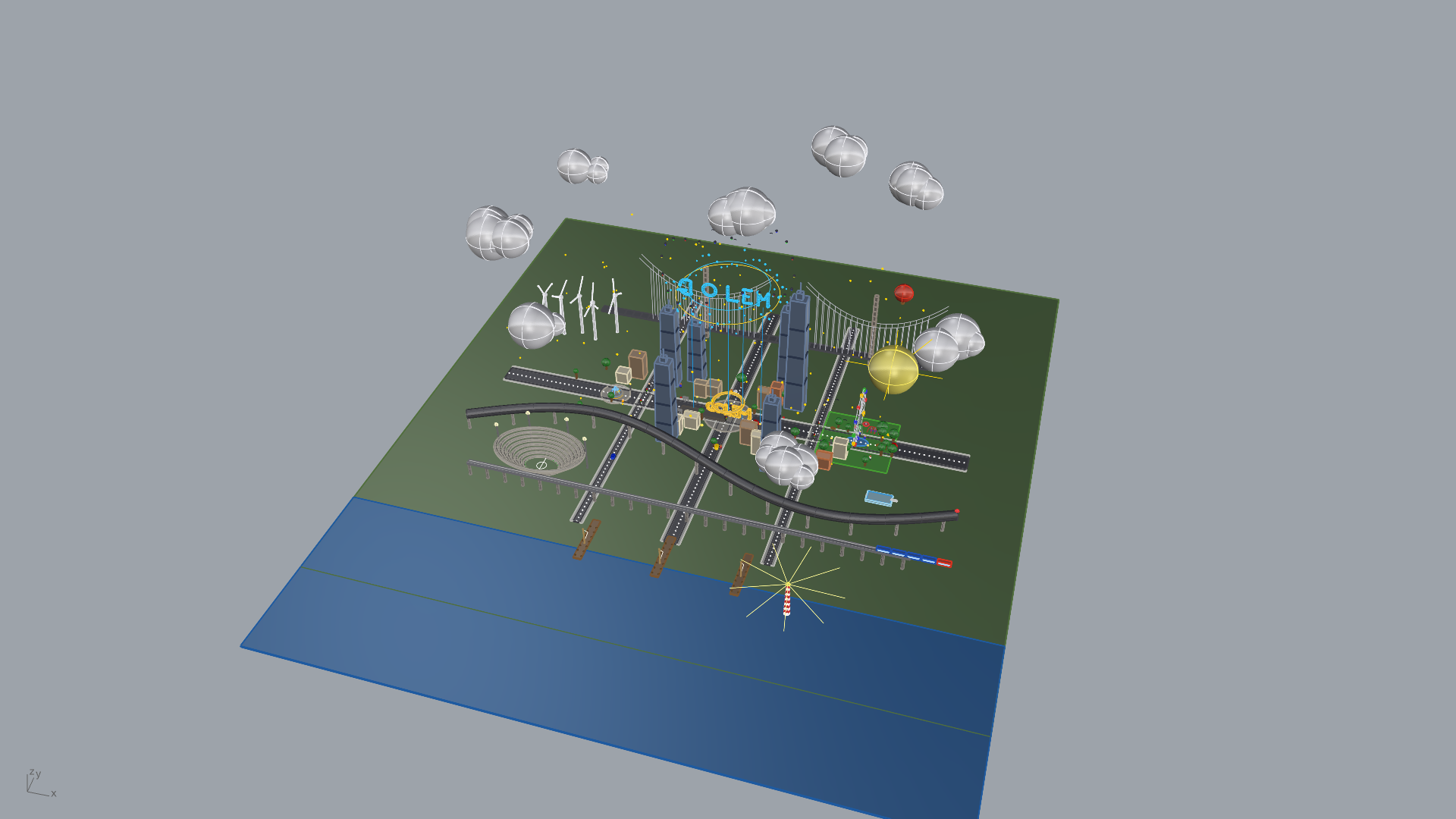
Close-up — GOLEM monument plaza, residential buildings, fountain
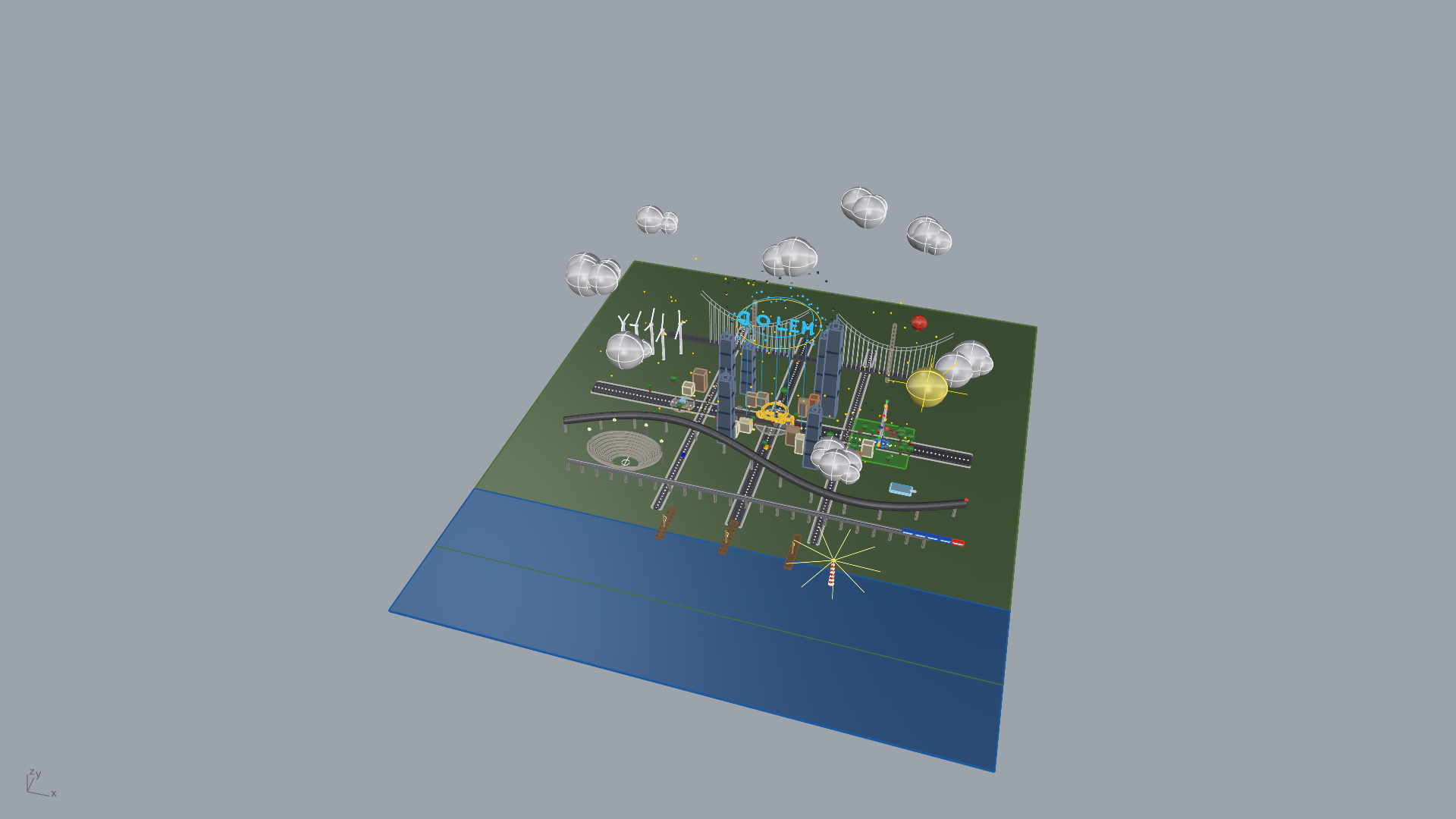
Street level — vehicles, people, street lamps, stadium, harbor with boats
Install
pip install golem-3dmcp
That's it. Three commands to go from zero to AI-powered Rhino:
# 1. Install
pip install golem-3dmcp

# 2. Deploy the Rhino plugin (one-time)
golem install-rhino

# 3. Verify everything works
golem doctor
Connect to Your AI Agent
Add to your MCP configuration (Claude Code, Cursor, Windsurf, etc.):
{
  "mcpServers": {
    "golem-3dmcp": {
      "command": "uvx",
      "args": ["golem-3dmcp"]
    }
  }
}
Start talking to Rhino through AI.
89 Tools Across 9 Categories
| Category | Module | Tools | Highlights |
|---|---|---|---|
| Scene Intelligence | scene |
17 | Document info, layers, objects, groups, blocks — full pagination |
| Geometry Creation | creation |
12 | Points, curves, NURBS, solids, mesh, SubD, text, dimensions, hatches |
| Geometry Operations | operations |
12 | Boolean union/difference/intersection, trim, split, offset, fillet, chamfer |
| Surface Operations | surfaces |
12 | Loft, sweep1/2, revolve, extrude, network surface, patch, edge surface, unroll |
| Object Manipulation | manipulation |
10 | Move, copy, rotate, scale, mirror, array, join, explode, group, properties |
| Grasshopper | grasshopper |
7 | Open definitions, set/get parameters, recompute, bake, inspect components |
| Viewport & Visualization | viewport |
8 | Capture screenshots (base64 PNG), camera control, named views, display modes |
| File Operations | files |
7 | Save, open, import, export (STL, OBJ, STEP, IGES, FBX, 3MF, DWG, PDF...) |
| Script Execution | scripting |
4 | Execute arbitrary Python with full RhinoCommon access, run Rhino commands |
How the 89 is counted — two ways that agree:
# 1. Registrations in the shipped package
grep -c '@mcp.tool' src/golem_3dmcp/tools/*.py | awk -F: '{s+=$2} END {print s}'   # 89

# 2. What the running server advertises over MCP
python -c "import asyncio, importlib, golem_3dmcp.server as s; \
[importlib.import_module('golem_3dmcp.tools.' + m) for m in \
 ('scene','creation','operations','surfaces','manipulation','viewport','files','grasshopper','scripting')]; \
print(len(asyncio.run(s.mcp.list_tools())))"                                       # 89
docs/TOOL_REFERENCE.md enumerates 105 entries: that is the Rhino plugin's RPC
method surface, which is larger than the MCP tool surface. 89 is the number of
tools an MCP client sees.
See Tool Reference for the complete API with parameters and examples.
Architecture
 AI Agent (Claude Code / Cursor / Windsurf)
      |
      |  MCP (stdio, JSON-RPC)
      v
+---------------------------+
|     GOLEM MCP Server      |
|     Python 3.10+          |
|     FastMCP + 9 tool      |
|     modules               |
+---------------------------+
      |
      |  TCP 127.0.0.1:9876
      |  Length-prefixed JSON
      v
+---------------------------+
|     Rhino Plugin          |
|     Python 3.9 (embedded) |
|     TCP Server            |
|     9 handler modules     |
+---------------------------+
      |
      |  RhinoCommon + rhinoscriptsyntax
      v
+---------------------------+       +-------------------------+
|     Rhinoceros 3D         | <---> |   Grasshopper           |
|     Document, Geometry,   |       |   Sub-server :9877      |
|     Layers, Views         |       |   Definitions, Params   |
+---------------------------+       +-------------------------+
Quick Start Examples
Create and combine geometry:
Create a 100 x 50 x 30 box on a layer called 'Structure',
then boolean-union it with a sphere of radius 20 centred at [50, 25, 30].
Query the scene:
List all objects on the 'Walls' layer and tell me their volumes.
Drive Grasshopper:
Open parametric_facade.gh, set the 'PanelCount' slider to 24,
recompute, and bake the result to a 'Facade' layer.
Capture a viewport:
Set perspective view to shaded mode, zoom to extents, and capture a screenshot.
Execute arbitrary Python:
import Rhino.Geometry as rg
pts = [rg.Point3d(i*10, 0, i**2) for i in range(20)]
crv = rg.Curve.CreateInterpolatedCurve(pts, 3)
sc.doc.Objects.AddCurve(crv)
__result__ = {"point_count": len(pts), "length": crv.GetLength()}
Loading the Rhino Plugin
- Open Rhino 8
- Open Script Editor:
Tools > Python Script > Edit - Open
startup.py(deployed bygolem install-rhino) and click Run
GOLEM-3DMCP: Starting server on 127.0.0.1:9876...
GOLEM-3DMCP: Server started successfully!
GOLEM-3DMCP: 135 handler methods registered.
Auto-start on every Rhino launch: Tools > Options > RhinoScript > Startup Scripts > Add startup.py
Configuration
| Variable | Default | Description |
|---|---|---|
GOLEM_RHINO_HOST |
127.0.0.1 |
Rhino plugin host |
GOLEM_RHINO_PORT |
9876 |
Rhino plugin TCP port |
GOLEM_GH_PORT |
9877 |
Grasshopper sub-server port |
GOLEM_TIMEOUT |
30 |
Command timeout (seconds) |
GOLEM_HEAVY_TIMEOUT |
120 |
Heavy operation timeout (seconds) |
Requirements
| Requirement | Version |
|---|---|
| Rhinoceros 3D | 8.x (macOS) |
| Python | 3.10+ |
| macOS | 12 Monterey or newer |
The Rhino plugin runs inside Rhino's embedded Python 3.9 with zero external dependencies.
Troubleshooting
| Problem | Quick Fix |
|---|---|
| Connection refused | Start Rhino + run startup.py |
| Port already in use | lsof -i :9876 then kill the process |
| MCP server not in Claude | Check your MCP config JSON |
| Grasshopper tools fail | Open Grasshopper in Rhino first |
| Python version error | Need Python 3.10+ for MCP server |
Run golem doctor to diagnose issues automatically.
See Troubleshooting Guide for detailed solutions.
Documentation
- Architecture — System design, threading model, data flow
- Tool Reference — Plugin RPC methods with parameters and examples (105 entries; the MCP server exposes 89 of them as tools)
- Protocol Specification — TCP wire format, message framing, error codes
- Troubleshooting — Common issues and solutions
Testing
# Unit tests (no Rhino needed)
pytest tests/ -v --ignore=tests/test_integration.py

# Full suite (integration tests auto-skip if Rhino not running)
pytest tests/ -v

# Integration tests only (requires Rhino + plugin running)
pytest tests/test_integration.py -v -m integration
Branch Strategy
This repository uses two branches:
| Branch | Purpose |
|---|---|
main |
GOLEM-3DMCP source development — features, bug fixes, docs |
main |
PyPI packaging & releases — build config, versioning, publish scripts |
- Develop on
main— all tool modules, Rhino plugin, tests, and documentation live here. - Release from the PyPI branch — packaging structure (
pyproject.toml,src/layout, publish scripts) is managed separately so releases don't pollute the development history.
main                          ← development
  └── main  ← PyPI releases (pip install golem-3dmcp)
Project Structure
golem-3dmcp/
├── src/golem_3dmcp/           # MCP Server (pip install golem-3dmcp)
│   ├── cli.py                 #   CLI entry point (golem command)
│   ├── server.py              #   FastMCP server
│   ├── connection.py          #   TCP client (singleton, thread-safe)
│   ├── protocol.py            #   Wire format: 4-byte length prefix + JSON
│   ├── config.py              #   Environment variable configuration
│   ├── models/                #   Pydantic data models
│   ├── tools/                 #   9 MCP tool modules
│   └── _rhino_plugin/         #   Bundled Rhino plugin (deployed via CLI)
├── tests/                     # 245 tests (pytest --collect-only)
├── docs/                      # Architecture, protocol spec, tool reference
└── pyproject.toml             # Package definition
Contributing
We welcome contributions! Here's how to get started:
Development Setup
# Clone the repository
git clone https://github.com/TheKingHippopotamus/GOLEM-3DMCP-Rhino-.git
cd GOLEM-3DMCP-Rhino-

# Create virtual environment (Python 3.10+ required)
python -m venv .venv
source .venv/bin/activate  # or .venv\Scripts\activate on Windows
pip install -e ".[dev]"

# Install pre-commit hooks
pre-commit install
Code Quality
All CI checks must pass before merging:
# Lint
ruff check src/ tests/

# Type check (strict mode)
mypy src/golem_3dmcp/ --ignore-missing-imports

# Unit tests (no Rhino needed)
pytest tests/ -v --ignore=tests/test_integration.py

# Integration tests (requires Rhino 8 + plugin running)
pytest tests/test_integration.py -v -m integration
Key Things to Know
- Two Python runtimes — The MCP server runs on Python 3.10+, but
_rhino_plugin/runs inside Rhino's embedded Python 3.9. They communicate over TCP. Don't add 3.10+ syntax to the plugin. _rhino_plugin/is excluded from mypy — It uses Rhino-specific imports (Rhino.*,Grasshopper.*,clr) that don't exist in a standard environment.- Tool registration — Tools use
@mcp.tool()decorators. Each tool module importsmcpfromserver.py. Add new tools insrc/golem_3dmcp/tools/and register the module inserver.py:main(). - Thread safety —
RhinoConnectionis a thread-safe singleton with a lock around socket I/O. Don't bypasssend_command(). - Protocol — TCP messages use 4-byte length-prefixed JSON. See
protocol.pyfor the wire format.
Pull Request Process
- Create a feature branch from
main - Make your changes
- Ensure all checks pass (
ruff,mypy,pytest) - Submit a PR with a clear description
See CONTRIBUTING.md for the full guide.
License
MIT License. See LICENSE for details.
MCP Server on Glama
Credits
Created by King Hippopotamus
Built by NEXUS AI — 195 autonomous agents | 20 departments | 11 tiers








Built with: FastMCP · RhinoCommon · rhinoscriptsyntax · Grasshopper SDK
"From formless clay, through the power of words, form emerges."
1 maintainer

Metadata
1 maintainer
Release files for golem-3dmcp 0.2.2
For a detailed explanation of source distributions (sdists) and built distributions (wheels), please see the package formats documentation.
Source distribution (sdist)
| File | Size | Uploaded | |
|---|---|---|---|
| golem_3dmcp-0.2.2.tar.gz | 125.9 kB | Details |
Built distribution (wheel)
| File | Interpreter | ABI | Platform | Reset |
|---|---|---|---|---|
| golem_3dmcp-0.2.2-py3-none-any.whl | Python 3 | none | any | Details |
Total release size: 276.3 kB
Release files / golem_3dmcp-0.2.2.tar.gz
| Download URL | golem_3dmcp-0.2.2.tar.gz |
|---|---|
| Size | 125.9 kB |
| Tags | Source |
|
SHA-256 checksum How to use checksums |
a679042ff6f334a2e86eaa0dc7d3618b7cac75be8951785f6149bc040d9c0b25
|
|
BLAKE2b-256 checksum How to use checksums |
ec039b2d859137fee30b825bd42393570b3ae638adfc80c559431977304b1612
|
| Upload date | |
|
Uploaded using Trusted Publishing? What is trusted publishing? |
No |
| Uploaded via |
twine/7.0.0 CPython/3.12.3
|
Release files / golem_3dmcp-0.2.2-py3-none-any.whl
| Download URL | golem_3dmcp-0.2.2-py3-none-any.whl |
|---|---|
| Size | 150.4 kB |
| Tags | Python 3 |
|
SHA-256 checksum How to use checksums |
8b45a3e0e9840c43a8d6eb88b191642553b294c51b6b724ef3dd12e36753cd81
|
|
BLAKE2b-256 checksum How to use checksums |
acc172ad22a9ce506a82210483354f6fdb91a64b6744e58c4a3142a1c0b7c7ed
|
| Upload date | |
|
Uploaded using Trusted Publishing? What is trusted publishing? |
No |
| Uploaded via |
twine/7.0.0 CPython/3.12.3
|














