
Golumn is a desktop CSV viewer to replace the column command. Think column with a “g”. It behaves similar to the column command, but with a graphic user interface. It bridges the command line and desktop divide by allowing us to present tabular data outside the confines of the terminal.
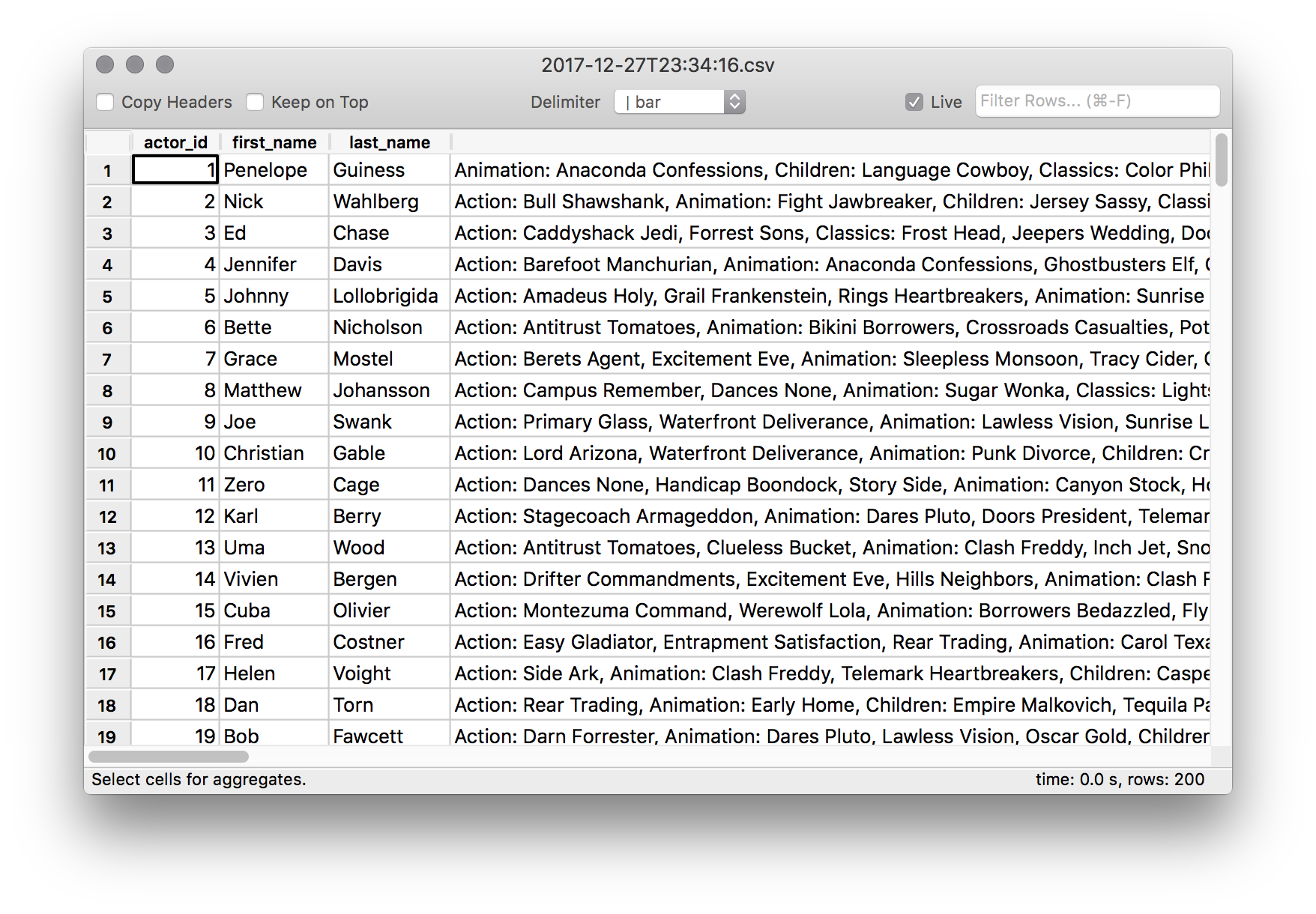
It is challenging without this tool to manage a bunch of tabular output within only a terminal window. It’s difficult to maintain context when long scrolling text and we’re often executing the same statements to bring up previous results.
A typical workflow without this tool is chain together commands:
# psql
#   -X :: ignore ~/.psqlrc
#   -A :: remove whitespace
#   -c :: run the SQL statement
# column
#   -t :: table-ize
#   -s :: set delimiter
# less
#   -S :: Scroll horizontally (enables left/right arrows)
psql -X -A --pset footer -c 'select * from actors_list' dvdrental | column -ts '|' | less -S
When you’re done viewing the data it disappears. Leaving you to remember what you saw as you’re building the next statement. We could (and probably should) manage our terminal windows better with splits and tabs, but there’s limits which desktop GUI’s have solved. Enter golumn.
Usage
# Open a CSV file:
golumn data.csv &

# Pipe in the data:
cat data.csv | golumn &

# Show Query Results:
psql -X -A --pset footer -c 'select * from actors_list' dvdrental | golumn &
Installation
Requires Python3. Please makes sure it’s installed property on target OS with Pip package manager.
This package is available via https://pypi.python.org/pypi. To install on the target system try:
pip3 install golumn --upgrade --user
# --upgrade ensures you get the latest version
# --user install only for your user
On OSX Python with GUI support is required. Install using the following:
conda install python.appFor more info on install pip packages see: https://pip.pypa.io/en/stable/quickstart/
Make sure pip3 binaries are available in your $PATH:
Contributing
Bug reports and pull requests are welcome on GitHub at https://github.com/ddrscott/golumn
License
The gem is available as open source under the terms of the MIT License.
1 maintainer

Metadata
1 maintainer
Release files for golumn 0.22.3
For a detailed explanation of source distributions (sdists) and built distributions (wheels), please see the package formats documentation.
Built distribution (wheel)
| File | Interpreter | ABI | Platform | Reset |
|---|---|---|---|---|
| golumn-0.22.3-py3-none-any.whl | Python 3 | none | any | Details |
Release files / golumn-0.22.3-py3-none-any.whl
| Download URL | golumn-0.22.3-py3-none-any.whl |
|---|---|
| Size | 22.1 kB |
| Tags | Python 3 |
|
SHA-256 checksum How to use checksums |
ca2510ca720bc1d76a68ba3783dfce83d86b887a5b3765dc8ce5a176139b11c1
|
|
BLAKE2b-256 checksum How to use checksums |
d54f5509f5a6908484af21c2a895deac63432b8b6fa649eb90bed48210350834
|
| Upload date | |
|
Uploaded using Trusted Publishing? What is trusted publishing? |
No |
| Uploaded via |
twine/6.0.1 CPython/3.13.1
|
Security for golumn 0.22.3
Provenance
Provenance describes where a file came from. On PyPI, provenance is shared via attestations, which provide a verifiable record of the build or publishing details. View details, limitations and caveats.
No provenance found
None of the files in this release were uploaded with provenance metadata.
A note on package security
PyPI is a repository for distributing packages, not a service for auditing them. While third-party security researchers and our staff do their best to detect and remove malicious packages, PyPI cannot guarantee the quality, security or suitability of any given package.
To learn more about protecting yourself from malicious actors, visit our package security documentation.














