
Production-ready MCP server for Google Maps Platform APIs - Directions, Places, Geocoding, Roads, and Distance Matrix

Project description
Google Maps MCP Server







Production-ready Model Context Protocol (MCP) server for Google Maps Platform APIs.
Empower your AI agents with real-world location intelligence: directions, places, geocoding, traffic analysis, and road network data—all through a standardised MCP interface.
Features
- Production-Ready: Robust error handling, automatic retries with exponential backoff, structured logging
- Universal Integration: Works with Claude Desktop, Google ADK, and any MCP-compatible client
- Comprehensive API Coverage: 7 tools spanning all major Google Maps APIs
- Type-Safe: Full type annotations with Pydantic validation and mypy compliance
- Zero Configuration: Sensible defaults, works out of the box
- Thoroughly Tested: >90% code coverage with unit and integration tests
- Docker Support: Ready-to-deploy container images
- Excellent Documentation: Extensive examples, API reference, and best practices
- Modern Python: Built for Python 3.10+ using uv package manager
Supported APIs & Tools
| API | Tool | Description | Use Cases |
|---|---|---|---|
| Places API | search_places |
Find points of interest near a location | Restaurant recommendations, gas station finder, POI search |
| Directions API | get_directions |
Get routes with real-time traffic | Route planning, ETA calculation, alternative routes |
| Geocoding API | geocode_address |
Convert addresses to coordinates | Address validation, location lookup |
| Geocoding API | reverse_geocode |
Convert coordinates to addresses | Location identification, address lookup |
| Distance Matrix API | calculate_distance_matrix |
Multi-origin/destination distances | Fleet routing, delivery optimisation, travel planning |
| Roads API | snap_to_roads |
Snap GPS points to road network | GPS trace cleaning, route reconstruction |
| Roads API | get_speed_limits |
Retrieve speed limit data | Fleet safety monitoring, compliance checking |
Quick Start
Prerequisites
- Python 3.10 or higher (3.14+ recommended)
- Google Maps API key
- uv package manager (optional but recommended)
Installation
Using uv (Recommended)
uv pip install google-maps-mcp-server
Using pip
pip install google-maps-mcp-server
From Source
git clone https://github.com/ettysekhon/google-maps-mcp-server.git
cd google-maps-mcp-server
uv sync
Setup Google Maps API Key
- Visit the Google Cloud Console
- Create a new project or select an existing one
- Enable the following APIs:
- Places API
- Directions API
- Geocoding API
- Distance Matrix API
- Roads API
- Create credentials (API Key)
- Restrict your API key (recommended):
- Application restrictions: HTTP referrers or IP addresses
- API restrictions: Select only the APIs listed above
Configuration
Create a .env file in your working directory:
GOOGLE_MAPS_API_KEY=your_maps_api_key_here
GOOGLE_API_KEY=your_adk_api_key_here

LOG_LEVEL=INFO
MAX_RESULTS=20
Or set environment variables:
export GOOGLE_MAPS_API_KEY="your_maps_api_key_here"
export GOOGLE_API_KEY="your_adk_api_key_here"
Run the Server
# Using the installed command
google-maps-mcp-server

# Or using Python module
python -m google_maps_mcp_server

# Or using uv
uv run google-maps-mcp-server
Usage Examples
With Claude Desktop
Add to your Claude Desktop configuration file:
macOS: ~/Library/Application Support/Claude/claude_desktop_config.json
Windows: %APPDATA%\Claude\claude_desktop_config.json
{
  "mcpServers": {
    "google-maps": {
      "command": "uvx",
      "args": ["google-maps-mcp-server"],
      "env": {
        "GOOGLE_MAPS_API_KEY": "your_api_key_here"
      }
    }
  }
}
Or if installed globally:
{
  "mcpServers": {
    "google-maps": {
      "command": "google-maps-mcp-server",
      "env": {
        "GOOGLE_MAPS_API_KEY": "your_api_key_here"
      }
    }
  }
}
Now you can ask Claude:
- "Find the best coffee shops near Times Square, New York"
- "What's the fastest route from San Francisco to Los Angeles right now?"
- "Convert the address '1600 Amphitheatre Parkway, Mountain View, CA' to coordinates"
- "What's the address for coordinates 51.5074, -0.1278?"
- "Find gas stations within 2km of my current location at 40.7128,-74.0060"
With Google ADK
from google.adk.agents import Agent
from google.adk.tools.mcp_tool import MCPToolset
from mcp.client.stdio import StdioServerParameters

async def create_location_agent():
    # Connect to Google Maps MCP server
    maps_tools = await MCPToolset.from_server(
        connection_params=StdioServerParameters(
            command='google-maps-mcp-server',
            env={"GOOGLE_MAPS_API_KEY": "your_api_key_here"}
        )
    )

    # Create agent with Maps tools
    agent = Agent(
        name="location_intelligence_agent",
        model="gemini-2.0-flash",
        instruction="""You are a location intelligence assistant with access to
        Google Maps data. Help users with directions, place searches, and location queries.""",
        tools=[maps_tools]
    )

    return agent

# Use the agent
agent = await create_location_agent()
response = await agent.run("Find Italian restaurants near Central Park")
print(response)
Programmatic Usage
import asyncio
from google_maps_mcp_server import GoogleMapsMCPServer, Settings

async def main():
    # Initialise with custom settings
    settings = Settings(
        google_maps_api_key="your_api_key_here",
        log_level="DEBUG",
        max_results=10
    )

    server = GoogleMapsMCPServer(settings)

    # Run the server
    await server.run()

if __name__ == "__main__":
    asyncio.run(main())
Direct Tool Usage
from google_maps_mcp_server.tools import PlacesTool, DirectionsTool
from google_maps_mcp_server.config import Settings

async def find_nearby_restaurants():
    settings = Settings(google_maps_api_key="your_key")
    places_tool = PlacesTool(settings)

    result = await places_tool.execute({
        "location": "40.7580,-73.9855",  # Times Square
        "keyword": "pizza",
        "radius": 1000
    })

    print(f"Found {result['data']['count']} pizza places")
    for place in result['data']['places']:
        print(f"- {place['name']}: {place['rating']}⭐")

asyncio.run(find_nearby_restaurants())
Docker Usage
# Build the image
docker build -t google-maps-mcp .

# Run the container
docker run -it \
  -e GOOGLE_MAPS_API_KEY=your_maps_key_here \
  -e GOOGLE_API_KEY=your_adk_key_here \
  google-maps-mcp

# Or use docker-compose
docker-compose up
Configuration Options
All configuration can be set via environment variables or .env file:
| Variable | Type | Default | Description |
|---|---|---|---|
GOOGLE_MAPS_API_KEY |
string | required | Google Maps Platform API key (for Maps tools) |
GOOGLE_API_KEY |
string | required | Google ADK API key (for ADK integration) |
LOG_LEVEL |
string | INFO |
Logging level (DEBUG, INFO, WARNING, ERROR, CRITICAL) |
MAX_RESULTS |
integer | 20 |
Maximum results to return (1-60) |
DEFAULT_RADIUS_METERS |
integer | 5000 |
Default search radius in meters |
MAX_RADIUS_METERS |
integer | 50000 |
Maximum allowed search radius |
MAX_RETRIES |
integer | 3 |
Maximum retry attempts for failed requests |
RETRY_MIN_WAIT |
float | 1.0 |
Minimum wait between retries (seconds) |
RETRY_MAX_WAIT |
float | 10.0 |
Maximum wait between retries (seconds) |
Tool Documentation
search_places
Find places near a location.
Parameters:
location(required): Coordinates as "lat,lng" or address stringkeyword(required): Search keyword (e.g., "restaurant", "gas station")radius(optional): Search radius in meters (default: 5000, max: 50000)type(optional): Place type filter (e.g., "restaurant", "gas_station")
Example:
{
  "location": "40.7580,-73.9855",
  "keyword": "coffee shop",
  "radius": 1000,
  "type": "cafe"
}
get_directions
Get route directions with real-time traffic.
Parameters:
origin(required): Start location (address or coordinates)destination(required): End location (address or coordinates)mode(optional): Travel mode - "driving" (default), "walking", "bicycling", "transit"departure_time(optional): ISO 8601 timestamp for traffic estimationalternatives(optional): Return alternative routes (default: true)avoid(optional): Features to avoid - ["tolls", "highways", "ferries", "indoor"]traffic_model(optional): "best_guess" (default), "optimistic", "pessimistic"
Example:
{
  "origin": "San Francisco, CA",
  "destination": "Los Angeles, CA",
  "mode": "driving",
  "alternatives": true,
  "avoid": ["tolls"]
}
geocode_address
Convert an address to coordinates.
Parameters:
address(required): Street address to geocodecomponents(optional): Component filters (e.g., {"country": "US"})region(optional): Region bias (ISO 3166-1 country code)
Example:
{
  "address": "1600 Amphitheatre Parkway, Mountain View, CA"
}
reverse_geocode
Convert coordinates to an address.
Parameters:
lat(required): Latitude (-90 to 90)lng(required): Longitude (-180 to 180)result_type(optional): Filter by result types
Example:
{
  "lat": 40.714224,
  "lng": -73.961452
}
calculate_distance_matrix
Calculate distances and times between multiple locations.
Parameters:
origins(required): Array of origin locationsdestinations(required): Array of destination locationsmode(optional): Travel mode (default: "driving")avoid(optional): Features to avoidunits(optional): "metric" (default) or "imperial"
Example:
{
  "origins": ["New York, NY", "Boston, MA"],
  "destinations": ["Philadelphia, PA", "Washington, DC"],
  "mode": "driving"
}
snap_to_roads
Snap GPS coordinates to the nearest road.
Parameters:
path(required): Array of GPS points with lat/lng (2-100 points)interpolate(optional): Fill gaps between points (default: true)
Example:
{
  "path": [
    {"lat": 40.714224, "lng": -73.961452},
    {"lat": 40.714624, "lng": -73.961852}
  ],
  "interpolate": true
}
get_speed_limits
Get speed limit data for road segments.
Parameters:
place_ids(required): Array of place IDs from snap_to_roads
Example:
{
  "place_ids": ["ChIJwQ2rKwAEdkgRo7h2RYD1oUM"]
}
Development
Setup Development Environment
# Clone the repository
git clone https://github.com/ettysekhon/google-maps-mcp-server.git
cd google-maps-mcp-server

# Install uv if you haven't already
curl -LsSf https://astral.sh/uv/install.sh | sh

# Install dependencies with dev extras
uv sync --extra dev

# Set up pre-commit hooks
uv run pre-commit install
Run Tests
# Run all tests
uv run pytest

# Run with coverage
uv run pytest --cov=src --cov-report=html

# Run only unit tests
uv run pytest -m "not integration"

# Run specific test file
uv run pytest tests/unit/test_places.py

# Run with verbose output
uv run pytest -v
Code Quality
# Format code
uv run black src tests

# Lint code
uv run ruff check src tests

# Fix linting issues automatically
uv run ruff check src tests --fix

# Type checking
uv run mypy src

# Run all checks
uv run black src tests && \
uv run ruff check src tests && \
uv run mypy src && \
uv run pytest
Building and Publishing
# Build package
uv build

# Publish to PyPI (requires authentication)
uv publish

# Build Docker image
docker build -t google-maps-mcp-server:latest .
Contributing
We welcome contributions! Please see CONTRIBUTING.md for guidelines.
Quick Contribution Guide
- Fork the repository
- Create a feature branch (
git checkout -b feature/amazing-feature) - Make your changes
- Add tests for your changes
- Ensure all tests pass (
uv run pytest) - Commit your changes (
git commit -m 'Add amazing feature') - Push to the branch (
git push origin feature/amazing-feature) - Open a Pull Request
API Limits and Pricing
This MCP server uses Google Maps Platform APIs which have the following considerations:
- Free Tier: $200 monthly credit (covers ~28,000 geocoding requests or ~40,000 directions requests)
- Pay-as-you-go: Pricing varies by API
- Rate Limits: Default quotas apply; can be increased via Google Cloud Console
Cost Optimisation Tips:
- Cache results when appropriate
- Use
alternatives=falsefor directions when not needed - Limit
max_resultsfor place searches - Implement client-side caching for repeated queries
See Google Maps Platform Pricing for details.
Security Best Practices
-
API Key Security:
- Never commit API keys to version control
- Use environment variables or secret management
- Restrict API keys by API, HTTP referrer, or IP address
- Rotate keys regularly
-
API Key Restrictions (Recommended):
Application restrictions: HTTP referrers or IP addresses
API restrictions:
  - Places API
  - Directions API
  - Geocoding API
  - Distance Matrix API
  - Roads API
-
Monitoring:
- Enable billing alerts in Google Cloud Console
- Monitor API usage regularly
- Set up quota alerts
Troubleshooting
Common Issues
Problem: ValidationError: google_maps_api_key cannot be empty
- Solution: Ensure
GOOGLE_MAPS_API_KEYenvironment variable is set
Problem: REQUEST_DENIED error
- Solution: Enable required APIs in Google Cloud Console and check API key restrictions
Problem: OVER_QUERY_LIMIT error
- Solution: You've exceeded API quota. Check usage in Google Cloud Console or implement rate limiting
Problem: Server won't start
- Solution: Check logs for errors, verify Python version (3.10+), ensure all dependencies installed
Enable Debug Logging
export LOG_LEVEL=DEBUG
google-maps-mcp-server
Getting Help
- 📖 Full Documentation
- 💬 GitHub Discussions
- 🐛 Issue Tracker
- 📧 Email: etty.sekhon@gmail.com
License
This project is licensed under the Apache License 2.0 - see the LICENSE file for details.
Acknowledgments
- Built with MCP by Anthropic
- Powered by Google Maps Platform
- Developed using uv by Astral
- Inspired by the amazing MCP community
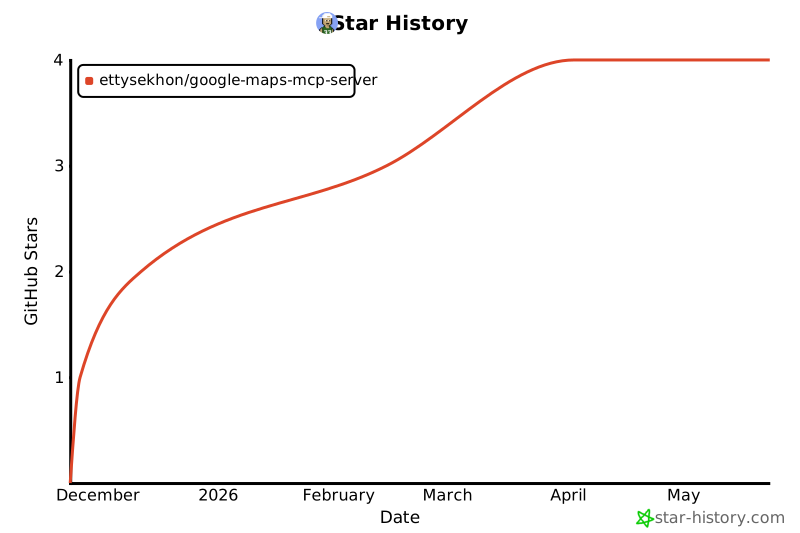
Star History
Project Stats



Release history Release notifications | RSS feed


Download files
Download the file for your platform. If you're not sure which to choose, learn more about installing packages.
Source Distribution
Built Distribution
Filter files by name, interpreter, ABI, and platform.
If you're not sure about the file name format, learn more about wheel file names.
Copy a direct link to the current filters
File details
Details for the file google_maps_mcp_server-0.1.0.tar.gz.
File metadata
- Download URL: google_maps_mcp_server-0.1.0.tar.gz
- Upload date:
- Size: 16.7 kB
- Tags: Source
- Uploaded using Trusted Publishing? No
- Uploaded via: twine/6.2.0 CPython/3.14.0
File hashes
| Algorithm | Hash digest | |
|---|---|---|
| SHA256 |
d9e6030a27f1b68b04b4dd64f425f83810cbd2b239fc5aa5f44303afd84d017d
|
|
| MD5 |
ef5db2e6ff8bdaec78e9857fdb571564
|
|
| BLAKE2b-256 |
d76cd641da88893d51d87ba820e1c3cf9f4b5b07deca90467e0afa04b9ee1019
|
File details
Details for the file google_maps_mcp_server-0.1.0-py3-none-any.whl.
File metadata
- Download URL: google_maps_mcp_server-0.1.0-py3-none-any.whl
- Upload date:
- Size: 21.9 kB
- Tags: Python 3
- Uploaded using Trusted Publishing? No
- Uploaded via: twine/6.2.0 CPython/3.14.0
File hashes
| Algorithm | Hash digest | |
|---|---|---|
| SHA256 |
e4e08dbab2971e32ace57fba2d41d5ee117b20fa141fa763e2c8858cbeef4726
|
|
| MD5 |
ca5661ce08030f4445f6074054845356
|
|
| BLAKE2b-256 |
4239f5374258a079c452365eb23a8046cb08f9d8fdd0017000e028813364fcbd
|






