

Google Search Console MCP "Intel Engine" 🚀



The Authority-Based Visibility Governance Tool for the Evolving Search Landscape.
This is not just a data wrapper. It is a strategic "Intel" engine that transforms raw Google Search Console signals into actionable marketing insights. It is designed for marketers who need to understand their performance in a search landscape increasingly defined by AI Overviews and conversational search. Compatible with any MCP-compliant AI Agent.
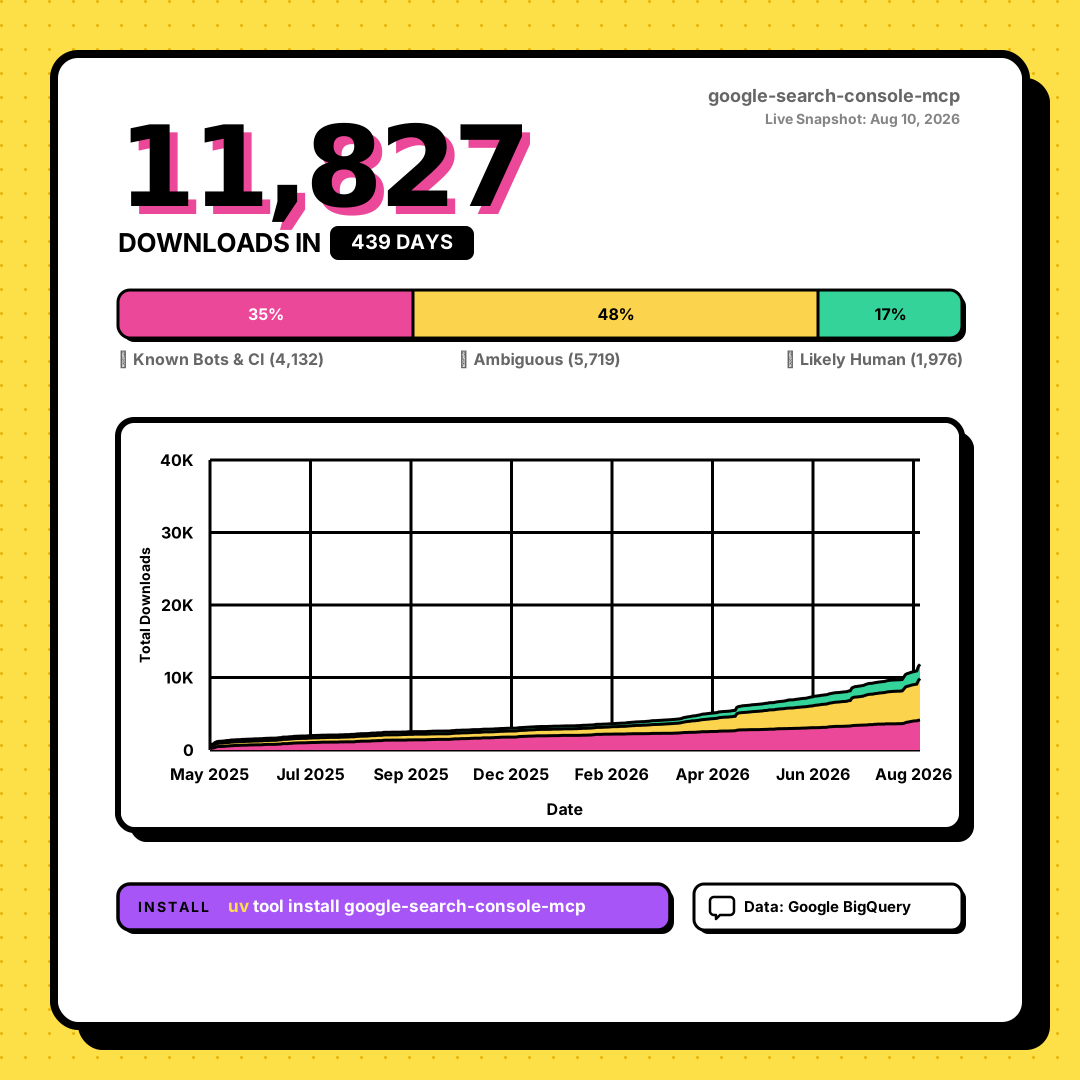
Analytics powered by pypi.builditwithai.xyz
🎯 Authoritative "Intel" Tools
| Tool Name | Actionable Marketing Intel Provided |
|---|---|
get_search_appearance_audit |
Cannibalization Intel. Detects if you are being used as a "Silent Reference" (high visibility but no clicks) in specialized SERP features. |
get_intent_segmentation |
Strategic Audience Intel. Segments traffic into "Searchers" (Traditional Keywords) vs. "Prompters" (Natural Language/AI Prompts). |
identify_citation_opportunities |
Growth Intel. Finds content that satisfies user intent so well that users don't click. Recommends "Click-Triggers." |
get_technical_citation_audit |
Technical Health Overlay. Cross-checks high-visibility pages with the URL Inspection API to find disqualifying crawl errors. |
get_brand_visibility_summary |
Brand Health Intel. Measures your Brand's "Reference Value" vs its "Destination Value." |
calculate_intent_efficiency |
Conversion Intel. Shows which search intent (Informational/Navigational) is most effectively driving site visits. |
🚀 Getting Started
1. Google Search Console Setup
Before installing the MCP server, you must configure Google Cloud and Search Console access:
A. Create Service Account:
- Go to the Google Cloud Console.
- Create a new project and enable the Google Search Console API.
- Go to APIs & Services > Credentials and create a Service Account.
- Create a JSON Key for the service account and download it (save as
gsc-key.json).
B. Grant Access in Search Console:
- Open your JSON key file and copy the
client_emailaddress. - Go to Google Search Console.
- Select your property and go to Settings > Users and Permissions.
- Click Add User, paste the service account email, and select Full permissions.
C. Identify Your Property URL:
- For Domain properties, use the format:
sc-domain:example.com - For URL-prefix properties, use the full URL:
https://example.com/
2. Installation
pip install google-search-console-mcp
3. Configuration (Universal AI Agent)
Add this to your agent's MCP settings file:
{
  "mcpServers": {
    "gsc-search": {
      "command": "gsc-mcp",
      "env": {
        "GOOGLE_APPLICATION_CREDENTIALS": "/path/to/your/gsc-key.json",
        "GSC_SITE_URL": "sc-domain:example.com"
      }
    }
  }
}
🛠️ Project Philosophy
This project focuses on high-leverage data analysis for modern search:
- Simplicity First: Minimum code for maximum insight.
- Token Efficiency: Server-side aggregation prevents "Context Length" issues.
- Authoritative Data: We only use official Google Search Console API signals. No speculative "AI SEO" hacks.
Telemetry & Privacy
This server sends anonymous usage telemetry (server version, OS, Python version, MCP client name, tool name, latency, error category) to help improve it. It never collects PII, your Search Console data, credentials, or file paths. Opt out any time by setting DISABLE_TELEMETRY=1, DO_NOT_TRACK=1, NO_TELEMETRY=1, or GSC_MCP_TELEMETRY=false.
License
MIT License
1 maintainer

Download files
Download the file for your platform. If you're not sure which to choose, learn more about installing packages.
Source Distribution
Built Distribution
Filter files by name, interpreter, ABI, and platform.
If you're not sure about the file name format, learn more about wheel file names.
Copy a direct link to the current filters
File details
Details for the file google_search_console_mcp-0.7.0.tar.gz.
File metadata
- Download URL: google_search_console_mcp-0.7.0.tar.gz
- Upload date:
- Size: 18.4 kB
- Tags: Source
- Uploaded using Trusted Publishing? Yes
- Uploaded via: twine/7.0.0 CPython/3.13.14
File hashes
| Algorithm | Hash digest | |
|---|---|---|
| SHA256 |
0171d4c69aff7bbc154215e7484ac4609051097d43b5783c8a033e724d940ebe
|
|
| MD5 |
efbc1dfb74ade504c9b37aa575a0870a
|
|
| BLAKE2b-256 |
8f785a984589152933b69ad332386f86c9a379e0bb9c2e5e4daf0f69587ee99f
|
Provenance
The following attestation bundles were made for google_search_console_mcp-0.7.0.tar.gz:
Publisher:
publish.yml on surendranb/google-search-console-mcp
-
Statement:
-
Statement type:
https://in-toto.io/Statement/v1 -
Predicate type:
https://docs.pypi.org/attestations/publish/v1 -
Subject name:
google_search_console_mcp-0.7.0.tar.gz -
Subject digest:
0171d4c69aff7bbc154215e7484ac4609051097d43b5783c8a033e724d940ebe - Sigstore transparency entry: 2391720088
- Sigstore integration time:
-
Permalink:
surendranb/google-search-console-mcp@c516592df608c28c6fd5a20af964fe3186a7f64a -
Branch / Tag:
refs/tags/v0.7.0 - Owner: https://github.com/surendranb
-
Access:
public
-
Token Issuer:
https://token.actions.githubusercontent.com -
Runner Environment:
github-hosted -
Publication workflow:
publish.yml@c516592df608c28c6fd5a20af964fe3186a7f64a -
Trigger Event:
release
-
Statement type:
File details
Details for the file google_search_console_mcp-0.7.0-py3-none-any.whl.
File metadata
- Download URL: google_search_console_mcp-0.7.0-py3-none-any.whl
- Upload date:
- Size: 28.8 kB
- Tags: Python 3
- Uploaded using Trusted Publishing? Yes
- Uploaded via: twine/7.0.0 CPython/3.13.14
File hashes
| Algorithm | Hash digest | |
|---|---|---|
| SHA256 |
3c2d58637533d2b87326e2618dd86dfcbc485a9a439b405f056b9068b4438c42
|
|
| MD5 |
30208713379a78ca9fed621860a24ac9
|
|
| BLAKE2b-256 |
76067845f2ff1e28f6c581279ded726ba1e94b7cd67cc18930b7e8611e4ab7f1
|
Provenance
The following attestation bundles were made for google_search_console_mcp-0.7.0-py3-none-any.whl:
Publisher:
publish.yml on surendranb/google-search-console-mcp
-
Statement:
-
Statement type:
https://in-toto.io/Statement/v1 -
Predicate type:
https://docs.pypi.org/attestations/publish/v1 -
Subject name:
google_search_console_mcp-0.7.0-py3-none-any.whl -
Subject digest:
3c2d58637533d2b87326e2618dd86dfcbc485a9a439b405f056b9068b4438c42 - Sigstore transparency entry: 2391720639
- Sigstore integration time:
-
Permalink:
surendranb/google-search-console-mcp@c516592df608c28c6fd5a20af964fe3186a7f64a -
Branch / Tag:
refs/tags/v0.7.0 - Owner: https://github.com/surendranb
-
Access:
public
-
Token Issuer:
https://token.actions.githubusercontent.com -
Runner Environment:
github-hosted -
Publication workflow:
publish.yml@c516592df608c28c6fd5a20af964fe3186a7f64a -
Trigger Event:
release
-
Statement type:







