
Goose App Maker
This MCP (Model Context Protocol) sever allows users to create, manage, and serve web applications through Goose.
Features
- Create new web applications from basic instructions
- Store apps in
~/.config/goose/app-maker-appsdirectory (each app in its own subdirectory) - Serve web applications locally on demand
- Open web applications in the default browser (and chromeless if possible)
- Lists all available web applications
- make apps that can themselves use goose as a generic backend
Examples
Run productivity apps and dynamic dashboards
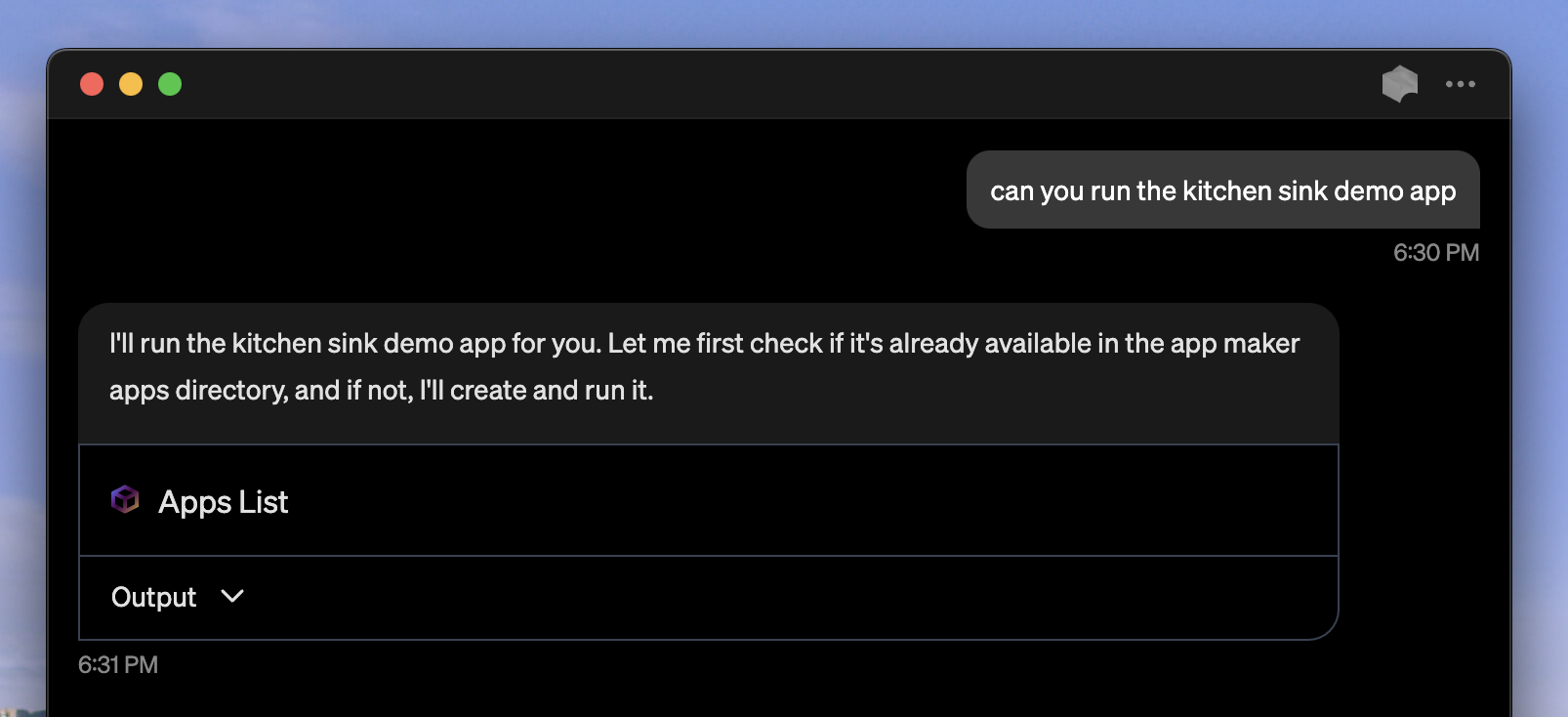
goose keeps track of your apps:
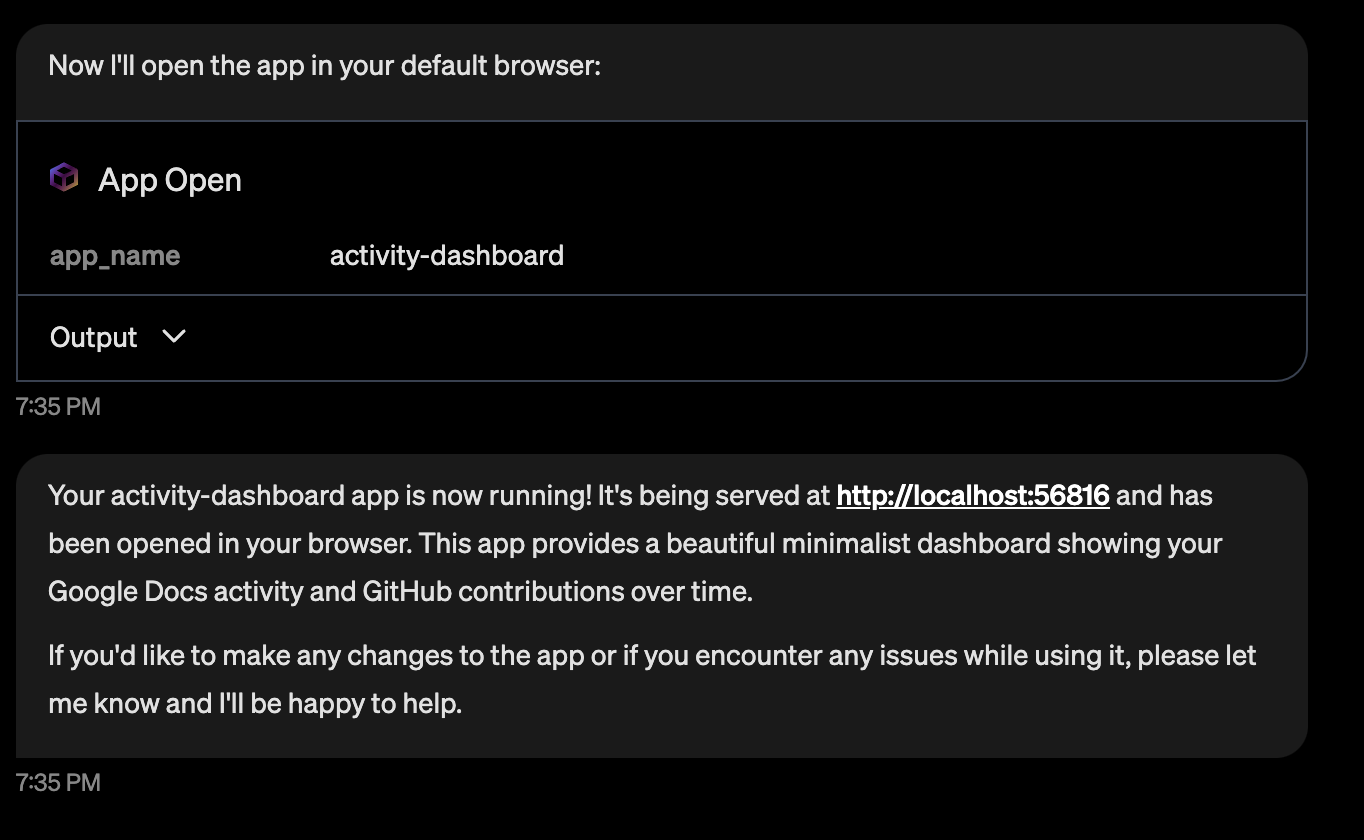
Load data via goose (re-using its extensions)
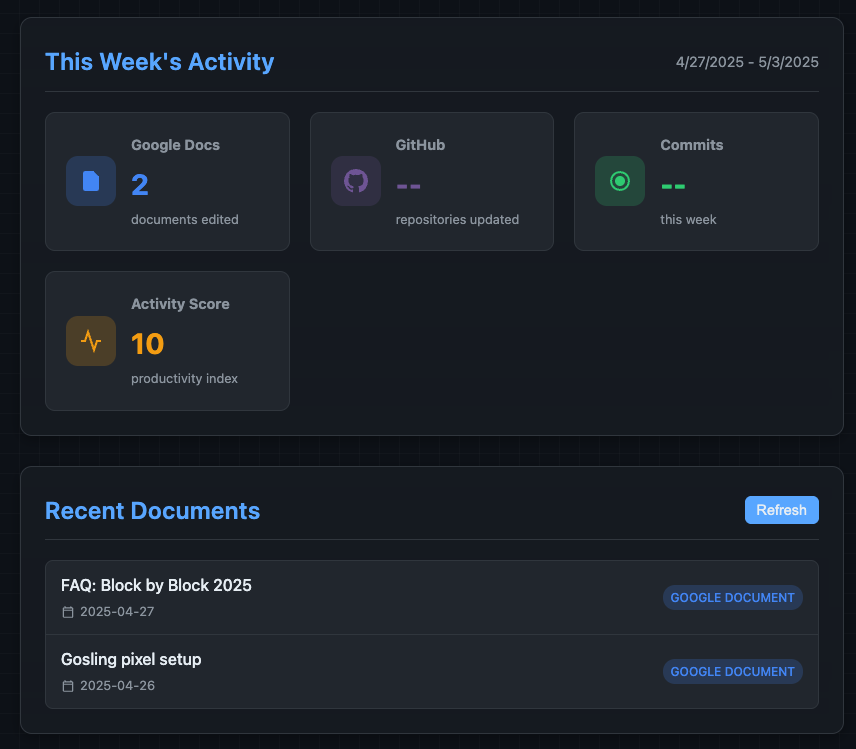
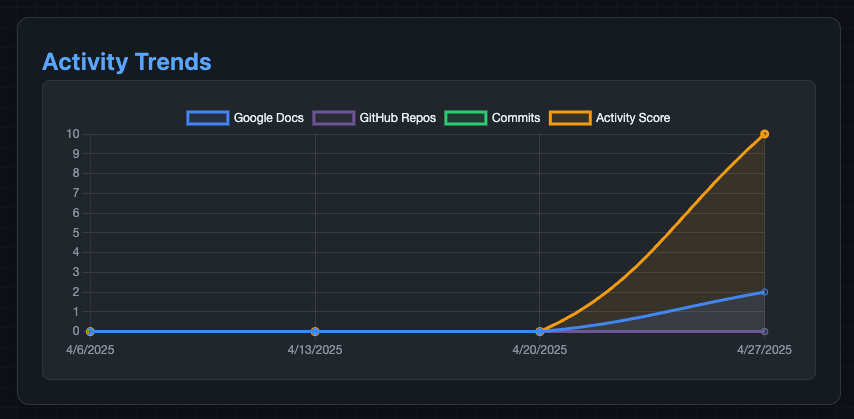
Make apps on demand
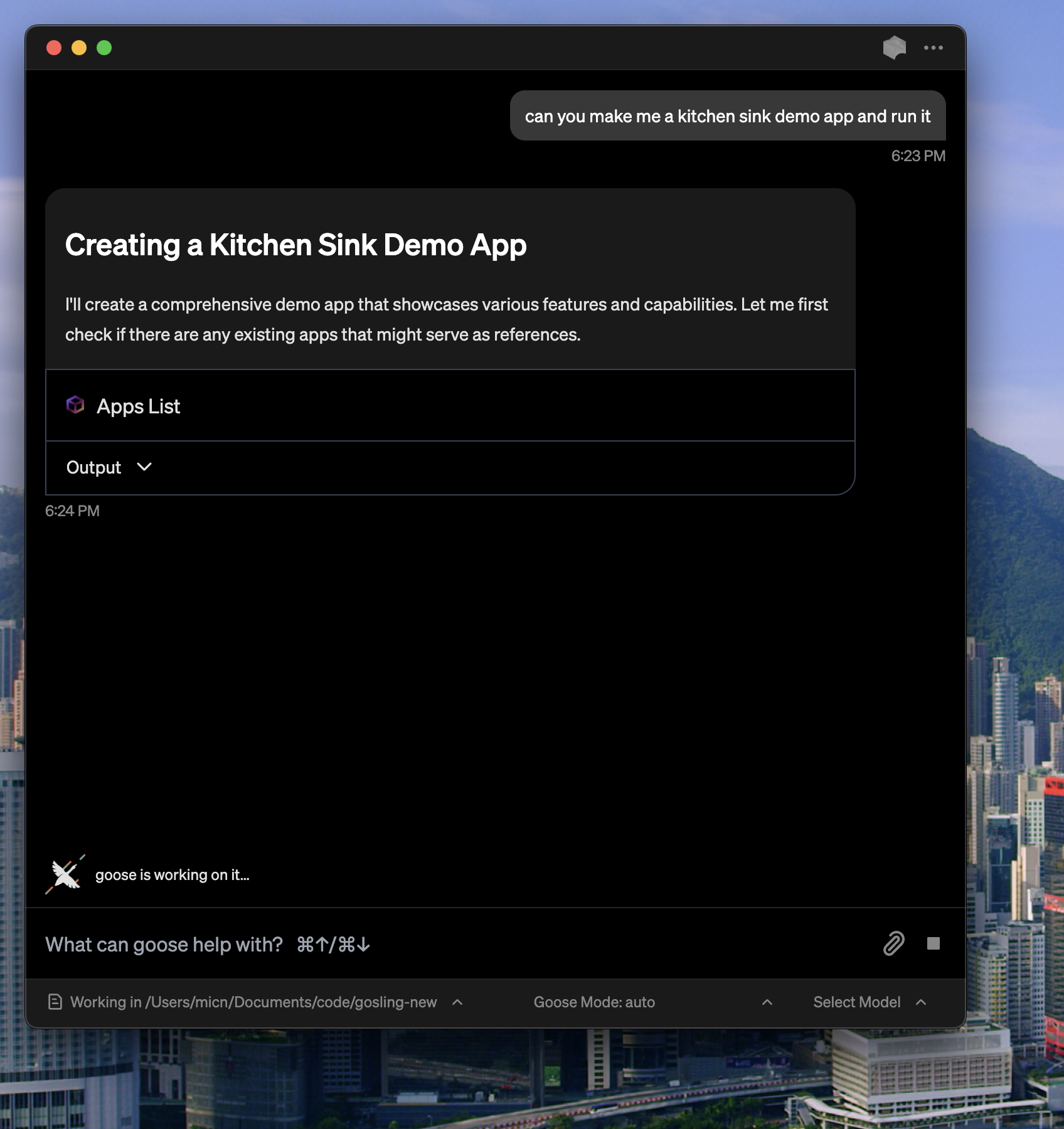
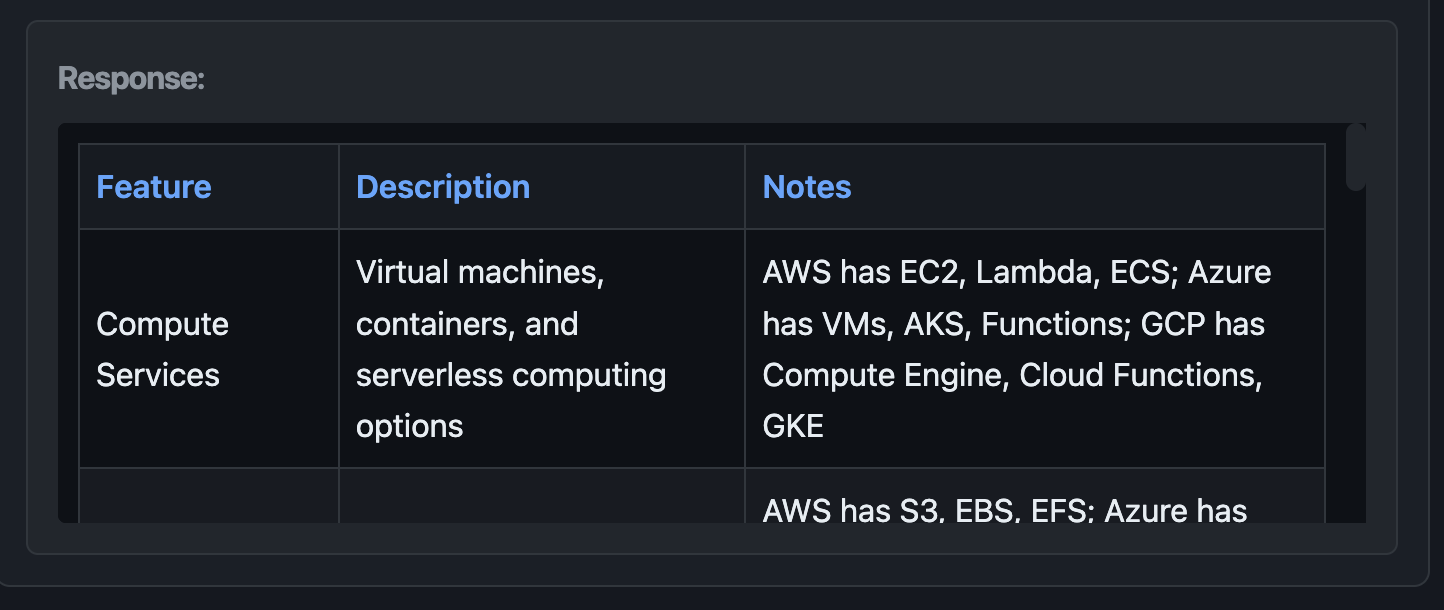
Show rich tabular or list data as well
Usage from source
eg in goose:
# Run directly from source
uv --directory $PWD run python main.py
IMPORTANT: this MCP is required to be run in the goose desktop app at the moment (as it accesses goose-server/goosed)
Building and publishing
Optional: Build in a clean environment using uv
uv venv .venv
source .venv/bin/activate
uv pip install build
python -m build
Publishing
- Update version in
pyproject.toml:
[project]
version = "x.y.z"  # Update this
- Build the package:
# Clean previous builds
rm -rf dist/*
python -m build
- Publish to PyPI:
# Install twine if needed
uv pip install twine

# Upload to PyPI
python -m twine upload dist/*
How it works
This MCP serves up apps, but also allows them to talk to goose via goosed and their own session:
Overview
The system implements a non-blocking, asynchronous request-response pattern that allows web applications to send requests to Goose and receive responses without blocking the main thread. This is achieved through a combination of:
- A blocking endpoint on the server side
- Asynchronous JavaScript on the client side
- A response storage mechanism with thread synchronization
Web App Structure
Web apps are made (or downloaded) on request, based on resources/templates.
Each web app is stored in its own directory under ~/.config/goose/app-maker-apps with the following structure:
app-name/
├── goose-app-manifest.json     # App metadata
├── index.html        # Main HTML file
├── style.css         # CSS styles
├── script.js         # JavaScript code
└── goose_api.js      # allows the apps to access goose(d) for deeper backend functionality
└── ...               # Other app files
The goose-app-manifest.json file contains metadata about the app, including:
- name: Display name of the app
- type: Type of app (e.g., "static", "react", etc.)
- description: Brief description of the app
- created: Timestamp when the app was created
- files: List of files in the app
1. Client-Side Request Flow
When a client wants to get a response from Goose:
┌─────────┐     ┌─────────────────┐     ┌───────────────┐     ┌──────────────┐
│ User    │────▶│ gooseRequestX() │────▶│ Goose API     │────▶│ waitForResp- │
│ Request │     │ (text/list/     │     │ (/reply)      │     │ onse endpoint │
└─────────┘     │  table)         │     └───────────────┘     └──────────────┘
                └─────────────────┘                                   │
                         ▲                                            │
                         │                                            │
                         └────────────────────────────────────────────┘
                                          Response
- The user initiates a request (e.g., clicking "Get List Response")
- The client calls one of the request functions (
gooseRequestText,gooseRequestList, orgooseRequestTable) - The function generates a unique
responseIdand sends a request to Goose with instructions to callapp_responsewith this ID - The function then calls
waitForResponse(responseId)which polls the/wait_for_response/{responseId}endpoint - This endpoint blocks until the response is available or a timeout occurs
- When the response is available, it's returned to the client and displayed
2. Server-Side Processing
On the server side:
┌─────────────┐     ┌─────────────┐     ┌───────────────┐
│ HTTP Server │────▶│ app_response│────▶│ response_locks│
│ (blocking   │     │ (stores     │     │ (notifies     │
│  endpoint)  │◀────│  response)  │◀────│  waiters)     │
└─────────────┘     └─────────────┘     └───────────────┘
- The
/wait_for_response/{responseId}endpoint uses condition variables to block until a response is available - When Goose processes the request, it calls the
app_responsefunction with the response data and theresponseId - The
app_responsefunction stores the response in theapp_responsesdictionary and notifies any waiting threads using the condition variable - The blocked HTTP request is then unblocked and returns the response to the client
3. Thread Synchronization
The system uses Python's threading.Condition for thread synchronization:
- When a client requests a response that isn't available yet, a condition variable is created for that
responseId - The HTTP handler thread waits on this condition with a timeout (30 seconds)
- When the response becomes available, the condition is notified
- If the timeout expires before the response is available, an error is returned
Key Components
Client-Side Functions
gooseRequestText(query): Requests a text responsegooseRequestList(query): Requests a list responsegooseRequestTable(query, columns): Requests a table response with specified columnswaitForResponse(responseId): Waits for a response with the given ID
Server-Side Functions
app_response(response_id, string_data, list_data, table_data): Stores a response and notifies waiters- HTTP handler with
/wait_for_response/{responseId}endpoint: Blocks until response is available
1 maintainer

Metadata
1 maintainer
Release files for goose-app-maker-mcp 0.0.2
For a detailed explanation of source distributions (sdists) and built distributions (wheels), please see the package formats documentation.
Source distribution (sdist)
| File | Size | Uploaded | Provenance | Actions |
|---|---|---|---|---|
| goose_app_maker_mcp-0.0.2.tar.gz | 4.1 kB | Without provenance | Details for goose_app_maker_mcp-0.0.2.tar.gz |
Built distribution (wheel)
| File | Interpreter | ABI | Platform | Actions Reset |
|---|---|---|---|---|
| goose_app_maker_mcp-0.0.2-py3-none-any.whl | Python 3 | none | any | Details for goose_app_maker_mcp-0.0.2-py3-none-any.whl |
Total release size: 8.3 kB
Release files / goose_app_maker_mcp-0.0.2.tar.gz
| Download URL | goose_app_maker_mcp-0.0.2.tar.gz |
|---|---|
| Size | 4.1 kB |
| Tags | Source |
|
SHA-256 checksum How to use checksums |
cc0ac784ff7ae2636570ddc224e9e13bee88534ed7f7c9e09dff83cae3275098
|
|
BLAKE2b-256 checksum How to use checksums |
21443a5399257a25ba61b4f62a99cac16b5c766c9bd7ea44b842879da3af07c2
|
| Upload date | |
|
Uploaded using Trusted Publishing? What is trusted publishing? |
No |
| Uploaded via |
twine/6.1.0 CPython/3.12.4
|
Release files / goose_app_maker_mcp-0.0.2-py3-none-any.whl
| Download URL | goose_app_maker_mcp-0.0.2-py3-none-any.whl |
|---|---|
| Size | 4.2 kB |
| Tags | Python 3 |
|
SHA-256 checksum How to use checksums |
4c0a2f17f7a3bae14b78f32ae940815411547d1bcb99eeb8eda872f360d78237
|
|
BLAKE2b-256 checksum How to use checksums |
d59583a87bfe4de7b7269ebcf211bfaed00d5c3d4cbc2b856443b217bf1ad8c5
|
| Upload date | |
|
Uploaded using Trusted Publishing? What is trusted publishing? |
No |
| Uploaded via |
twine/6.1.0 CPython/3.12.4
|
Security for goose-app-maker-mcp 0.0.2
Provenance
Provenance describes where a file came from. On PyPI, provenance is shared via attestations, which provide a verifiable record of the build or publishing details. View details, limitations and caveats.
No provenance found
None of the files in this release were uploaded with provenance metadata.
A note on package security
PyPI is a repository for distributing packages, not a service for auditing them. While third-party security researchers and our staff do their best to detect and remove malicious packages, PyPI cannot guarantee the quality, security or suitability of any given package.
To learn more about protecting yourself from malicious actors, visit our package security documentation.














