
A declarative language describing ordinary differential equations
Verified details
These details have been verified by PyPIProject links
GitHub Statistics
Maintainers

Project description








gotranx
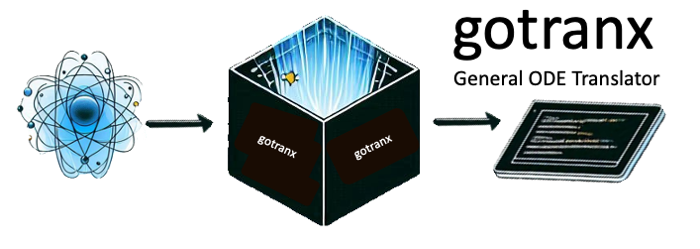
gotranx is the next generation General ODE translator. The general idea is that you write your ODE in a high level markup language and use gotranx to generate code for solving the ODE in different programming languages. gotranx uses sympy to create a symbolic representation of the ODE which is used to generate the jacobian and numerical schemes.
gotranx makes it also possible generate code from e.g CellML models using conversion tools from myokit.
- Source code: https://github.com/finsberg/gotranx
- Documentation: https://finsberg.github.io/gotranx/
Install
Install with pip
python3 -m pip install gotranx
or for the development version
python3 -m pip install git+https://github.com/finsberg/gotranx
You can also install gotranx using conda
conda install -c conda-forge gotranx
Quick start
Define your ODE in a .ode file, e.g file.ode with the content
states(x=1, y=0)
parameters(a=1.0)

dx_dt = a * y
dy_dt = -x
which defines the ODE system
$$ \begin{align} \frac{dx}{dt} &= ay \ \frac{dy}{dt} &= -x \end{align} $$
with the initial conditions $x(0) = 1$ and $y(0) = 0$ and the parameter $a$ with a value of 1.0. Now generate code in python for solving this ODE with the explicit euler scheme using the command
gotranx ode2py file.ode --scheme explicit_euler -o file.py
which will create a file file.py containing functions for solving the ODE. Now you can solve the ode using the following code snippet
import file as model
import numpy as np
import matplotlib.pyplot as plt

s = model.init_state_values()
p = model.init_parameter_values()
dt = 1e-4  # 0.1 ms
T = 2 * np.pi
t = np.arange(0, T, dt)

x_index = model.state_index("x")
x = [s[x_index]]
y_index = model.state_index("y")
y = [s[y_index]]

for ti in t[1:]:
    s = model.explicit_euler(s, ti, dt, p)
    x.append(s[x_index])
    y.append(s[y_index])

plt.plot(t, x, label="x")
plt.plot(t, y, label="y")
plt.legend()
plt.show()

Alternatively, you can use a third-party ODE solver, e.g scipy.integrate.solve_ivp to solve the ODE by passing in the right-hand side function
import file as model
from scipy.integrate import solve_ivp
import numpy as np
import matplotlib.pyplot as plt

s = model.init_state_values()
p = model.init_parameter_values()
dt = 1e-4  # 0.1 ms
T = 2 * np.pi
t = np.arange(0, T, dt)

res = solve_ivp(
    model.rhs,
    (0, T),
    s,
    method="RK45",
    t_eval=t,
    args=(p,),
)

plt.plot(res.t, res.y.T)
plt.legend()
plt.show()
Note that this is a rather artificial example, so check out the demos in the documentation for more elaborate examples.
FAQ
Why should I use gotranx?
The main reasons to use gotranx are
- You want to solve your model using different programming languages (e.g python and C)
- You want to create a custom numerical scheme that can utilize the symbolic representation of the ODE
- You would like to share your model in a high level representation (i.e a markup language)
How does it differ from scipy.integrate.solve_ivp?
scipy.integrate.solve_ivp is an ODE solver which takes as input a function defining the right-hand. gotranx takes a high level representation of the ODE and can generate code for the right hand side. In other words, you can use scipy.integrate.solve_ivp to solve the ODE and use gotranx to generate the right hand side.
Automated tests
Unit tests
Automated tests can be found in the test folder. To the run the tests please install the test dependencies
python3 -m pip install "gotranx[test]"
or if you have cloned the repo locally you can do
python3 -m pip install ".[test]"
To run the tests you should execute the following command
python3 -m pytest
Also note that the tests are run on every push and pull request to main using GitHub actions.
Linting and formatting
We use pre-commit to run the a set of linters and formatters in order to ensure consistent code style. Developers should install the pre-commit hooks by first installing pre-commit
python3 -m pip install pre-commit
and then install the pre-commit hooks
pre-commit install
To run the hooks on all the files you can do
pre-commit run --all
For further instructions see the contributing guide.
Note also the we run all hooks as a part of our continuous integration, and we are also using pre-commit.ci to update branches automatically that can fix issues automatically.
Performance monitoring
We have defined a set of benchmarks that run on every push to the main branch using codspeed. To monitor the performance over time you can check out the performance report.
To run the benchmarks locally you can install the pytest-codspeed plugin
python3 -m pip install pytest-codspeed
and run
python3 -m pytest tests/ --codspeed
You can find more info at https://docs.codspeed.io/benchmarks/python
Citing
If you use gotranx in your research project we would appreciate if you could use the following citation
@article{Finsberg2024,
    doi = {10.21105/joss.07063},
    url = {https://doi.org/10.21105/joss.07063},
    year = {2024},
    publisher = {The Open Journal},
    volume = {9},
    number = {102},
    pages = {7063},
    author = {Henrik Finsberg and Johan Hake},
    title = {gotranx: General ODE translator},
    journal = {Journal of Open Source Software}
}
License
MIT
Contributing
Contributions are very welcomed, but please read the contributing guide first
Project details
Verified details
These details have been verified by PyPIProject links
GitHub Statistics
Maintainers
Release history Release notifications | RSS feed


Download files
Download the file for your platform. If you're not sure which to choose, learn more about installing packages.
Source Distribution
Built Distribution
Filter files by name, interpreter, ABI, and platform.
If you're not sure about the file name format, learn more about wheel file names.
Copy a direct link to the current filters
File details
Details for the file gotranx-1.6.0.tar.gz.
File metadata
- Download URL: gotranx-1.6.0.tar.gz
- Upload date:
- Size: 67.7 kB
- Tags: Source
- Uploaded using Trusted Publishing? Yes
- Uploaded via: twine/6.1.0 CPython/3.13.7
File hashes
| Algorithm | Hash digest | |
|---|---|---|
| SHA256 |
c3e04cd74d1b6b77fae2ac01ccb6e79b034e5d3819c89f2e623e2ee66cef1c4b
|
|
| MD5 |
b1bb8c2c85e5db820750af3386db34f6
|
|
| BLAKE2b-256 |
048e8f1e8536021f5636d74d621b7738c824c51f841c1d8b10b0ebce2b548b60
|
Provenance
The following attestation bundles were made for gotranx-1.6.0.tar.gz:
Publisher:
pypi.yml on finsberg/gotranx
-
Statement:
-
Statement type:
https://in-toto.io/Statement/v1 -
Predicate type:
https://docs.pypi.org/attestations/publish/v1 -
Subject name:
gotranx-1.6.0.tar.gz -
Subject digest:
c3e04cd74d1b6b77fae2ac01ccb6e79b034e5d3819c89f2e623e2ee66cef1c4b - Sigstore transparency entry: 1179844581
- Sigstore integration time:
-
Permalink:
finsberg/gotranx@a07535db8fbf9ecd2ab916ded139b045bff74ff9 -
Branch / Tag:
refs/tags/v1.6.0 - Owner: https://github.com/finsberg
-
Access:
public
-
Token Issuer:
https://token.actions.githubusercontent.com -
Runner Environment:
github-hosted -
Publication workflow:
pypi.yml@a07535db8fbf9ecd2ab916ded139b045bff74ff9 -
Trigger Event:
push
-
Statement type:
File details
Details for the file gotranx-1.6.0-py3-none-any.whl.
File metadata
- Download URL: gotranx-1.6.0-py3-none-any.whl
- Upload date:
- Size: 60.8 kB
- Tags: Python 3
- Uploaded using Trusted Publishing? Yes
- Uploaded via: twine/6.1.0 CPython/3.13.7
File hashes
| Algorithm | Hash digest | |
|---|---|---|
| SHA256 |
4e5bfd21b9c3034eb92f879826194cf1ffdcb9989e36a7ae6852d710bc8126ff
|
|
| MD5 |
57f8fd6e75fa291d13fbf895ea0f31bf
|
|
| BLAKE2b-256 |
354bc9e6cd4bd45cf09d6ed72e643fcf43686c0e559c6c94bc7401393ad486a8
|
Provenance
The following attestation bundles were made for gotranx-1.6.0-py3-none-any.whl:
Publisher:
pypi.yml on finsberg/gotranx
-
Statement:
-
Statement type:
https://in-toto.io/Statement/v1 -
Predicate type:
https://docs.pypi.org/attestations/publish/v1 -
Subject name:
gotranx-1.6.0-py3-none-any.whl -
Subject digest:
4e5bfd21b9c3034eb92f879826194cf1ffdcb9989e36a7ae6852d710bc8126ff - Sigstore transparency entry: 1179844587
- Sigstore integration time:
-
Permalink:
finsberg/gotranx@a07535db8fbf9ecd2ab916ded139b045bff74ff9 -
Branch / Tag:
refs/tags/v1.6.0 - Owner: https://github.com/finsberg
-
Access:
public
-
Token Issuer:
https://token.actions.githubusercontent.com -
Runner Environment:
github-hosted -
Publication workflow:
pypi.yml@a07535db8fbf9ecd2ab916ded139b045bff74ff9 -
Trigger Event:
push
-
Statement type:






