



AI-powered code generation tool for scratch development of web applications with a team collaboration of autonomous AI agents. This is a research-project, and its primary value is to explore the possibility of autonomous AI agents.
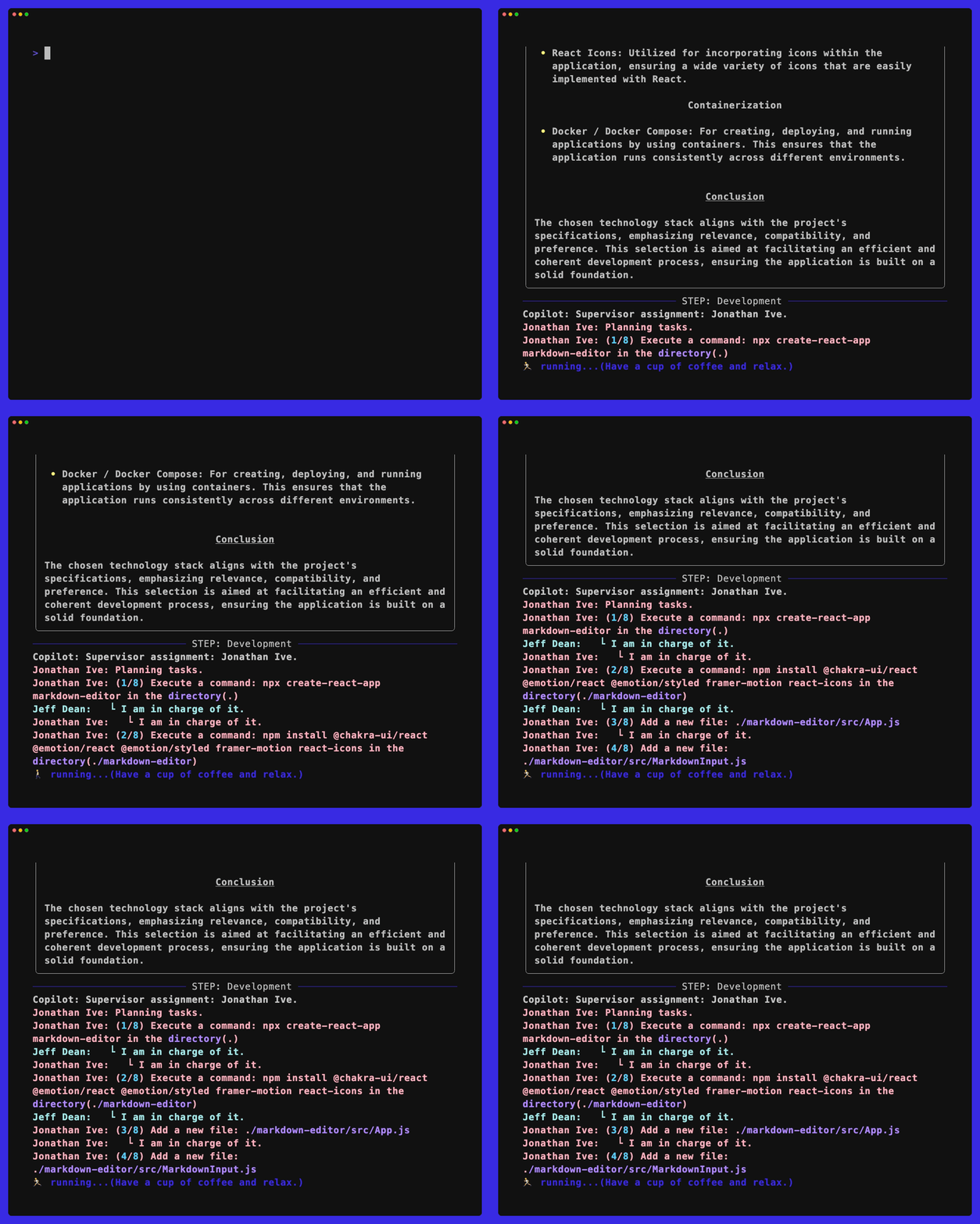
Table of contents
🏛 Concept
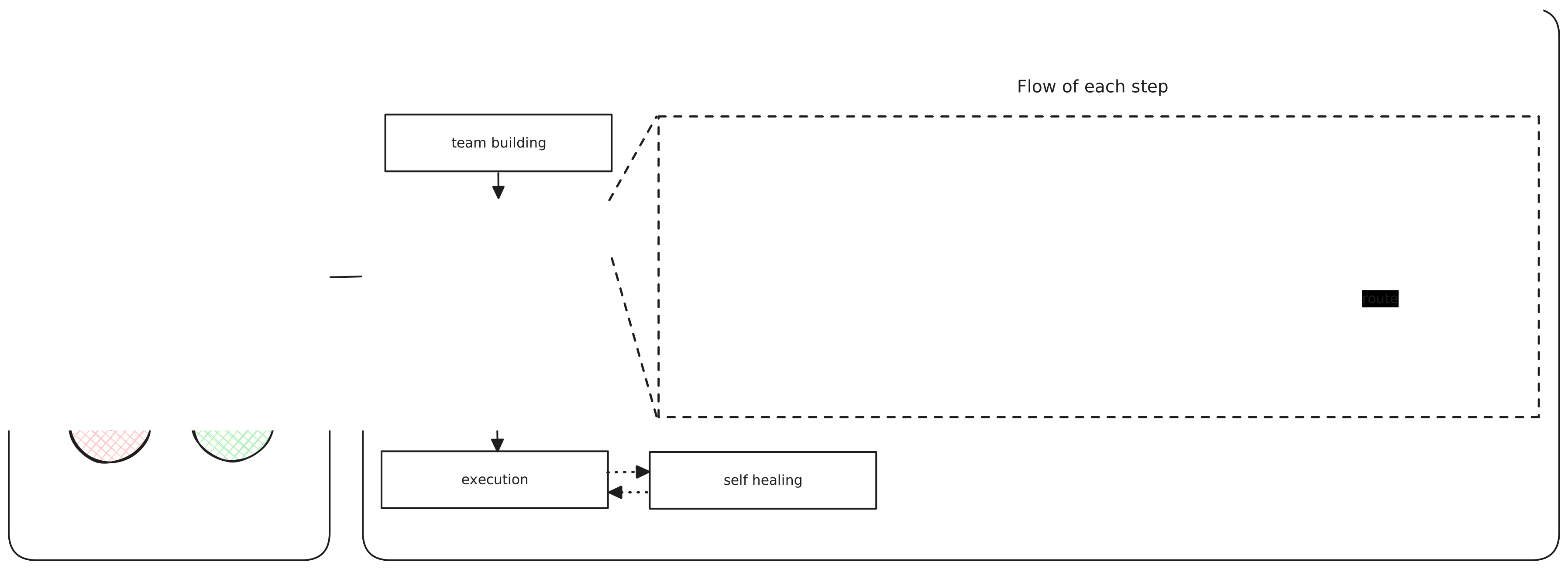
- Build Team, Build App: Simply organize your team and decide on what to build.
- AI Agent Collaboration: Assemble a group of AI agents and work together to carry out the steps.
- Choose the right leader for each step.
- Leaders create a plan of action for each step.
- Work with team members to complete every task in the action plan.
🐳 Getting Started
For User
- Installation
$ pip install gpt-all-star
- Set the
GPT ALL STARenvironment variables
$ export OPENAI_API_MODEL=gpt-4o
$ export OPENAI_API_KEY=<your-openai-api-key>
- Fun
GPT ALL STAR
$ gpt-all-star
For Developer
:bulb: While it's entirely feasible to launch the application on your local machine directly, we strongly recommend using Docker for starting up the application.
- Clone the repository
$ git clone git@github.com:kyaukyuai/gpt-all-star.git
- Edit the
.envfile
$ mv .env.sample .env
# OPENAI or AZURE or ANTHROPIC
ENDPOINT=OPENAI

# USE when ENDPOINT=OPENAI
OPENAI_API_MODEL=gpt-4o
OPENAI_API_KEY=<your-openai-api-key>

# USE when ENDPOINT=AZURE
AZURE_OPENAI_API_KEY=<your-azure-openai-api-key>
AZURE_OPENAI_API_VERSION=2024-05-01-preview
AZURE_OPENAI_API_MODEL=<your-azure-openai-api-model>
AZURE_OPENAI_DEPLOYMENT_NAME=<your-azure-openai-deployment-name>
AZURE_OPENAI_ENDPOINT=https://<your-azure-openai-endpoint>.openai.azure.com/

# USE when ENDPOINT=ANTHROPIC
ANTHROPIC_API_KEY=<your-anthropic-api-key>
ANTHROPIC_MODEL=<your-anthropic-model-name>

# LangSmith
LANGCHAIN_TRACING_V2=true
LANGCHAIN_ENDPOINT=https://api.smith.langchain.com
LANGCHAIN_API_KEY=<your-langchain-api-key>
LANGCHAIN_PROJECT=<your-langchain-project>

# This is an environment variable to use if you want to manage the code you want to generate with gpt-all-star on GitHub.
GITHUB_ORG=<your-github-org>
GITHUB_TOKEN=<your-github-token>
- Run
docker compose buildanddocker compose up
$ make build
$ make up
- Open the web terminal
port 7681
Open: http://localhost:7681
- Install dependencies
$ poetry install
- Start
GPT ALL STAR
$ poetry run gpt-all-star
$ poetry run gpt-all-star --help

Usage: gpt-all-star [OPTIONS]

╭─ Options ──────────────────────────────────────────────────────────────────────────────────────────────────────────────────────────────────────────────╮
│ --step                -s      [none|default|build|specification|system_design|development  Step to be performed [default: StepType.DEFAULT]            │
│                               |entrypoint|ui_design|healing]                                                                               │
│ --project_name        -p      TEXT                                                         Project name [default: None]                                │
│ --japanese_mode       -j                                                                   Japanese mode                                               │
│ --review_mode         -r                                                                   Review mode                                                 │
│ --debug_mode          -d                                                                   Debug mode                                                  │
│ --plan_and_solve                                                                           Plan-and-Solve Prompting                                    │
│ --install-completion          [bash|zsh|fish|powershell|pwsh]                              Install completion for the specified shell. [default: None] │
│ --show-completion             [bash|zsh|fish|powershell|pwsh]                              Show completion for the specified shell, to copy it or      │
│                                                                                            customize the installation.                                 │
│                                                                                            [default: None]                                             │
│ --help                                                                                     Show this message and exit.                                 │
╰────────────────────────────────────────────────────────────────────────────────────────────────────────────────────────────────────────────────────────╯
- Edit the team members
If you want to change the team members, edit the gpt_all_star/agents.yml file.
🕴 Current Situation
This is a research project and the main focus is currently on validating Client Web Applications in React and ChakraUI using JavaScript.
We would like to test other languages and libraries as well and welcome contributions.
🧑💻️ UI Project
gpt-all-star-ui is a web application that uses gpt-all-star as a backend.
It's a simple web application that allows you to use gpt-all-star as a service.

🔎 Examples
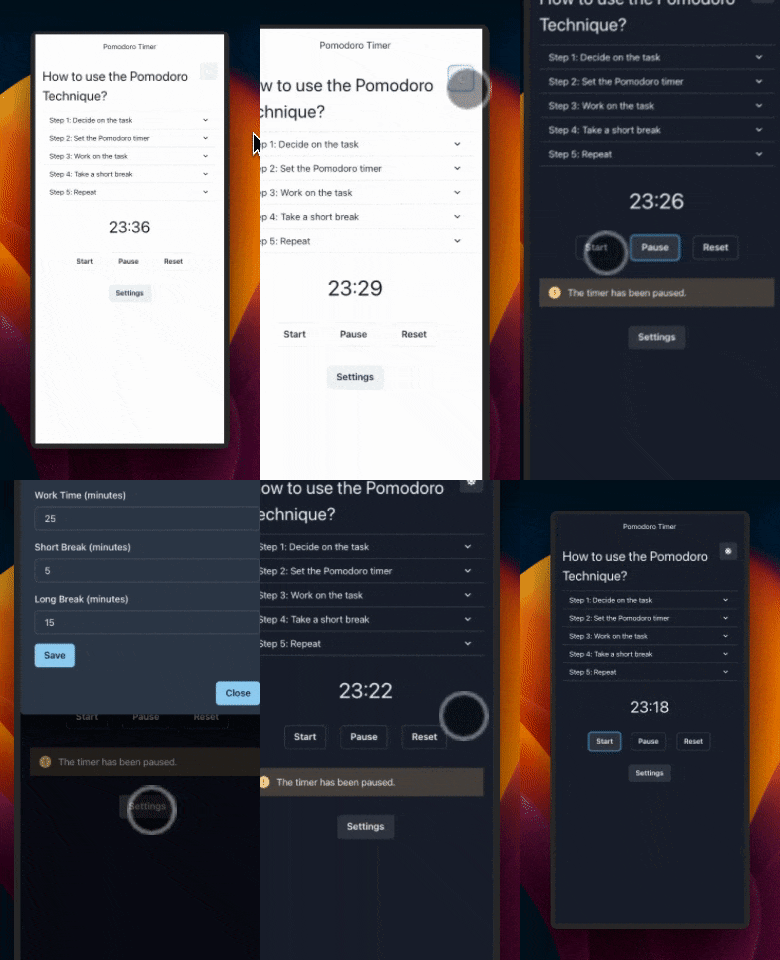
⏱️ Pomodoro Timer
- 💬 Instruction:
Pomodoro Timer fully designed by human interface guideline - 💻️ GitHub
🍻 Contribution
GPT ALL STAR is open-source and we welcome contributions. If you're looking to contribute, please:
- Fork the repository.
- Create a new branch for your feature.
- Add your feature or improvement.
- Send a pull request.
- We appreciate your input!
Installing Dependencies
poetry lock
poetry install
Virtual Env
poetry shell
Pre-commit hooks
pre-commit install
Packaging
poetry build
Installing Locally
pip install dist/*.tar.gz
1 maintainer

Metadata
1 maintainer
Release files for gpt-all-star 0.0.64
For a detailed explanation of source distributions (sdists) and built distributions (wheels), please see the package formats documentation.
Source distribution (sdist)
| File | Size | Uploaded | Provenance | |
|---|---|---|---|---|
| gpt_all_star-0.0.64.tar.gz | 42.6 kB | Without provenance | Details |
Release files / gpt_all_star-0.0.64.tar.gz
| Download URL | gpt_all_star-0.0.64.tar.gz |
|---|---|
| Size | 42.6 kB |
| Tags | Source |
|
SHA-256 checksum How to use checksums |
cf76b1d6c7fb6a26ea6a89acde332e4749400c85586ebbdd3971c60acc4a2366
|
|
BLAKE2b-256 checksum How to use checksums |
7ea1789f2166f3d9c4b7a1fe792490e08cf2d335fd52017f9feb0da167fe06d1
|
| Upload date | |
|
Uploaded using Trusted Publishing? What is trusted publishing? |
No |
| Uploaded via |
twine/6.0.1 CPython/3.12.8
|
Security for gpt-all-star 0.0.64
Provenance
Provenance describes where a file came from. On PyPI, provenance is shared via attestations, which provide a verifiable record of the build or publishing details. View details, limitations and caveats.
No provenance found
None of the files in this release were uploaded with provenance metadata.
A note on package security
PyPI is a repository for distributing packages, not a service for auditing them. While third-party security researchers and our staff do their best to detect and remove malicious packages, PyPI cannot guarantee the quality, security or suitability of any given package.














